> ## Documentation Index
> Fetch the complete documentation index at: https://zite.com/llms.txt
> Use this file to discover all available pages before exploring further.
# Zite Database REST API
> Interact with Zite's built-in database (ZiteDB) via a REST API. Get programmatic access to your databases, tables, and records.
### Introduction
The **Zite DB API** lets you access and manage your Zite databases programmatically, without using the Zite interface.
You can create databases, manage table schemas, define field types, and perform CRUD operations on records via the API.
### Field types
Zite DB supports over 20 different field types to handle various data structures - from simple text and numbers to complex relationships. See the complete [Field Types](/help/database/api/field-types) guide for details.
### Authentication
Generate and view your API key in the `Developer` [settings tab of your account](https://app.zite.com/home/settings/developer). You can revoke or regenerate your API key at any time via the dashboard.
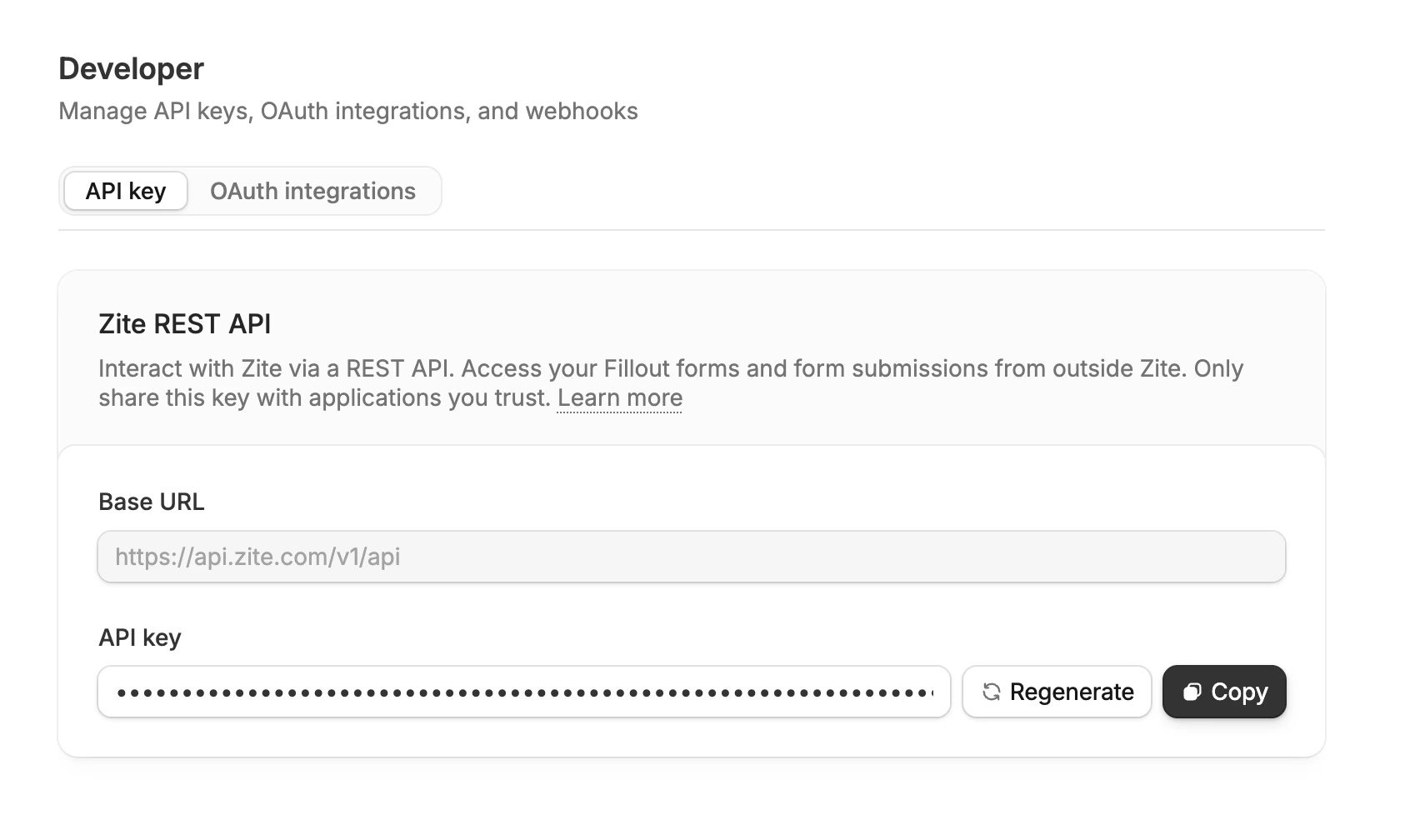 To authenticate your requests, you need to provide your API key in the `Authorization` header in the following format:
```bash theme={null}
Authorization: Bearer
```
Replace `` with the **API key** obtained from your Zite account.
The API base URL is [https://tables.zite.com/api/v1](https://tables.zite.com/api/v1).
**Important:** If your workspace uses a custom deployment, use the base URL shown in your API dashboard.
**Note:** Use the same Zite API key for Zite REST API and Zite DB endpoints.
## Finding Database and Table IDs
When working with the Zite Database API, you'll need to provide database IDs and table IDs in your API requests. Here's how to find them:
Click the database from the home page [dashboard](https://app.zite.com/home).
Look at the URL in your browser. It follows this format:
```text theme={null}
app.zite.com/database/{databaseId}/{tableId}/...
```
For example, in this URL:
```text theme={null}
app.zite.com/database/67ef4d500c50cce9/t7nUTgYUjzF/vkuDPV6ZqBb
```
* **Database ID**: `67ef4d500c50cce9`
* **Table ID**: `t7nUTgYUjzF`
**Important:** If you're accessing a database from within a Zite app, make sure to open the database separately and use that URL, not the Zite editor URL itself.
## Rate limits
All endpoints are limited to being called no more than 30 times per second, per Account/API key. Contact [support@zite.com](mailto:support@zite.com) if you need increased rate limits.
## Error handling
All API errors return a consistent response format:
```json theme={null}
{
"error": {
"code": "ERROR_CODE",
"message": "Human readable error message"
}
}
```
### Common error codes
| Code | Description |
| ----------------------- | ------------------------------------------ |
| `INVALID_RECORD_ID` | Record ID is not in valid UUID format |
| `NOT_FOUND` | Requested resource does not exist |
| `BAD_REQUEST` | Invalid request data or validation failure |
| `UNAUTHORIZED` | Invalid or missing API key |
| `INTERNAL_SERVER_ERROR` | Server-side error occurred |
| `NOT_IMPLEMENTED` | Feature not yet implemented |
## API Endpoints
Explore all available endpoints organized by functionality:
Create, read, update, and delete records in your tables
Manage table fields and their configurations
Create and manage database tables
Create and manage your databases
### Records
Manage individual records within your database tables:
Add new records to a table with field data
Retrieve a specific record by its unique identifier
Modify existing record data
Get all records from a table with filtering options
Remove a record from the database
### Fields
Configure and manage table field schemas:
Add new fields to existing tables
Modify field properties and configurations
Remove fields from tables
Complete guide to all supported field types
### Tables
Create and manage database table structures:
Create new tables with custom schemas
Modify table properties and settings
Remove tables from your database
### Databases
Manage your database instances:
Create new database instances
List all your databases
Retrieve specific database information
Remove database instances
To authenticate your requests, you need to provide your API key in the `Authorization` header in the following format:
```bash theme={null}
Authorization: Bearer
```
Replace `` with the **API key** obtained from your Zite account.
The API base URL is [https://tables.zite.com/api/v1](https://tables.zite.com/api/v1).
**Important:** If your workspace uses a custom deployment, use the base URL shown in your API dashboard.
**Note:** Use the same Zite API key for Zite REST API and Zite DB endpoints.
## Finding Database and Table IDs
When working with the Zite Database API, you'll need to provide database IDs and table IDs in your API requests. Here's how to find them:
Click the database from the home page [dashboard](https://app.zite.com/home).
Look at the URL in your browser. It follows this format:
```text theme={null}
app.zite.com/database/{databaseId}/{tableId}/...
```
For example, in this URL:
```text theme={null}
app.zite.com/database/67ef4d500c50cce9/t7nUTgYUjzF/vkuDPV6ZqBb
```
* **Database ID**: `67ef4d500c50cce9`
* **Table ID**: `t7nUTgYUjzF`
**Important:** If you're accessing a database from within a Zite app, make sure to open the database separately and use that URL, not the Zite editor URL itself.
## Rate limits
All endpoints are limited to being called no more than 30 times per second, per Account/API key. Contact [support@zite.com](mailto:support@zite.com) if you need increased rate limits.
## Error handling
All API errors return a consistent response format:
```json theme={null}
{
"error": {
"code": "ERROR_CODE",
"message": "Human readable error message"
}
}
```
### Common error codes
| Code | Description |
| ----------------------- | ------------------------------------------ |
| `INVALID_RECORD_ID` | Record ID is not in valid UUID format |
| `NOT_FOUND` | Requested resource does not exist |
| `BAD_REQUEST` | Invalid request data or validation failure |
| `UNAUTHORIZED` | Invalid or missing API key |
| `INTERNAL_SERVER_ERROR` | Server-side error occurred |
| `NOT_IMPLEMENTED` | Feature not yet implemented |
## API Endpoints
Explore all available endpoints organized by functionality:
Create, read, update, and delete records in your tables
Manage table fields and their configurations
Create and manage database tables
Create and manage your databases
### Records
Manage individual records within your database tables:
Add new records to a table with field data
Retrieve a specific record by its unique identifier
Modify existing record data
Get all records from a table with filtering options
Remove a record from the database
### Fields
Configure and manage table field schemas:
Add new fields to existing tables
Modify field properties and configurations
Remove fields from tables
Complete guide to all supported field types
### Tables
Create and manage database table structures:
Create new tables with custom schemas
Modify table properties and settings
Remove tables from your database
### Databases
Manage your database instances:
Create new database instances
List all your databases
Retrieve specific database information
Remove database instances
Related topics