> ## Documentation Index
> Fetch the complete documentation index at: https://zite.com/llms.txt
> Use this file to discover all available pages before exploring further.
# Connect Zite Database to n8n
> Automate workflows by connecting your Zite database tables to thousands of apps, data sources, and services with n8n
## Overview
At its core, n8n is a visual workflow automation tool where you connect nodes (apps, APIs, logic blocks) into pipelines. The [Zite n8n integration](https://n8n.io/integrations/zite-database/) acts like a structured database layer, letting you read, create, and update database records as part of multi-step automations. You can trigger workflows from database events, transform data, and sync it across other tools.
## How it works
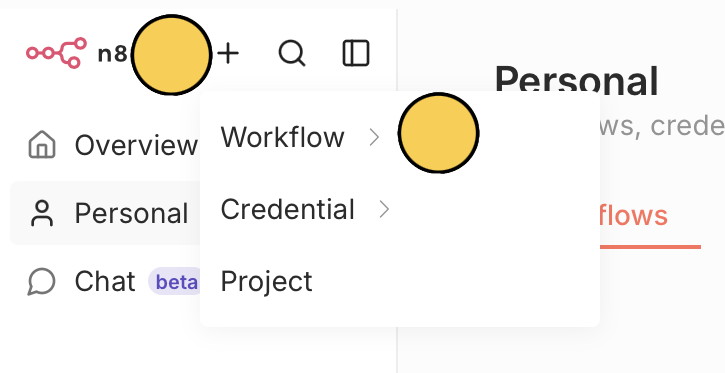
From the n8n dashboard, click **+** on the upper left corner followed by `Workflow`, then choose where to create it (e.g., Personal).
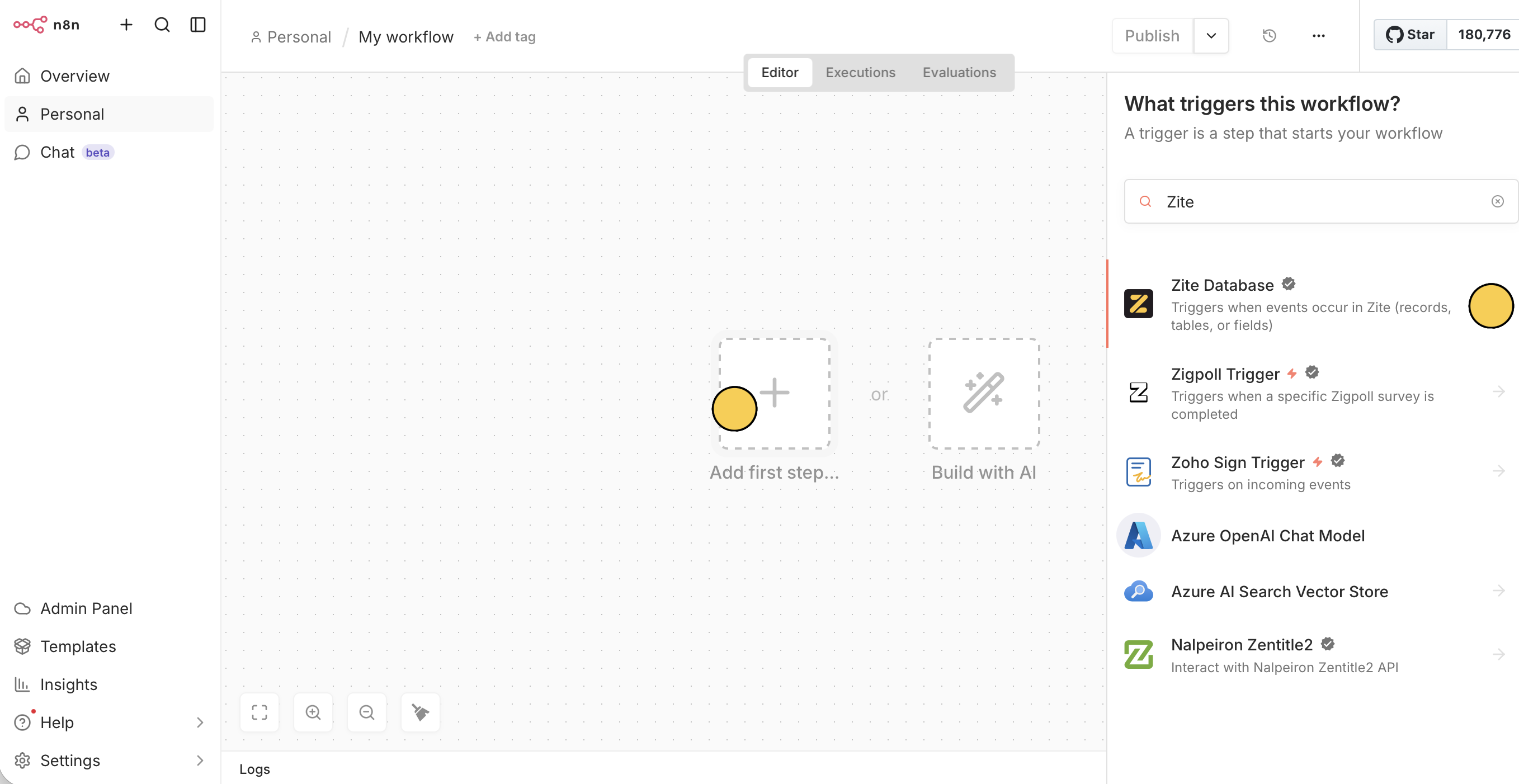
 Click **+** to open the nodes panel. Search for `Zite Database`.
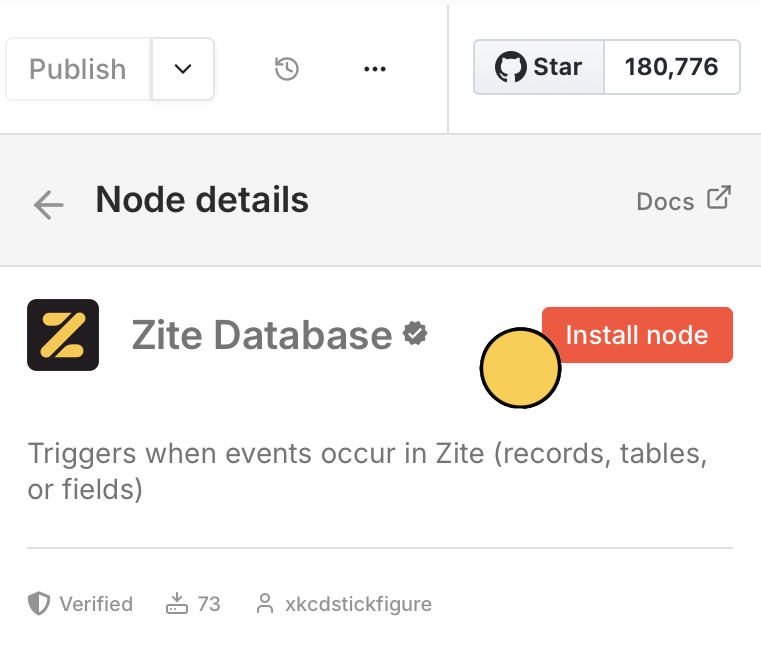
 Then, `Install node`
 .
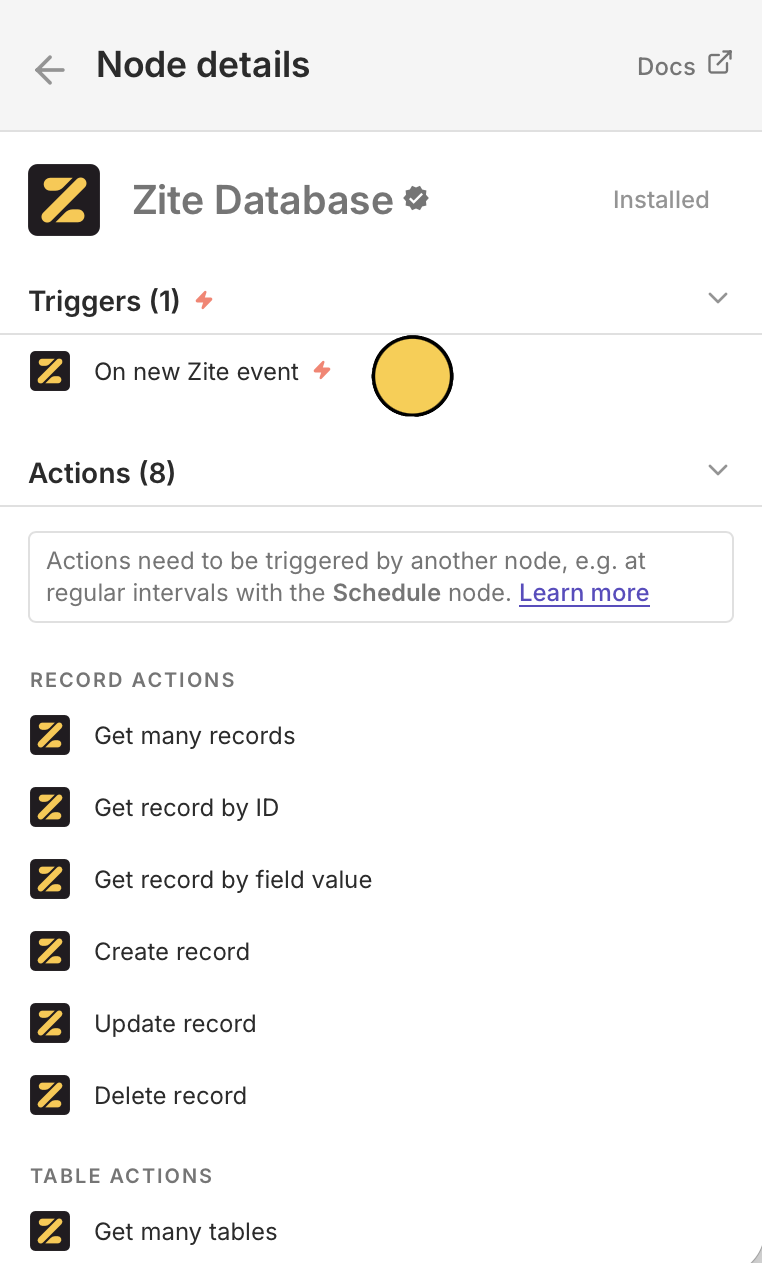
You can use Zite in a trigger or action. For this example, we'll trigger `On new Zite event`. Since this is your first Zite setup, `Set up credential` by pasting your [API key from Zite](https://build.fillout.com/home/settings/developer).
.
You can use Zite in a trigger or action. For this example, we'll trigger `On new Zite event`. Since this is your first Zite setup, `Set up credential` by pasting your [API key from Zite](https://build.fillout.com/home/settings/developer).
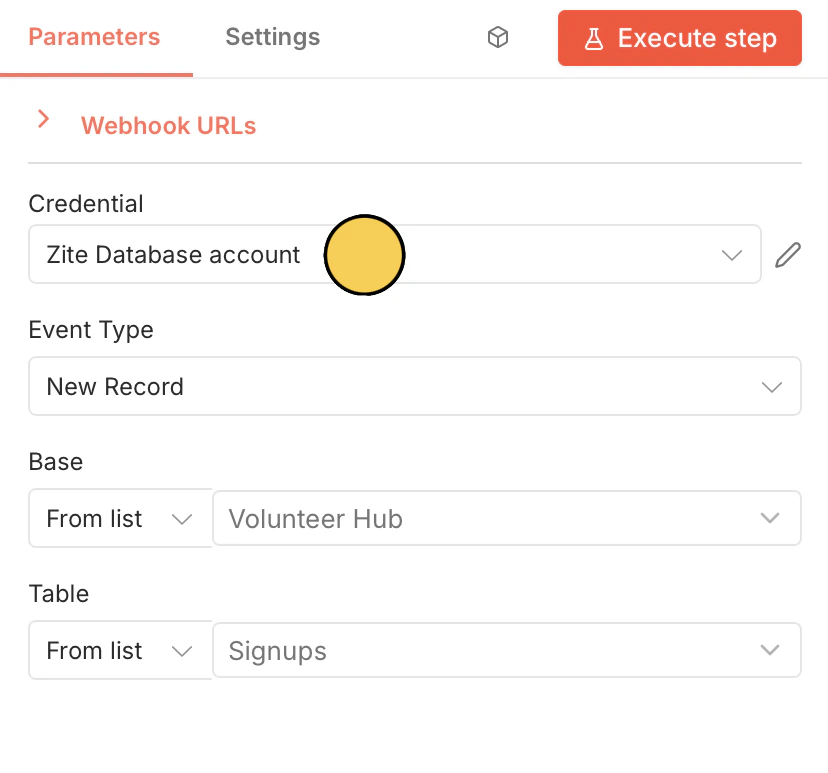
 Then, select your **Base** and **Table**.
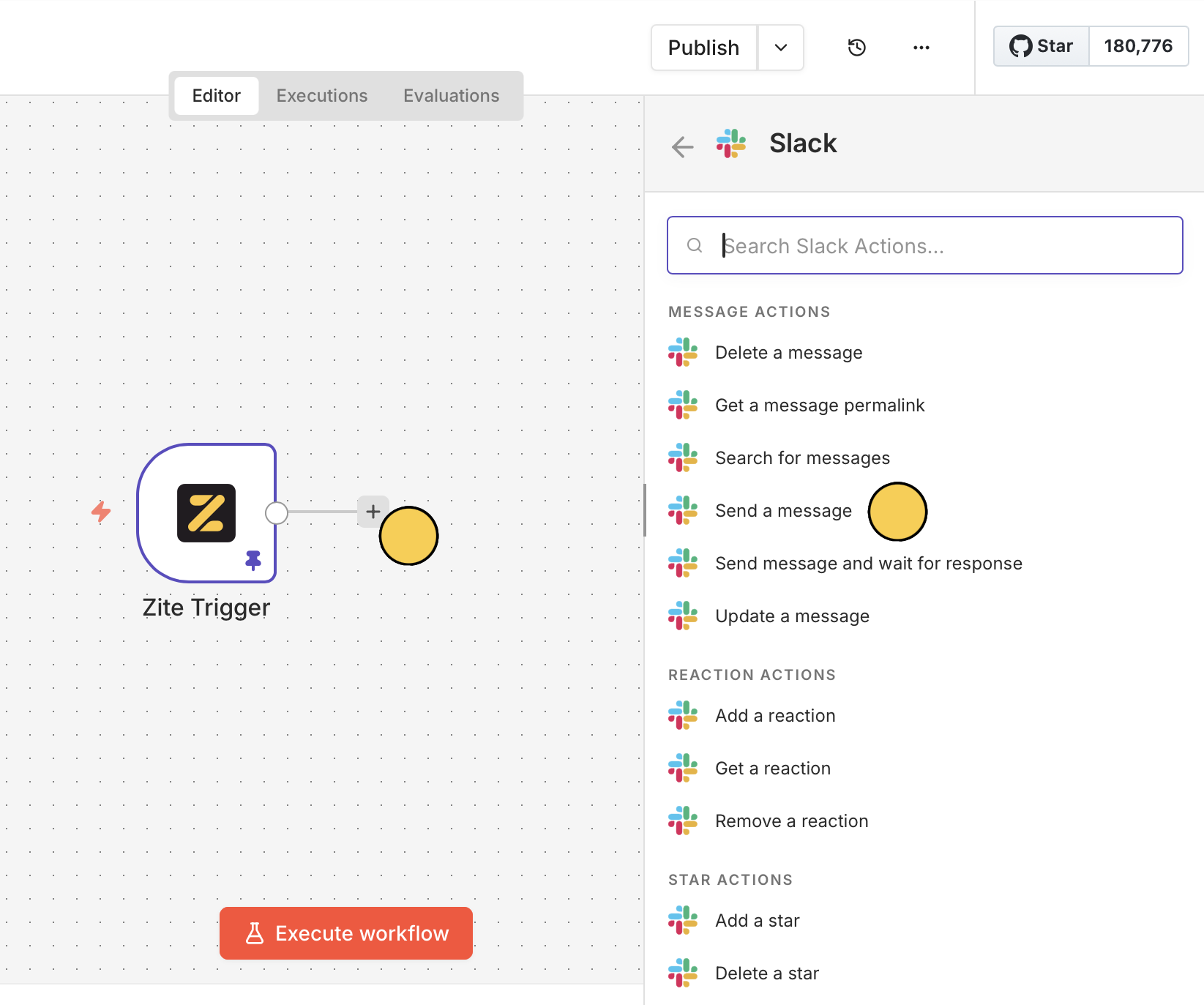
 Click **+** to choose the next app or service. Let's `Send a message` to `Slack`.
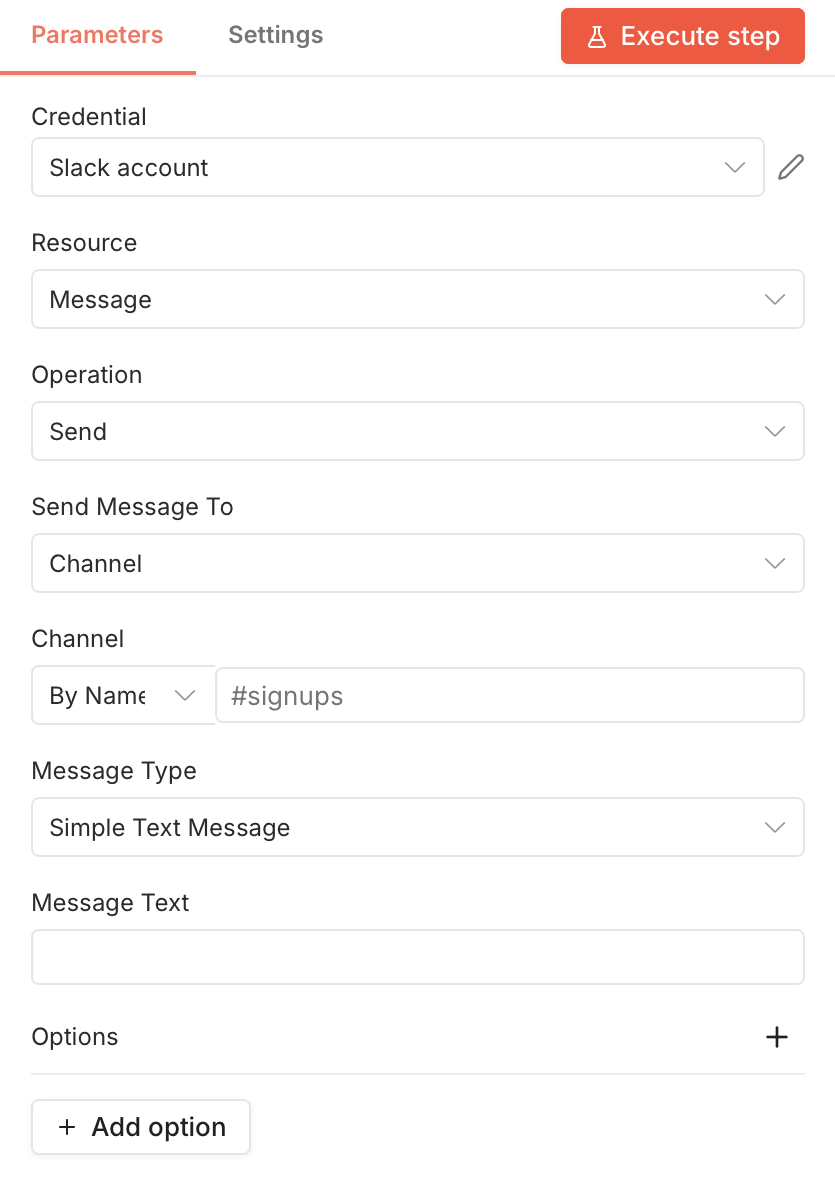
 Select the channel and fill in the other details as you see fit.
 Now everytime a new record is created on Zite, a new message will be sent to Slack.
Click `Execute workflow` at the bottom to ensure everything's working. Then, `Publish` on the upper right corner.
## Trigger
Start a workflow when something happens in Zite:
| Trigger | Description |
| ---------------- | --------------------------------------------- |
| **On new event** | Fires when a new record is created in a table |
## Actions
Do something in Zite from another app:
| Action | Description |
| -------------------------------- | -------------------------------------------- |
| **Get many records** | Retrieve a list of records from a table |
| **Get record by ID** | Retrieve a record from a table |
| **Get by record by field value** | Retrieve a record by searching a field value |
| **Create record** | Create a new record |
| **Update record** | Update an existing record |
| **Delete record** | Delete a record permanently |
| **Get many tables** | Retrieve a list of tables from a base |
| **Get table** | Retrieve a table by ID or name |
## Common use cases
* **New record alert:** Send a Slack message when a new record is created
* **Form to database:** Store form submissions from any platform in Zite
* **Project sync:** Update project management boards like Asana and Trello from Zite
* **CRM update:** Automatically create a Zite record when a new contact is added in your CRM
* **Event import:** Import Google Calendar events into Zite records
Now everytime a new record is created on Zite, a new message will be sent to Slack.
Click `Execute workflow` at the bottom to ensure everything's working. Then, `Publish` on the upper right corner.
## Trigger
Start a workflow when something happens in Zite:
| Trigger | Description |
| ---------------- | --------------------------------------------- |
| **On new event** | Fires when a new record is created in a table |
## Actions
Do something in Zite from another app:
| Action | Description |
| -------------------------------- | -------------------------------------------- |
| **Get many records** | Retrieve a list of records from a table |
| **Get record by ID** | Retrieve a record from a table |
| **Get by record by field value** | Retrieve a record by searching a field value |
| **Create record** | Create a new record |
| **Update record** | Update an existing record |
| **Delete record** | Delete a record permanently |
| **Get many tables** | Retrieve a list of tables from a base |
| **Get table** | Retrieve a table by ID or name |
## Common use cases
* **New record alert:** Send a Slack message when a new record is created
* **Form to database:** Store form submissions from any platform in Zite
* **Project sync:** Update project management boards like Asana and Trello from Zite
* **CRM update:** Automatically create a Zite record when a new contact is added in your CRM
* **Event import:** Import Google Calendar events into Zite records
Related topics