> ## Documentation Index
> Fetch the complete documentation index at: https://zite.com/llms.txt
> Use this file to discover all available pages before exploring further.
# Connect Zite Database to Zapier
> Automate workflows by connecting your Zite database tables to thousands of apps with Zapier.
## Overview
The [Zite Zapier integration](https://zapier.com/apps/zite/integrations) lets you connect your Zite databases and tables to thousands of other apps. You can automate workflows by triggering actions when data changes in Zite, or push data into Zite from other applications.
The integration uses OAuth 2.0—you'll be prompted to log in to your Fillout/Zite account and authorize Zapier to access your databases.
## How it works
Sign up or log in to your [Zapier account](https://zapier.com/sign-up). Hover over the left-hand panel and click `App Connections` followed by `+ Add connection`.
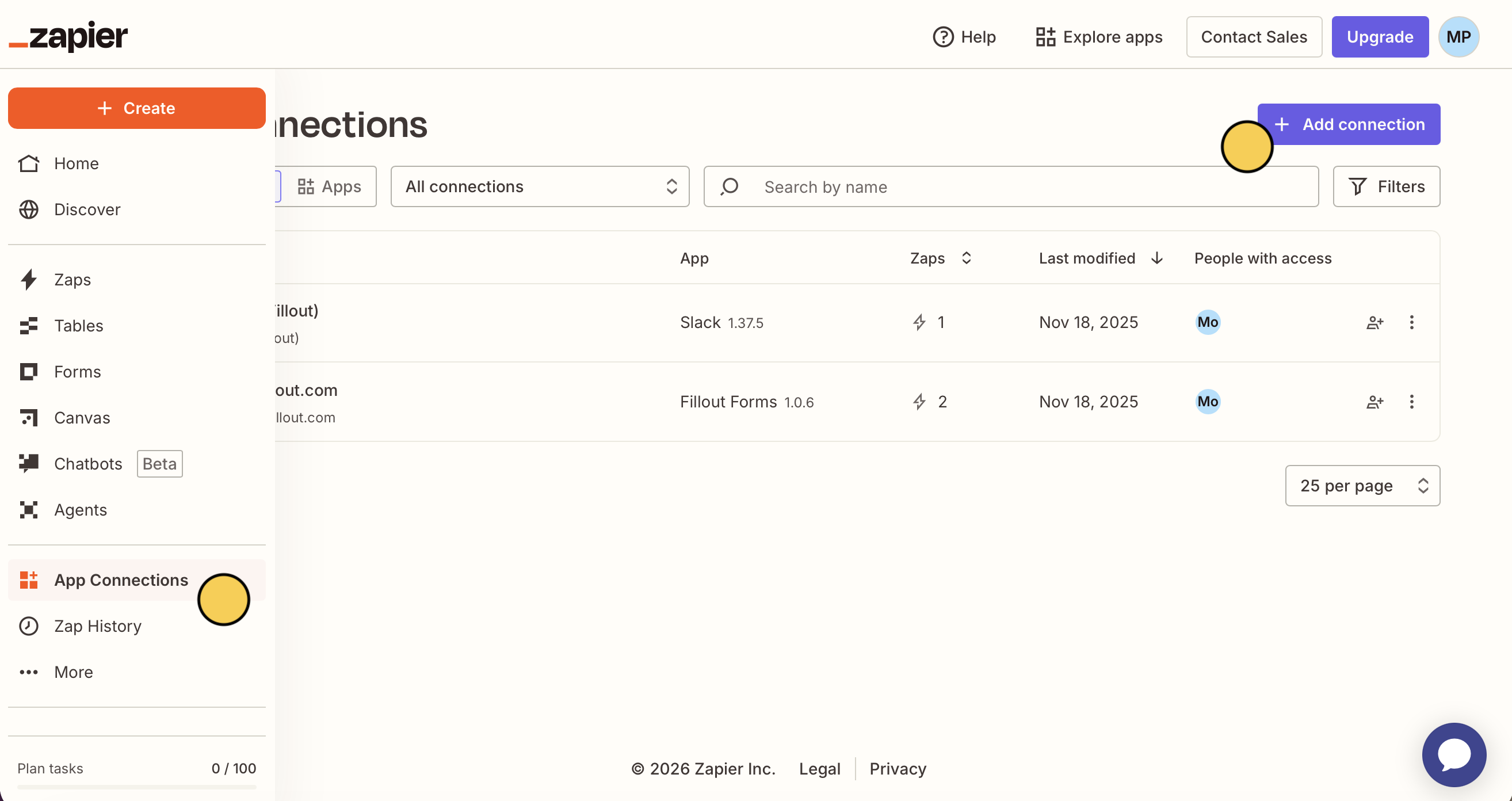 Then, search for **Zite**.
Use a pre-made Zap or create your own. Hover over the left-hand panel, and click `+ Create` followed by `Zaps`. Select Zite as the trigger or action app.
Then, search for **Zite**.
Use a pre-made Zap or create your own. Hover over the left-hand panel, and click `+ Create` followed by `Zaps`. Select Zite as the trigger or action app.
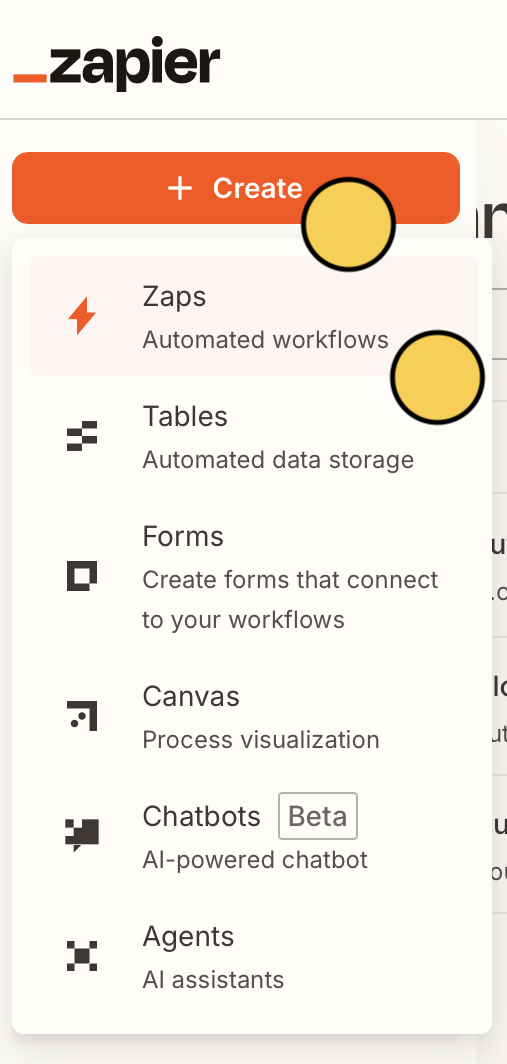 For example, we can create a workflow where leads who schedule a `New event` on our Google Calendar get added to our Zite database.`Google Calendar` is the **trigger**.
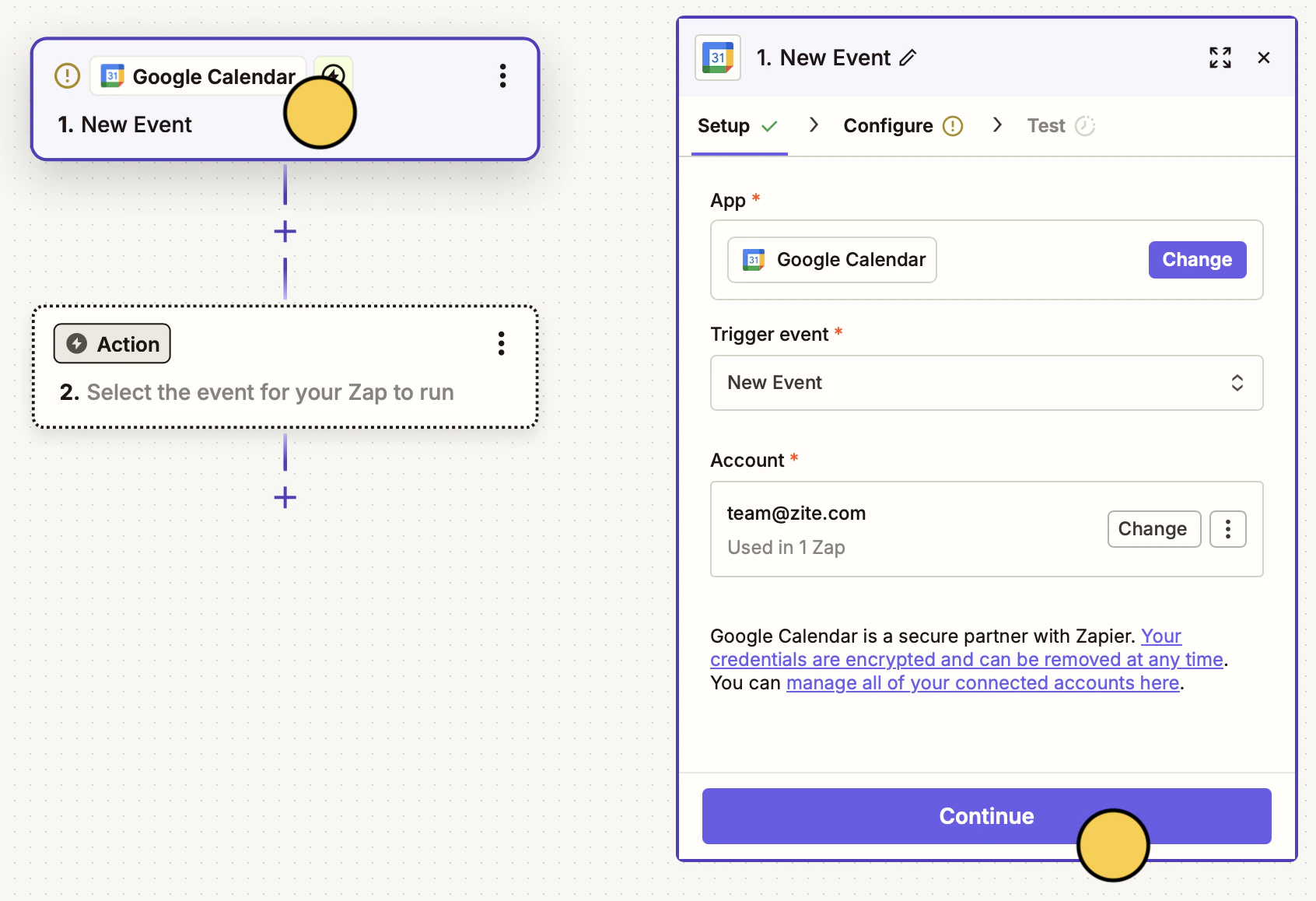 For each new event, our **action app**, `Zite` will create a `New record` in the database.
Choose the **Base** and **Table** you want to connect.
For each new event, our **action app**, `Zite` will create a `New record` in the database.
Choose the **Base** and **Table** you want to connect.
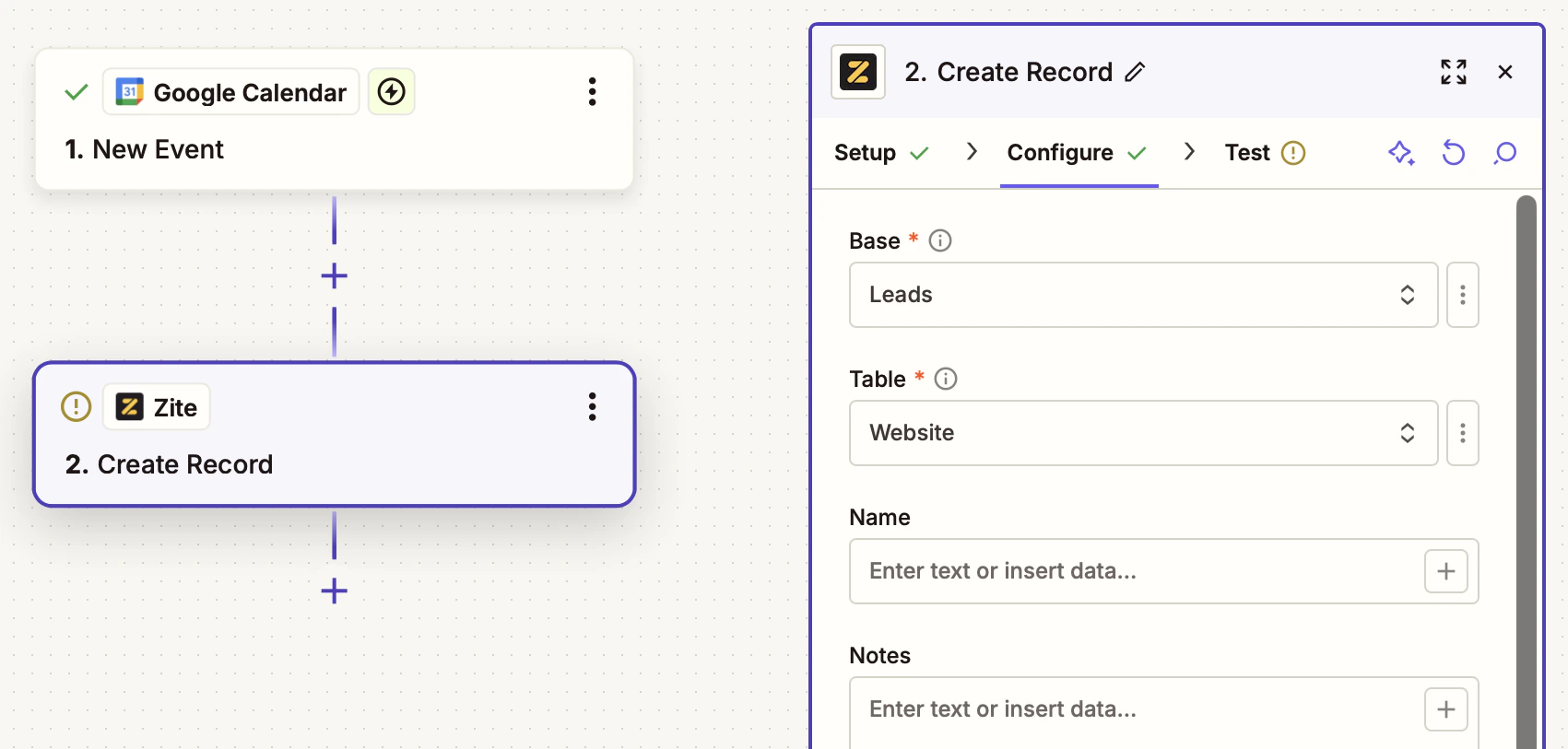 Zapier will dynamically show all the fields (e.g., name and notes) from your selected table. Map these to the fields from your trigger app.
Click `Test run` on the upper right corner to make sure everything's working, then `Publish` your Zap.
## Triggers
Start a Zap when something happens in Zite:
| Trigger | Description |
| ------------------ | ----------------------------------------------- |
| **New Record** | Fires when a new record is created in a table |
| **Updated Record** | Fires when an existing record is updated |
| **Deleted Record** | Fires when a record is deleted from a table |
| **New Table** | Fires when a new table is created in a database |
| **New Field** | Fires when a new field is added to a table |
All triggers use webhooks for instant, real-time triggering—no polling delays.
## Actions
Do something in Zite from another app:
| Action | Description |
| ----------------- | ------------------------------------------------------------------- |
| **Create Record** | Creates a new record in a table |
| **Update Record** | Updates an existing record (only provide fields you want to update) |
| **Delete Record** | Deletes a record from a table |
| **Create Table** | Creates a new table in a database |
| **Create Field** | Creates a new field in a table |
## Searches
Find data in Zite to use in your Zaps:
| Search | Description |
| --------------- | ------------------------------------------------- |
| **Find Record** | Finds a record by exact field value match |
| **Find Table** | Finds a table by name (partial, case-insensitive) |
| **Find Field** | Finds a field by name (partial, case-insensitive) |
Use "Find Record" as a search step, then conditionally create a new record only if one doesn't exist.
## Common use cases
* **New record notification:** Get a Slack message when a new record is added
* **CRM sync:** Automatically create a Zite record when a new contact is added in your CRM
* **Form to database:** Store form submissions from any platform in Zite
* **Email automation:** Send an email when a record field reaches a certain status
* **Spreadsheet backup:** Copy new Zite records to a Google Sheet for backup
Zapier will dynamically show all the fields (e.g., name and notes) from your selected table. Map these to the fields from your trigger app.
Click `Test run` on the upper right corner to make sure everything's working, then `Publish` your Zap.
## Triggers
Start a Zap when something happens in Zite:
| Trigger | Description |
| ------------------ | ----------------------------------------------- |
| **New Record** | Fires when a new record is created in a table |
| **Updated Record** | Fires when an existing record is updated |
| **Deleted Record** | Fires when a record is deleted from a table |
| **New Table** | Fires when a new table is created in a database |
| **New Field** | Fires when a new field is added to a table |
All triggers use webhooks for instant, real-time triggering—no polling delays.
## Actions
Do something in Zite from another app:
| Action | Description |
| ----------------- | ------------------------------------------------------------------- |
| **Create Record** | Creates a new record in a table |
| **Update Record** | Updates an existing record (only provide fields you want to update) |
| **Delete Record** | Deletes a record from a table |
| **Create Table** | Creates a new table in a database |
| **Create Field** | Creates a new field in a table |
## Searches
Find data in Zite to use in your Zaps:
| Search | Description |
| --------------- | ------------------------------------------------- |
| **Find Record** | Finds a record by exact field value match |
| **Find Table** | Finds a table by name (partial, case-insensitive) |
| **Find Field** | Finds a field by name (partial, case-insensitive) |
Use "Find Record" as a search step, then conditionally create a new record only if one doesn't exist.
## Common use cases
* **New record notification:** Get a Slack message when a new record is added
* **CRM sync:** Automatically create a Zite record when a new contact is added in your CRM
* **Form to database:** Store form submissions from any platform in Zite
* **Email automation:** Send an email when a record field reaches a certain status
* **Spreadsheet backup:** Copy new Zite records to a Google Sheet for backup
Related topics