> ## Documentation Index
> Fetch the complete documentation index at: https://zite.com/llms.txt
> Use this file to discover all available pages before exploring further.

# Auto-generate IDs for database records

> Automatically create unique ID numbers for each new record on your Zite Database.

## Overview

For some use cases, generating unique record IDs can be helpful when keeping track of data or exporting it for external use.

### **Common use cases**

* **Invoices:** Easily assign and reference invoice numbers when billing clients
* **Data exports:** Maintain consistent identifiers across systems
* **Internal tracking:** Quickly reference specific records without confusion

## Create unique record IDs

<Steps>
  <Step title="Create or edit field">
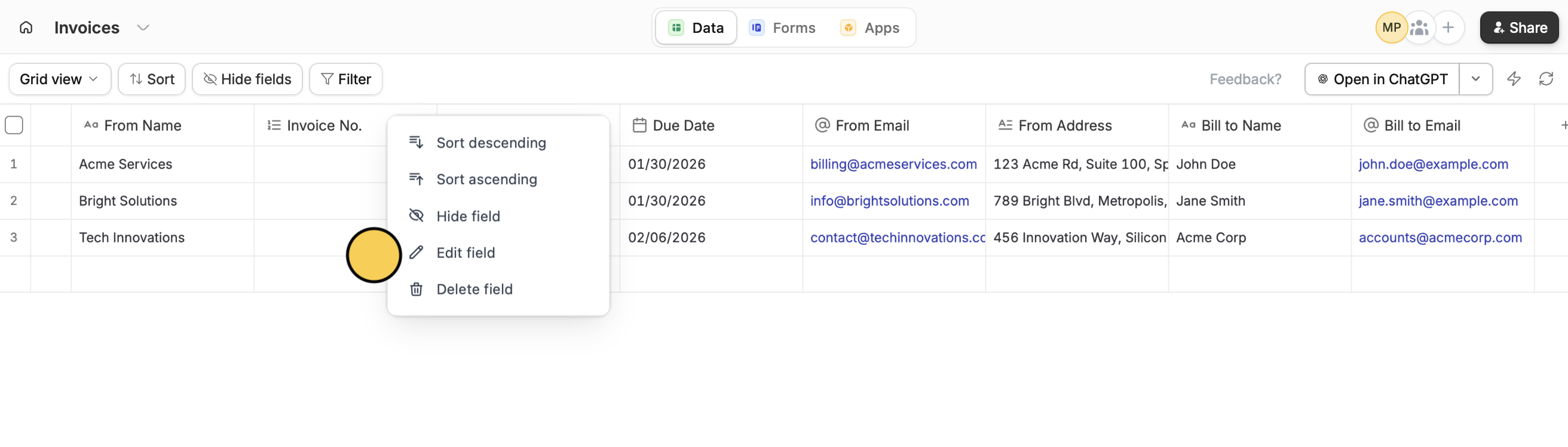
    In your database, create a new column or hover over an existing column and click followed by`Edit field`.

    <img src="https://mintcdn.com/zite/gF_N3ByhVWhGiZlx/help/images/Screenshot2026-01-23at4.47.09PM.png?fit=max&auto=format&n=gF_N3ByhVWhGiZlx&q=85&s=7483ff1fca49a436a5d5f17e1fa697c6" alt="Screenshot 2026 01 23 At 4 47 09 PM" width="2624" height="748" data-path="help/images/Screenshot2026-01-23at4.47.09PM.png" />
  </Step>

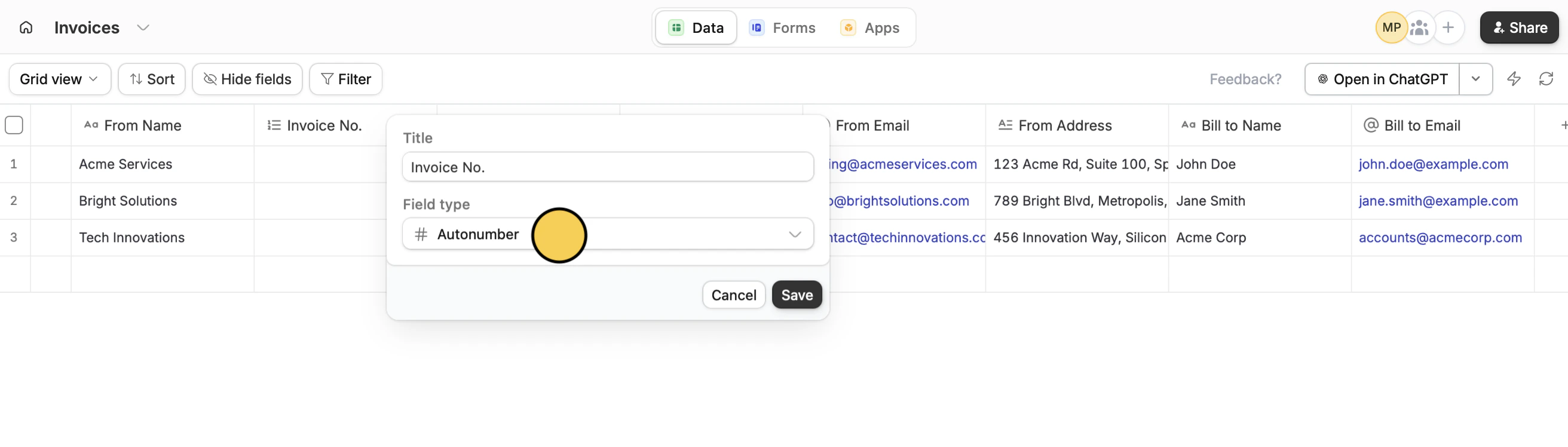
  <Step title="Use Autonumber">
    Choose the `Autonumber` field type.

    <img src="https://mintcdn.com/zite/gF_N3ByhVWhGiZlx/help/images/Screenshot2026-01-23at4.47.05PMcopy.png?fit=max&auto=format&n=gF_N3ByhVWhGiZlx&q=85&s=b82719501f7f293f979650aa3ad0d0e0" alt="Screenshot 2026 01 23 At 4 47 05 PM Copy" width="2624" height="748" data-path="help/images/Screenshot2026-01-23at4.47.05PMcopy.png" />

    <Note>
      Autonumber fields assign simple numbers starting from 1. For more control over how your IDs look, read on.
    </Note>

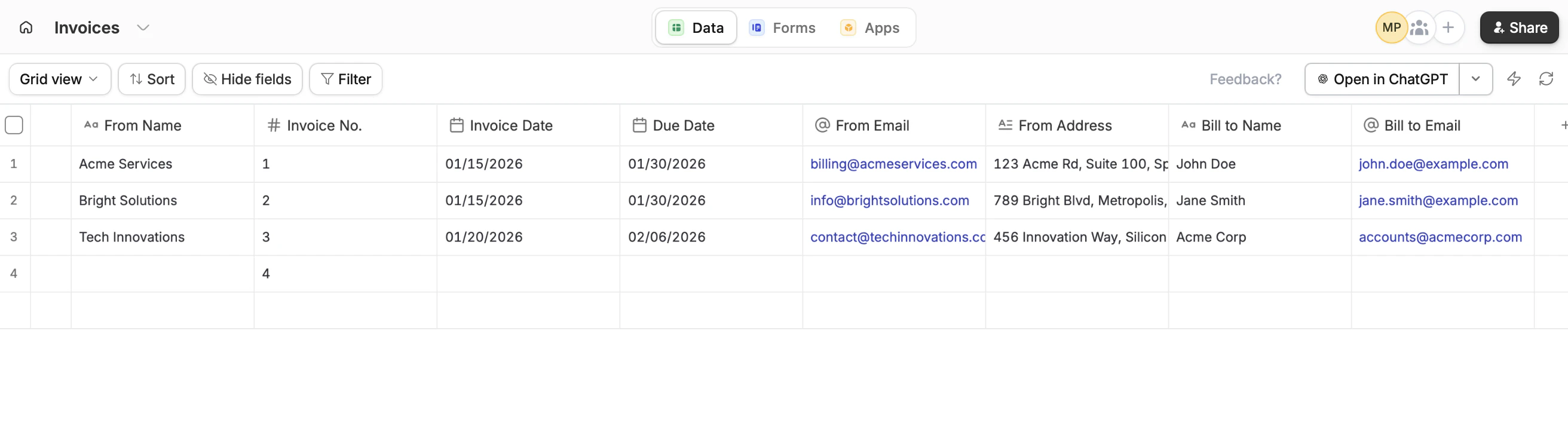
    That's it! A number will now be generated for each row, whether existing or new.

    <img src="https://mintcdn.com/zite/gF_N3ByhVWhGiZlx/help/images/Screenshot2026-01-23at4.48.20PM-1.png?fit=max&auto=format&n=gF_N3ByhVWhGiZlx&q=85&s=571801edc6f916fb7f30385ed5a499e1" alt="Screenshot 2026 01 23 At 4 48 20 PM" width="2624" height="748" data-path="help/images/Screenshot2026-01-23at4.48.20PM-1.png" />
  </Step>
</Steps>

## Create custom unique record IDs

<Steps>
  <Step title="Start with an Autonumber column">
    Follow the [steps above](/help/database/configure-database/auto-generate-ids#create-unique-record-ids). You can hide this field from view.
  </Step>

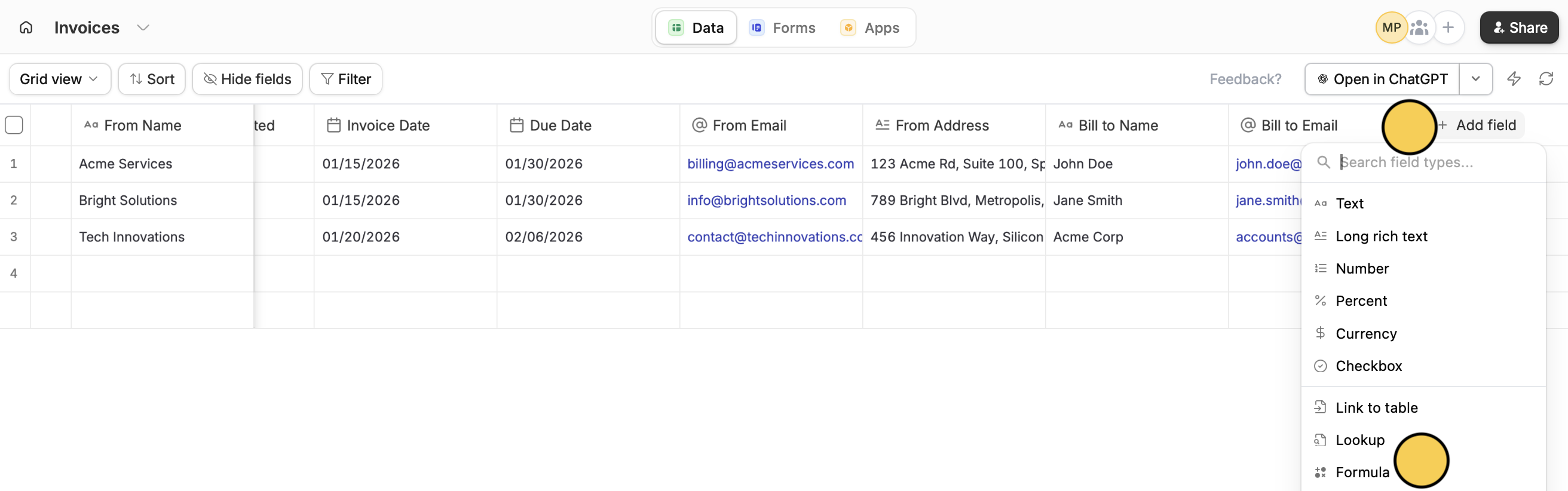
  <Step title="Add a Formula column">
    `+ Add field` and select `Formula`.

    <img src="https://mintcdn.com/zite/gF_N3ByhVWhGiZlx/help/images/Screenshot2026-01-23at5.15.54PMcopy.png?fit=max&auto=format&n=gF_N3ByhVWhGiZlx&q=85&s=dba99f6f74abec614df632c587cd73cb" alt="Screenshot 2026 01 23 At 5 15 54 PM Copy" width="2624" height="822" data-path="help/images/Screenshot2026-01-23at5.15.54PMcopy.png" />

    You can read more about formulas [here](/help/database/configure-database/formulas).
  </Step>

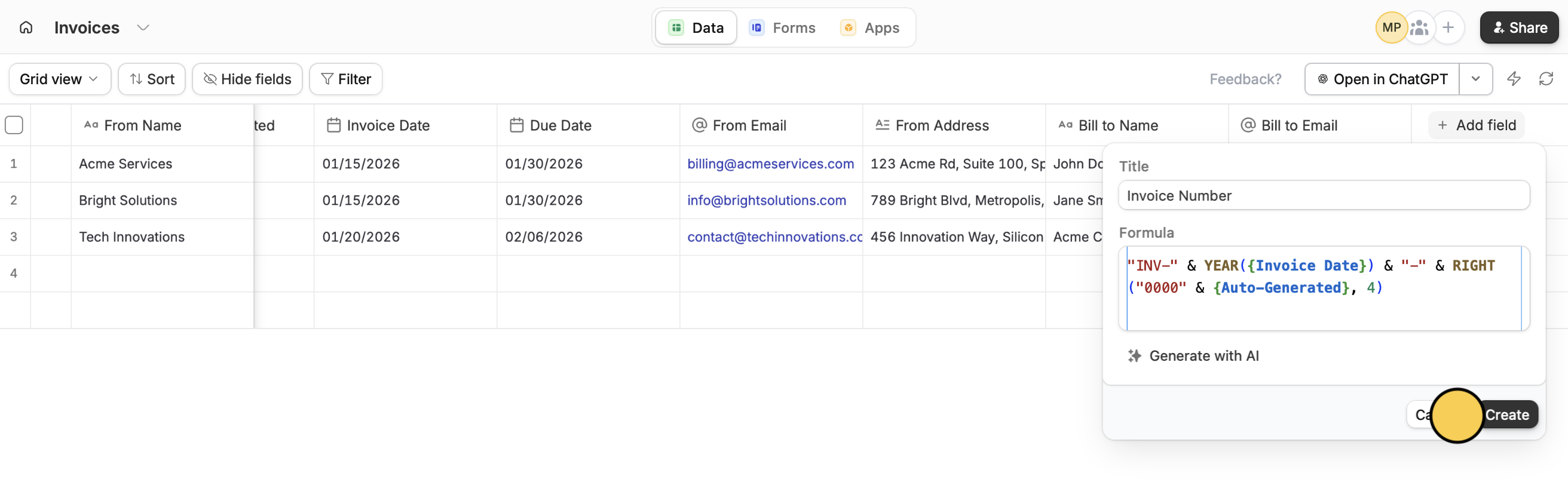
  <Step title="Input formula">
    Enter a **Title** or column name, followed by your **Formula**. Then, click `Create`.

    <img src="https://mintcdn.com/zite/gF_N3ByhVWhGiZlx/help/images/Screenshot2026-01-23at5.17.20PM-1.png?fit=max&auto=format&n=gF_N3ByhVWhGiZlx&q=85&s=636a9686abfac42ae2b243d4a426075f" alt="Screenshot 2026 01 23 At 5 17 20 PM" width="2624" height="822" data-path="help/images/Screenshot2026-01-23at5.17.20PM-1.png" />

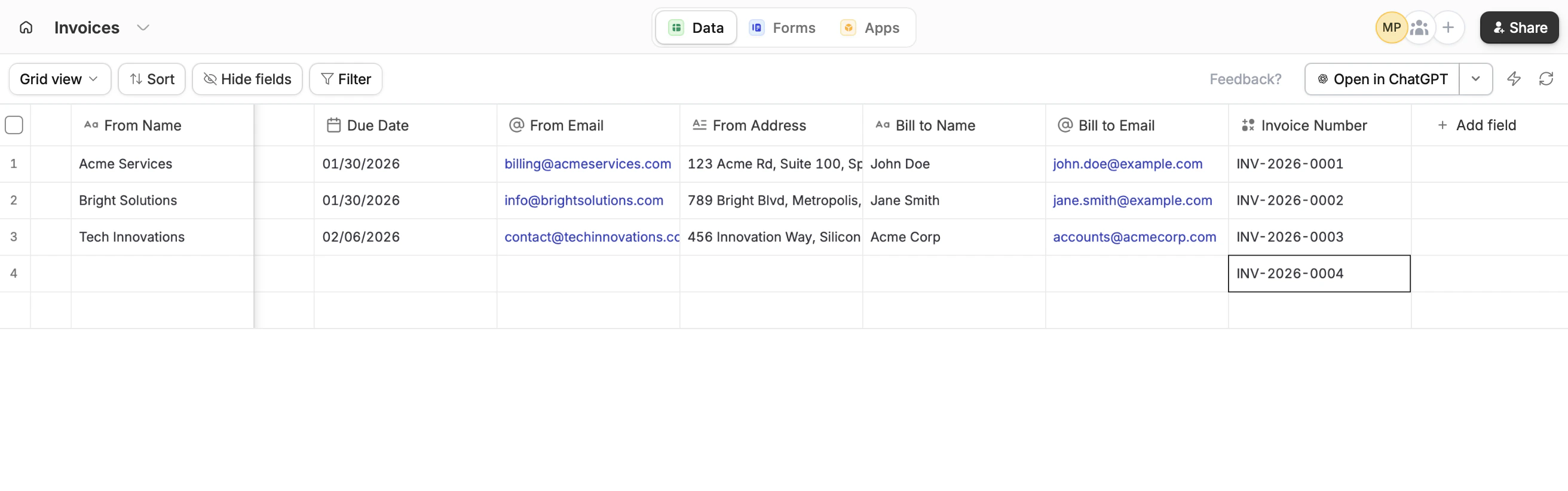
    That's it! A custom number will now be generated for both new and existing records.
    <img src="https://mintcdn.com/zite/gF_N3ByhVWhGiZlx/help/images/Screenshot2026-01-23at5.17.44PMcopy.png?fit=max&auto=format&n=gF_N3ByhVWhGiZlx&q=85&s=3f0a3073782b595c8caa2a6008fa9971" alt="Screenshot 2026 01 23 At 5 17 44 PM Copy" width="2624" height="822" data-path="help/images/Screenshot2026-01-23at5.17.44PMcopy.png" />
  </Step>
</Steps>

<p className="zite-related-topics-heading">Related topics</p>

<div className="zite-related-topics">
  <a href="/help/database/configure-database/formulas">Use formulas</a>
</div>