> ## Documentation Index
> Fetch the complete documentation index at: https://zite.com/llms.txt
> Use this file to discover all available pages before exploring further.
# Manage database views
> Sort, filter, hide, and customize how records appear in your Zite database.
## Overview
Zite Database gives you tools to organize and manage your data in a table. **Sort**, **Hide Fields**, **Filter**, and **Grid View** let you customize how your data is displayed without changing the actual records.
## Sort records
Arrange records in a specific order based on selected fields. This helps you quickly find and compare information.
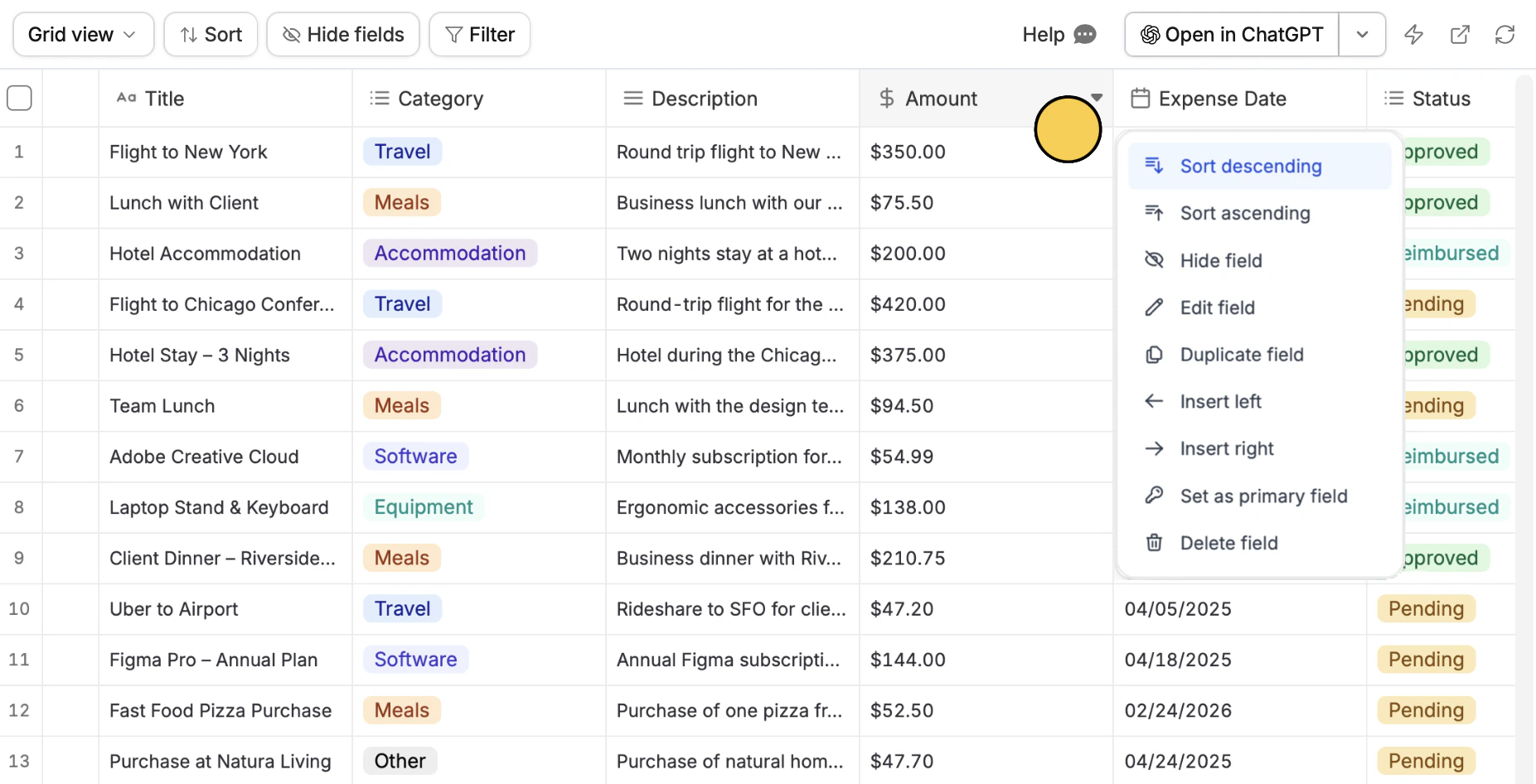 Hover over a column header and click the `inverted triangle icon` . Then, choose between `Sort ascending` and `Sort descending`. For example, we'll sort the Amount based from the highest to lowest.
## Hide fields
Temporarily remove fields from your current view without deleting them. This keeps your table clean and focused on what matters.
Hover over a column header and click the `inverted triangle icon` . Then, choose between `Sort ascending` and `Sort descending`. For example, we'll sort the Amount based from the highest to lowest.
## Hide fields
Temporarily remove fields from your current view without deleting them. This keeps your table clean and focused on what matters.
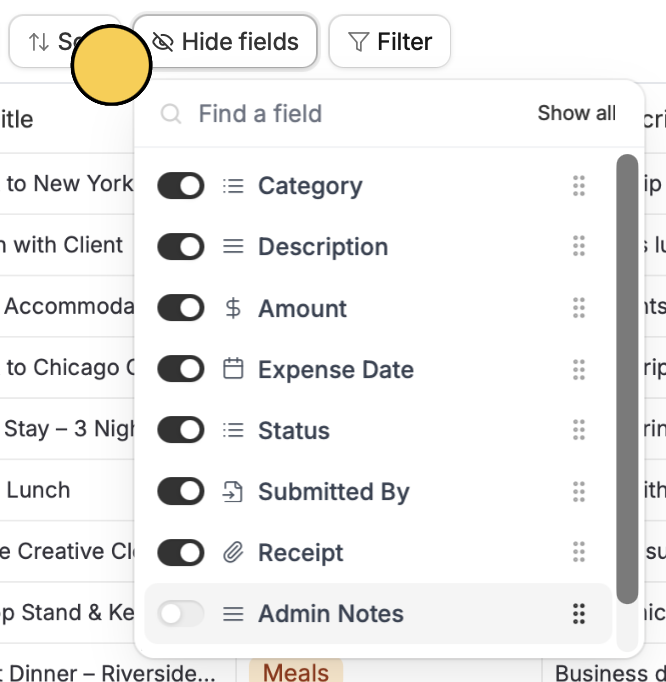 Click `Hide fields` on top and **untoggle columns** you'd like to hide. For example, let's hide Admin Notes.
If you have multiple views, hidden fields are only hidden in the current view you are using.
## Filter fields
Display only the records that meet certain conditions in the current view. This makes it easier to focus on relevant data.
Click `Hide fields` on top and **untoggle columns** you'd like to hide. For example, let's hide Admin Notes.
If you have multiple views, hidden fields are only hidden in the current view you are using.
## Filter fields
Display only the records that meet certain conditions in the current view. This makes it easier to focus on relevant data.
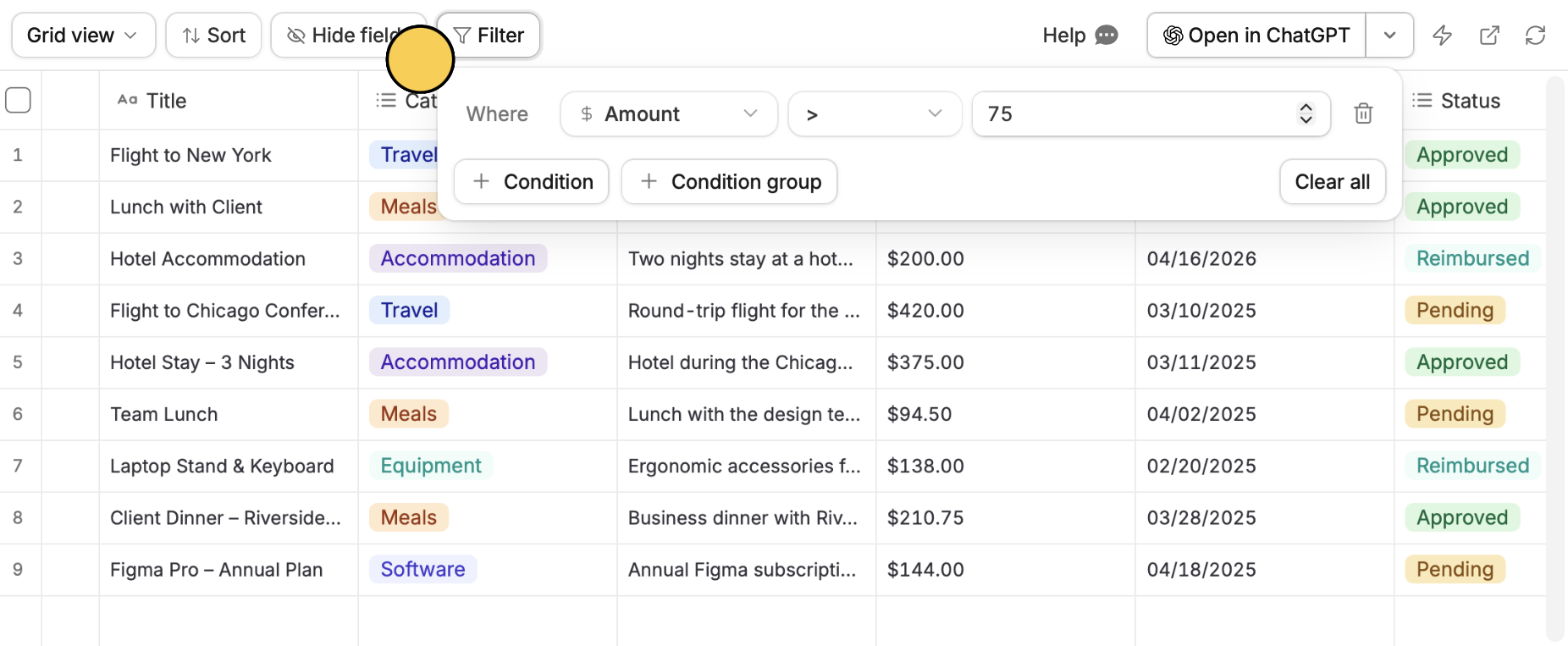 Click `Filter` on top followed by `+ Condition` or `+ Condition group`. Set a column field on the left, a qualifier in the middle, and a value on the right. For example, let's only show records of expenses filed that are greater than \$75.
## Create views
You can create and manage different views of the same data. Each view can show the same records in different ways depending on your needs.
Click `Filter` on top followed by `+ Condition` or `+ Condition group`. Set a column field on the left, a qualifier in the middle, and a value on the right. For example, let's only show records of expenses filed that are greater than \$75.
## Create views
You can create and manage different views of the same data. Each view can show the same records in different ways depending on your needs.
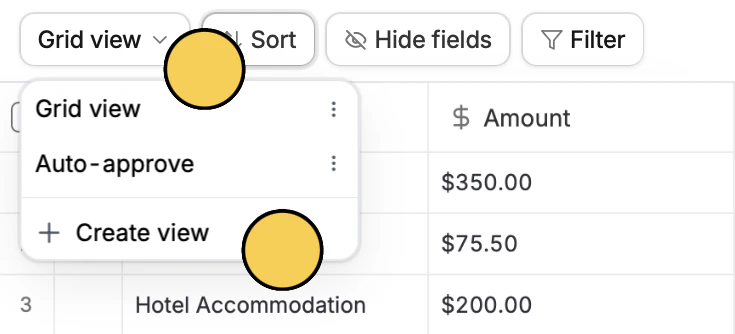 Click `Grid view` on top followed by `+ Create view`. A duplicate view will be added in the same table you're in. You can then sort, filter, or hide fields as needed. These changes will only apply to the current view and will not affect other views.
Deleting records in one view will delete them in all other views. To work around this, [duplicate the database](https://www.zite.com/help/database/manage-data/duplicate#duplicate-an-entire-database) and delete records in the copy.
Click `Grid view` on top followed by `+ Create view`. A duplicate view will be added in the same table you're in. You can then sort, filter, or hide fields as needed. These changes will only apply to the current view and will not affect other views.
Deleting records in one view will delete them in all other views. To work around this, [duplicate the database](https://www.zite.com/help/database/manage-data/duplicate#duplicate-an-entire-database) and delete records in the copy.