> ## Documentation Index
> Fetch the complete documentation index at: https://zite.com/llms.txt
> Use this file to discover all available pages before exploring further.
# Delete Records
> Remove records from your database, individually or in bulk.
## Delete a single record
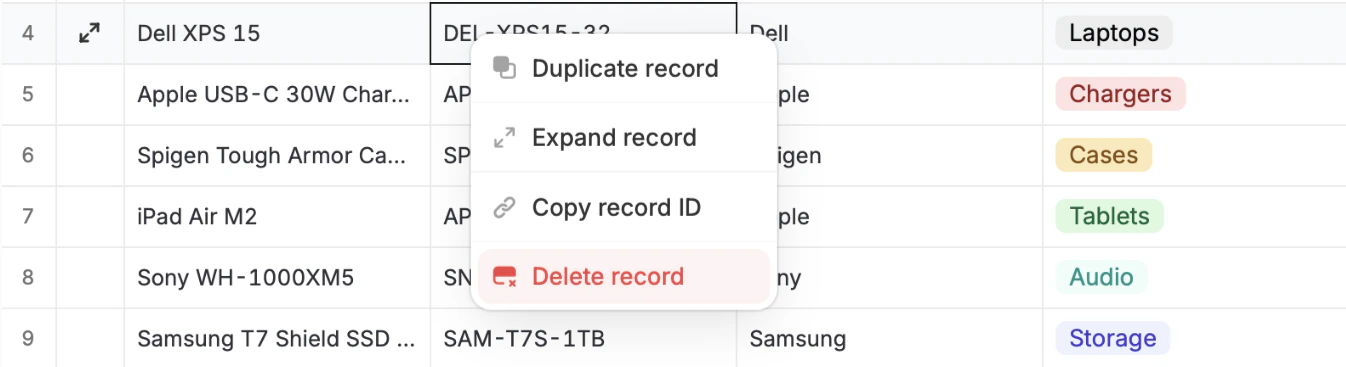
Simply **right-click any cell** in the row of the record you want to permanently remove, followed by `Delete record`.
 ## Bulk delete records
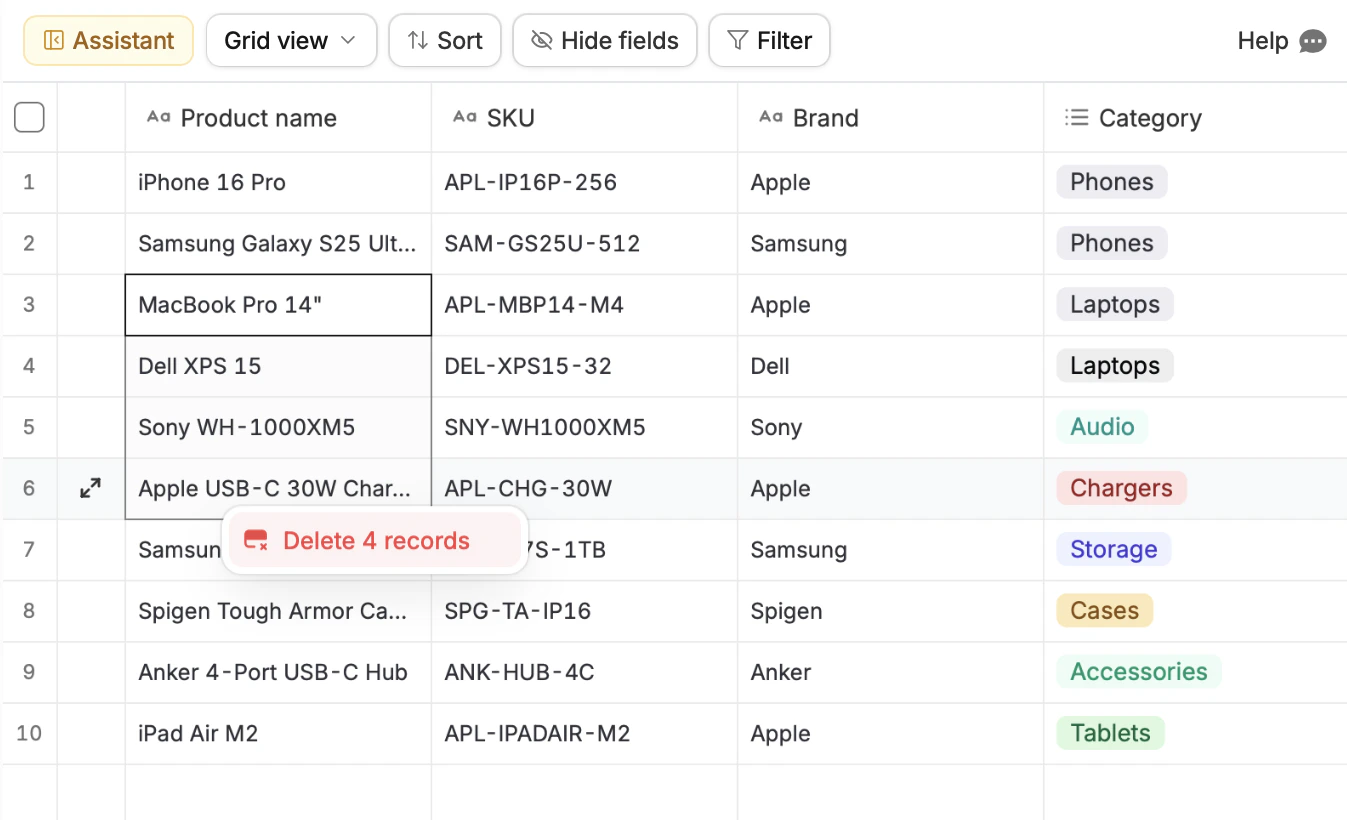
**Drag across the cells** of the records you want to permanently remove, then **right-click** and select `Delete n records`.
## Bulk delete records
**Drag across the cells** of the records you want to permanently remove, then **right-click** and select `Delete n records`.
 ## Delete table
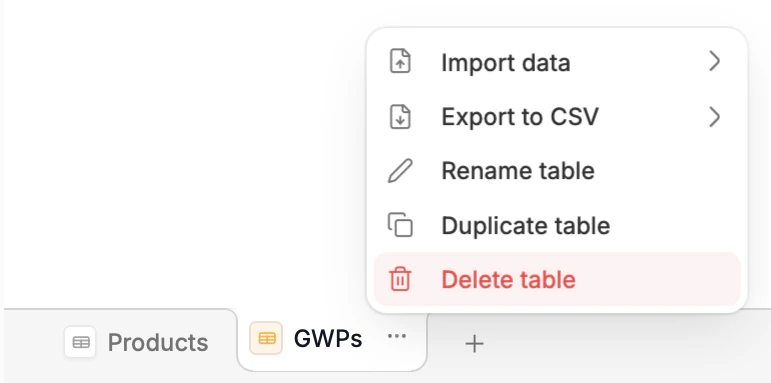
If you want to delete all records including column fields, click the `ellipsis` next to the table name at the bottom followed by `Delete table`.
## Delete table
If you want to delete all records including column fields, click the `ellipsis` next to the table name at the bottom followed by `Delete table`.
 ## Delete database
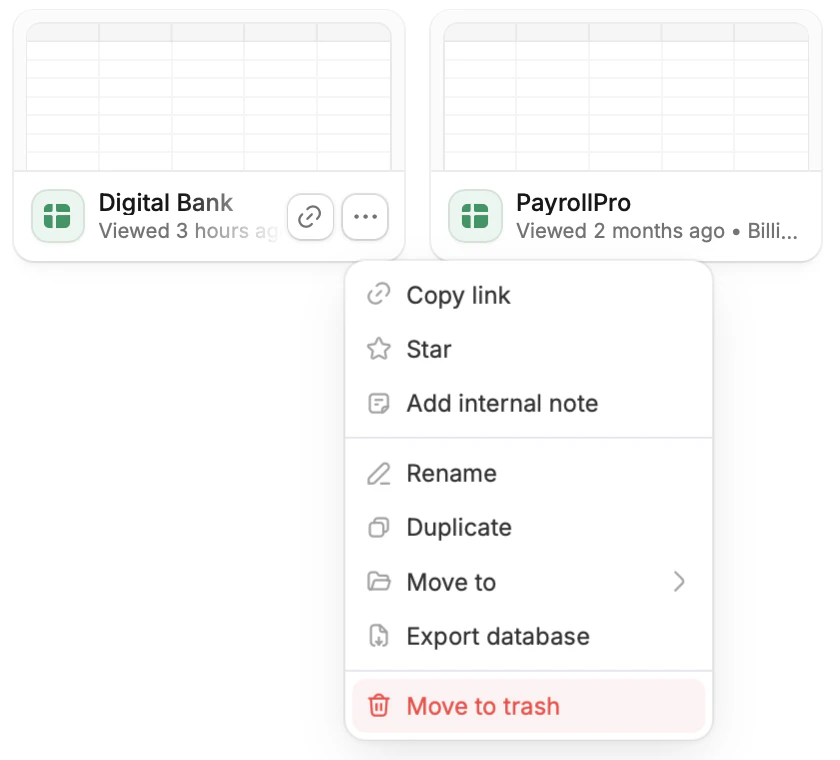
To delete the entire database, go to the dashboard. Click the `horizontal ellipsis` next to it followed by `Move to trash`.
## Delete database
To delete the entire database, go to the dashboard. Click the `horizontal ellipsis` next to it followed by `Move to trash`.
 ## Restore deleted databases
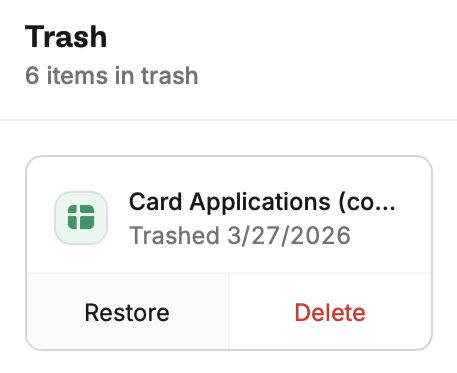
From the dashboard, click `Trash` at the bottom left. This will show all files that have been deleted. Click `Restore` on the database you'd like to bring back.
## Restore deleted databases
From the dashboard, click `Trash` at the bottom left. This will show all files that have been deleted. Click `Restore` on the database you'd like to bring back.