> ## Documentation Index
> Fetch the complete documentation index at: https://zite.com/llms.txt
> Use this file to discover all available pages before exploring further.
# Duplicate data
> Duplicate a table or an entire database to use a starting point.
## Overview
Duplicating tables or database is useful if you have several rows and columns to copy or if you'd like to use it as a template. The latter is ideal for users who manage multiple clients but have the same use case across (e.g., KYC and expense trackers are used by Client A and B).
## Duplicate a table in the same database
Navigate to the table you'd like to duplicate. Click followed by `Duplicate table`.
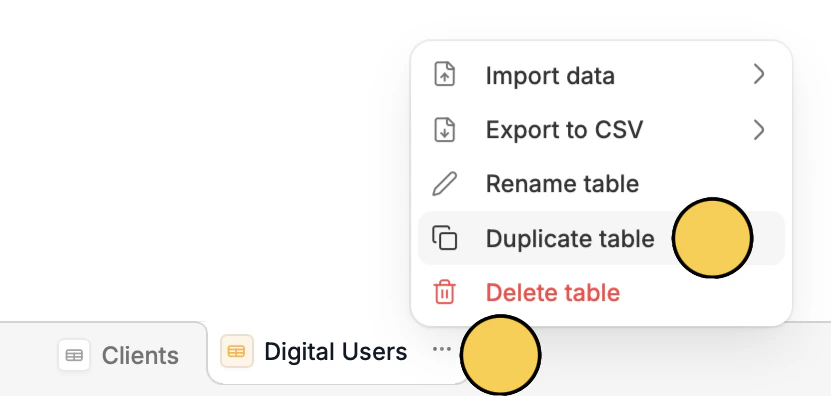 That's it! An exact copy will be created in your database.
## Copy a table to another database
Click followed by `Export to CSV`**.**
## Duplicate an entire database
From your dashboard, hover over the database you'd like to duplicate, then click followed by `Duplicate`.
That's it! An exact copy will be created in your database.
## Copy a table to another database
Click followed by `Export to CSV`**.**
## Duplicate an entire database
From your dashboard, hover over the database you'd like to duplicate, then click followed by `Duplicate`.
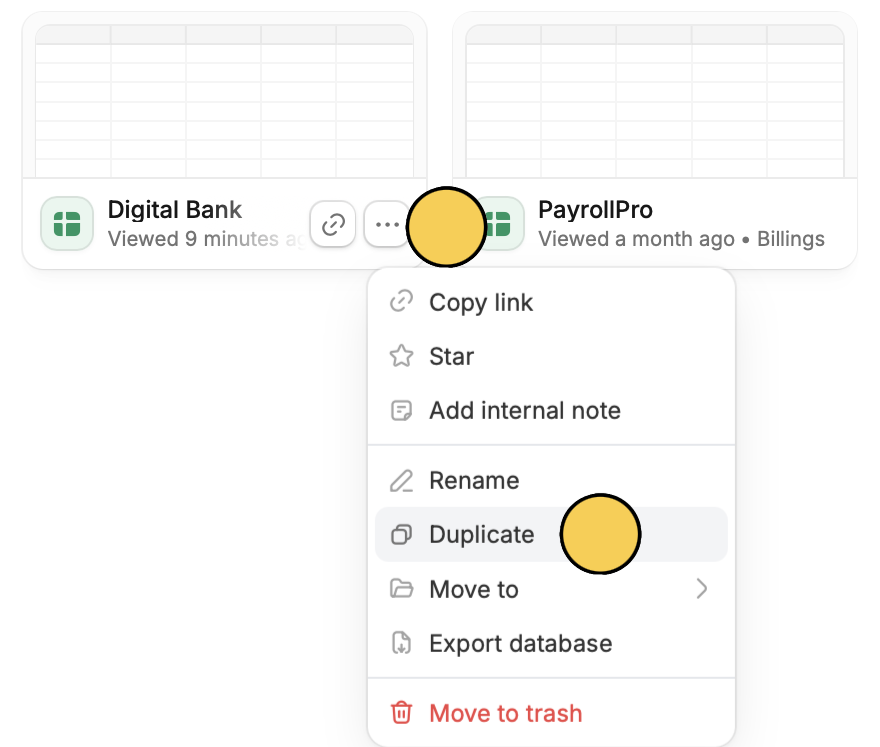 You can also `Rename` or delete your database by clicking `Move to trash`.
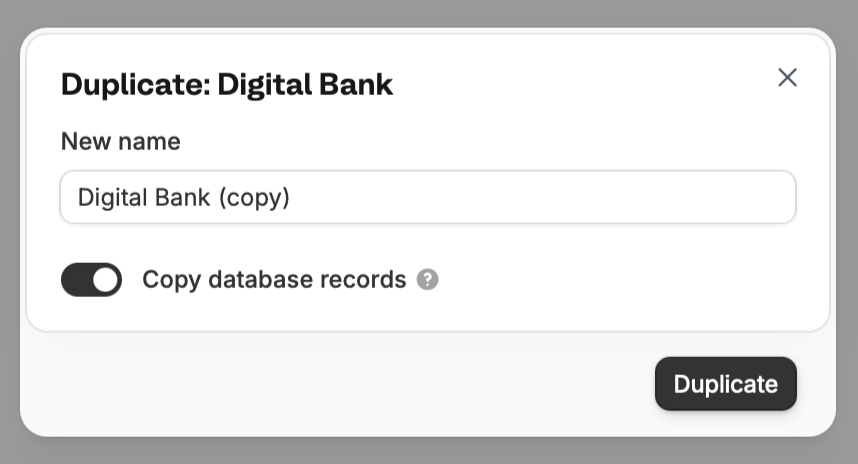
By default, it will create a copy of everything including records. If you prefer to just use this as a template, untoggle `Copy database records`. You can also enter a new name or **rename** it later on.
You can also `Rename` or delete your database by clicking `Move to trash`.
By default, it will create a copy of everything including records. If you prefer to just use this as a template, untoggle `Copy database records`. You can also enter a new name or **rename** it later on.