> ## Documentation Index
> Fetch the complete documentation index at: https://zite.com/llms.txt
> Use this file to discover all available pages before exploring further.
# Build an app with Anthropic (Claude)
> Create smarter apps on Zite with Anthropic's Claude models.
## How it works
Build apps powered by advanced AI capabilities using Claude. This enables your app to generate output, process user inputs, and automate intelligent workflows in real time. By connecting Anthropic, you can:
* Generate AI-powered content and responses inside your app
* Process, analyze, and extract data
* Route and automate tasks and workflows
* Build chat boxes within your app
* Use AI-powered text generation across forms, pages, and app features
Using Zite's Anthropic account/API key in published Zite apps is only available on paid plans. You can still connect your own Anthropic API key if you want usage billed directly through your Anthropic account.
## How to integrate Anthropic (Claude) into your app
In the chat box, request your app to be integrated with Anthropic or click the `plug icon` .
 Then, sign in to your Claude account.
Choose to `Use Zite's account` or use your `Custom API Key`.
Then, sign in to your Claude account.
Choose to `Use Zite's account` or use your `Custom API Key`.
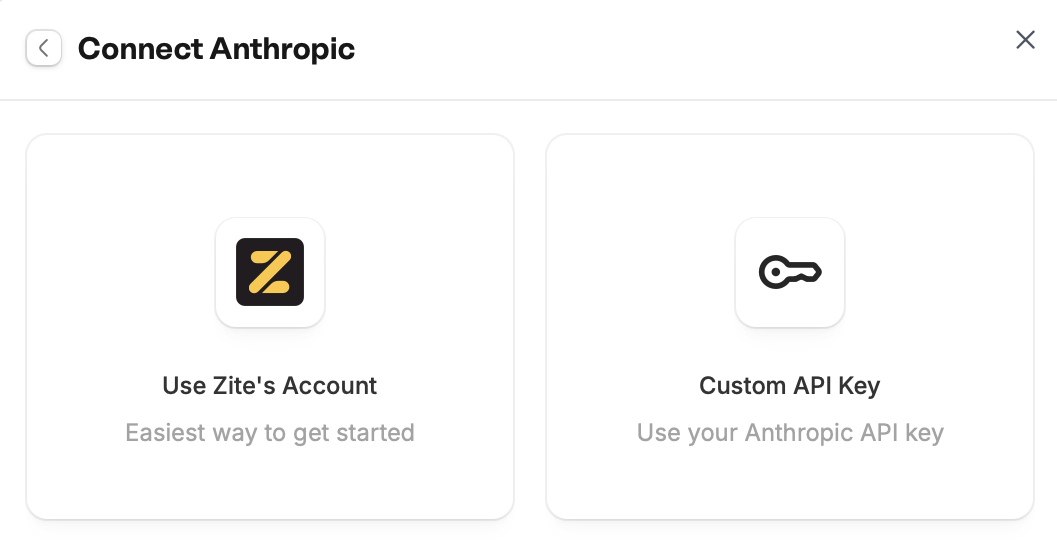 Overage charges may apply for excessive usage. Connect your Anthropic API key to use your own.
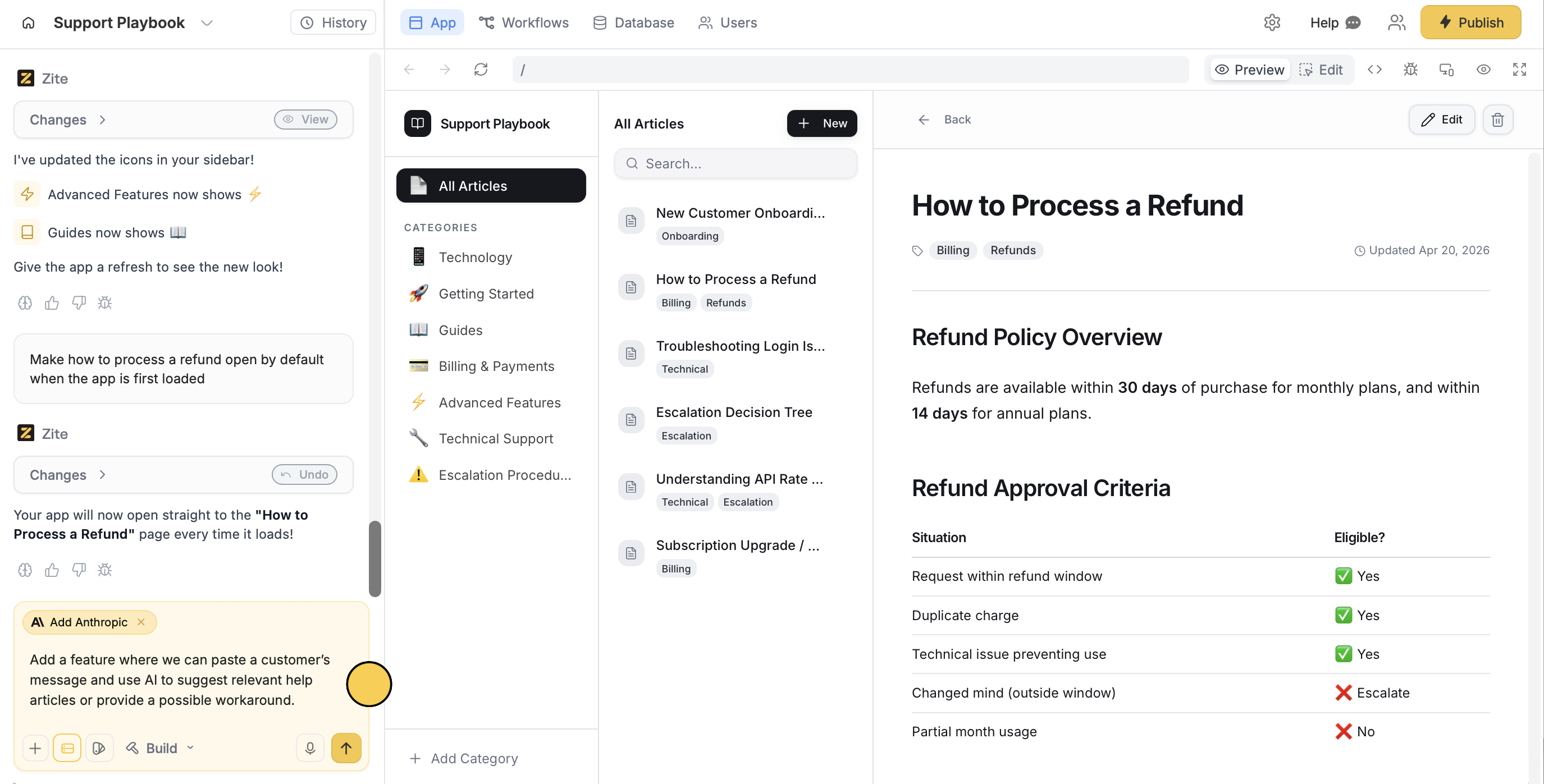
Tell Zite how you want to use Anthropic in your app. For example, we'll request a feature where the app suggests a relevant article or provides a workaround upon pasting a customer's message.
Overage charges may apply for excessive usage. Connect your Anthropic API key to use your own.
Tell Zite how you want to use Anthropic in your app. For example, we'll request a feature where the app suggests a relevant article or provides a workaround upon pasting a customer's message.
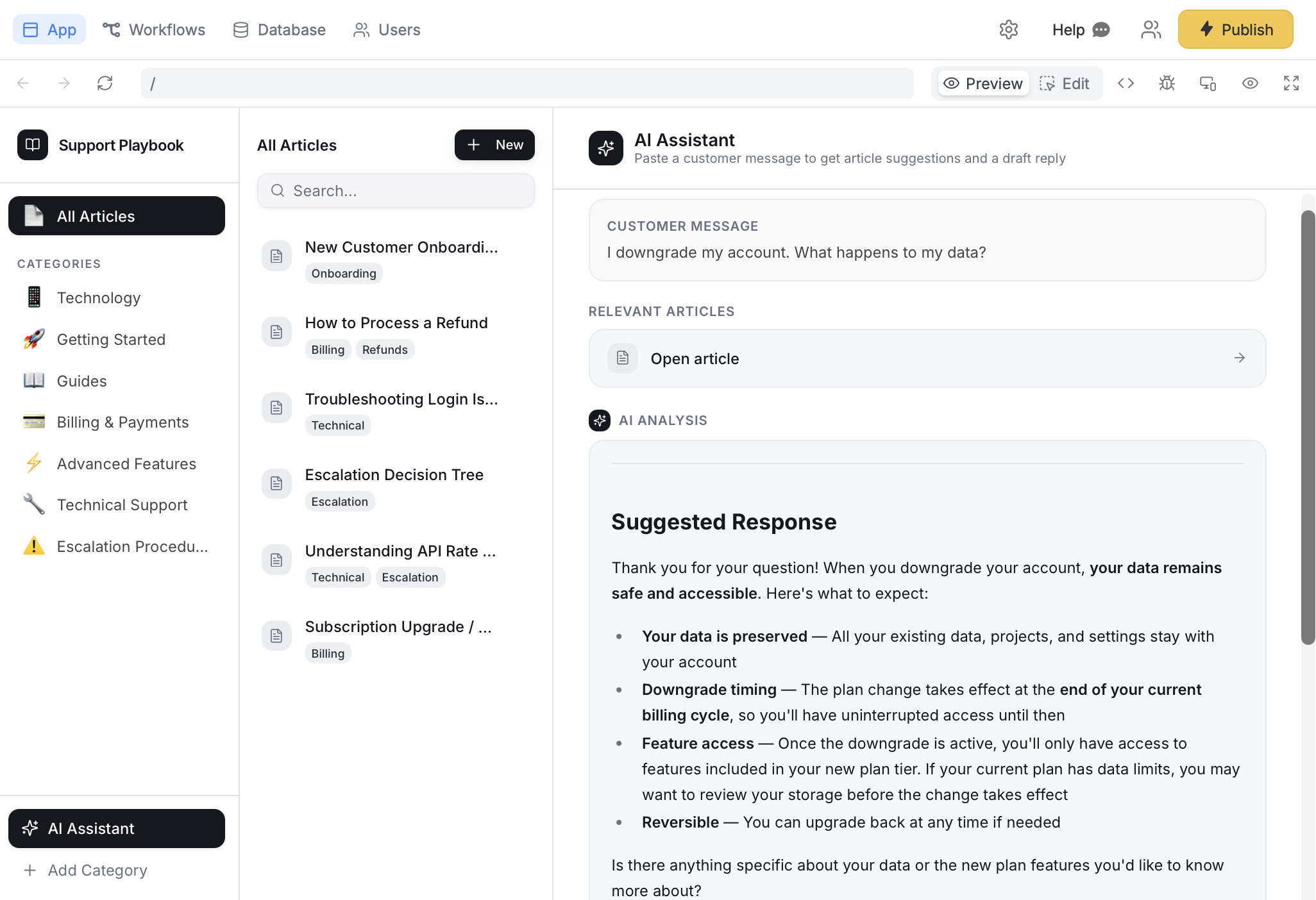
 Use the chat box or the respective buttons in your app to ensure everything's working properly.
 Click `Publish` in the upper right corner and [**share**](/help/platform/access/share-to-web) your app.
[Modify the theme](/help/platform/how-to-build/design) or [style specific elements](/help/platform/basics/selective-edits) in your app to personalize it or match it with your brand.
## Common use cases
With an Anthropic connection, you can create apps like:
* **Content Generators:** Help users generate text for emails, posts, and documents
* **Analysis Tools:** Let users extract key insights from documents and summarize them
* **Proposal Evaluators:** Let users review and evaluate proposals with AI assistance
* **Chat Bots:** Build AI assistants that respond to user questions in real time
* **Workflow Automation:** Automate tasks and multi-step workflows like approvals
Click `Publish` in the upper right corner and [**share**](/help/platform/access/share-to-web) your app.
[Modify the theme](/help/platform/how-to-build/design) or [style specific elements](/help/platform/basics/selective-edits) in your app to personalize it or match it with your brand.
## Common use cases
With an Anthropic connection, you can create apps like:
* **Content Generators:** Help users generate text for emails, posts, and documents
* **Analysis Tools:** Let users extract key insights from documents and summarize them
* **Proposal Evaluators:** Let users review and evaluate proposals with AI assistance
* **Chat Bots:** Build AI assistants that respond to user questions in real time
* **Workflow Automation:** Automate tasks and multi-step workflows like approvals