> ## Documentation Index
> Fetch the complete documentation index at: https://zite.com/llms.txt
> Use this file to discover all available pages before exploring further.
# Build an app with Google Sheets
> Create an app that enables you to store and monitor data effortlessly in Google Sheets.
## How it works
Turn your Google Sheets into end-to-end apps with Zite in just a few minutes. Columns from your sheets become fields, while rows become records. Team members and other users can access your app without requiring access to your sheets.
Once connected, Zite and Google Sheets stay in sync at all times. Updates in your app will appear in your spreadsheet and vice versa. By connecting Zite to Google Sheets, you can:
* Add new entries to Google Sheets or update existing ones from your Zite app
* Display records in a seamless UI with search, filter, and sort options
* Build portals and other apps where users only see their own records
* Turn your tracker into a live dashboard or analytics tool
## How to convert your Google Sheets into an app
On the Zite dashboard, click the `plug icon` and choose `Google Sheets`.
 Then, sign in to your Google account or choose an already connected account.
If you already have an existing Zite app, connect to Google Sheets in the [chat box](https://www.zite.com/help/integrations/overview#integrate-an-existing-zite).
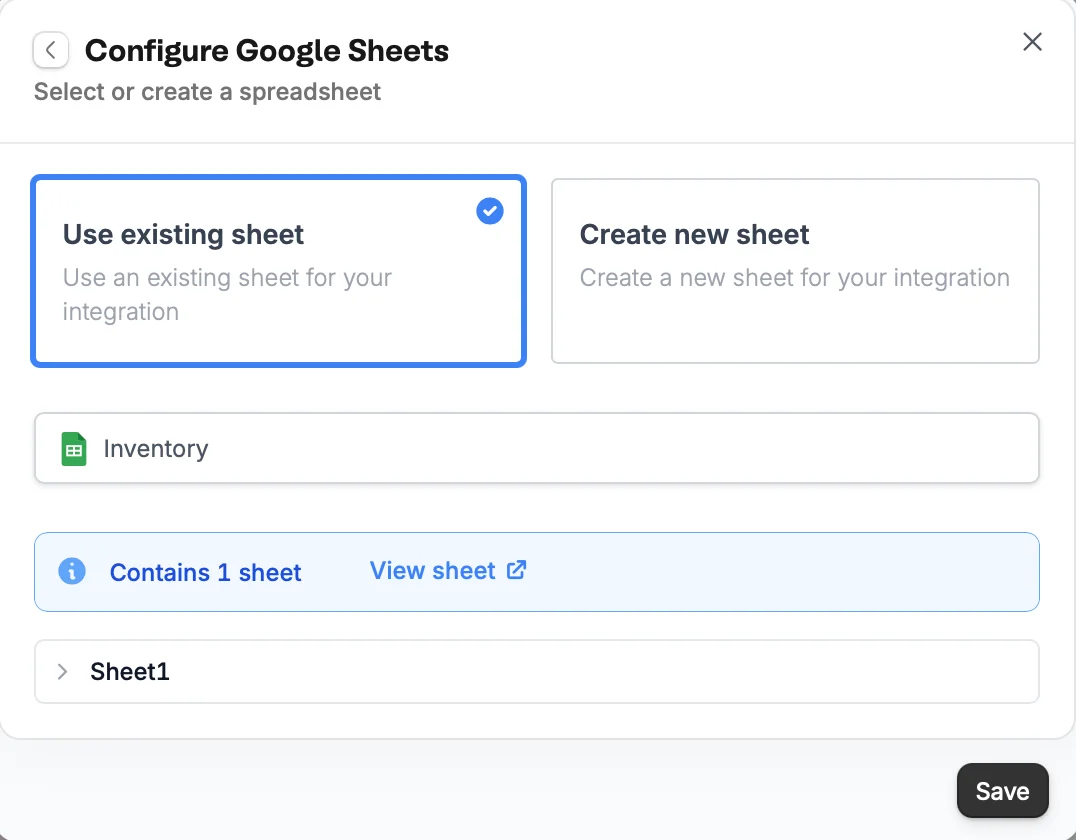
You can create a new one, but since we're converting an existing sheet, we'll leave the default option as is.
Then, sign in to your Google account or choose an already connected account.
If you already have an existing Zite app, connect to Google Sheets in the [chat box](https://www.zite.com/help/integrations/overview#integrate-an-existing-zite).
You can create a new one, but since we're converting an existing sheet, we'll leave the default option as is.
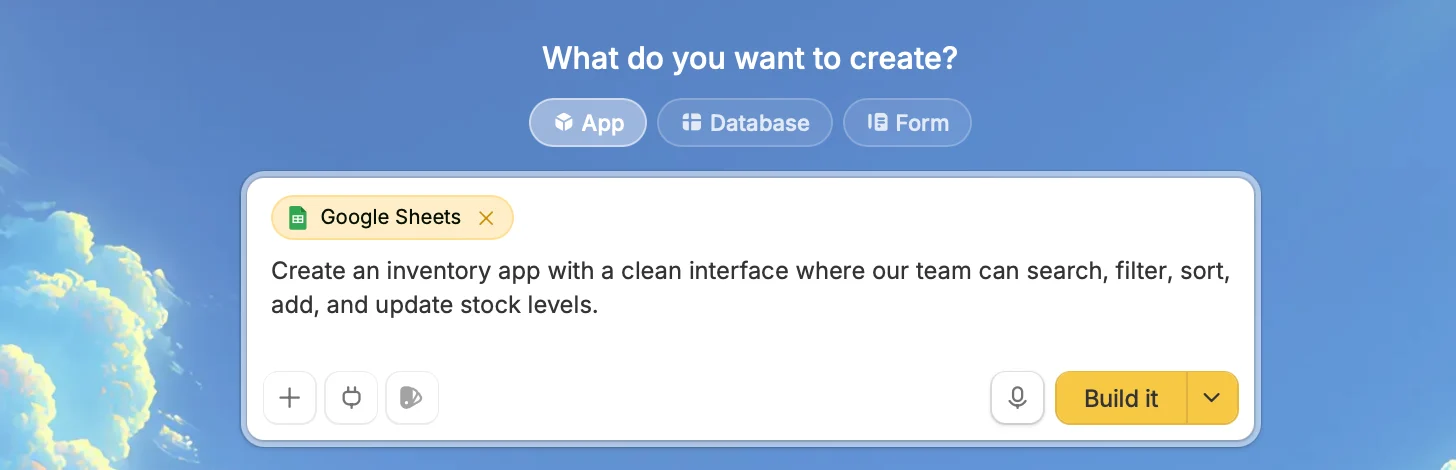
 Tell Zite what you want to create with the linked Google Sheets.
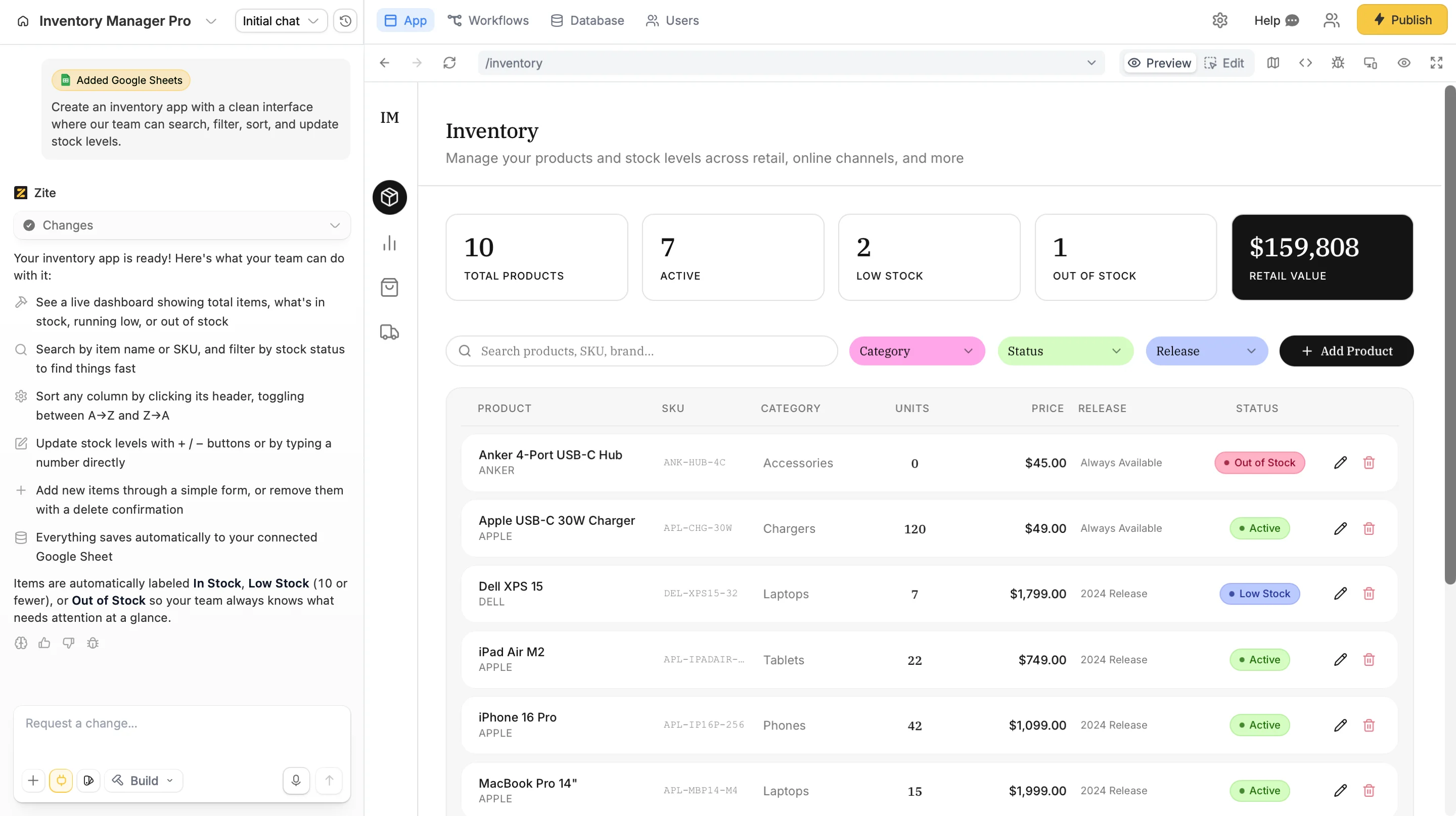
 Zite will build an app for you based on your description and the contents of your sheets.
Test to see if the app is working as intended.
Zite will build an app for you based on your description and the contents of your sheets.
Test to see if the app is working as intended.
 Click `Publish` in the upper right corner and [**share**](https://zite.com/help/platform/access/share-to-web) your app.
[Modify the theme](https://zite.com/help/platform/how-to-build/design) or [style specific elements](https://zite.com/help/platform/basics/selective-edits) your app to personalize it or match it with your brand.
## Common use cases
By connecting Google Sheets, you can easily build apps for things like:
* **Inventory Management:** Track stock levels and orders
* **Project Trackers:** Manage tasks and deadlines
* **Employee Directories:** Maintain team information
* **Event Registration:** Collect attendee information
* **Budget Planners:** Monitor expenses and revenue
**Need help?** Contact our support team at [support@zite.com](mailto:support@zite.com).
Click `Publish` in the upper right corner and [**share**](https://zite.com/help/platform/access/share-to-web) your app.
[Modify the theme](https://zite.com/help/platform/how-to-build/design) or [style specific elements](https://zite.com/help/platform/basics/selective-edits) your app to personalize it or match it with your brand.
## Common use cases
By connecting Google Sheets, you can easily build apps for things like:
* **Inventory Management:** Track stock levels and orders
* **Project Trackers:** Manage tasks and deadlines
* **Employee Directories:** Maintain team information
* **Event Registration:** Collect attendee information
* **Budget Planners:** Monitor expenses and revenue
**Need help?** Contact our support team at [support@zite.com](mailto:support@zite.com).