> ## Documentation Index
> Fetch the complete documentation index at: https://zite.com/llms.txt
> Use this file to discover all available pages before exploring further.
# How to Integrate with Stripe
> Connect Stripe to read commerce data, take payments, and build dashboards and support tools in Zite.
## How it works
With Stripe connected, you can:
* Read customers, payments, refunds, invoices, products, prices, and subscriptions
* Create checkout flows for products, services, tickets, memberships, and deposits
* Save Stripe data to your Zite Database for operations, support, and reporting
* Build support views and revenue dashboards
* Keep subscription status current with [webhooks](/help/integrations/stripe-webhooks)
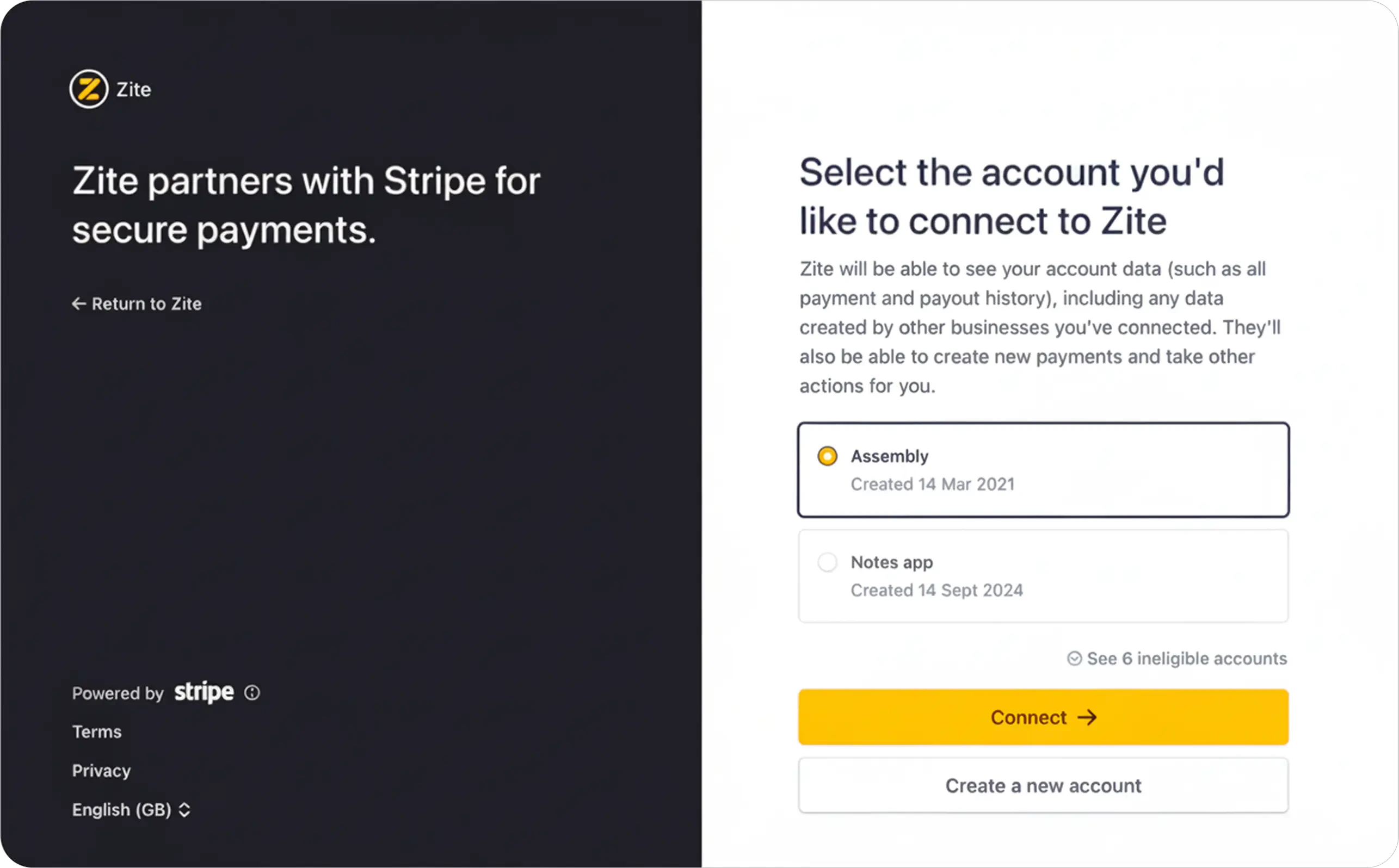
Stripe connects through OAuth to the Stripe account you choose. This connects your main Stripe account, not a separate sandbox account.
## Connect Stripe
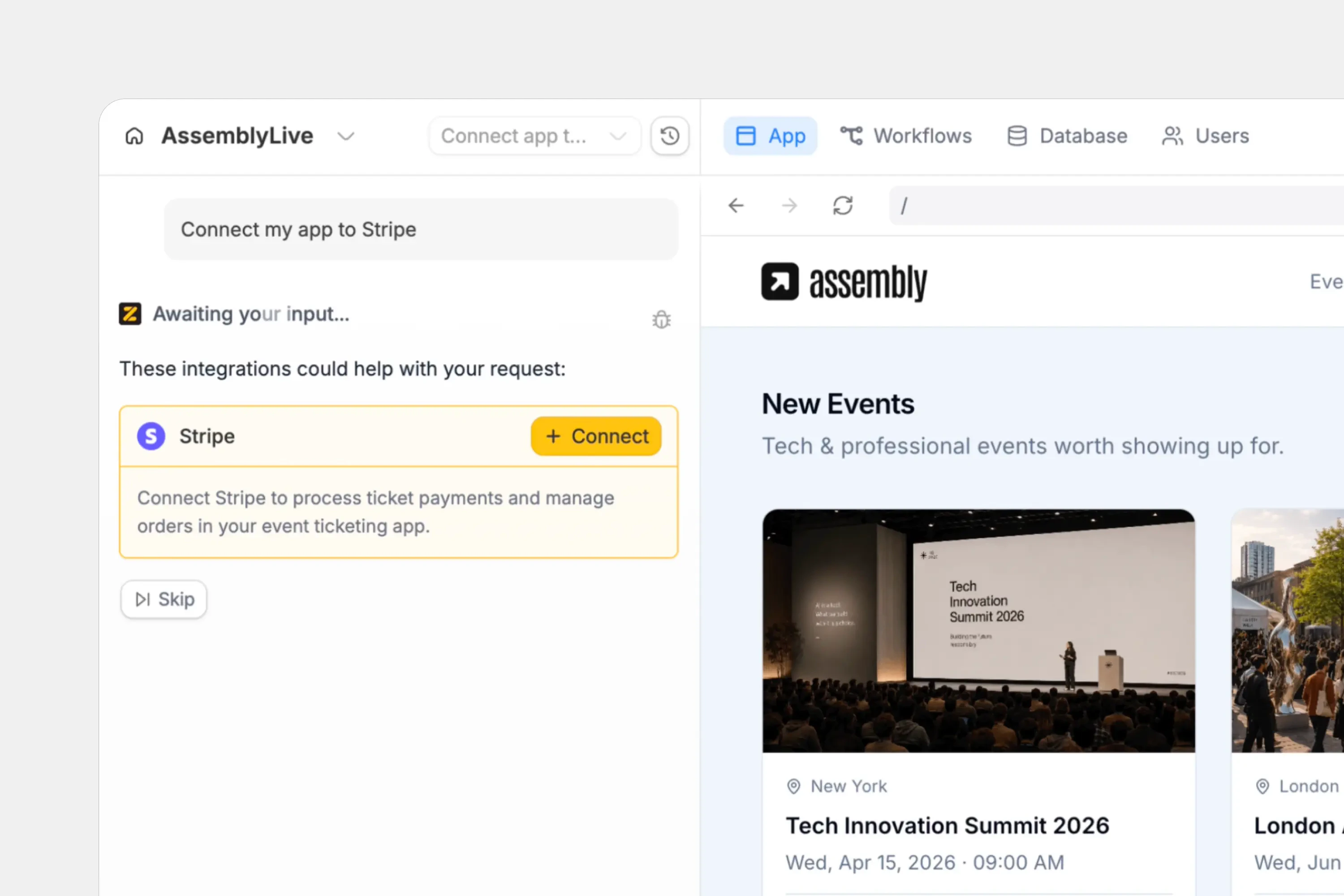
In chat, describe what you want to build with Stripe or click the `plug icon` .
For example:
```text theme={null}
Connect this app to Stripe so we can sell event tickets, track attendees,
manage customer payment questions, and report revenue by event.
```
Zite sends you to Stripe's OAuth flow. Sign in if prompted, choose the Stripe account to connect, review the access request, and approve it.
Tell Zite what customers buy, what should happen after payment, and what your team needs to manage afterward.
For one-off payments:
```text theme={null}
Add Stripe Checkout for event tickets. Save the customer, event, ticket
quantity, amount paid, coupon code, payment status, and Stripe payment ID
to the Orders table.
```
For subscriptions:
```text theme={null}
Add a monthly subscription flow for members. Save the Stripe customer ID,
subscription ID, plan, status, current period end, and latest invoice ID.
Show active members in the admin dashboard.
```
Ask for `Stripe Checkout` when you want a Stripe-hosted page. Ask for `embedded checkout` when payment should happen inside your Zite app.
Because Stripe connects to your live account, create a 100% off coupon code in Stripe and use it at checkout. This lets you test the full flow without charging your card.
Confirm the payment appears in Stripe and that Zite stores the fields your app needs.
Click `Publish` in the upper right corner and [**share**](/help/platform/access/share-to-web) your app.
After publishing, test one complete customer path: checkout, confirmation, database record, dashboard update, and any customer or team notification.
## Embedded checkout vs Stripe-hosted checkout
Stripe can support one-time payments and subscriptions in either hosted or embedded flows. In these docs, `Stripe Checkout` means the hosted Stripe page. Ask for `embedded checkout` when payment should stay inside your app.
| Checkout type | How it feels | Best for |
| -------------------------- | -------------------------------------------------------------------- | --------------------------------------------------------------------------------------------------------------------- |
| **Embedded checkout** | The customer pays inside your Zite app. | Apps where checkout should sit next to order details, event information, account setup, or an internal approval flow. |
| **Stripe-hosted checkout** | The customer pays on a Stripe-hosted page, then returns to your app. | Fast launches, simple checkout flows, and cases where a familiar Stripe page is preferred. |
Hosted checkout is usually the quickest way to launch. Embedded checkout keeps more of the experience inside your app, though some payment methods may still send the customer through an external authorization step.
Webhooks are still important with either checkout type. Use them to confirm completed payments, update records, provision access, and keep subscription status current after the customer leaves checkout.
## What to build next
Choose the Stripe article that matches your app:
Sell tickets, services, bookings, products, deposits, or invoices with a one-time payment flow.
Launch memberships, plans, retainers, or recurring access with a subscription table in Zite.
Keep Zite updated when Stripe payments, invoices, trials, and subscriptions change.
## Common use cases
With a Stripe connection, you can create apps like:
* **Event ticketing platforms:** Sell tickets, manage attendees, issue refunds, and track revenue by event
* **Subscription portals:** Let customers start, update, or cancel plans while your team sees current subscription status
* **Service booking apps:** Collect deposits or full payment before confirming an appointment, project, or consultation
* **Support dashboards:** Look up customers, payments, refunds, invoices, and booking details from one internal tool
* **Revenue dashboards:** Show sales, recurring revenue, refunds, failed payments, and performance by product, service, or event
* **Operations tools:** Let business teams manage pricing, discounts, availability, and fulfillment workflows without working directly in code
Learn more in Stripe's [Checkout overview](https://docs.stripe.com/payments/checkout).