> ## Documentation Index
> Fetch the complete documentation index at: https://zite.com/llms.txt
> Use this file to discover all available pages before exploring further.
# Send app messages or calls with Twilio
> Send SMS, WhatsApp messages, or make voice calls in real time when changes happen in your app.
## How it works
Automatically notify users or team members when actions happen in your app. This is useful for alerts, reminders, confirmations, and follow-ups. By connecting Zite to Twilio, you can:
* Send SMS messages
* Send WhatsApp messages to users worldwide with API
* Make voice calls to deliver notifications or alerts
* Send messages to multiple users at once
* Send 2FAs or one-time codes via SMS for extra security on sensitive actions
To send WhatsApp messages, recipients’ phone numbers must be added to your [Twilio Sandbox](https://www.twilio.com/docs/whatsapp/sandbox).
## How to automate messages or calls
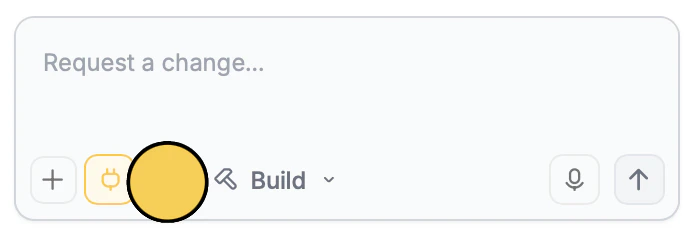
In the chat box, ask Zite to connect to Twilio or click the `plug icon` .
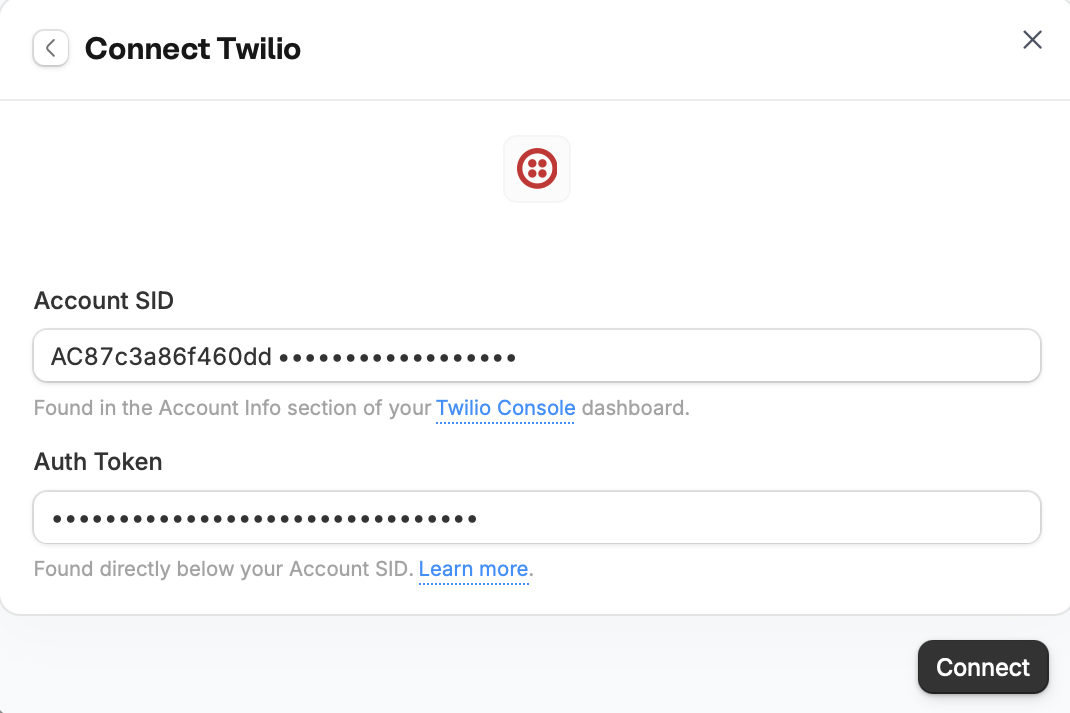
 Then, enter your Twilio **Account SID** and **Auth Token**.
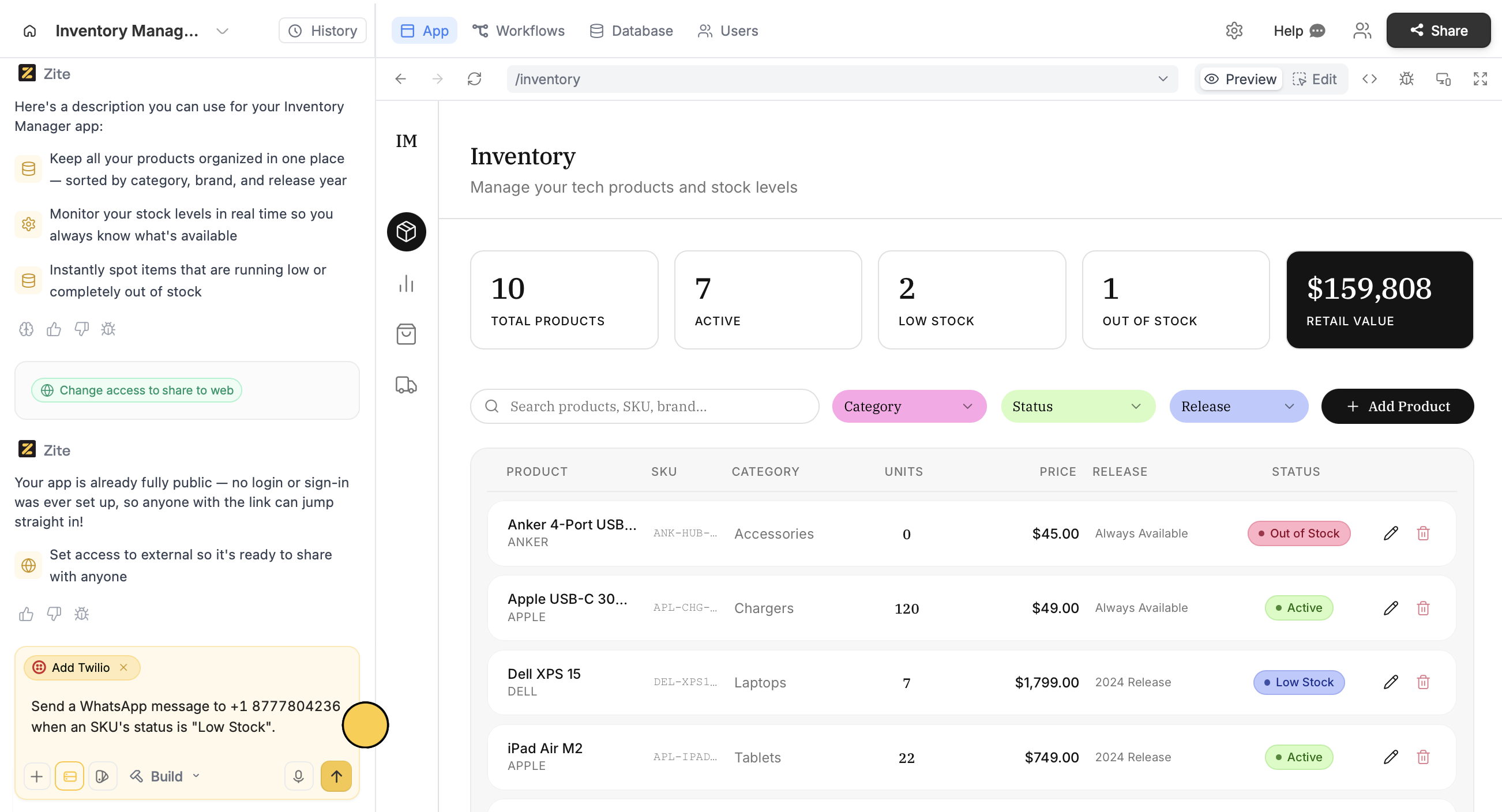
 Describe how you want to use Twilio in your app. In this example, we’ll send a WhatsApp message when inventory is low.
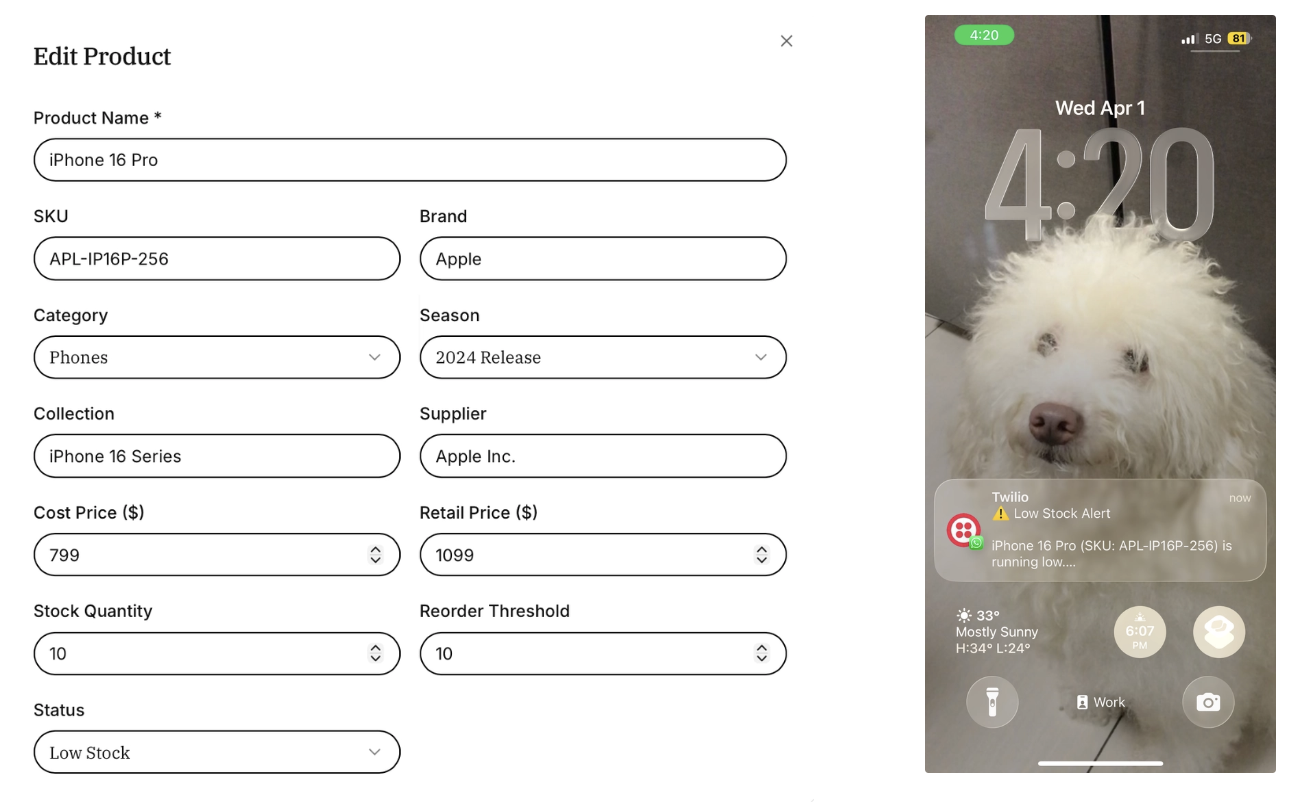
 That's it! The recipient will now receive a message whenever there are low stock levels.
 Click `Publish` in the upper right corner to [**share**](/help/platform/access/share-to-web) or [**embed**](/help/platform/basics/embedding) your app.
## How to automate 2FAs
For actions that require extra security, like deleting an SKU, you can send 2FAs. Just like the steps above, enter a prompt to send 2FAs when a specific action occurs.
Click `Publish` in the upper right corner to [**share**](/help/platform/access/share-to-web) or [**embed**](/help/platform/basics/embedding) your app.
## How to automate 2FAs
For actions that require extra security, like deleting an SKU, you can send 2FAs. Just like the steps above, enter a prompt to send 2FAs when a specific action occurs.
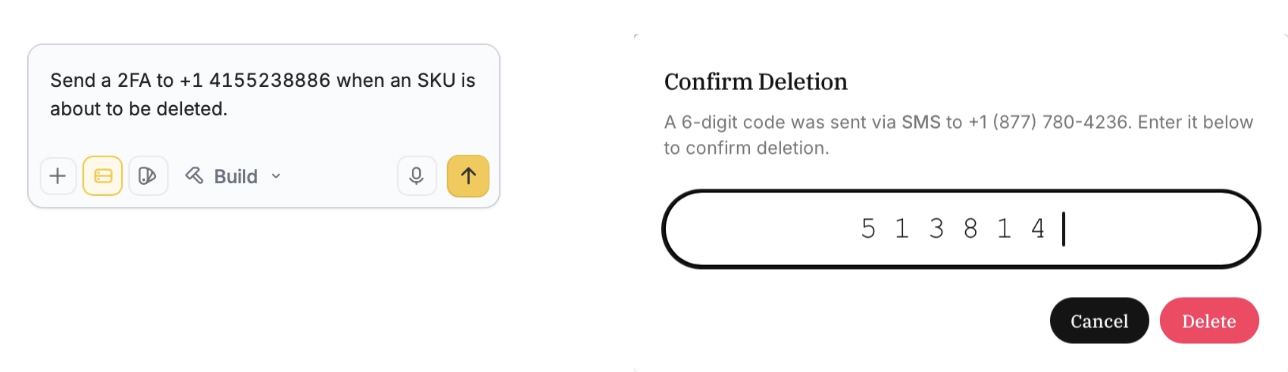 Codes sent expire in 5 minutes.
## Common use cases
With a Twilio connection, you create apps like:
* **Document submissions:** Let users upload forms or reports directly into OneDrive for review
* **Client portals:** Allow customers to view and download project files
* **Recruitment flows:** Collect resumes and documents for hiring teams to review
* **Approval workflows:** Store and route documents in OneDrive when they are submitted or approved in your app
* **Internal resource hubs:** Give teams access to searchable file libraries without needing direct Microsoft access
* **Media collection apps:** Collect and organize user-uploaded images, videos, or assets in OneDrive for processing or review
Codes sent expire in 5 minutes.
## Common use cases
With a Twilio connection, you create apps like:
* **Document submissions:** Let users upload forms or reports directly into OneDrive for review
* **Client portals:** Allow customers to view and download project files
* **Recruitment flows:** Collect resumes and documents for hiring teams to review
* **Approval workflows:** Store and route documents in OneDrive when they are submitted or approved in your app
* **Internal resource hubs:** Give teams access to searchable file libraries without needing direct Microsoft access
* **Media collection apps:** Collect and organize user-uploaded images, videos, or assets in OneDrive for processing or review