> ## Documentation Index
> Fetch the complete documentation index at: https://zite.com/llms.txt
> Use this file to discover all available pages before exploring further.
# Import and Export Apps
> Import and export apps between different workspaces or organizations. This is helpful for agencies, consultants, and the like who often have multiple clients.
## Import Zite app
From the dashboard, click `App` followed by `Import existing Zite`.
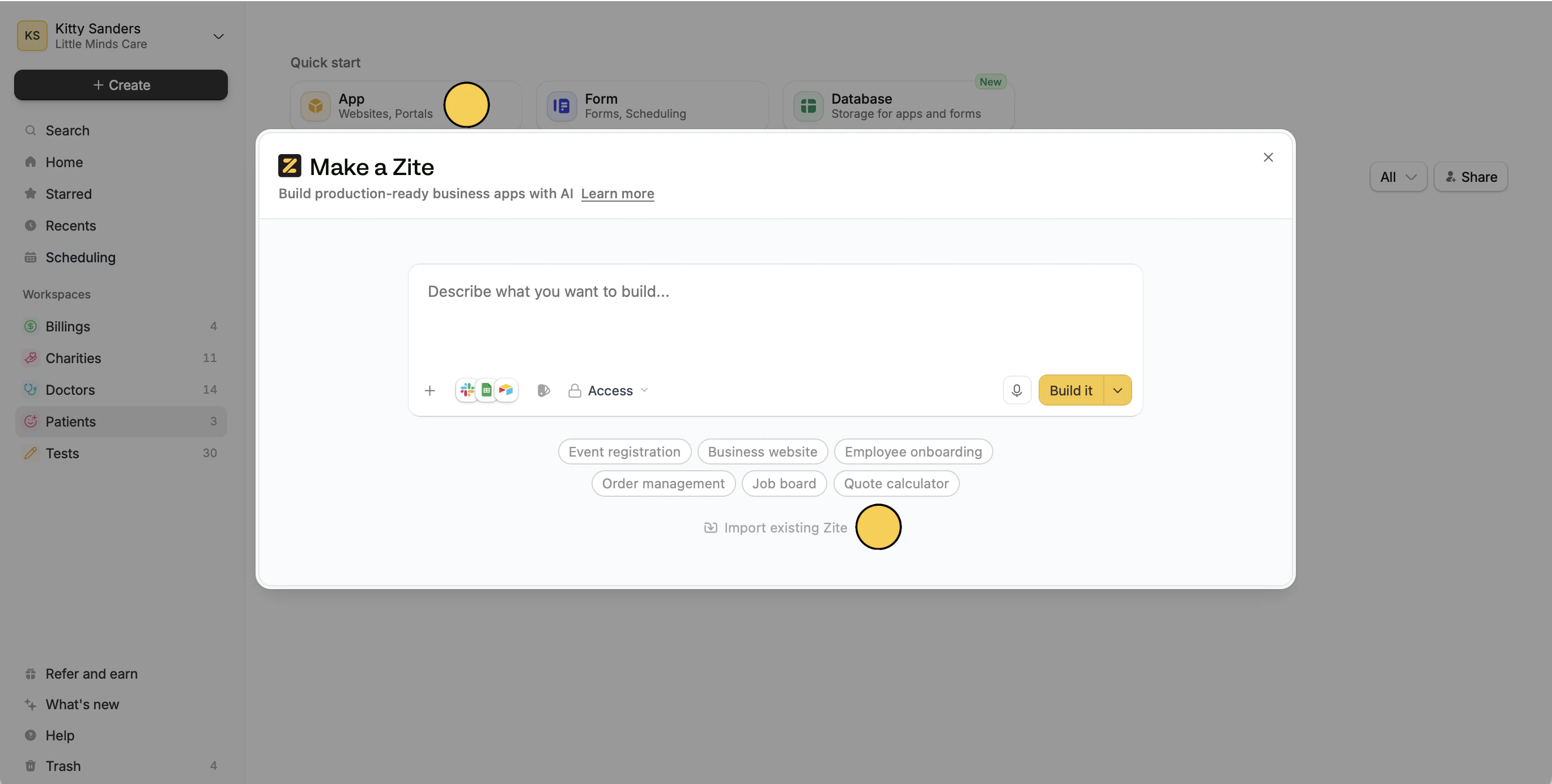 In the popup, drag and drop an existing **Zite JSON file**.
## Export Zite app
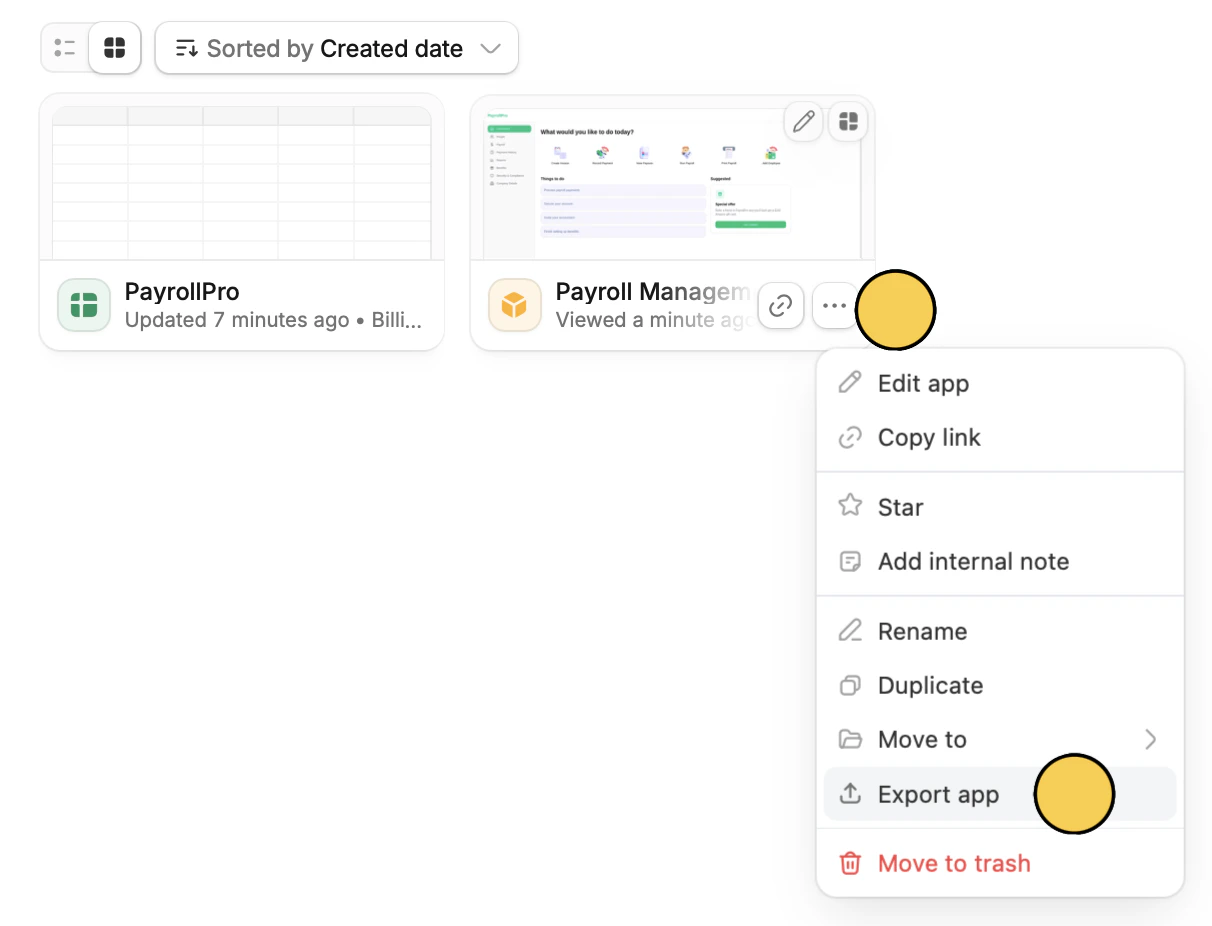
Hover over an app and click followed by `Export app`. A JSON file will automatically be downloaded by your device.
In the popup, drag and drop an existing **Zite JSON file**.
## Export Zite app
Hover over an app and click followed by `Export app`. A JSON file will automatically be downloaded by your device.
 \
You can toggle `Include all messages and history` in the popup if necessary. However, this will result in a larger file size.
## Move apps, forms, and databases
If you simply need to organize your apps, or forms and databases, you can drag and drop them to the appropriate workspace.
\
You can toggle `Include all messages and history` in the popup if necessary. However, this will result in a larger file size.
## Move apps, forms, and databases
If you simply need to organize your apps, or forms and databases, you can drag and drop them to the appropriate workspace.
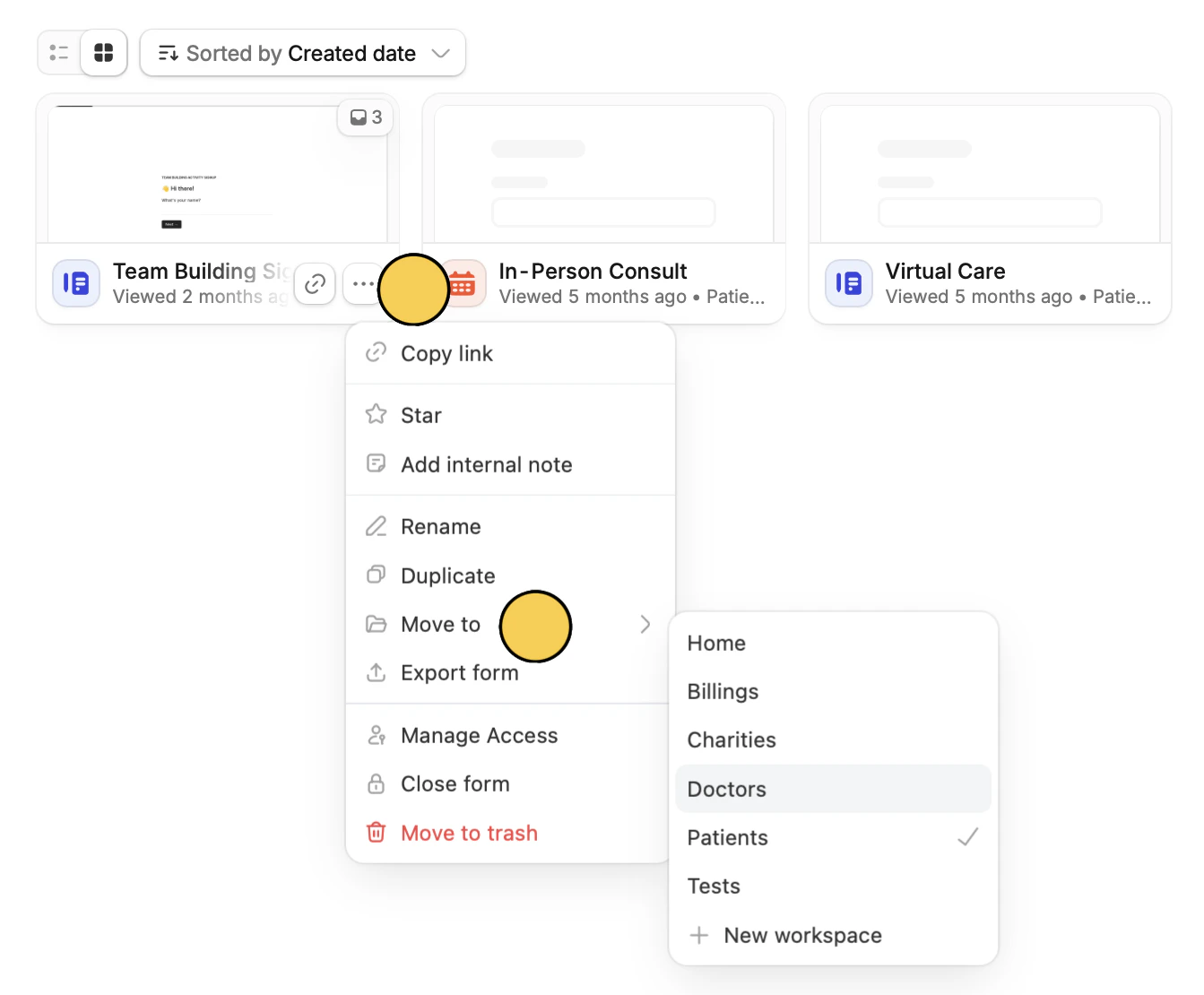 Alternatively, you can click followed by `Move to`. Then, click your chosen `folder`.