> ## Documentation Index
> Fetch the complete documentation index at: https://zite.com/llms.txt
> Use this file to discover all available pages before exploring further.
# Share Zite app to web
> Make your Zite app publicly accessible to people outside your organization.
## Overview
When you share your Zite app to the web, anyone with the link can access it — even people outside your organization. This is ideal for customer-facing portals, public-facing tools, directories and websites.
You can still require sign-in while still sharing your app to the web, through [Authentication](/help/platform/access/authentication).
## Enable public sharing
`Share` to view the dropdown for **General Access**. Then, choose `Share to web`.
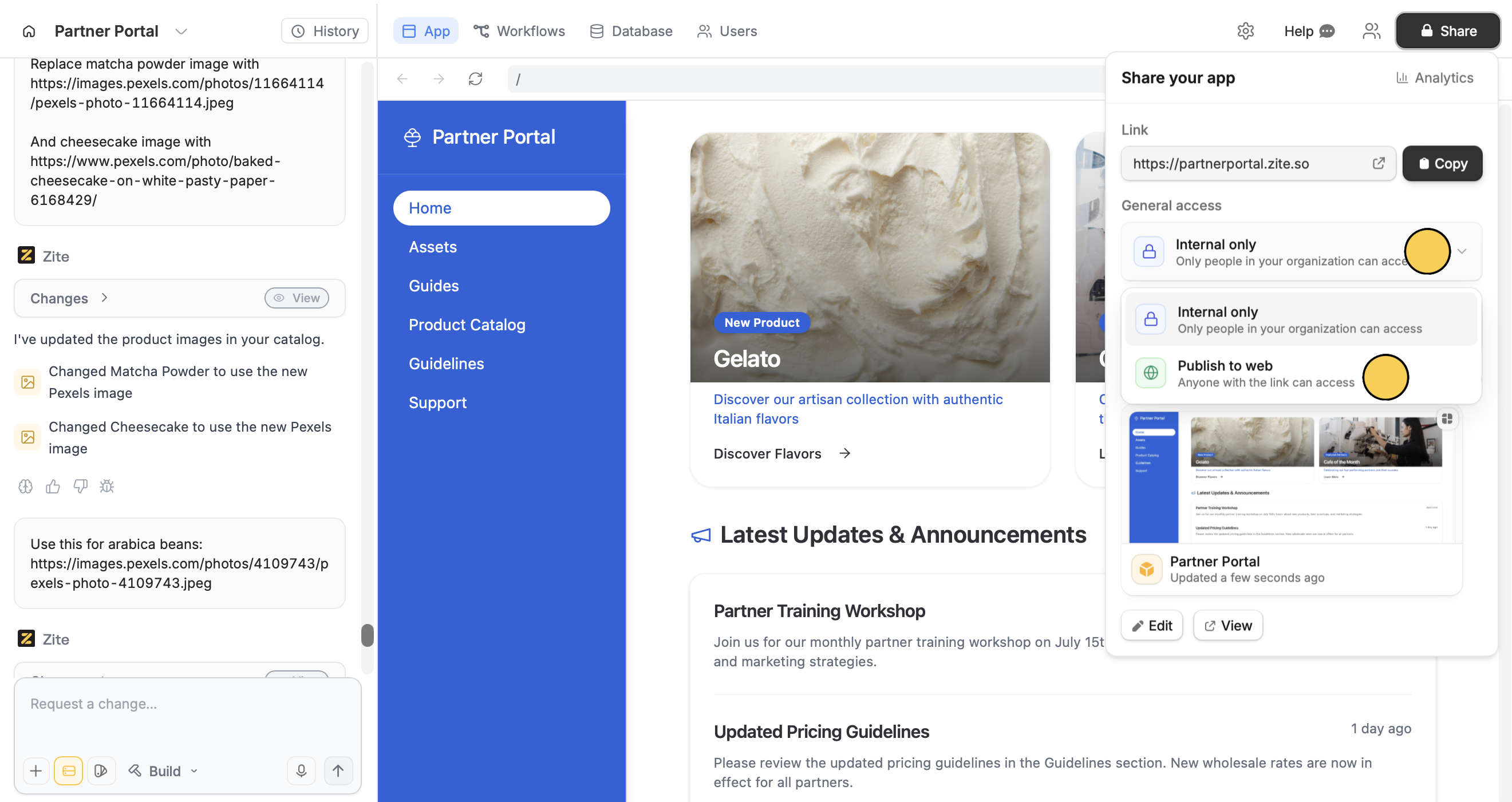 That's it! `Copy` your app's link or click to open it in a new tab.
Customize your app's domain and link preview from **Link settings**. Learn more in [Customize links](/help/platform/basics/customize-links).
Alternatively, you can click (beside Help) followed by `Access` in the popup.
If your app uses authentication, you'll be prompted to choose who can sign up. See [Authentication](/help/platform/access/authentication) for details.
## Share your app's QR code
In the `Share` menu, click `Advanced` and choose `QR code`.
That's it! `Copy` your app's link or click to open it in a new tab.
Customize your app's domain and link preview from **Link settings**. Learn more in [Customize links](/help/platform/basics/customize-links).
Alternatively, you can click (beside Help) followed by `Access` in the popup.
If your app uses authentication, you'll be prompted to choose who can sign up. See [Authentication](/help/platform/access/authentication) for details.
## Share your app's QR code
In the `Share` menu, click `Advanced` and choose `QR code`.
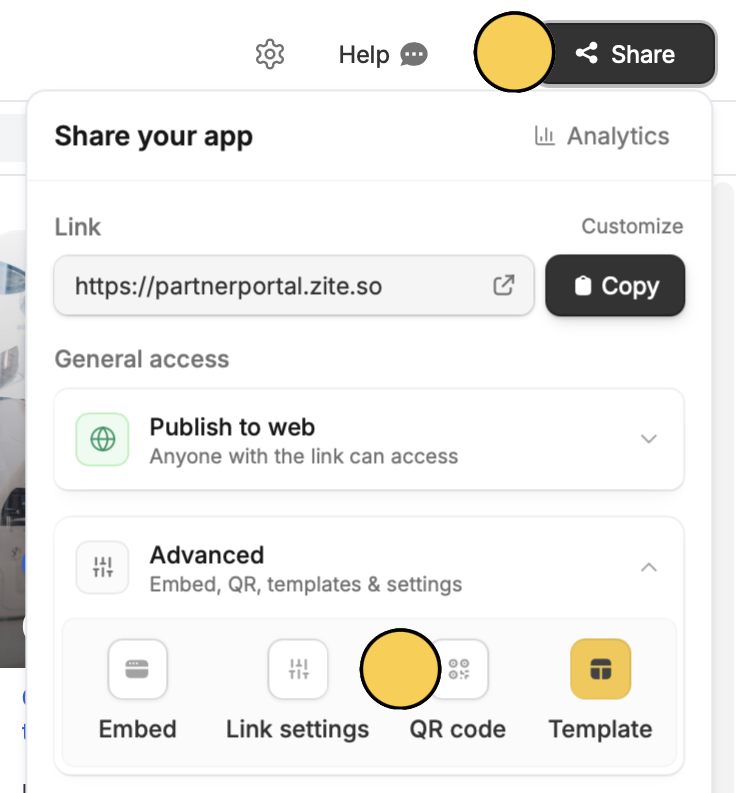 The generated QR code is tied to your app's current custom link or subdomain (not the default Zite app link). If you change the custom link or subdomain later, any previously generated QR code will no longer redirect to the updated URL.