> ## Documentation Index
> Fetch the complete documentation index at: https://zite.com/llms.txt
> Use this file to discover all available pages before exploring further.
# Track Zite app analytics
Monitor your Zite's views, visitors, views per session, sources, usage, and more.
## View app analytics
Click `Share` followed by `Analytics`.
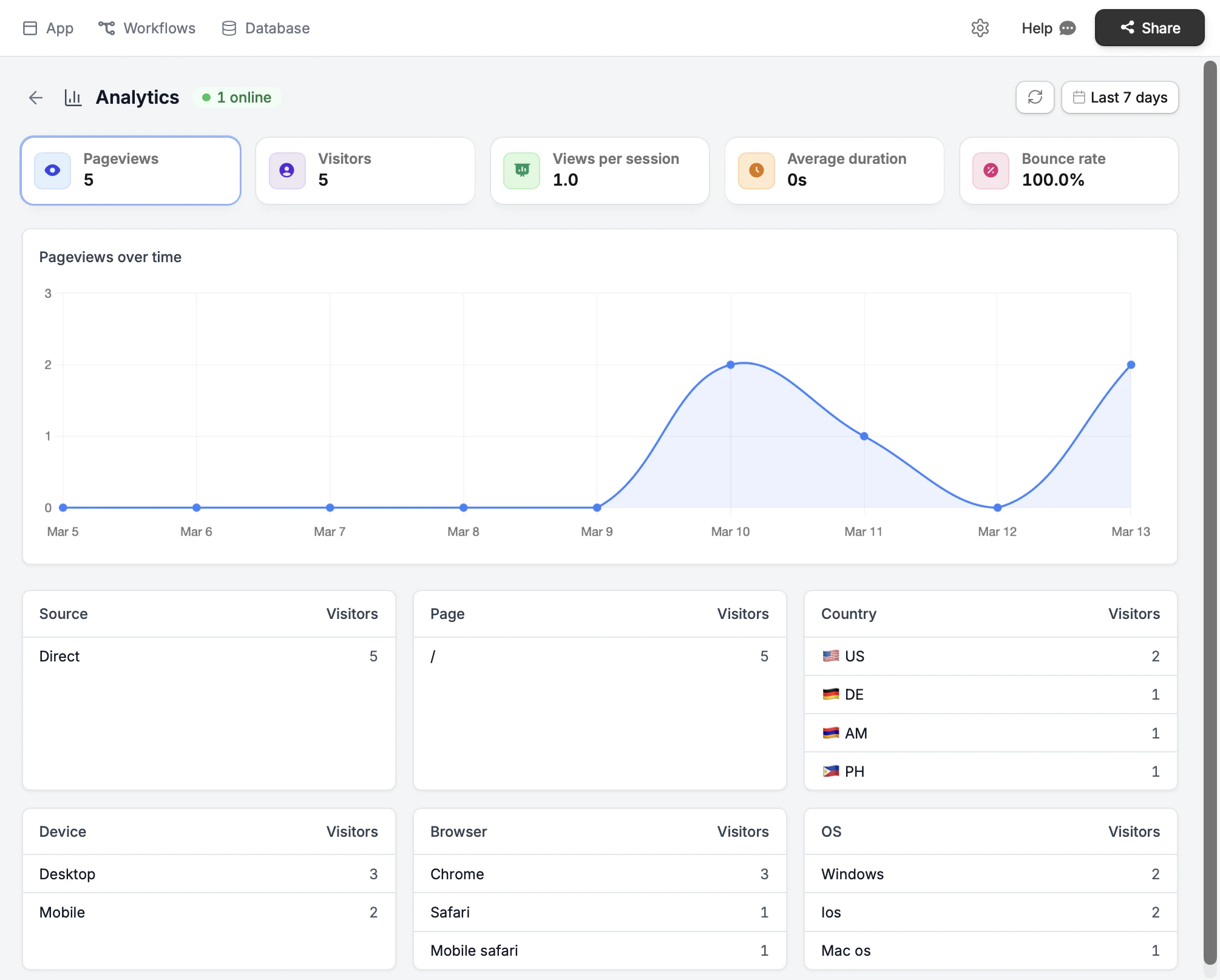
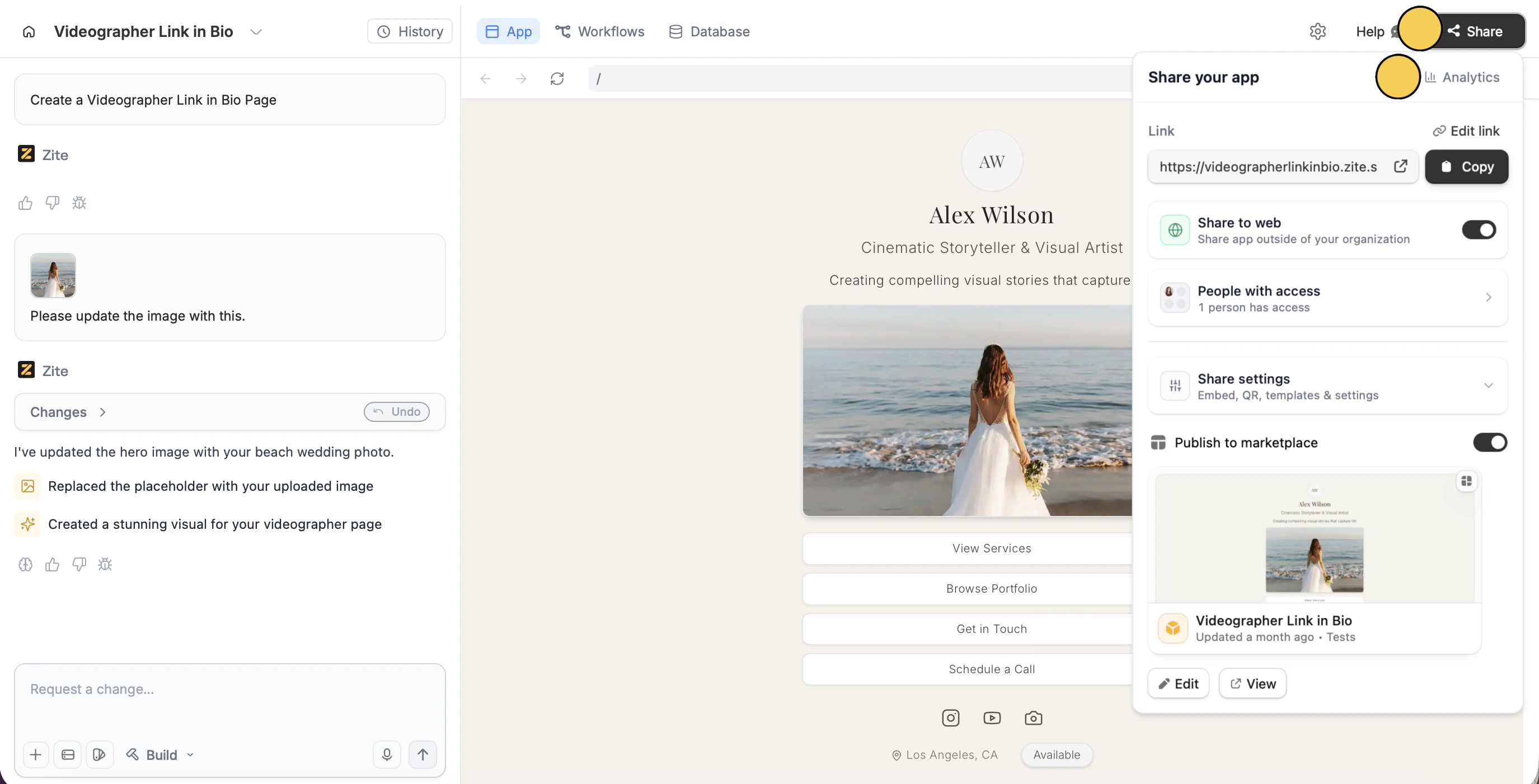 It will open a dashboard that shows an overview of your app's performance. The chart displays **pageviews over time**. Click the buttons next to Pageviews to view other metrics like Visitors or Bounce rate.
 ### Key metrics you can track
* **Pageviews** – total pages viewed
* **Visitors** – unique users visiting, including how many are currently on it (green online badge)
* **Views per session** – average pages viewed per visit
* **Average duration** – how long users spend on your app
* **Bounce rate** – percentage of users leaving after one page
For apps with only one page, the bounce rate will always remain 100%.
### Additional insights
At the bottom, it shows a list of where your visitors come from (**source** and **country)**, how many visited each **page**, and what they used to visit (**device**, **browser**, and **OS**).
/ under Pages refers to the homepage.
## Filter views
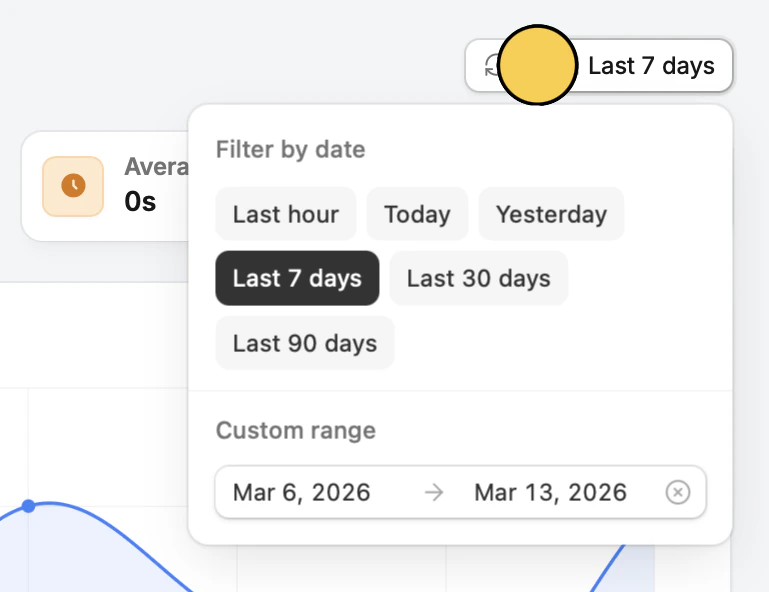
By default, analytics shows performance for the last 7 days. Click `Last 7 days` to filter by preset ranges or set a custom date range to see historical results.
### Key metrics you can track
* **Pageviews** – total pages viewed
* **Visitors** – unique users visiting, including how many are currently on it (green online badge)
* **Views per session** – average pages viewed per visit
* **Average duration** – how long users spend on your app
* **Bounce rate** – percentage of users leaving after one page
For apps with only one page, the bounce rate will always remain 100%.
### Additional insights
At the bottom, it shows a list of where your visitors come from (**source** and **country)**, how many visited each **page**, and what they used to visit (**device**, **browser**, and **OS**).
/ under Pages refers to the homepage.
## Filter views
By default, analytics shows performance for the last 7 days. Click `Last 7 days` to filter by preset ranges or set a custom date range to see historical results.