> ## Documentation Index
> Fetch the complete documentation index at: https://zite.com/llms.txt
> Use this file to discover all available pages before exploring further.
# Connect a Godaddy domain to your app
> Point a domain you bought from Godaddy to your Zite app by adding the required DNS records.
## Before you start
You will need:
* Access to the Zite app you want to connect
* Access to the Godaddy account that manages your domain
* Permission to edit DNS records for that domain
Custom domains are available for apps once they are [shared to the web](/help/platform/access/share-to-web).
## Connect your domain
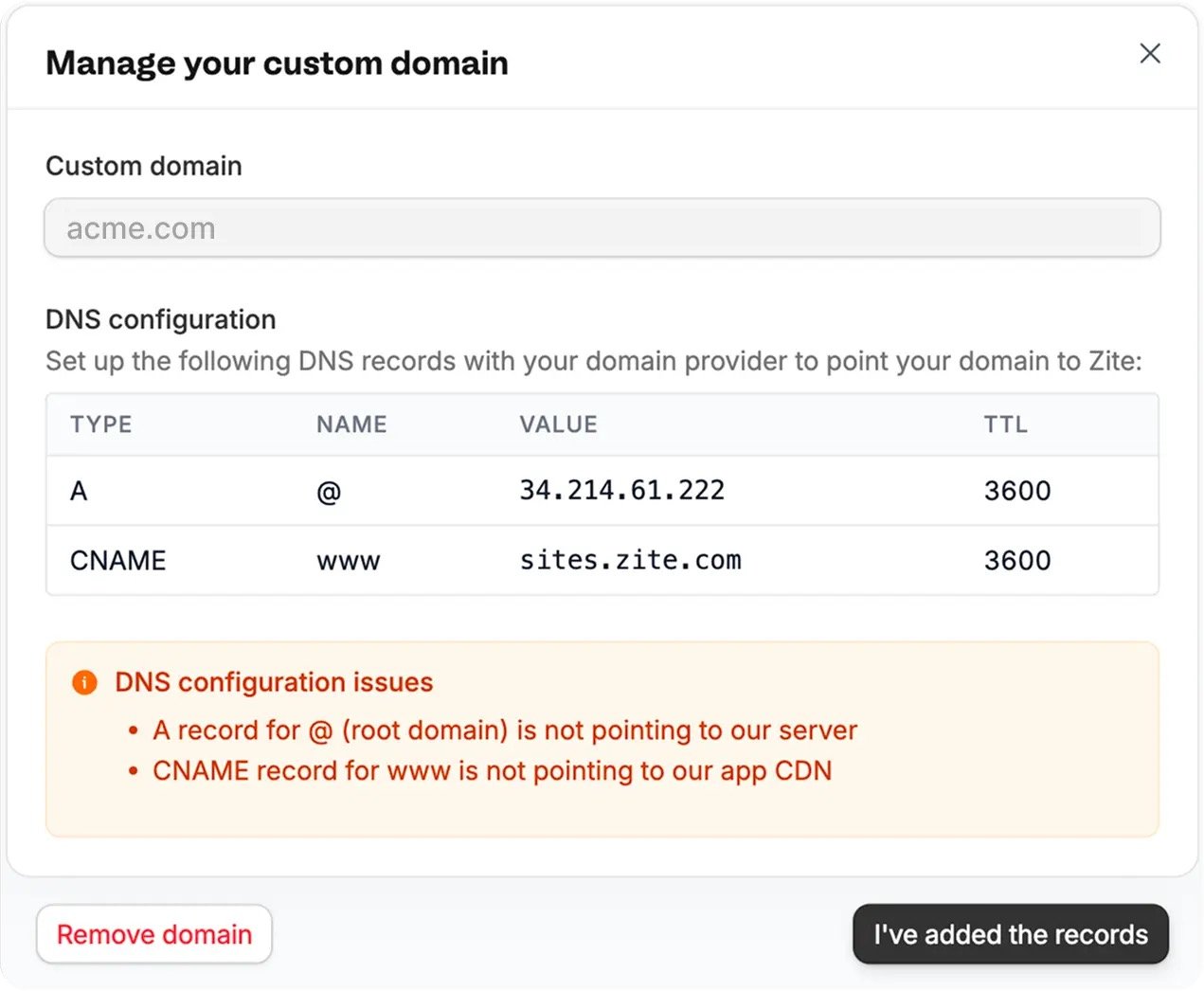
Open your Zite app settings and go to the custom domain section. Enter the domain you want to use, then note the DNS records Zite asks you to add.
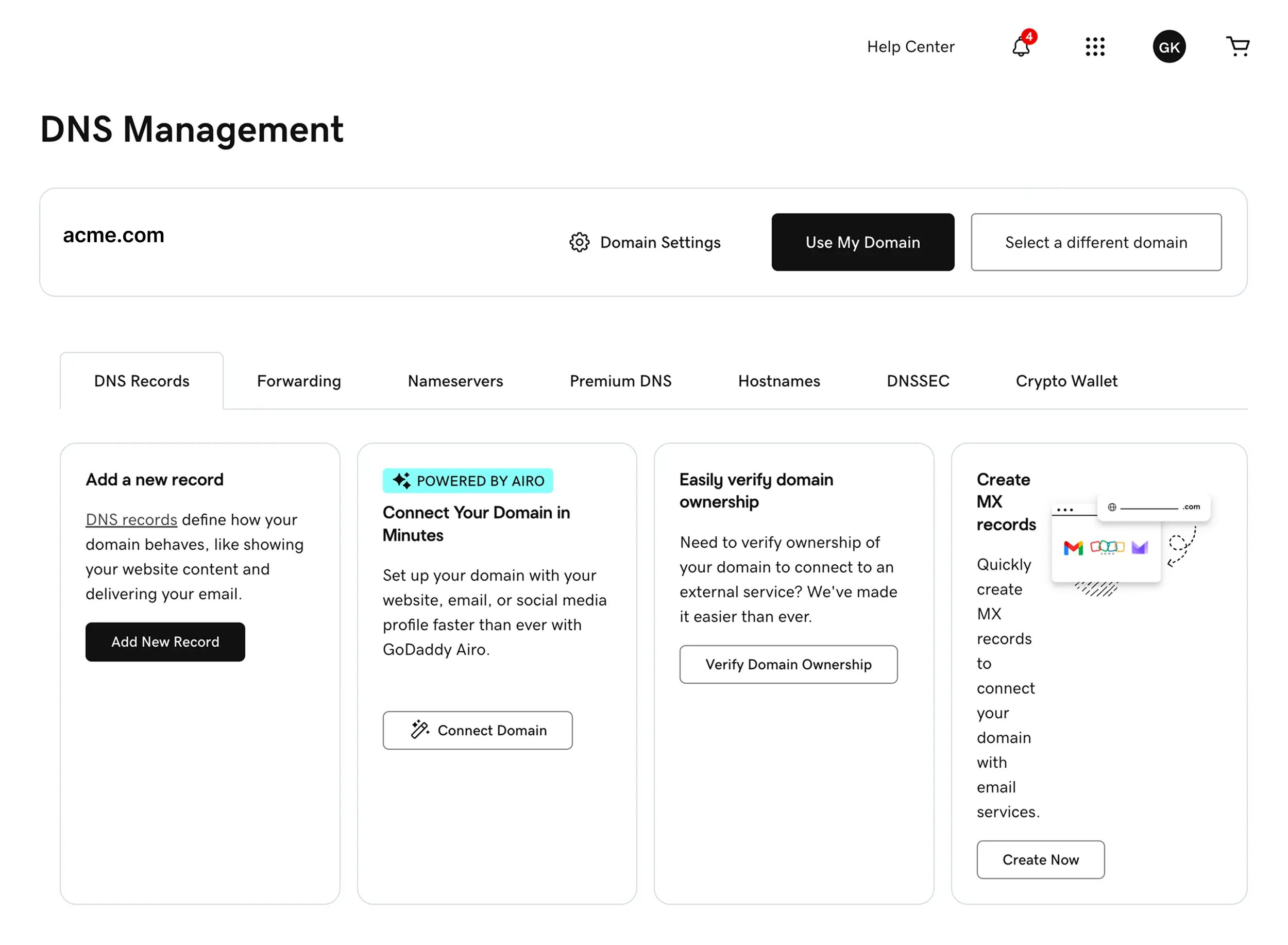
Log in to Godaddy, open your domain, then go to `DNS Management`. Make sure you are on the `DNS Records` tab.
Click `Add New Record`.
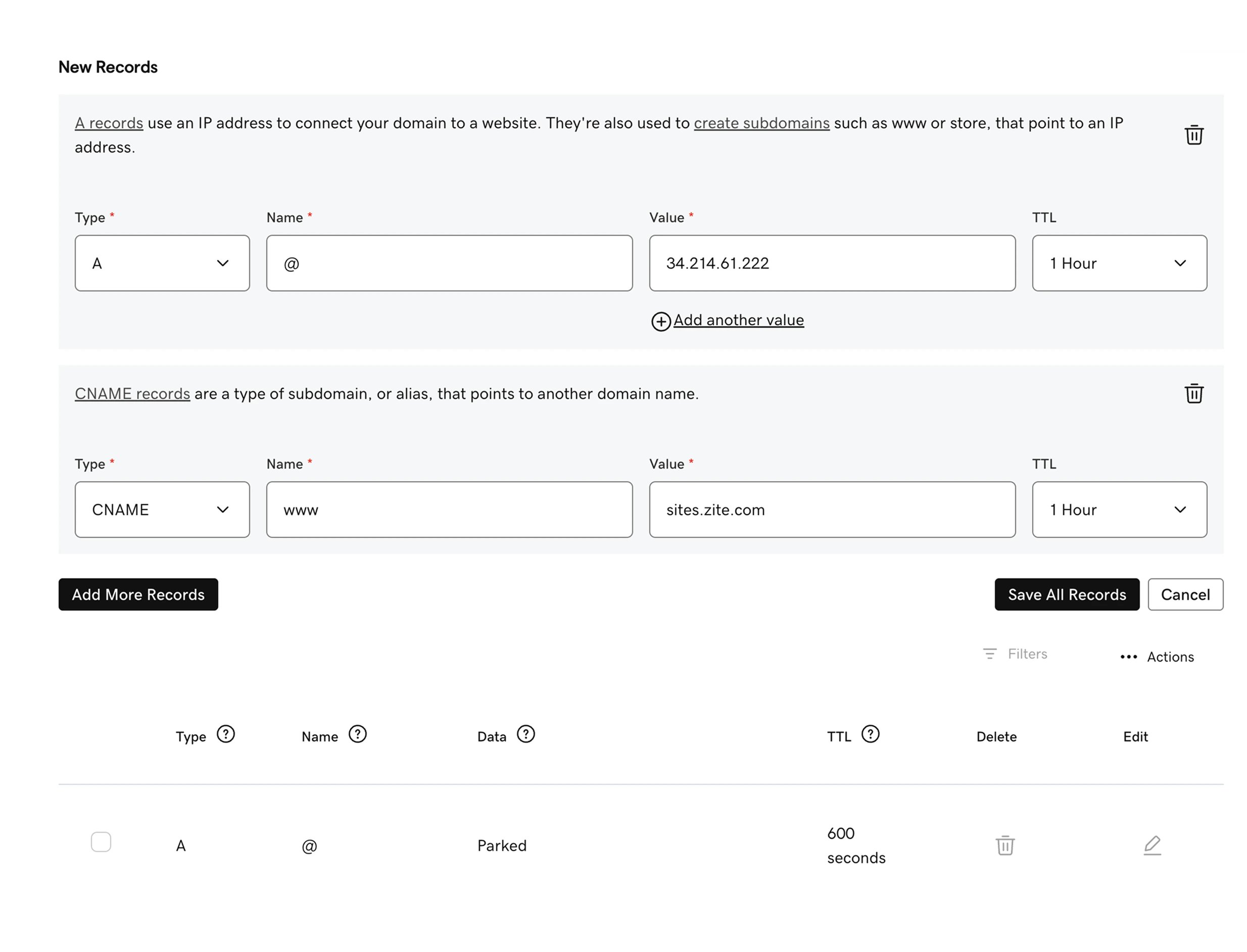
Add an `A` record with these values:
| Field | Value |
| ----- | --------------- |
| Type | `A` |
| Name | `@` |
| Value | `34.214.61.222` |
| TTL | `1 Hour` |
This points your root domain, like `acme.com`, to Zite.
Click `Add More Records`, then add a `CNAME` record with these values:
| Field | Value |
| ----- | ---------------- |
| Type | `CNAME` |
| Name | `www` |
| Value | `sites.zite.com` |
| TTL | `1 Hour` |
This points `www.acme.com` to your Zite app.
Click `Save All Records` in Godaddy.
Return to Zite and click `I've added the records`. Zite will check the DNS records and connect your domain once they are visible.
## If Zite still shows DNS issues
DNS changes can take a little while to update. Most domains connect within a few minutes, but it can sometimes take longer.
If the domain is not verified yet, check the following:
* The `A` record uses `@` as the name and `34.214.61.222` as the value.
* The `CNAME` record uses `www` as the name and `sites.zite.com` as the value.
* There is not another `A` record for `@` pointing somewhere else.
* There is not another `CNAME` record for `www` pointing somewhere else.
* The records were saved in the DNS manager for the same domain you entered in Zite.
Once both records are correct, click `I've added the records` in Zite again.