> ## Documentation Index
> Fetch the complete documentation index at: https://zite.com/llms.txt
> Use this file to discover all available pages before exploring further.
# Product Updates
> The latest features and product improvements in Zite
## Create polished PDFs and work with Zite from ChatGPT
Zite now gives you more ways to turn app data into shareable work. [Generate branded PDFs](/help/platform/basics/pdf-generation) from your apps, query your Zite databases directly from [ChatGPT](/help/integrations/query-with-chatgpt), and download app plans as PDFs when you need a clear client-ready proposal before anything is built.
#### 📄 Create PDFs from app data
Zite apps can now [generate PDFs](/help/platform/basics/pdf-generation) for quotes, contracts, invoices, reports, certificates, inspection summaries, and other business documents. Use the records, fields, totals, dates, and approvals already inside your app, then let users download, email, print, archive, or sign the finished document.
You can also upload an existing PDF and ask Zite to turn it into a digital form, so customers can complete an intake packet, quote template, contract, checklist, or report online instead of printing and scanning it.
#### 💬 Query Zite databases from ChatGPT
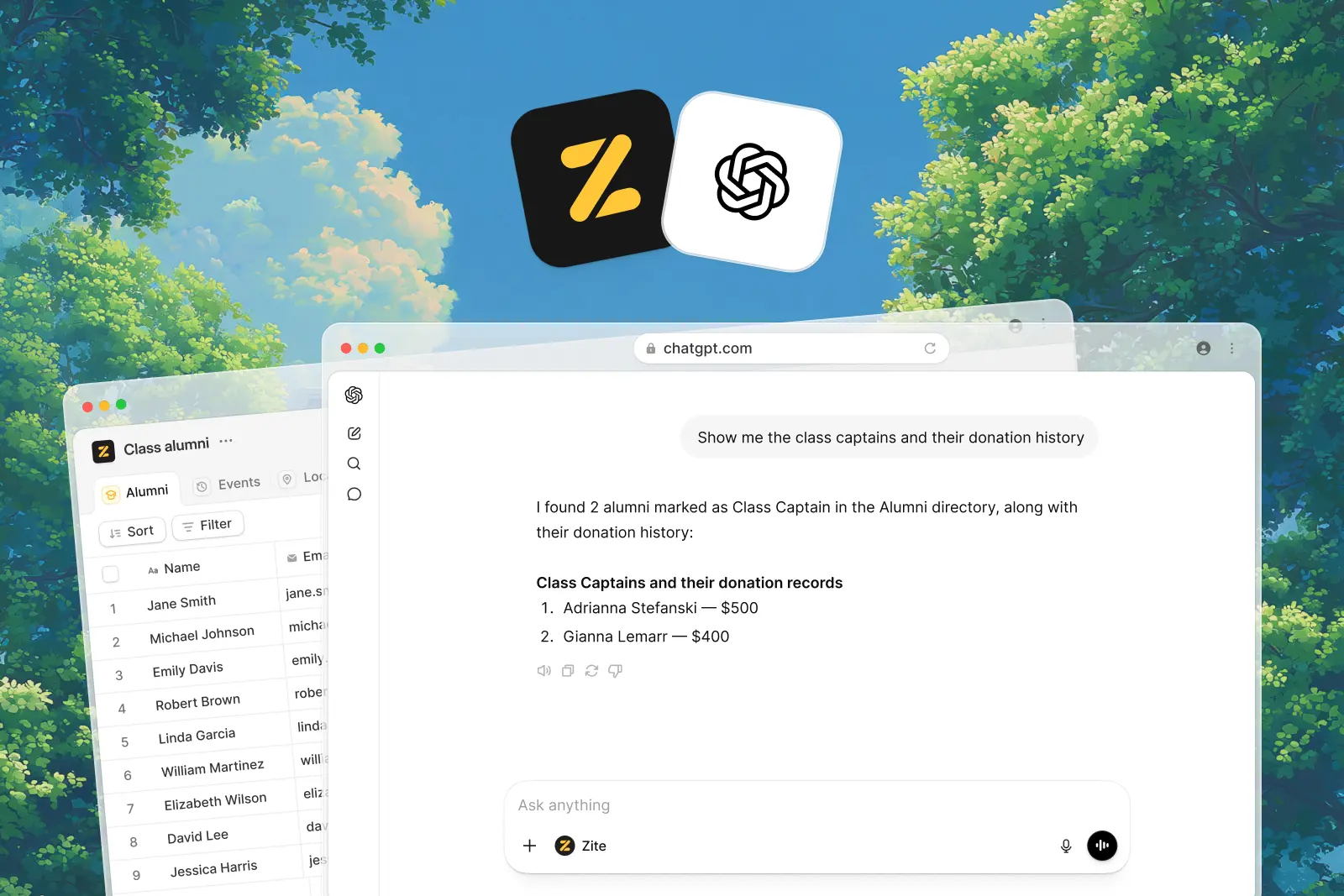
The [Zite app for ChatGPT](/help/integrations/query-with-chatgpt) lets you inspect, search, summarize, and update your Zite databases from a ChatGPT conversation. Ask for recent records, count deals by stage, review table structure, create a customer, update a status, or add a field while staying connected to the data in your Zite workspace.
ChatGPT can only access your workspace after you authorize Zite, and you stay in control of database changes.
#### 📋 Share app plans before you build
[Plans](/help/platform/how-to-build/agent-modes/plan-mode) can now be downloaded as PDFs, making it easier to send a proposed app scope to a client or stakeholder before build work starts. It is a simple way to align on screens, workflows, data, and assumptions while the project is still easy to refine.
Create branded PDFs from app data, existing templates, signatures, and workflows.
Query, analyze, and update Zite databases from a ChatGPT conversation.
Review, refine, and now share an app plan before implementation starts.
## Integrate commerce into your apps with Stripe
Zite now connects with Stripe, so you can build apps that take payments, manage subscriptions, store commerce data, and keep customer records up to date from the tools your team already uses.
#### 💳 Take payments in your app
Add one-off payment flows for products, services, event tickets, bookings, deposits, invoices, and digital purchases. Ask Zite for Stripe-hosted checkout when you want the fastest launch, or embedded checkout when payment should stay inside your Zite app.
#### 📆 Launch recurring subscriptions
Create subscription flows for memberships, plans, retainers, trials, and ongoing services. Zite can save Stripe customers, subscriptions, prices, statuses, renewal dates, and access rules to your database, then use that data in dashboards, portals, and support tools.
#### 🔄 Keep Stripe changes in sync
Stripe webhooks let Zite react when checkout completes, a subscription changes, an invoice is paid, or a payment fails. Use webhook-triggered workflows to update records, change access, send email, alert your team, and refresh reporting after checkout.
Learn how to connect Stripe, choose a checkout flow, and test payments.
Sell tickets, services, bookings, products, deposits, and invoices.
Build recurring plans, member access, billing dashboards, and support views.
Keep Zite updated when payments, invoices, trials, and subscriptions change.
## New Google integrations for email, files, and analytics
Zite now connects more deeply with the Google tools your team already uses. Read and send email with Gmail, collect and organize files in Google Drive, and understand how people use your app with Google Analytics.
#### 📬 Work with your Gmail inbox
Connect Gmail so your app can read inbox messages, create emails, and send confirmations, reminders, reports, onboarding emails, and follow-ups from your own Gmail address. Use it to build support inboxes, client portals, approval flows, and personal follow-up workflows that stay connected to real email conversations.
#### 📁 Store and manage files with Google Drive
Google Drive support lets visitors upload files directly into the folders you choose. You can also build apps that browse, search, and organize shared documents without giving every user direct access to your Drive.
#### 📈 See what users do with Google Analytics
Add Google Analytics to track visits, traffic sources, form submissions, CTA clicks, drop-off points, purchases, downloads, and other key events. It gives you a clearer view of what is working in your app after you publish.
Read inbox messages, create emails, and send from your Gmail account.
Let users upload, browse, and search files from Google Drive.
Measure app traffic, events, conversions, and user behavior.
## Back up and restore your databases
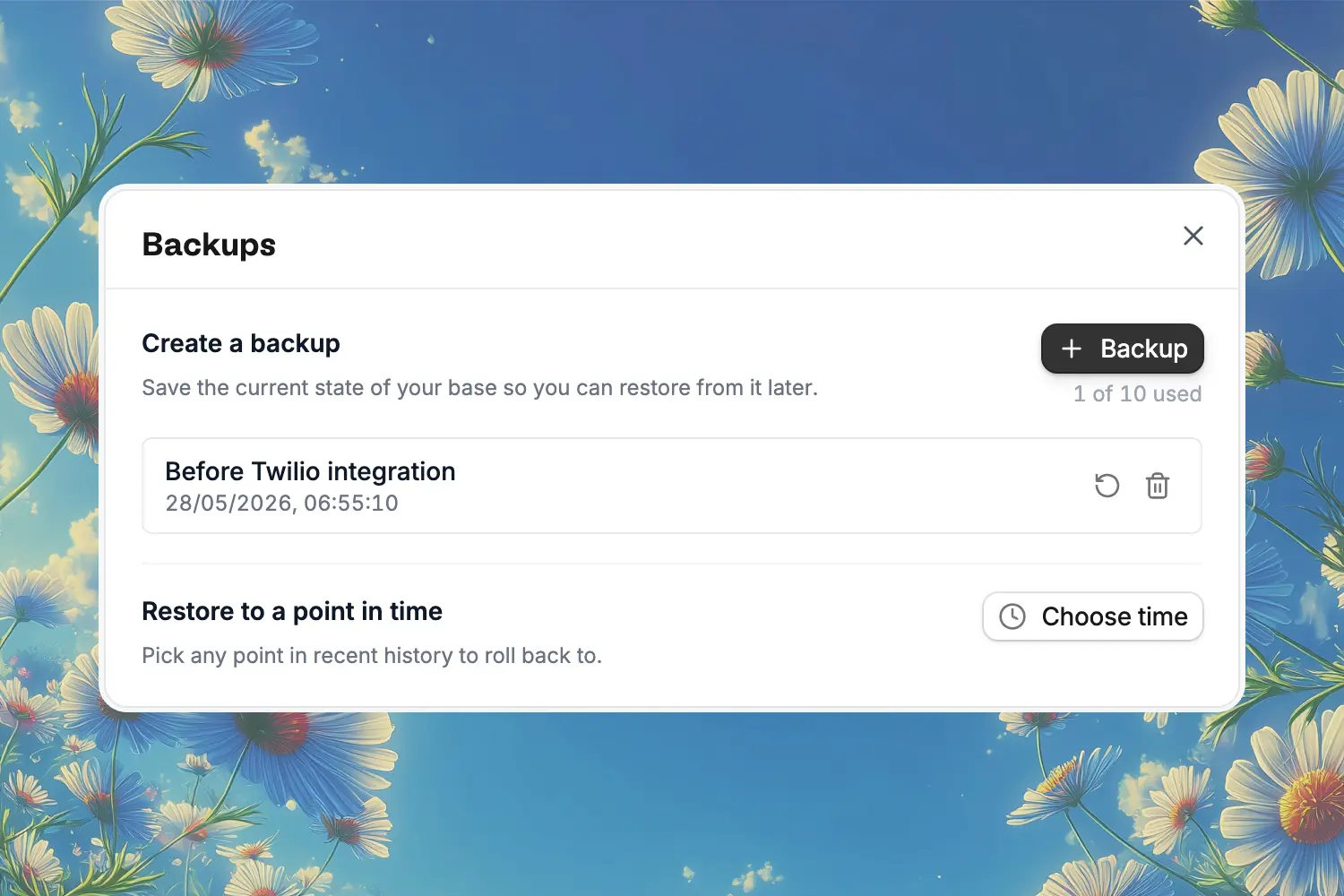
Zite Database now supports backups, so you can save a database before important changes and restore it later if needed.
Create named backups before importing data, changing fields, or connecting workflows. When you restore, Zite shows a preview of the database at that point in time before replacing your current data.
You can also restore to a point in time from the previous week. Pick a date and time, preview the database from that moment, then restore the version if it is the state you want to recover.
Learn how to create backups and restore a database to a saved version or recent point in time.
## New Notion and Mailchimp integrations
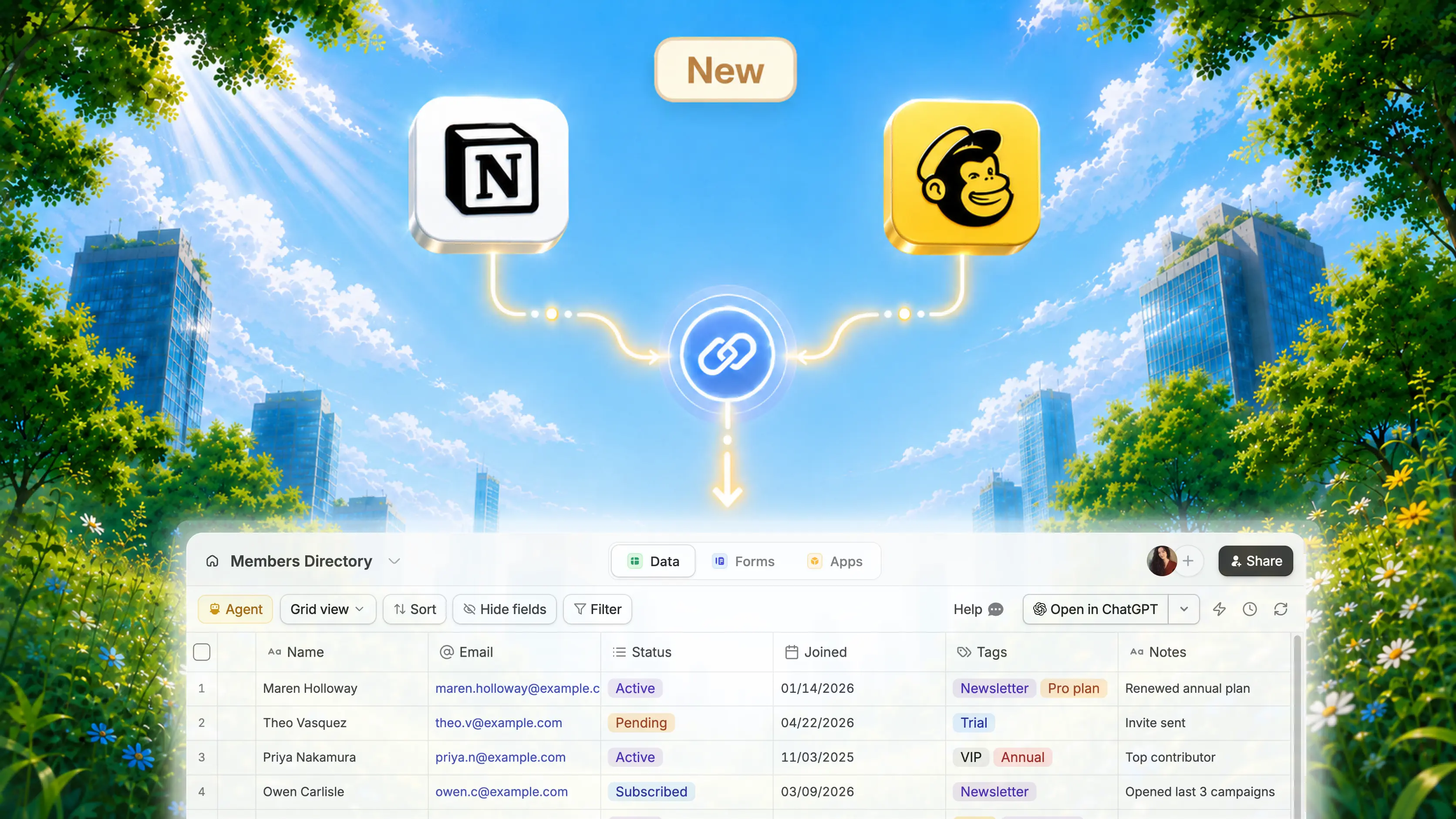
Zite now connects to Notion and Mailchimp, giving builders more ways to work with existing knowledge bases, databases, audiences, and marketing workflows.
#### 📄 Build apps on top of Notion
Connect selected Notion pages or databases to a Zite app so users can view, create, and update Notion-backed data from a custom interface. Use it for client portals, project trackers, content calendars, directories, and internal tools.
#### 📣 Add Mailchimp to email and SMS workflows
Connect Mailchimp to add or update audience contacts, apply tags, trigger customer journeys, and power follow-up workflows from Zite apps. Mailchimp also supports SMS, so opted-in contacts can be routed into approved email or SMS experiences from the same app flow.
Learn how to connect Notion pages and databases to a Zite app.
Learn how to connect Mailchimp audiences, email, and SMS workflows.
## Trigger workflows on a schedule or from external events
Zite workflows can now start automatically from two new trigger types: schedules and webhooks. Use schedules for time-based work, or webhooks when another app needs to notify Zite as soon as something happens.
#### 🗓️ Run workflows on a schedule
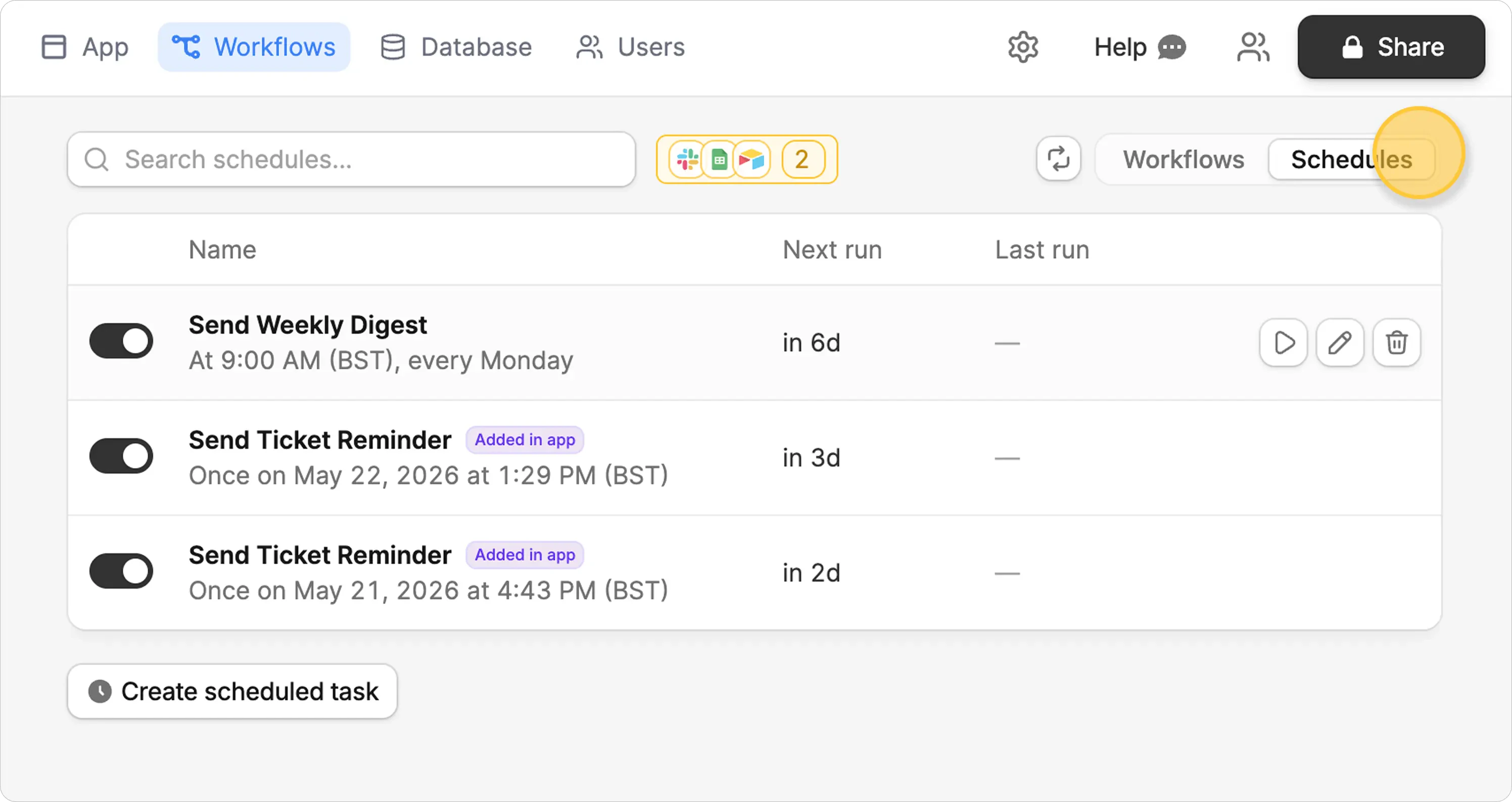
Scheduled workflows let your app run work later without someone manually starting each run. Create recurring summaries, reminder emails, scheduled reports, cleanup jobs, and follow-ups from chat or from the Schedules view in Workflows.
You can create schedules while building your app, or build app interactions that let users create their own reminders and one-time scheduled tasks.
#### 🔗 Receive events with webhooks
Webhooks let external services trigger a Zite workflow when an event happens, such as an incoming SMS, a Slack event, a calendar change, or a payment event from another platform. Zite gives you a webhook URL, captures a test payload, then uses that event structure to build the workflow.
Webhooks are available on all plans. Scheduled workflows are available on Business, Team, and Enterprise plans.
Learn how to create a webhook URL, capture a test event, and manage webhook-triggered runs.
Learn how to run workflows at a future time or on a recurring schedule.
## Billing updates: renewal dates and workflow runs
We're making two updates to Zite billing to make usage easier to understand and predict.
#### 📅 Credits now reset on your billing date
Previously, credits reset at the end of each month. Starting this month, your credits will renew on your billing date. For example, if your billing date is May 20, your credits will renew on May 20 instead of May 31.
This means you'll get extra credits this month — your next renewal will arrive sooner than under the old schedule.
#### ⚙️ Integration credits are being replaced with workflow runs
We're deprecating integration credit limits and replacing them with workflow runs. A workflow run is one successful execution of a workflow from a published app. No matter how many steps, nodes, integrations, or bulk operations a workflow includes, it counts as one workflow run. Workflow runs in the editor do not count toward your monthly limit.
You can see the workflow run limits for each plan on our [pricing page](https://www.zite.com/pricing). OpenAI usage (with Zite's API key) and emails sent from your published apps will now use standard credits instead of integration-specific credits.
As before, if you run out of credits or workflow runs, your published apps will continue to run for your users. You won't be able to publish new edits until your usage resets.
If you have an active paid Zite account on or before May 31, 2026, you'll receive 50% higher workflow run limits for the lifetime of your subscription.
See how credits and workflow runs are used across Zite.
Understand how workflow runs are counted and metered.
## Multi-chat and branded magic links
Zite now gives builders more control over chat context and lets teams send more polished sign-in emails from authenticated apps.
#### 💬 Manage context with Multi-chat
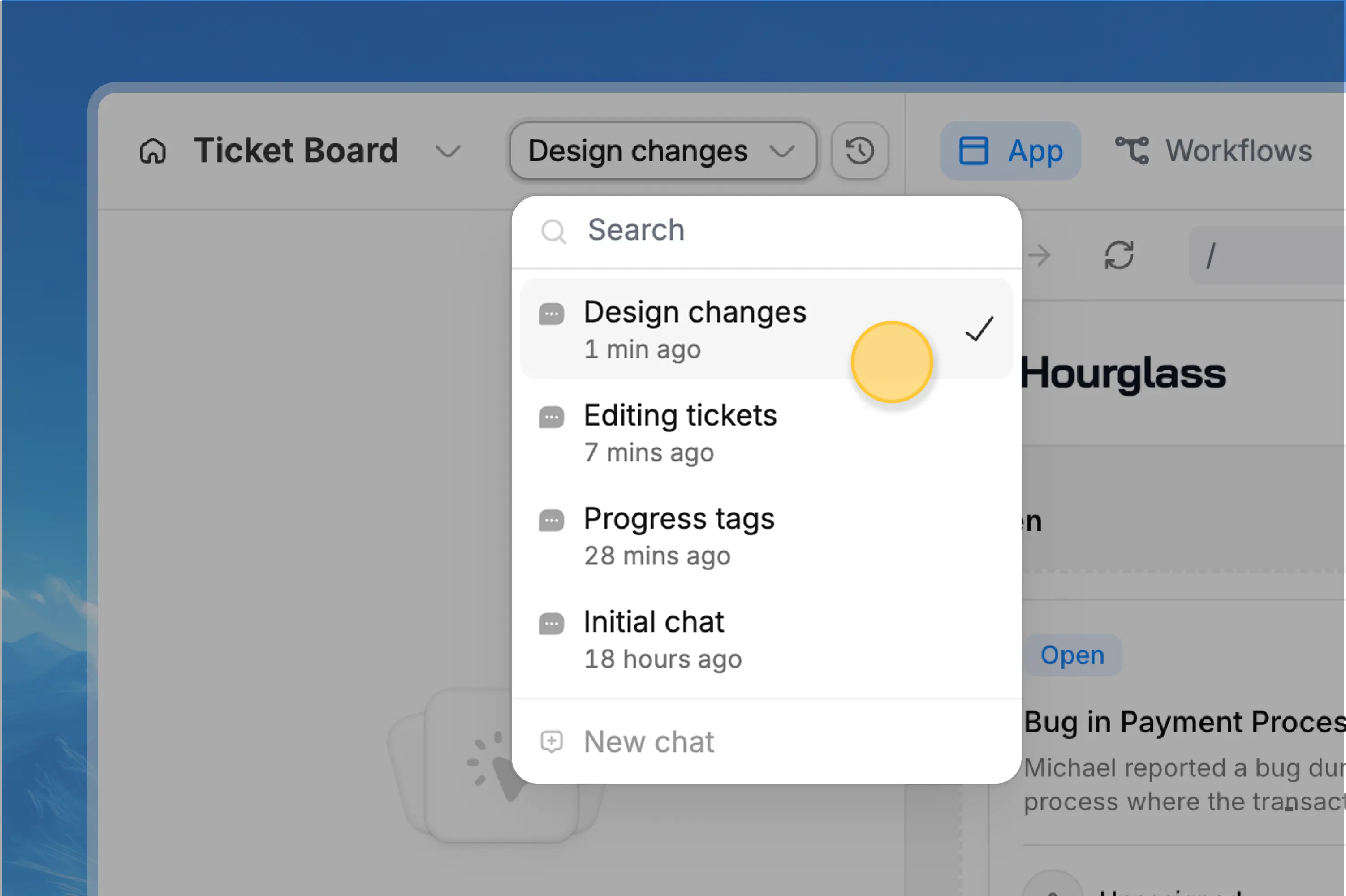
Multi-chat lets you create separate chat threads inside the same Zite project. Start a new chat when you move to a different feature, want a cleaner task history, or need Zite to focus without older messages influencing the next request.
This gives you more control over context before auto-compaction happens. Smaller context windows can also reduce input tokens and improve performance, depending on request complexity.
#### 🔐 Brand your magic link emails
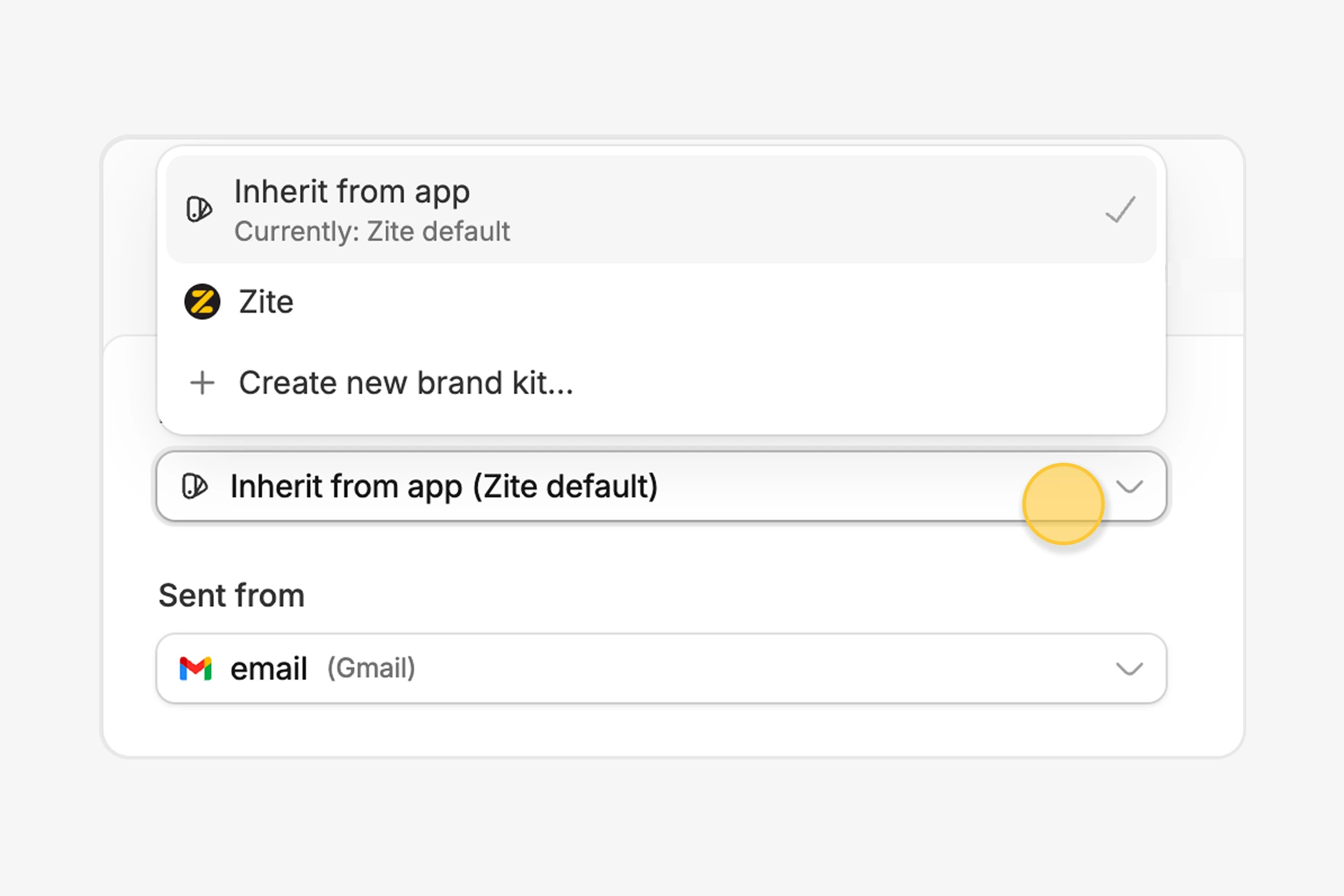
Magic link emails can now use your app branding, including a brand kit logo as the email avatar. You can also choose whether sign-in emails are sent from Zite, Gmail, Outlook, or a custom SMTP address.
Branded magic link emails are available on Business, Team, and Enterprise plans.
Learn when to start a new chat and how context affects AI work.
Set up magic links, branding, and sender options for sign-in emails.
## Plan before you build
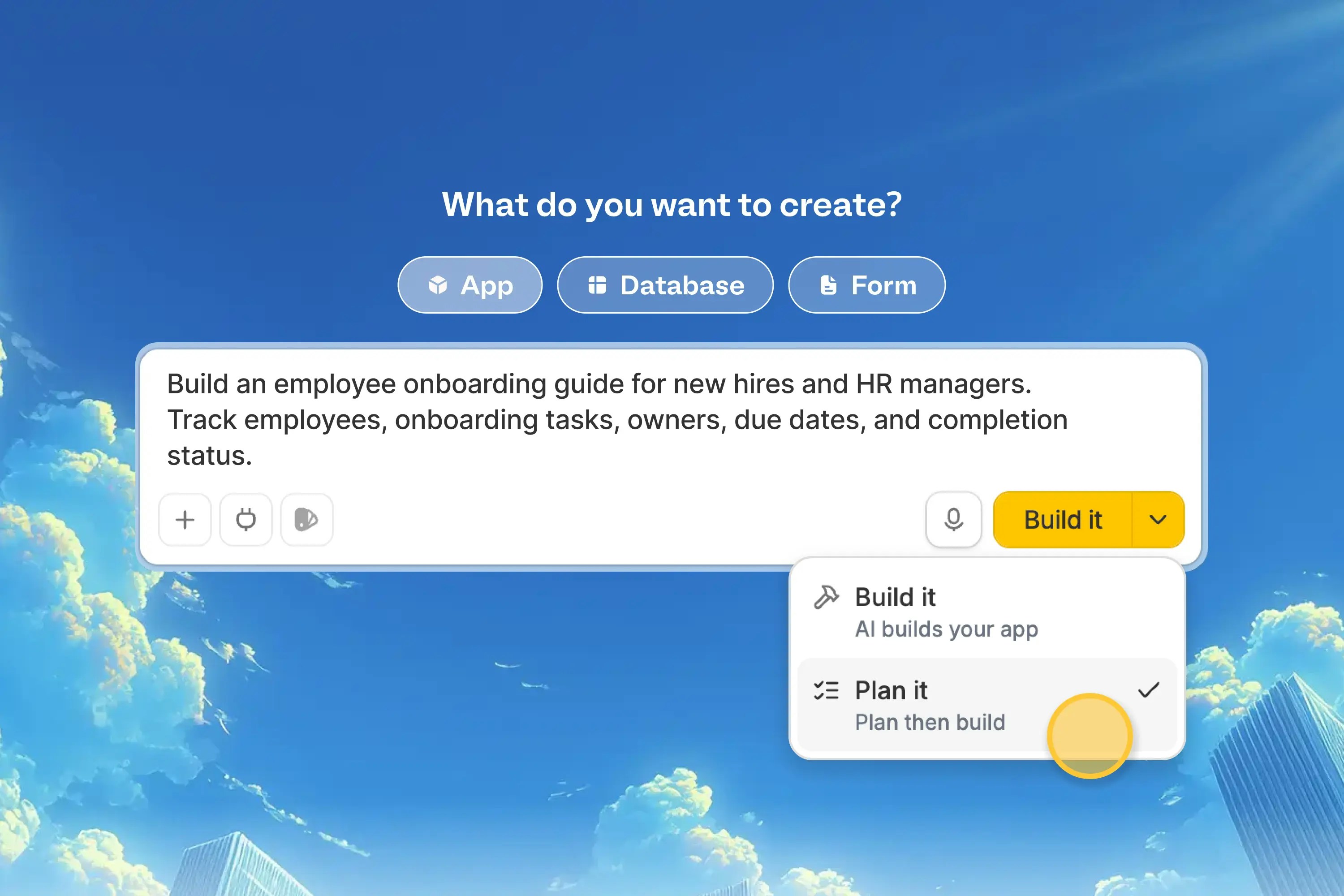
Plan mode 2.0 gives you a clearer way to steer the direction of an app before Zite starts building. Start with a prompt, choose Plan it, and Zite will turn your idea into an editable plan with wireframes.
#### 🧭 Choose the direction first
Instead of sending a broad request straight into Build mode, use Plan mode when you want to define the app structure, main screens, workflows, data, and assumptions first.
#### ✏️ Review plans, wireframes, and database tables
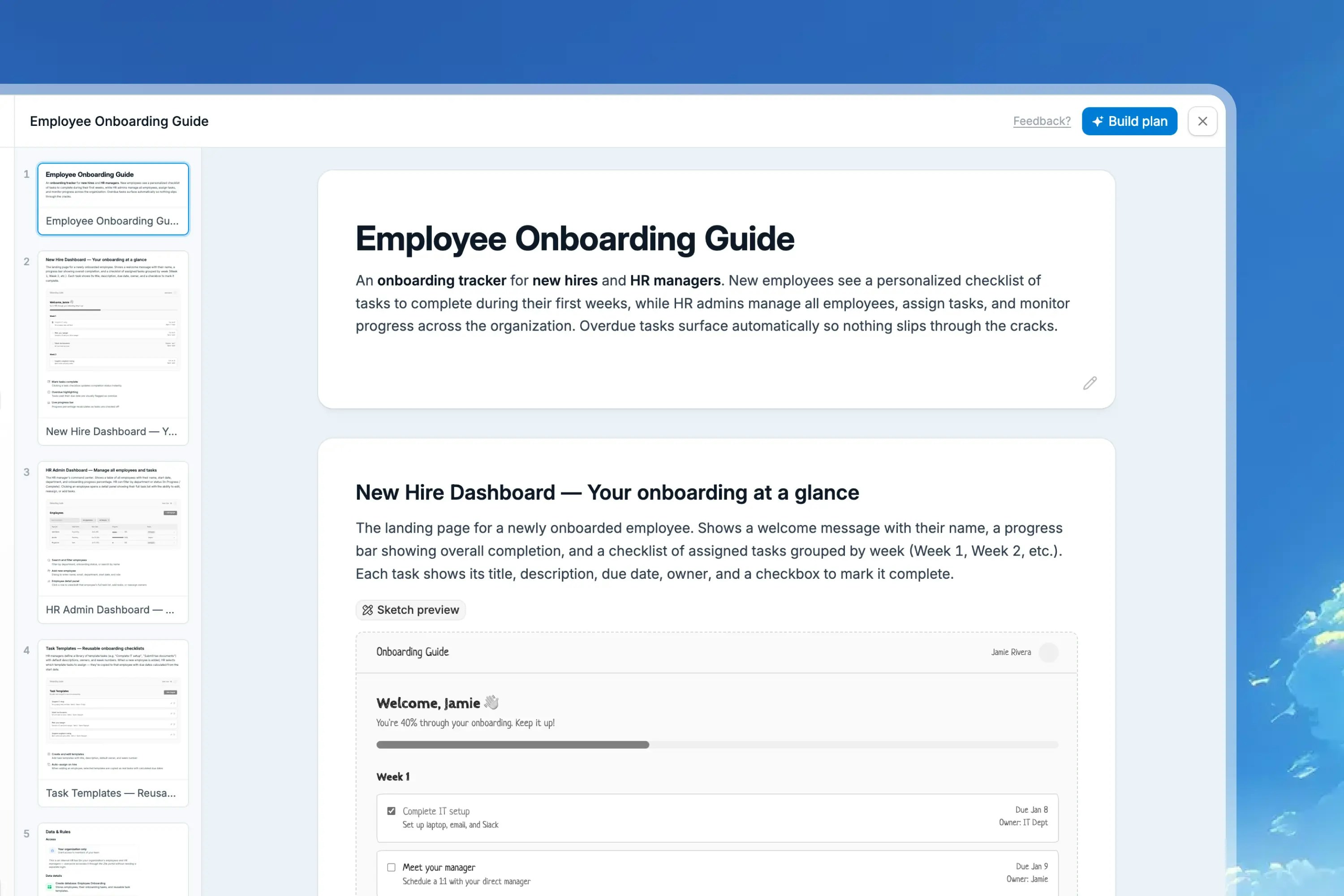
Zite creates a plan before anything is built. Review the planned screens, scan the wireframe previews, and check the suggested database tables and fields. If the schema needs to change, ask Zite to update it before you build.
#### 💬 Ask for changes before building
You can ask for changes on a specific plan screen or use the prompt box to request broader updates across the whole plan. When everything looks right, click Build plan and Zite will build from the approved plan.
See how to create, refine, and build from a plan.
## Meet the Database Agent
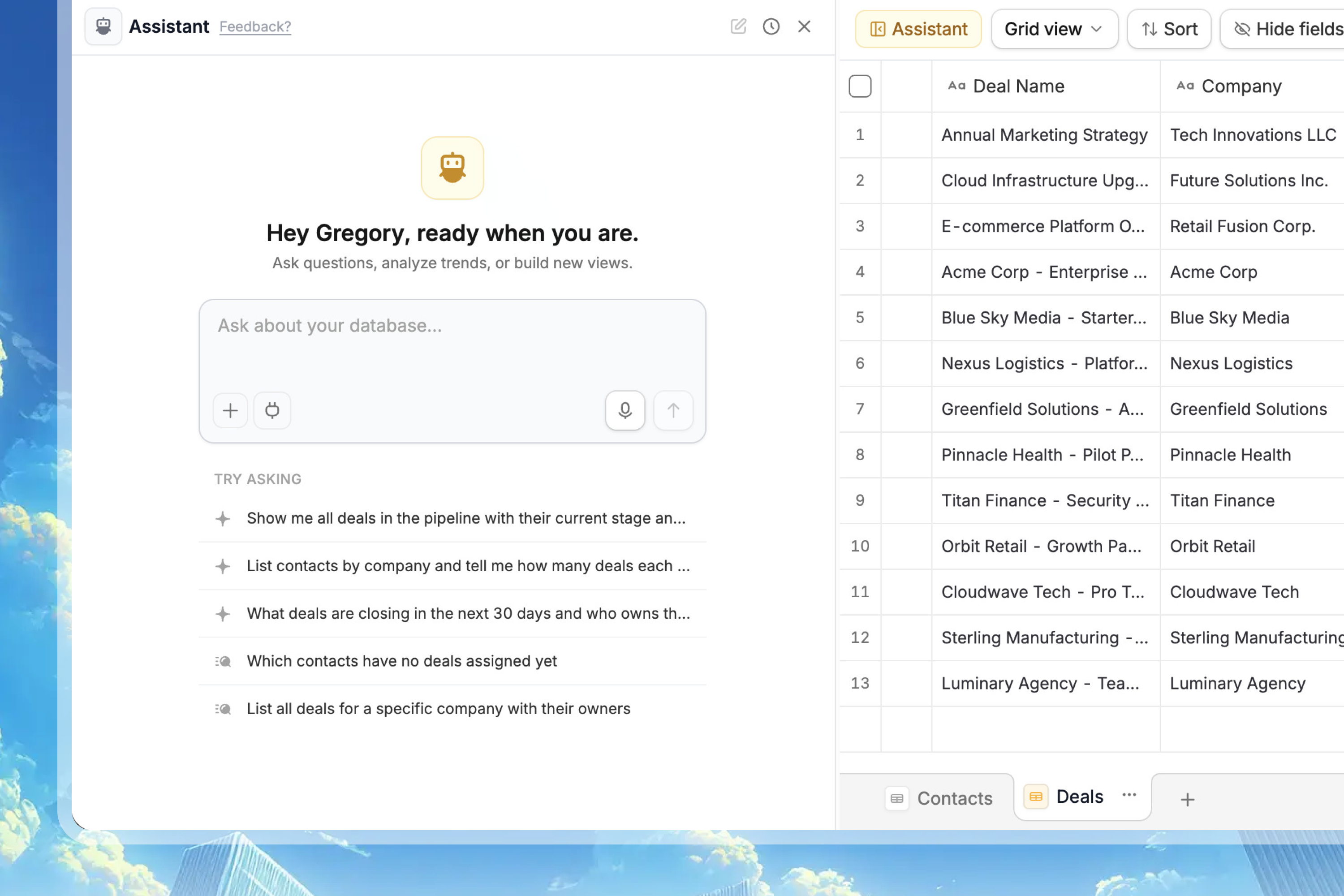
Zite Database now has a built-in agent that helps you build, understand, and improve your database without leaving the editor.
#### 🤖 Ask questions about your data
Ask the agent to create tables and fields, answer questions about records, and analyze trends while your table stays visible beside the chat.
#### 🧩 Work with scripts and external data
For more advanced tasks, the Database Agent can write custom scripts and work with external data sources. It can pull in data from URLs, uploaded files, or connected services, then clean, summarize, enrich, or take action on that data after you approve the change.
#### 🚀 Spin up connected apps and forms
The agent can also help turn a database into an interface. Ask it to propose a new Zite app or data-collection form connected to your database, so your team can view, update, or collect records from a purpose-built experience.
Discover how the agent can help you work more effectively with your Zite database.
## Microsoft integrations, audit logs, and creation controls
Zite now gives teams more ways to extend and manage their workspaces: new Microsoft integrations, Audit logs for organization activity, and Enterprise creation controls for apps, forms, and databases.
#### Connect your Microsoft stack
Zite now supports new Microsoft integrations for Microsoft Teams, Outlook, and OneDrive, bringing collaboration, email, and file workflows into the apps you build. These integrations are available on all plans.
#### Track organization activity with Audit logs
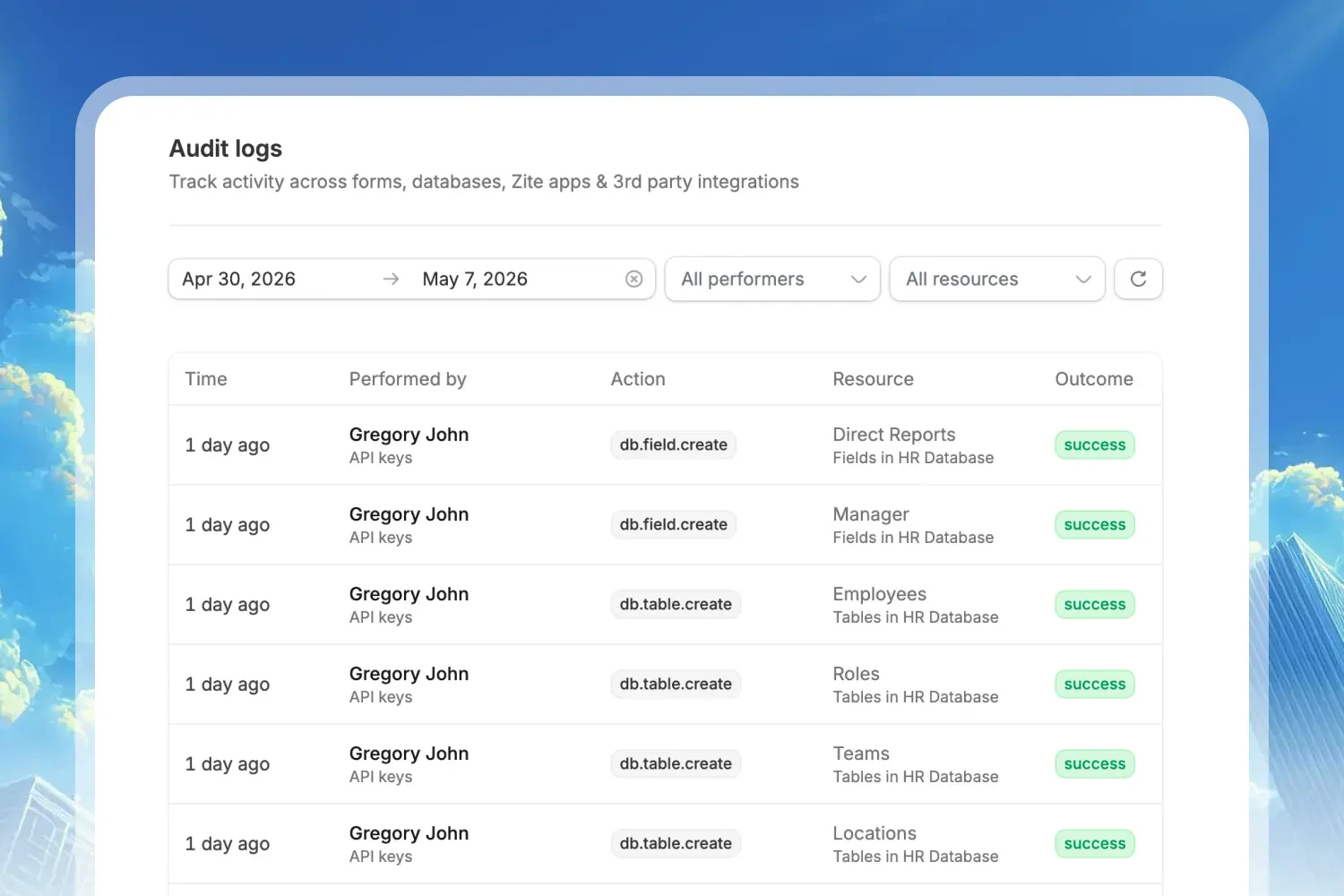
Enterprise teams can review a detailed record of activity across Zite, including database changes, logins, permission updates, group changes, API key updates, and changes to organization settings.
Each event includes who performed the action, when it happened, the affected resource, the outcome, request metadata, and a detailed payload. You can filter events by date range, actor type, and resource type to narrow down reviews quickly.
Audit logs are available on Enterprise plans. Contact us to enable audit logs for your organization.
#### Provision creation access for apps, forms, and databases
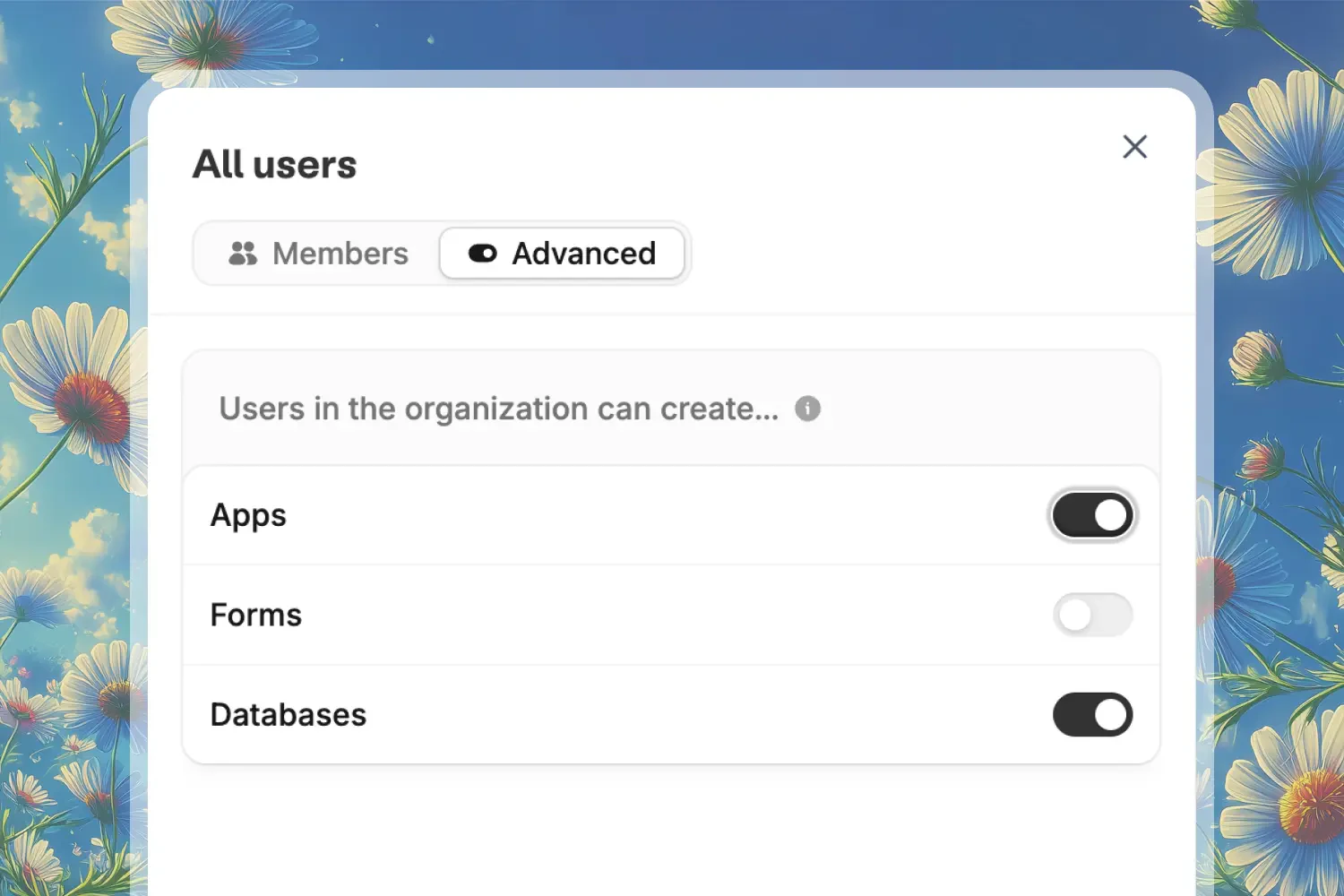
Enterprise admins can control which items members of the organization can create by default, including apps, forms, and databases.
Individual groups can override those organization defaults, so admins can give specific departments, clients, or project teams different creation permissions when needed.
See what Zite records and how to filter activity.
Control who can create apps, forms, and databases.
## Keep every app on-brand with Brand Kits
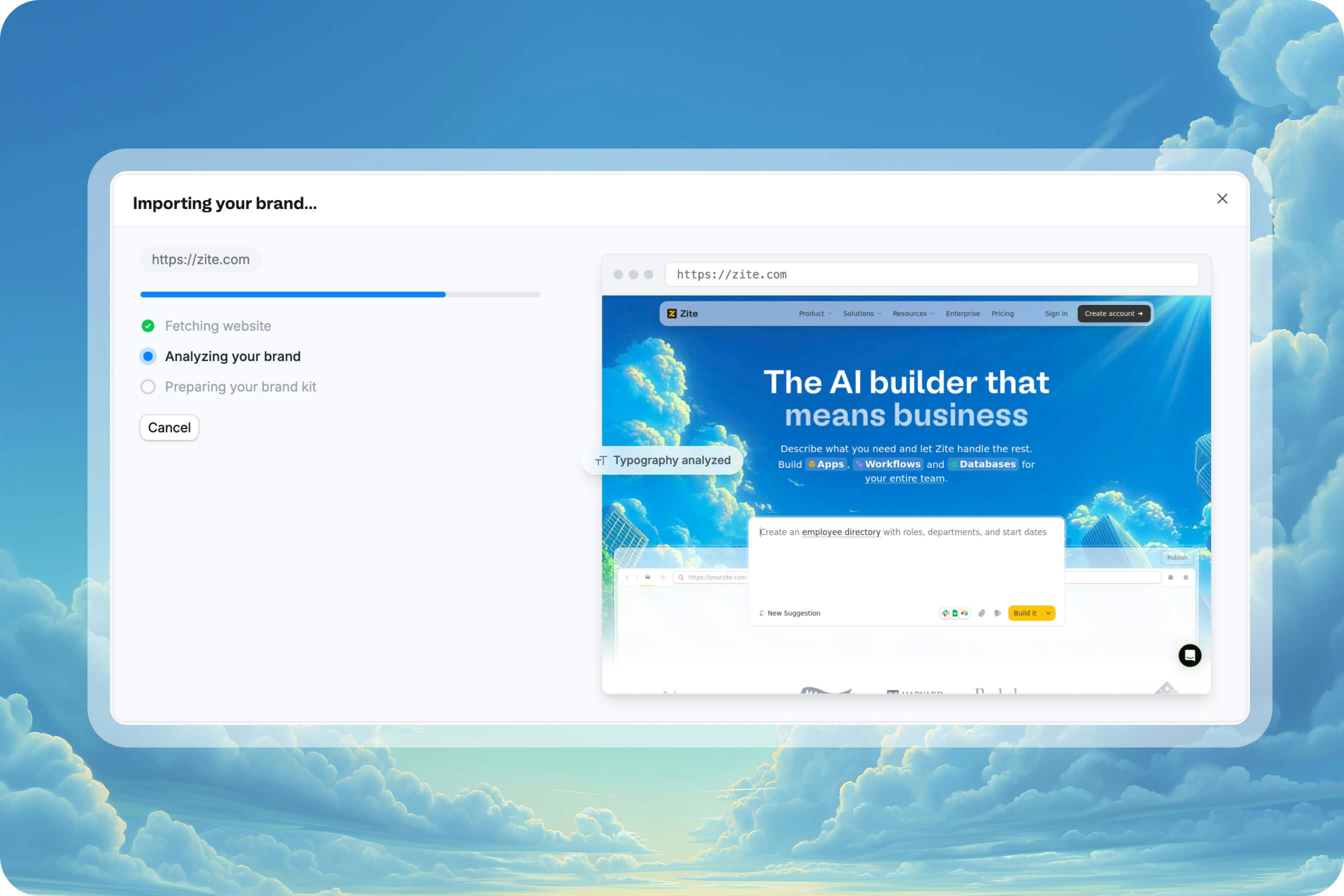
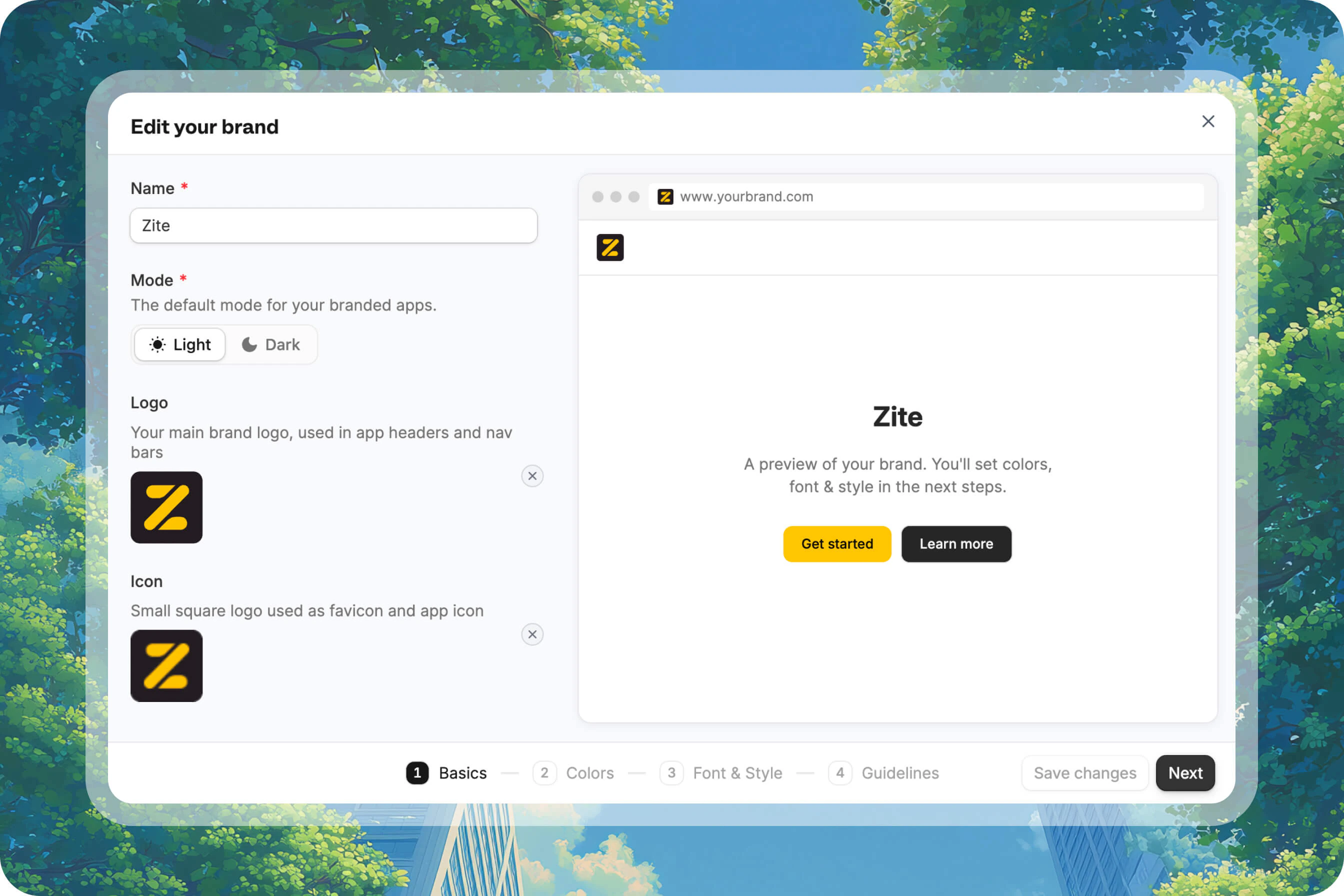
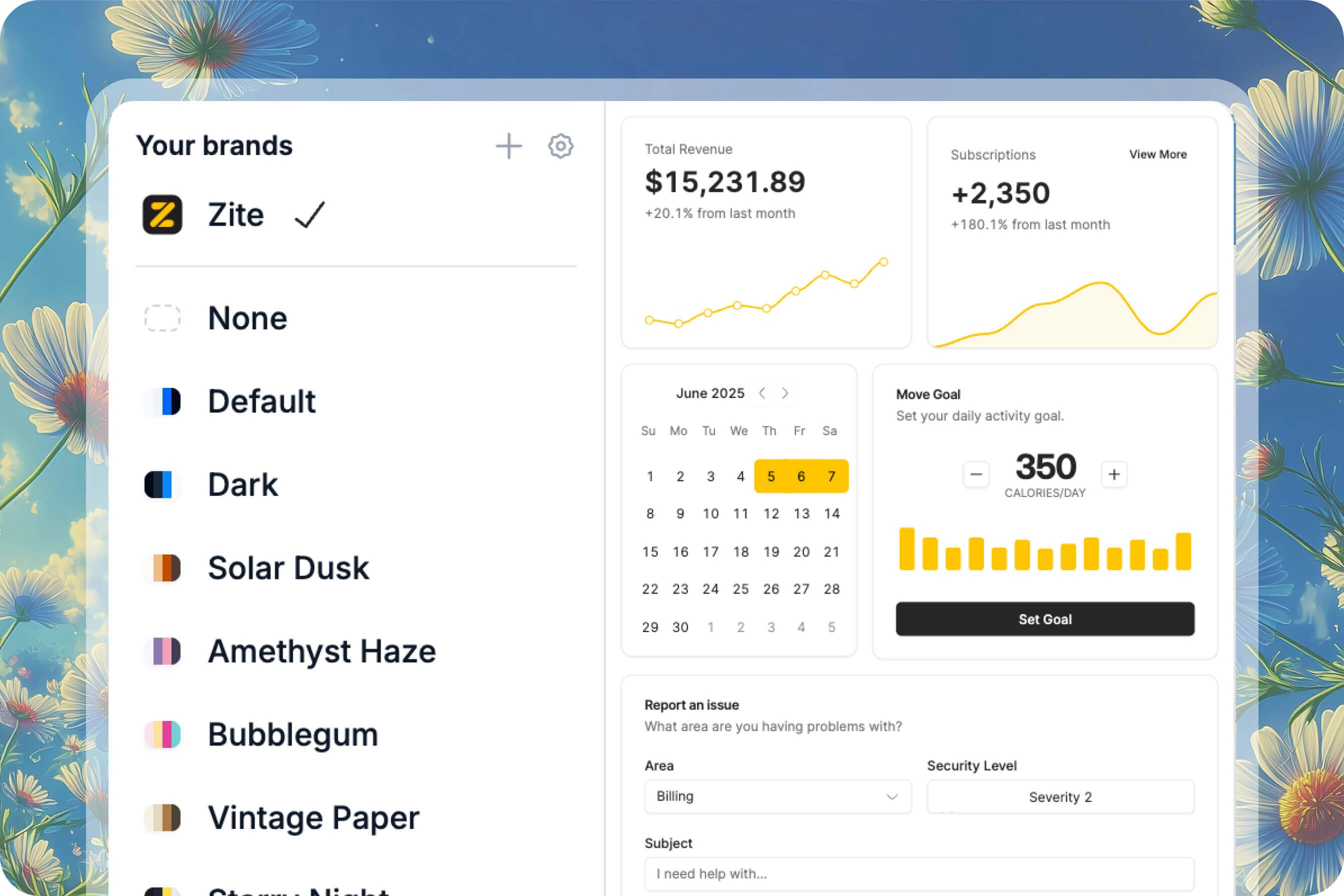
We've just released Brand Kits to help you keep colors, fonts, logos, icons, and guidelines consistent across every Zite app and website you build.
#### 🎨 Import your brand automatically
Start with your website URL and let Zite pull in core brand styling automatically, including logos, color palette, fonts, and visual direction.
#### 🧾 Keep guidelines in one place
Brand Kits also include guidelines like visual style, tone of voice, and business context, so your apps stay aligned as you build more with Zite.
#### 🛠️ Edit and reuse across projects
After import, you can refine the kit manually and let team members start new projects from the same Brand Kit, keeping your apps and websites consistent across your organization.
Learn how to import, edit, and reuse your Brand Kit in Zite.
## Scan QR codes, organize access, and keep secrets safe
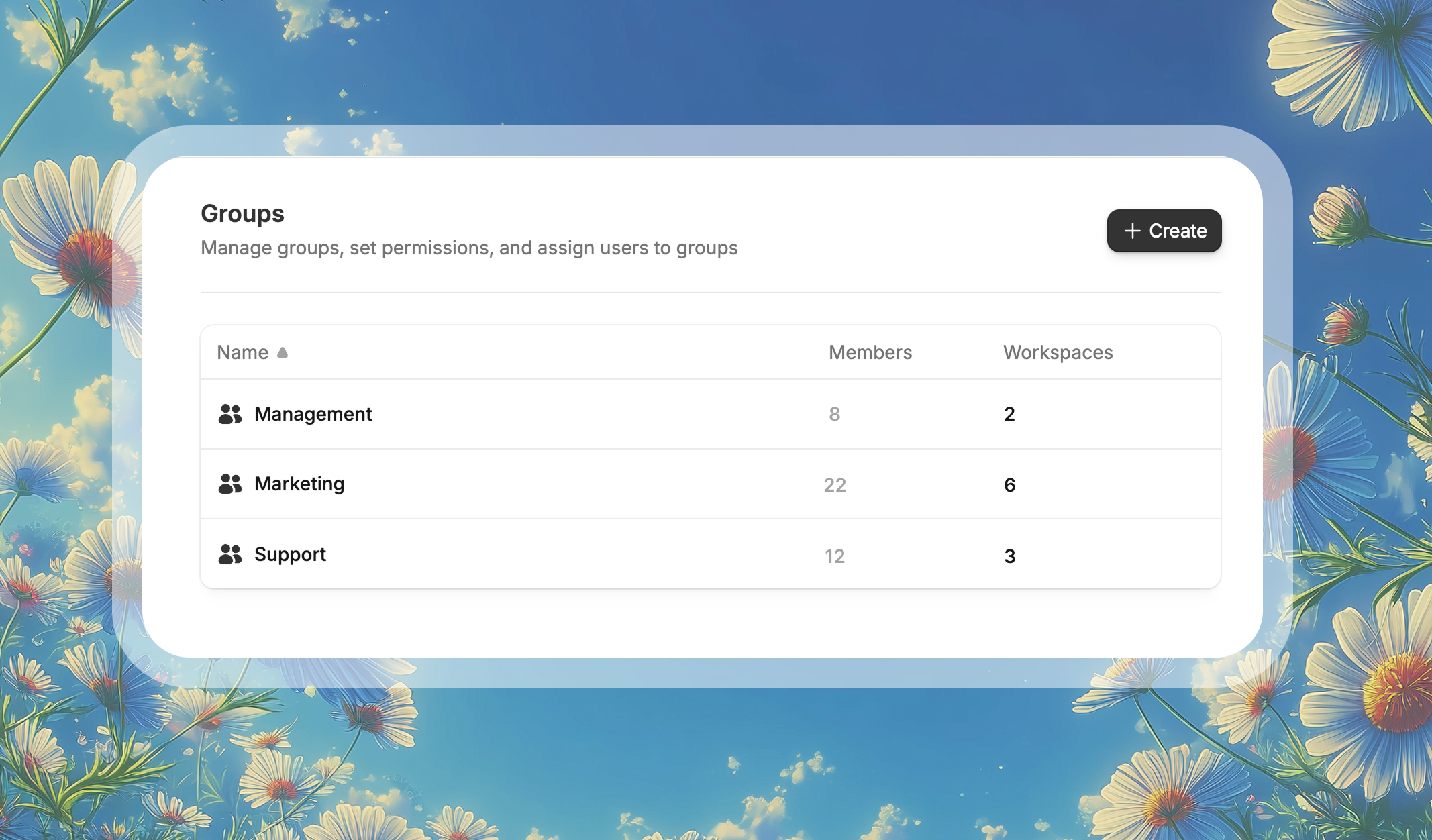
We’re adding three useful new features to Zite: the ability to scan QR codes and barcodes, Groups for managing access at scale, and Secrets for storing private integration values securely.
#### 🔗 Scan QR codes in your app
Tell the Zite Agent you’d like to scan QR codes or barcodes — for example, scan a product code to pull up live inventory, or feed a scanned value straight into a workflow.
#### 👥 Manage access with Groups
Organizations can grant top-level Use or Edit access to a department or a group of people at once, without updating each person individually. Groups are available from `Settings` -> `Groups` on the Team and Enterprise plans.
#### 🔐 Store secrets securely in your app
Securely store sensitive information like external API keys that your Zite app can use in app workflows.
Learn how scanning QR codes and barcodes works in Zite.
Manage access for multiple teammates at once.
Store private values securely for use in your app.
## Editing your app just got a lot easier
You can now click into your app, preview it across built-in themes, edit elements directly, and make multiple changes in one pass, without having to describe every tweak in chat.
#### 📋 See the full structure of your app
Navigate nested elements more easily with the element tree, then jump straight to the part you want to update.
#### 🎨 Make quick visual changes without rebuilding
Click any heading, button, section, banner, icon, or input field and adjust typography, color, spacing, corner radius, and more from the manual editor.
Direct visual tweaks like these do not use credits.
#### ✨ Ask AI to edit elements inline
Want something more open-ended? Select an element and describe the change in plain language, and Zite will update it inline for you.
Read the full guide for setup details, credit usage, and examples.
## Connect Zite with your existing stack
Easily extend your app functionality with our new integrations for Twilio, HubSpot, Linear, Intercom, Anthropic, Gemini, Google Calendar, and Google Maps.
### New integrations
#### 💼 Support and CRM workflows
* **Intercom**: Create custom support dashboards and messaging workflows, powered by your Intercom data.
* **Linear**: Create client-facing project trackers and sprint dashboards while connecting to your Linear issues and projects.
* **HubSpot**: Create client portals and sales dashboards with your HubSpot contacts, companies, and deals.
#### 🤖 AI-powered app experiences
* **Anthropic**: Add advanced reasoning and document analysis with Anthropic's Claude models.
* **Gemini**: Add multimodal AI capabilities to your business apps with Google's Gemini models.
#### ⚙️ Messaging and operational automations
* **Twilio**: Send text messages to customers, team members, and stakeholders directly from your Zite apps and workflows.
* **Google Calendar**: Create booking systems and resource schedulers synced with Google Calendar in real time.
* **Google Maps**: Build delivery trackers, store locators, and property management tools with Google Maps.
Browse the full integration catalog at [zite.com/integrations](https://www.zite.com/integrations).
Explore all supported integrations and setup instructions in the docs.
## Your apps can now send emails
Email sending is now built into Zite. Confirmations, reminders, updates, and follow-ups can now be sent automatically by your app.
* **Built-in sender**: Send emails instantly with no setup using the Zite domain.
* **Use your own address**: Connect Gmail, Outlook, or any SMTP server and send from your own email.
* **Visual email editor**: See exactly what your app will send, edit templates visually, and pull in dynamic data like names, dates, or ticket counts.
Email sending is available on all plans, starting with 200 emails/month on the free tier and scaling up to 100k+ emails/month on Team.
Read the full guide to set up automated email workflows.
## AI Fields for Zite Database
We just shipped **AI Fields** for Zite Database. Your fields can now fill themselves.
#### ✨ Pick a field, turn on AI autofill
Choose any field you want filled automatically, including categories, scores, summaries, and more.
#### 🗣️ Tell it what to do
Write a plain-language prompt and use @ references to point the AI at the fields it should read.
For example: "Based on @Message, classify this as Bug, Feature Request, Billing, Question, or Feedback."
#### ⚙️ Run automatically
Turn on Run automatically and the field updates as soon as a new record comes in or referenced data changes.
#### 🌐 Add live web context when needed
Enable web search when the AI needs current information like company details, pricing, or recent news.
Read the full help center guide for setup details and examples.
## Launch Week Day 5: Databases now Generally Available
We're wrapping up Launch Week with Zite Database - now out of beta and included with your existing Zite subscription - and several new features.
Check out the full Launch Week page for daily updates and announcements.
#### 🎁 Generally available
Already used daily by thousands of teams to power their apps and forms, Zite Database is now officially out of beta.
#### 🔍 Filters
Filter by any field, combine multiple conditions, and save views for your team.
#### 🧮 Formulas
Write formulas in plain English. Describe what you want to calculate - like "10% commission on deal value" or "mark overdue if deadline passed and status isn't complete" - and Zite generates the formula for you.
#### 💰 Unified pricing
Zite Database is now included in all [Zite app plans](https://www.zite.com/pricing) - no separate subscription required. We've also increased record limits across all tiers, so you can store more data without upgrading.
#### 🔢 Auto-number field
Automatically assign sequential numbers to new records. Great for order IDs, ticket numbers, and invoice references.
#### 🧱 20+ field types
Linked records, lookups, rollups, attachments, dates, checkboxes, and more. Build relations between tables and customize how your data is stored and displayed.
#### What else is included
Zite Database also includes:
* **No seat limits** - share with your entire team on any plan, including free, with no per-user fees
* **SQL-level speed** - powered by Postgres, 30+ req/sec rate limits
* **Scales to millions of records**
* **CSV import/export**
* **REST API + Webhooks**
* **Granular permissions**
* **SOC 2 Type II compliant**
See the full documentation for Zite Database.
## Launch Week Day 4: MCP & Integrations
Today we're releasing new ways to connect Zite databases to your AI tools and automation platforms.
Check out the full Launch Week page for daily updates and announcements.
#### 🤖 Model Context Protocol (MCP)
Connect your AI assistants to Zite using the [Model Context Protocol (MCP)](/help/database/mcp/mcp-overview), an open standard that lets AI tools interact with your databases.
Use natural language to query, create, and update data in Zite directly from tools like Claude Desktop, Cursor, or any MCP-compatible client.
Example prompts:
* "What's the average score in the Test Scores database?"
* "Create a Zite database with countries of the world and their populations"
* "Mark all overdue tasks as urgent"
See the full documentation for connecting AI tools to Zite.
#### ⚡ Zapier integration for Zite Database
The new [Zite Zapier integration](/help/database/automations/zapier) connects your Zite databases to thousands of other apps. Trigger Zaps when records are created, updated, or deleted - or push data into Zite from any Zapier-connected app.
**Triggers:** New Record, Updated Record, Deleted Record, New Table, New Field
**Actions:** Create Record, Update Record, Delete Record, Create Table, Create Field
**Searches:** Find Record, Find Table, Find Field
All triggers use webhooks for instant, real-time triggering with no polling delays.
See the full documentation for the Zite Zapier integration.
#### 🔗 Relay.app integration for Zite Database
The [Zite Relay.app integration](/help/database/automations/relay) brings human-in-the-loop automations to your databases. Add manual approval or review steps to your workflows, and connect Zite to the rest of your stack.
**Triggers:** New record added, Record changed, Record first meets conditions
**Actions:** Add record to table, Update record, Create or update record, Find record(s)
See the full documentation for the Zite Relay.app integration.
## Launch Week Day 3: Workflows 2.0
Today we're making Zite workflows significantly more powerful and giving you (and AI) the tools to understand what's happening under the hood.
Check out the full Launch Week page for daily updates and announcements.
#### 🔁 Loops and more powerful workflows
Zite workflows can now handle more complex logic, including loops, complex branching, and generally more advanced logic.
#### ⚡ Faster and smarter workflow generations
We've optimized how Zite builds and edits workflows. Expect noticeably faster response times when creating or updating your backend app logic.
#### 📊 View workflow logs
Every workflow run is now logged with full visibility into what happened. Open the **History** tab on any workflow to see:
* Whether it succeeded or failed
* How long it took
* The exact inputs, outputs, and every step in between
Filter by status, mode (Live or Preview), or time range to quickly find what you're looking for.
#### 🤖 Ask Zite to debug for you
When something goes wrong, just ask Zite. The AI can now read your workflow logs to identify the issue and suggest a fix.
Try prompts like:
* "Why is my workflow failing?"
* "What's causing the error in my getOrders workflow?"
* "Help me debug this endpoint"
You control when Zite can access your logs: allow once, always, or skip.
#### 🧪 Test runs
Manually test any workflow with custom inputs before going live. Click **Test run**, enter your data (or use JSON mode for raw input), and see the result instantly in your run history.
For workflows that require authentication, you can also choose which user context to test with.
See the full documentation for debugging and testing workflows.
## Launch Week Day 2: Plan Mode
Today we're introducing **Plan Mode** - a new way to scope and refine your ideas before Zite starts building.
Check out the full Launch Week page for daily updates and announcements.
#### 🧠 Think first, build second
[Plan mode](/help/platform/how-to-build/agent-modes/plan-mode) acts like a Product Manager for your project. Describe what you want to build, and Zite will ask clarifying questions to nail down the details.
#### ✏️ Edit before you commit
Once Zite gathers enough context, it generates an editable plan document - covering scope, data, integrations, key assumptions, and what's out of scope. Click anywhere on the plan to tweak the wording or decisions. You can also click **Help me plan** to have Zite ask a few more questions to refine it further.
#### 🚀 Build when you're ready
Once the plan looks good, click **Build plan**. Zite will switch to [Build mode](/help/platform/how-to-build/agent-modes/build-mode) and execute exactly what you approved - no surprises.
**When to use Plan mode:**
* Starting a new app and want to think through requirements
* Your request is large or ambiguous
* You want to align with teammates before building
* You want to avoid rework by deciding key details up front
Switch to Plan mode by clicking the **Mode** selector and choosing **Plan**, or press `Shift` + `Tab`.
See the full documentation for Plan mode.
## Launch Week Day 1: Building experience upgrades
We're kicking off Zite Launch Week with four updates to make building faster and more transparent.
Check out the full Launch Week page for daily updates and announcements.
#### 🆓 Free error fixes
Errors are now free to fix. When you click **Fix It For Me**, Zite will resolve the issue without consuming any credits.
#### 🧠 Choose your AI model
You can now [choose from three AI models](/help/platform/basics/model-selection) in the Zite editor:
* **Zite Mini** – Fast and cost-efficient, best for small edits
* **Zite Pro** – The default, balanced model for most tasks
* **Zite Max** – Maximum intelligence for complex work, powered by Claude Opus
Click the brain icon in the chat toolbar or press `Cmd` + `/` to switch models.
#### ⚡ Faster, more reliable previews
We've made a major upgrade to the infrastructure powering Zite sandboxes. Expect faster load times and fewer issues when previewing your app.
#### 📊 See credit usage per request
After each message, you can now see exactly how many [credits](/help/platform/getting-started/credits) were used. Click on any message to view the model used and credits consumed.
You can also click **View App Usage** to see the full message history and total credits used across your entire app.
## Introducing native Databases
Today we're releasing native [Databases](/help/database/overview), a fast, scalable storage solution built for forms and apps.
Databases ship with (almost) everything you'd expect in a no-code database, optimized for Fillout + Zite use cases.
Details below 👇
#### 🚀 Scale to millions of records
Powered by Postgres under the hood, Zite Database has SQL-level speed and rate limits (30+ req/sec). Ideal for high throughput form and app use cases.
#### 🔒 No seat limits
Share data with your entire team without per-user pricing. Pay a flat fee based on usage, [details here](https://www.fillout.com/help/pricing-discounts).
#### 🧱 Build forms → sync to database (or the other way around)
Start with a form and convert it to a table in one click. Or build your schema first and auto-generate a form from it.
#### 📝 Native update forms (coming soon)
Create forms that write back to your database out of the box. No formulas needed.
#### 🔗 Linked records & dozens of field types
Build relations, add structured fields, and customize how your data is stored and displayed.
#### 📤 CSV import & export
Move data in and out of Zite Database easily.
#### 🔄 Undo & redo
Mistakes happen, roll back instantly.
#### 🌐 REST API + Webhooks
Use your database from external systems or automate downstream workflows. [View the docs](https://www.fillout.com/help/fillout-rest-api).
#### 🛡️ Granular permissions + SOC 2 Type II
Control who can view and edit your databases with per-workspace or per-database permissions.
Over the coming weeks, you can expect new features to help with form and app use cases. Let us know what you'd like to see next!
## Introducing the Team plan
We're introducing a [Team plan](https://www.fillout.com/help/team-plan) - an all-in-one bundle that brings together Fillout Forms, [Zite](https://www.zite.com) Apps, and soon Databases with unlimited seats (users).
We've also made improvements to clear up Zite pricing, added **yearly plans**, introduced a new **Zite Business** tier, and made subscriptions simpler to manage. Details below.
## What's changing
**For Fillout Forms users:**
* **No changes** to Starter, Pro, or Business pricing
* Our previous **Enterprise Tier 1** is now a legacy plan - existing customers keep their current pricing and can optionally upgrade to **Team** to get Zite and Databases (coming soon).
* **Enterprise Tier 2** with SSO is now simply called **Enterprise** (no changes).
* Data Protection Agreements (DPAs) are now **available on all plans**, including Free. Previously, these were only available on Enterprise.
**For Zite Apps users:**
* We're introducing a **Business** plan for Zite apps. For new customers, the business plan is required to connect unlimited custom domains. **Existing Pro plan customers are automatically grandfathered** and continue to have unlimited custom domains.
* We're **removing daily message limits** for all paid plans. The Free plan has a 10 messages/day limit. For paid users, the only limit is the existing monthly credit system.
* We now support **yearly plans** for Zite (2 months free when paid yearly).
* We're renaming multiplier-based pricing to a **Credits** system for clarity. **Usage limits are unchanged** (e.g., 2× = 100 credits, 4× = 200 credits, 16× = 800 credits/month).
## What's in the new Team plan
Flat fee **\$300/month** (or 2 months free when paid yearly). Includes:
* **Unlimited seats, unlimited submissions and unlimited users**
* **Forms Business** – all features from our Business plan
* **Apps (Zite) Business** with 800 credits per month
* **Databases Business** (coming soon)
* [**Granular permissions**](https://www.fillout.com/help/granular-permissions) – control access across your team
* [**Salesforce integration**](https://www.fillout.com/help/salesforce)
* **EU region for end user data** – store form submissions in the EU (optional)
* **Priority support**
## Simplified billing & usage page
We've combined the Fillout and Zite pricing pages into a single, unified billing page to make management easier. You can now manage billing for all products from [one place](https://build.fillout.com/home/settings/billing).
## What's next
All plans (including Free) get more powerful later this month with a major upcoming launch.
**Questions or feedback?** Email [support@fillout.com](mailto:support@fillout.com) - we're here to help.
## Zite file uploads, 3rd party database imports & more
[Zite](https://www.zite.com) now supports file uploads and direct data import from external sources.
#### 📁 File uploads in Zite apps
Files can be displayed in apps, saved to your database, or sent to integrations.
#### 📊 Import from Google Sheets, CSVs, and Airtable
Create new tables or add data to existing Zite databases.
#### 🔍 Database inspection tool
Zite can request to inspect actual data from connected databases to improve app generations.
## Performance improvements, prompt caching & editor upgrades
Major improvements to [Zite](https://www.zite.com) focused on speed, reliability, and better handling of large applications.
#### 📈 Prompt caching
Cuts token costs and speeds up AI responses for faster development.
#### 💬 Automatic summaries
Keeps long chats within context limits.
#### 🐛 Faster editor for large apps
Chat pagination improves performance when working with large applications.
#### 🎨 Fixed style changes
Resolved issue where Zite wouldn't respect CSS and styling updates.
#### 🔧 Smarter automatic issue fixer
Better detection and resolution of common coding problems.
#### ✏️ Edit cancelled messages
Modify and resend messages before they're processed.
#### ❌ Better chat abortion
Improved behavior when stopping AI responses mid-generation.
#### 🔄 Abort "human-in-the-loop" messages
Cancel pending human approval requests when needed.
#### 🔘 Fixed button generations
Resolved issues with hard-to-read text on hover states.
## User login & authentication for Zite apps
[Zite](https://www.zite.com) now supports user authentication and login pages for your applications.
#### 🔐 Database-first authentication
User data is stored directly in your connected database (Airtable, Salesforce, etc.) with no duplicate user records.
#### 🛡️ Secure backend workflows
Backend logic and permissions are secured by default and fully observable, similar to n8n or Zapier workflows.
#### 🏢 Flexible access control
Choose whether your app is internal-only, invite-only, or open for public signups.
#### 👥 No user limits
Add unlimited users to your Zite applications at no additional cost.
## Dashboard redesign & n8n integration
The Fillout dashboard got a fresh coat of paint. Plus:
👀 View all recent and starred forms
📋 See new submissions at a glance
📝 Add and view internal notes
🔍 Filter by app, form or scheduling
📊 Sort by submission count
#### 🔗 n8n integration
Fillout now integrates natively with n8n, the powerful workflow automation platform. [Try it here](https://n8n.io/integrations/fillout-trigger/).
## Zite upgrades, performance improvements & more
We've been hard at work improving [Zite](https://www.zite.com) with major upgrades that reduce error rates by 80%+ and significant performance improvements.
#### 🤖 Agentic mode
Zite now navigates large projects like a developer, reading and changing only what's necessary.
#### 🧩 Partial file edits
Zite edits only the necessary parts of a file, saving tokens and time.
#### ✨ Claude Sonnet 4.0 is now the default model
We've tested Sonnet extensively and found it to be the most accurate code-gen model available today.
#### 🚀 3-4x faster built-in database
Zite's built-in database is now 3–4x faster (not a typo!).
#### 🛠️ Fixes and improvements
* Fixed intermittent issues connecting Airtable or Google Sheets.
* Added our first Help Center + FAQs.
* Model fallback to AWS during Claude outages.
* Fixed infinite editor loading for some large apps.
* Undo/redo in the built-in database.
## Introducing Zite's built-in database
[Zite](https://www.zite.com) is the first AI app builder with built-in, no-code data storage.
You shouldn't need SQL or code to build useful business apps.
Zite suggests and creates tables automatically.
It's as easy as a spreadsheet and as scalable as a SQL database.
And with Zite's workflows, you get full visibility into how your app connects to your data.
## Translations, bulk operations, customize workspaces & more
#### 🌎 Multi-language translations
Translate your form into multiple languages automatically. Optionally edit translations, like multiple choice options and other settings.
#### ➡️ Move fields to page
Click the triple dot field settings to move a field to another page.
#### ⚡ Bulk approvals
Bulk approve or reject submissions from the results page with Fillout workflows.
#### 🛠️ New help center
"Ask AI" to find what you need in our new help center.
#### 📂 Customize workspaces
Add an icon to customize the appearance of your workspaces.
#### 🏗️ Bulk field operations
Drag to select multiple fields. Set logic, copy/paste & mark all as required in bulk.
#### 🛠️ Fixes and improvements
* Added the ability to login and create accounts with Microsoft.
* Sort or filter by custom columns on the results page.
* Import forms from Survey Monkey with an automated importer.
* Fillout now shows your last used login method.
## Outlook integration, restore forms, social links, fast scheduling & more
New in Fillout: major upgrades to [Fillout Scheduling](https://fillout.intercom-clicks.com/via/e?ob=BWPIpOQp0AtH63QGdcwvOhb%2Fj1b2Juc60WFhDi5ZBsBZnPhIW%2BCKem%2FD3YYcB1wV\&h=f28075abd0576130bda4f1799e96ff02e06cf222-bbe4x0bh_6024037\&l=3845742f9ac59f574a273804d5a213aa33473531-149624013), a new field type, better ways to manage your forms and over a dozen improvements and fixes.
🤖 TypeScript API SDKMore below👇
#### ⭐ Microsoft Outlook Scheduling
Book meetings on your Microsoft Outlook calendar with [Fillout Scheduling](https://fillout.intercom-clicks.com/via/e?ob=BWPIpOQp0AtH63QGdcwvOhb%2Fj1b2Juc60WFhDi5ZBsBZnPhIW%2BCKem%2FD3YYcB1wV\&h=f28075abd0576130bda4f1799e96ff02e06cf222-bbe4x0bh_6024037\&l=3845742f9ac59f574a273804d5a213aa33473531-149624013).
#### 📅 Jump to available scheduling slots
Prospects see the first month with availability right away to increase conversion rates.
#### ⚡ Faster scheduling (with caching)
Scheduling links load up to 12.5x faster. The biggest improvement is for links with multiple attendees (e.g. round robin meetings).
#### ⚠️ Re-run unsuccessful integrations in one click
3rd-party integrations can fail if the app disconnects or connected fields are deleted. Now, you can re-run failed submissions from the results page.
#### 🔗 Social media links
Link to your team's social media channels with this new field type.
#### 📝 Change meeting host
Easily change who takes a meeting for one-on-one, group and collective events.
#### 🛠️ Restore form version
Undo changes in bulk with version history.
#### 📆 Connect multiple calendars
Sync availability across different calendars with Fillout Scheduling.
#### 🤖 In case you missed it: Zite
Last week we introduced Fillout's newest product, [Zite](https://www.zite.com). Zite lets you build full web applications with no-code.
We're making Zite available to \~500/people per week, starting with existing Fillout users (you!).
#### 🛠️ Fixes and improvements
* Added ability to reconnect calendar if disconnected from Fillout Scheduling.
* Customize login page text when "1 submission only" setting is enabled.
* Pressing "clear" on the table field shows a warning first to prevent clearing rows accidentally.
* Added option to reference the scheduling host name in logic.
* Improved round robin behavior when there are invalid hosts, such as if someone disconnects their calendar.
* Added ability to view conversion kit enrichment credits on usage page.
* For Fillout Approvals, added the approved state name to the Fillout REST API.
* Improved embedding behavior with subforms.
* Improved the ClickUp integration for large accounts.
## ✨Home page 2.0, SDK, ClickUp integration, multiple fonts, invite links & more
We spent the last few weeks overhauling the Fillout dashboard, adding integrations and a bunch of other goodies.
Here's all that's new 👇
#### 📂 Organize your forms
Star and view recently opened forms on the home dashboard.
Use drag and drop to move forms into workspaces and change workspace ordering. Right-click to rename, duplicate and more.
#### 🏠 fillout.com redirects to home page
Get to the home page dashboard faster when you're already logged in.
#### 🗑️ Move to "Trash"
Move forms to trash before deleting them. Permanently delete or restore a form in one click.
#### 🔒 Bulk close or delete forms
Select multiple forms to open, close or delete.
#### 🌎 Change form submission region in settings (Enterprise)
Set your deployment region for form submission hosting and processing. Existing submissions are automatically migrated to your new region.
#### 🖊️ Multiple custom font files
Upload multiple files to better support bold, italic and other versions of your custom fonts.
#### 🛠️ ClickUp integration
Fillout now integrates natively with [ClickUp](https://www.fillout.com/help/clickup).
#### 📝 Add a note to a form
Add a note to any form or scheduler from the home page dashboard. Notes are only visible to collaborators in your organization.
#### 🔗 Collaborator invite link
Share a secure invite link to easily add your team to Fillout. Optionally share invite links to only a specific workspace.
#### 🤖 TypeScript API SDK
Use the new [Typescript SDK](https://www.npmjs.com/package/@fillout/api) to interact with the Fillout API. Fetch submissions, forms and more with nicely typed functions.
That's all for now! Stay tuned for some big updates later this month 👀
## ✨Table field, edit history, asset gallery, form sharing & more
We've shipped a ton already in 2025. Here's all that's new 👇
#### 🔗 Easier collaboration
Share a single form with a teammate with read or write permissions.
Or, enable a magic link that grants access to a form or its results.
#### 📝 Dynamically name generated PDF documents
Based on form fields or any information in your forms.
#### 📋 Table field
Collect multiple rows of data with the new [table field](https://www.fillout.com/help/table). Let respondents specify how many items they want to add.
**Note:** The table field can be connected to webhooks, Zapier and Make (native integrations coming soon!).
#### 🧰 Delete submissions via API
Delete form responses with the new [REST API endpoint](https://www.fillout.com/help/fillout-rest-api#561f294d7c17464e9b53fa1ca78c9ecf).
#### 🚀 Edit history
Views changes made to your forms and scheduling links.
Plus, see who connected which 3rd party apps in admin settings.
#### 👀 Conditionally render PDF fields
Add [fields to a PDF](https://www.fillout.com/help/pdfs) only if they meet a certain condition.
#### 🖼️ Organization asset gallery
Easily reuse images across your forms, like logos or media assets.
#### 🛠️ Fixes and improvements
* Duplicating and exporting forms includes any attached workflows.
* Currencies are now formatted in generated PDFs.
* Fixed an issue where voice recordings were not included in CSV exports.
* Added support for easily showing the Stripe payment receipt on ending pages.
* Many, many minor fixes and improvements.
## ✨ Scheduling 2.0
Just 7 months ago we introduced Fillout Scheduling. Today we're excited to share [Scheduling 2.0](https://www.linkedin.com/posts/dominicwhyte_fillout-scheduling-20-just-7-months-ago-activity-7272260730257612801-CsEp?utm_source=share\&utm_medium=member_desktop), the biggest set of upgrades since the initial launch.
#### 📝 Add custom fields
Drag-n-drop input fields to your booking page, without the need for an additional form step.
#### 👩💻 Microsoft Teams integration
Book meetings with Microsoft Teams, instead of Zoom or Google Meet. Outlook calendar syncing is coming soon!
#### ⛔️ Limit max events per day
Set the maximum number of meetings you would like to take each day to prevent overbooking.
#### 🎟️ Group meetings
Book meetings with [one host and many invitees](https://www.fillout.com/help/group-meeting). Best for webinars, courses and group events.
#### ☎️ SMS meeting reminders
Send automated meeting reminders via SMS with Fillout Workflows + Twilio.
#### 📆 Add multiple availabilities
Define different availability hours for different events.
#### 🤖 Automate scheduling with Make
The Make, Relay and Zapier connectors all now support Fillout Scheduling.
#### ⏰ 1-click timezone change
Quickly change your availability timezones when you're on the move.
## ✨ Workflow branching, edit existing records, Twilio, SOC 2 Type 2 & more
We've got a bunch of new Fillout updates to share as we wrap up November. Let us know what you'd like to see in December!
#### ☎️ Twilio integration
Send SMS messages in Fillout Workflows with the new [Twilio](https://www.fillout.com/help/twilio) integration.
#### 📝 Edit linked Airtable / Notion / Salesforce records
Toggle "Allow editing records" on a linked record field to allow editing existing linked records with a customizable subform.
#### 🤖 Branching in workflows
Fillout workflows now support [branching](https://www.fillout.com/help/filter-branch-workflows) and conditional logic.
#### 🧰 Import submissions via API
Import form responses to Fillout with the new REST API endpoint.
#### 🔒 Fillout is now SOC 2 Type 2 certified
#### 📊 Visualize matrix field responses
Get an overview of matrix field responses on the summary tab.
#### 🟢 In case you missed it: Fillout Approvals
Automate HR requests, job applications, project approvals or any human-in-the-loop workflow with [Fillout Approvals](https://www.fillout.com/workflows).
#### 🛠️ Fixes and improvements
* Improved responsiveness for the Opinion Scale field type.
* Added ability to add "alt" text for images.
* Added the option to duplicate workflows.
* Added support for accessing login form email via the Fillout API.
* Improved form search on the home dashboard.
* Improved RTL support for record picker.
* Added support for "default value" when image picker "select multiple" is enabled.
* Added support for syncing files to shared Google Drives.
## Introducing Fillout Approvals ✅
Automate HR requests, job applications, project approvals or any human-in-the-loop workflow. [Demo video here](https://www.linkedin.com/posts/dominicwhyte_newfillout-approvals-ive-wanted-this-activity-7262867361609715712-sZQC?utm_source=share\&utm_medium=member_desktop) or more details below.
#### 🟢 Set approval criteria
Choose who can approve each submission and define custom [approval](https://www.fillout.com/help/approval-workflows) states.
#### 🤖 Add notifications, automations and multi-step approvals
Define what happens after each approval or rejection, like notifications, webhooks or even multi-stage approvals.
#### 📝 Request approver input
Ask approvers to provide details, status, notes or any custom field.
Send approval requests via **email or Slack**.
#### ✅ Manage approvals in one place
View and approve all submissions from the results tab.
## ✨ 3 new integrations, email attachments, Workflows testing & more
It's been a busy month at Fillout!
We've got one last set of updates to share for August: a bunch of new integrations and big improvements to [Fillout Workflows](https://www.fillout.com/workflows).
#### 🗄️ Attachments and cc/bcc in emails
Include uploaded files or [generated PDF documents](https://www.fillout.com/help/pdfs) in your notification emails. Optionally cc or bcc recipients.
[Create an email workflow](https://www.fillout.com/help/custom-emails) to get started.
#### 💼 Pipedrive integration
Fillout now natively integrates with [Pipedrive](https://www.fillout.com/help/pipedrive). Create deals, people and organizations from your forms and schedulers.
#### 🗄️ Sort forms on dashboard
Sort forms by created date, name, last edited, submission count or unread status to easily find what you're looking for.
#### 📝 Google Docs integration
Create a custom [Google Doc ](https://www.fillout.com/help/google-docs)for each Fillout form submission.
Send all form fields in a formatted document or create a custom document to collaborate on.
#### 📥 Email submission overview
In your email workflows, add a submission overview block to summarize the response.
#### 📮 Brevo integration
Create or update contacts in Brevo (formerly Sendinblue).
#### ⚡️ Easily test workflows
Quickly test a [workflow](https://www.fillout.com/workflows) with one of your past form submissions. View logs or any errors during setup.
#### 🐛 Fixes and improvements
* Dates in emails respect the recipient's time zone and are nicely formatted automatically.
* Improved summaries for Slack, Discord and Teams integrations (includes payment details and AI nodes).
* Date picker supports language translations.
* Provide context for the “Generate text” AI Workflow node.
* **In case you missed it:** Native Discord integration.
* **In case you missed it:** Login pages support Google OAuth.
## 🔒 SOC 2, Google login forms & 2FA
We're excited to share that **Fillout is now SOC 2 Type 1 certified**, reinforcing our commitment to data security and privacy.
We've also released several new security features that you can enable on your account. More details below.
#### 🔐 Two-factor authentication (2FA)
Head to your [account settings](https://build.fillout.com/home/settings/my-account) to enable 2FA.
2FA provides an extra layer of security on your account and can be enabled on all plans, **including the free tier**.
#### 🔑 Enforce 2FA for your organization (Enterprise)
Increase the security of your organization by requiring 2FA for all team members. Available under organization settings for Enterprise customers.
#### 📲 Google SSO for login pages
Require form respondents to login via Google SSO to further protect your forms. Learn more about form login pages [here](https://www.fillout.com/help/login-page).
If you'd like to learn more about security at Fillout, you can do so [here](/help/security) or email [security@fillout.com](mailto:security@fillout.com) anytime with questions.
## Introducing Fillout Workflows ⚡️
Introducing [**Fillout Workflows**](https://www.fillout.com/help/workflows): the easiest way to automate your forms & scheduling.
Workflows also ships with a brand new email editor and powerful AI tools. Details below!
#### ⚡️ Trigger workflows
Create workflows for any action in your forms and schedulers. Set up automatic reminders, follow-up emails, 3rd party app calls and more.
#### 🌲 Create multi-step workflows
Add time delays, custom emails, filters, send Slack/Teams/Discord messages, webhooks or connect to Zapier (coming soon).
#### 🏎️ 1-click automations with templates
Set up common workflows in seconds.
#### 🤖 Run AI actions (Summarize, Classify, Generate, Extract)
Summarize form submissions, personalize email responses, route using AI and more.
#### 📪 A brand new email editor
Use your own domain for a branded experience. Match your brand with your logo and styled themes. Add attachments and cc or bcc.
#### 📊 Monitor workflows in one place
Easily track email notifications and other workflows, with full visibility of what happened when.
🎁 That's all for now
Fillout Workflows is in beta starting today. Keep us posted with any feedback and feature requests!
## ⚡️ SMS validation, date calculations, Trello, Tag Manager & more
For the past few weeks, our team's been focused on a number of long-standing feature requests in Fillout.
Read on for updates to Fillout Scheduling, calculations, payments, the conversion kit & 2 new integrations 👇
#### 📆 Date calculations
Calculate the [time span](https://www.fillout.com/help/calculations#b7d8c8a8aa254e4e972c3966ff3cb6df) between two dates. Use the result in conditional logic, answer piping or anywhere in your form.
#### ⚡️ Trello and Tag Manager integrations
Fillout now integrates natively with [Trello](https://www.fillout.com/help/trello) (by Atlassian) and [Google Tag Manager](https://www.fillout.com/help/google-tag-manager).
#### 📲 Verify email and SMS (Conversion Kit)
Add one-time passcode verification to validate emails and phone numbers. Requires the [conversion kit](https://www.fillout.com/conversion-kit).
#### 🗓️ Book Fillout Scheduling meetings on final form submission
Choose whether [Fillout Scheduling](https://fillout.com/scheduling) events are booked right away or when your entire form is completed, e.g. after collecting a payment.
#### 💳 Payment testimonials
Add a testimonial to boost conversion rates on your Stripe payment page.
#### 🐛 Fixes and improvements
* Reference the Fillout Scheduling cancelation and reschedule link in your form integrations or in Zapier.
* Add terms & conditions to your Stripe payment page.
* Add a placeholder to address fields.
* Localized the date picker fields.
* Added ability to reference the selected user in round robin scheduling links.
## ⚡️ Undo/redo, instant publish & a silky smooth editor
Our team recently traveled to San Francisco for a week-long hackathon.
We had one goal: make the Fillout editor **"silky smooth"**.
Here’s the result!
#### ↪️ Undo + redo (cmd + Z)
Press cmd + z to undo a change in the form editor, like restoring a field or page.
#### 🚀 Instant publish button
The publish button instantly lights up when you make a change to your form. No delays.
#### 🔀 Easier answer piping and logic
We completely redesigned Fillout’s “reference picker”, making it easier to reference fields.
#### 👀 Improved accessibility and “esc” to close
Popups in the Fillout editor are more consistent and close with “esc”.
#### 📄 Improved page navigation bar
It’s easier to rename, reorder and add new pages to your form.
#### 🐛Fixes and improvements
* Zapier support for payments + scheduling.
* Support for "update" forms with [Monday.com](http://Monday.com) integration.
* Workspaces load faster on home page.
* "Esc" to exit preview mode and close popups.
## Fillout Launch Week Final Day ✨ Easy embedding, fast images, fast forms & more
Last but not least, we're excited to share key improvements to making Fillout the best product for embedded forms.
Some of these features are specific to embeds, while others apply regardless of how you share your forms.
And in case you missed it, [here are all the updates](https://www.fillout.com/blog/launch-week-iii) from this Launch Week.
#### ⚡️ Faster image loading and forms
Images and forms load over 2x faster, powered by Cloudflare's CDN.
#### 🖼️ Embed previewer
See what each [embed type](https://www.fillout.com/help/sharing) will look like and test different settings.
Then, just click to copy your embed snippet.
#### ✅ Dynamic resizing popup
Enable "Auto-resize height" on the popup embed to have your form height automatically adjust based on the number of questions per page.
#### 🐛 Embed fixes and improvements
In small embeds, dropdowns are no longer cut off. Embed animations are also smoother, to make your form a native part of your site.
#### 🚀 In case you missed it, updates from earlier this week:
**📆 Round Robin Scheduling:** Fillout is the first to offer rotating appointment bookings for free. Check out the [demo video here](https://www.youtube.com/watch?v=iuTeqoFWtgs).
**✍️ Signature field 2.0:** Choose how you sign: type, upload, or draw your signature.
**📊 Excel online integration:** Sync responses natively to Excel.
## Fillout Launch Week Day 4 ✨ Payment form subscriptions, discount codes, ACH, free trials & more
Fillout now has a brand new [Stripe integration](https://www.fillout.com/help/payment-page).
Accept orders, memberships and event registrations with a custom form, powered by Stripe and 0% added fees.
Check out the [video overview here](https://www.youtube.com/watch?v=d1Br0bl2pQs\&ab_channel=DanLeeman) or the details below 👇
#### 💳 3 flexible payment types
**One time payments:** For products, services or digital goods.
**Subscriptions:** Sell a subscription or membership, synced to Stripe.
**Pay-what-you-want:** For donations and tipping. Set a min/max and suggested amount.
#### 🎟️ Allow discount codes
Let your customers apply discount codes.
Optionally pre-fill discount codes from form fields or the URL.
#### 🏦 Payment methods
Offer credit card, ACH bank account, Affirm and Stripe link payments.
#### 💼 Create a Stripe Customer
Enable collecting email addresses to automatically save payment methods to a Stripe customer.
#### 🎨 Customize your payment page
Set a product image, description, checkout title, custom theme, CTA and more with the new payment page layout.
#### 🎁 Offer a free trial & advanced settings
Offer a free trial as part of your subscription payment form.
Optionally send a receipt to customers and set a custom payment description.
## Fillout Launch Week Days 1 & 2 ✨ Form access, visitor analytics & unread submissions
Today is the second day of Fillout's [Launch Week](https://www.fillout.com/blog/launch-week-iii). Here's a recap of all the updates!
#### ⏰ Form open and expiration date
Set an automatic open and close date for any form.
#### 🔟 Limit submission count
Set a max submission count, after which your form will automatically close.
#### 🖼️ Customize close page
Customize the closed form page. Format text, add links and automatically match your form’s theme.
#### 🏠 View closed forms
See which forms are closed from the home screen and re-open them in one click.
#### 📥 Keep track of new submissions
The Fillout home page now displays when new, unread submissions are available.
#### 👀 Unique visitors and form views
Fillout now automatically counts unique visitors and page views. View these stats on the analytics tab.
\*Note that visitor counts are displayed on new forms, on a go-forward basis.
## ✨ Collecting meetings, custom avatar, PDF formatting & 13 updates
Over the past few weeks, our team at Fillout has been laser focused on improving Fillout Scheduling. We’re thrilled with the warm reception since the launch and thankful for all your feedback.
Here’s a look at the results, from new scheduling features to improvements to forms & PDFs, and everything in between.
#### 📆 Collective meetings & guest emails
Fillout Scheduling now supports meetings with multiple hosts.
For example, create a scheduling form to meet with multiple members of your team. Fillout will make sure everyone is available.
Plus, let invitees add other team members while booking.
#### 🧑🏽 Set a custom avatar or logo
Set a custom image for your scheduling form. Or, under your Fillout account settings, update the profile picture used on all your meeting links.
#### 📋 PDF generation font, alignment and text color
[PDF generation](https://www.fillout.com/help/pdfs) in Fillout now supports text formatting.
Plus, generate documents in most written, non-Latin languages.
#### 📂 S3 integration (Enterprise)
Sync file uploads to an Amazon S3 bucket with Fillout's [new integration](https://www.fillout.com/help/amazon-s3).
#### 🏠 Control granular permissions from the members page
[Configure access](https://www.fillout.com/help/granular-permissions) for all Fillout workspaces from the admin settings page.
#### 💼 Salesforce "update" forms and sandbox environment
Create a form that [updates](https://www.fillout.com/help/salesforce-update-form) existing Salesforce records. Optionally connect to a sandbox environment before going live.
#### 📊 Summary view for "Ranking" field type
The "Ranking" field type now has a custom summary overview to help you better understand your survey results.
#### 🐛 Fixes and improvements
* Many improvements to Fillout Scheduling, from making it easier to connect your calendar to how availability is computed across timezones.
* Customize the button text that books a meeting.
* Added a setting to display file upload limits to users, in the form.
* Newly created webhook integrations use a cleaner format, consistent with the Fillout API.
* Made it easier to download files from the results page.
* Cmd-click to open a form in a new tab, from the home page.
* Made it easier to delete form fields that haven't been modified.
* Added an option to log out all logged in sessions for your account.
* Added a default value setting on the date range field.
## Introducing Fillout Scheduling 📆
Some big news: we just released a new product, [Fillout Scheduling](https://www.fillout.com/scheduling).
Book meetings on your Google Calendar with a native scheduler. It's free for your entire team and integrates closely with your existing forms.
#### 📆 Book a time on your calendar
Send anyone a customizable link to book time on your calendar.
Fillout handles rescheduling & cancellations out-of-the-box.
#### 📞 Zoom, Google Meet & custom locations
Fillout Scheduling integrates with Google Meet and Zoom. Alternatively, set a custom location or ask prospects for their phone number.
#### ⏰ Set your availability
Choose which days and times you'd like to accept meetings.
If needed, set buffer times, limited booking ranges & minimum notice rules.
#### 🏠 Manage scheduling links in one place
Fillout's new "Scheduling" tab displays all your meeting links. Create and view booking links for other team members with one click.
#### 📩 Control permissions with "basic" users, for free
Adding collaborators is always free in Fillout. If you don't want to add your team as admins, you can now add them as "basic users", even on the free tier.
Basic Users can create scheduling links but can't edit your existing forms.
#### 🗂️ As flexible as a form
Add a form page to your scheduler and collect invitee details with Fillout's 50+ customizable question types.
**Collect payments** before a booking or conditionally route users to different booking pages.
#### ⚡️ 3rd party integrations
As with forms, Fillout Scheduling integrates natively with your favorite 3rd party tools. Send booking details to Airtable, Notion, Google Sheets, HubSpot, Salesforce and more.
#### 🎁 That's all for now
As always, keep us posted with any feedback. We're regularly adding new features!
## ✨ Map PDF fields with AI, Salesforce, home page improvements & more
Over the past few months, the Fillout team's been working on two exciting new initiatives that we can't wait to unveil (more on these soon 👀).
In the meantime, we still have a number of enhancements to share - details on all of these below. Let us know what you think!
#### ✨ Map PDF fields with AI and editor improvements
Fillout's [PDF generation](https://www.fillout.com/help/pdfs) feature now automatically maps fields from your form, using AI. Click the ✨ icon to test it out.
The PDF editor also newly supports copy/paste and zoom in/out.
#### 💲 Current input formatting
The currency field type auto-formats large numbers with commas to make inputs easier to read.
#### 💼 Salesforce integration (Enterprise)
The native [Salesforce](https://www.fillout.com/help/salesforce) integration is now available to all Enterprise customers. We're continuing to deepen the integration - let us know if you have any feature requests!
#### 🔒 New validation rules
Require a minimum number of files on the file upload field.
For long answer inputs, set a max number of characters and Fillout will display the number of characters in real-time.
#### 🏠 Home page improvements
Choose between grid and column view to organize your workspace.
Plus, disable and enable forms in one click, directly from the home page.
#### 🗂️ Linear integration
Fillout now integrates natively with [Linear](https://www.fillout.com/help/linear), the leading project management tool for startups.
Create Linear issues from your Fillout forms to manage bug reports, new project proposals, internal requests and more.
#### 🐛 Fixes and improvements
* Added support for scripts in the HTML block field type.
* Added the ability to change and verify your email address from the settings page, without contacting support.
* Past submissions from deleted pages now show on the results tab.
* Login pages now support validating users from HubSpot.
## ✨ New integrations, quality-of-life improvements, unlimited seats & more
Our team's been keeping busy since Fillout Launch Week, with an emphasis on quality-of-life improvements to existing features.
We also have several newly released native integrations - details on all the updates below!
#### 📁 Google Drive and OneDrive Integrations
Allow respondents to upload files to [Google Drive](https://www.fillout.com/help/google-drive) or [Microsoft OneDrive](https://www.fillout.com/help/microsoft-onedrive) with your Fillout forms.
Optionally create dynamic folders and add a prefix to each file name.
#### 📆 [cal.com](http://cal.com) integration
Fillout now integrates with [cal.com](http://cal.com), the leading open-source scheduling platform. Let us know what you think if you try it out!
#### 📃 New PDF display options and improvements
Fillout's [PDF integration](https://www.fillout.com/help/pdfs) now supports displaying multiple choice fields as plaintext, instead of checkboxes. We've also fixed a lot edge cases with more complex documents.
#### ⬅️ Set back button position
In your advanced theme settings, set the [back button](https://www.fillout.com/help/button-types) to appear near the next button, instead of the top left corner.
#### 🔗 Faster linked record pickers
Record pickers in Fillout now load \~ 2x faster when using the Airtable integration.
#### 📫 Microsoft Teams integration
Send form responses to your Teams channels. Optionally send to different channels based on the response and define custom messages.
If you use Slack instead, take a look at our existing [Slack integration](https://www.fillout.com/help/slack).
#### 👨👨👦👦 Free, unlimited seats on all plans
In case you missed it, you can now invite your whole team to Fillout, for free. More on why we made [collaborators free here](https://www.fillout.com/blog/unlimited-seats).
#### 🐛 Fixes and improvements
* "Cmd C" to copy fields. Paste fields on any form or page with Cmd V.
* The form ID and form name are now included in webhook payloads.
* Improved Aria Labels support for all fields.
* Added ability to remove yourself from an organization.
* Reuse Stripe/Calendly connections across pages and forms.
* Subforms don't allow submitting in-progress records if marked as required.
* Added the option to change an integration connection without removing it.
* Improved how the progress bar displays on certain form layouts.
## Launch Week Day 5 of 5 ✨ Document generation & PDF to Form
Welcome to the last day of Fillout [Launch Week](https://www.fillout.com/blog/launch-week-ii). Thanks for following along!
We've saved the **biggest update for last**. Fillout now has native PDF and document generation features, plus an AI-powered tool to turn your PDFs into online forms. Here's how it works:
#### ✨ PDF to Form
Try out the upgraded [PDF to Form tool](https://www.fillout.com/pdf-to-form). Upload a PDF or document with question fields to get started. The new tool is much faster and doesn't limit the size of your PDF.
Plus, Fillout generates a form that **automatically fills your PDF** each time a new submission is received.
#### 📝 PDF workflows on existing forms
You can add multiple PDF workflows to existing forms, too.
Head to the integrations tab and choose [Generate PDF](https://www.fillout.com/pdf-to-form). Then, map your form fields to any part of the document.
You can even map checkboxes, signatures and non-question fields.
You'll get a link to each filled document on the Fillout results page.
#### 📧 Send filled PDFs by email
Include a copy of the generated PDF in your respondent and self notification emails.
#### ⚡️ Upload filled PDFs to 3rd party apps
You can automatically upload generated documents to 3rd party apps, like Airtable, Notion, SmartSuite, GoogleSheets, Dropbox, and more.
#### ⬇️ Let users download their PDF
Add a "Download PDF" button to your form to let respondents download the finalized PDF document after their submission.
## Launch Week Day 4 ✨ Voice input & transcribe with AI
Welcome to Day 4 of Fillout [Launch Week](https://www.fillout.com/blog/launch-week-ii).
Today we're introducing a new way to collect input in Fillout: **voice**. Voice is a convenient way to collect responses for long-answer inputs or data collection in the field.
Plus, with recent advances in AI, you get [accurate transcriptions](https://www.fillout.com/blog/launch-week-ii) almost instantly, powered by OpenAI and Azure.
#### 🎙️ Voice recording field
To get started, add a [voice recording field](https://www.fillout.com/help/voice-recording) to your form.
Your users will be prompted to record a message, along with the option to pause, resume, finish and restart their recording.
The voice recording field is available on all plans, including the [free tier](https://www.fillout.com/blog/launch-week-ii).
#### 📝 Transcribe with AI (Business)
Enable transcription to automatically generate a transcript of every recording.
Provide a [custom prompt](https://www.fillout.com/blog/launch-week-ii) to tailor the transcription style to your needs.
Transcriptions are powered by OpenAI's Whisper, hosted in the US or EU (Azure) depending on your plan.
#### ✅ Send recordings and transcripts to 3rd party integrations
Send the raw audio file and/or transcription to your 3rd party services. For example, upload recordings to Dropbox, Airtable or even use them in Zapier/Make/Relay automations.
## Launch Week Day 3 ✨ Free REST API, 3rd party apps & integration tools
Welcome to Day 3 of Fillout [Launch Week](https://www.fillout.com/blog/launch-week-ii).
Today we released major upgrades to Fillout's developer features and tools to manage 3rd party integrations.
#### 🤖 REST API is now free
The Fillout [REST API](https://www.fillout.com/help/fillout-rest-api) lets you access your form responses programmatically, without using the Fillout site.
It's now available on all plans, including the free tier.
#### 🙋♂️ View integration usage
On the Fillout integrations page, click "View usage" to see which of your forms are connected to each 3rd party service.
#### ✅ API improvements
Return responses before/after a certain date, fetch in progress submissions, sort responses and even obtain an edit link for any form submission.
We've also improved the response format to make it easier to work with.
#### 🔒 Restrict integrations by workspace (Enterprise)
Limit who in your organization can access each of your 3rd party accounts. Set permission boundaries across teams or different clients.
#### 🔄 Build 3rd party apps (OAuth)
Create apps that integrate with Fillout accounts.
Third party apps let you or your users access Fillout responses via API. Once someone grants access to your application, you'll have API access to fetch forms, responses and even create webhooks. Learn more here.
#### ⚡️ Our first OAuth integration: Relay
[Relay](https://www.fillout.com/help/relay-app) is our new favorite tool for human-in-the-loop and AI-assisted automations.
They recently released a Fillout integration with our new 3rd party app framework.
Let us know which apps you want to see integrations with next!
## Launch Week Day 2 ✨ Subforms and Submission Pickers
Welcome to Day 2 of Fillout [Launch Week](https://www.fillout.com/blog/launch-week-ii).
Today we're introducing two powerful new field types to Fillout: the Subform and Submission picker.
These advanced fields enable a new set of data collection use cases.
#### 🔍 Subform
[Subforms](https://www.fillout.com/help/subforms) make it easy to collect repeated information in your forms.
For example, say you need your users to tell you about each of their family members.
With a subform, respondents can add as many family members as they need. Each entry opens its own [customizable Fillout form](https://www.fillout.com/blog/launch-week-ii).
The subform also lets users [edit and resume](https://www.fillout.com/blog/launch-week-ii) in-progress submissions.
#### ✅ Validation options
Limit the number of subform responses your users can add with validation settings.
#### **🔄 Submission picker field**
This field lets respondents [select from previous submissions](https://www.fillout.com/help/submission-picker) of any Fillout form, without the need for a 3rd party integration.
You can even use the selected submission to pre-fill fields or dynamically show/hide parts of your form.
#### 👀 Filter which submissions are visible
Lastly, set filters that determine which submissions a user can choose from.
For example, only allow users to select their own past form submissions by matching on their login email.
That's all for today! Stay tuned for the next Launch Week update tomorrow on [LinkedIn](https://www.linkedin.com/company/fillout) or [Twitter](https://twitter.com/filloutcom).
## Launch Week Day 1 ✨ Login 2.0
Today is day 1 of Fillout’s [Launch Week](https://www.fillout.com/blog/launch-week-ii). Each day this week, we’re announcing a major new set of capabilities in Fillout.
Today's theme is Login 2.0. Adding the upgraded [login page](https://www.fillout.com/help/login-page) to your form is more than just a way to verify email addresses. It also streamlines a lot of data intake workflows - more details below!
#### 💻 Resume submissions across devices
Adding a login page to your form automatically lets respondents continue form submissions across devices, like a phone and laptop.
#### 🚫 Limit users to 1 response per email
Optionally restrict respondents to 1 form submission per email address. A custom screen is shown to users who already completed your form.
#### 📧 Verify email addresses and "remembered" login
The login page now lets you verify email addresses, without connecting to a 3rd party integration.
If your respondents submit multiple Fillout forms, they'll only need to verify their email on their first submission.
#### 📝 Let users edit past submissions
Enable editing past submissions to let your users see and update any of their prior responses, even across devices.
#### 🔐 Single Sign-On (Enterprise)
Add Microsoft, OneLogin, Google Workspaces, Okta and other types of SSO login to your form. Optionally pre-fill fields with custom SSO attributes. Learn more [here](https://www.fillout.com/help/sso-form-login).
#### ✅ Limit submissions to specific domains
For internal-facing forms, limit submissions to only your company domain.
That's all for today! Stay tuned for the next Launch Week update tomorrow on [LinkedIn](https://www.linkedin.com/company/fillout) or [Twitter](https://twitter.com/filloutcom).

 #### 📬 Work with your Gmail inbox
 #### 📄 Build apps on top of Notion

 #### 🧭 Choose the direction first
 #### 💬 Ask for changes before building
 #### 🤖 Ask questions about your data

 #### 🧾 Keep guidelines in one place
 #### 🛠️ Edit and reuse across projects
 #### 🔐 Store secrets securely in your app
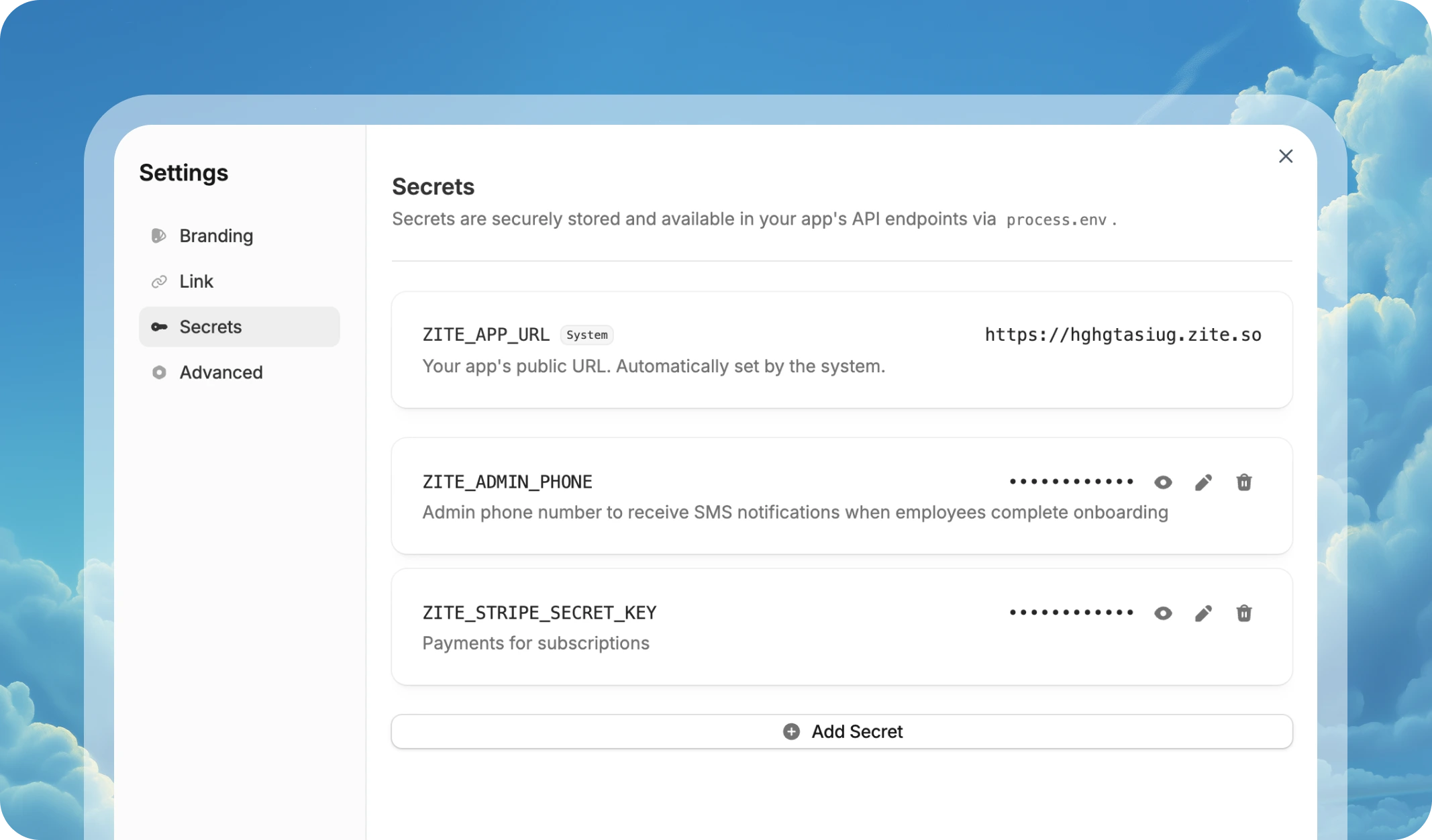
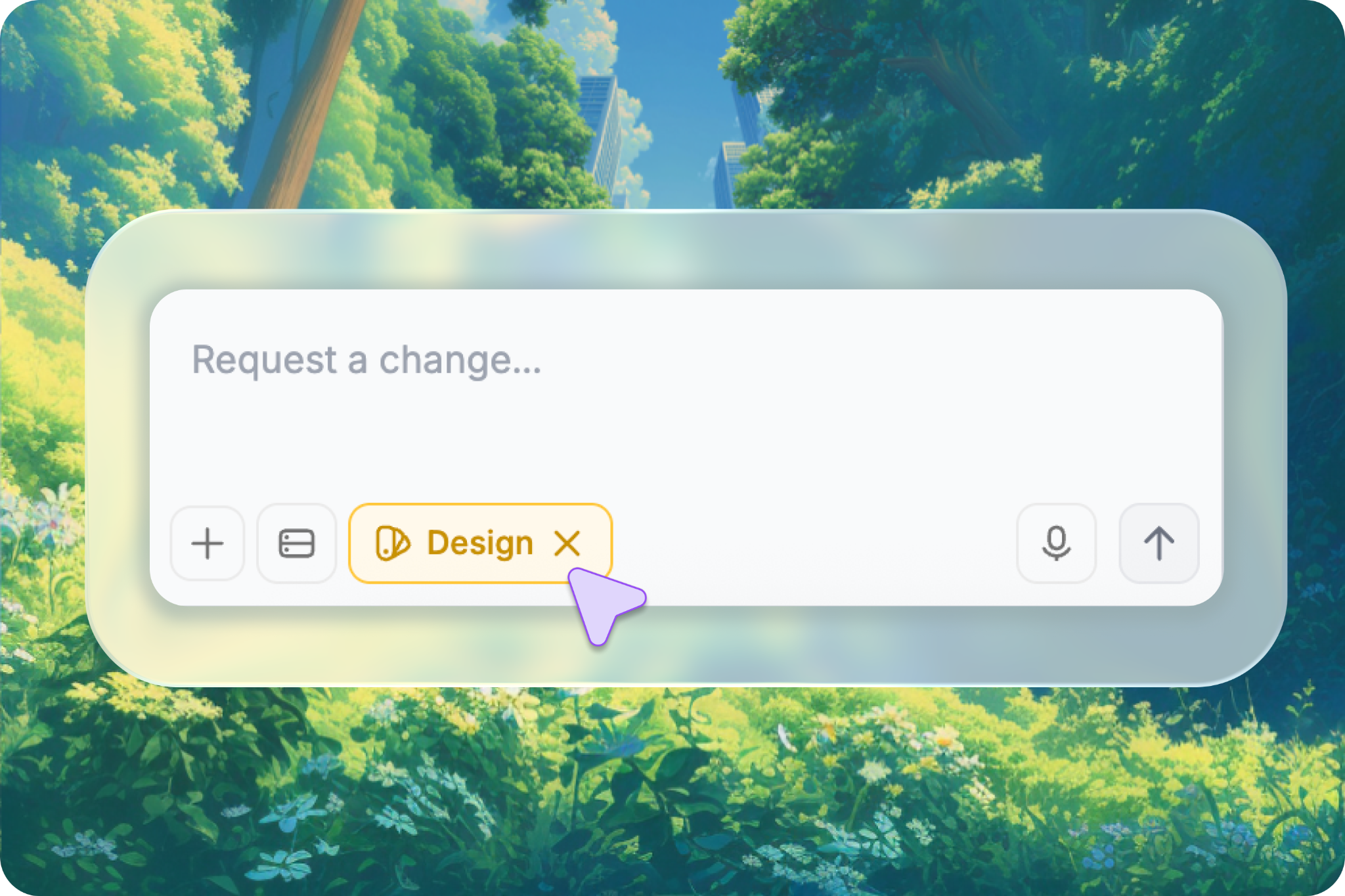 #### 📋 See the full structure of your app
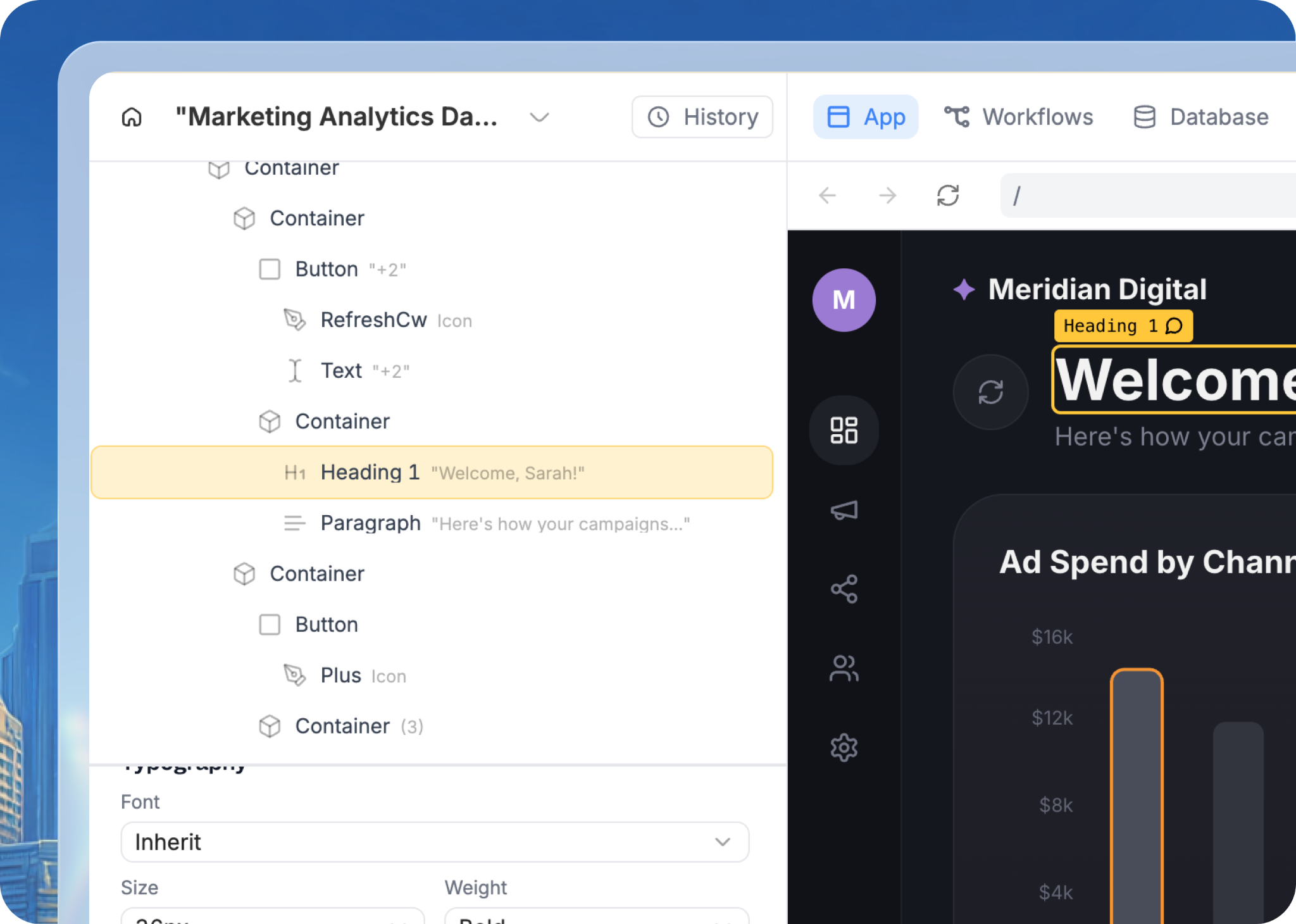 #### 🎨 Make quick visual changes without rebuilding
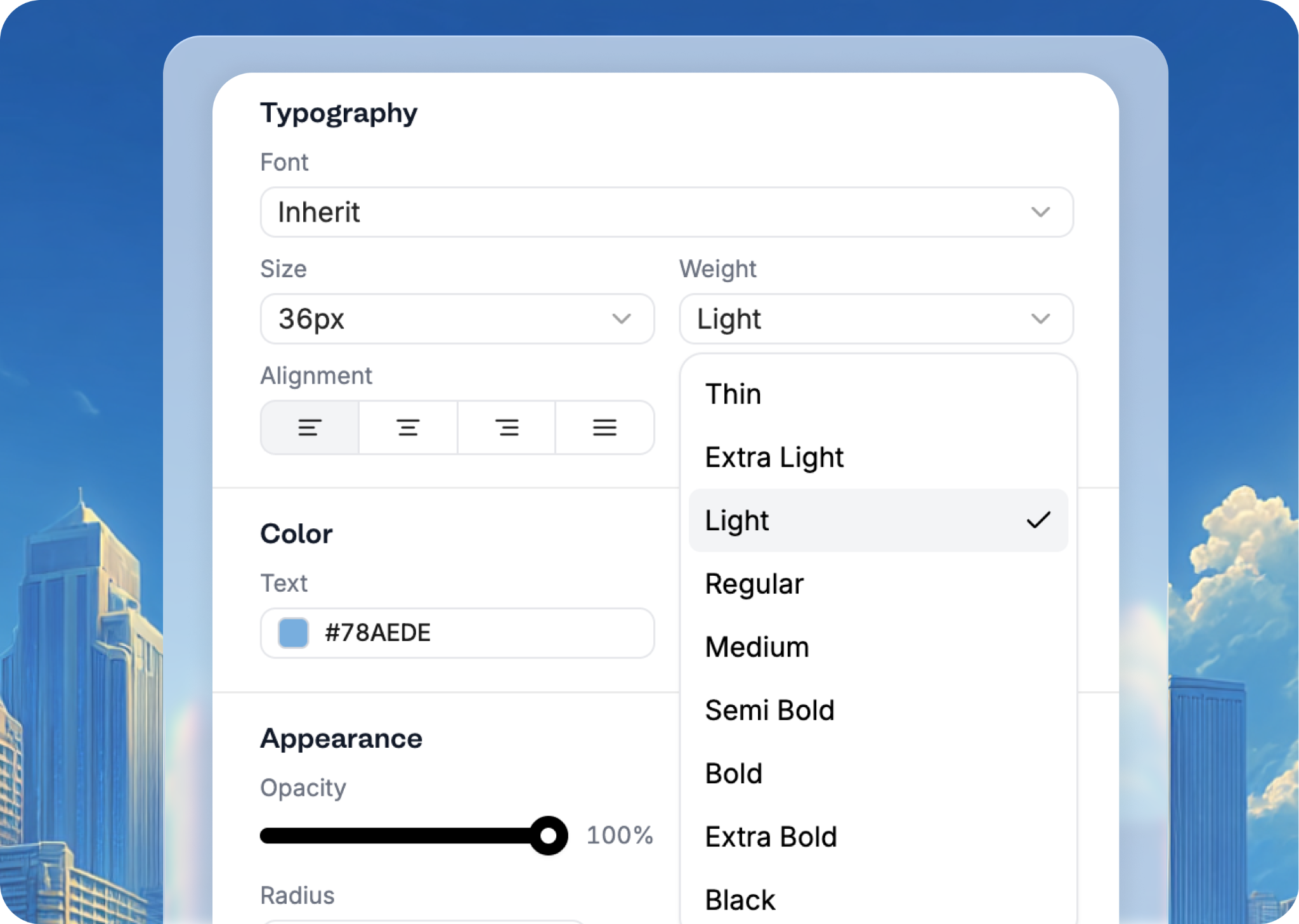 #### ✨ Ask AI to edit elements inline
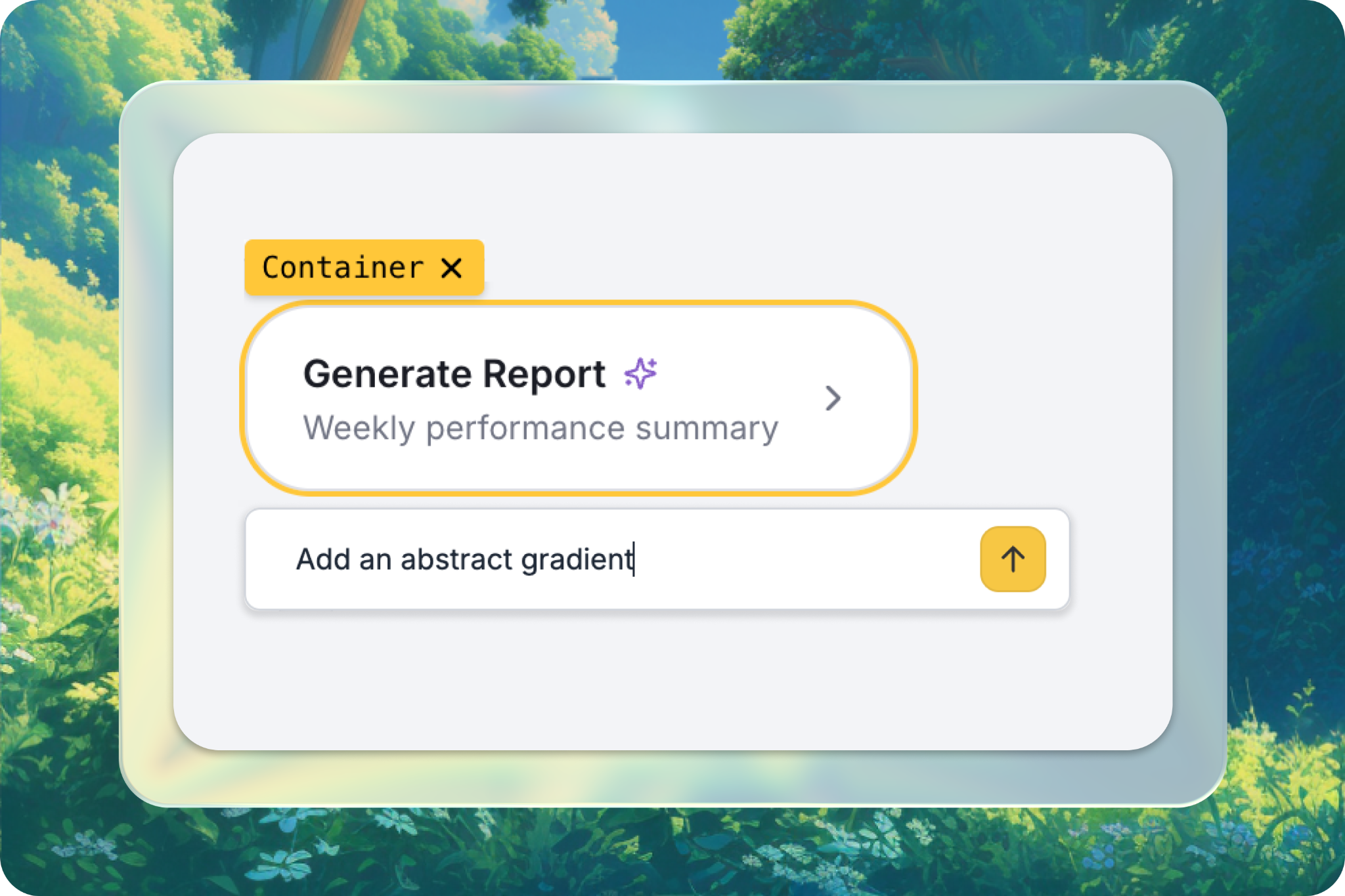
 ### New integrations
#### 💼 Support and CRM workflows
* **Intercom**: Create custom support dashboards and messaging workflows, powered by your Intercom data.
* **Linear**: Create client-facing project trackers and sprint dashboards while connecting to your Linear issues and projects.
* **HubSpot**: Create client portals and sales dashboards with your HubSpot contacts, companies, and deals.
#### 🤖 AI-powered app experiences
* **Anthropic**: Add advanced reasoning and document analysis with Anthropic's Claude models.
* **Gemini**: Add multimodal AI capabilities to your business apps with Google's Gemini models.
#### ⚙️ Messaging and operational automations
* **Twilio**: Send text messages to customers, team members, and stakeholders directly from your Zite apps and workflows.
* **Google Calendar**: Create booking systems and resource schedulers synced with Google Calendar in real time.
* **Google Maps**: Build delivery trackers, store locators, and property management tools with Google Maps.
Browse the full integration catalog at [zite.com/integrations](https://www.zite.com/integrations).
### New integrations
#### 💼 Support and CRM workflows
* **Intercom**: Create custom support dashboards and messaging workflows, powered by your Intercom data.
* **Linear**: Create client-facing project trackers and sprint dashboards while connecting to your Linear issues and projects.
* **HubSpot**: Create client portals and sales dashboards with your HubSpot contacts, companies, and deals.
#### 🤖 AI-powered app experiences
* **Anthropic**: Add advanced reasoning and document analysis with Anthropic's Claude models.
* **Gemini**: Add multimodal AI capabilities to your business apps with Google's Gemini models.
#### ⚙️ Messaging and operational automations
* **Twilio**: Send text messages to customers, team members, and stakeholders directly from your Zite apps and workflows.
* **Google Calendar**: Create booking systems and resource schedulers synced with Google Calendar in real time.
* **Google Maps**: Build delivery trackers, store locators, and property management tools with Google Maps.
Browse the full integration catalog at [zite.com/integrations](https://www.zite.com/integrations).
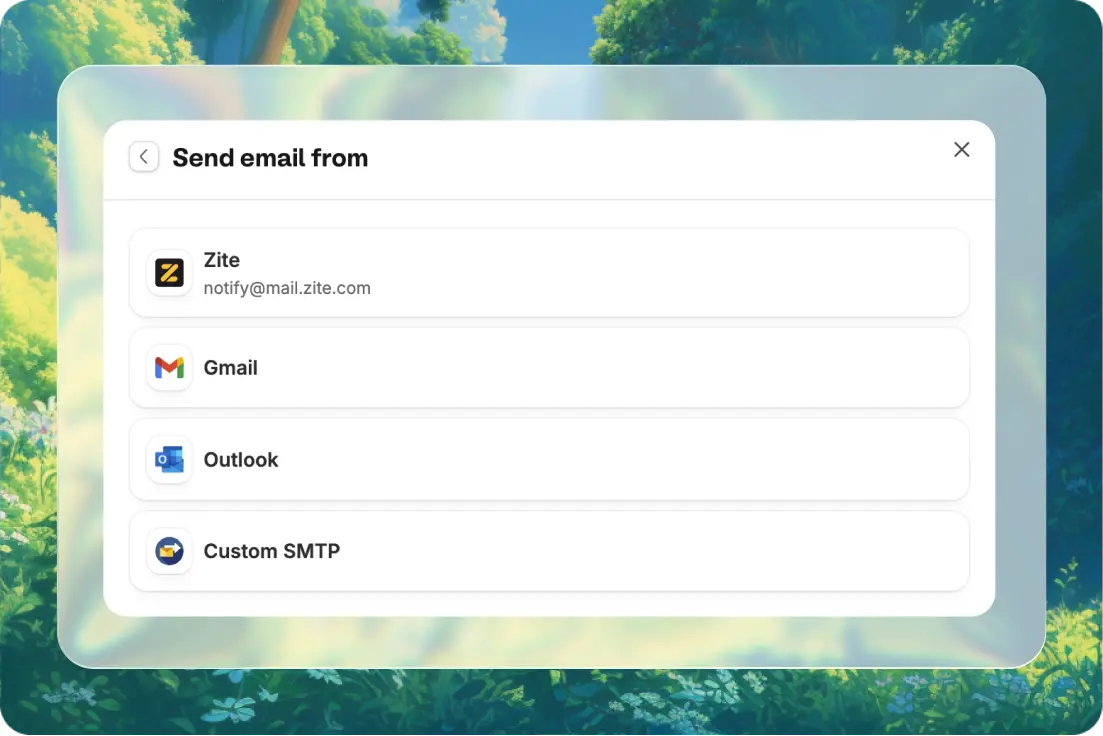 * **Built-in sender**: Send emails instantly with no setup using the Zite domain.
* **Use your own address**: Connect Gmail, Outlook, or any SMTP server and send from your own email.
* **Built-in sender**: Send emails instantly with no setup using the Zite domain.
* **Use your own address**: Connect Gmail, Outlook, or any SMTP server and send from your own email.
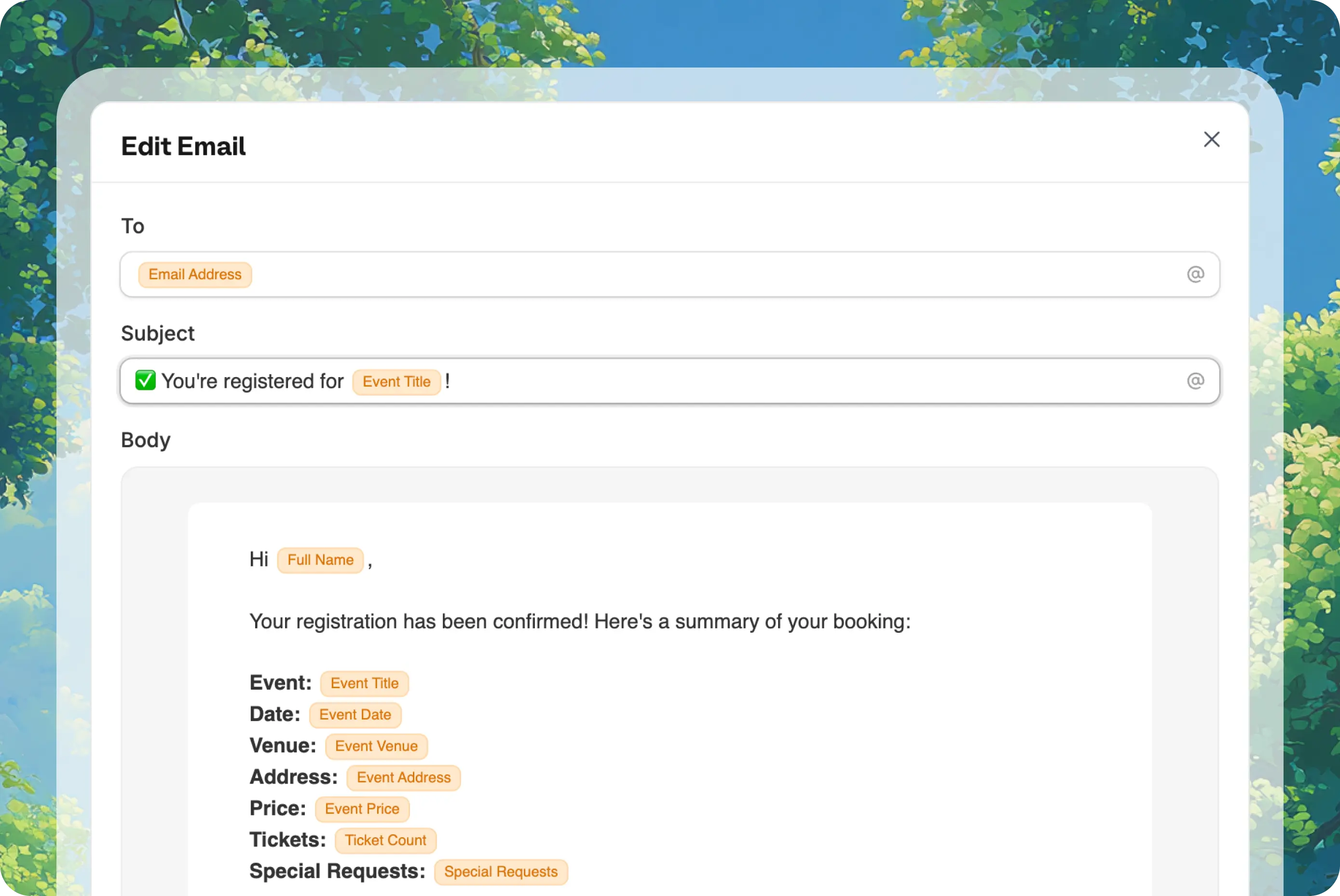 * **Visual email editor**: See exactly what your app will send, edit templates visually, and pull in dynamic data like names, dates, or ticket counts.
Email sending is available on all plans, starting with 200 emails/month on the free tier and scaling up to 100k+ emails/month on Team.
* **Visual email editor**: See exactly what your app will send, edit templates visually, and pull in dynamic data like names, dates, or ticket counts.
Email sending is available on all plans, starting with 200 emails/month on the free tier and scaling up to 100k+ emails/month on Team.
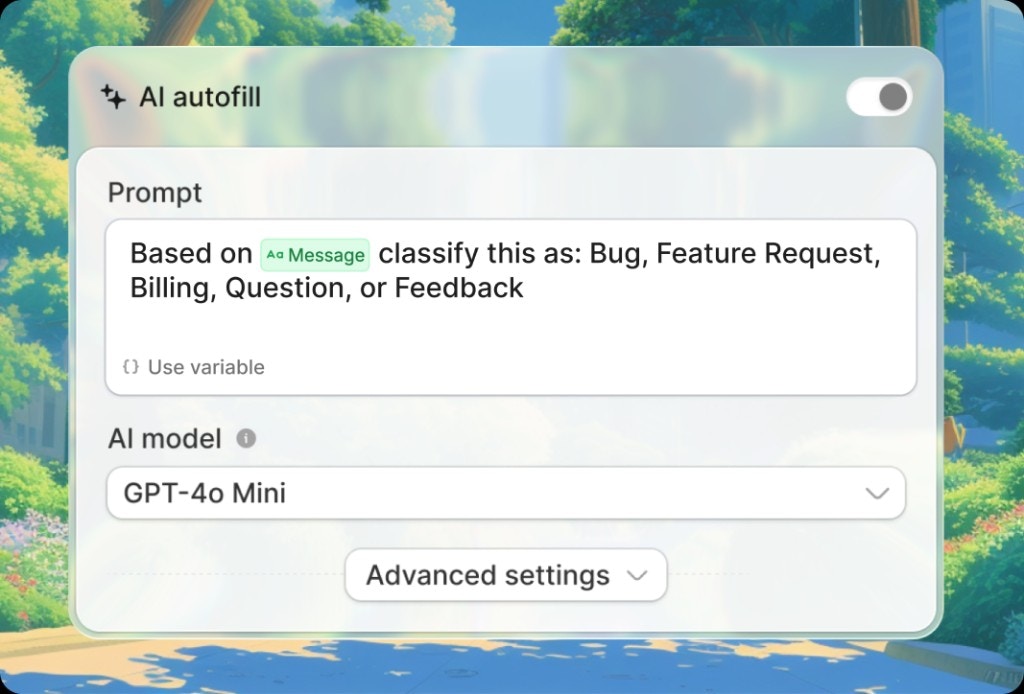 #### ✨ Pick a field, turn on AI autofill
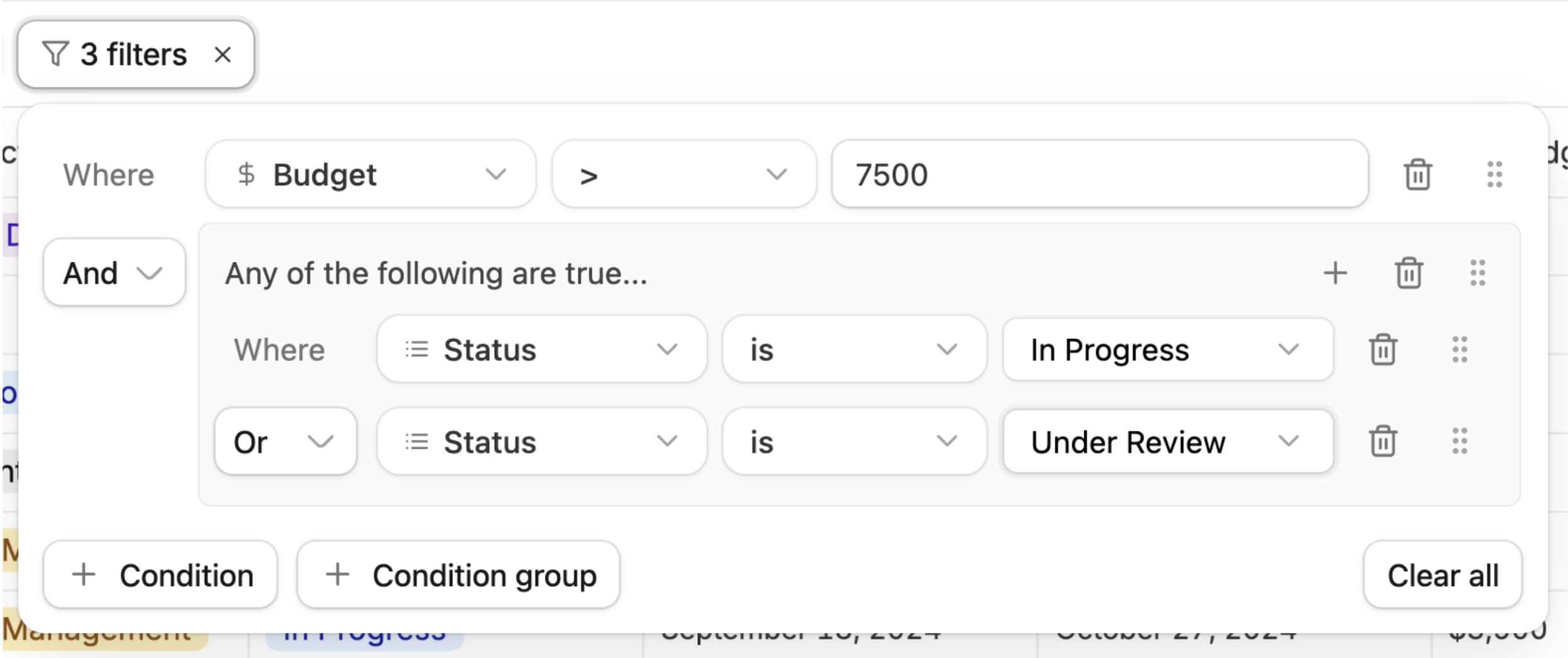 #### 🧮 Formulas
Write formulas in plain English. Describe what you want to calculate - like "10% commission on deal value" or "mark overdue if deadline passed and status isn't complete" - and Zite generates the formula for you.
#### 🧮 Formulas
Write formulas in plain English. Describe what you want to calculate - like "10% commission on deal value" or "mark overdue if deadline passed and status isn't complete" - and Zite generates the formula for you.
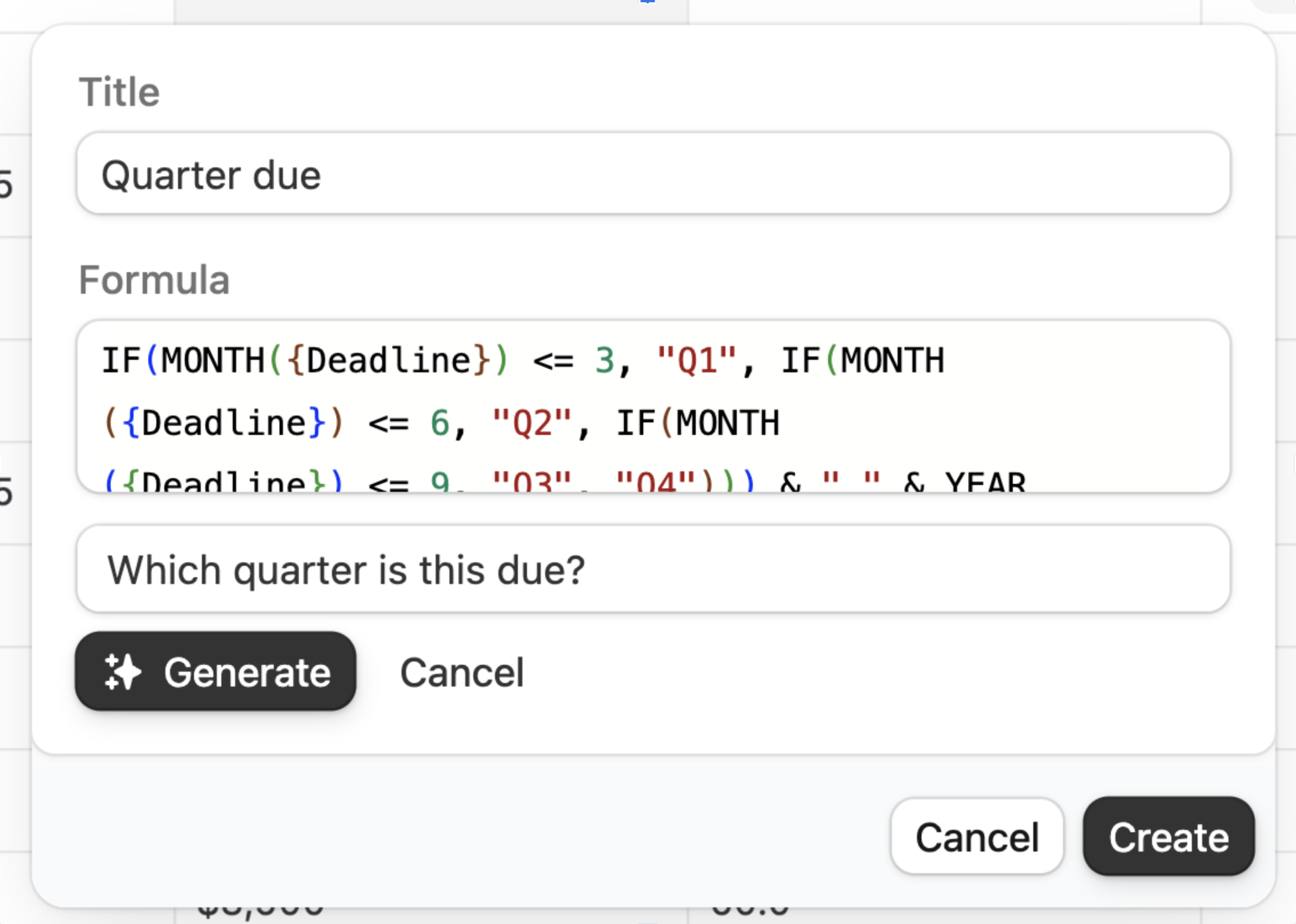 #### 💰 Unified pricing
Zite Database is now included in all [Zite app plans](https://www.zite.com/pricing) - no separate subscription required. We've also increased record limits across all tiers, so you can store more data without upgrading.
#### 🔢 Auto-number field
Automatically assign sequential numbers to new records. Great for order IDs, ticket numbers, and invoice references.
#### 🧱 20+ field types
Linked records, lookups, rollups, attachments, dates, checkboxes, and more. Build relations between tables and customize how your data is stored and displayed.
#### What else is included
Zite Database also includes:
* **No seat limits** - share with your entire team on any plan, including free, with no per-user fees
* **SQL-level speed** - powered by Postgres, 30+ req/sec rate limits
* **Scales to millions of records**
* **CSV import/export**
* **REST API + Webhooks**
* **Granular permissions**
* **SOC 2 Type II compliant**
#### 💰 Unified pricing
Zite Database is now included in all [Zite app plans](https://www.zite.com/pricing) - no separate subscription required. We've also increased record limits across all tiers, so you can store more data without upgrading.
#### 🔢 Auto-number field
Automatically assign sequential numbers to new records. Great for order IDs, ticket numbers, and invoice references.
#### 🧱 20+ field types
Linked records, lookups, rollups, attachments, dates, checkboxes, and more. Build relations between tables and customize how your data is stored and displayed.
#### What else is included
Zite Database also includes:
* **No seat limits** - share with your entire team on any plan, including free, with no per-user fees
* **SQL-level speed** - powered by Postgres, 30+ req/sec rate limits
* **Scales to millions of records**
* **CSV import/export**
* **REST API + Webhooks**
* **Granular permissions**
* **SOC 2 Type II compliant**
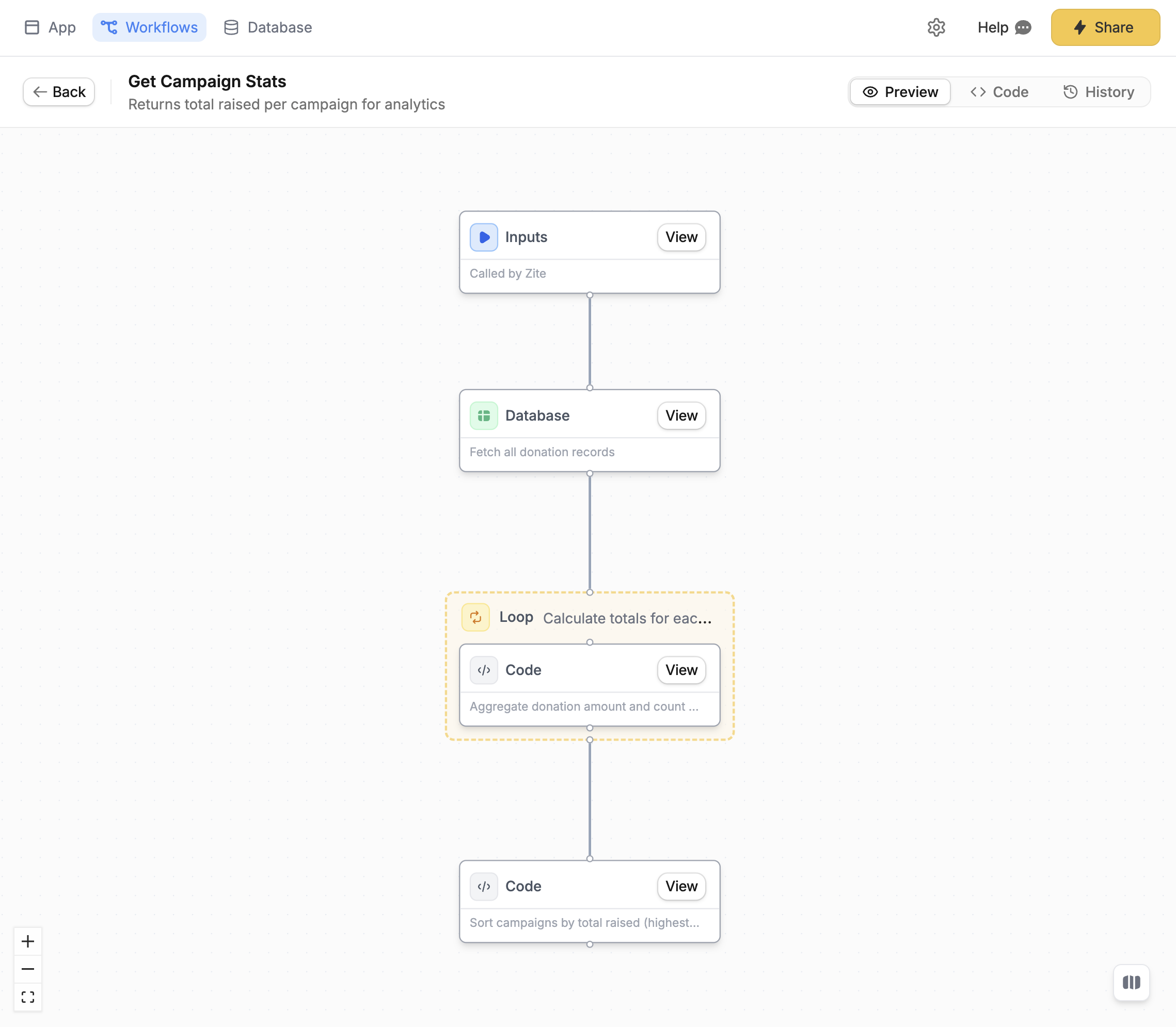 #### ⚡ Faster and smarter workflow generations
We've optimized how Zite builds and edits workflows. Expect noticeably faster response times when creating or updating your backend app logic.
#### 📊 View workflow logs
Every workflow run is now logged with full visibility into what happened. Open the **History** tab on any workflow to see:
* Whether it succeeded or failed
* How long it took
* The exact inputs, outputs, and every step in between
#### ⚡ Faster and smarter workflow generations
We've optimized how Zite builds and edits workflows. Expect noticeably faster response times when creating or updating your backend app logic.
#### 📊 View workflow logs
Every workflow run is now logged with full visibility into what happened. Open the **History** tab on any workflow to see:
* Whether it succeeded or failed
* How long it took
* The exact inputs, outputs, and every step in between
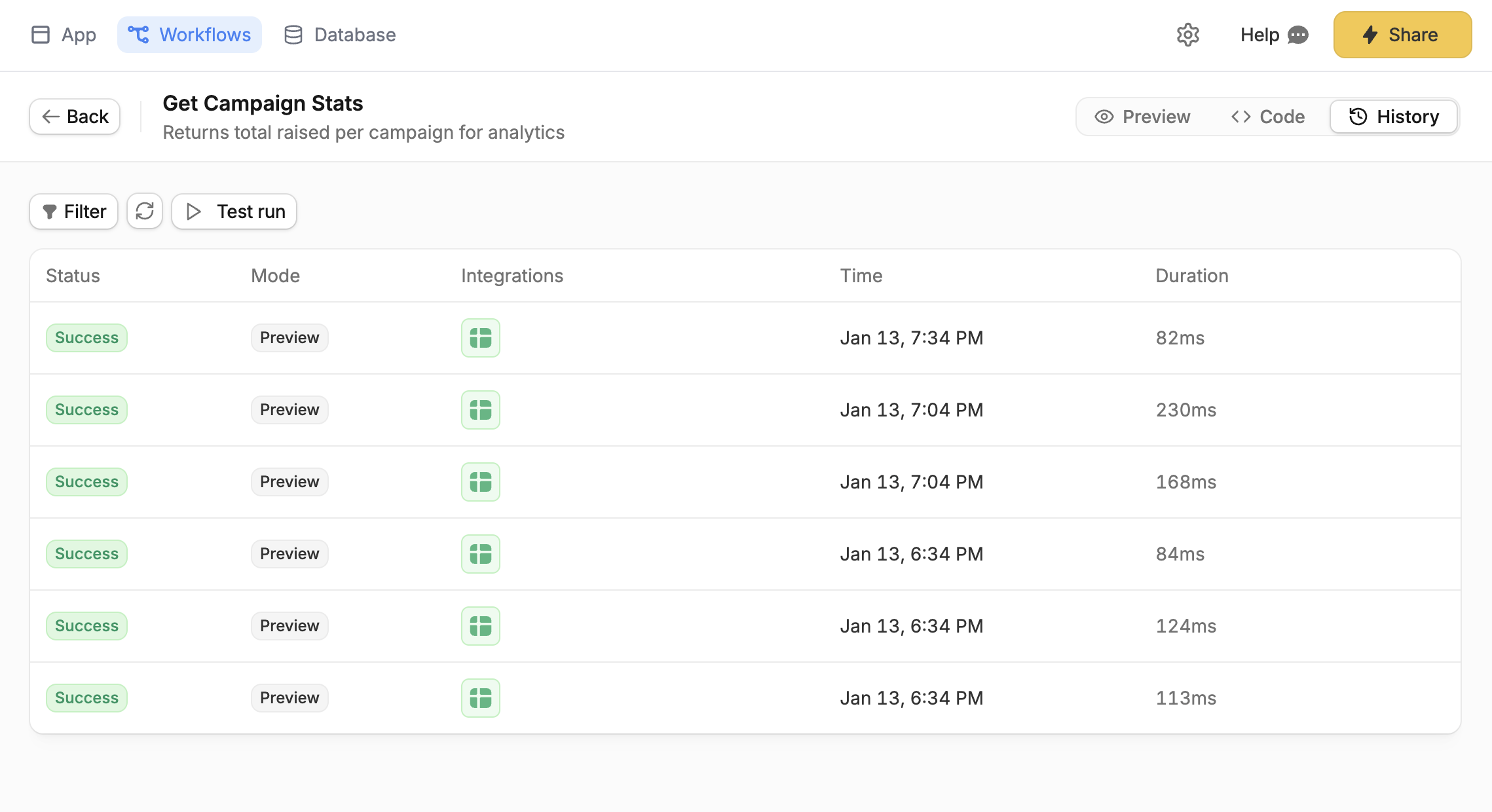 Filter by status, mode (Live or Preview), or time range to quickly find what you're looking for.
#### 🤖 Ask Zite to debug for you
When something goes wrong, just ask Zite. The AI can now read your workflow logs to identify the issue and suggest a fix.
Try prompts like:
* "Why is my workflow failing?"
* "What's causing the error in my getOrders workflow?"
* "Help me debug this endpoint"
Filter by status, mode (Live or Preview), or time range to quickly find what you're looking for.
#### 🤖 Ask Zite to debug for you
When something goes wrong, just ask Zite. The AI can now read your workflow logs to identify the issue and suggest a fix.
Try prompts like:
* "Why is my workflow failing?"
* "What's causing the error in my getOrders workflow?"
* "Help me debug this endpoint"
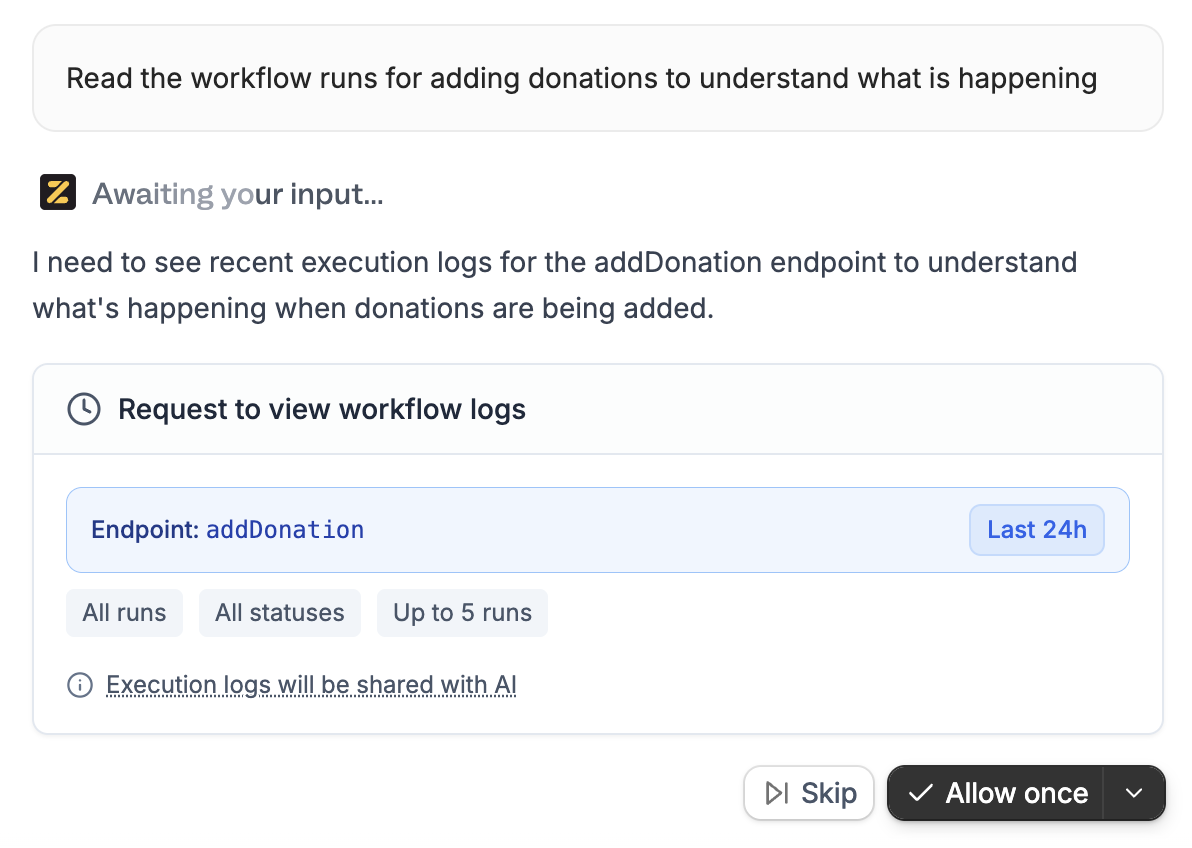 You control when Zite can access your logs: allow once, always, or skip.
#### 🧪 Test runs
Manually test any workflow with custom inputs before going live. Click **Test run**, enter your data (or use JSON mode for raw input), and see the result instantly in your run history.
You control when Zite can access your logs: allow once, always, or skip.
#### 🧪 Test runs
Manually test any workflow with custom inputs before going live. Click **Test run**, enter your data (or use JSON mode for raw input), and see the result instantly in your run history.
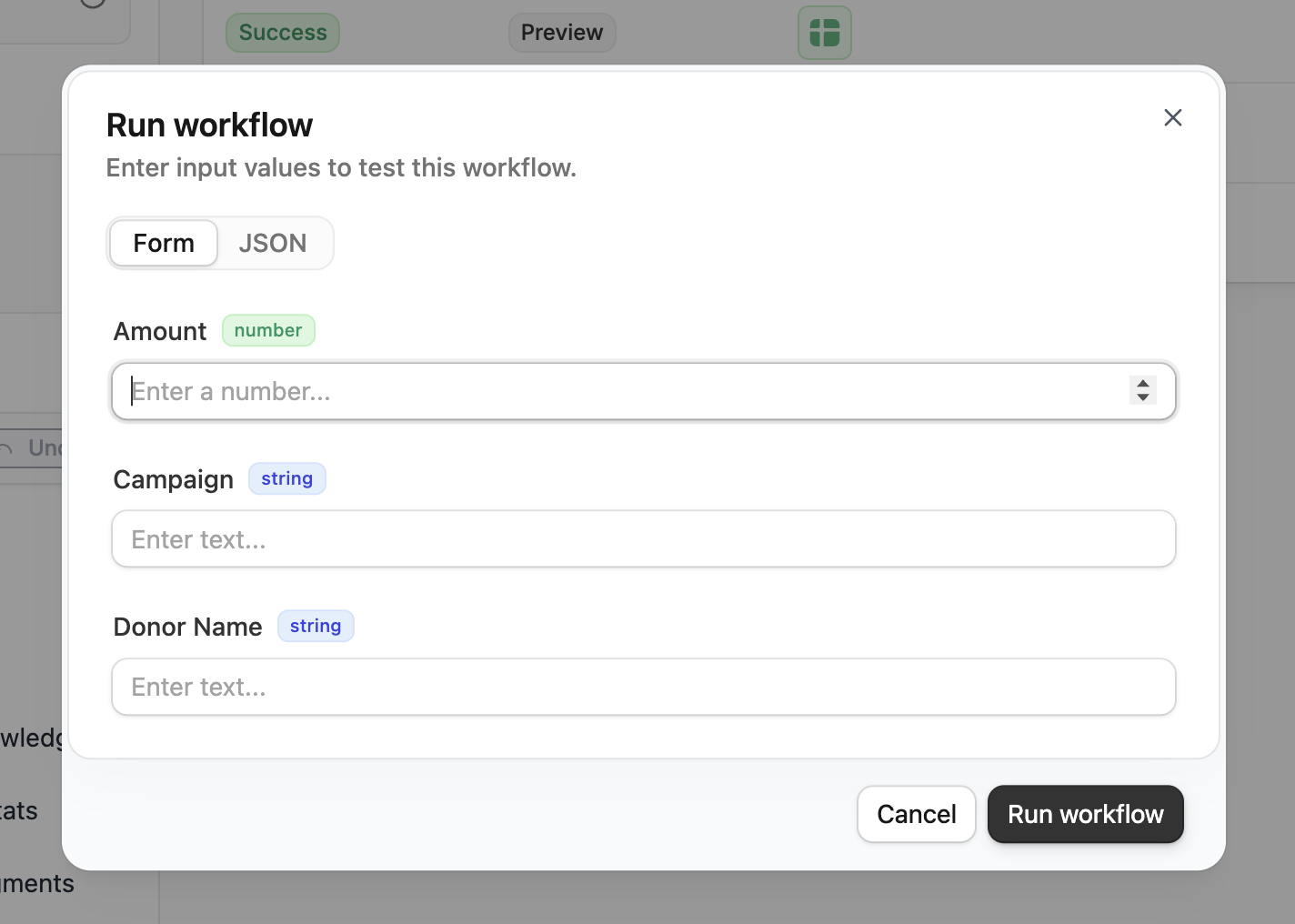 For workflows that require authentication, you can also choose which user context to test with.
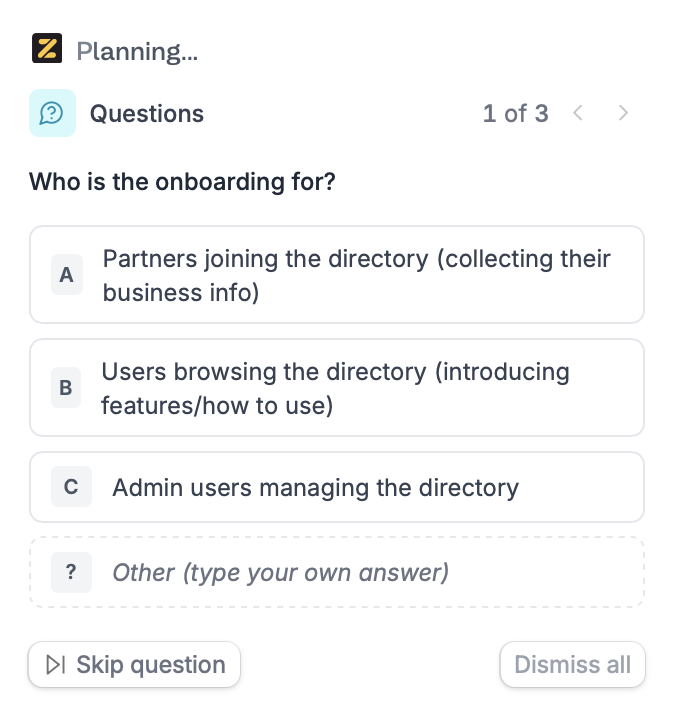 #### ✏️ Edit before you commit
Once Zite gathers enough context, it generates an editable plan document - covering scope, data, integrations, key assumptions, and what's out of scope. Click anywhere on the plan to tweak the wording or decisions. You can also click **Help me plan** to have Zite ask a few more questions to refine it further.
#### ✏️ Edit before you commit
Once Zite gathers enough context, it generates an editable plan document - covering scope, data, integrations, key assumptions, and what's out of scope. Click anywhere on the plan to tweak the wording or decisions. You can also click **Help me plan** to have Zite ask a few more questions to refine it further.
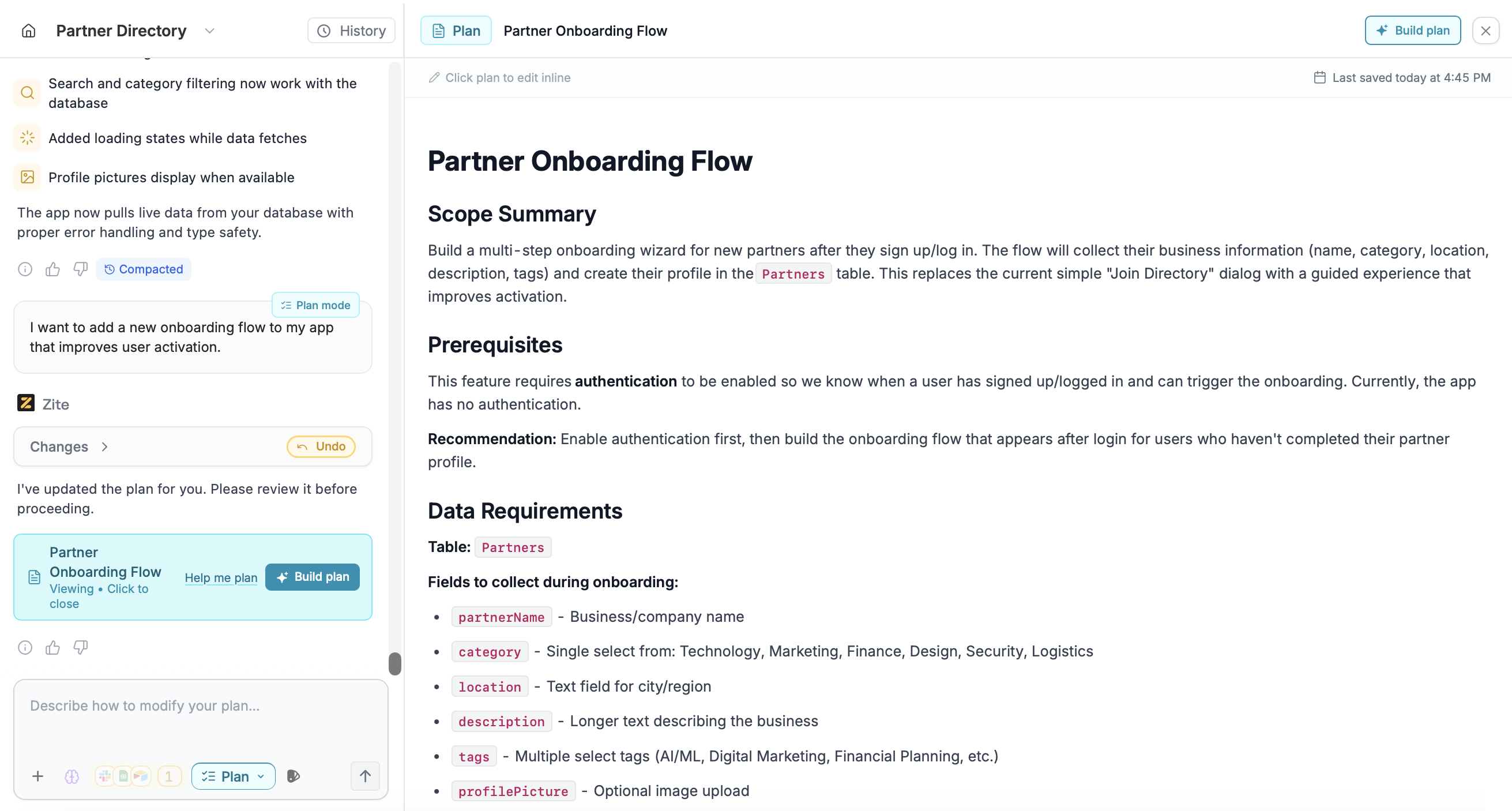 #### 🚀 Build when you're ready
Once the plan looks good, click **Build plan**. Zite will switch to [Build mode](/help/platform/how-to-build/agent-modes/build-mode) and execute exactly what you approved - no surprises.
**When to use Plan mode:**
* Starting a new app and want to think through requirements
* Your request is large or ambiguous
* You want to align with teammates before building
* You want to avoid rework by deciding key details up front
Switch to Plan mode by clicking the **Mode** selector and choosing **Plan**, or press `Shift` + `Tab`.
#### 🚀 Build when you're ready
Once the plan looks good, click **Build plan**. Zite will switch to [Build mode](/help/platform/how-to-build/agent-modes/build-mode) and execute exactly what you approved - no surprises.
**When to use Plan mode:**
* Starting a new app and want to think through requirements
* Your request is large or ambiguous
* You want to align with teammates before building
* You want to avoid rework by deciding key details up front
Switch to Plan mode by clicking the **Mode** selector and choosing **Plan**, or press `Shift` + `Tab`.
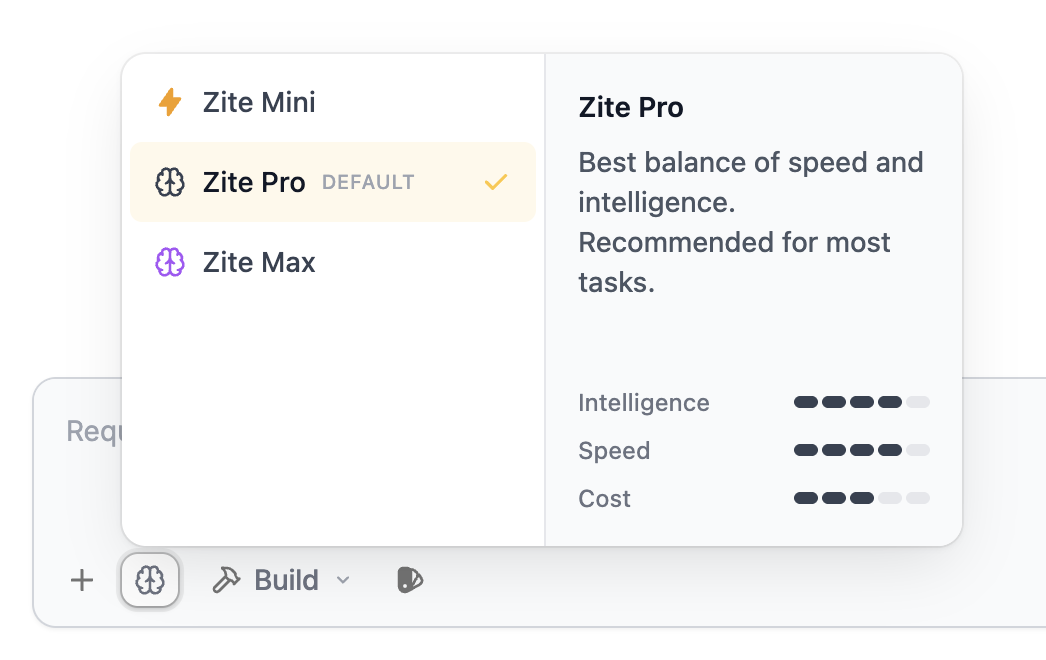 #### ⚡ Faster, more reliable previews
We've made a major upgrade to the infrastructure powering Zite sandboxes. Expect faster load times and fewer issues when previewing your app.
#### 📊 See credit usage per request
After each message, you can now see exactly how many [credits](/help/platform/getting-started/credits) were used. Click on any message to view the model used and credits consumed.
#### ⚡ Faster, more reliable previews
We've made a major upgrade to the infrastructure powering Zite sandboxes. Expect faster load times and fewer issues when previewing your app.
#### 📊 See credit usage per request
After each message, you can now see exactly how many [credits](/help/platform/getting-started/credits) were used. Click on any message to view the model used and credits consumed.
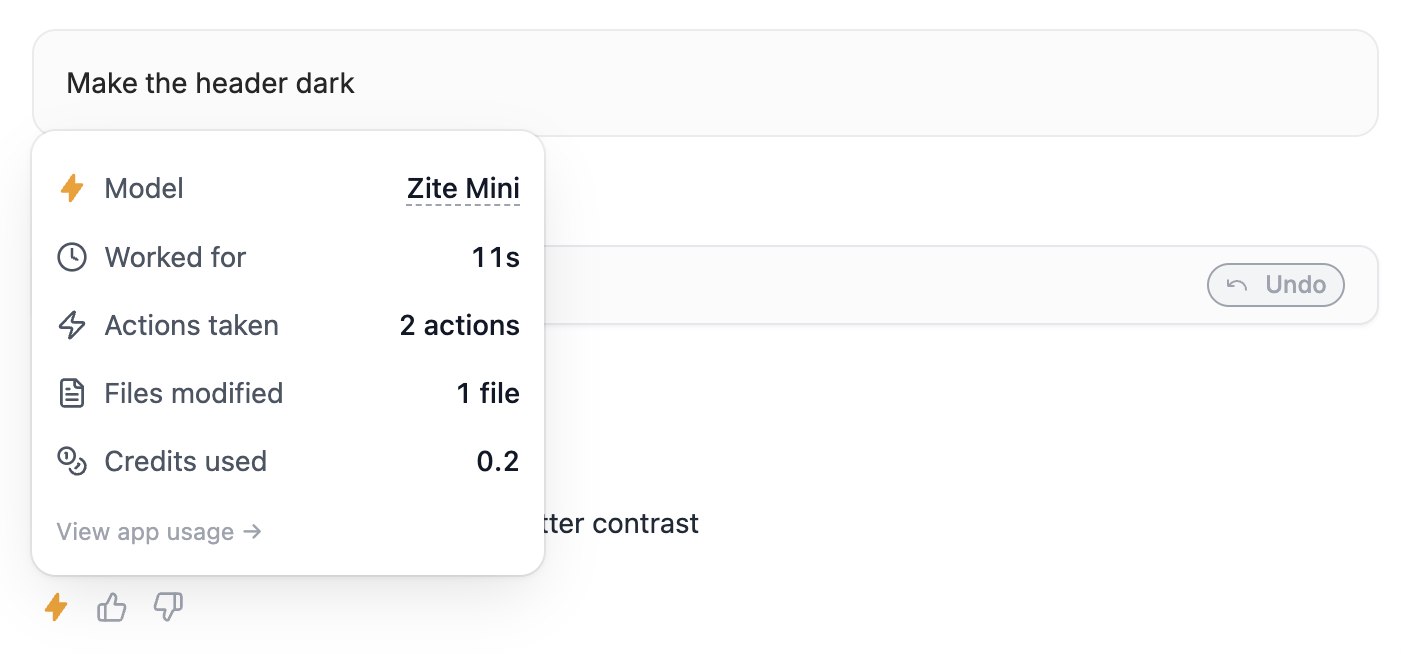 You can also click **View App Usage** to see the full message history and total credits used across your entire app.
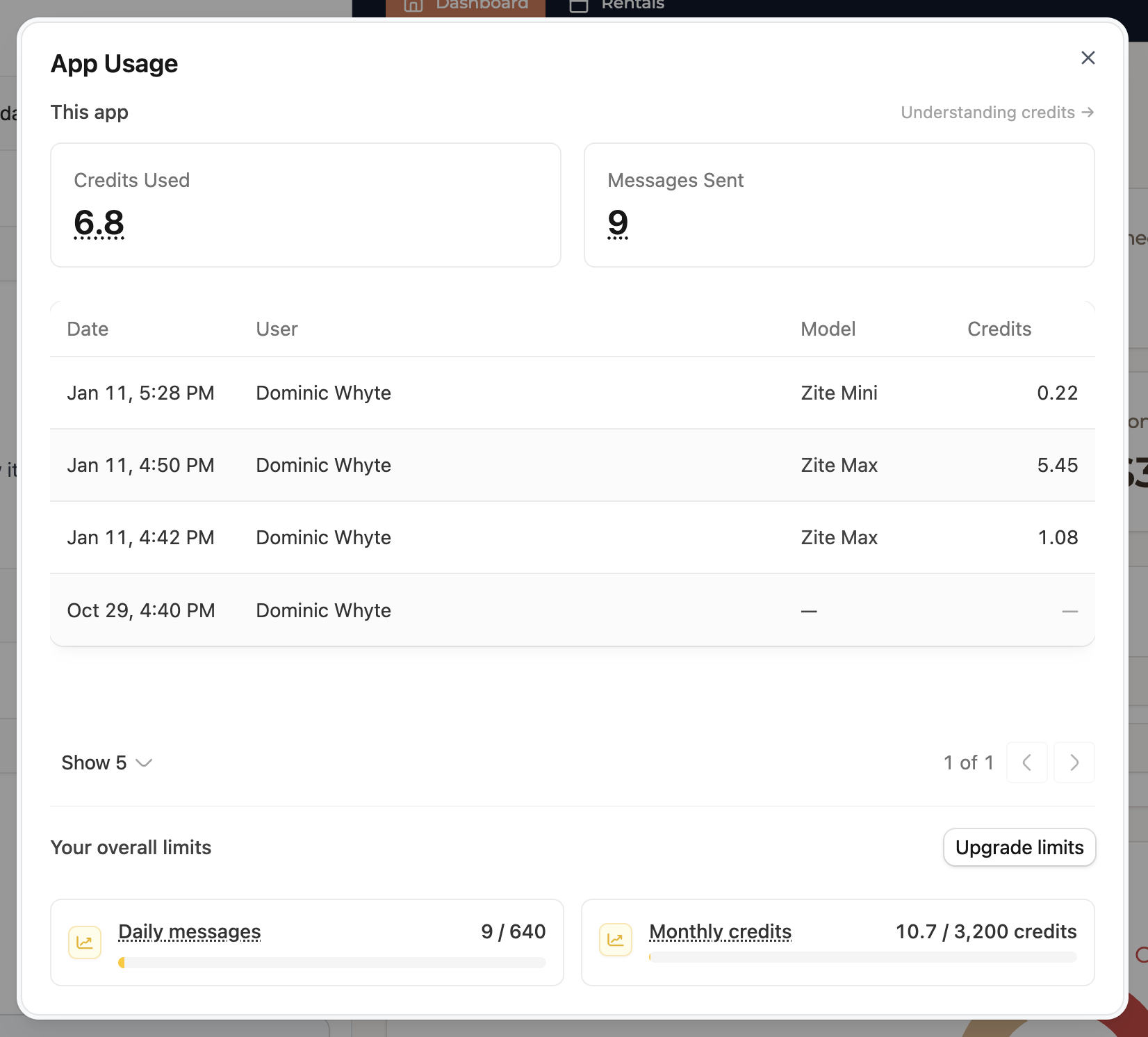
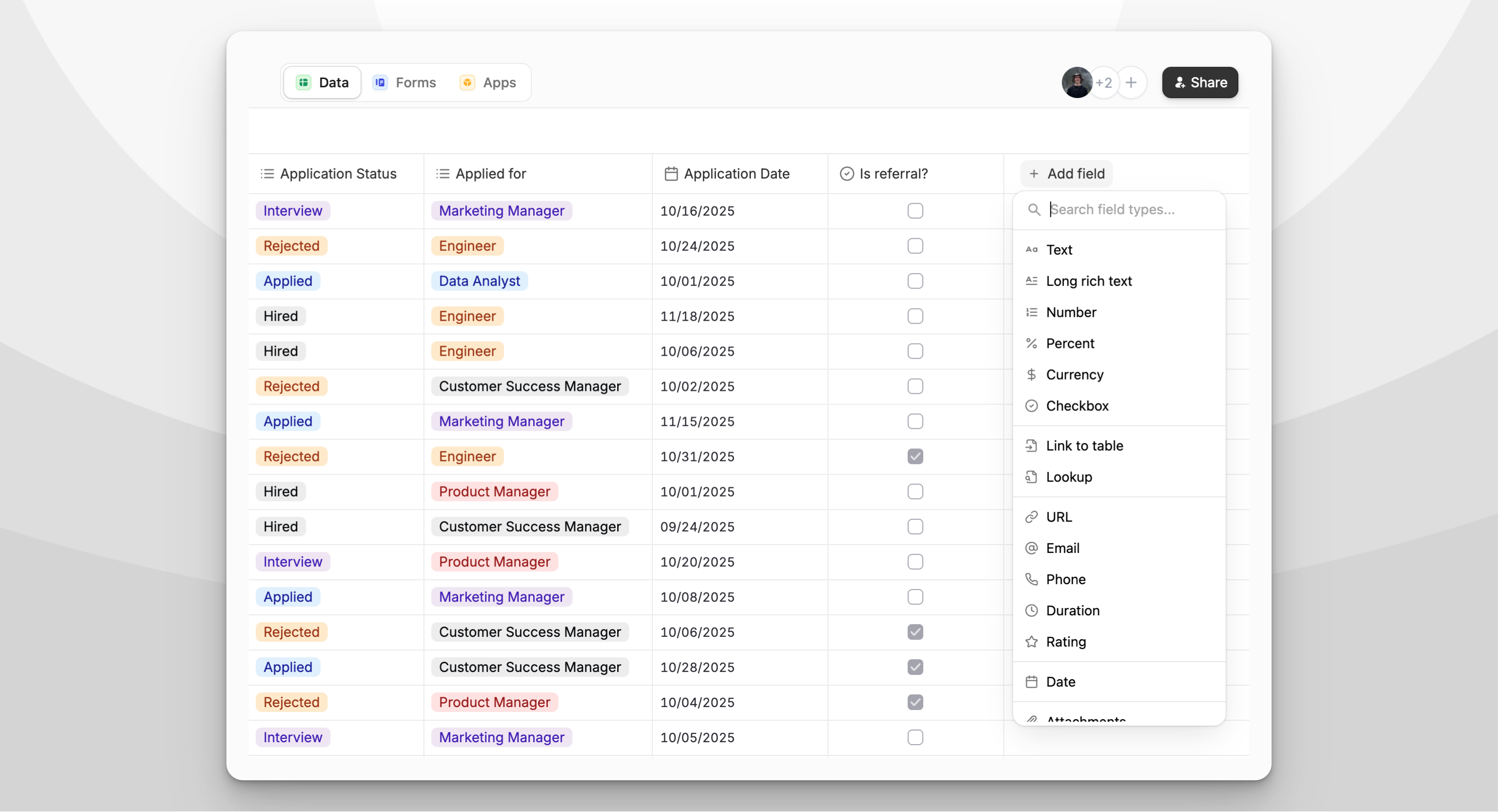 #### 🔒 No seat limits
Share data with your entire team without per-user pricing. Pay a flat fee based on usage, [details here](https://www.fillout.com/help/pricing-discounts).
#### 🧱 Build forms → sync to database (or the other way around)
Start with a form and convert it to a table in one click. Or build your schema first and auto-generate a form from it.
#### 🔒 No seat limits
Share data with your entire team without per-user pricing. Pay a flat fee based on usage, [details here](https://www.fillout.com/help/pricing-discounts).
#### 🧱 Build forms → sync to database (or the other way around)
Start with a form and convert it to a table in one click. Or build your schema first and auto-generate a form from it.
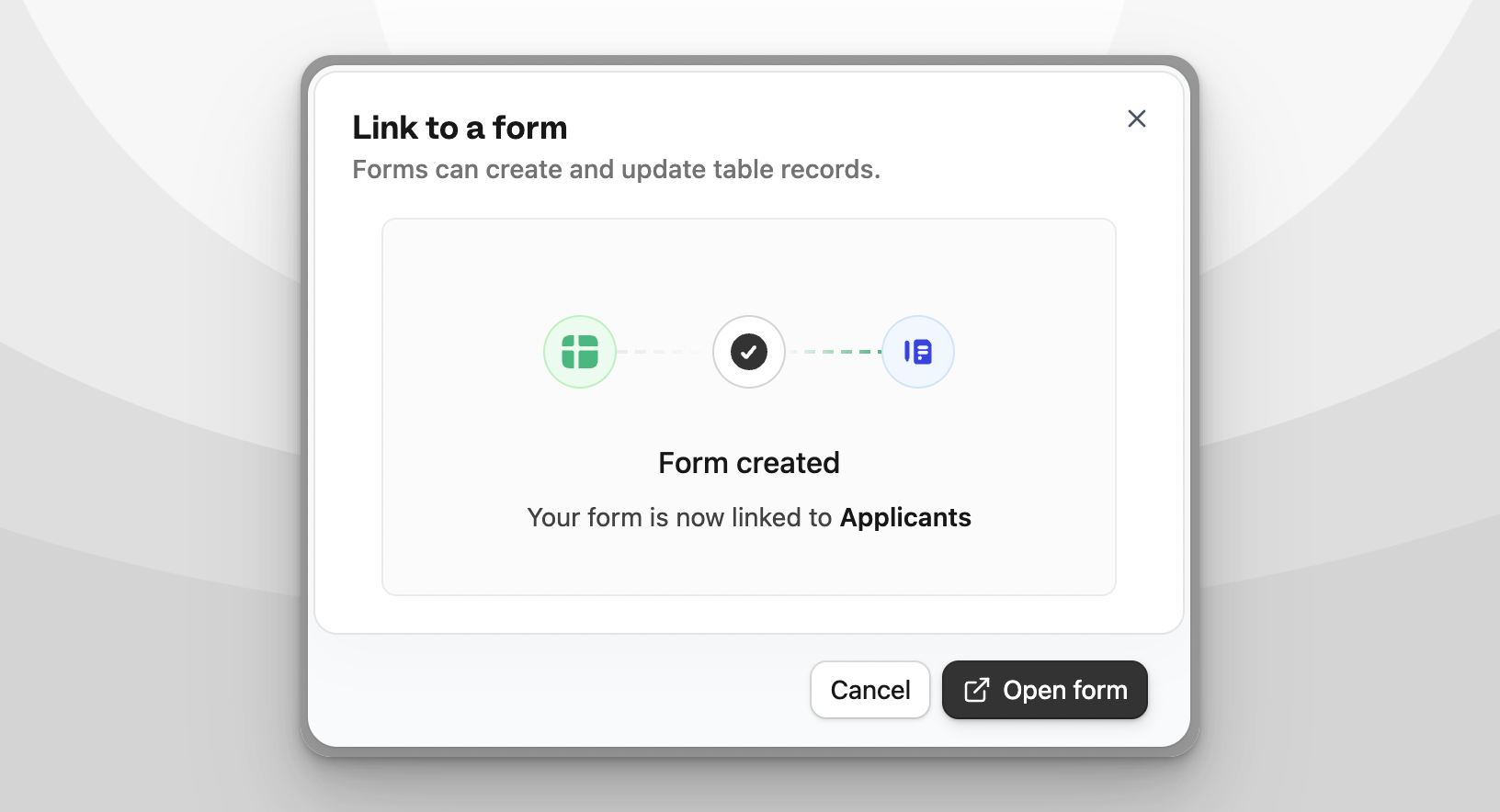 #### 📝 Native update forms (coming soon)
Create forms that write back to your database out of the box. No formulas needed.
#### 🔗 Linked records & dozens of field types
Build relations, add structured fields, and customize how your data is stored and displayed.
#### 📤 CSV import & export
Move data in and out of Zite Database easily.
#### 📝 Native update forms (coming soon)
Create forms that write back to your database out of the box. No formulas needed.
#### 🔗 Linked records & dozens of field types
Build relations, add structured fields, and customize how your data is stored and displayed.
#### 📤 CSV import & export
Move data in and out of Zite Database easily.
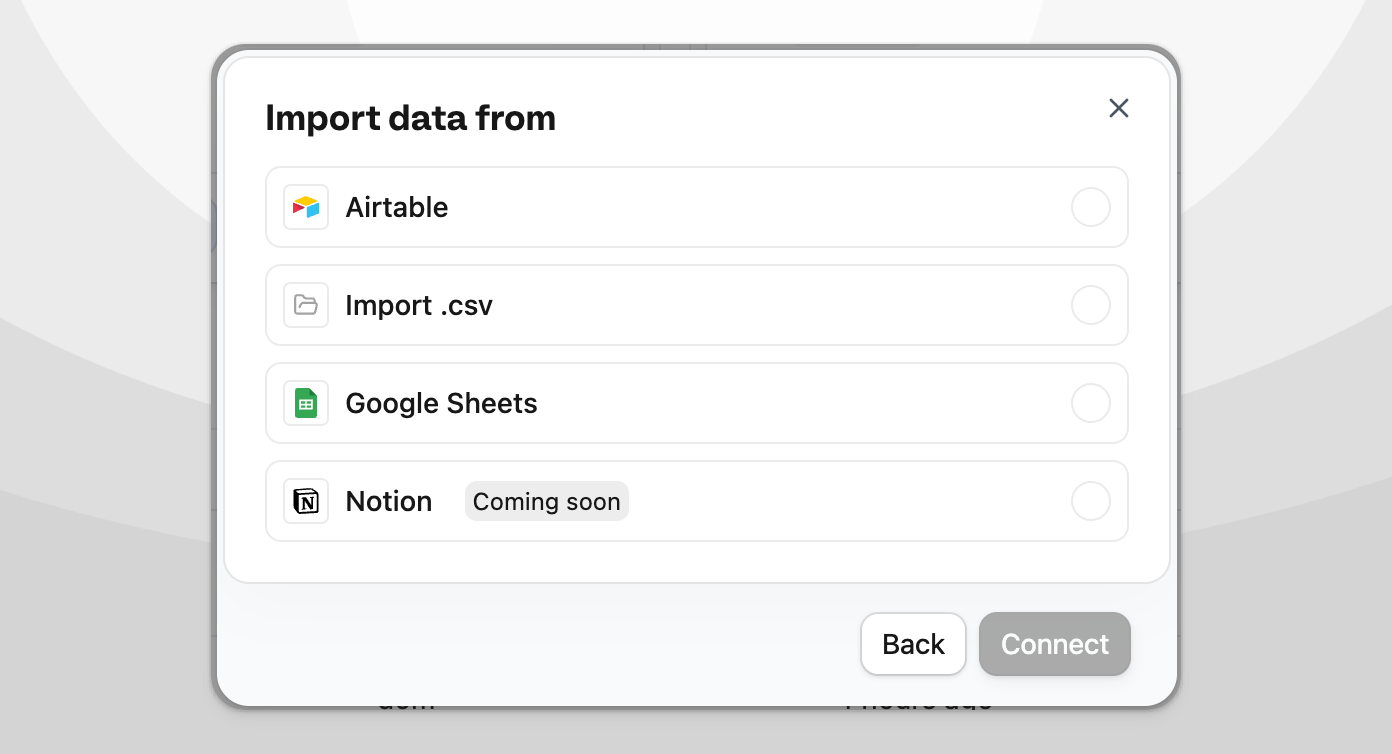 #### 🔄 Undo & redo
Mistakes happen, roll back instantly.
#### 🌐 REST API + Webhooks
Use your database from external systems or automate downstream workflows. [View the docs](https://www.fillout.com/help/fillout-rest-api).
#### 🛡️ Granular permissions + SOC 2 Type II
Control who can view and edit your databases with per-workspace or per-database permissions.
Over the coming weeks, you can expect new features to help with form and app use cases. Let us know what you'd like to see next!
#### 🔄 Undo & redo
Mistakes happen, roll back instantly.
#### 🌐 REST API + Webhooks
Use your database from external systems or automate downstream workflows. [View the docs](https://www.fillout.com/help/fillout-rest-api).
#### 🛡️ Granular permissions + SOC 2 Type II
Control who can view and edit your databases with per-workspace or per-database permissions.
Over the coming weeks, you can expect new features to help with form and app use cases. Let us know what you'd like to see next!
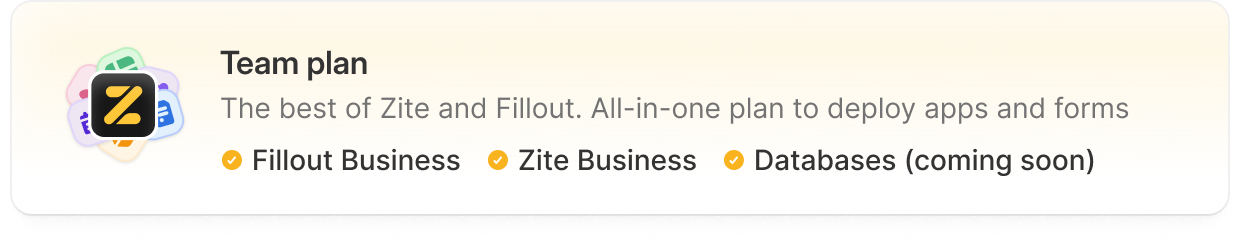 ## What's changing
**For Fillout Forms users:**
* **No changes** to Starter, Pro, or Business pricing
* Our previous **Enterprise Tier 1** is now a legacy plan - existing customers keep their current pricing and can optionally upgrade to **Team** to get Zite and Databases (coming soon).
* **Enterprise Tier 2** with SSO is now simply called **Enterprise** (no changes).
* Data Protection Agreements (DPAs) are now **available on all plans**, including Free. Previously, these were only available on Enterprise.
**For Zite Apps users:**
* We're introducing a **Business** plan for Zite apps. For new customers, the business plan is required to connect unlimited custom domains. **Existing Pro plan customers are automatically grandfathered** and continue to have unlimited custom domains.
* We're **removing daily message limits** for all paid plans. The Free plan has a 10 messages/day limit. For paid users, the only limit is the existing monthly credit system.
* We now support **yearly plans** for Zite (2 months free when paid yearly).
* We're renaming multiplier-based pricing to a **Credits** system for clarity. **Usage limits are unchanged** (e.g., 2× = 100 credits, 4× = 200 credits, 16× = 800 credits/month).
## What's changing
**For Fillout Forms users:**
* **No changes** to Starter, Pro, or Business pricing
* Our previous **Enterprise Tier 1** is now a legacy plan - existing customers keep their current pricing and can optionally upgrade to **Team** to get Zite and Databases (coming soon).
* **Enterprise Tier 2** with SSO is now simply called **Enterprise** (no changes).
* Data Protection Agreements (DPAs) are now **available on all plans**, including Free. Previously, these were only available on Enterprise.
**For Zite Apps users:**
* We're introducing a **Business** plan for Zite apps. For new customers, the business plan is required to connect unlimited custom domains. **Existing Pro plan customers are automatically grandfathered** and continue to have unlimited custom domains.
* We're **removing daily message limits** for all paid plans. The Free plan has a 10 messages/day limit. For paid users, the only limit is the existing monthly credit system.
* We now support **yearly plans** for Zite (2 months free when paid yearly).
* We're renaming multiplier-based pricing to a **Credits** system for clarity. **Usage limits are unchanged** (e.g., 2× = 100 credits, 4× = 200 credits, 16× = 800 credits/month).
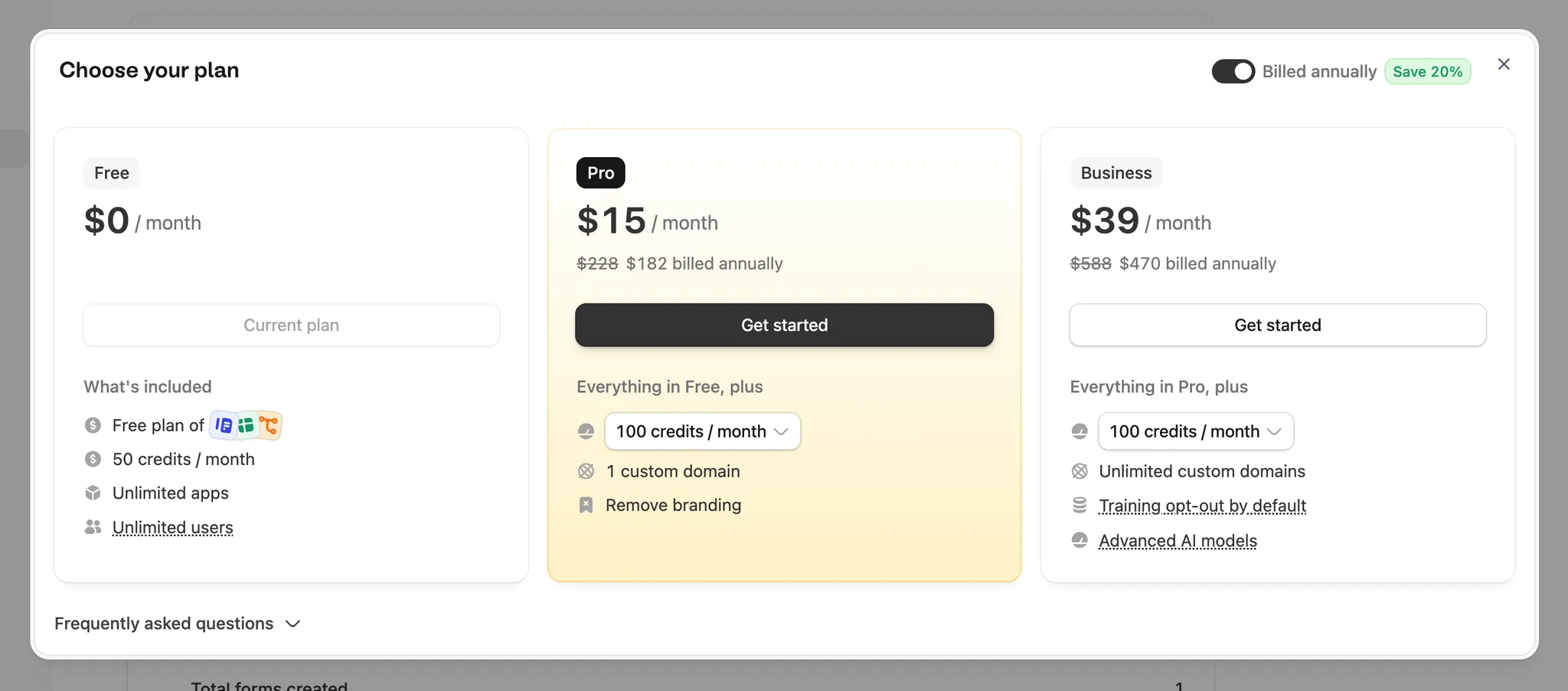 ## What's in the new Team plan
Flat fee **\$300/month** (or 2 months free when paid yearly). Includes:
* **Unlimited seats, unlimited submissions and unlimited users**
* **Forms Business** – all features from our Business plan
* **Apps (Zite) Business** with 800 credits per month
* **Databases Business** (coming soon)
* [**Granular permissions**](https://www.fillout.com/help/granular-permissions) – control access across your team
* [**Salesforce integration**](https://www.fillout.com/help/salesforce)
* **EU region for end user data** – store form submissions in the EU (optional)
* **Priority support**
## Simplified billing & usage page
We've combined the Fillout and Zite pricing pages into a single, unified billing page to make management easier. You can now manage billing for all products from [one place](https://build.fillout.com/home/settings/billing).
## What's in the new Team plan
Flat fee **\$300/month** (or 2 months free when paid yearly). Includes:
* **Unlimited seats, unlimited submissions and unlimited users**
* **Forms Business** – all features from our Business plan
* **Apps (Zite) Business** with 800 credits per month
* **Databases Business** (coming soon)
* [**Granular permissions**](https://www.fillout.com/help/granular-permissions) – control access across your team
* [**Salesforce integration**](https://www.fillout.com/help/salesforce)
* **EU region for end user data** – store form submissions in the EU (optional)
* **Priority support**
## Simplified billing & usage page
We've combined the Fillout and Zite pricing pages into a single, unified billing page to make management easier. You can now manage billing for all products from [one place](https://build.fillout.com/home/settings/billing).
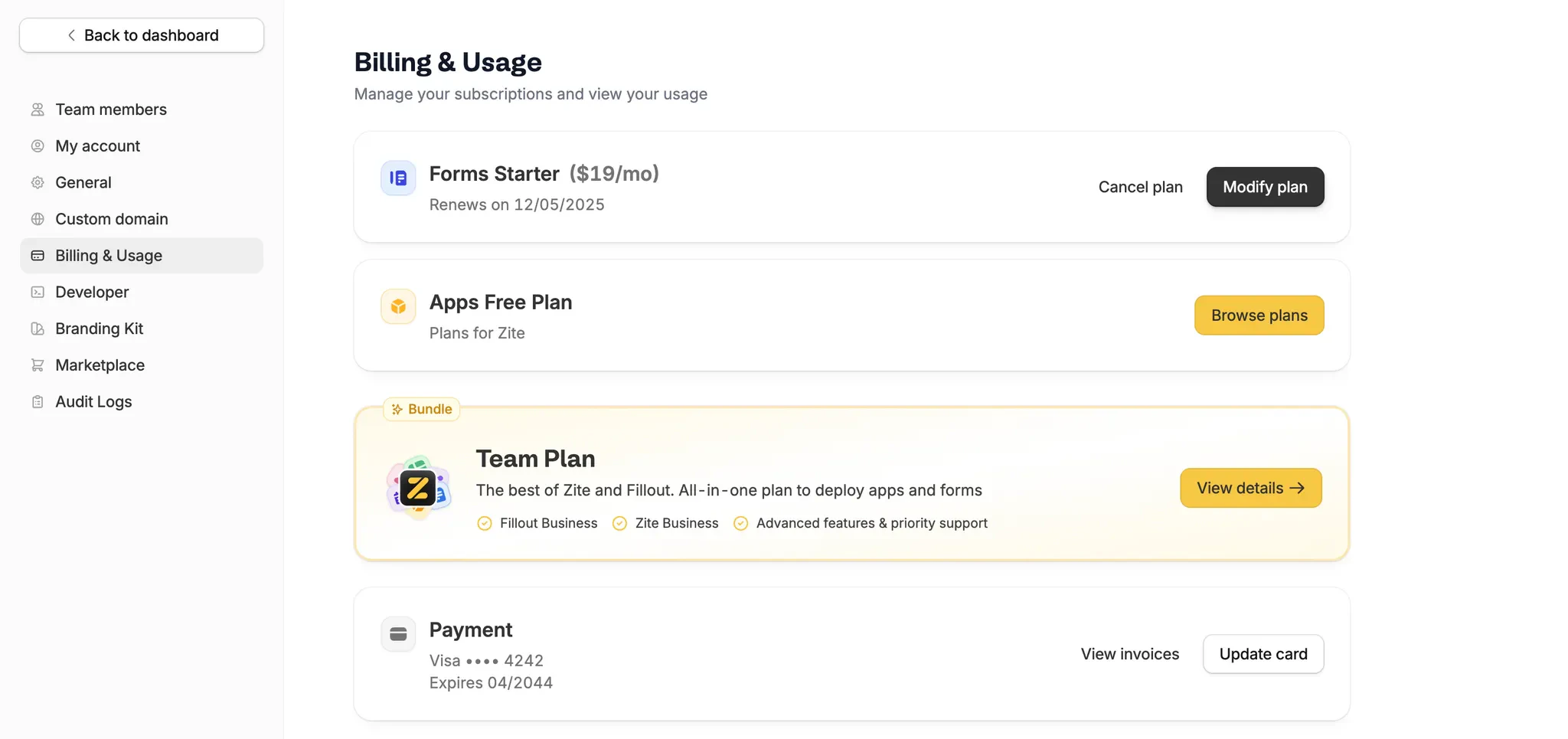 ## What's next
All plans (including Free) get more powerful later this month with a major upcoming launch.
**Questions or feedback?** Email [support@fillout.com](mailto:support@fillout.com) - we're here to help.
## What's next
All plans (including Free) get more powerful later this month with a major upcoming launch.
**Questions or feedback?** Email [support@fillout.com](mailto:support@fillout.com) - we're here to help.
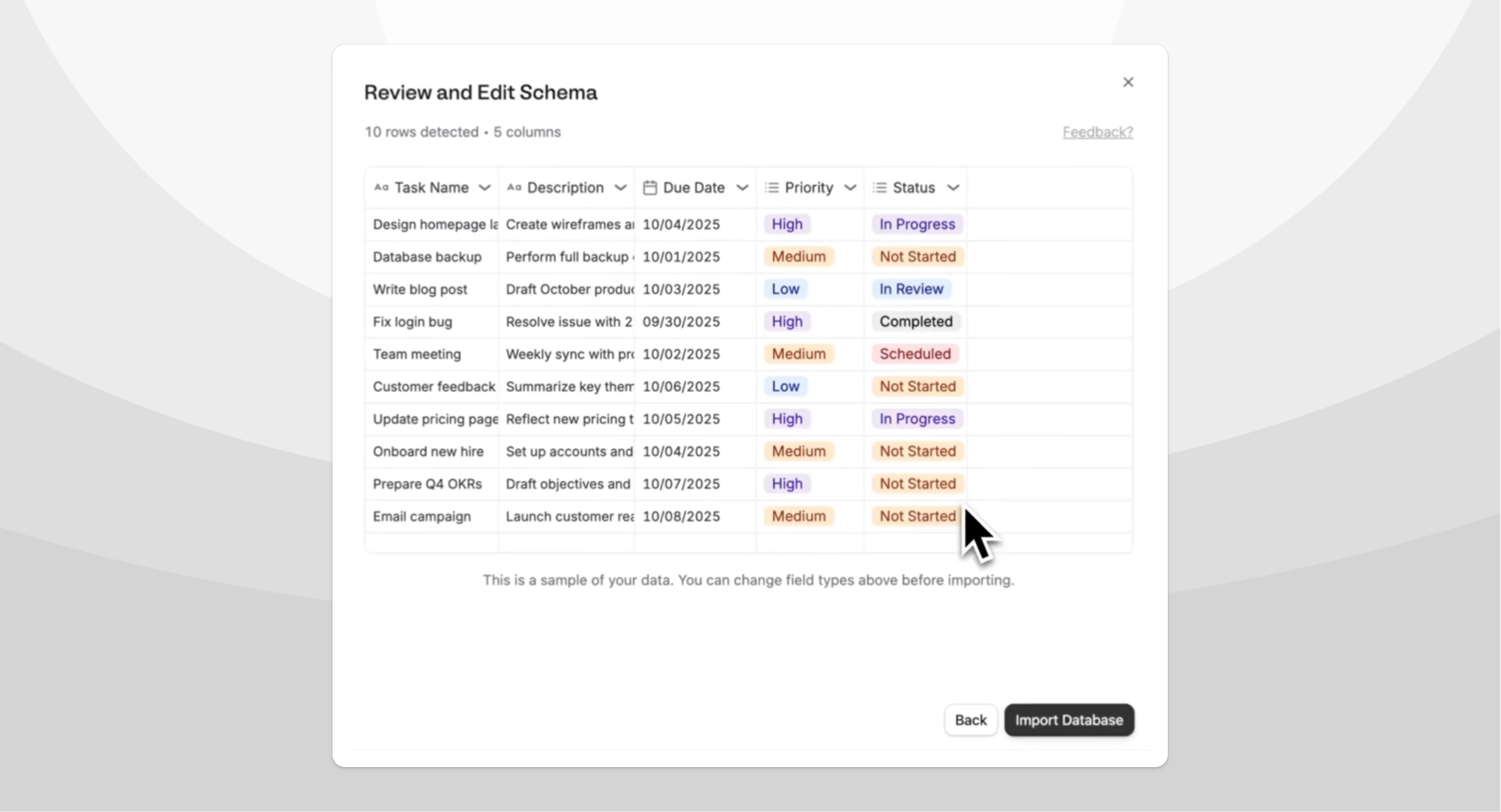 #### 🔍 Database inspection tool
Zite can request to inspect actual data from connected databases to improve app generations.
#### 🔍 Database inspection tool
Zite can request to inspect actual data from connected databases to improve app generations.
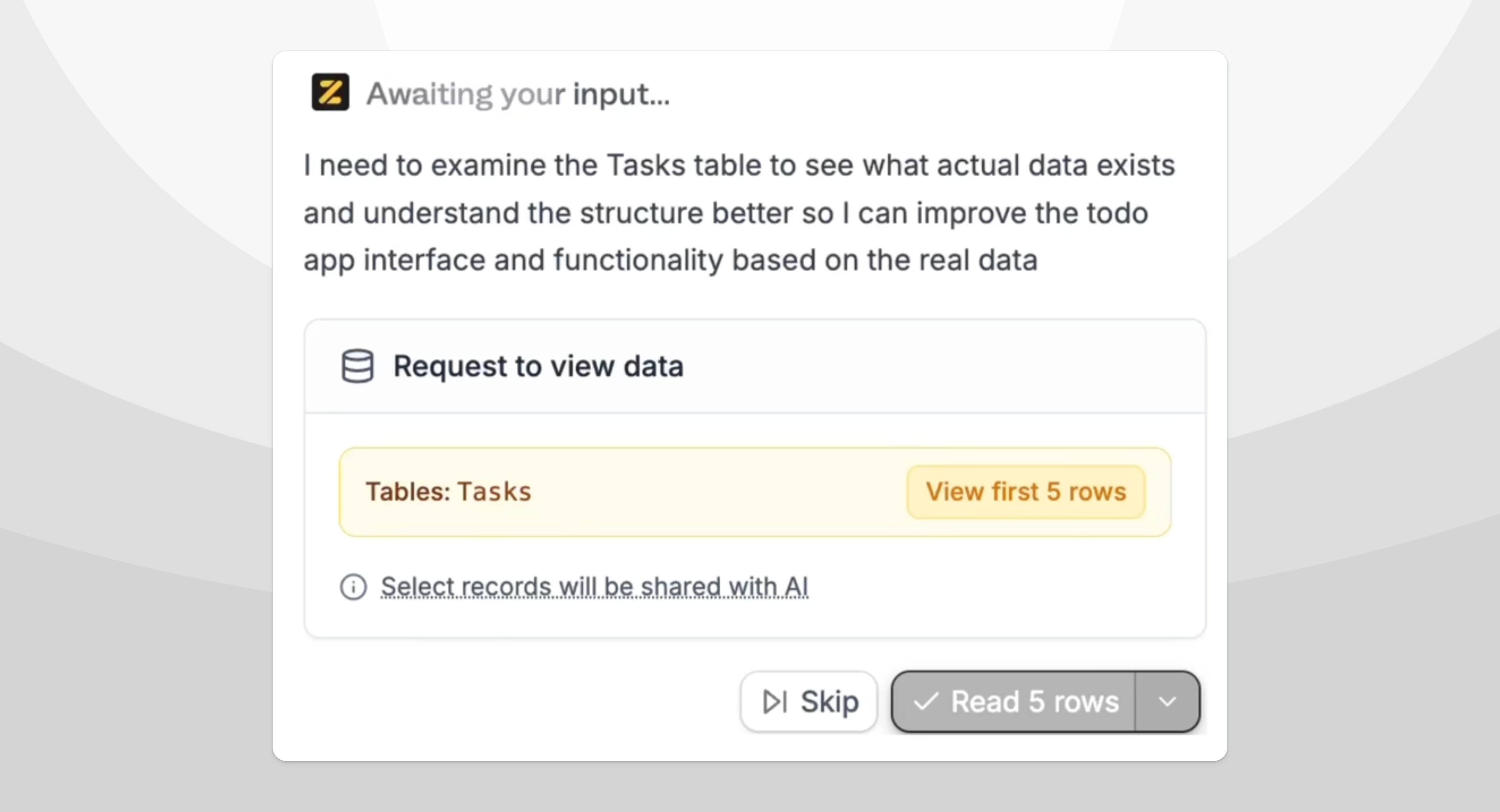
 #### 📈 Prompt caching
Cuts token costs and speeds up AI responses for faster development.
#### 💬 Automatic summaries
Keeps long chats within context limits.
#### 🐛 Faster editor for large apps
Chat pagination improves performance when working with large applications.
#### 🎨 Fixed style changes
Resolved issue where Zite wouldn't respect CSS and styling updates.
#### 🔧 Smarter automatic issue fixer
Better detection and resolution of common coding problems.
#### ✏️ Edit cancelled messages
Modify and resend messages before they're processed.
#### ❌ Better chat abortion
Improved behavior when stopping AI responses mid-generation.
#### 🔄 Abort "human-in-the-loop" messages
Cancel pending human approval requests when needed.
#### 🔘 Fixed button generations
Resolved issues with hard-to-read text on hover states.
#### 📈 Prompt caching
Cuts token costs and speeds up AI responses for faster development.
#### 💬 Automatic summaries
Keeps long chats within context limits.
#### 🐛 Faster editor for large apps
Chat pagination improves performance when working with large applications.
#### 🎨 Fixed style changes
Resolved issue where Zite wouldn't respect CSS and styling updates.
#### 🔧 Smarter automatic issue fixer
Better detection and resolution of common coding problems.
#### ✏️ Edit cancelled messages
Modify and resend messages before they're processed.
#### ❌ Better chat abortion
Improved behavior when stopping AI responses mid-generation.
#### 🔄 Abort "human-in-the-loop" messages
Cancel pending human approval requests when needed.
#### 🔘 Fixed button generations
Resolved issues with hard-to-read text on hover states.
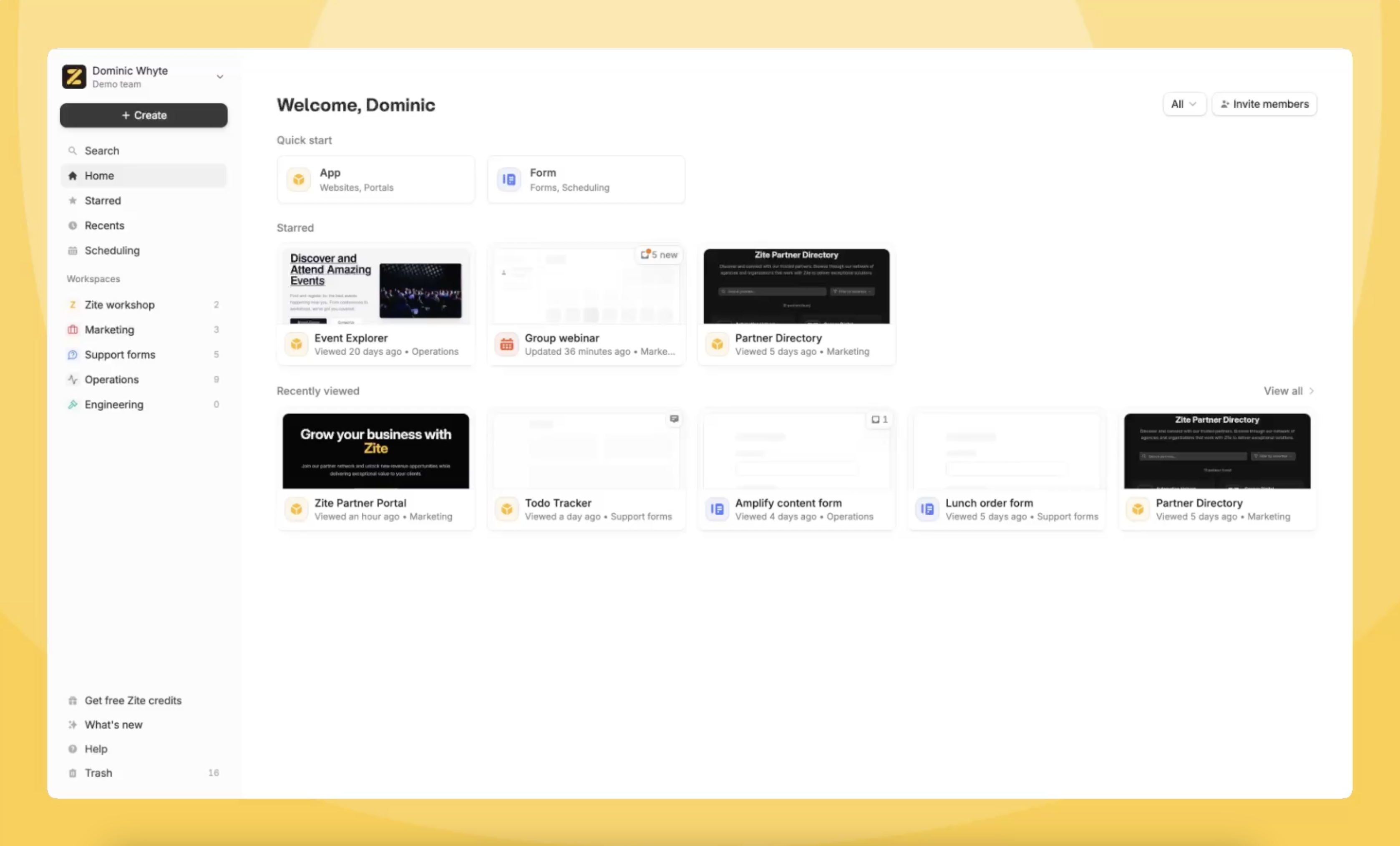 #### 🔗 n8n integration
Fillout now integrates natively with n8n, the powerful workflow automation platform. [Try it here](https://n8n.io/integrations/fillout-trigger/).
#### 🔗 n8n integration
Fillout now integrates natively with n8n, the powerful workflow automation platform. [Try it here](https://n8n.io/integrations/fillout-trigger/).
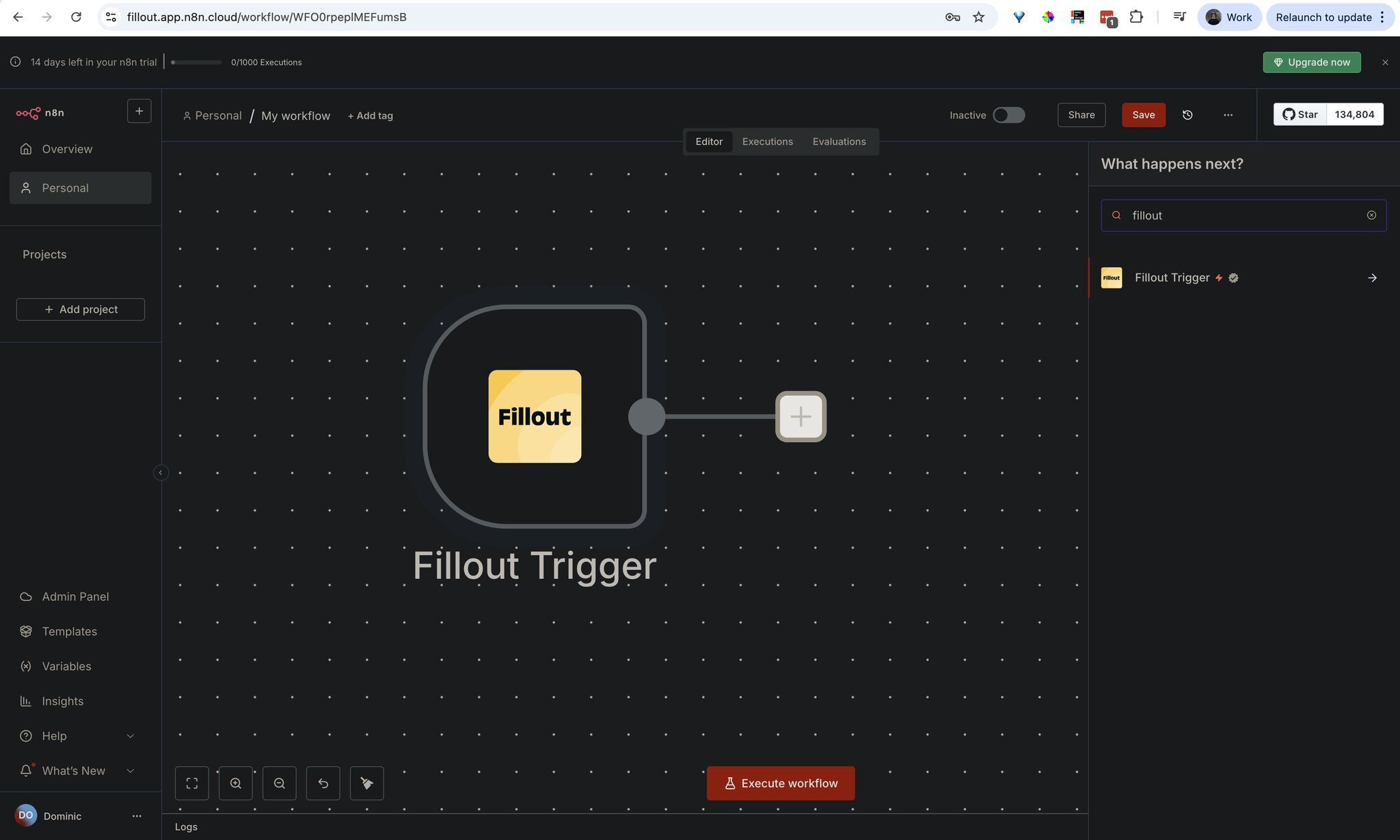
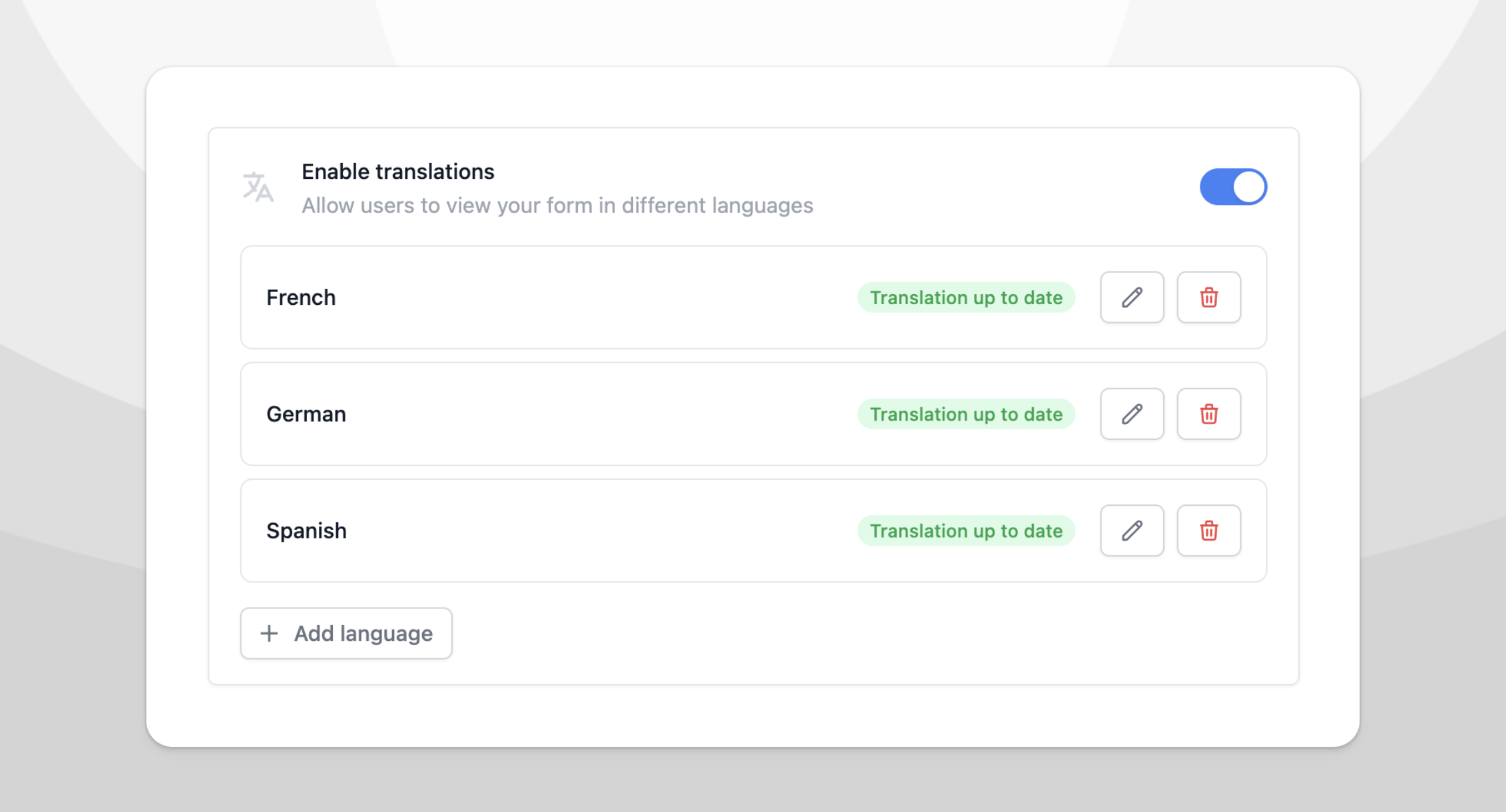 #### ➡️ Move fields to page
Click the triple dot field settings to move a field to another page.
#### ⚡ Bulk approvals
Bulk approve or reject submissions from the results page with Fillout workflows.
#### ➡️ Move fields to page
Click the triple dot field settings to move a field to another page.
#### ⚡ Bulk approvals
Bulk approve or reject submissions from the results page with Fillout workflows.
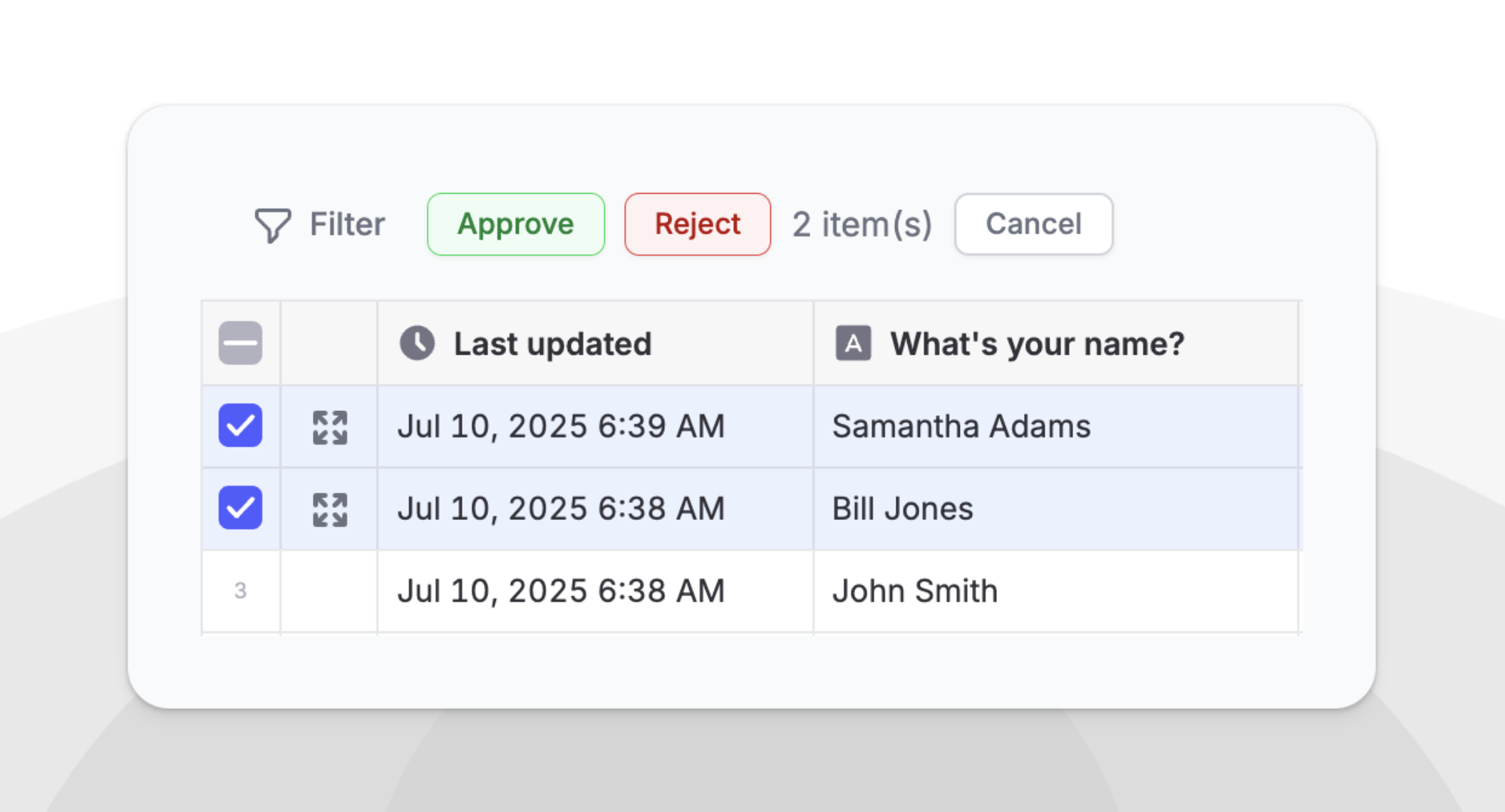 #### 🛠️ New help center
"Ask AI" to find what you need in our new help center.
#### 📂 Customize workspaces
Add an icon to customize the appearance of your workspaces.
#### 🛠️ New help center
"Ask AI" to find what you need in our new help center.
#### 📂 Customize workspaces
Add an icon to customize the appearance of your workspaces.
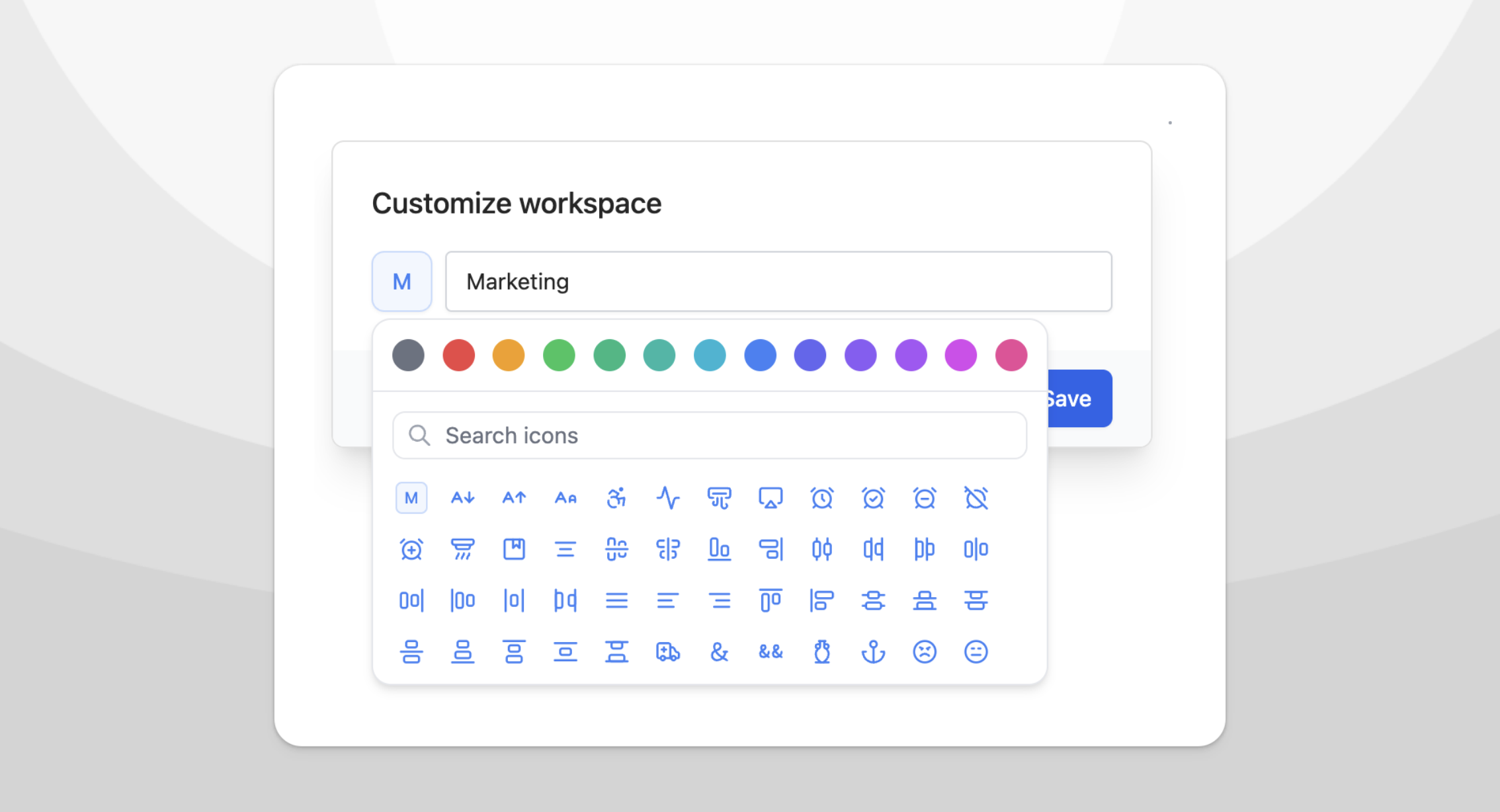 #### 🏗️ Bulk field operations
Drag to select multiple fields. Set logic, copy/paste & mark all as required in bulk.
#### 🏗️ Bulk field operations
Drag to select multiple fields. Set logic, copy/paste & mark all as required in bulk.
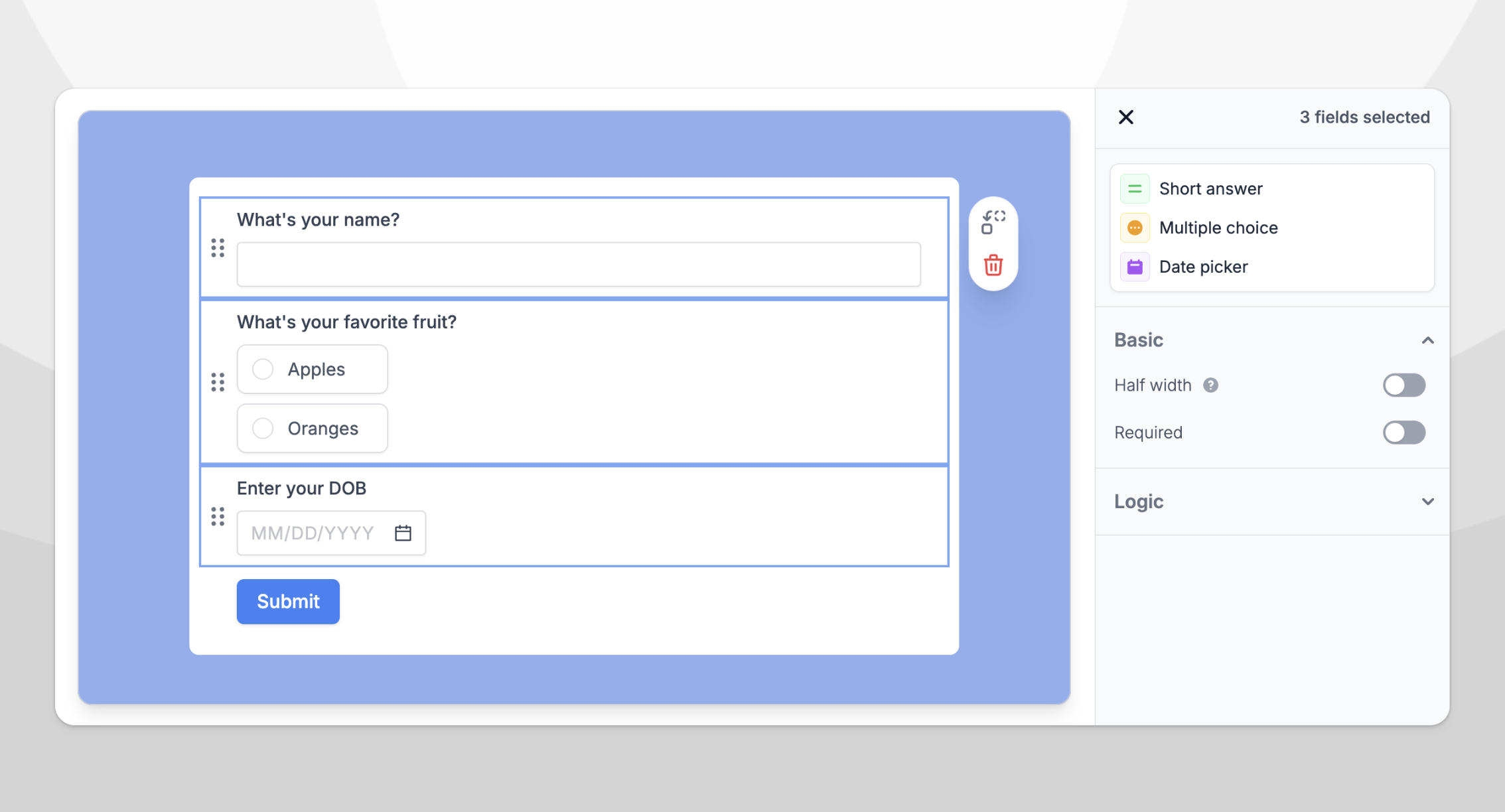 #### 🛠️ Fixes and improvements
* Added the ability to login and create accounts with Microsoft.
* Sort or filter by custom columns on the results page.
* Import forms from Survey Monkey with an automated importer.
* Fillout now shows your last used login method.
#### 🛠️ Fixes and improvements
* Added the ability to login and create accounts with Microsoft.
* Sort or filter by custom columns on the results page.
* Import forms from Survey Monkey with an automated importer.
* Fillout now shows your last used login method.
 #### 📅 Jump to available scheduling slots
Prospects see the first month with availability right away to increase conversion rates.
#### ⚡ Faster scheduling (with caching)
Scheduling links load up to 12.5x faster. The biggest improvement is for links with multiple attendees (e.g. round robin meetings).
#### 📅 Jump to available scheduling slots
Prospects see the first month with availability right away to increase conversion rates.
#### ⚡ Faster scheduling (with caching)
Scheduling links load up to 12.5x faster. The biggest improvement is for links with multiple attendees (e.g. round robin meetings).
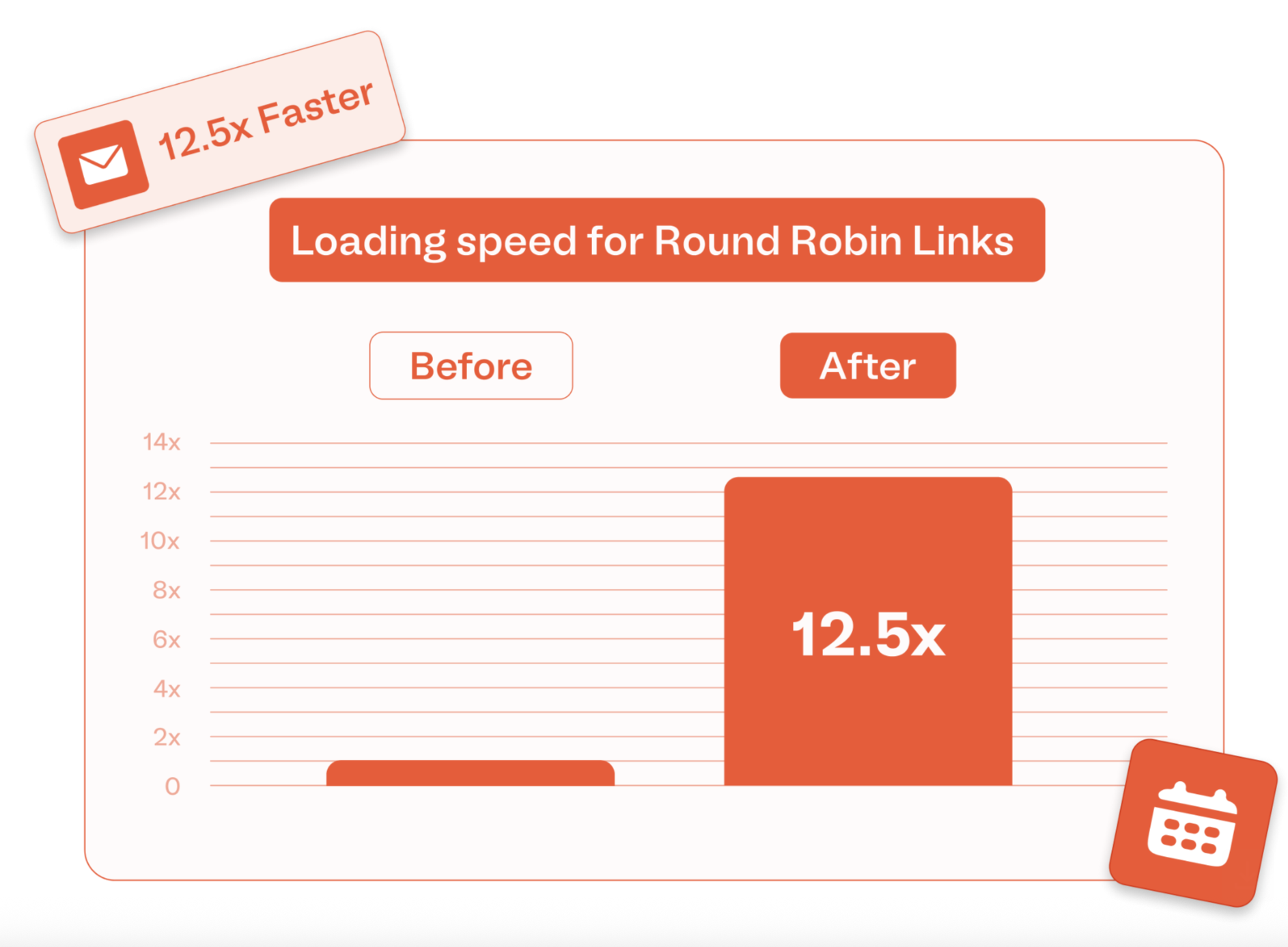 #### ⚠️ Re-run unsuccessful integrations in one click
3rd-party integrations can fail if the app disconnects or connected fields are deleted. Now, you can re-run failed submissions from the results page.
#### 🔗 Social media links
Link to your team's social media channels with this new field type.
#### ⚠️ Re-run unsuccessful integrations in one click
3rd-party integrations can fail if the app disconnects or connected fields are deleted. Now, you can re-run failed submissions from the results page.
#### 🔗 Social media links
Link to your team's social media channels with this new field type.
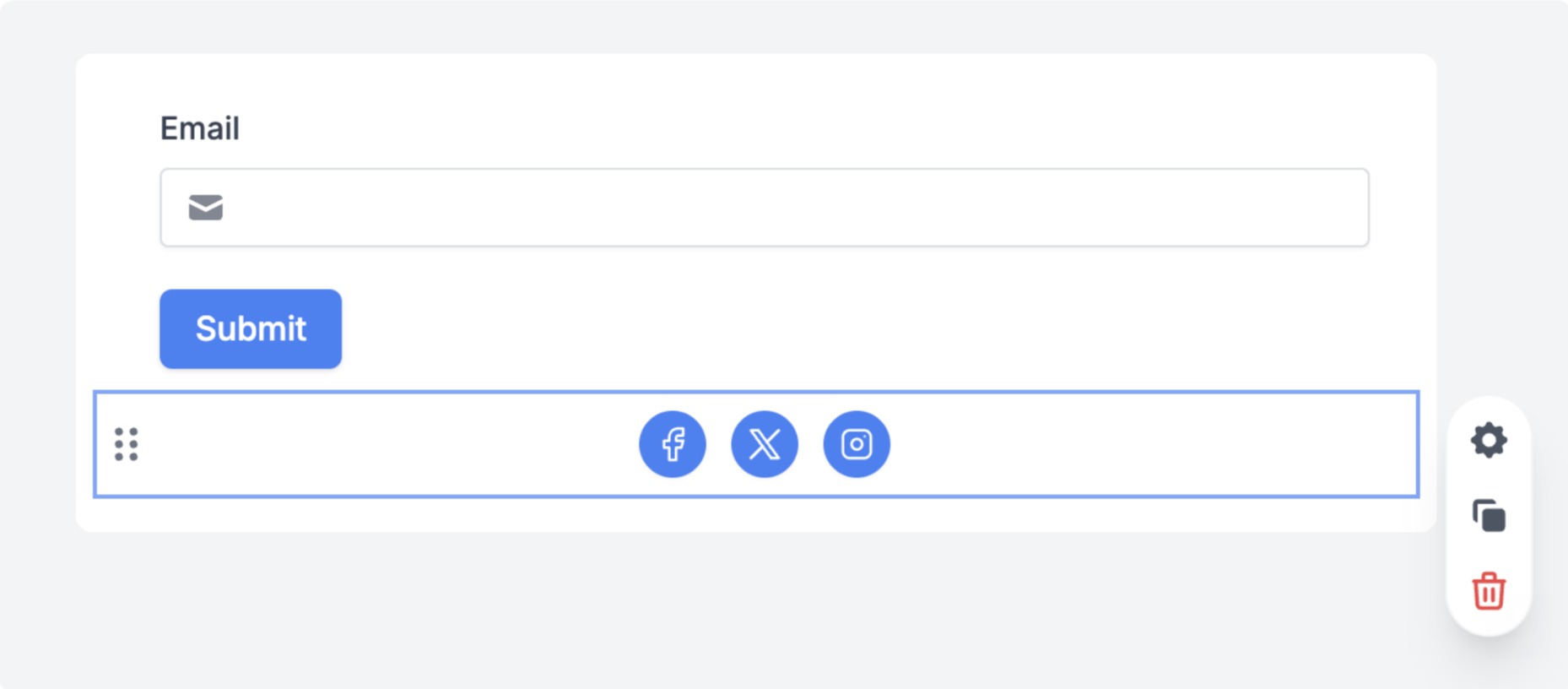 #### 📝 Change meeting host
Easily change who takes a meeting for one-on-one, group and collective events.
#### 🛠️ Restore form version
Undo changes in bulk with version history.
#### 📝 Change meeting host
Easily change who takes a meeting for one-on-one, group and collective events.
#### 🛠️ Restore form version
Undo changes in bulk with version history.
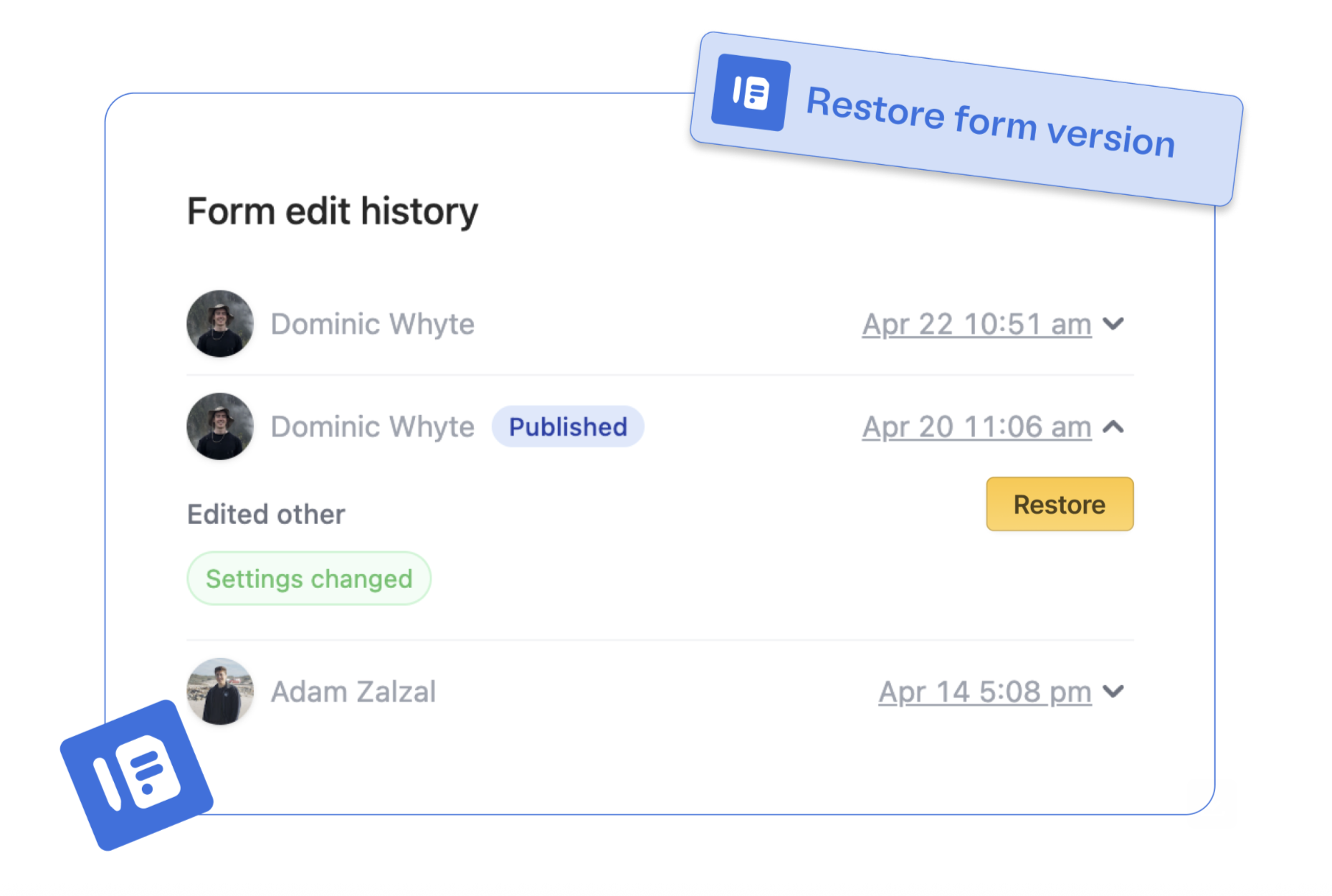 #### 📆 Connect multiple calendars
Sync availability across different calendars with Fillout Scheduling.
#### 📆 Connect multiple calendars
Sync availability across different calendars with Fillout Scheduling.
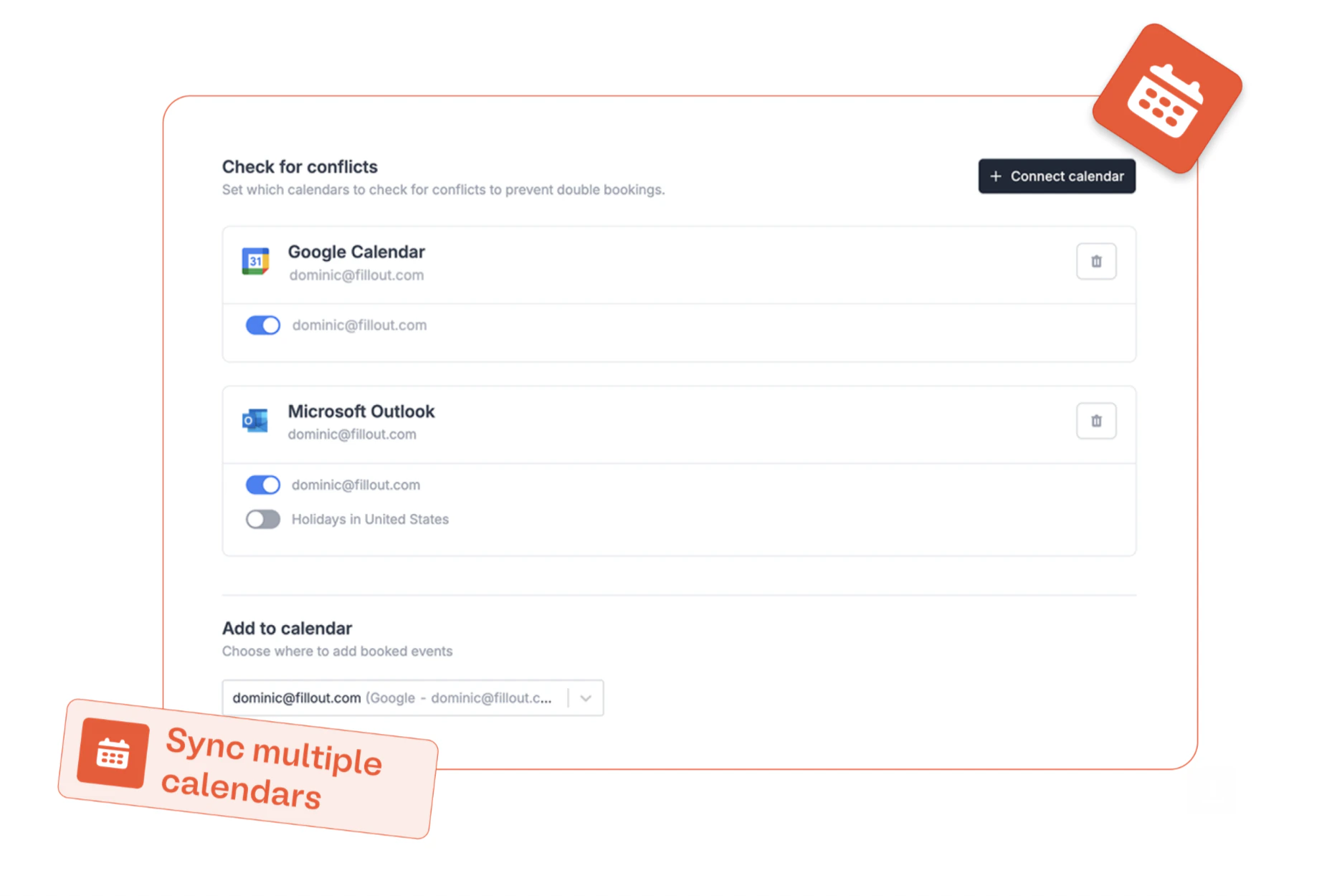 #### 🤖 In case you missed it: Zite
Last week we introduced Fillout's newest product, [Zite](https://www.zite.com). Zite lets you build full web applications with no-code.
We're making Zite available to \~500/people per week, starting with existing Fillout users (you!).
#### 🛠️ Fixes and improvements
* Added ability to reconnect calendar if disconnected from Fillout Scheduling.
* Customize login page text when "1 submission only" setting is enabled.
* Pressing "clear" on the table field shows a warning first to prevent clearing rows accidentally.
* Added option to reference the scheduling host name in logic.
* Improved round robin behavior when there are invalid hosts, such as if someone disconnects their calendar.
* Added ability to view conversion kit enrichment credits on usage page.
* For Fillout Approvals, added the approved state name to the Fillout REST API.
* Improved embedding behavior with subforms.
* Improved the ClickUp integration for large accounts.
#### 🤖 In case you missed it: Zite
Last week we introduced Fillout's newest product, [Zite](https://www.zite.com). Zite lets you build full web applications with no-code.
We're making Zite available to \~500/people per week, starting with existing Fillout users (you!).
#### 🛠️ Fixes and improvements
* Added ability to reconnect calendar if disconnected from Fillout Scheduling.
* Customize login page text when "1 submission only" setting is enabled.
* Pressing "clear" on the table field shows a warning first to prevent clearing rows accidentally.
* Added option to reference the scheduling host name in logic.
* Improved round robin behavior when there are invalid hosts, such as if someone disconnects their calendar.
* Added ability to view conversion kit enrichment credits on usage page.
* For Fillout Approvals, added the approved state name to the Fillout REST API.
* Improved embedding behavior with subforms.
* Improved the ClickUp integration for large accounts.
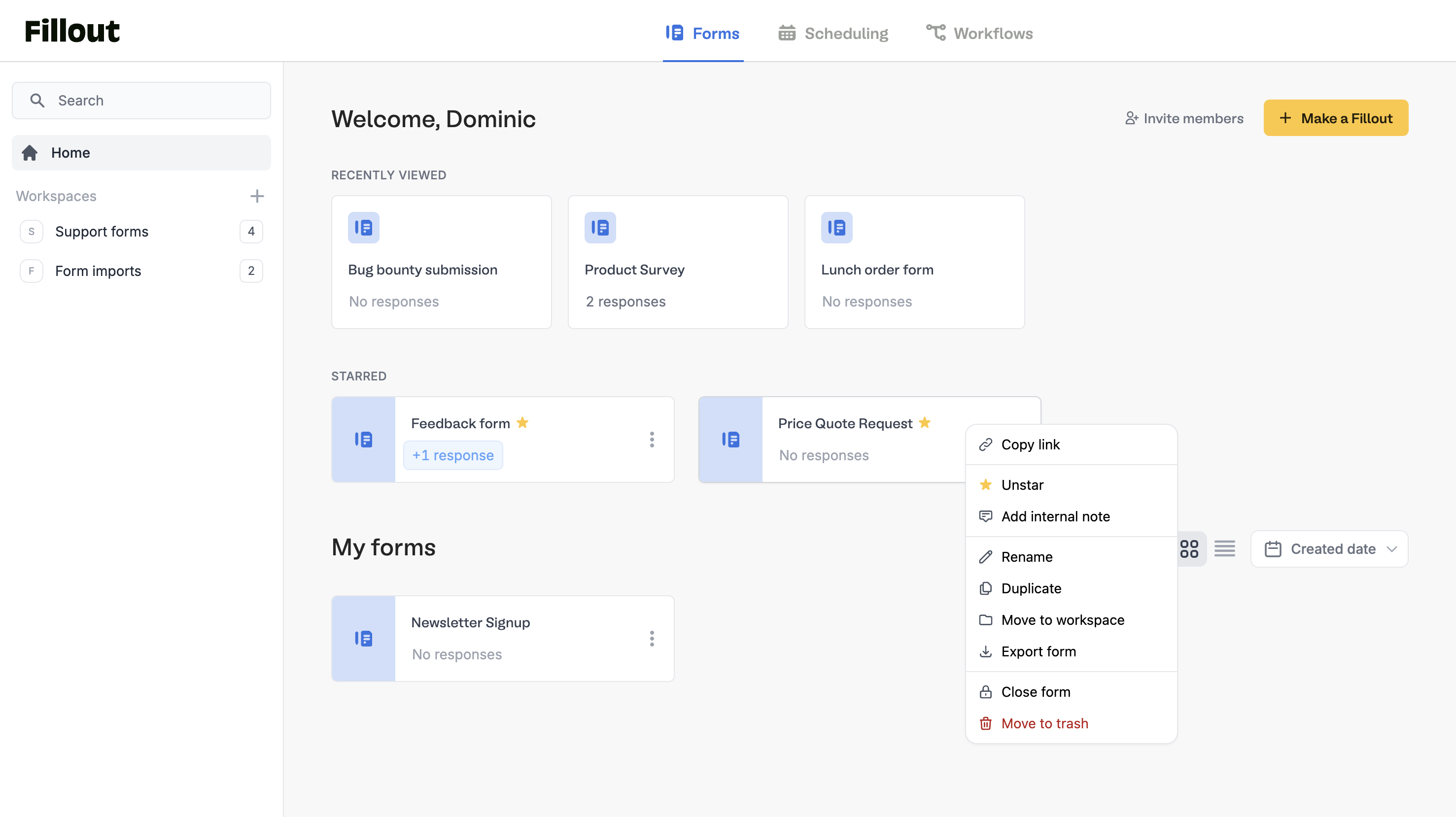 #### 🏠 fillout.com redirects to home page
Get to the home page dashboard faster when you're already logged in.
#### 🗑️ Move to "Trash"
Move forms to trash before deleting them. Permanently delete or restore a form in one click.
#### 🏠 fillout.com redirects to home page
Get to the home page dashboard faster when you're already logged in.
#### 🗑️ Move to "Trash"
Move forms to trash before deleting them. Permanently delete or restore a form in one click.
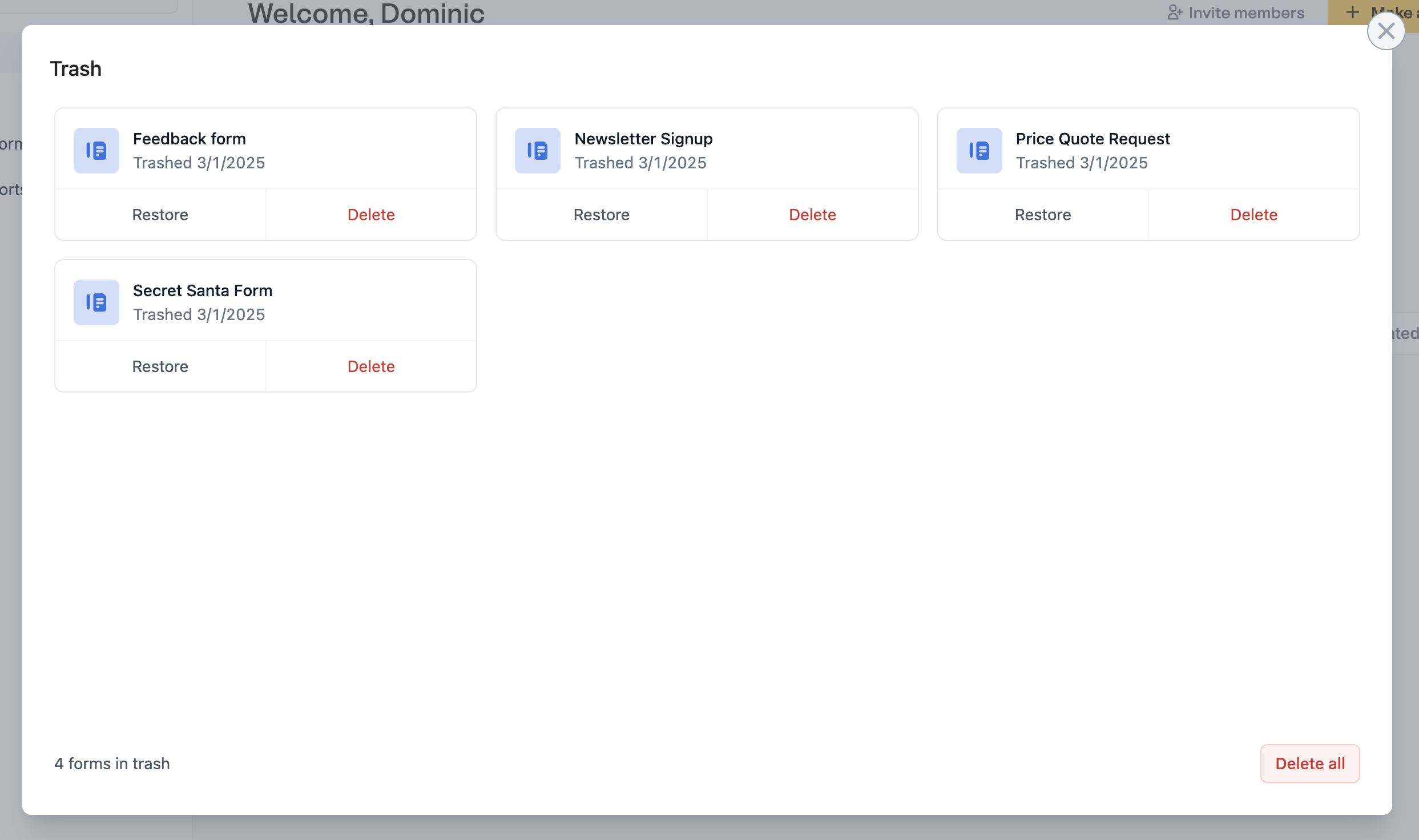 #### 🔒 Bulk close or delete forms
Select multiple forms to open, close or delete.
#### 🌎 Change form submission region in settings (Enterprise)
Set your deployment region for form submission hosting and processing. Existing submissions are automatically migrated to your new region.
#### 🔒 Bulk close or delete forms
Select multiple forms to open, close or delete.
#### 🌎 Change form submission region in settings (Enterprise)
Set your deployment region for form submission hosting and processing. Existing submissions are automatically migrated to your new region.
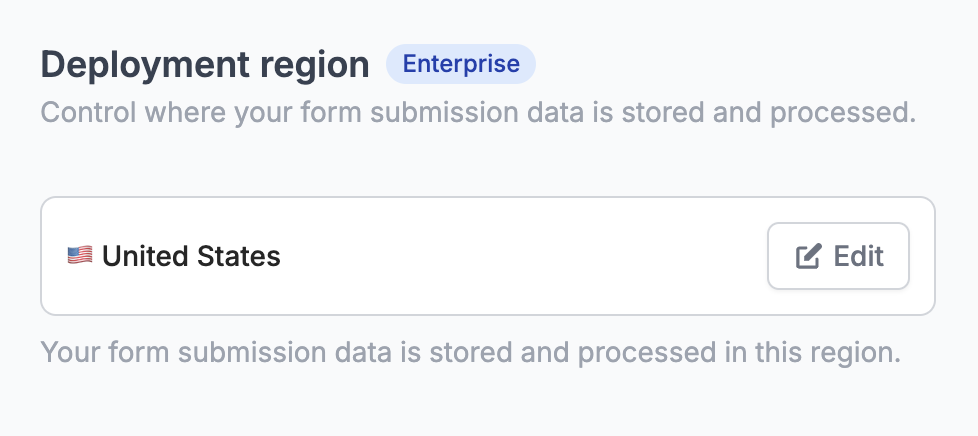 #### 🖊️ Multiple custom font files
Upload multiple files to better support bold, italic and other versions of your custom fonts.
#### 🛠️ ClickUp integration
Fillout now integrates natively with [ClickUp](https://www.fillout.com/help/clickup).
#### 🖊️ Multiple custom font files
Upload multiple files to better support bold, italic and other versions of your custom fonts.
#### 🛠️ ClickUp integration
Fillout now integrates natively with [ClickUp](https://www.fillout.com/help/clickup).
 #### 📝 Add a note to a form
Add a note to any form or scheduler from the home page dashboard. Notes are only visible to collaborators in your organization.
#### 🔗 Collaborator invite link
Share a secure invite link to easily add your team to Fillout. Optionally share invite links to only a specific workspace.
#### 📝 Add a note to a form
Add a note to any form or scheduler from the home page dashboard. Notes are only visible to collaborators in your organization.
#### 🔗 Collaborator invite link
Share a secure invite link to easily add your team to Fillout. Optionally share invite links to only a specific workspace.
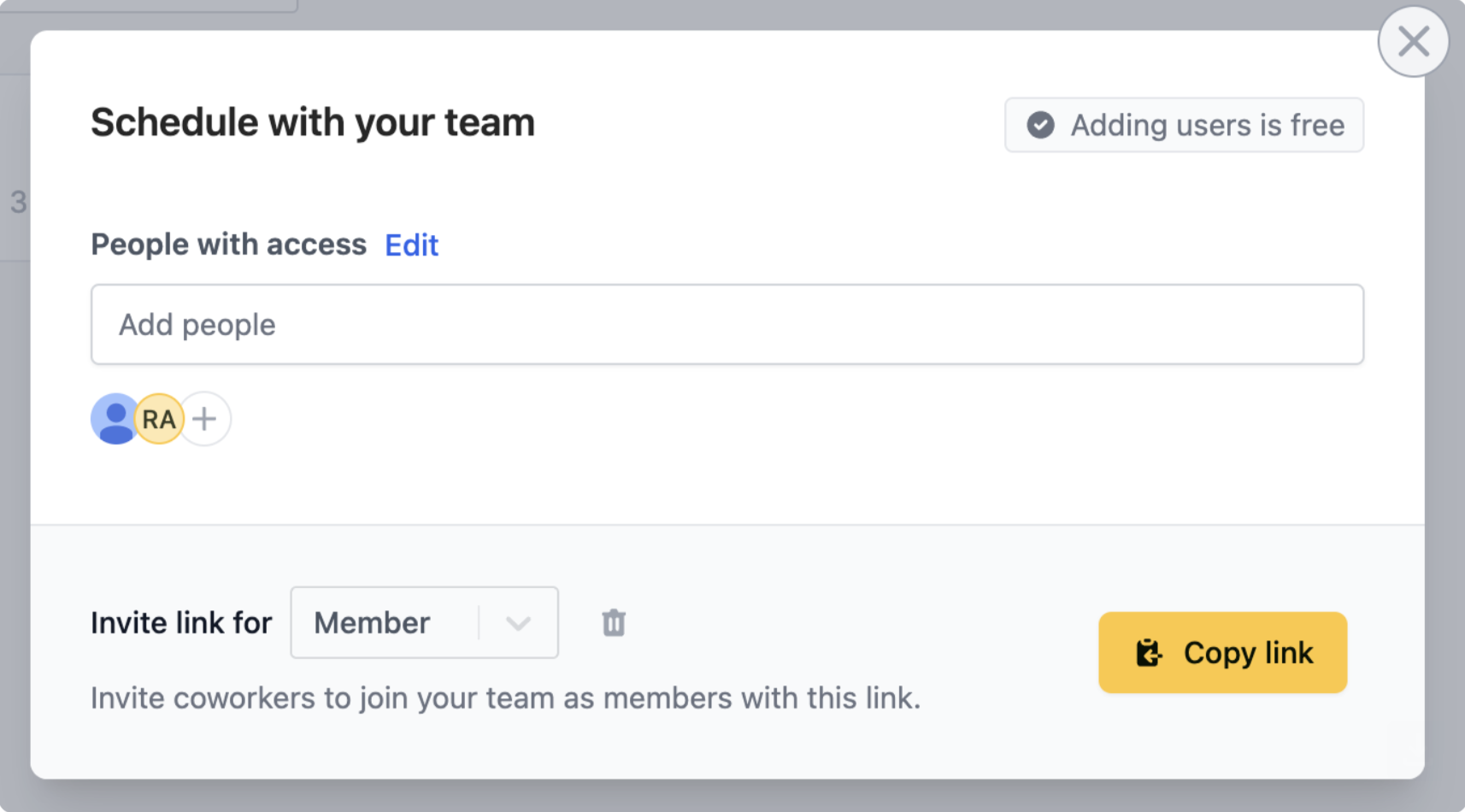 #### 🤖 TypeScript API SDK
Use the new [Typescript SDK](https://www.npmjs.com/package/@fillout/api) to interact with the Fillout API. Fetch submissions, forms and more with nicely typed functions.
That's all for now! Stay tuned for some big updates later this month 👀
#### 🤖 TypeScript API SDK
Use the new [Typescript SDK](https://www.npmjs.com/package/@fillout/api) to interact with the Fillout API. Fetch submissions, forms and more with nicely typed functions.
That's all for now! Stay tuned for some big updates later this month 👀
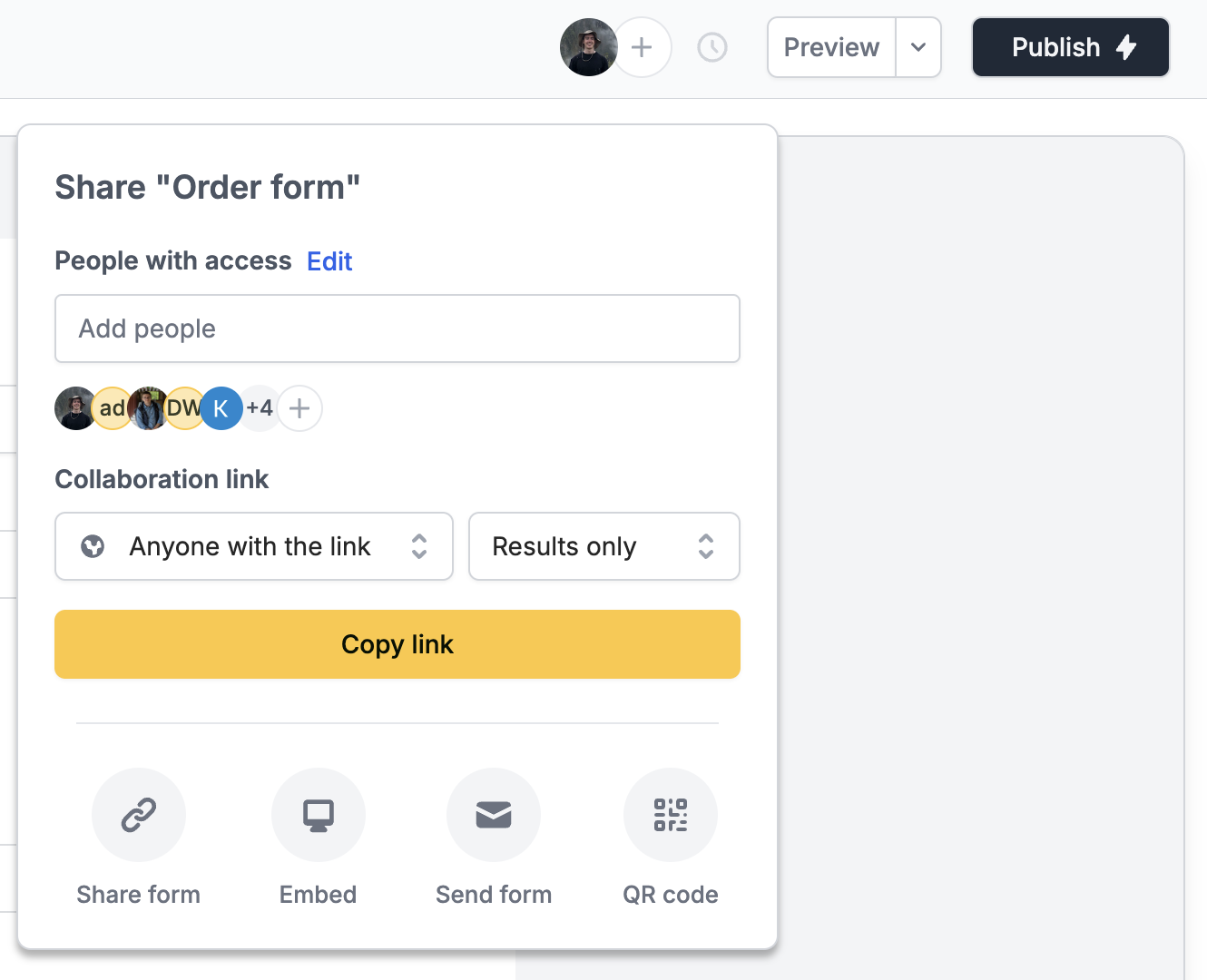 #### 📝 Dynamically name generated PDF documents
Based on form fields or any information in your forms.
#### 📋 Table field
Collect multiple rows of data with the new [table field](https://www.fillout.com/help/table). Let respondents specify how many items they want to add.
#### 📝 Dynamically name generated PDF documents
Based on form fields or any information in your forms.
#### 📋 Table field
Collect multiple rows of data with the new [table field](https://www.fillout.com/help/table). Let respondents specify how many items they want to add.
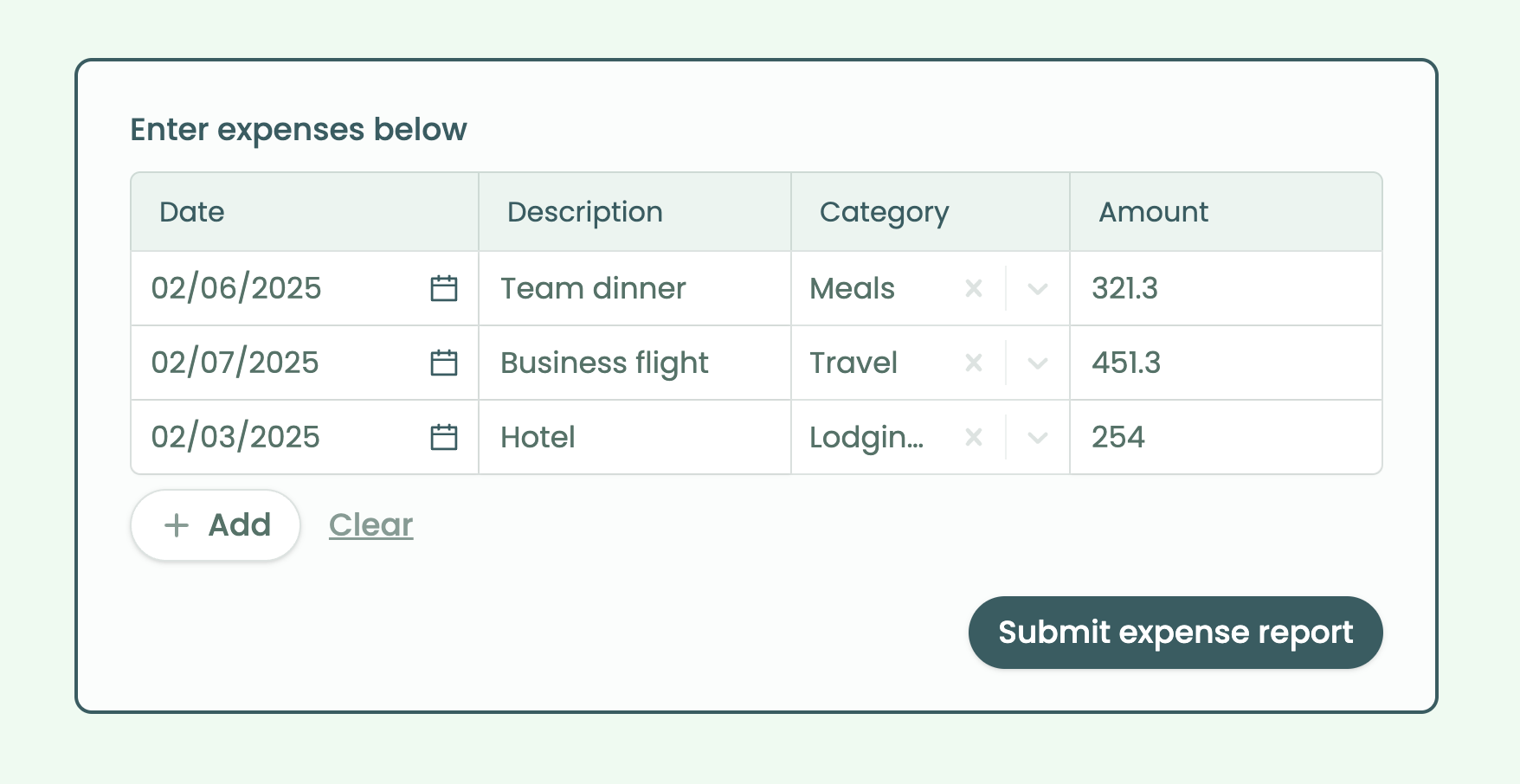 **Note:** The table field can be connected to webhooks, Zapier and Make (native integrations coming soon!).
#### 🧰 Delete submissions via API
Delete form responses with the new [REST API endpoint](https://www.fillout.com/help/fillout-rest-api#561f294d7c17464e9b53fa1ca78c9ecf).
#### 🚀 Edit history
Views changes made to your forms and scheduling links.
Plus, see who connected which 3rd party apps in admin settings.
**Note:** The table field can be connected to webhooks, Zapier and Make (native integrations coming soon!).
#### 🧰 Delete submissions via API
Delete form responses with the new [REST API endpoint](https://www.fillout.com/help/fillout-rest-api#561f294d7c17464e9b53fa1ca78c9ecf).
#### 🚀 Edit history
Views changes made to your forms and scheduling links.
Plus, see who connected which 3rd party apps in admin settings.
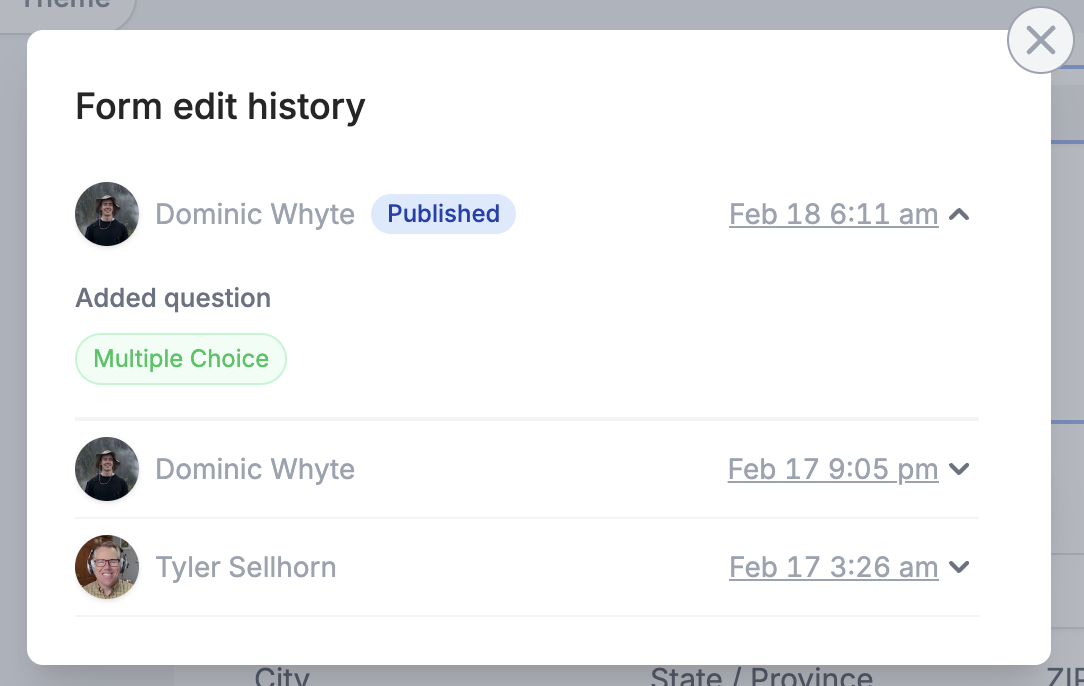 #### 👀 Conditionally render PDF fields
Add [fields to a PDF](https://www.fillout.com/help/pdfs) only if they meet a certain condition.
#### 🖼️ Organization asset gallery
Easily reuse images across your forms, like logos or media assets.
#### 👀 Conditionally render PDF fields
Add [fields to a PDF](https://www.fillout.com/help/pdfs) only if they meet a certain condition.
#### 🖼️ Organization asset gallery
Easily reuse images across your forms, like logos or media assets.
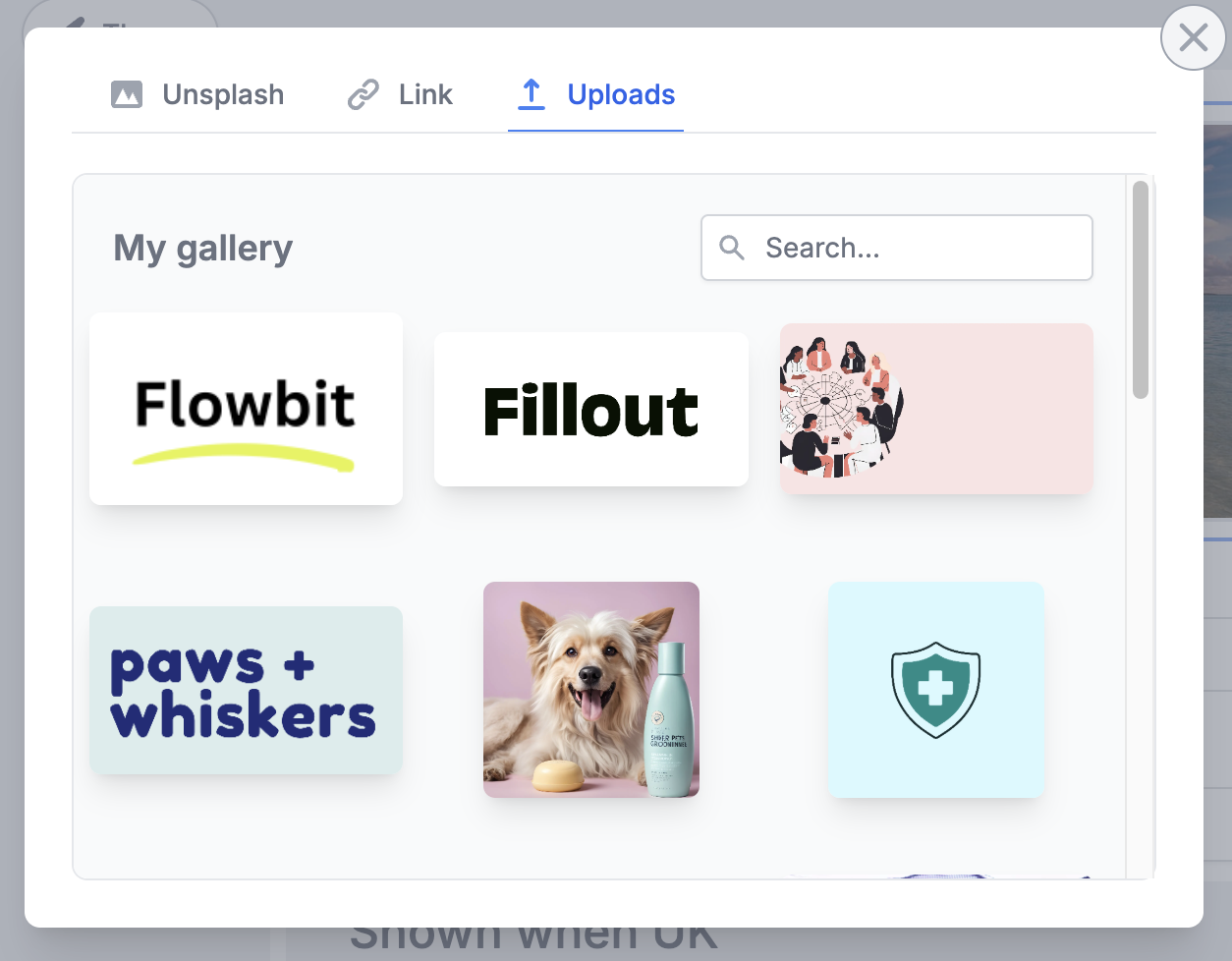 #### 🛠️ Fixes and improvements
* Duplicating and exporting forms includes any attached workflows.
* Currencies are now formatted in generated PDFs.
* Fixed an issue where voice recordings were not included in CSV exports.
* Added support for easily showing the Stripe payment receipt on ending pages.
* Many, many minor fixes and improvements.
#### 🛠️ Fixes and improvements
* Duplicating and exporting forms includes any attached workflows.
* Currencies are now formatted in generated PDFs.
* Fixed an issue where voice recordings were not included in CSV exports.
* Added support for easily showing the Stripe payment receipt on ending pages.
* Many, many minor fixes and improvements.
.png?fit=max&auto=format&n=iguXXMxNAqjCcaY0&q=85&s=91a858109dea90b28c18a66091187043) #### 👩💻 Microsoft Teams integration
Book meetings with Microsoft Teams, instead of Zoom or Google Meet. Outlook calendar syncing is coming soon!
#### ⛔️ Limit max events per day
Set the maximum number of meetings you would like to take each day to prevent overbooking.
#### 🎟️ Group meetings
Book meetings with [one host and many invitees](https://www.fillout.com/help/group-meeting). Best for webinars, courses and group events.
#### 👩💻 Microsoft Teams integration
Book meetings with Microsoft Teams, instead of Zoom or Google Meet. Outlook calendar syncing is coming soon!
#### ⛔️ Limit max events per day
Set the maximum number of meetings you would like to take each day to prevent overbooking.
#### 🎟️ Group meetings
Book meetings with [one host and many invitees](https://www.fillout.com/help/group-meeting). Best for webinars, courses and group events.
.png?fit=max&auto=format&n=iguXXMxNAqjCcaY0&q=85&s=4b2a171b02036781e986575c57d290ec) #### ☎️ SMS meeting reminders
Send automated meeting reminders via SMS with Fillout Workflows + Twilio.
#### 📆 Add multiple availabilities
Define different availability hours for different events.
#### ☎️ SMS meeting reminders
Send automated meeting reminders via SMS with Fillout Workflows + Twilio.
#### 📆 Add multiple availabilities
Define different availability hours for different events.
.png?fit=max&auto=format&n=iguXXMxNAqjCcaY0&q=85&s=b41d1020b1e7fa58eeb0539674f67c7e) #### 🤖 Automate scheduling with Make
The Make, Relay and Zapier connectors all now support Fillout Scheduling.
#### ⏰ 1-click timezone change
Quickly change your availability timezones when you're on the move.
#### 🤖 Automate scheduling with Make
The Make, Relay and Zapier connectors all now support Fillout Scheduling.
#### ⏰ 1-click timezone change
Quickly change your availability timezones when you're on the move.
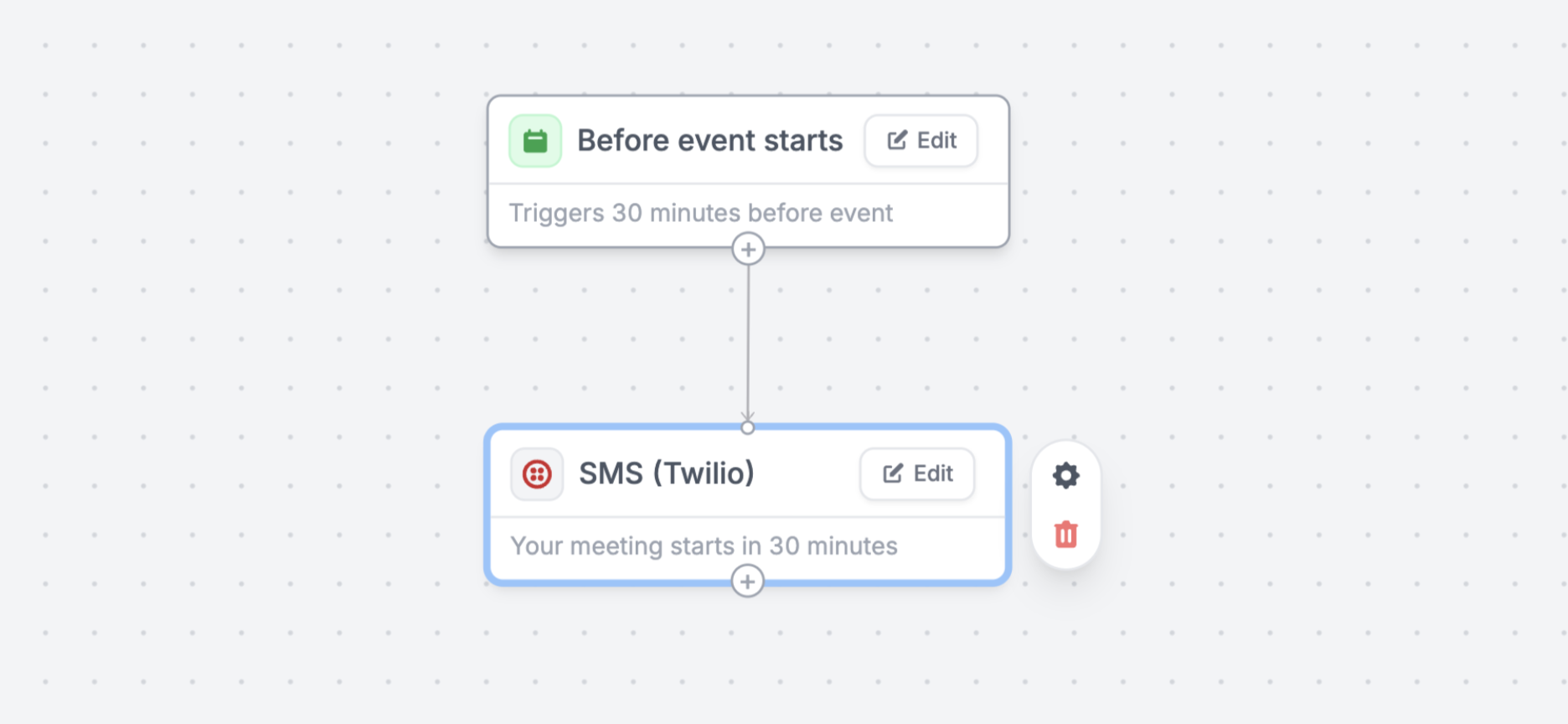 #### 📝 Edit linked Airtable / Notion / Salesforce records
Toggle "Allow editing records" on a linked record field to allow editing existing linked records with a customizable subform.
#### 🤖 Branching in workflows
Fillout workflows now support [branching](https://www.fillout.com/help/filter-branch-workflows) and conditional logic.
#### 📝 Edit linked Airtable / Notion / Salesforce records
Toggle "Allow editing records" on a linked record field to allow editing existing linked records with a customizable subform.
#### 🤖 Branching in workflows
Fillout workflows now support [branching](https://www.fillout.com/help/filter-branch-workflows) and conditional logic.
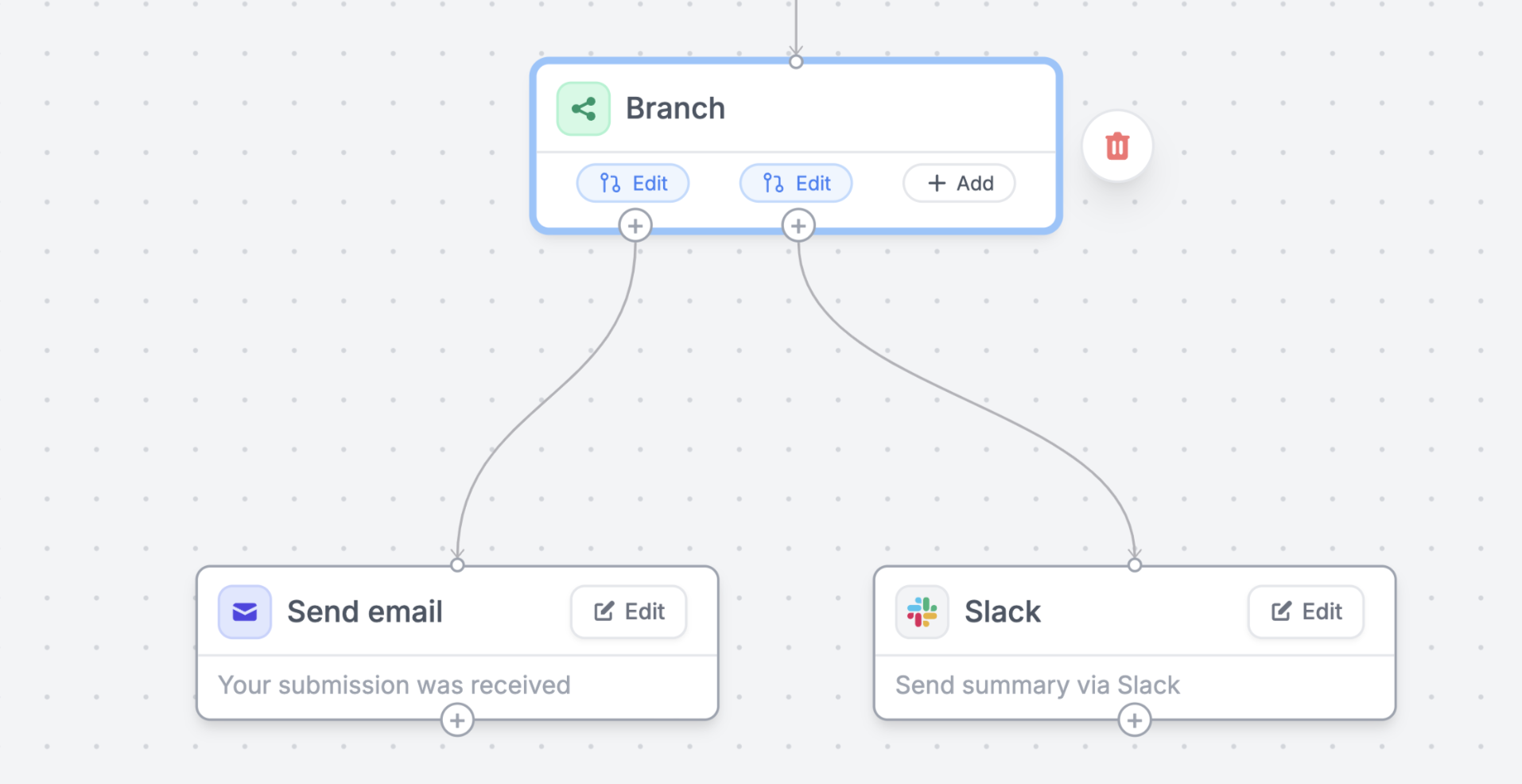 #### 🧰 Import submissions via API
Import form responses to Fillout with the new REST API endpoint.
#### 🔒 Fillout is now SOC 2 Type 2 certified
#### 🧰 Import submissions via API
Import form responses to Fillout with the new REST API endpoint.
#### 🔒 Fillout is now SOC 2 Type 2 certified
 #### 📊 Visualize matrix field responses
Get an overview of matrix field responses on the summary tab.
#### 🟢 In case you missed it: Fillout Approvals
Automate HR requests, job applications, project approvals or any human-in-the-loop workflow with [Fillout Approvals](https://www.fillout.com/workflows).
#### 📊 Visualize matrix field responses
Get an overview of matrix field responses on the summary tab.
#### 🟢 In case you missed it: Fillout Approvals
Automate HR requests, job applications, project approvals or any human-in-the-loop workflow with [Fillout Approvals](https://www.fillout.com/workflows).
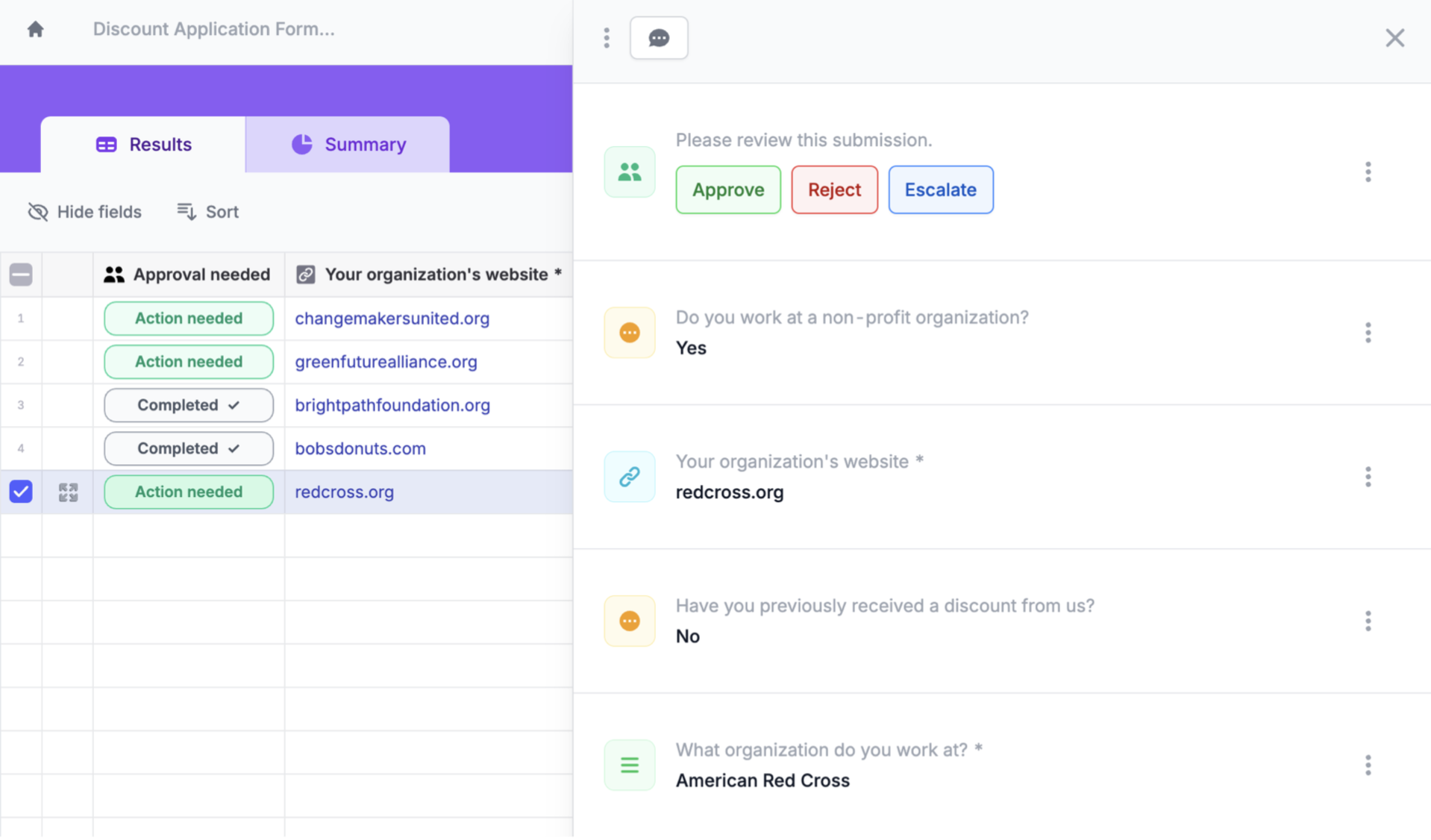 #### 🛠️ Fixes and improvements
* Improved responsiveness for the Opinion Scale field type.
* Added ability to add "alt" text for images.
* Added the option to duplicate workflows.
* Added support for accessing login form email via the Fillout API.
* Improved form search on the home dashboard.
* Improved RTL support for record picker.
* Added support for "default value" when image picker "select multiple" is enabled.
* Added support for syncing files to shared Google Drives.
#### 🛠️ Fixes and improvements
* Improved responsiveness for the Opinion Scale field type.
* Added ability to add "alt" text for images.
* Added the option to duplicate workflows.
* Added support for accessing login form email via the Fillout API.
* Improved form search on the home dashboard.
* Improved RTL support for record picker.
* Added support for "default value" when image picker "select multiple" is enabled.
* Added support for syncing files to shared Google Drives.
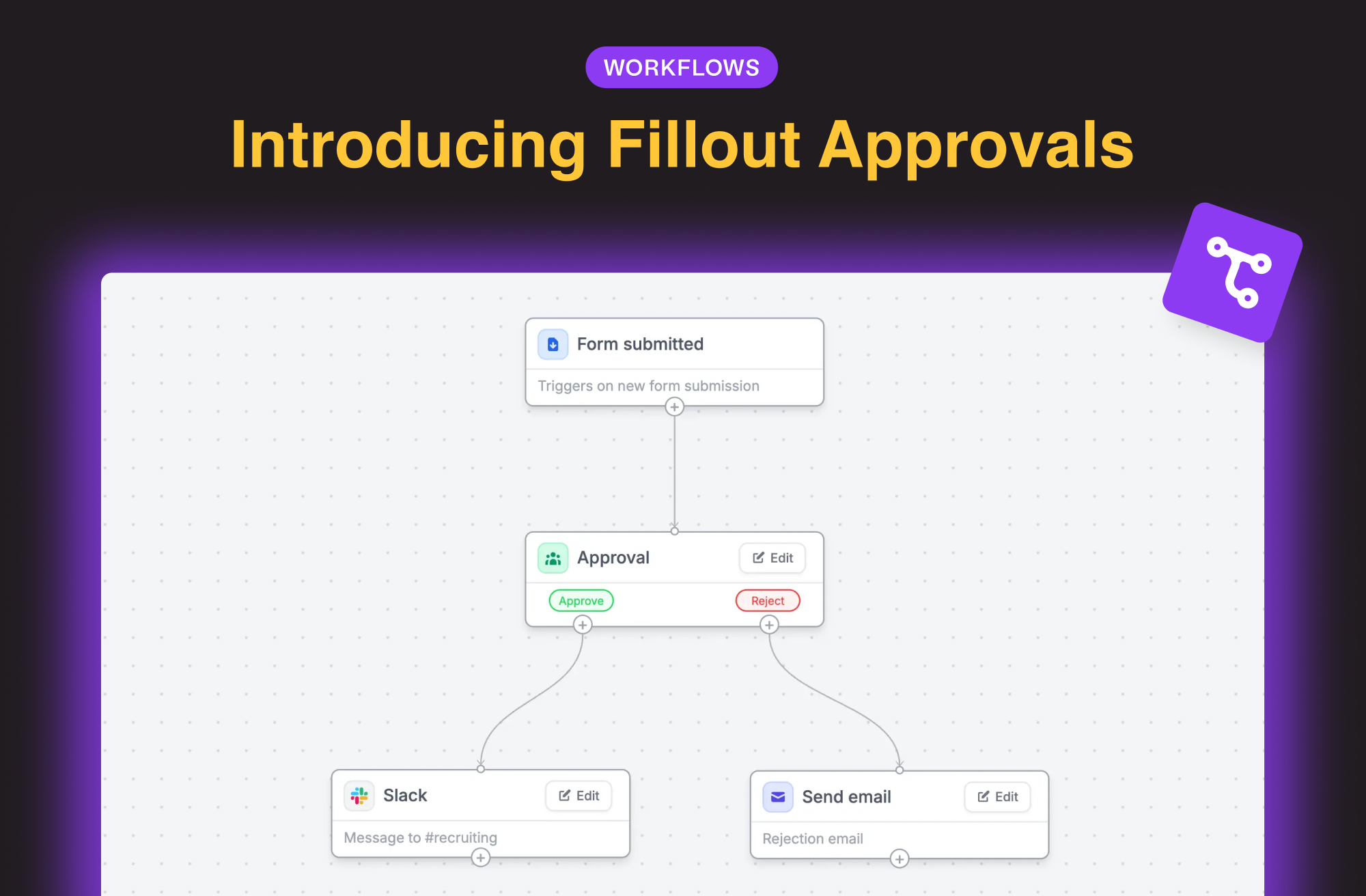 Automate HR requests, job applications, project approvals or any human-in-the-loop workflow. [Demo video here](https://www.linkedin.com/posts/dominicwhyte_newfillout-approvals-ive-wanted-this-activity-7262867361609715712-sZQC?utm_source=share\&utm_medium=member_desktop) or more details below.
#### 🟢 Set approval criteria
Choose who can approve each submission and define custom [approval](https://www.fillout.com/help/approval-workflows) states.
#### 🤖 Add notifications, automations and multi-step approvals
Define what happens after each approval or rejection, like notifications, webhooks or even multi-stage approvals.
#### 📝 Request approver input
Ask approvers to provide details, status, notes or any custom field.
Send approval requests via **email or Slack**.
Automate HR requests, job applications, project approvals or any human-in-the-loop workflow. [Demo video here](https://www.linkedin.com/posts/dominicwhyte_newfillout-approvals-ive-wanted-this-activity-7262867361609715712-sZQC?utm_source=share\&utm_medium=member_desktop) or more details below.
#### 🟢 Set approval criteria
Choose who can approve each submission and define custom [approval](https://www.fillout.com/help/approval-workflows) states.
#### 🤖 Add notifications, automations and multi-step approvals
Define what happens after each approval or rejection, like notifications, webhooks or even multi-stage approvals.
#### 📝 Request approver input
Ask approvers to provide details, status, notes or any custom field.
Send approval requests via **email or Slack**.
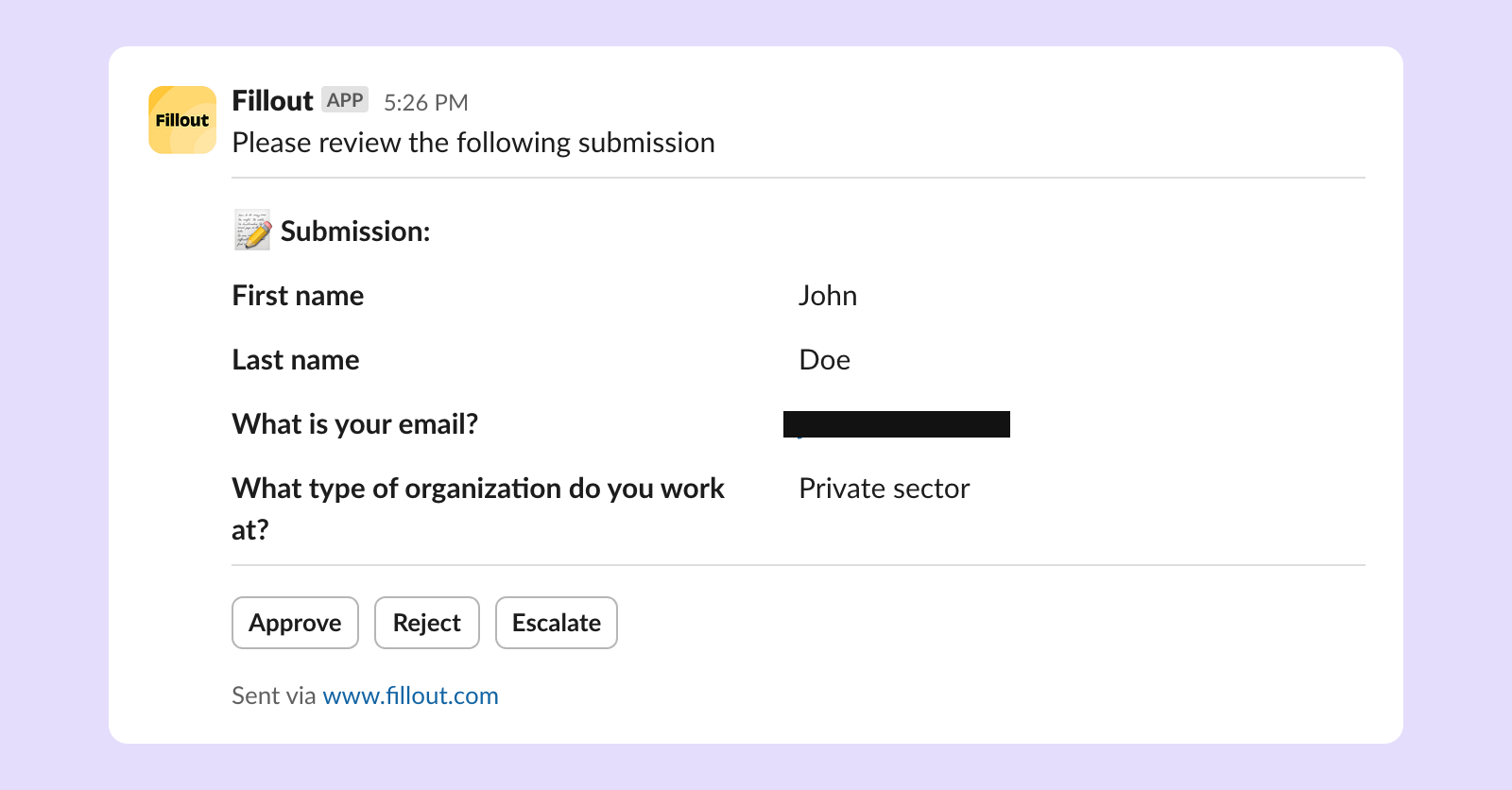 #### ✅ Manage approvals in one place
View and approve all submissions from the results tab.
#### ✅ Manage approvals in one place
View and approve all submissions from the results tab.
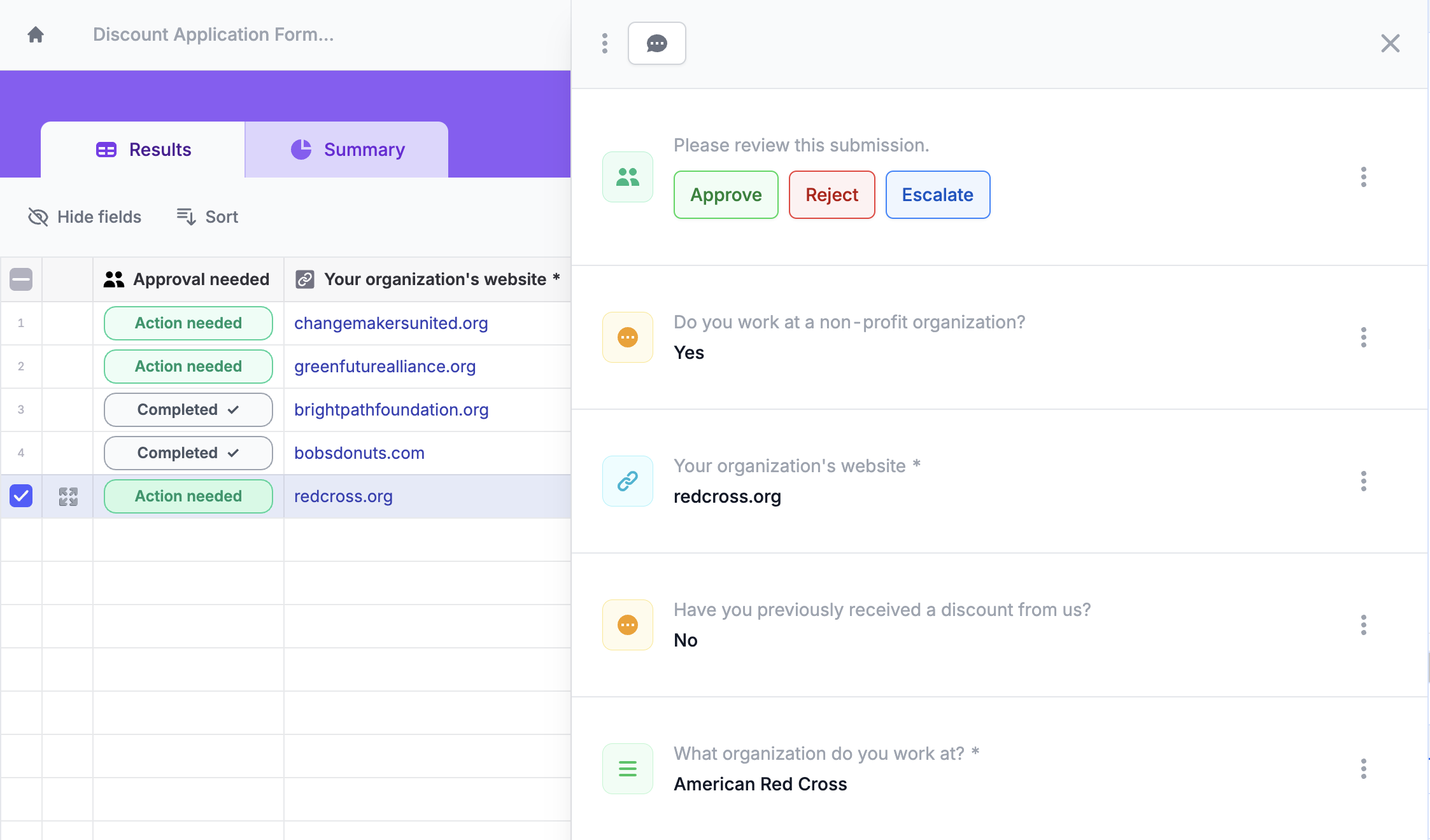
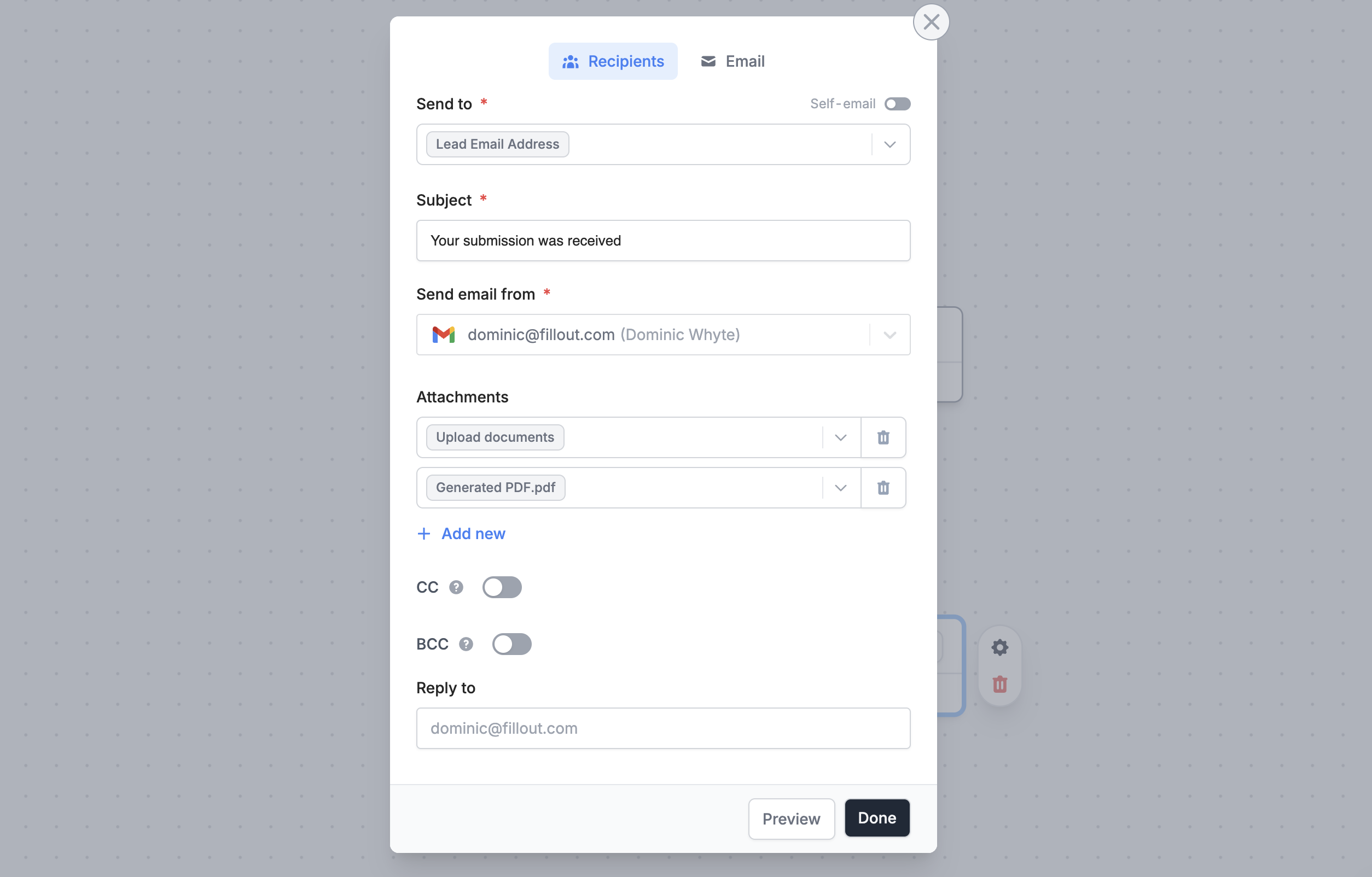 #### 💼 Pipedrive integration
Fillout now natively integrates with [Pipedrive](https://www.fillout.com/help/pipedrive). Create deals, people and organizations from your forms and schedulers.
#### 💼 Pipedrive integration
Fillout now natively integrates with [Pipedrive](https://www.fillout.com/help/pipedrive). Create deals, people and organizations from your forms and schedulers.
 #### 🗄️ Sort forms on dashboard
Sort forms by created date, name, last edited, submission count or unread status to easily find what you're looking for.
#### 📝 Google Docs integration
Create a custom [Google Doc ](https://www.fillout.com/help/google-docs)for each Fillout form submission.
Send all form fields in a formatted document or create a custom document to collaborate on.
#### 📥 Email submission overview
In your email workflows, add a submission overview block to summarize the response.
#### 🗄️ Sort forms on dashboard
Sort forms by created date, name, last edited, submission count or unread status to easily find what you're looking for.
#### 📝 Google Docs integration
Create a custom [Google Doc ](https://www.fillout.com/help/google-docs)for each Fillout form submission.
Send all form fields in a formatted document or create a custom document to collaborate on.
#### 📥 Email submission overview
In your email workflows, add a submission overview block to summarize the response.
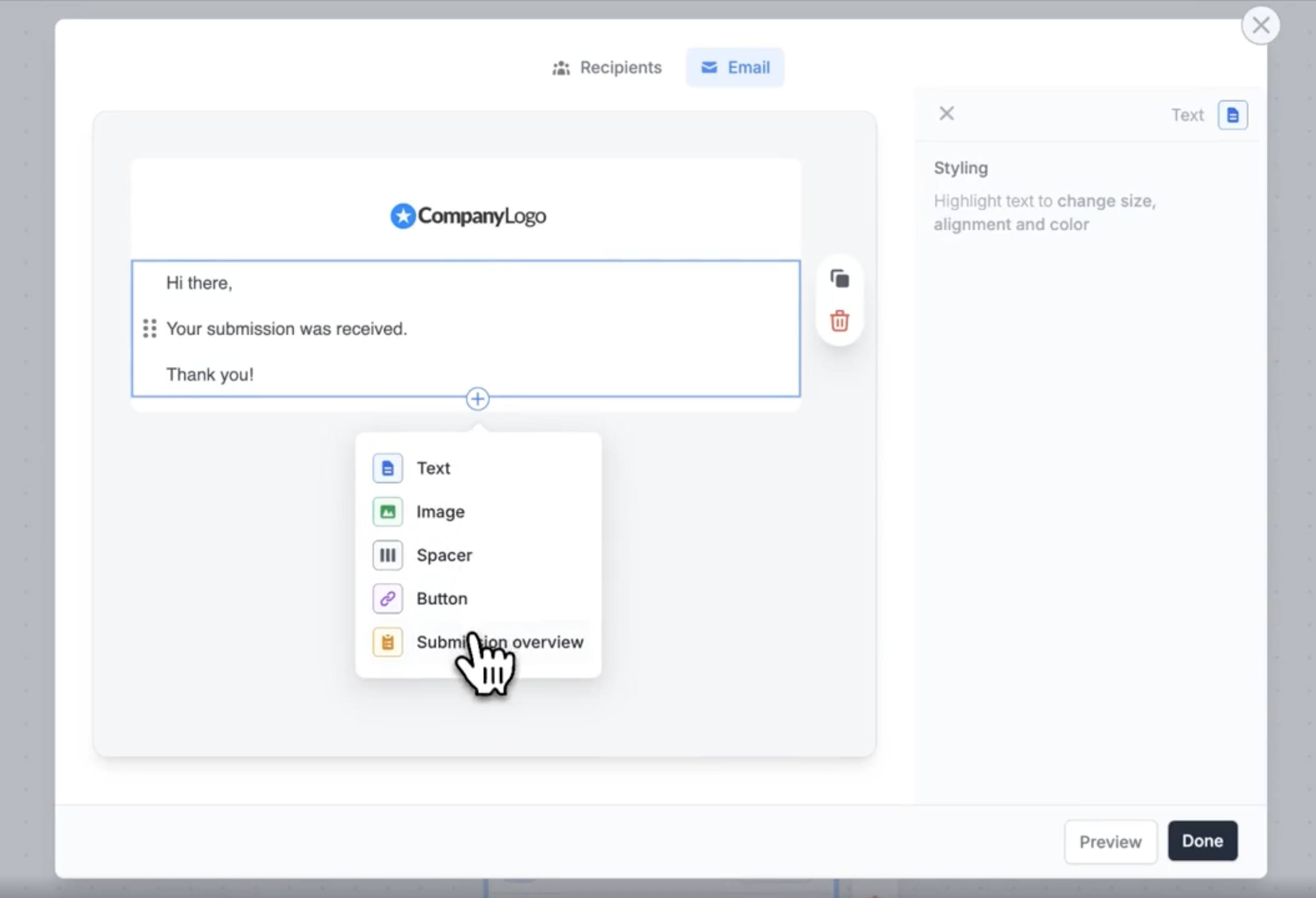 #### 📮 Brevo integration
Create or update contacts in Brevo (formerly Sendinblue).
#### ⚡️ Easily test workflows
Quickly test a [workflow](https://www.fillout.com/workflows) with one of your past form submissions. View logs or any errors during setup.
#### 📮 Brevo integration
Create or update contacts in Brevo (formerly Sendinblue).
#### ⚡️ Easily test workflows
Quickly test a [workflow](https://www.fillout.com/workflows) with one of your past form submissions. View logs or any errors during setup.
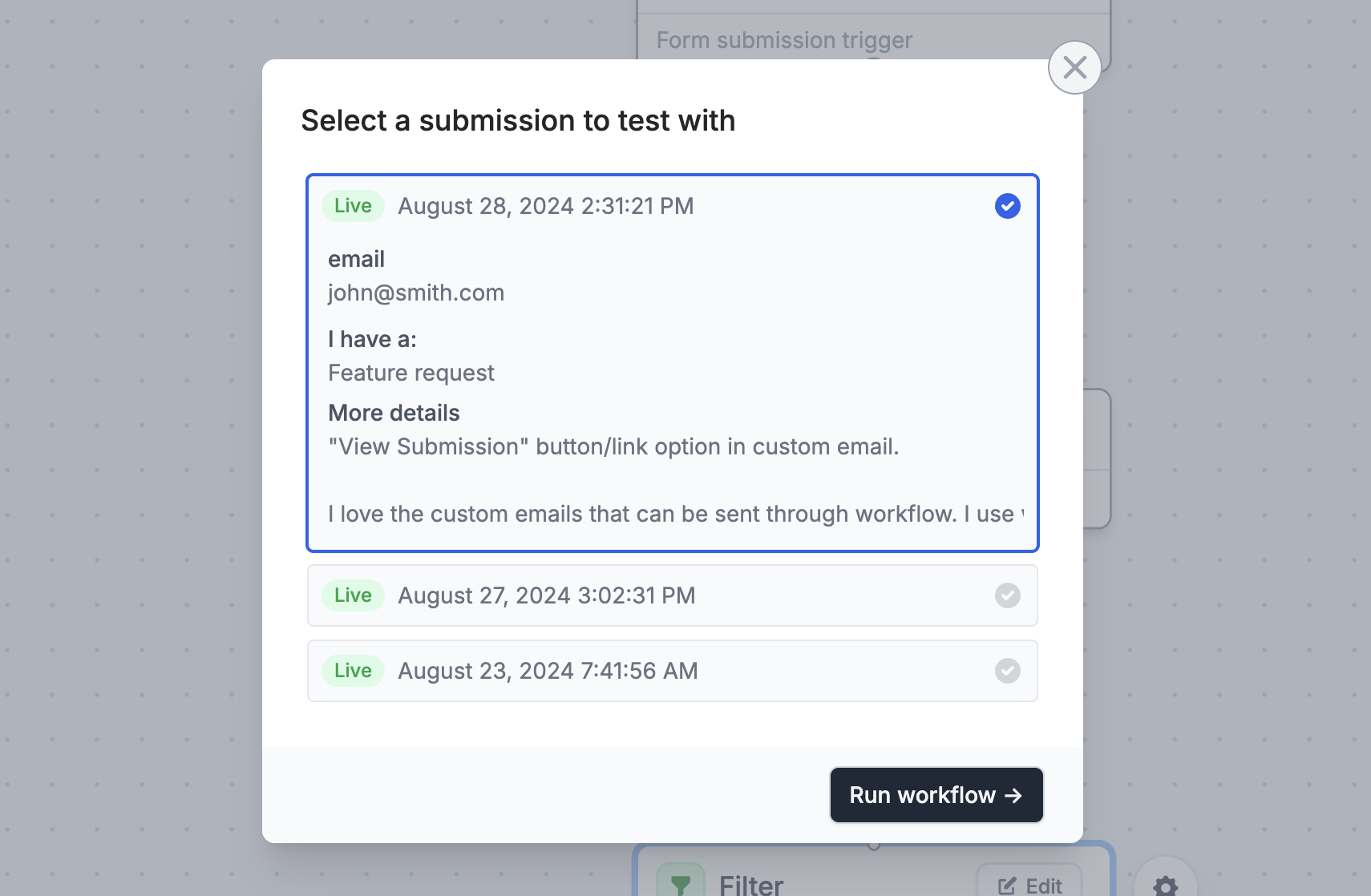 #### 🐛 Fixes and improvements
* Dates in emails respect the recipient's time zone and are nicely formatted automatically.
* Improved summaries for Slack, Discord and Teams integrations (includes payment details and AI nodes).
* Date picker supports language translations.
* Provide context for the “Generate text” AI Workflow node.
* **In case you missed it:** Native Discord integration.
* **In case you missed it:** Login pages support Google OAuth.
#### 🐛 Fixes and improvements
* Dates in emails respect the recipient's time zone and are nicely formatted automatically.
* Improved summaries for Slack, Discord and Teams integrations (includes payment details and AI nodes).
* Date picker supports language translations.
* Provide context for the “Generate text” AI Workflow node.
* **In case you missed it:** Native Discord integration.
* **In case you missed it:** Login pages support Google OAuth.
 #### 🔐 Two-factor authentication (2FA)
Head to your [account settings](https://build.fillout.com/home/settings/my-account) to enable 2FA.
2FA provides an extra layer of security on your account and can be enabled on all plans, **including the free tier**.
#### 🔐 Two-factor authentication (2FA)
Head to your [account settings](https://build.fillout.com/home/settings/my-account) to enable 2FA.
2FA provides an extra layer of security on your account and can be enabled on all plans, **including the free tier**.
 #### 🔑 Enforce 2FA for your organization (Enterprise)
Increase the security of your organization by requiring 2FA for all team members. Available under organization settings for Enterprise customers.
#### 📲 Google SSO for login pages
Require form respondents to login via Google SSO to further protect your forms. Learn more about form login pages [here](https://www.fillout.com/help/login-page).
#### 🔑 Enforce 2FA for your organization (Enterprise)
Increase the security of your organization by requiring 2FA for all team members. Available under organization settings for Enterprise customers.
#### 📲 Google SSO for login pages
Require form respondents to login via Google SSO to further protect your forms. Learn more about form login pages [here](https://www.fillout.com/help/login-page).
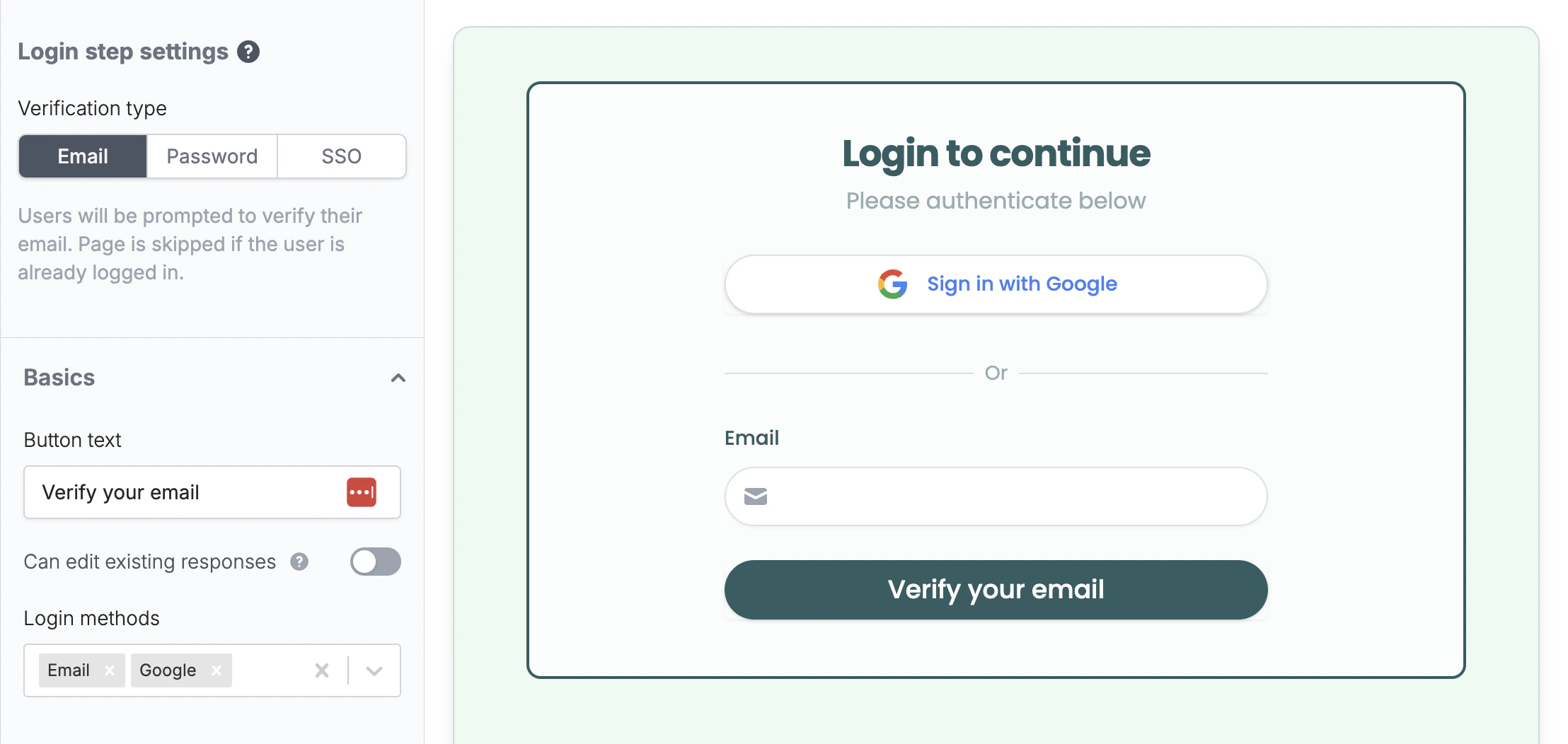 If you'd like to learn more about security at Fillout, you can do so [here](/help/security) or email [security@fillout.com](mailto:security@fillout.com) anytime with questions.
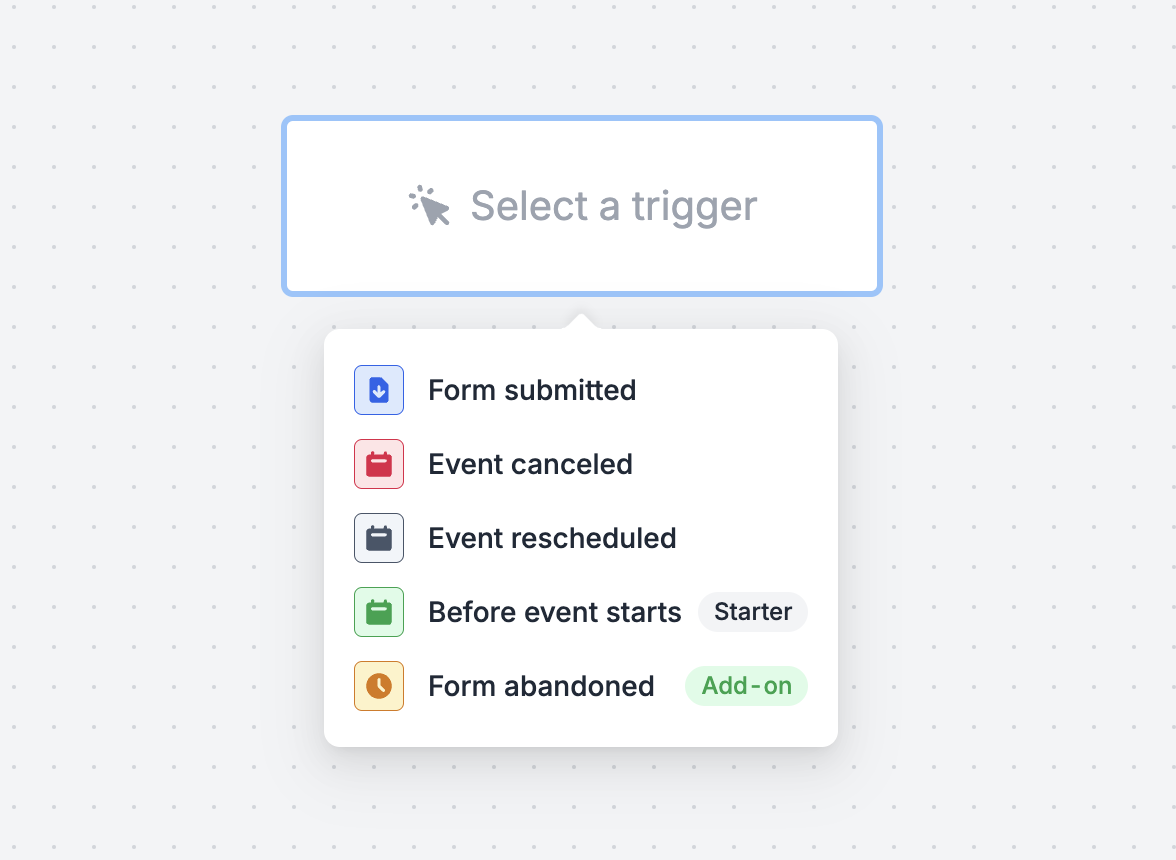 #### 🌲 Create multi-step workflows
Add time delays, custom emails, filters, send Slack/Teams/Discord messages, webhooks or connect to Zapier (coming soon).
#### 🌲 Create multi-step workflows
Add time delays, custom emails, filters, send Slack/Teams/Discord messages, webhooks or connect to Zapier (coming soon).
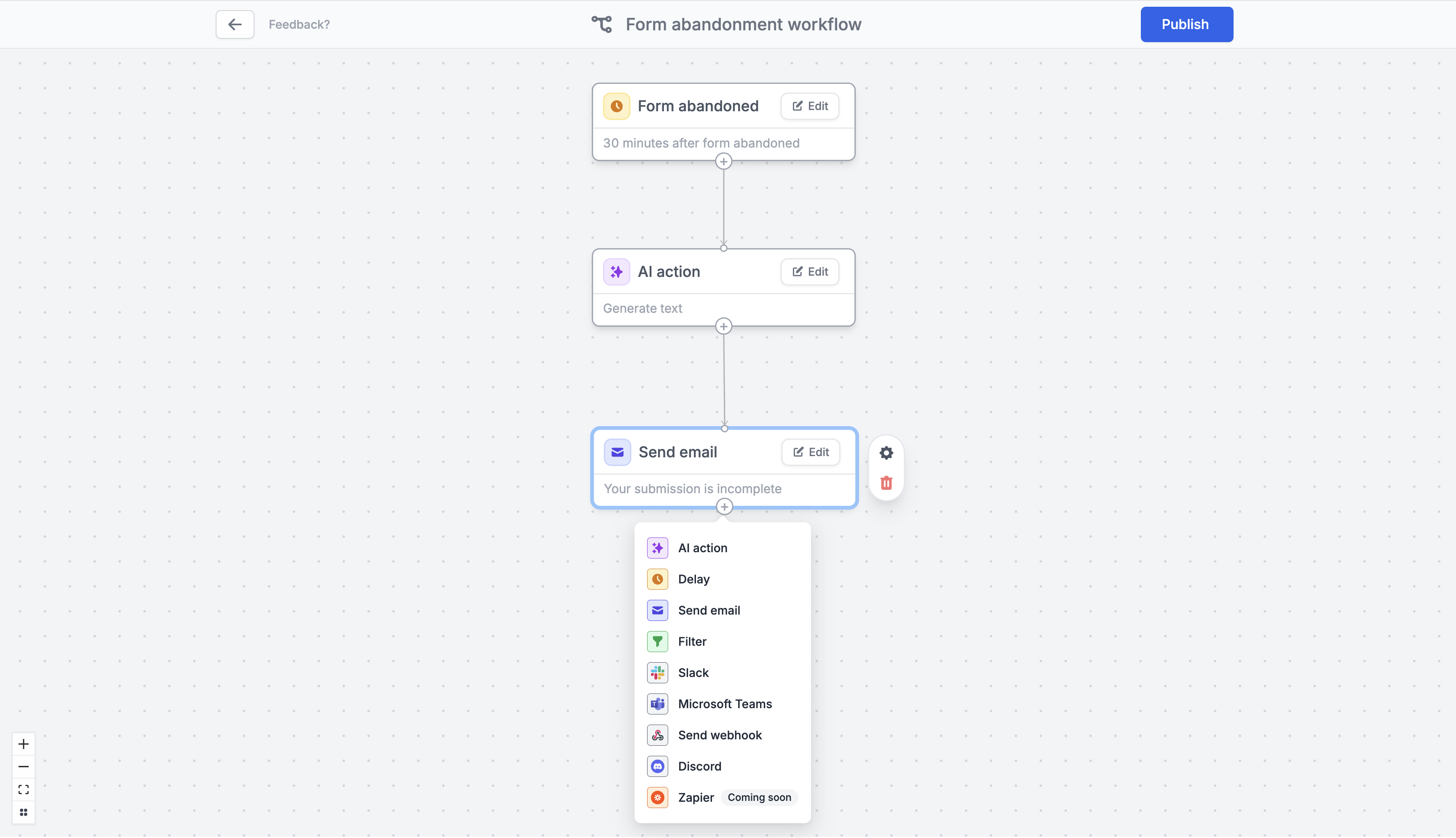 #### 🏎️ 1-click automations with templates
Set up common workflows in seconds.
#### 🏎️ 1-click automations with templates
Set up common workflows in seconds.
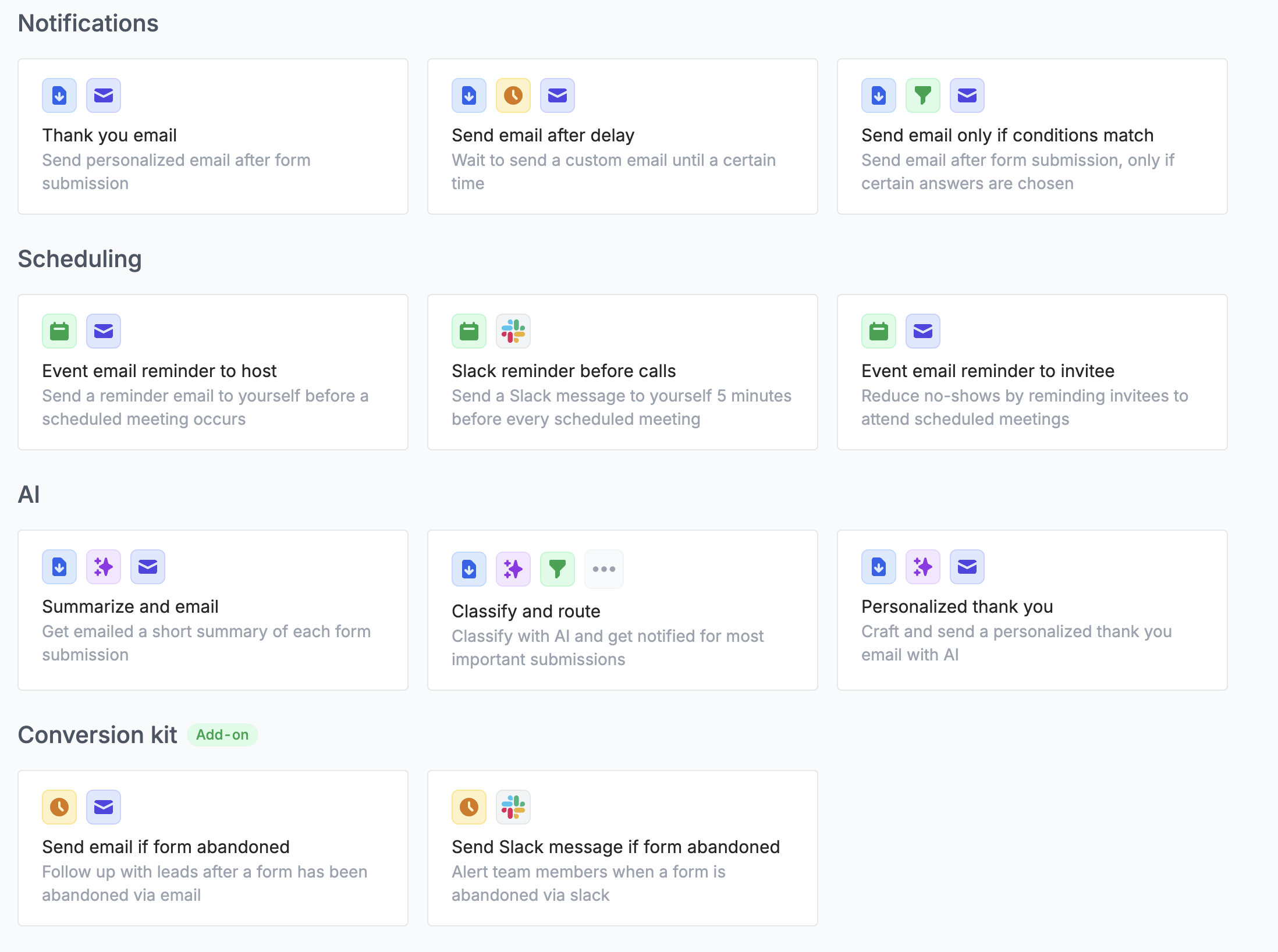 #### 🤖 Run AI actions (Summarize, Classify, Generate, Extract)
Summarize form submissions, personalize email responses, route using AI and more.
#### 📪 A brand new email editor
Use your own domain for a branded experience. Match your brand with your logo and styled themes. Add attachments and cc or bcc.
#### 🤖 Run AI actions (Summarize, Classify, Generate, Extract)
Summarize form submissions, personalize email responses, route using AI and more.
#### 📪 A brand new email editor
Use your own domain for a branded experience. Match your brand with your logo and styled themes. Add attachments and cc or bcc.
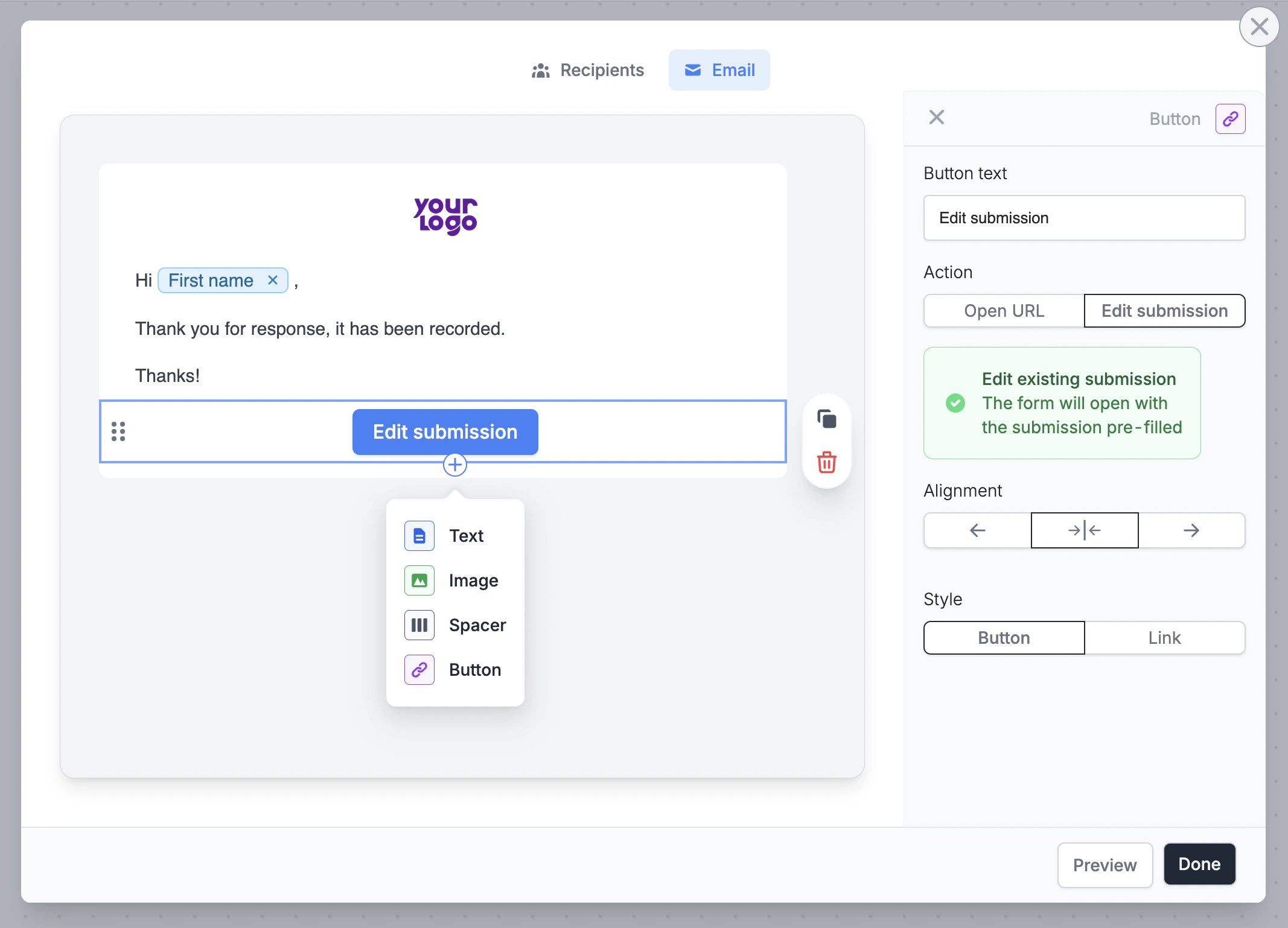 #### 📊 Monitor workflows in one place
Easily track email notifications and other workflows, with full visibility of what happened when.
🎁 That's all for now
Fillout Workflows is in beta starting today. Keep us posted with any feedback and feature requests!
#### 📊 Monitor workflows in one place
Easily track email notifications and other workflows, with full visibility of what happened when.
🎁 That's all for now
Fillout Workflows is in beta starting today. Keep us posted with any feedback and feature requests!
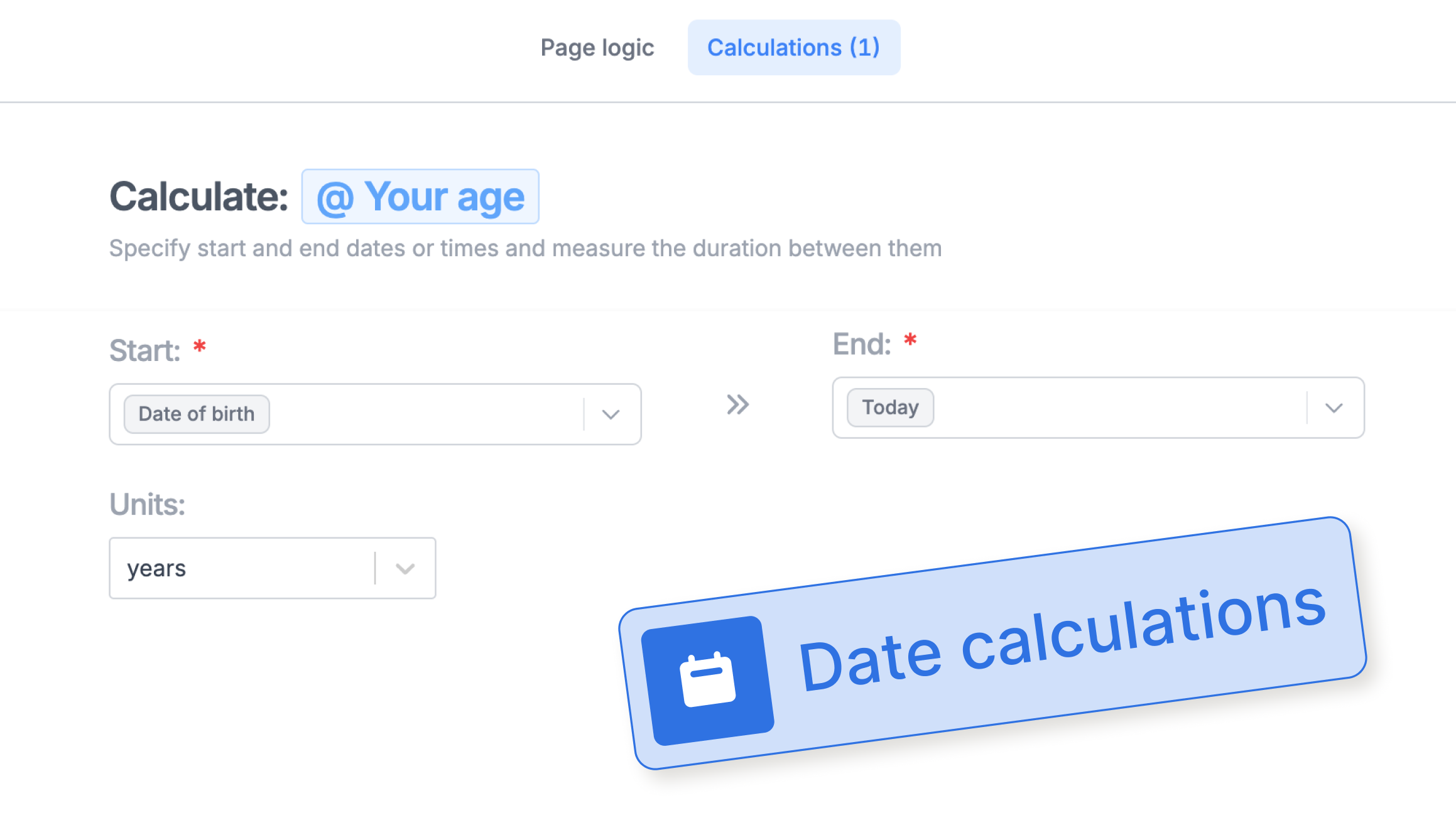 #### ⚡️ Trello and Tag Manager integrations
Fillout now integrates natively with [Trello](https://www.fillout.com/help/trello) (by Atlassian) and [Google Tag Manager](https://www.fillout.com/help/google-tag-manager).
#### 📲 Verify email and SMS (Conversion Kit)
Add one-time passcode verification to validate emails and phone numbers. Requires the [conversion kit](https://www.fillout.com/conversion-kit).
#### ⚡️ Trello and Tag Manager integrations
Fillout now integrates natively with [Trello](https://www.fillout.com/help/trello) (by Atlassian) and [Google Tag Manager](https://www.fillout.com/help/google-tag-manager).
#### 📲 Verify email and SMS (Conversion Kit)
Add one-time passcode verification to validate emails and phone numbers. Requires the [conversion kit](https://www.fillout.com/conversion-kit).
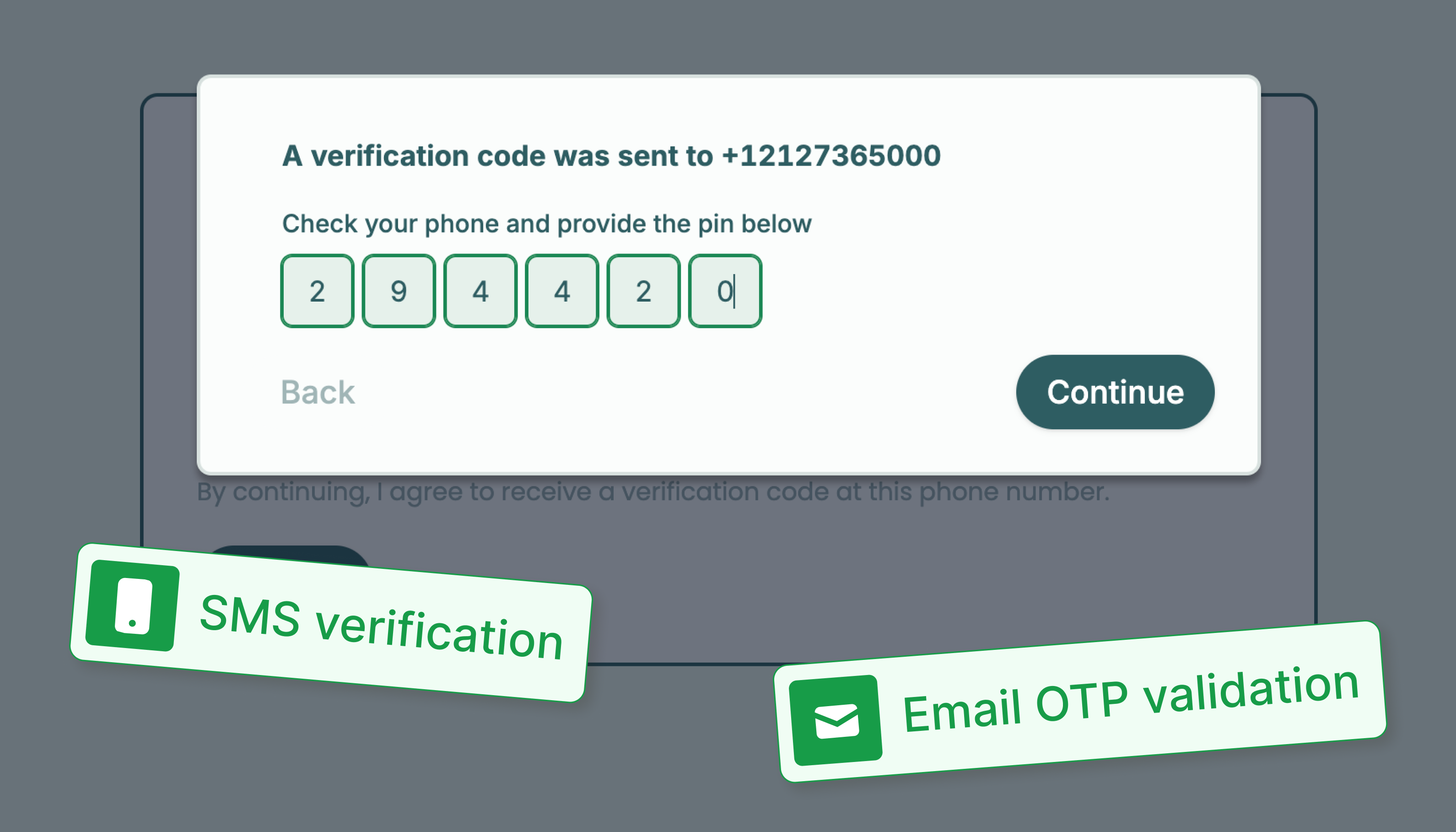 #### 🗓️ Book Fillout Scheduling meetings on final form submission
Choose whether [Fillout Scheduling](https://fillout.com/scheduling) events are booked right away or when your entire form is completed, e.g. after collecting a payment.
#### 💳 Payment testimonials
Add a testimonial to boost conversion rates on your Stripe payment page.
#### 🗓️ Book Fillout Scheduling meetings on final form submission
Choose whether [Fillout Scheduling](https://fillout.com/scheduling) events are booked right away or when your entire form is completed, e.g. after collecting a payment.
#### 💳 Payment testimonials
Add a testimonial to boost conversion rates on your Stripe payment page.
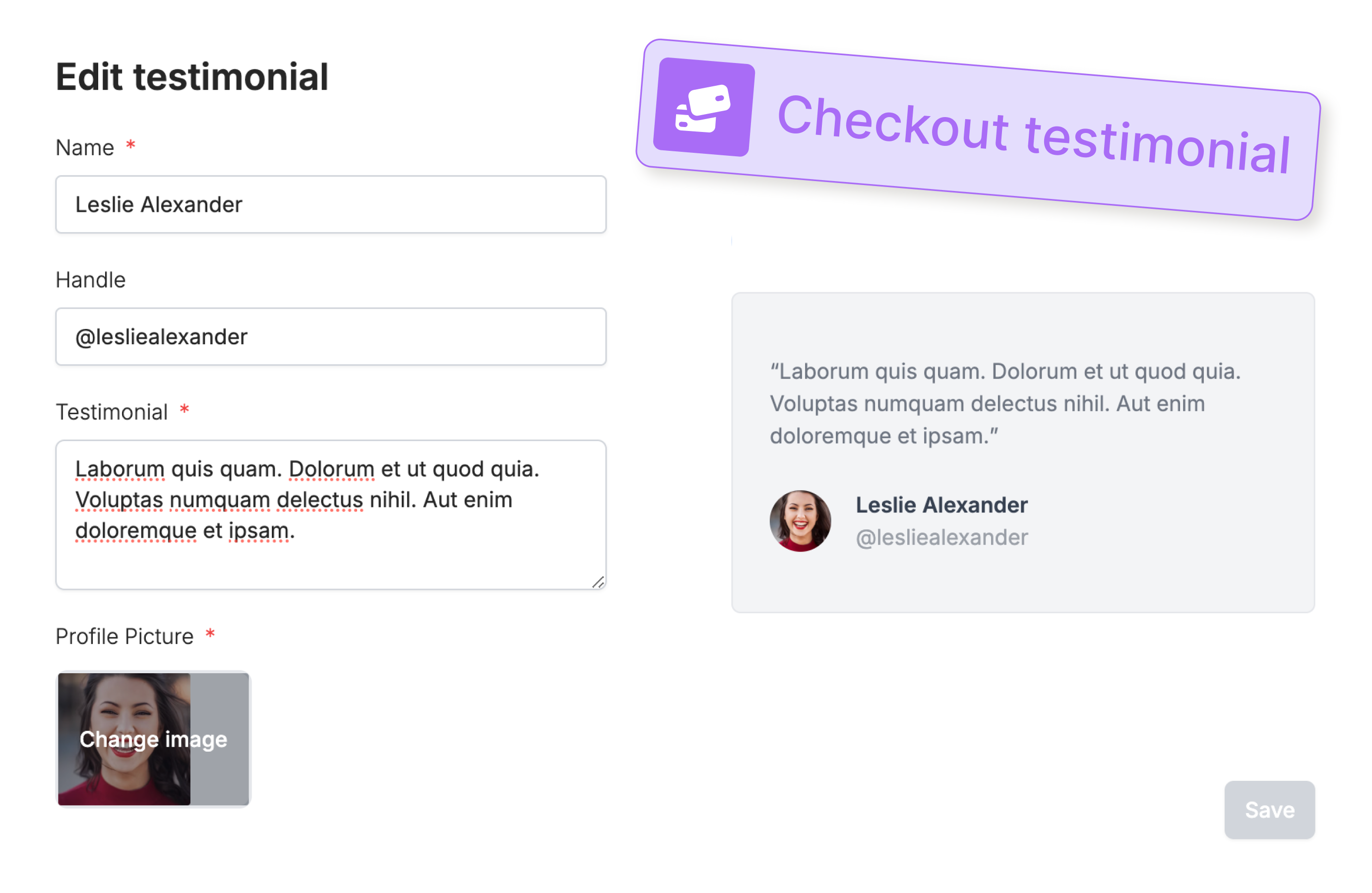 #### 🐛 Fixes and improvements
* Reference the Fillout Scheduling cancelation and reschedule link in your form integrations or in Zapier.
* Add terms & conditions to your Stripe payment page.
* Add a placeholder to address fields.
* Localized the date picker fields.
* Added ability to reference the selected user in round robin scheduling links.
#### 🐛 Fixes and improvements
* Reference the Fillout Scheduling cancelation and reschedule link in your form integrations or in Zapier.
* Add terms & conditions to your Stripe payment page.
* Add a placeholder to address fields.
* Localized the date picker fields.
* Added ability to reference the selected user in round robin scheduling links.
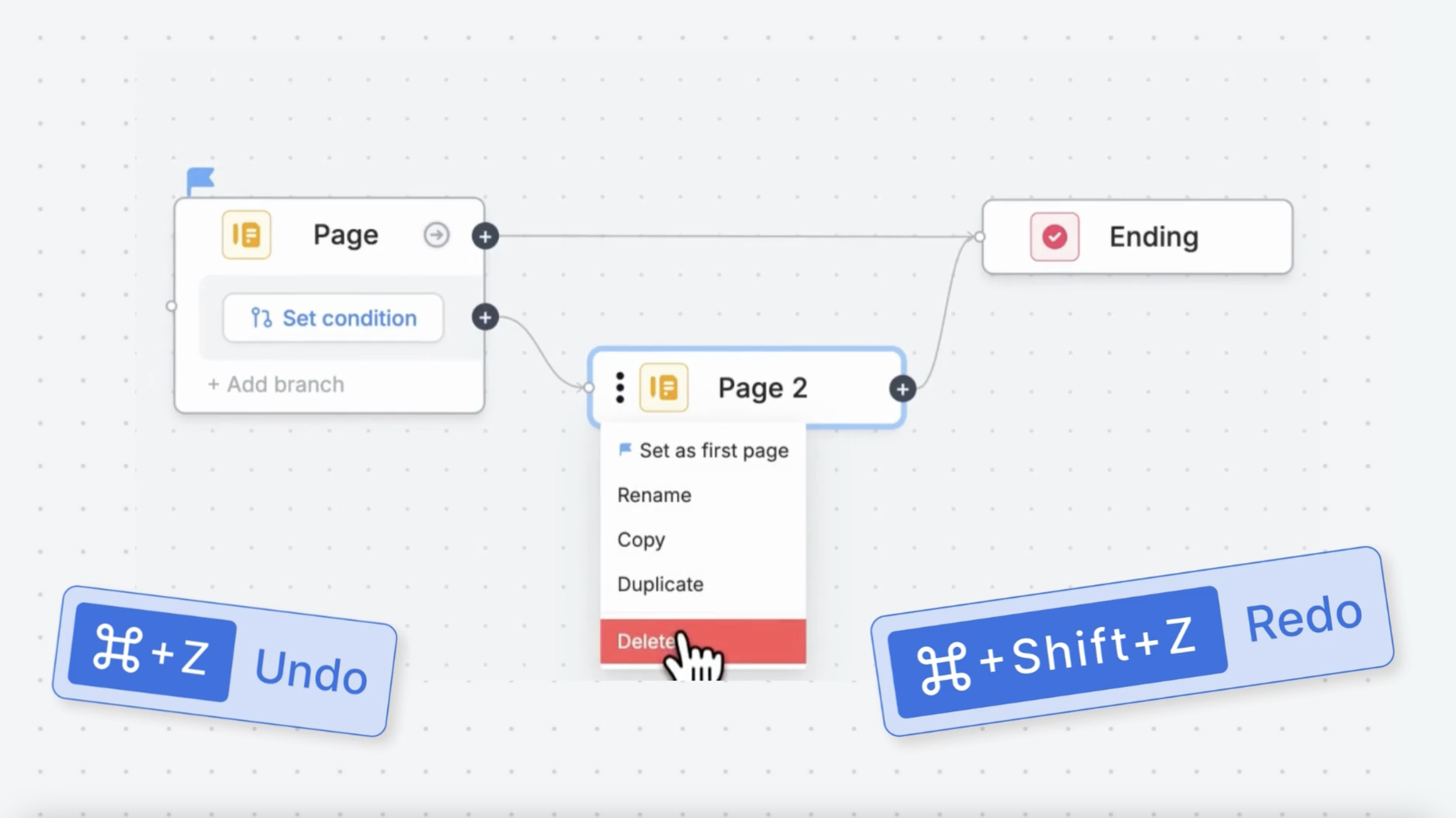 #### 🚀 Instant publish button
The publish button instantly lights up when you make a change to your form. No delays.
#### 🔀 Easier answer piping and logic
We completely redesigned Fillout’s “reference picker”, making it easier to reference fields.
#### 🚀 Instant publish button
The publish button instantly lights up when you make a change to your form. No delays.
#### 🔀 Easier answer piping and logic
We completely redesigned Fillout’s “reference picker”, making it easier to reference fields.
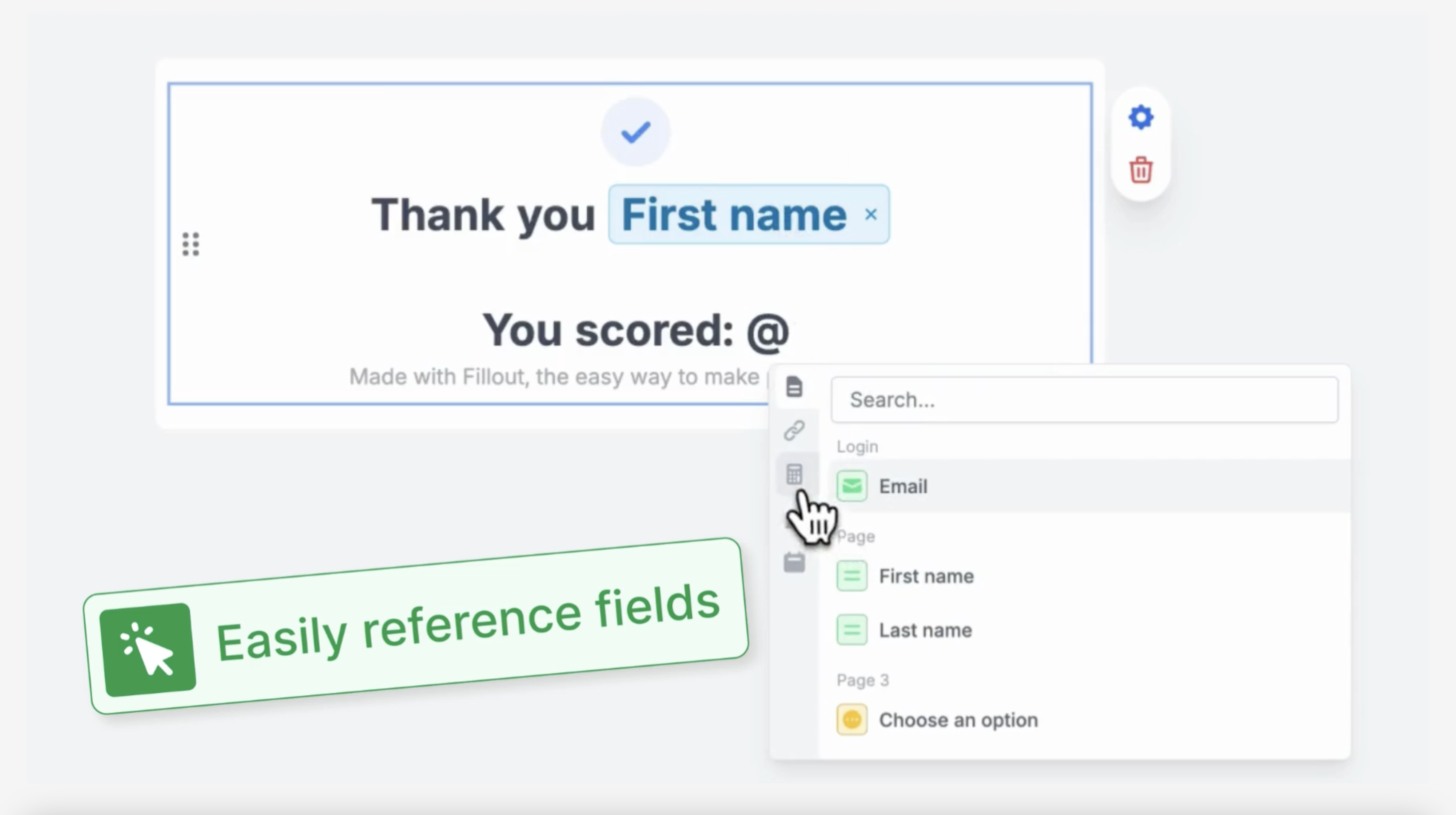 #### 👀 Improved accessibility and “esc” to close
Popups in the Fillout editor are more consistent and close with “esc”.
#### 📄 Improved page navigation bar
It’s easier to rename, reorder and add new pages to your form.
#### 👀 Improved accessibility and “esc” to close
Popups in the Fillout editor are more consistent and close with “esc”.
#### 📄 Improved page navigation bar
It’s easier to rename, reorder and add new pages to your form.
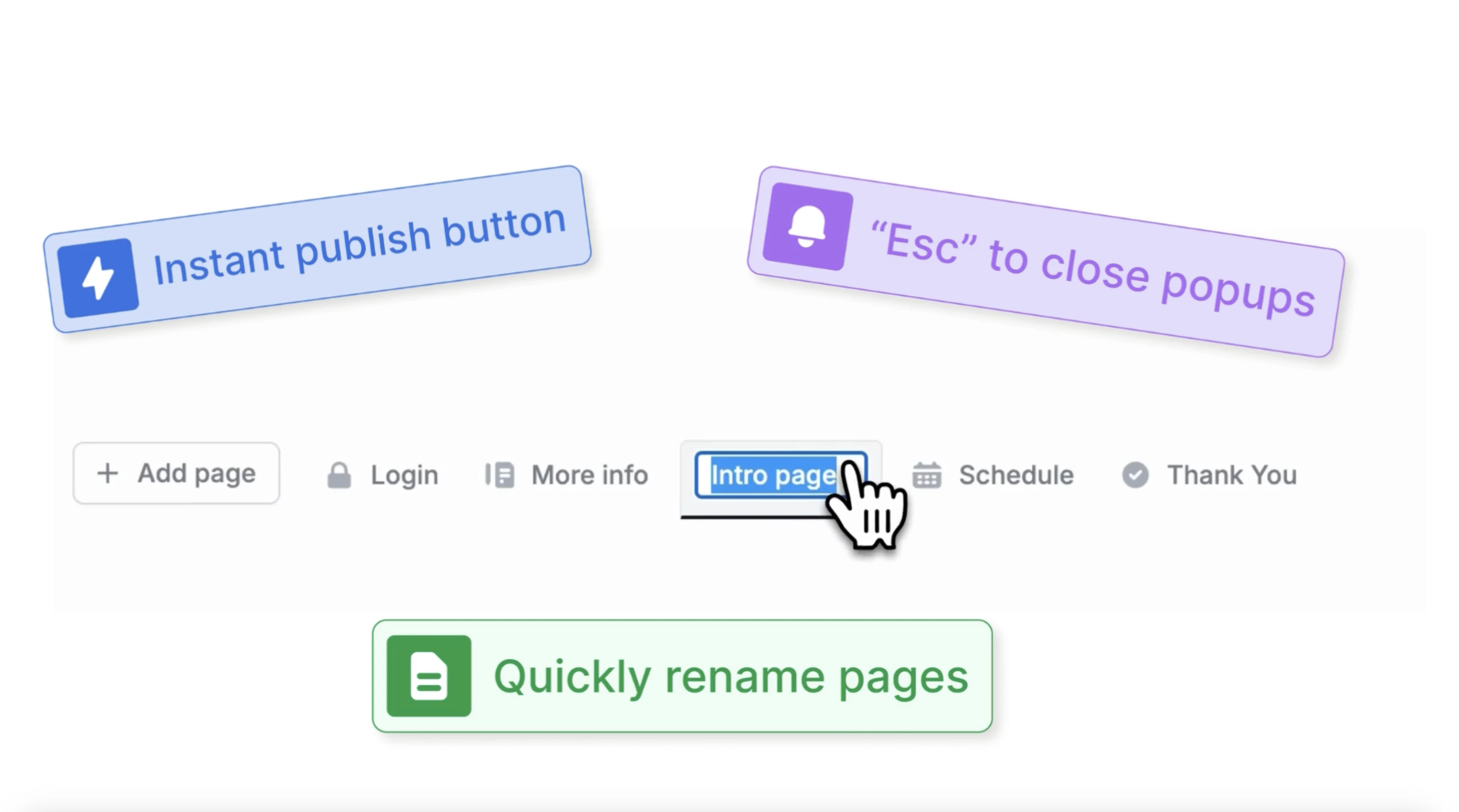 #### 🐛Fixes and improvements
* Zapier support for payments + scheduling.
* Support for "update" forms with [Monday.com](http://Monday.com) integration.
* Workspaces load faster on home page.
* "Esc" to exit preview mode and close popups.
#### 🐛Fixes and improvements
* Zapier support for payments + scheduling.
* Support for "update" forms with [Monday.com](http://Monday.com) integration.
* Workspaces load faster on home page.
* "Esc" to exit preview mode and close popups.
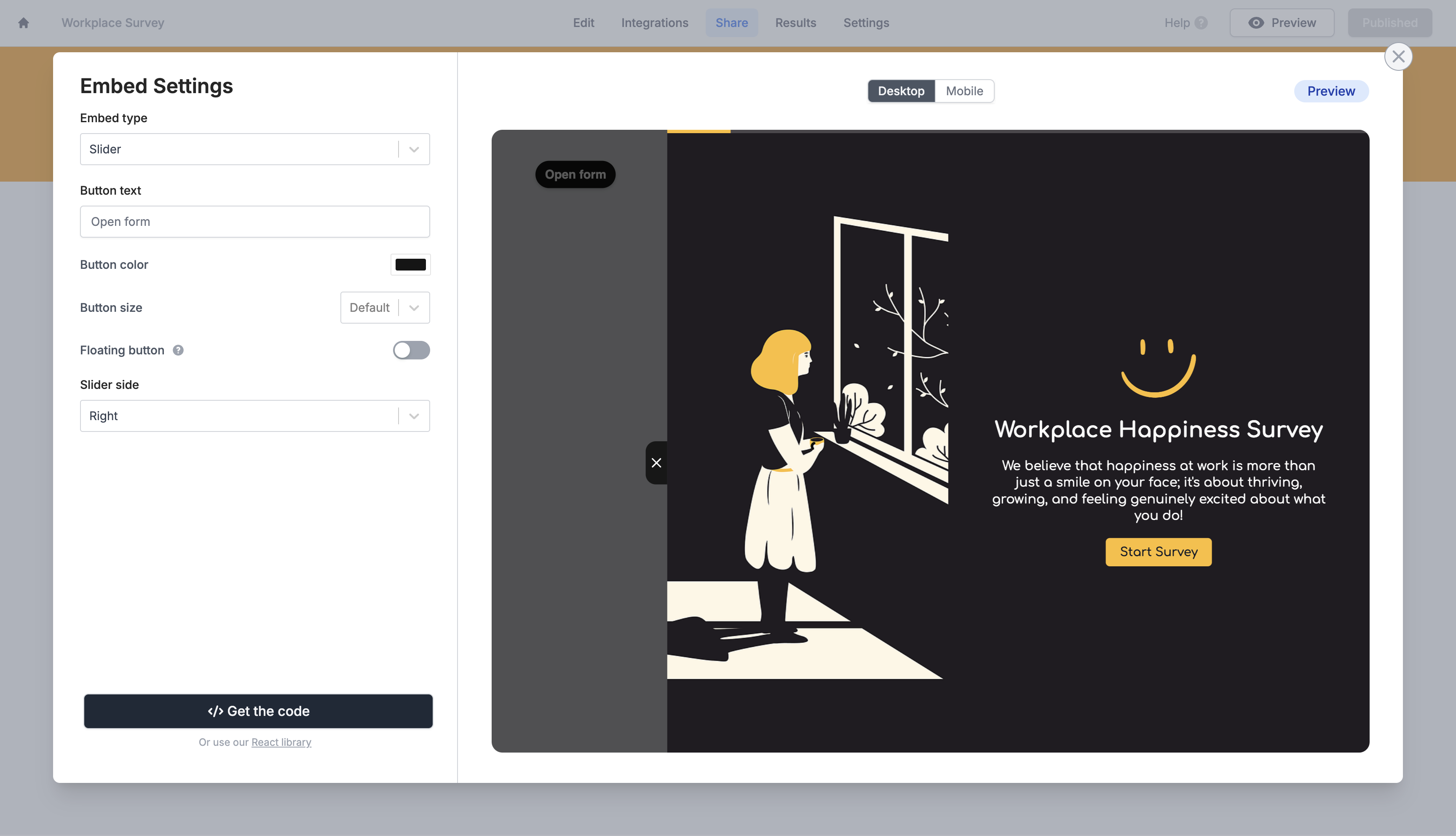 #### ✅ Dynamic resizing popup
Enable "Auto-resize height" on the popup embed to have your form height automatically adjust based on the number of questions per page.
#### 🐛 Embed fixes and improvements
In small embeds, dropdowns are no longer cut off. Embed animations are also smoother, to make your form a native part of your site.
#### 🚀 In case you missed it, updates from earlier this week:
**📆 Round Robin Scheduling:** Fillout is the first to offer rotating appointment bookings for free. Check out the [demo video here](https://www.youtube.com/watch?v=iuTeqoFWtgs).
**✍️ Signature field 2.0:** Choose how you sign: type, upload, or draw your signature.
#### ✅ Dynamic resizing popup
Enable "Auto-resize height" on the popup embed to have your form height automatically adjust based on the number of questions per page.
#### 🐛 Embed fixes and improvements
In small embeds, dropdowns are no longer cut off. Embed animations are also smoother, to make your form a native part of your site.
#### 🚀 In case you missed it, updates from earlier this week:
**📆 Round Robin Scheduling:** Fillout is the first to offer rotating appointment bookings for free. Check out the [demo video here](https://www.youtube.com/watch?v=iuTeqoFWtgs).
**✍️ Signature field 2.0:** Choose how you sign: type, upload, or draw your signature.
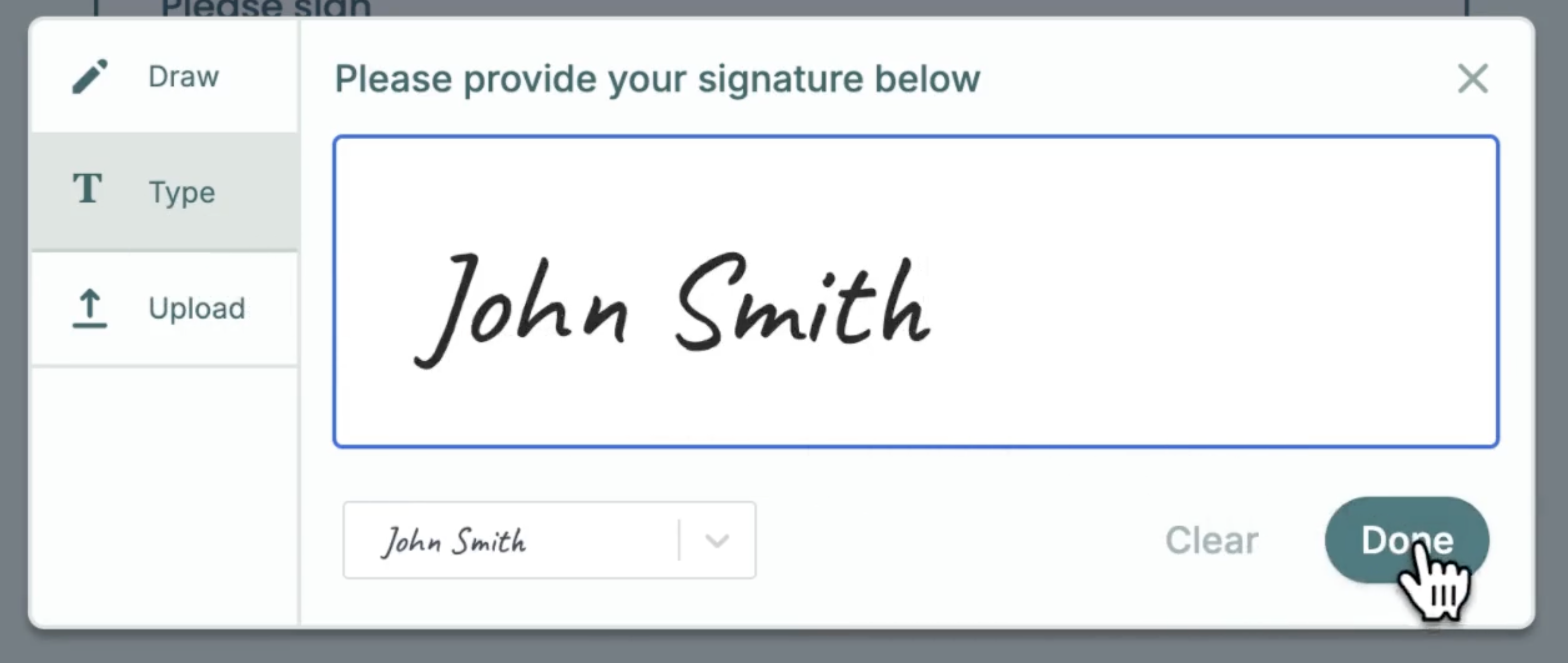 **📊 Excel online integration:** Sync responses natively to Excel.
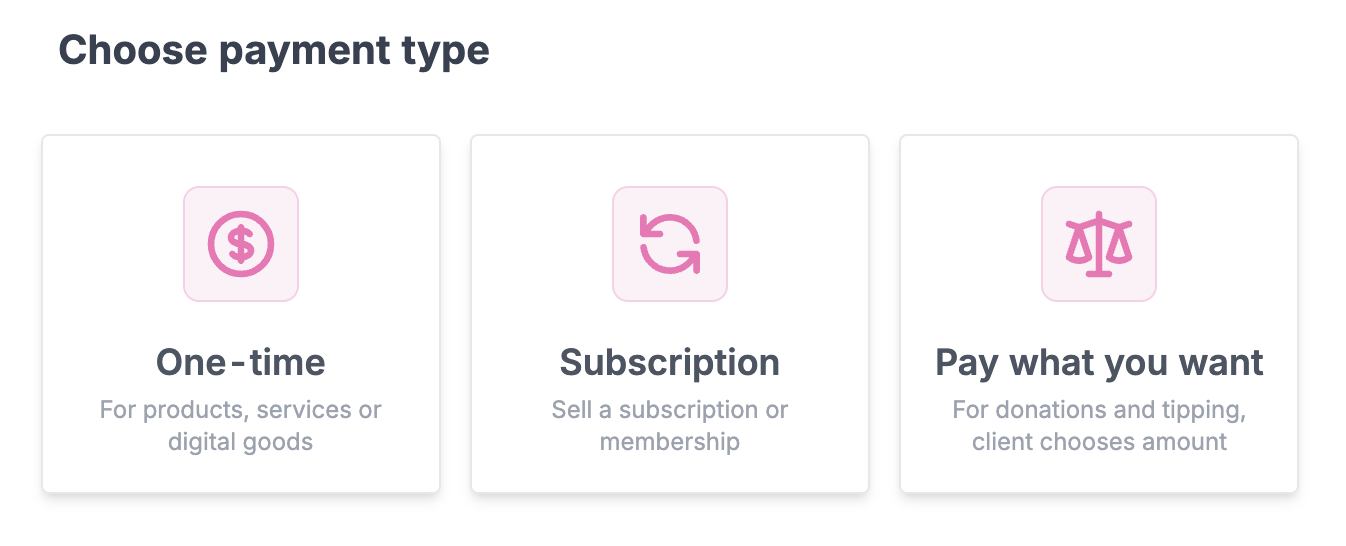 #### 🎟️ Allow discount codes
Let your customers apply discount codes.
Optionally pre-fill discount codes from form fields or the URL.
#### 🏦 Payment methods
Offer credit card, ACH bank account, Affirm and Stripe link payments.
#### 🎟️ Allow discount codes
Let your customers apply discount codes.
Optionally pre-fill discount codes from form fields or the URL.
#### 🏦 Payment methods
Offer credit card, ACH bank account, Affirm and Stripe link payments.
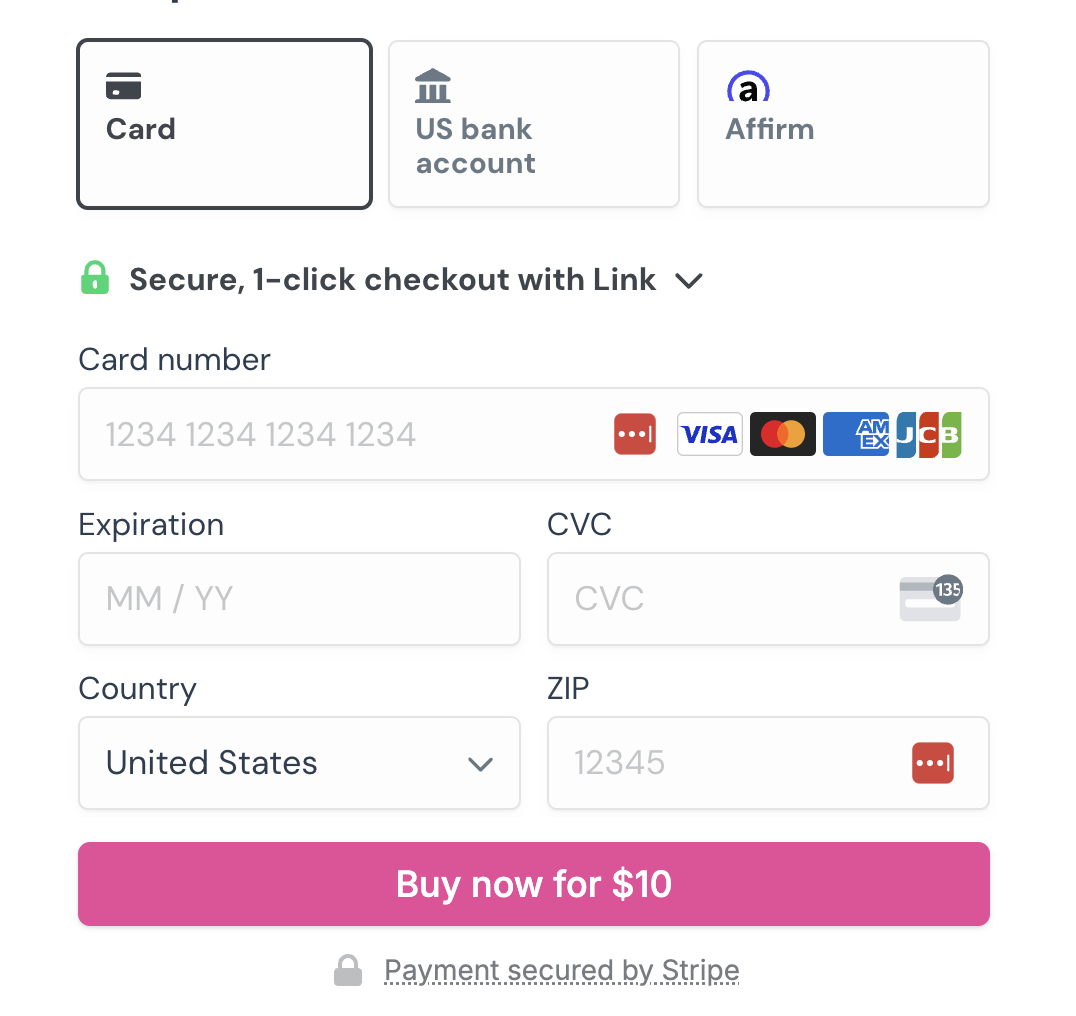 #### 💼 Create a Stripe Customer
Enable collecting email addresses to automatically save payment methods to a Stripe customer.
#### 🎨 Customize your payment page
Set a product image, description, checkout title, custom theme, CTA and more with the new payment page layout.
#### 🎁 Offer a free trial & advanced settings
#### 💼 Create a Stripe Customer
Enable collecting email addresses to automatically save payment methods to a Stripe customer.
#### 🎨 Customize your payment page
Set a product image, description, checkout title, custom theme, CTA and more with the new payment page layout.
#### 🎁 Offer a free trial & advanced settings
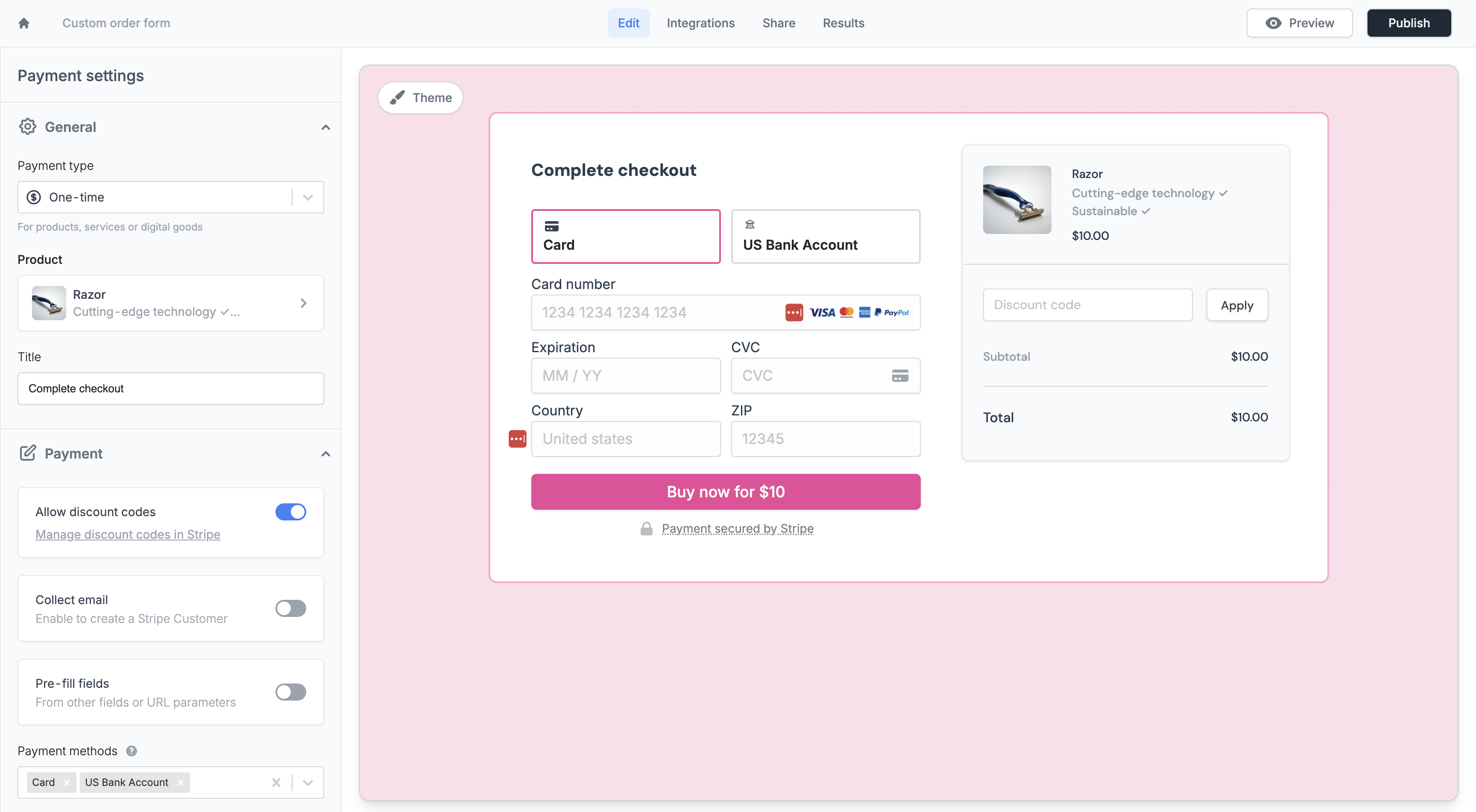 Offer a free trial as part of your subscription payment form.
Optionally send a receipt to customers and set a custom payment description.
Offer a free trial as part of your subscription payment form.
Optionally send a receipt to customers and set a custom payment description.
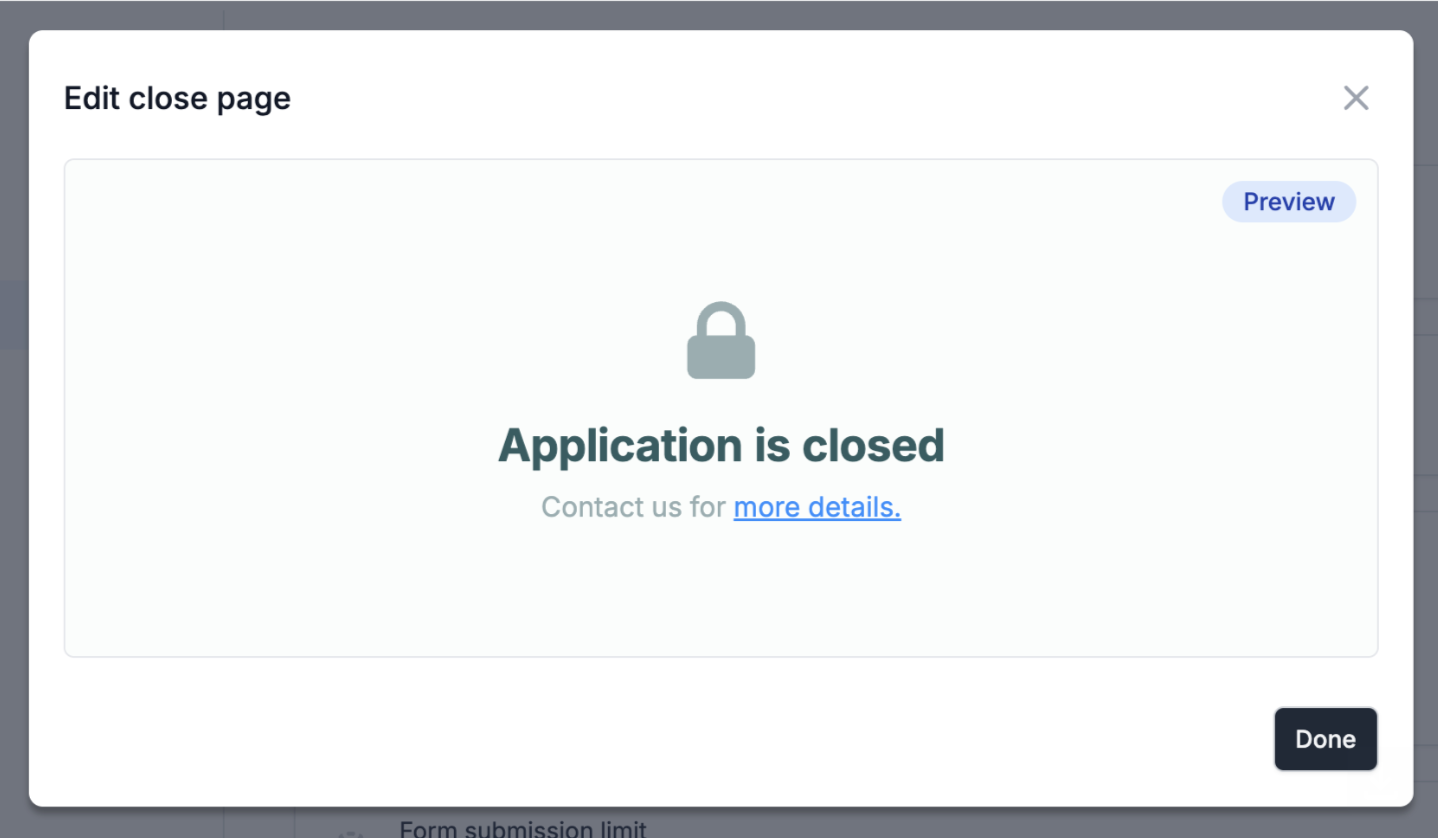 #### 🏠 View closed forms
See which forms are closed from the home screen and re-open them in one click.
#### 📥 Keep track of new submissions
The Fillout home page now displays when new, unread submissions are available.
#### 🏠 View closed forms
See which forms are closed from the home screen and re-open them in one click.
#### 📥 Keep track of new submissions
The Fillout home page now displays when new, unread submissions are available.
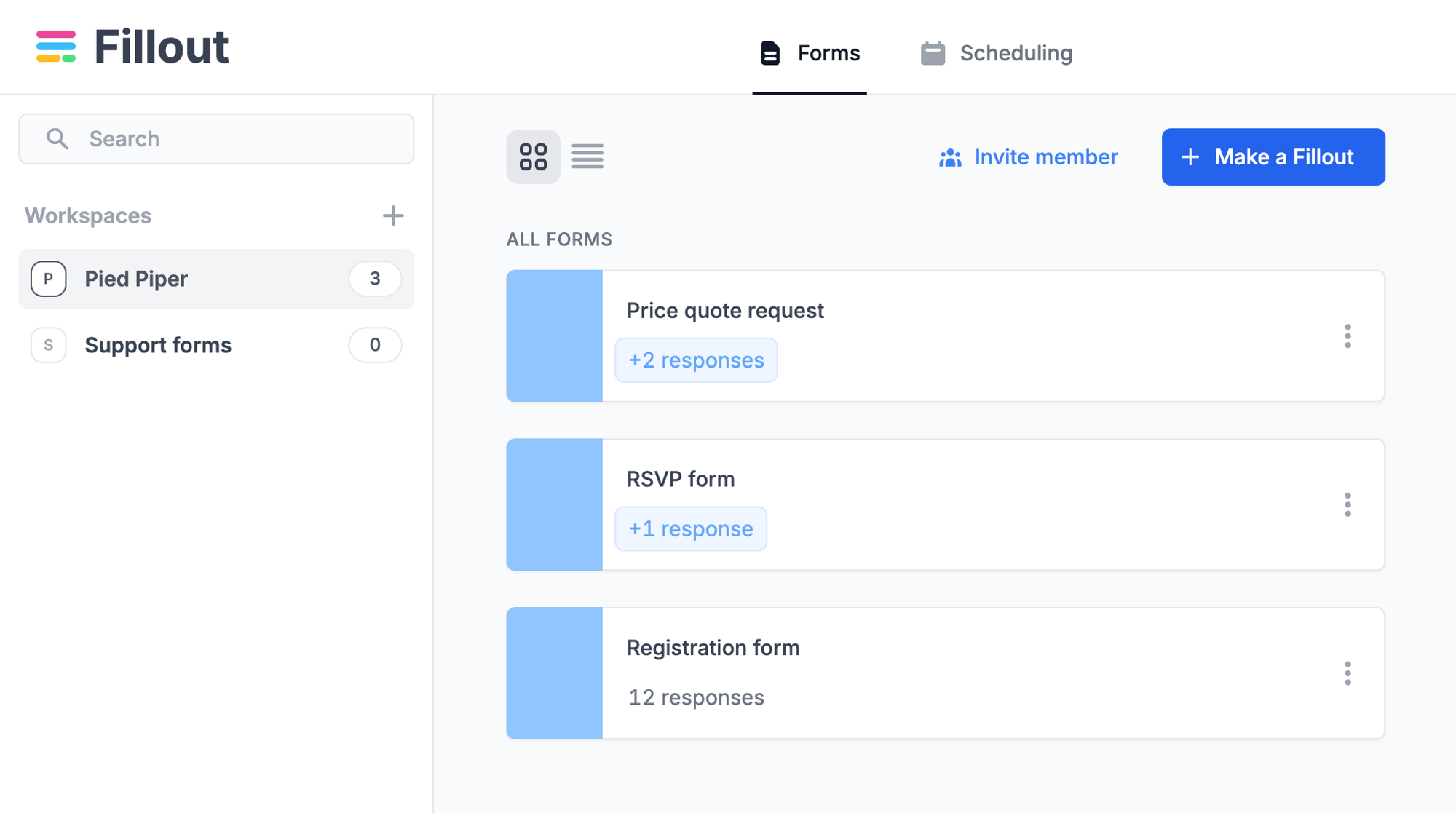 #### 👀 Unique visitors and form views
Fillout now automatically counts unique visitors and page views. View these stats on the analytics tab.
\*Note that visitor counts are displayed on new forms, on a go-forward basis.
#### 👀 Unique visitors and form views
Fillout now automatically counts unique visitors and page views. View these stats on the analytics tab.
\*Note that visitor counts are displayed on new forms, on a go-forward basis.
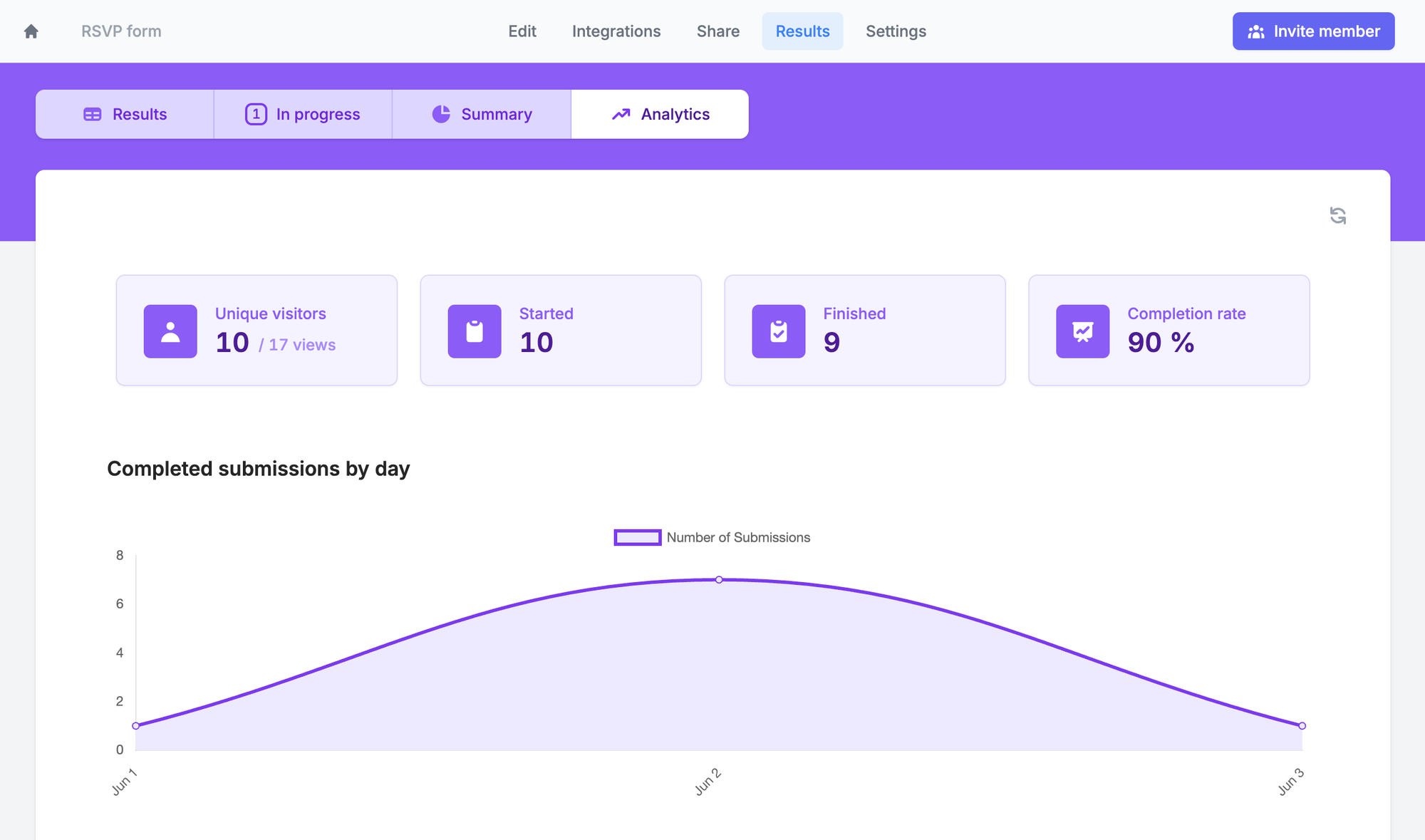
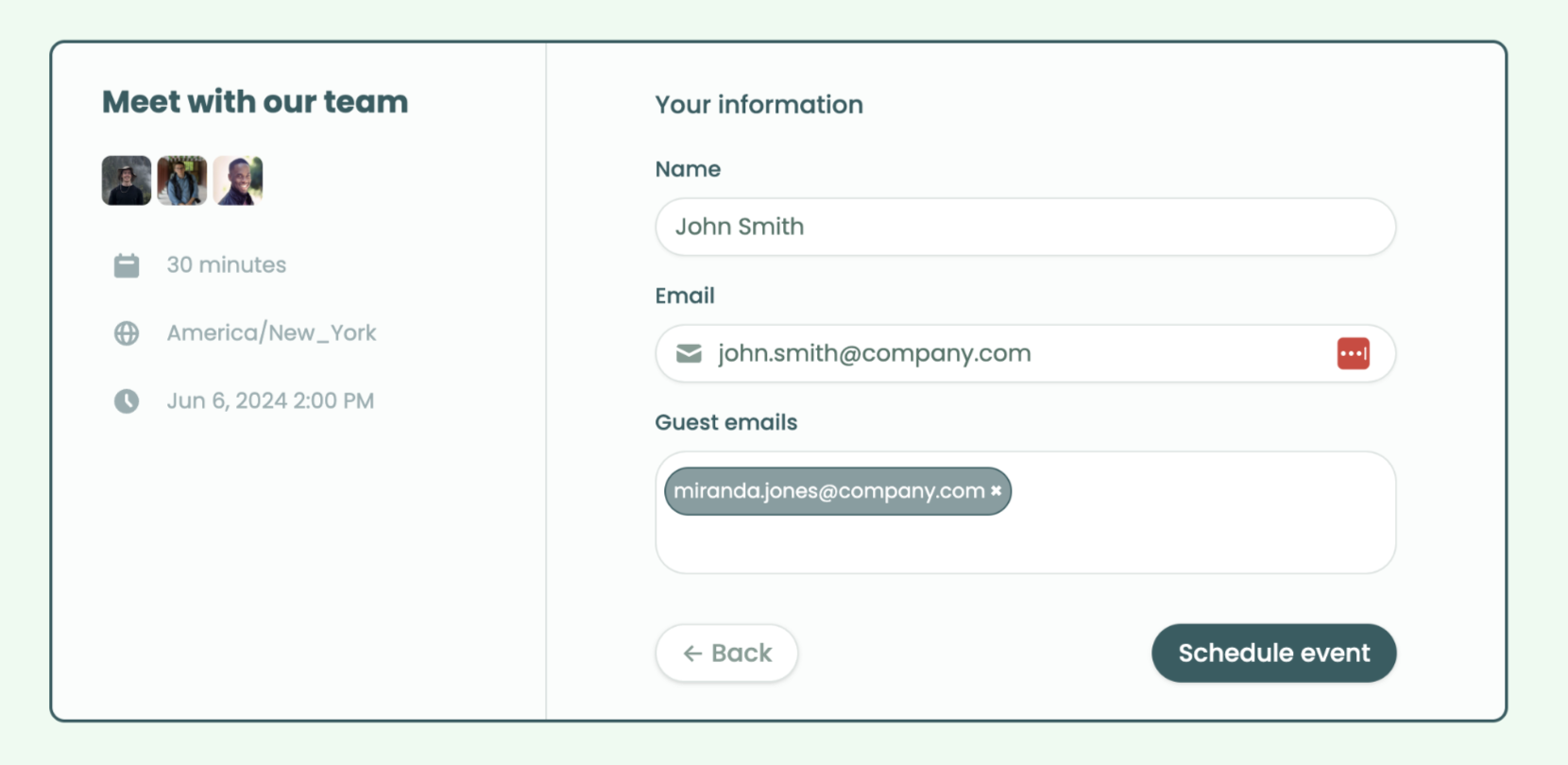 #### 🧑🏽 Set a custom avatar or logo
Set a custom image for your scheduling form. Or, under your Fillout account settings, update the profile picture used on all your meeting links.
#### 🧑🏽 Set a custom avatar or logo
Set a custom image for your scheduling form. Or, under your Fillout account settings, update the profile picture used on all your meeting links.
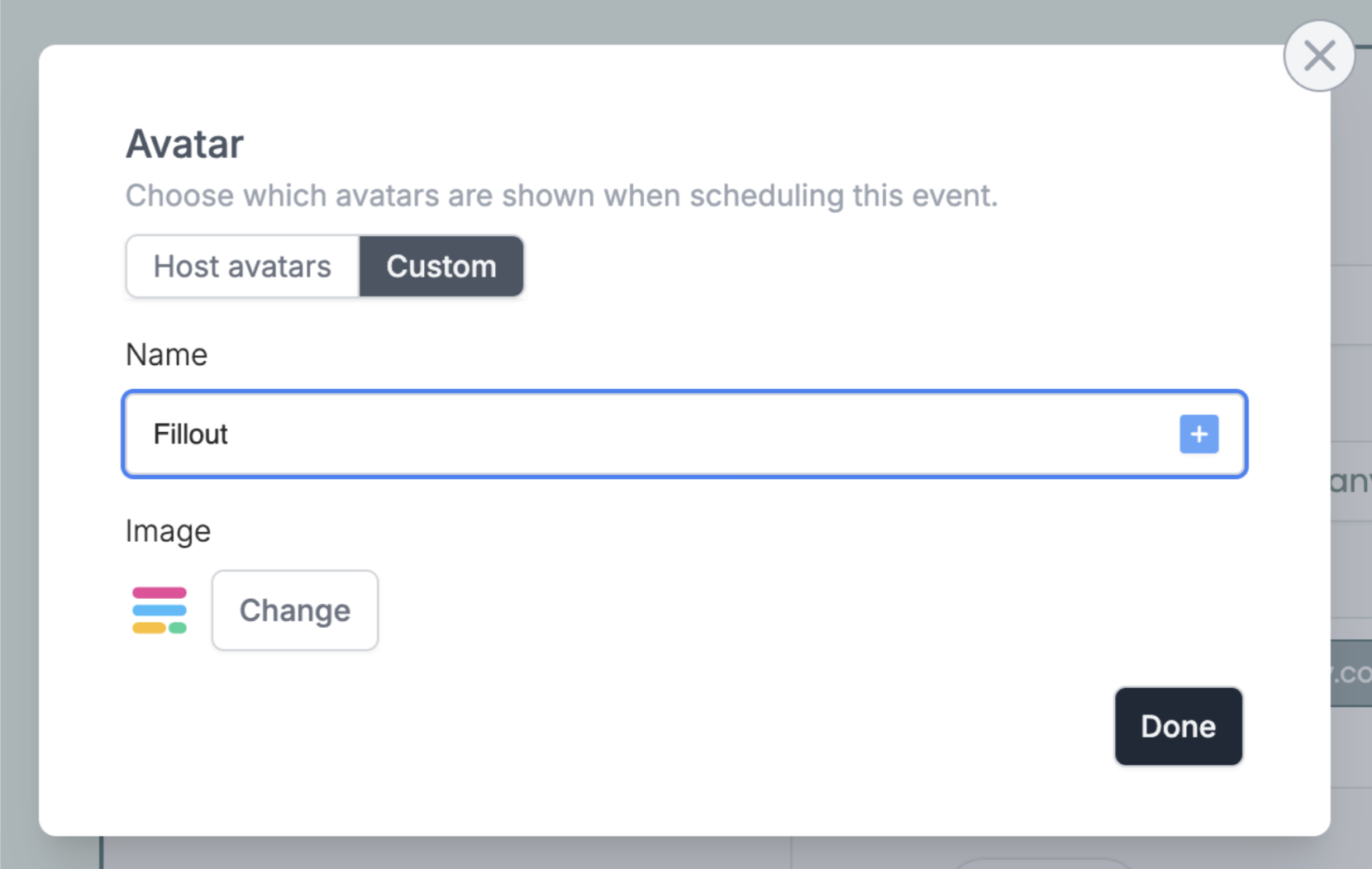 #### 📋 PDF generation font, alignment and text color
[PDF generation](https://www.fillout.com/help/pdfs) in Fillout now supports text formatting.
Plus, generate documents in most written, non-Latin languages.
#### 📋 PDF generation font, alignment and text color
[PDF generation](https://www.fillout.com/help/pdfs) in Fillout now supports text formatting.
Plus, generate documents in most written, non-Latin languages.
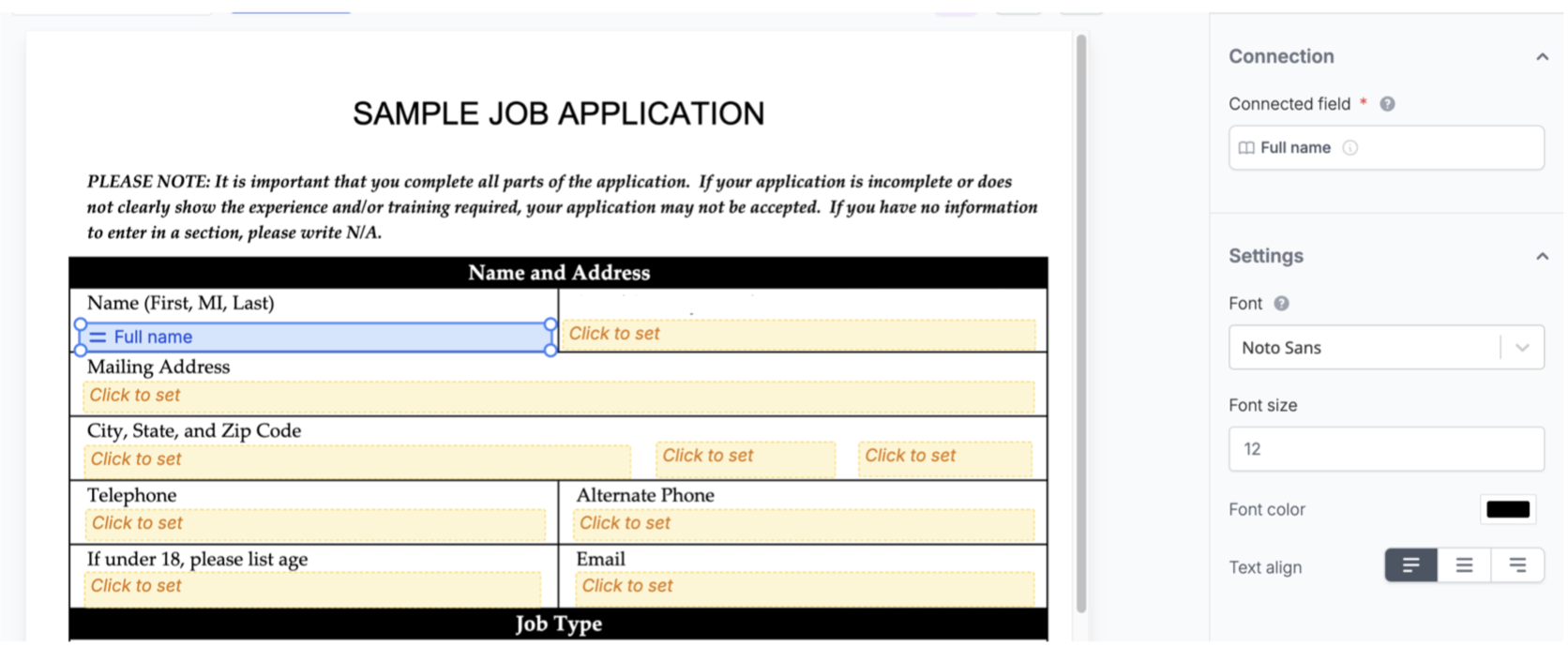 #### 📂 S3 integration (Enterprise)
Sync file uploads to an Amazon S3 bucket with Fillout's [new integration](https://www.fillout.com/help/amazon-s3).
#### 🏠 Control granular permissions from the members page
[Configure access](https://www.fillout.com/help/granular-permissions) for all Fillout workspaces from the admin settings page.
#### 📂 S3 integration (Enterprise)
Sync file uploads to an Amazon S3 bucket with Fillout's [new integration](https://www.fillout.com/help/amazon-s3).
#### 🏠 Control granular permissions from the members page
[Configure access](https://www.fillout.com/help/granular-permissions) for all Fillout workspaces from the admin settings page.
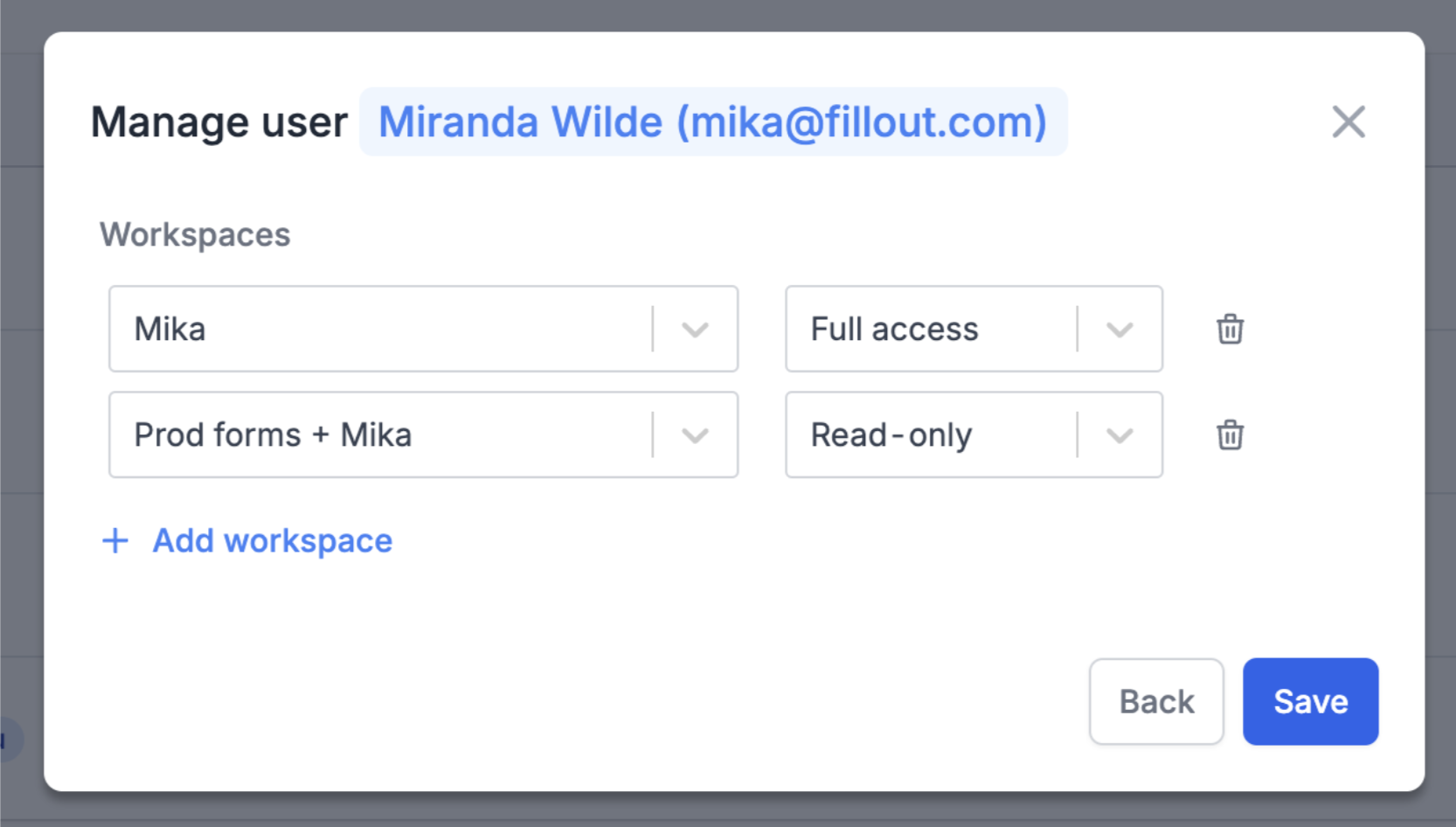 #### 💼 Salesforce "update" forms and sandbox environment
Create a form that [updates](https://www.fillout.com/help/salesforce-update-form) existing Salesforce records. Optionally connect to a sandbox environment before going live.
#### 📊 Summary view for "Ranking" field type
The "Ranking" field type now has a custom summary overview to help you better understand your survey results.
#### 💼 Salesforce "update" forms and sandbox environment
Create a form that [updates](https://www.fillout.com/help/salesforce-update-form) existing Salesforce records. Optionally connect to a sandbox environment before going live.
#### 📊 Summary view for "Ranking" field type
The "Ranking" field type now has a custom summary overview to help you better understand your survey results.
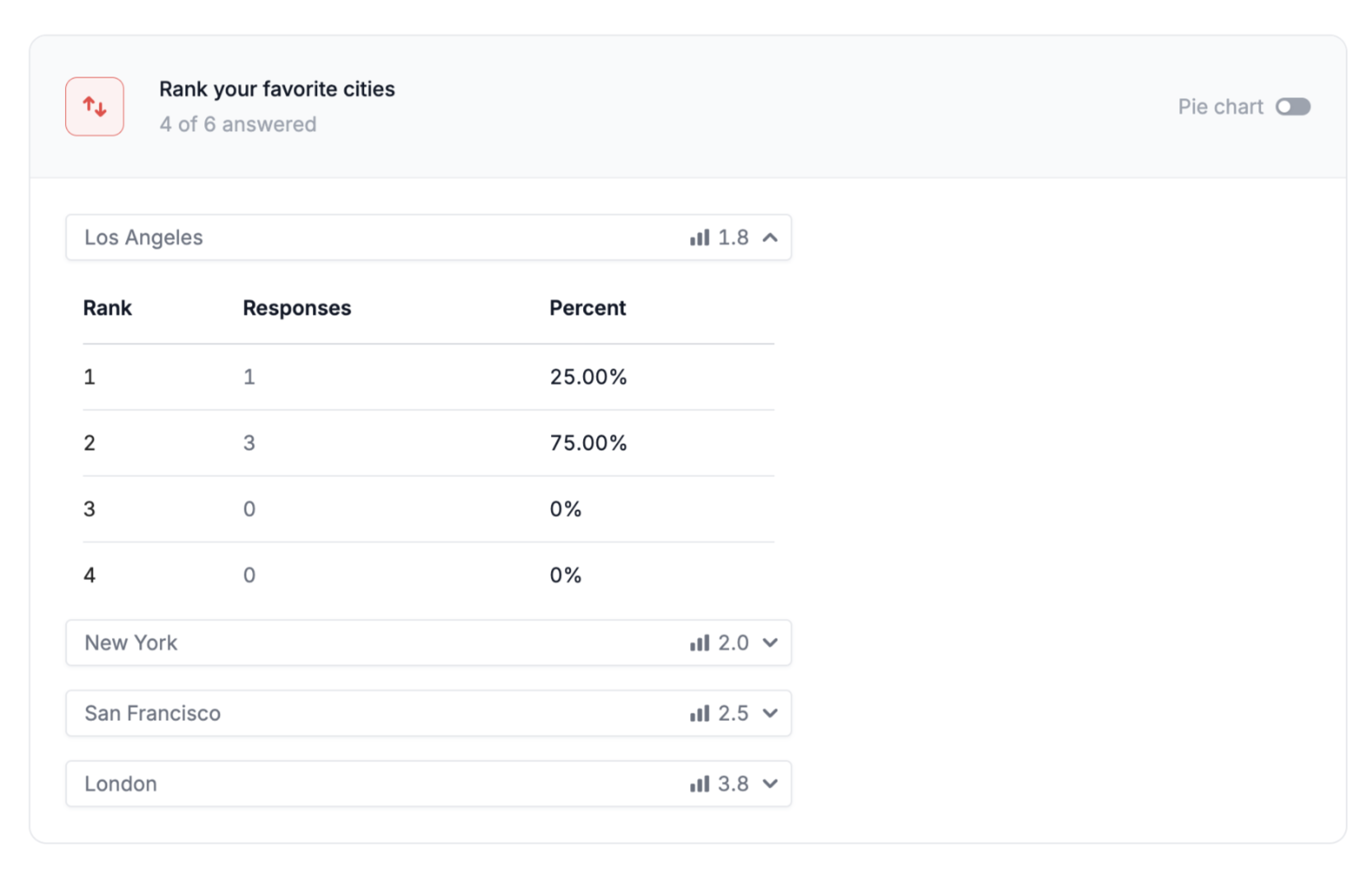 #### 🐛 Fixes and improvements
* Many improvements to Fillout Scheduling, from making it easier to connect your calendar to how availability is computed across timezones.
* Customize the button text that books a meeting.
* Added a setting to display file upload limits to users, in the form.
* Newly created webhook integrations use a cleaner format, consistent with the Fillout API.
* Made it easier to download files from the results page.
* Cmd-click to open a form in a new tab, from the home page.
* Made it easier to delete form fields that haven't been modified.
* Added an option to log out all logged in sessions for your account.
* Added a default value setting on the date range field.
#### 🐛 Fixes and improvements
* Many improvements to Fillout Scheduling, from making it easier to connect your calendar to how availability is computed across timezones.
* Customize the button text that books a meeting.
* Added a setting to display file upload limits to users, in the form.
* Newly created webhook integrations use a cleaner format, consistent with the Fillout API.
* Made it easier to download files from the results page.
* Cmd-click to open a form in a new tab, from the home page.
* Made it easier to delete form fields that haven't been modified.
* Added an option to log out all logged in sessions for your account.
* Added a default value setting on the date range field.
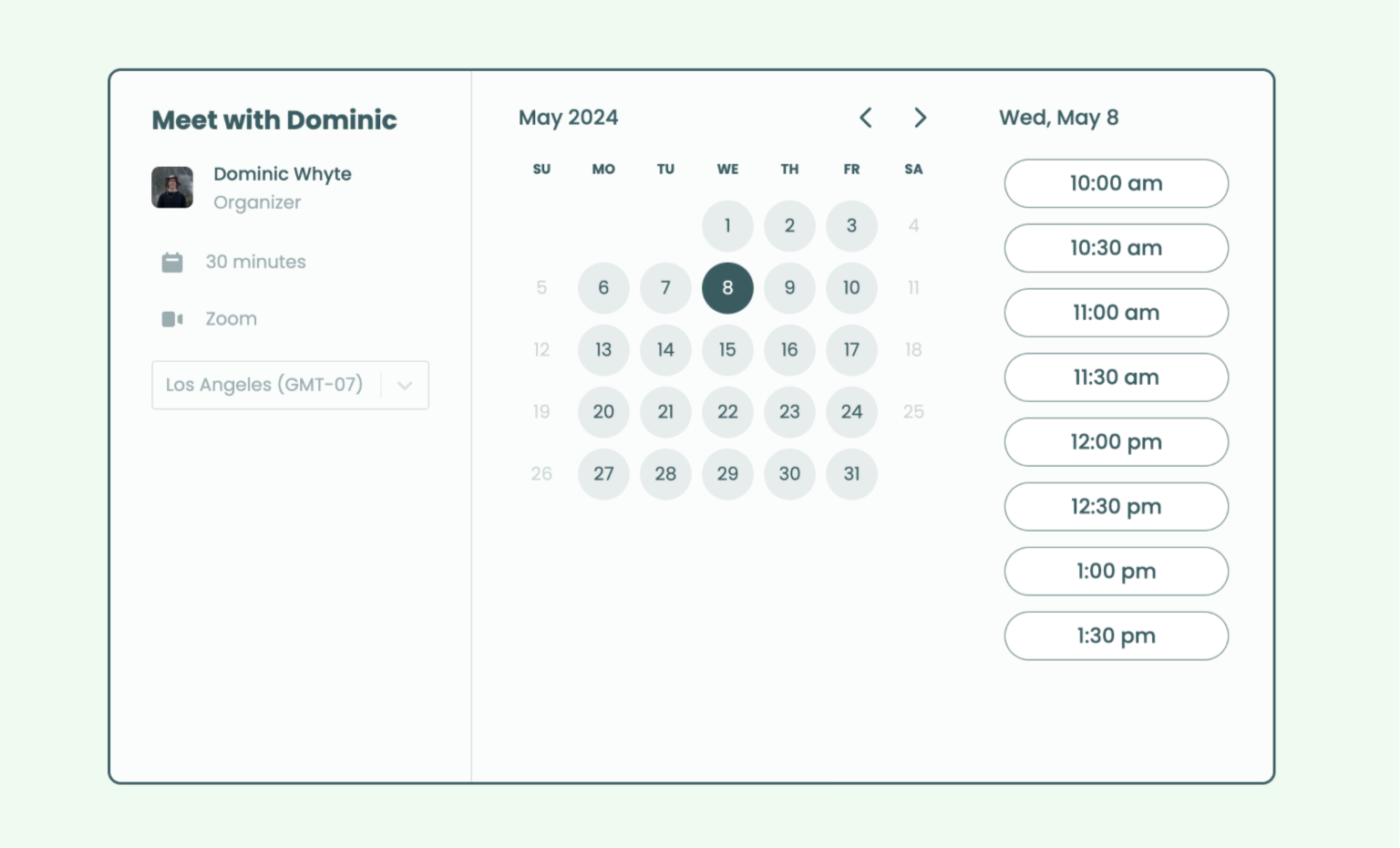 #### 📞 Zoom, Google Meet & custom locations
Fillout Scheduling integrates with Google Meet and Zoom. Alternatively, set a custom location or ask prospects for their phone number.
#### ⏰ Set your availability
Choose which days and times you'd like to accept meetings.
If needed, set buffer times, limited booking ranges & minimum notice rules.
#### 🏠 Manage scheduling links in one place
Fillout's new "Scheduling" tab displays all your meeting links. Create and view booking links for other team members with one click.
#### 📞 Zoom, Google Meet & custom locations
Fillout Scheduling integrates with Google Meet and Zoom. Alternatively, set a custom location or ask prospects for their phone number.
#### ⏰ Set your availability
Choose which days and times you'd like to accept meetings.
If needed, set buffer times, limited booking ranges & minimum notice rules.
#### 🏠 Manage scheduling links in one place
Fillout's new "Scheduling" tab displays all your meeting links. Create and view booking links for other team members with one click.
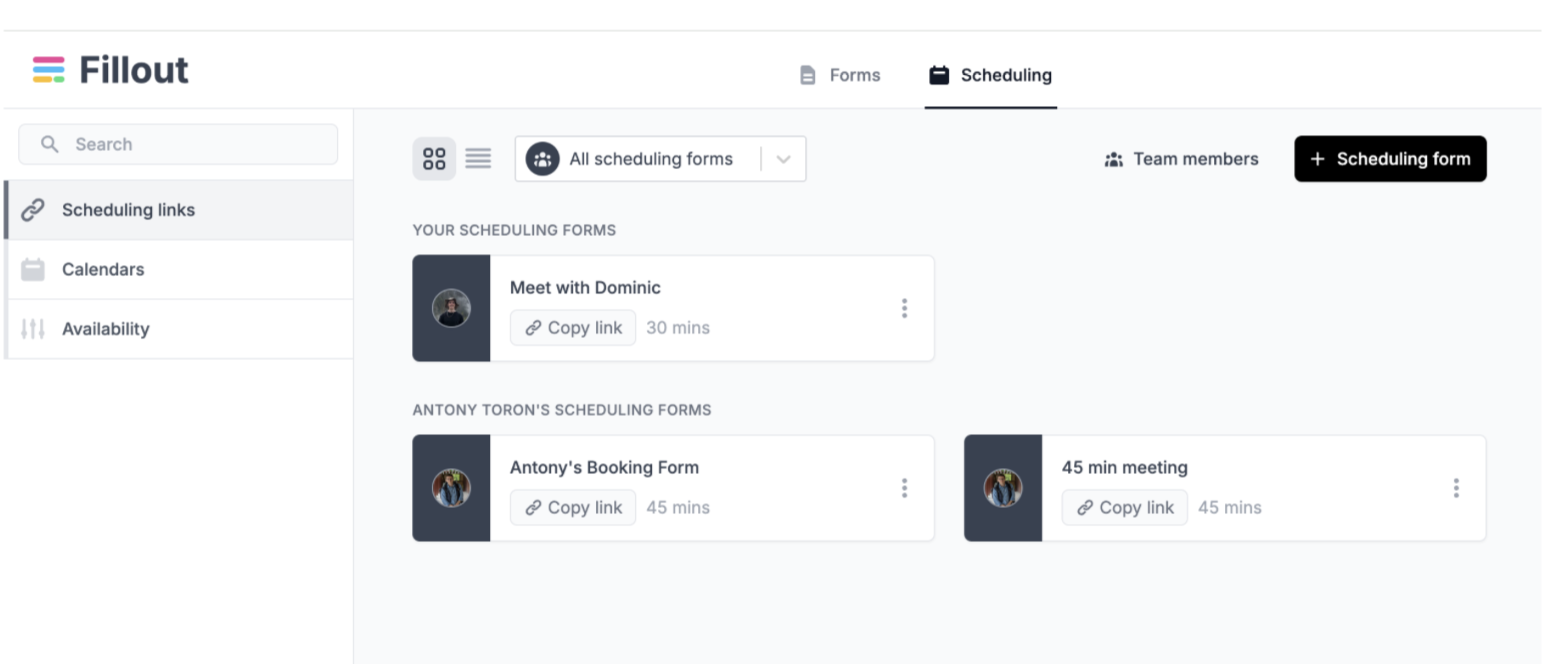 #### 📩 Control permissions with "basic" users, for free
Adding collaborators is always free in Fillout. If you don't want to add your team as admins, you can now add them as "basic users", even on the free tier.
Basic Users can create scheduling links but can't edit your existing forms.
#### 🗂️ As flexible as a form
Add a form page to your scheduler and collect invitee details with Fillout's 50+ customizable question types.
**Collect payments** before a booking or conditionally route users to different booking pages.
#### 📩 Control permissions with "basic" users, for free
Adding collaborators is always free in Fillout. If you don't want to add your team as admins, you can now add them as "basic users", even on the free tier.
Basic Users can create scheduling links but can't edit your existing forms.
#### 🗂️ As flexible as a form
Add a form page to your scheduler and collect invitee details with Fillout's 50+ customizable question types.
**Collect payments** before a booking or conditionally route users to different booking pages.
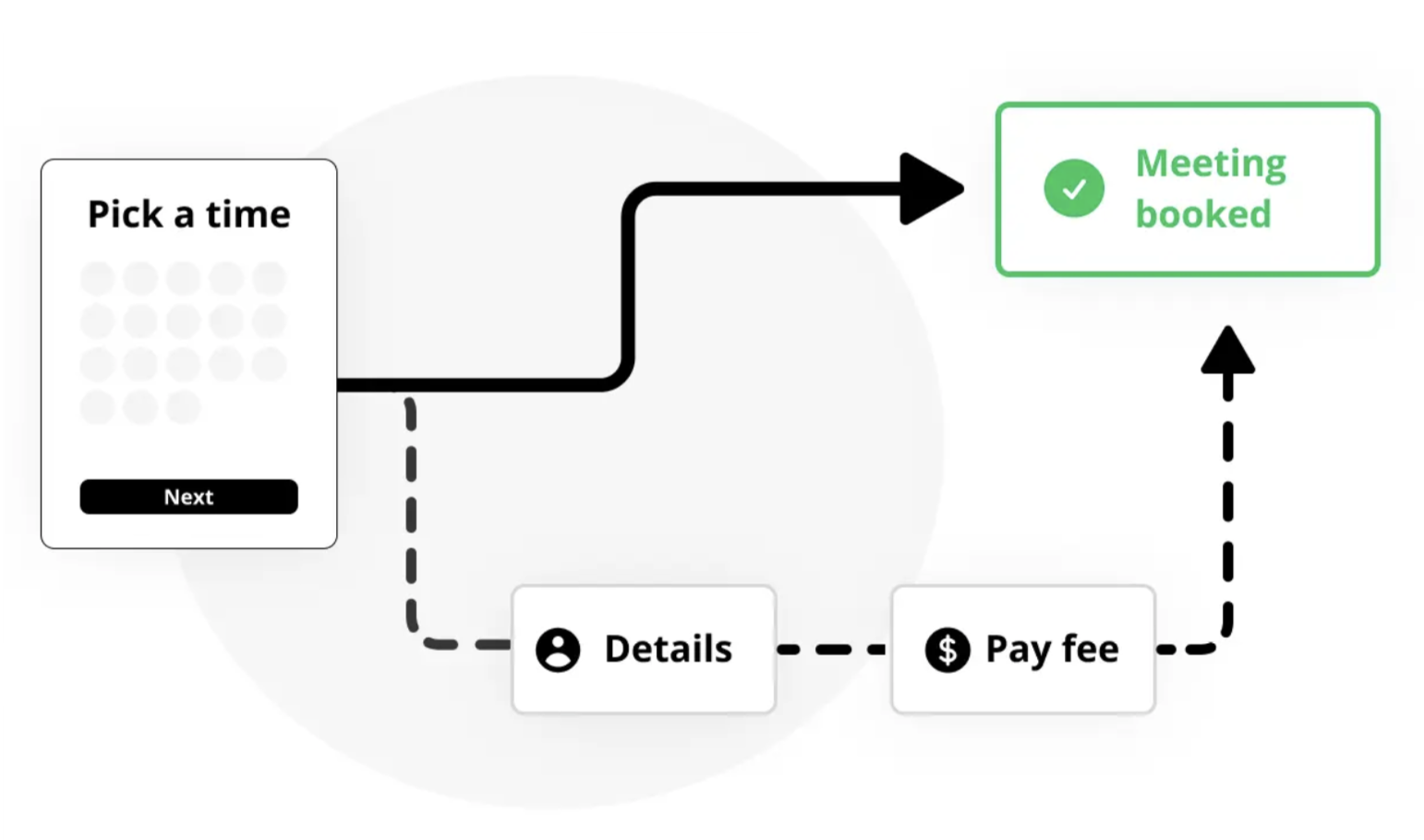 #### ⚡️ 3rd party integrations
As with forms, Fillout Scheduling integrates natively with your favorite 3rd party tools. Send booking details to Airtable, Notion, Google Sheets, HubSpot, Salesforce and more.
#### 🎁 That's all for now
As always, keep us posted with any feedback. We're regularly adding new features!
#### ⚡️ 3rd party integrations
As with forms, Fillout Scheduling integrates natively with your favorite 3rd party tools. Send booking details to Airtable, Notion, Google Sheets, HubSpot, Salesforce and more.
#### 🎁 That's all for now
As always, keep us posted with any feedback. We're regularly adding new features!
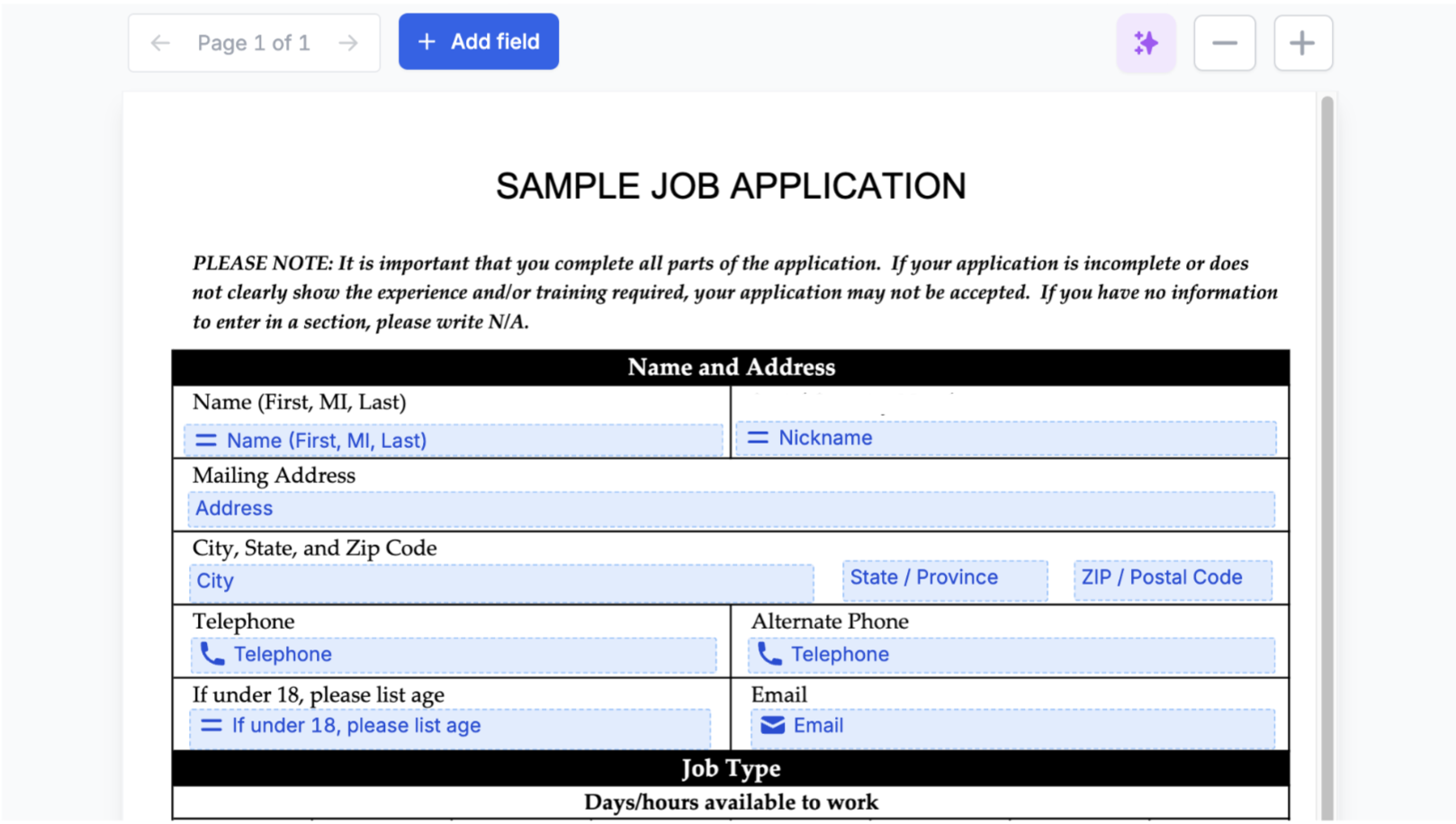 #### 💲 Current input formatting
The currency field type auto-formats large numbers with commas to make inputs easier to read.
#### 💼 Salesforce integration (Enterprise)
The native [Salesforce](https://www.fillout.com/help/salesforce) integration is now available to all Enterprise customers. We're continuing to deepen the integration - let us know if you have any feature requests!
#### 💲 Current input formatting
The currency field type auto-formats large numbers with commas to make inputs easier to read.
#### 💼 Salesforce integration (Enterprise)
The native [Salesforce](https://www.fillout.com/help/salesforce) integration is now available to all Enterprise customers. We're continuing to deepen the integration - let us know if you have any feature requests!
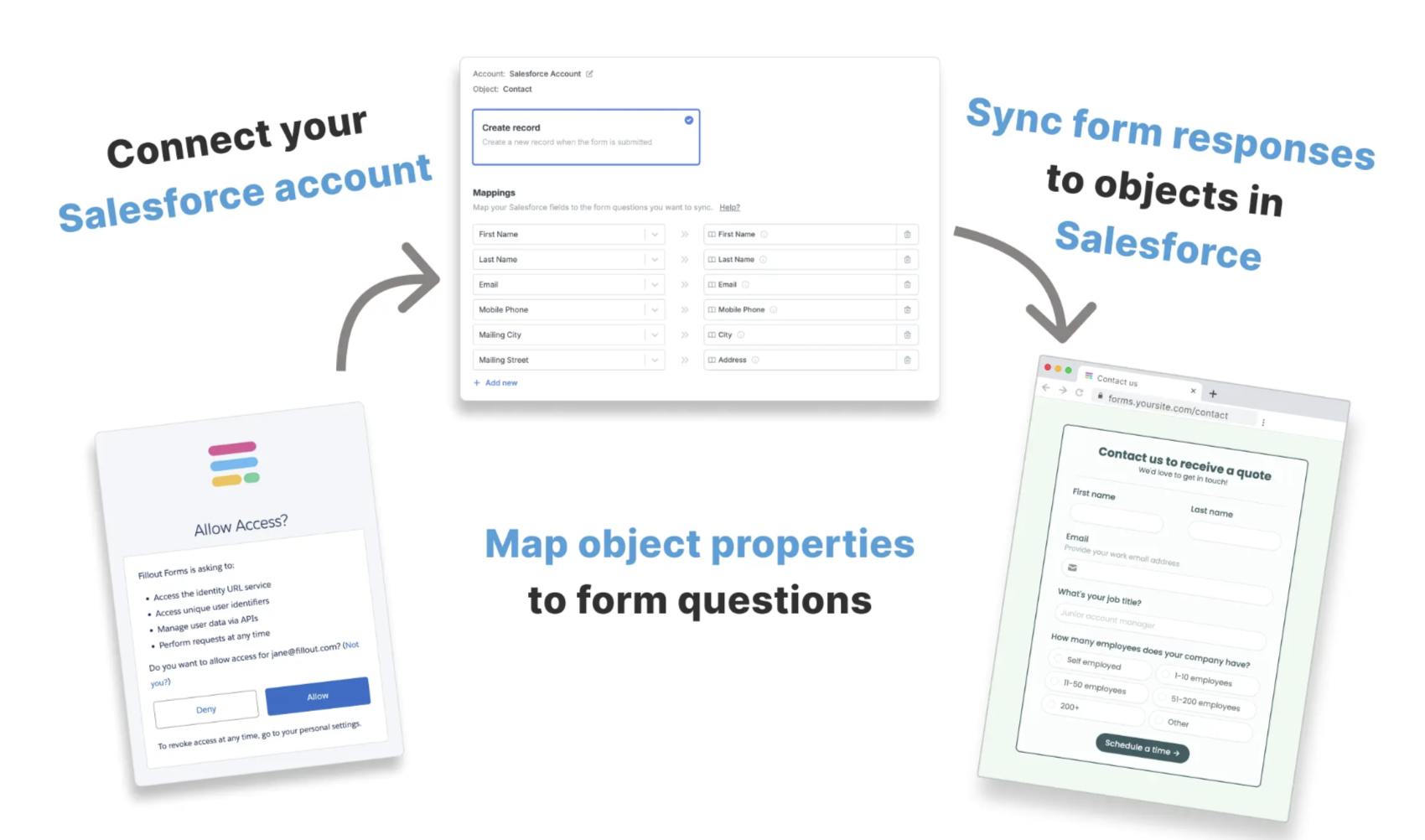 #### 🔒 New validation rules
Require a minimum number of files on the file upload field.
For long answer inputs, set a max number of characters and Fillout will display the number of characters in real-time.
#### 🏠 Home page improvements
Choose between grid and column view to organize your workspace.
Plus, disable and enable forms in one click, directly from the home page.
#### 🔒 New validation rules
Require a minimum number of files on the file upload field.
For long answer inputs, set a max number of characters and Fillout will display the number of characters in real-time.
#### 🏠 Home page improvements
Choose between grid and column view to organize your workspace.
Plus, disable and enable forms in one click, directly from the home page.
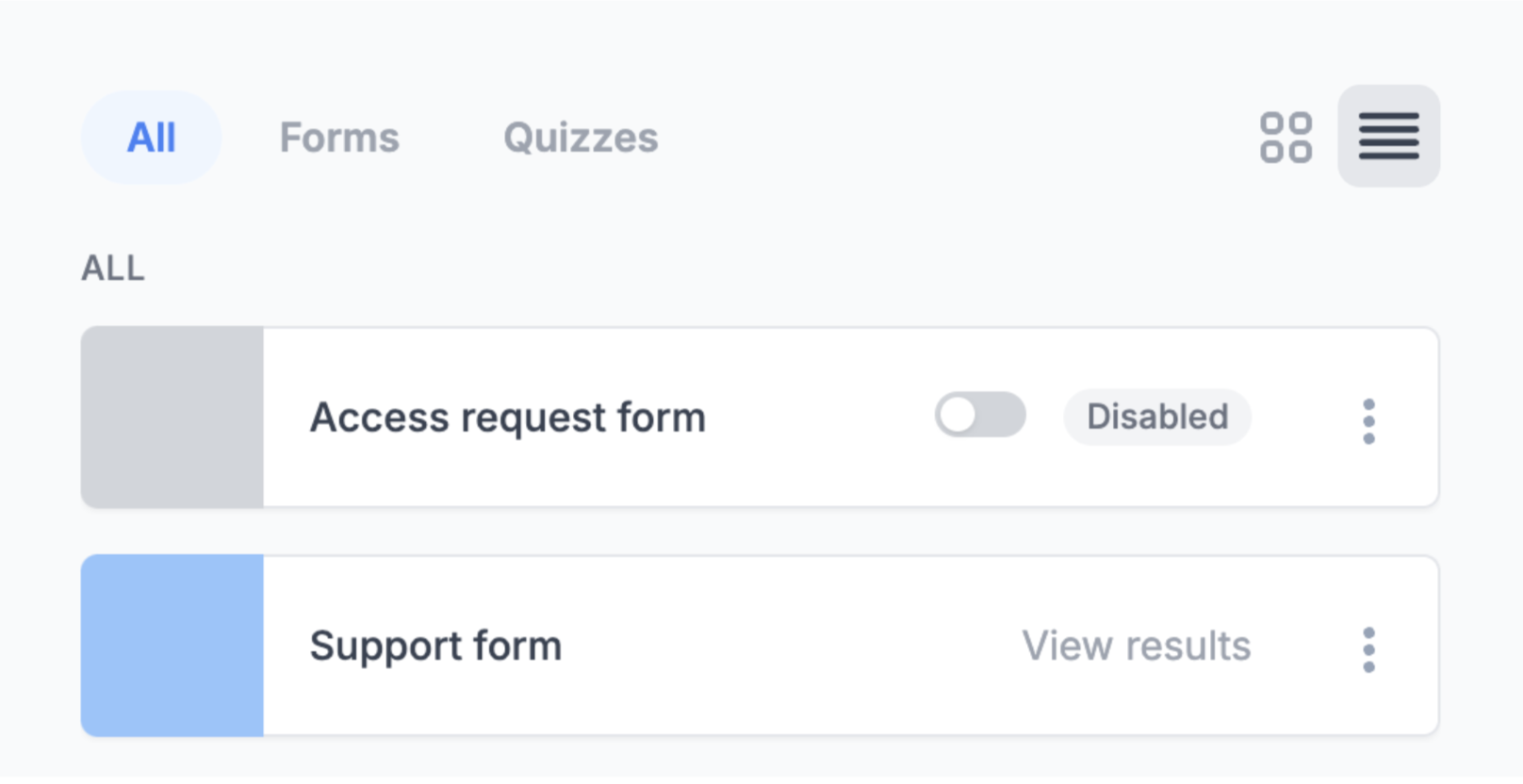 #### 🗂️ Linear integration
Fillout now integrates natively with [Linear](https://www.fillout.com/help/linear), the leading project management tool for startups.
Create Linear issues from your Fillout forms to manage bug reports, new project proposals, internal requests and more.
#### 🐛 Fixes and improvements
* Added support for scripts in the HTML block field type.
* Added the ability to change and verify your email address from the settings page, without contacting support.
* Past submissions from deleted pages now show on the results tab.
* Login pages now support validating users from HubSpot.
#### 🗂️ Linear integration
Fillout now integrates natively with [Linear](https://www.fillout.com/help/linear), the leading project management tool for startups.
Create Linear issues from your Fillout forms to manage bug reports, new project proposals, internal requests and more.
#### 🐛 Fixes and improvements
* Added support for scripts in the HTML block field type.
* Added the ability to change and verify your email address from the settings page, without contacting support.
* Past submissions from deleted pages now show on the results tab.
* Login pages now support validating users from HubSpot.
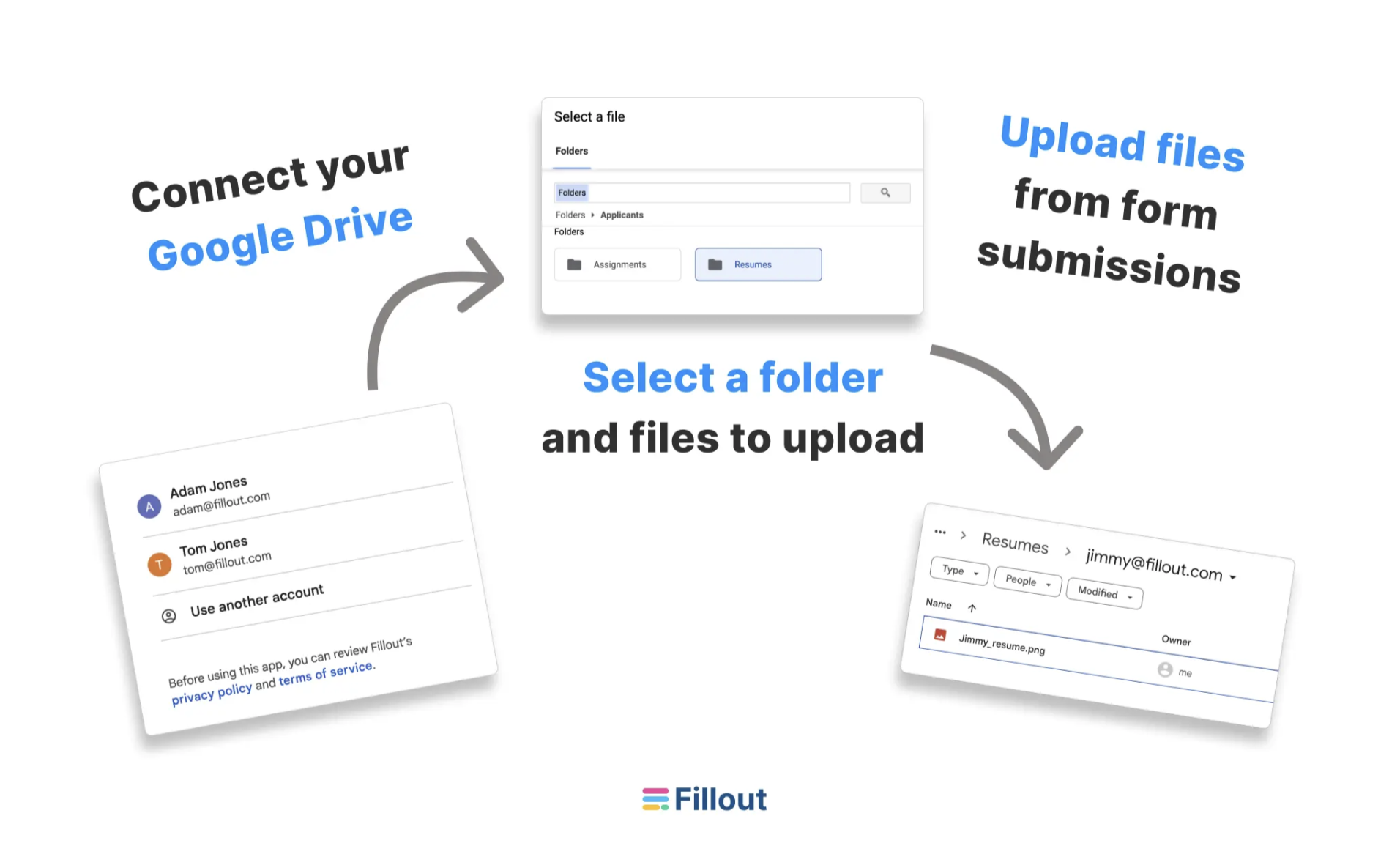 #### 📆 [cal.com](http://cal.com) integration
Fillout now integrates with [cal.com](http://cal.com), the leading open-source scheduling platform. Let us know what you think if you try it out!
#### 📃 New PDF display options and improvements
Fillout's [PDF integration](https://www.fillout.com/help/pdfs) now supports displaying multiple choice fields as plaintext, instead of checkboxes. We've also fixed a lot edge cases with more complex documents.
#### ⬅️ Set back button position
In your advanced theme settings, set the [back button](https://www.fillout.com/help/button-types) to appear near the next button, instead of the top left corner.
#### 📆 [cal.com](http://cal.com) integration
Fillout now integrates with [cal.com](http://cal.com), the leading open-source scheduling platform. Let us know what you think if you try it out!
#### 📃 New PDF display options and improvements
Fillout's [PDF integration](https://www.fillout.com/help/pdfs) now supports displaying multiple choice fields as plaintext, instead of checkboxes. We've also fixed a lot edge cases with more complex documents.
#### ⬅️ Set back button position
In your advanced theme settings, set the [back button](https://www.fillout.com/help/button-types) to appear near the next button, instead of the top left corner.
 #### 🔗 Faster linked record pickers
Record pickers in Fillout now load \~ 2x faster when using the Airtable integration.
#### 📫 Microsoft Teams integration
Send form responses to your Teams channels. Optionally send to different channels based on the response and define custom messages.
If you use Slack instead, take a look at our existing [Slack integration](https://www.fillout.com/help/slack).
#### 🔗 Faster linked record pickers
Record pickers in Fillout now load \~ 2x faster when using the Airtable integration.
#### 📫 Microsoft Teams integration
Send form responses to your Teams channels. Optionally send to different channels based on the response and define custom messages.
If you use Slack instead, take a look at our existing [Slack integration](https://www.fillout.com/help/slack).
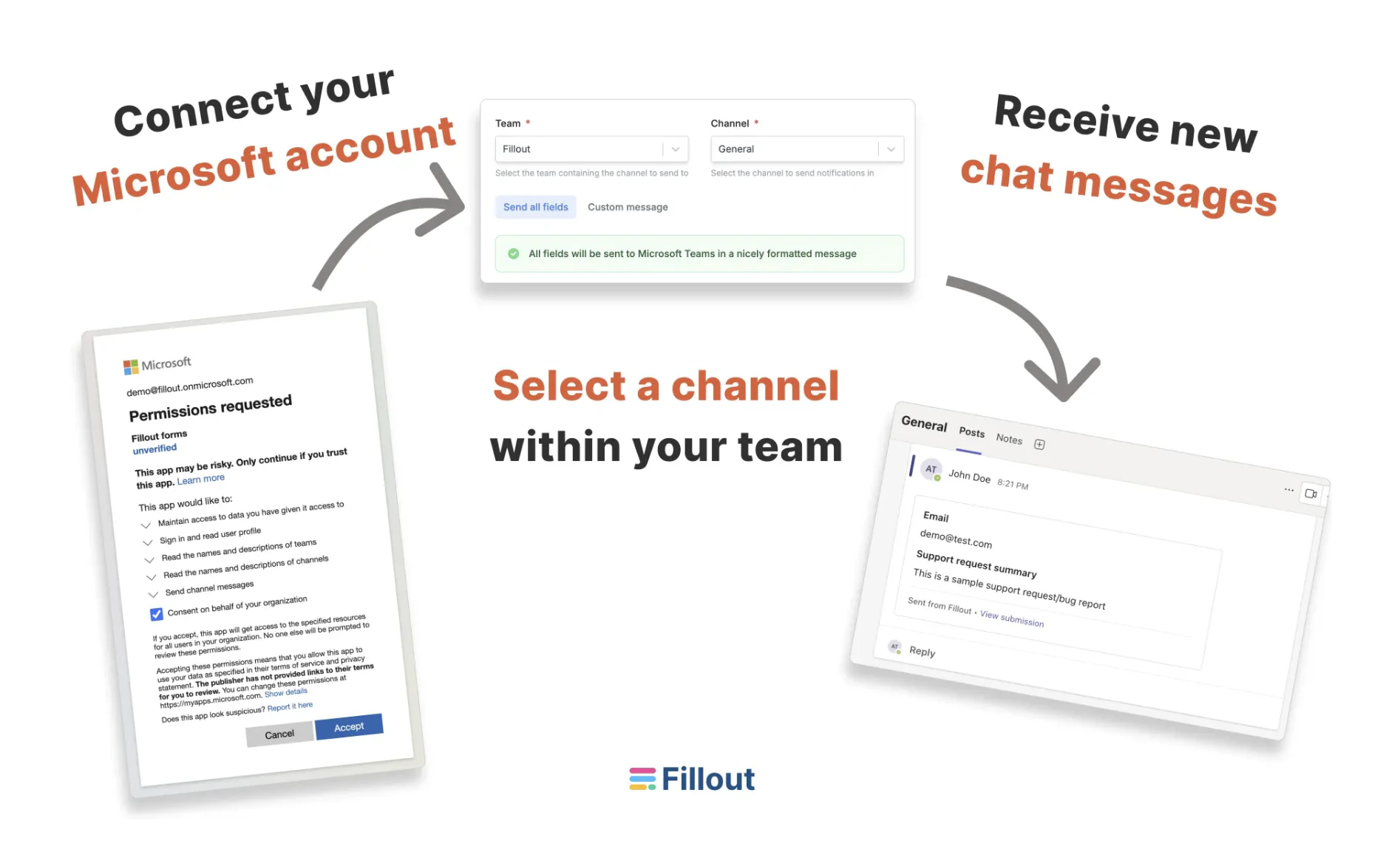 #### 👨👨👦👦 Free, unlimited seats on all plans
In case you missed it, you can now invite your whole team to Fillout, for free. More on why we made [collaborators free here](https://www.fillout.com/blog/unlimited-seats).
#### 🐛 Fixes and improvements
* "Cmd C" to copy fields. Paste fields on any form or page with Cmd V.
* The form ID and form name are now included in webhook payloads.
* Improved Aria Labels support for all fields.
* Added ability to remove yourself from an organization.
* Reuse Stripe/Calendly connections across pages and forms.
* Subforms don't allow submitting in-progress records if marked as required.
* Added the option to change an integration connection without removing it.
* Improved how the progress bar displays on certain form layouts.
#### 👨👨👦👦 Free, unlimited seats on all plans
In case you missed it, you can now invite your whole team to Fillout, for free. More on why we made [collaborators free here](https://www.fillout.com/blog/unlimited-seats).
#### 🐛 Fixes and improvements
* "Cmd C" to copy fields. Paste fields on any form or page with Cmd V.
* The form ID and form name are now included in webhook payloads.
* Improved Aria Labels support for all fields.
* Added ability to remove yourself from an organization.
* Reuse Stripe/Calendly connections across pages and forms.
* Subforms don't allow submitting in-progress records if marked as required.
* Added the option to change an integration connection without removing it.
* Improved how the progress bar displays on certain form layouts.
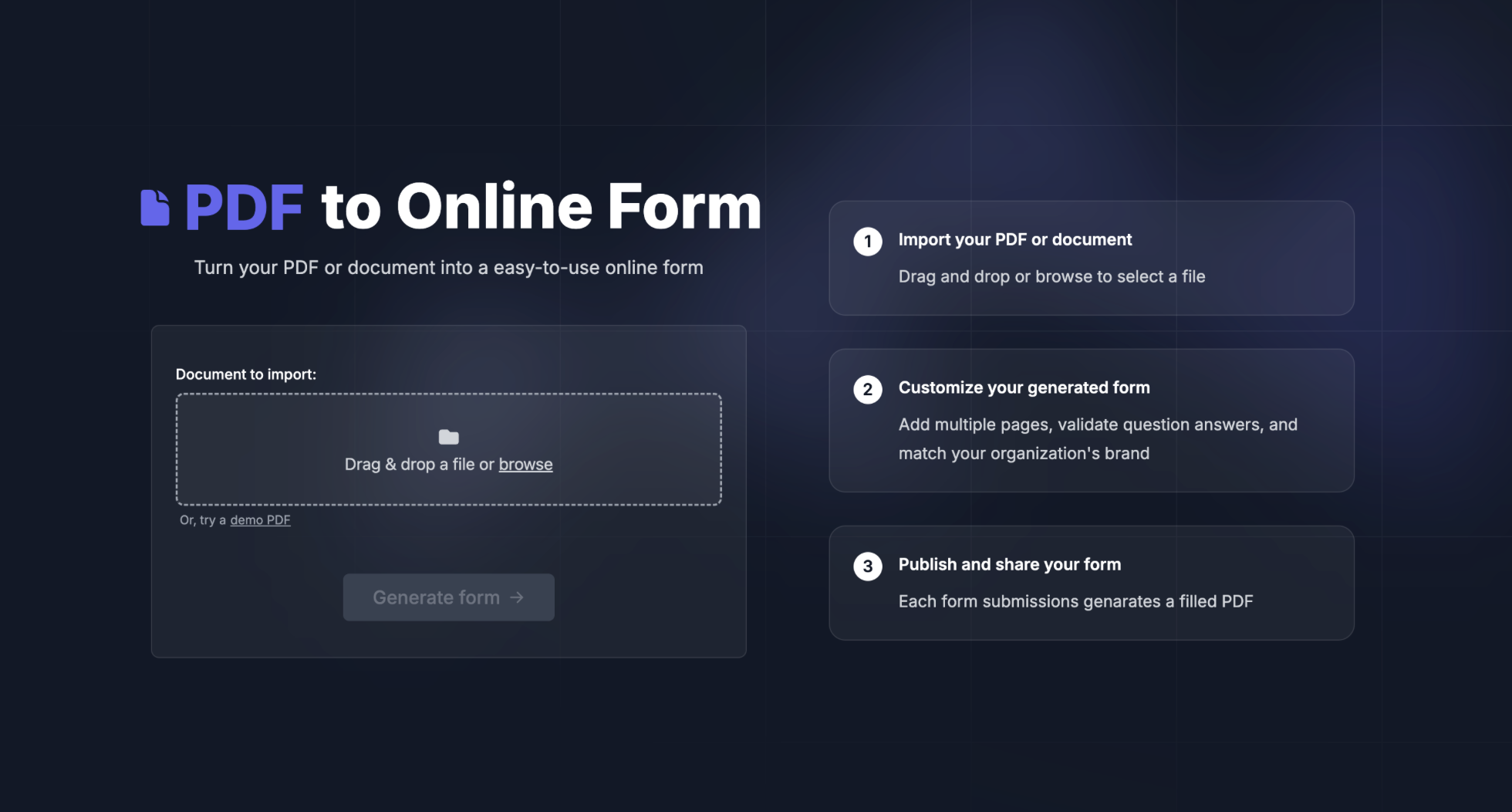 #### 📝 PDF workflows on existing forms
You can add multiple PDF workflows to existing forms, too.
Head to the integrations tab and choose [Generate PDF](https://www.fillout.com/pdf-to-form). Then, map your form fields to any part of the document.
You can even map checkboxes, signatures and non-question fields.
You'll get a link to each filled document on the Fillout results page.
#### 📧 Send filled PDFs by email
Include a copy of the generated PDF in your respondent and self notification emails.
#### ⚡️ Upload filled PDFs to 3rd party apps
You can automatically upload generated documents to 3rd party apps, like Airtable, Notion, SmartSuite, GoogleSheets, Dropbox, and more.
#### 📝 PDF workflows on existing forms
You can add multiple PDF workflows to existing forms, too.
Head to the integrations tab and choose [Generate PDF](https://www.fillout.com/pdf-to-form). Then, map your form fields to any part of the document.
You can even map checkboxes, signatures and non-question fields.
You'll get a link to each filled document on the Fillout results page.
#### 📧 Send filled PDFs by email
Include a copy of the generated PDF in your respondent and self notification emails.
#### ⚡️ Upload filled PDFs to 3rd party apps
You can automatically upload generated documents to 3rd party apps, like Airtable, Notion, SmartSuite, GoogleSheets, Dropbox, and more.
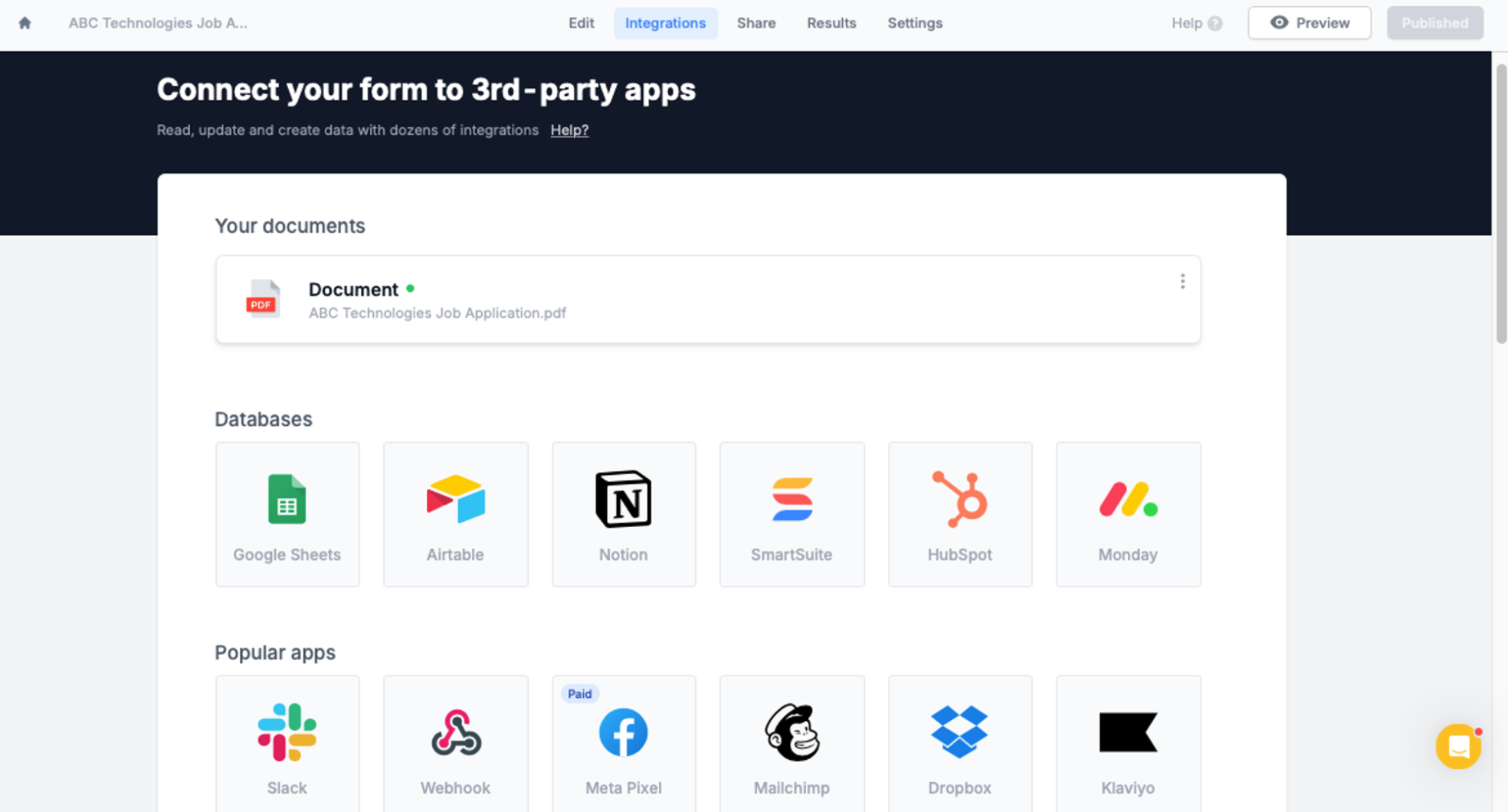 #### ⬇️ Let users download their PDF
Add a "Download PDF" button to your form to let respondents download the finalized PDF document after their submission.
#### ⬇️ Let users download their PDF
Add a "Download PDF" button to your form to let respondents download the finalized PDF document after their submission.
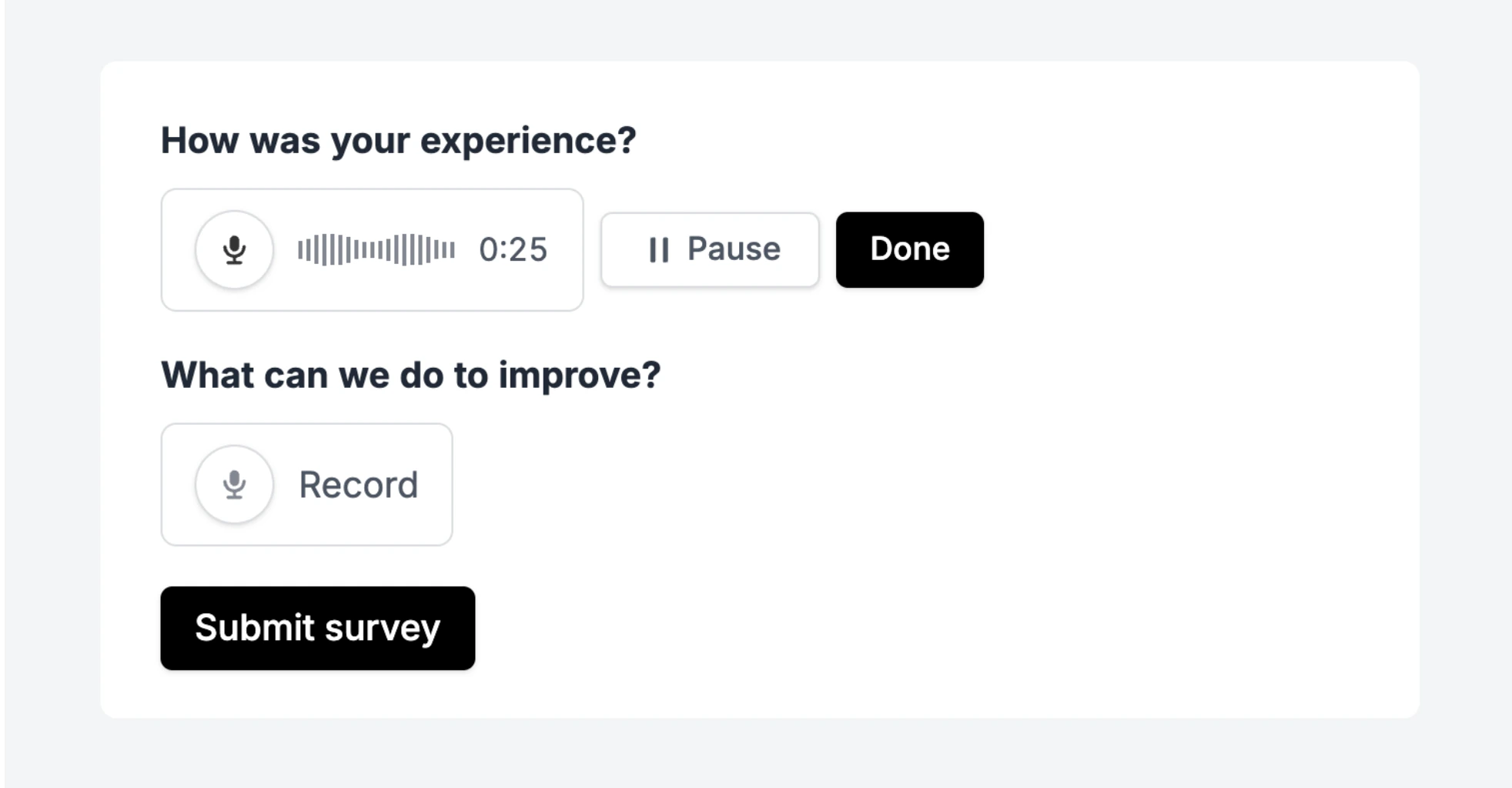 #### 📝 Transcribe with AI (Business)
Enable transcription to automatically generate a transcript of every recording.
Provide a [custom prompt](https://www.fillout.com/blog/launch-week-ii) to tailor the transcription style to your needs.
#### 📝 Transcribe with AI (Business)
Enable transcription to automatically generate a transcript of every recording.
Provide a [custom prompt](https://www.fillout.com/blog/launch-week-ii) to tailor the transcription style to your needs.
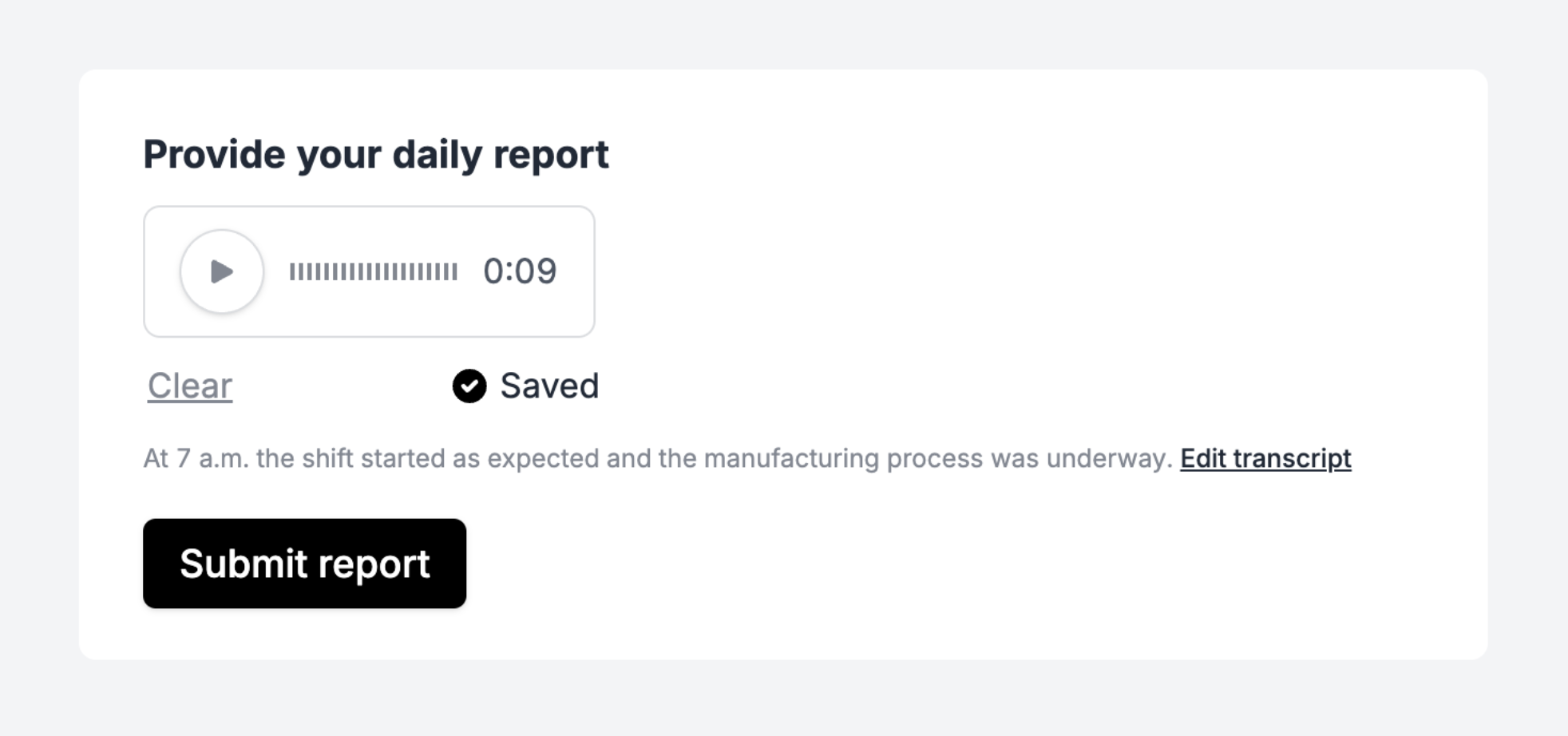 Transcriptions are powered by OpenAI's Whisper, hosted in the US or EU (Azure) depending on your plan.
#### ✅ Send recordings and transcripts to 3rd party integrations
Send the raw audio file and/or transcription to your 3rd party services. For example, upload recordings to Dropbox, Airtable or even use them in Zapier/Make/Relay automations.
Transcriptions are powered by OpenAI's Whisper, hosted in the US or EU (Azure) depending on your plan.
#### ✅ Send recordings and transcripts to 3rd party integrations
Send the raw audio file and/or transcription to your 3rd party services. For example, upload recordings to Dropbox, Airtable or even use them in Zapier/Make/Relay automations.
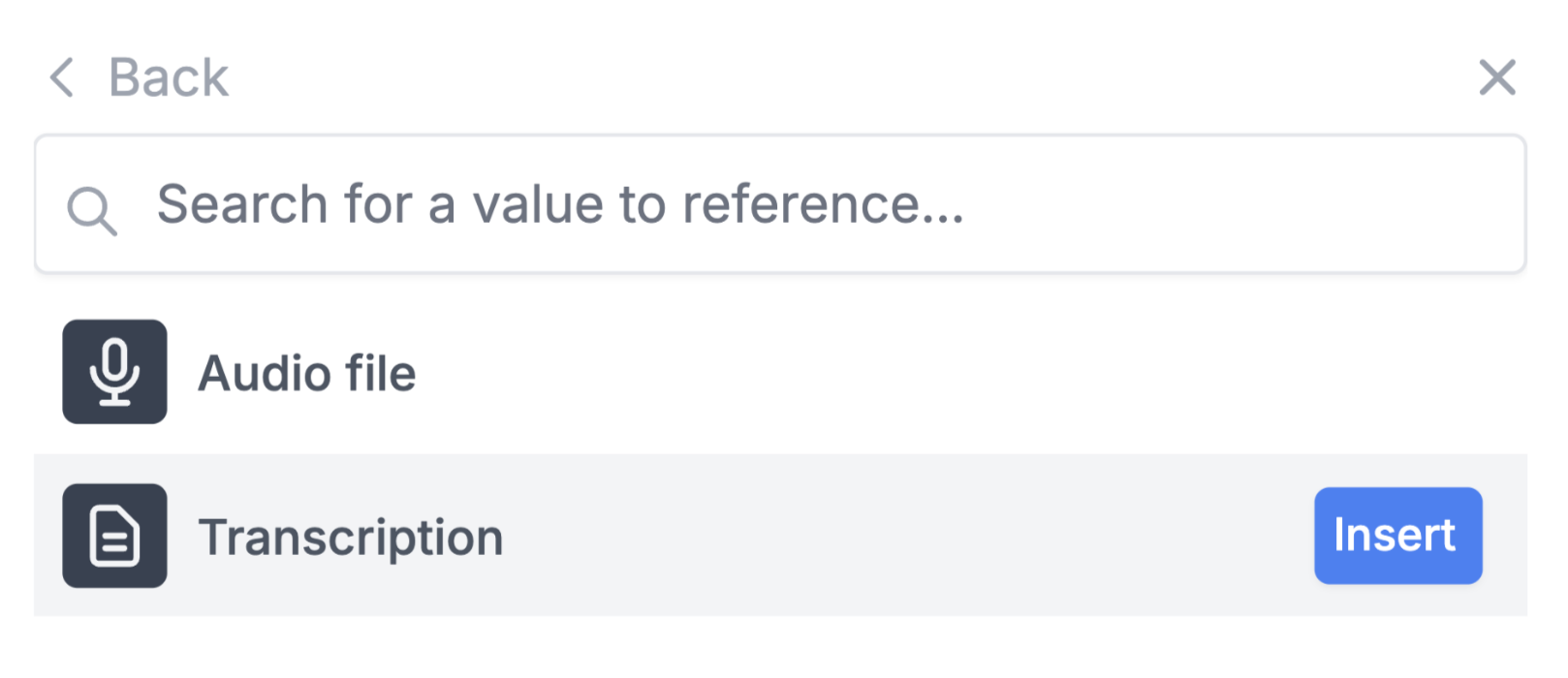
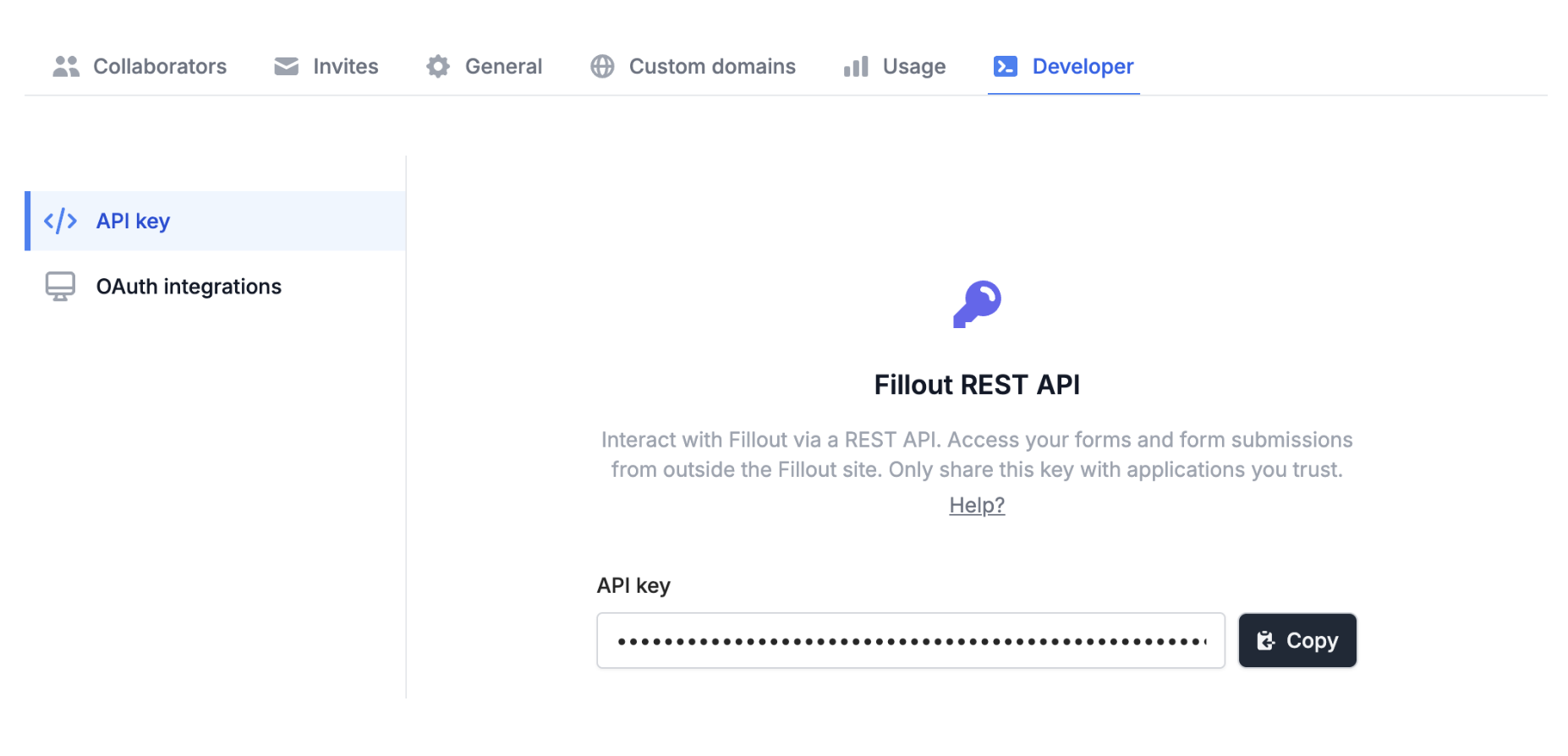 #### 🙋♂️ View integration usage
On the Fillout integrations page, click "View usage" to see which of your forms are connected to each 3rd party service.
#### 🙋♂️ View integration usage
On the Fillout integrations page, click "View usage" to see which of your forms are connected to each 3rd party service.
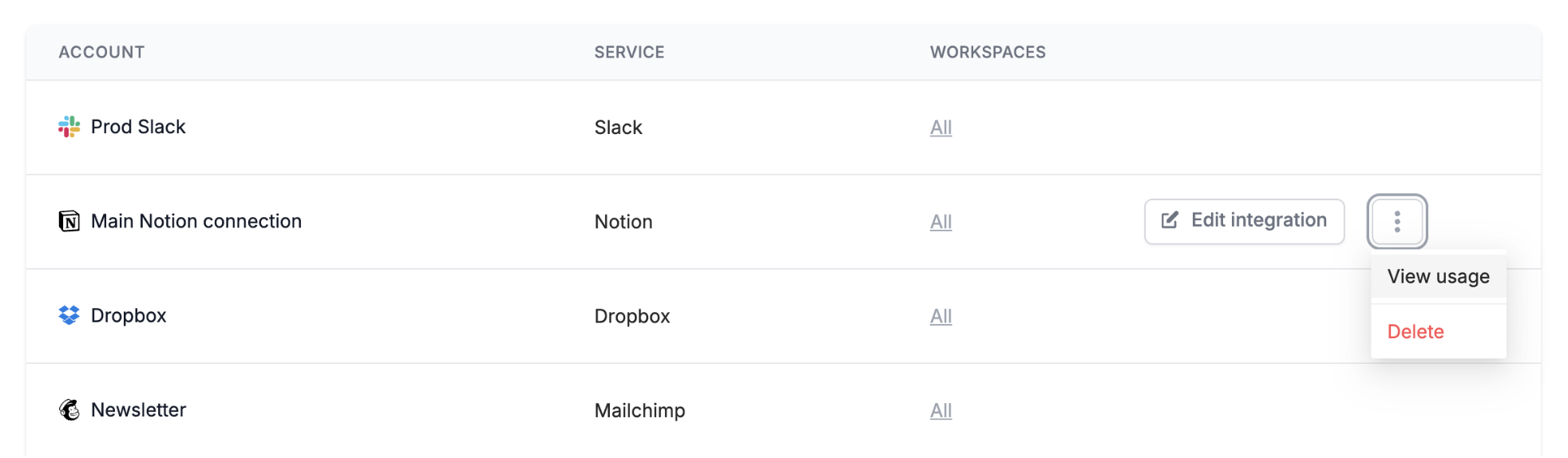 #### ✅ API improvements
Return responses before/after a certain date, fetch in progress submissions, sort responses and even obtain an edit link for any form submission.
We've also improved the response format to make it easier to work with.
#### 🔒 Restrict integrations by workspace (Enterprise)
Limit who in your organization can access each of your 3rd party accounts. Set permission boundaries across teams or different clients.
#### 🔄 Build 3rd party apps (OAuth)
Create apps that integrate with Fillout accounts.
Third party apps let you or your users access Fillout responses via API. Once someone grants access to your application, you'll have API access to fetch forms, responses and even create webhooks. Learn more here.
#### ✅ API improvements
Return responses before/after a certain date, fetch in progress submissions, sort responses and even obtain an edit link for any form submission.
We've also improved the response format to make it easier to work with.
#### 🔒 Restrict integrations by workspace (Enterprise)
Limit who in your organization can access each of your 3rd party accounts. Set permission boundaries across teams or different clients.
#### 🔄 Build 3rd party apps (OAuth)
Create apps that integrate with Fillout accounts.
Third party apps let you or your users access Fillout responses via API. Once someone grants access to your application, you'll have API access to fetch forms, responses and even create webhooks. Learn more here.
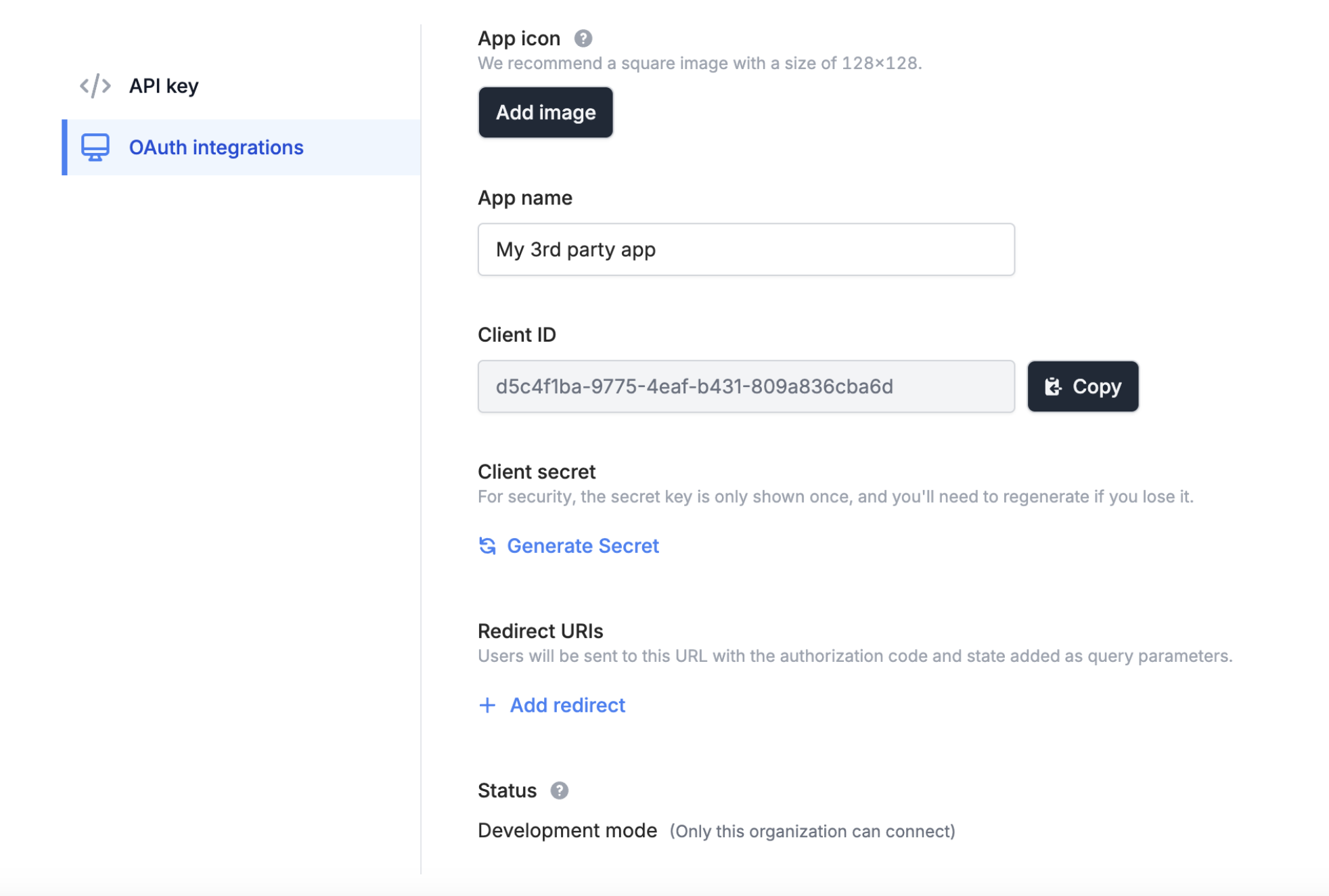 #### ⚡️ Our first OAuth integration: Relay
[Relay](https://www.fillout.com/help/relay-app) is our new favorite tool for human-in-the-loop and AI-assisted automations.
They recently released a Fillout integration with our new 3rd party app framework.
#### ⚡️ Our first OAuth integration: Relay
[Relay](https://www.fillout.com/help/relay-app) is our new favorite tool for human-in-the-loop and AI-assisted automations.
They recently released a Fillout integration with our new 3rd party app framework.
 Let us know which apps you want to see integrations with next!
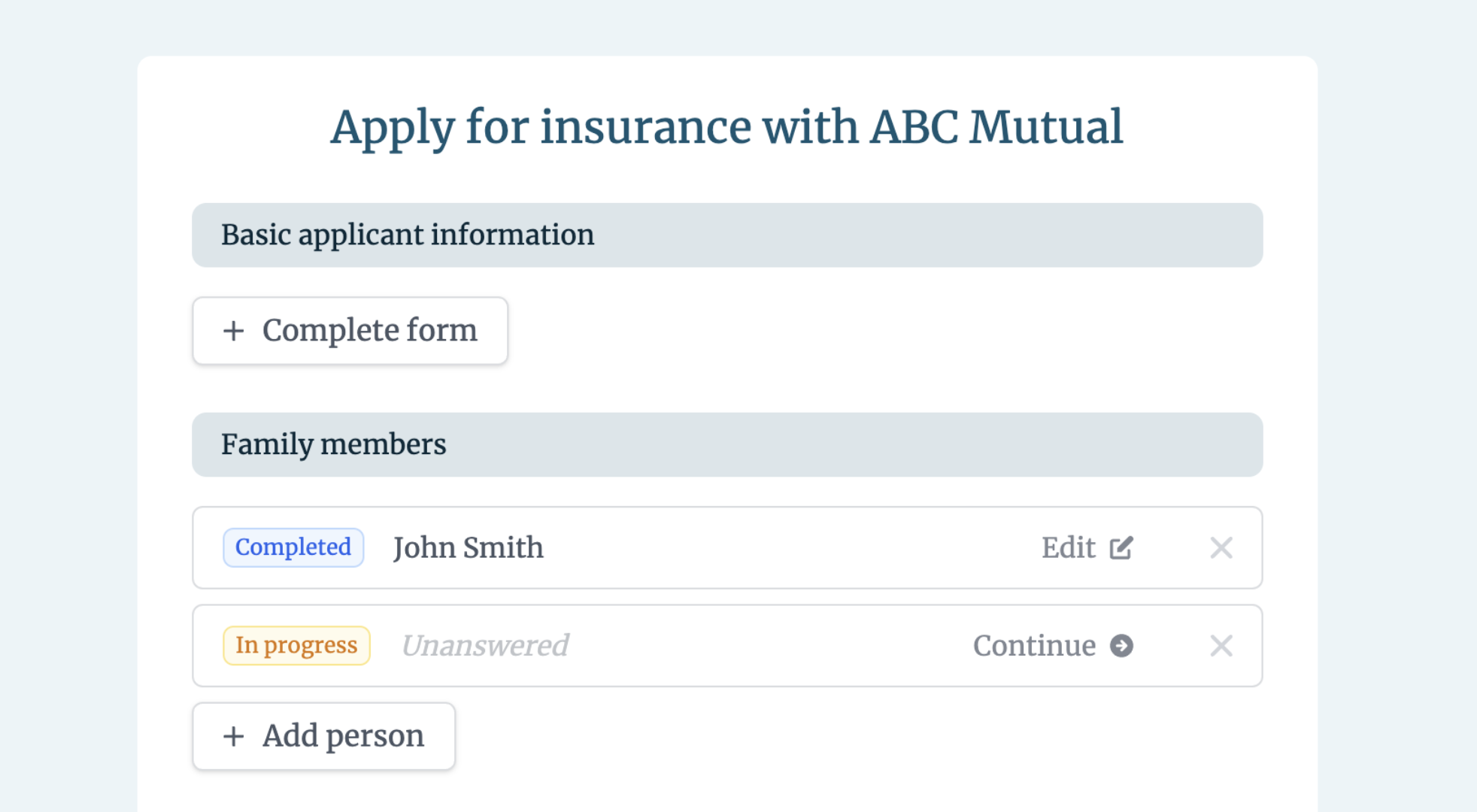 The subform also lets users [edit and resume](https://www.fillout.com/blog/launch-week-ii) in-progress submissions.
#### ✅ Validation options
Limit the number of subform responses your users can add with validation settings.
The subform also lets users [edit and resume](https://www.fillout.com/blog/launch-week-ii) in-progress submissions.
#### ✅ Validation options
Limit the number of subform responses your users can add with validation settings.
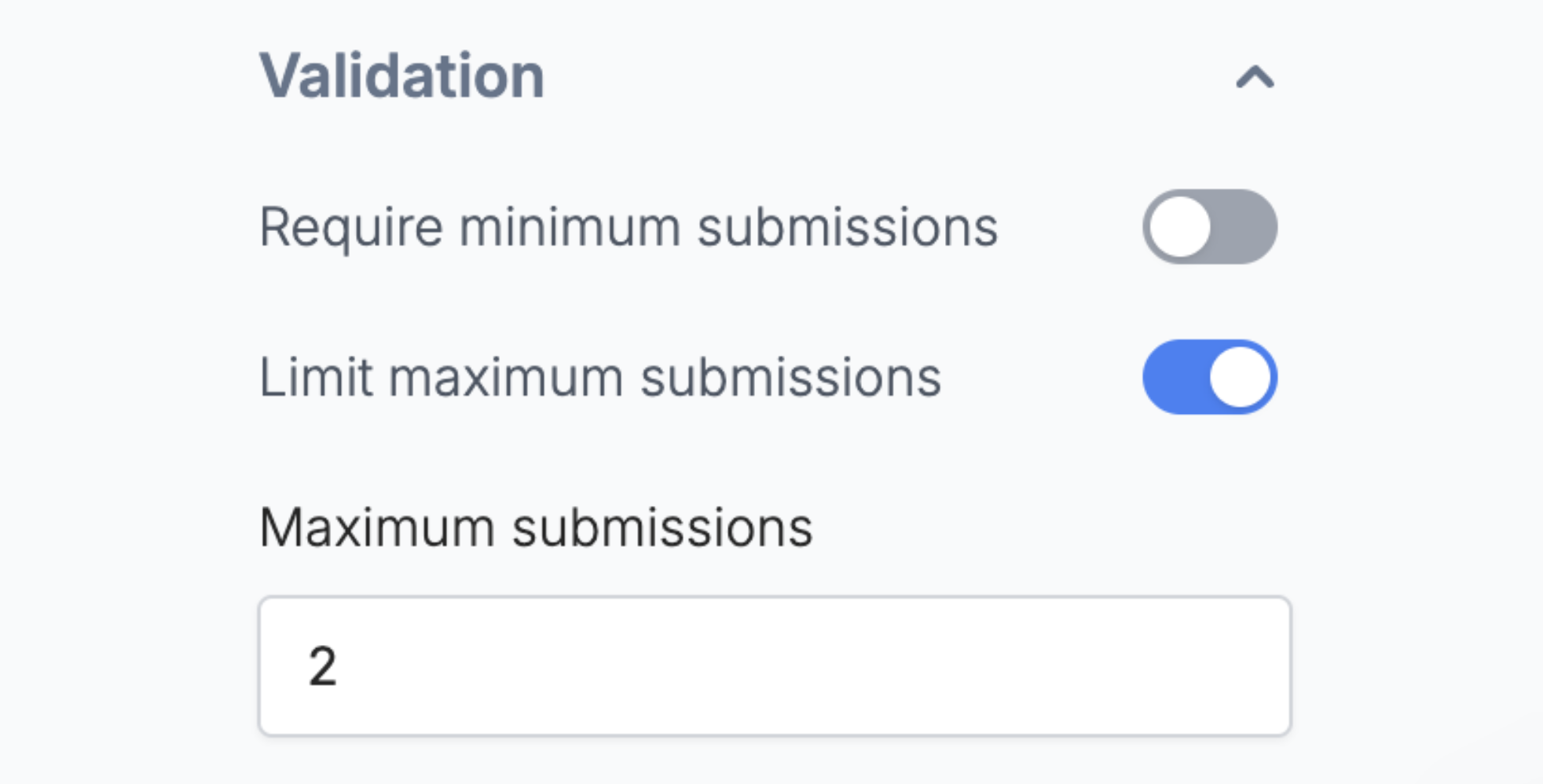 #### **🔄 Submission picker field**
This field lets respondents [select from previous submissions](https://www.fillout.com/help/submission-picker) of any Fillout form, without the need for a 3rd party integration.
You can even use the selected submission to pre-fill fields or dynamically show/hide parts of your form.
#### **🔄 Submission picker field**
This field lets respondents [select from previous submissions](https://www.fillout.com/help/submission-picker) of any Fillout form, without the need for a 3rd party integration.
You can even use the selected submission to pre-fill fields or dynamically show/hide parts of your form.
 #### 👀 Filter which submissions are visible
Lastly, set filters that determine which submissions a user can choose from.
For example, only allow users to select their own past form submissions by matching on their login email.
That's all for today! Stay tuned for the next Launch Week update tomorrow on [LinkedIn](https://www.linkedin.com/company/fillout) or [Twitter](https://twitter.com/filloutcom).
#### 👀 Filter which submissions are visible
Lastly, set filters that determine which submissions a user can choose from.
For example, only allow users to select their own past form submissions by matching on their login email.
That's all for today! Stay tuned for the next Launch Week update tomorrow on [LinkedIn](https://www.linkedin.com/company/fillout) or [Twitter](https://twitter.com/filloutcom).
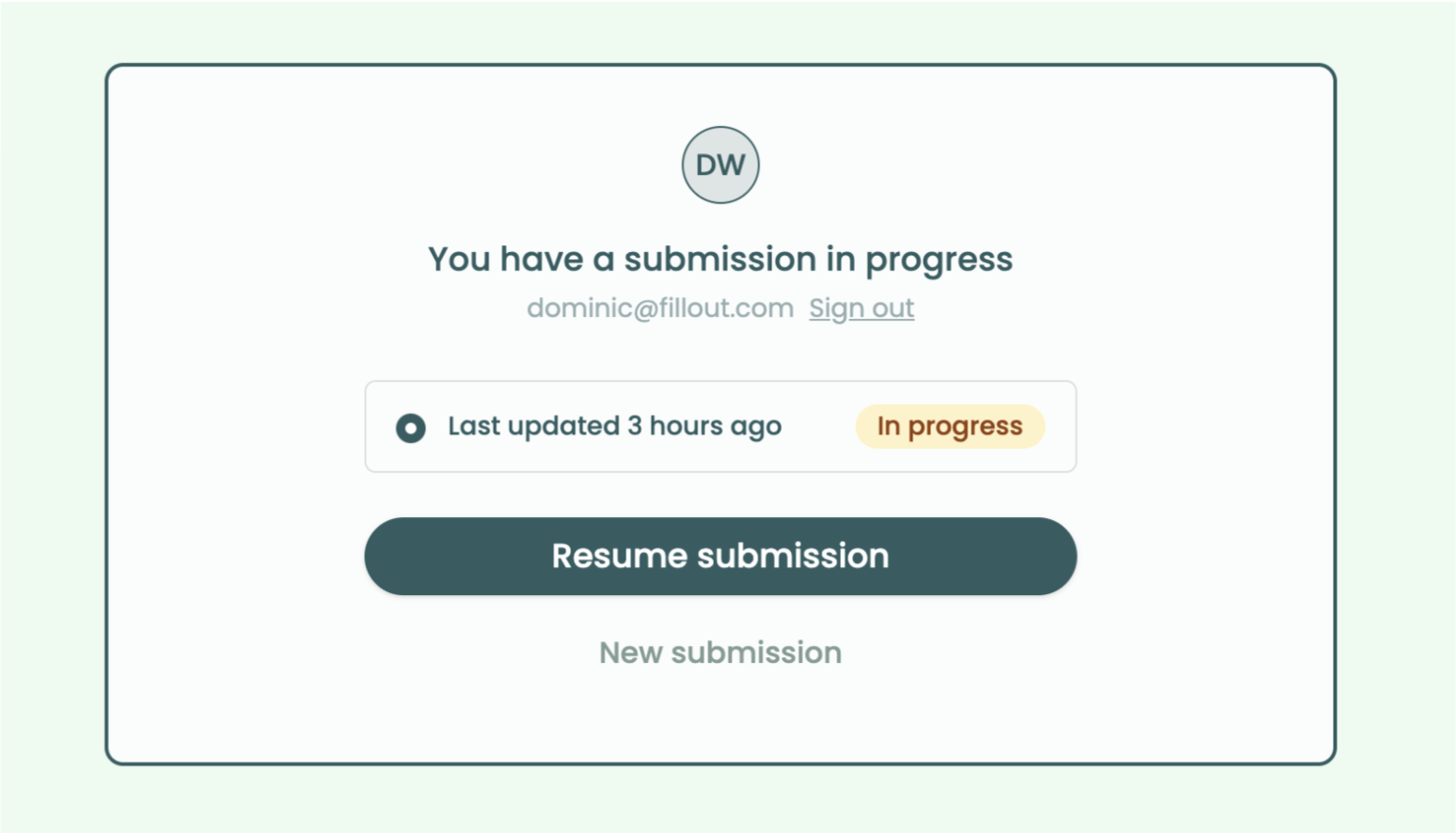 #### 🚫 Limit users to 1 response per email
Optionally restrict respondents to 1 form submission per email address. A custom screen is shown to users who already completed your form.
#### 📧 Verify email addresses and "remembered" login
The login page now lets you verify email addresses, without connecting to a 3rd party integration.
If your respondents submit multiple Fillout forms, they'll only need to verify their email on their first submission.
#### 📝 Let users edit past submissions
Enable editing past submissions to let your users see and update any of their prior responses, even across devices.
#### 🚫 Limit users to 1 response per email
Optionally restrict respondents to 1 form submission per email address. A custom screen is shown to users who already completed your form.
#### 📧 Verify email addresses and "remembered" login
The login page now lets you verify email addresses, without connecting to a 3rd party integration.
If your respondents submit multiple Fillout forms, they'll only need to verify their email on their first submission.
#### 📝 Let users edit past submissions
Enable editing past submissions to let your users see and update any of their prior responses, even across devices.
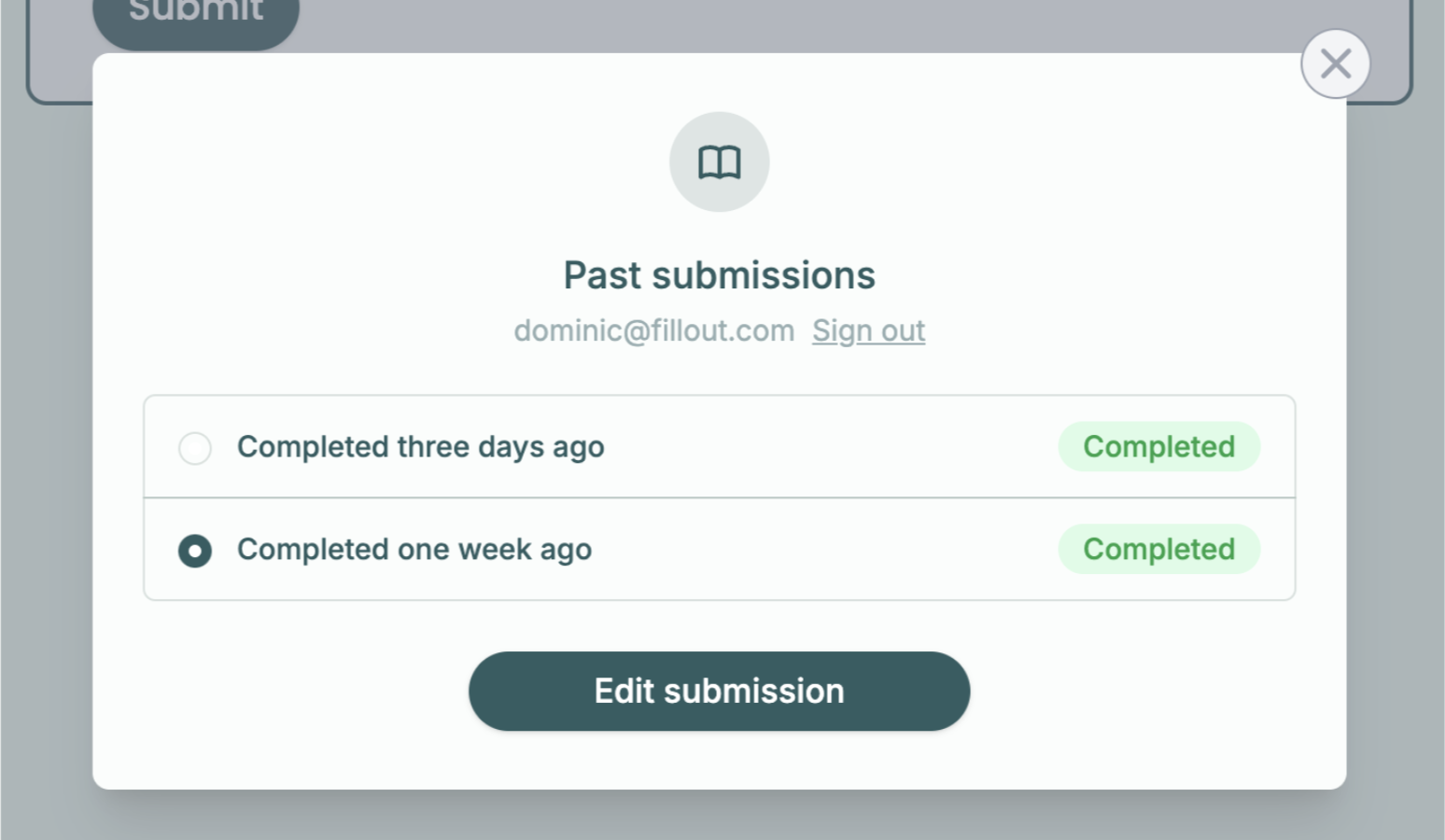 #### 🔐 Single Sign-On (Enterprise)
Add Microsoft, OneLogin, Google Workspaces, Okta and other types of SSO login to your form. Optionally pre-fill fields with custom SSO attributes. Learn more [here](https://www.fillout.com/help/sso-form-login).
#### ✅ Limit submissions to specific domains
For internal-facing forms, limit submissions to only your company domain.
#### 🔐 Single Sign-On (Enterprise)
Add Microsoft, OneLogin, Google Workspaces, Okta and other types of SSO login to your form. Optionally pre-fill fields with custom SSO attributes. Learn more [here](https://www.fillout.com/help/sso-form-login).
#### ✅ Limit submissions to specific domains
For internal-facing forms, limit submissions to only your company domain.
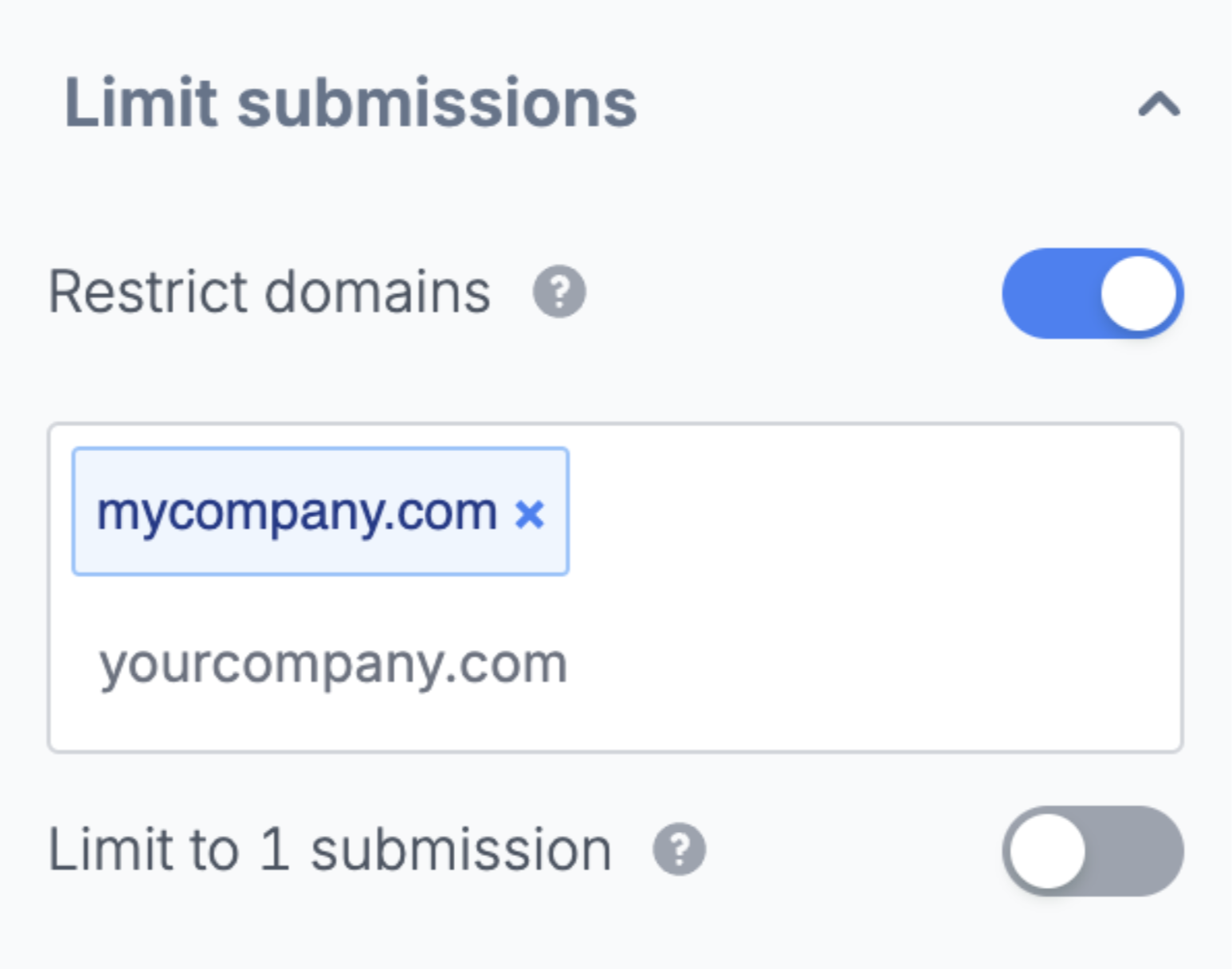 That's all for today! Stay tuned for the next Launch Week update tomorrow on [LinkedIn](https://www.linkedin.com/company/fillout) or [Twitter](https://twitter.com/filloutcom).