


I tested dozens of AI form builders to see which ones genuinely save time. These are the 7 top tools I found, their pros and cons, and when to use each in 2026.
7 best AI form builders: Quick comparison
AI form builders, like regular form builders, serve different use cases. Fillout is a strong pick if you want a powerful builder with unlimited forms and 1,000 monthly responses on the free plan. Typeform is better for conversational, customer-facing forms, while Makeform feels more AI-native for teams that want to build and iterate through prompts.
Here’s a side-by-side comparison of the top options and what each one does best.
How I researched and tested these AI form builders
I signed up for each platform and built the same form to test how well the AI handled generation, editing, and logic across a consistent use case.
Here’s what I evaluated:
- AI form generation: I looked at how well each tool turned a prompt, document, URL, or existing form into a usable first draft.
- Editing experience: I checked how easy it was to rewrite questions, change layouts, adjust branding, and fix incorrect AI output without starting over.
- Logic and workflows: I tested how clearly each platform handled conditional logic, multi-step flows, and more advanced routing.
- Pricing: I compared free plans and paid tiers to see which tools gave you real value before forcing an upgrade.
- Use cases: I looked at where each product fit best, whether that was simple forms, conversational experiences, embedded website forms, or more advanced onboarding flows.
1. Fillout: Best for teams that want AI speed with visual editing control
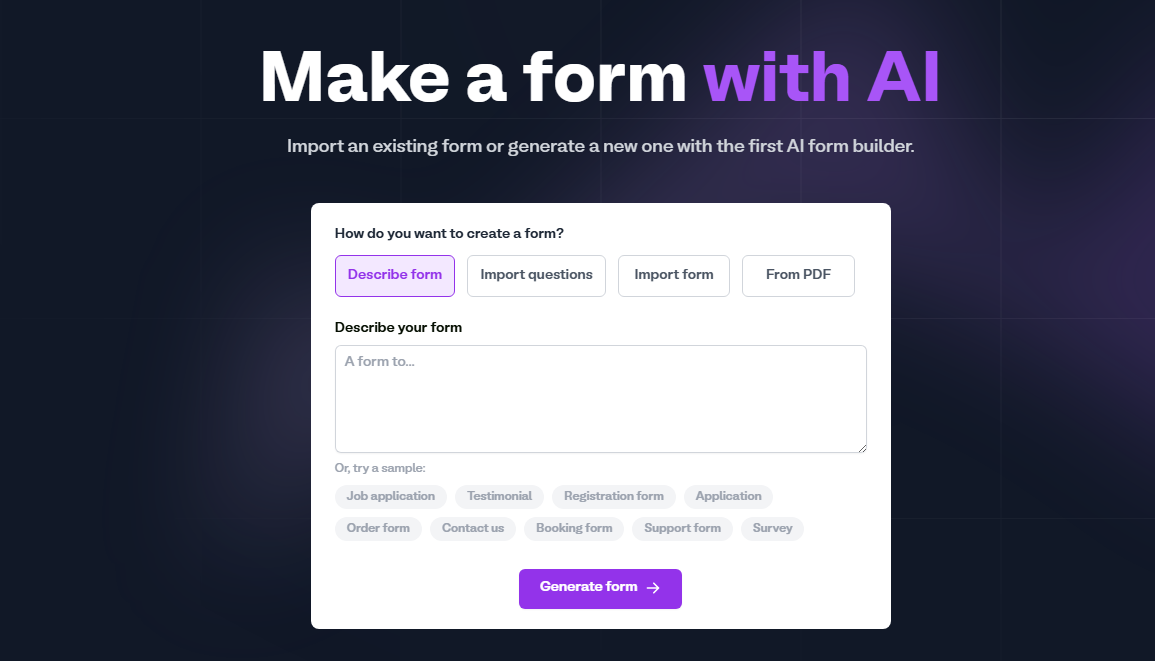
Alt text: Fillout AI form builder interface showing options to create a form from a description, imported questions, an existing form, or a PDF.
What it does: Fillout helps you generate forms with AI from a prompt, imported questions, an existing form, or a PDF, then refine the result in its visual no-code editor. It's built by the team behind Zite, so your forms can feed directly into a no-code database and app platform.
Best for: Teams that want AI to speed up form creation, but still want clear visual control over layout, logic, branding, and integrations after the first draft. Plus, teams that want to eventually build apps on top of their form data.
The AI form builder is a dedicated experience separate from Fillout's main drag-and-drop editor. You describe the form, choose how you want questions per page (a few, all on one page, or one at a time), then review and add or remove questions before the form is created.
Once generated, the form opens in Fillout's full visual editor, where you can refine it. That extra step gave me more control over the final product than tools that just generate a form directly from your prompt.
And if you eventually need more than forms (dashboards, portals, internal tools), Fillout's direct connection to Zite means you can build apps on top of your form data without migrating to a new platform.
Key features
- AI form generation from multiple inputs: You can create a form from a plain-language prompt, imported questions, an existing form, or a PDF, which makes Fillout more flexible than tools that only start from a text prompt.
- Visual editing after generation: Fillout’s AI output stays editable in its no-code form builder, so you can adjust question order, layouts, themes, branding, and logic directly.
- Strong free plan: The free tier includes unlimited forms, unlimited seats, and 1,000 monthly responses, plus conditional logic, payments, scheduling forms, PDF generation, and integrations
- Broad integrations: Fillout supports Airtable, Google Sheets, Notion, webhooks, HubSpot, Mailchimp, and 50+ other integrations, which makes it easier to push form data into the tools teams already use.
- Payments on every plan: Stripe integration is available on the free plan. You can collect one-time payments, subscriptions, and even pay-what-you-want.
- Built-in database: Store your form responses in the built-in database. You can browse, edit, sort, and filter your data visually.
- Zite integration: Fillout connects directly with Zite. That means you can build custom business apps like dashboards, customer portals, and internal tools on top of your form data using AI.
Pros
- Gives you more control after AI generation than many prompt-first builders
- Free plan is genuinely useful, with unlimited forms, unlimited seats, and 1,000 responses per month
- Visual logic builder makes complex forms easy to manage without technical knowledge
Cons
- Advanced setups can take longer to learn, especially as calculations and integrations become more complex.
- The AI builder is a separate experience from the main editor. You generate the form there, then refine it in the visual editor.
What users say
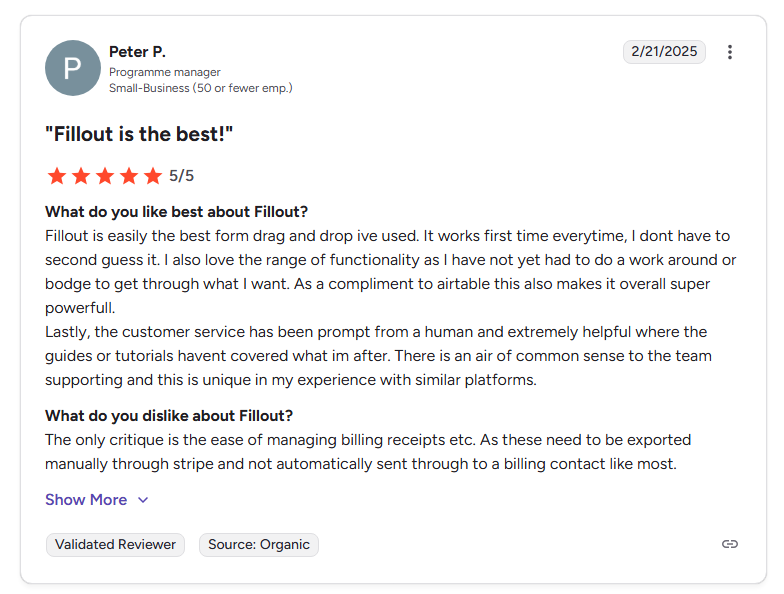
Alt text: G2 review of Fillout, highlighting ease of use and integrations.
Pro: “Fillout is easily the best form drag and drop I've used. It works every time, I don't have to second-guess it. I also love the range of functionality as I have not yet had to do a workaround or bodge to get through what I want.” — G2
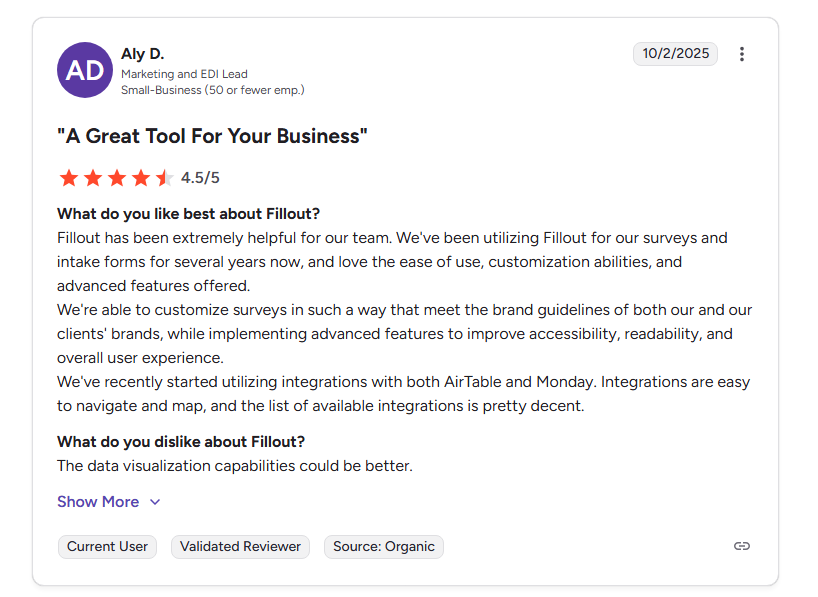
Alt: G2 review of Fillout praising ease of use, customization, and integrations while noting limited data visualization features
Con: “The data visualization capabilities could be better.” — G2
Pricing
Fillout offers unlimited forms on every plan, with the free plan capped at 1,000 responses per month. Paid plans start at $19/month.
Bottom line
I’d recommend Fillout to teams that want AI to speed up form creation without giving up control once the draft is generated. The AI gives you a strong starting point, and the editor lets you refine without limitations.
2. Jotform: Best for users who need templates
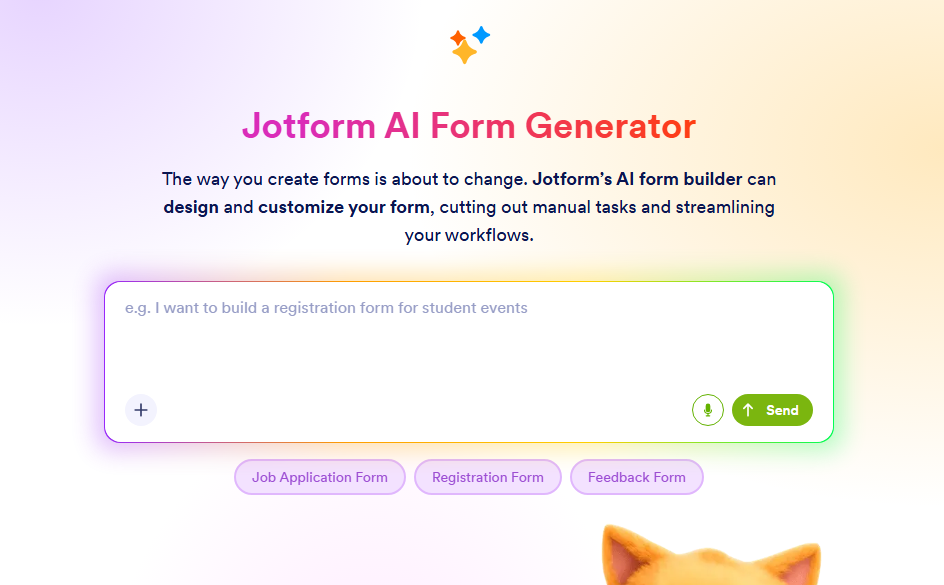
Alt: Jotform AI Form Generator interface showing a prompt field to generate a form from a text description
What it does: Jotform's AI Form Generator builds forms through a chat interface, but it also has a drag-and-drop builder for visual control.
Best for: Users who want a massive library of pre-built templates alongside AI generation, especially if they need HIPAA compliance.
Jotform's AI works through a chat window. You describe the form, and it generates a draft you can refine through follow-up messages. Once you're happy, you move to the full form builder to make manual edits. The template library is where Jotform really pulls ahead. With over 20,000 options across every industry, you can often find a template that gets you 80% of the way there.
The builder itself is mature, so the interface doesn't feel as modern as newer competitors. Some features aren't obvious until you dig into the menus.
Key features
- AI chat-based form creation: Describe what you need in conversational language, then refine through back-and-forth with the AI to adjust design and content.
- 20,000+ templates: The largest template library of any tool on this list. Most industries and use cases are covered, from healthcare intake to event registration.
- Huge integration library: Native connections to Salesforce, HubSpot, Google Sheets, Slack, PayPal, Square, Stripe, and many more.
- HIPAA compliance (Gold plan): One of the few form builders that offers HIPAA-compliant form collection, making it a real option for healthcare teams.
Pros
- Massive template library means you can start from a proven structure, not just AI guesswork
- HIPAA compliance option makes it viable for healthcare and regulated industries
- AI Agents feature lets you build AI-powered chatbots that go beyond simple forms
Cons
- Free plan is very limited and supports only 5 forms and 100 submissions/month
- Every plan below Enterprise is single-user only
- Users report hitting form view limits before submission limits, which can shut forms down unexpectedly
What users say
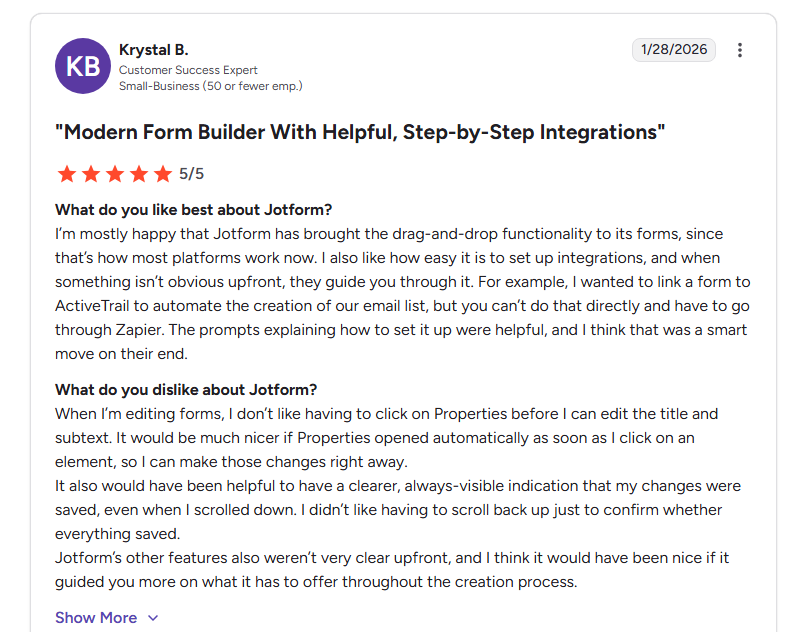
Alt: G2 user review praising Jotform’s drag-and-drop builder
Pro: "I’m mostly happy that Jotform has brought the drag-and-drop functionality to its forms, since that’s how most platforms work now. I also like how easy it is to set up integrations, and when something isn’t obvious upfront, they guide you through it." — G2
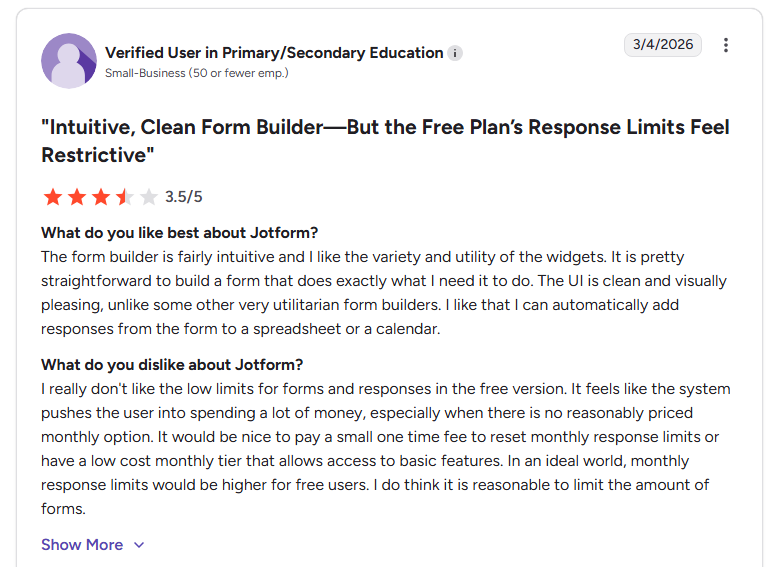
Alt: G2 user review mentioning complaining about restrictive Jotform pricing limits
Con: "I really don't like the low limits for forms and responses in the free version. It feels like the system pushes the user into spending a lot of money, especially when there is no reasonably priced monthly option." — G2
Pricing
Jotform is free for 5 forms, 100 submissions/month, and 100MB storage. Paid plans start at $39/month, billed monthly.
Bottom line
Jotform’s template library and integration ecosystem are hard to beat. But the single-user restrictions on every non-Enterprise plan, aggressive form view limits, and a free tier that's more of a trial than a real option are very limited. If you need unlimited forms and seats without paying enterprise prices, Fillout covers that on its free plan.
3. Typeform: Best for brands where form design and completion rates drive revenue
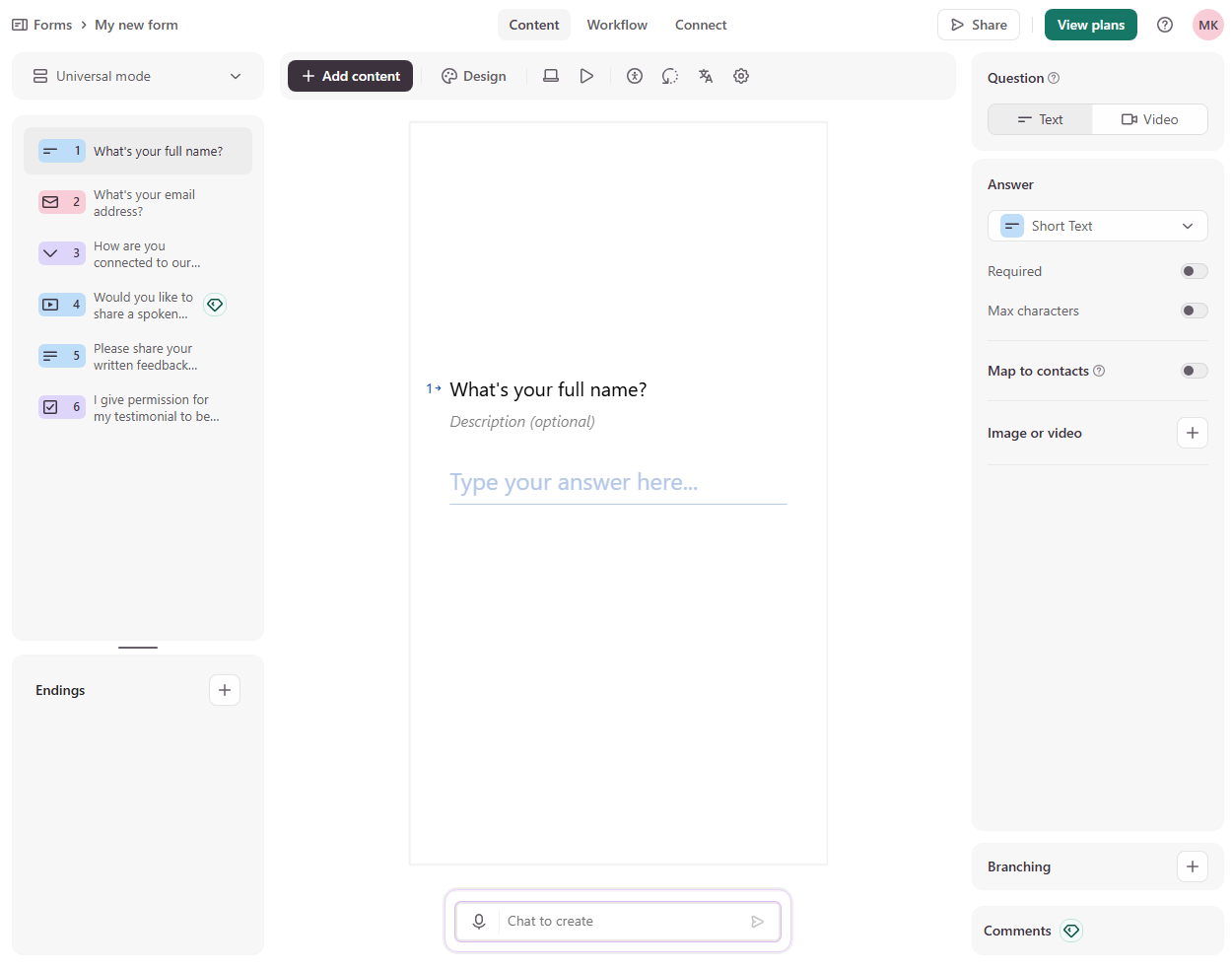
Alt: Typeform form builder interface showing a one-question-at-a-time form layout with editing options and workflow settings.
What it does: Typeform creates conversational, one-question-at-a-time forms with a polished design to drive higher completion rates.
Best for: Marketing and sales teams where form aesthetics, brand consistency, and conversion rates directly impact revenue.
Typeform's AI lets you describe the form you need and generates a conversational flow. The one-question-at-a-time format isn't just a design choice, but it changes how people interact with forms. Completion rates tend to run higher than traditional multi-field layouts because respondents stay focused on one thing at a time.
The catch is pricing. Typeform's free plan limits you to 10 responses per month, which is barely enough to test. Paid plans are seat-limited and pricey. For example, the Business plan, which costs $129/month, only supports 5 seats.
Key features
- Conversational one-question UI: Presents one question at a time with smooth transitions. This reduces cognitive load and tends to boost completion rates compared to traditional layouts.
- AI form generation with follow-ups: Describe what you need, and AI builds it. The AI follow-up feature dynamically adds questions based on the respondent's answers for deeper data collection.
- Brand Kit and design tools: Apply your logo, colors, and fonts globally. Forms look premium without needing design skills.
- Logic jumps and calculations: Visual conditional logic lets you build branching paths. Calculation fields support pricing, scoring, and dynamic totals.
Pros
- Forms look and feel like branded experiences, not generic data collection
- One-question-at-a-time format consistently drives higher completion rates
- Strong integration ecosystem with HubSpot, Salesforce, Slack, Google Sheets, and Zapier
Cons
- Free plan caps you at 10 responses per month and is not usable for anything beyond a quick test
- Caps on the number of seats on every plan except the Enterprise plan
What users say
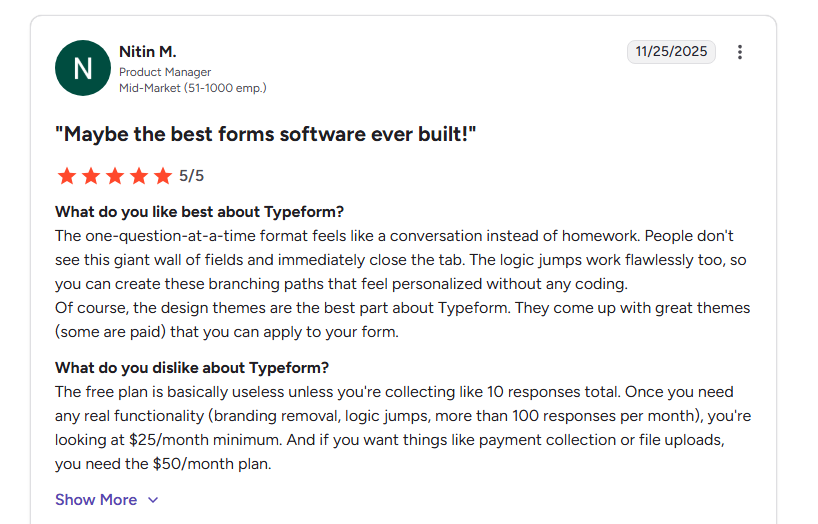
Alt: G2 review of Typeform praising its conversational form experience and design themes while noting limitations of the free plan and pricing for advanced features
Pro: "The one-question-at-a-time format feels like a conversation instead of homework. People don't see this giant wall of fields and immediately close the tab." — G2
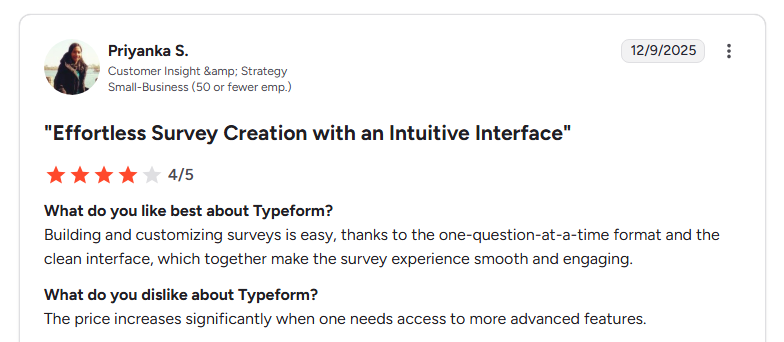
Alt: G2 review of Typeform praising its intuitive one-question-at-a-time interface while noting that pricing increases for advanced features.
Con: "The price increases significantly when one needs access to more advanced features." — G2
Pricing
Typeform has a free plan that supports 10 responses per month. Paid plans start at $39/month, billed monthly.
Bottom line
If form design directly impacts your revenue (lead generation, high-value surveys, branded customer experiences), the premium may be worth it. But the pricing model punishes growth. You'll pay more per response than almost any competitor.
4. MakeForms: Best for teams in regulated industries
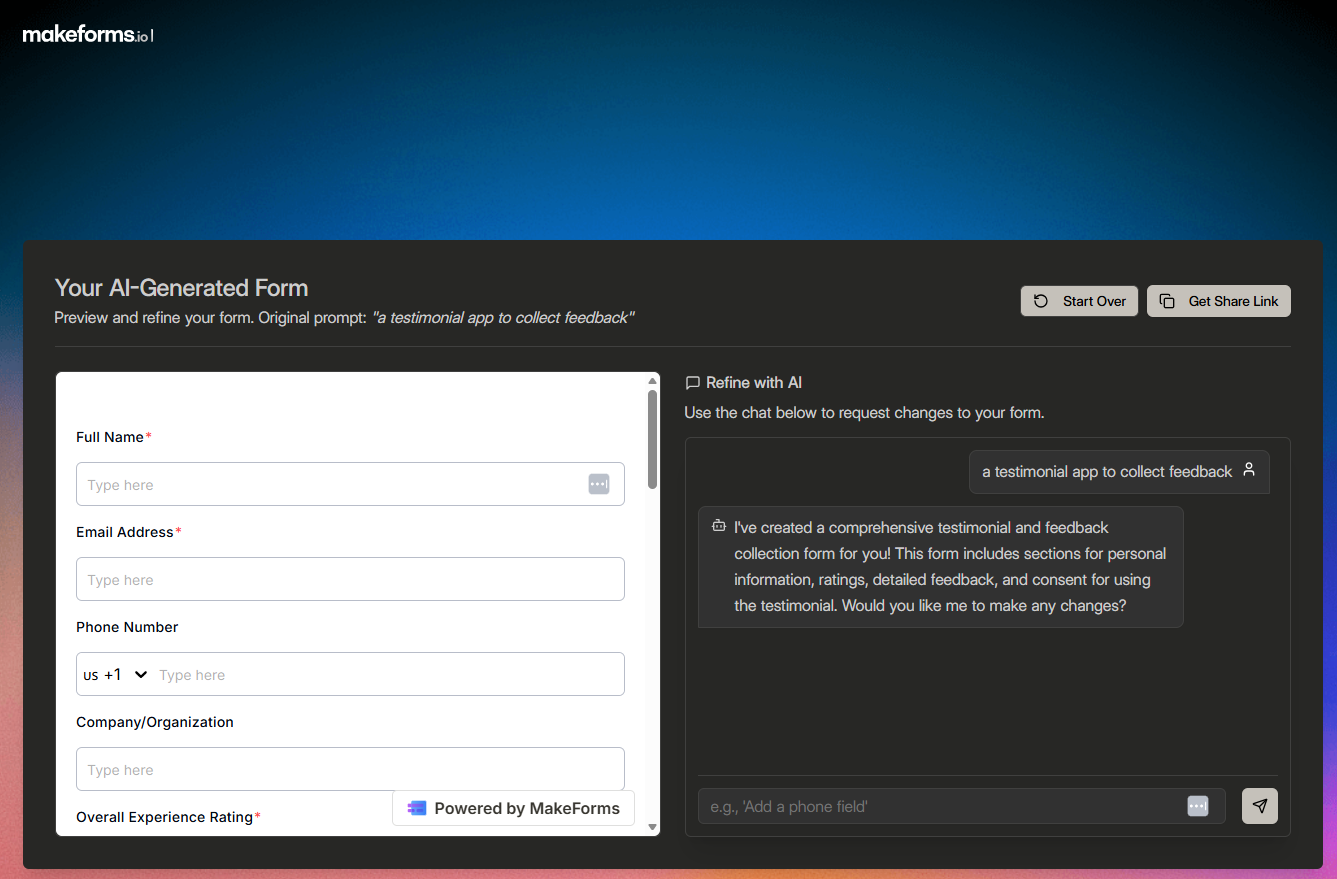
Alt: MakeForms AI form builder, generating a form from a text prompt
What it does: MakeForms is an AI-powered form builder focused on security and compliance. It meets major compliance standards like HIPAA, SOC 2 Type II, GDPR, and PIPEDA.
Best for: Healthcare providers, financial services, and any team that needs compliant data collection with workflow automation
If you’re collecting patient intake forms, financial details, or other regulated information, compliance isn’t optional. MakeForms includes built-in protections like encrypted data storage, one-time passcode verification for submissions, regional data storage options, and detailed access controls for audits.
The AI form builder works as you'd expect. I described the form and got a draft with relevant fields. The tradeoff is that MakeForms' design polish doesn't match tools like Typeform or Fillout. It prioritizes function and security over visual flair.
Key features
- AI form generation with multiple inputs: Generate forms from a simple text description, documents, PDFs, or Google Docs. The AI can also create forms in multiple languages.
- Enterprise-grade compliance: Built to meet standards like HIPAA, SOC 2, GDPR, ISO 27001, PIPEDA, and CCPA. It also supports data residency options across 12 regions.
- Workflow builder: Create automated processes for approvals, notifications, and task routing with a drag-and-drop workflow builder.
Pros
- You can control where your data lives
- Workflow builder handles multi-step processes (approvals, task routing) that most form tools can't handle
- Unlimited submissions on all plans. It limits the number of forms
Cons
- Learning curve for workflow builder and compliance configuration
- Limited customizations
What users say
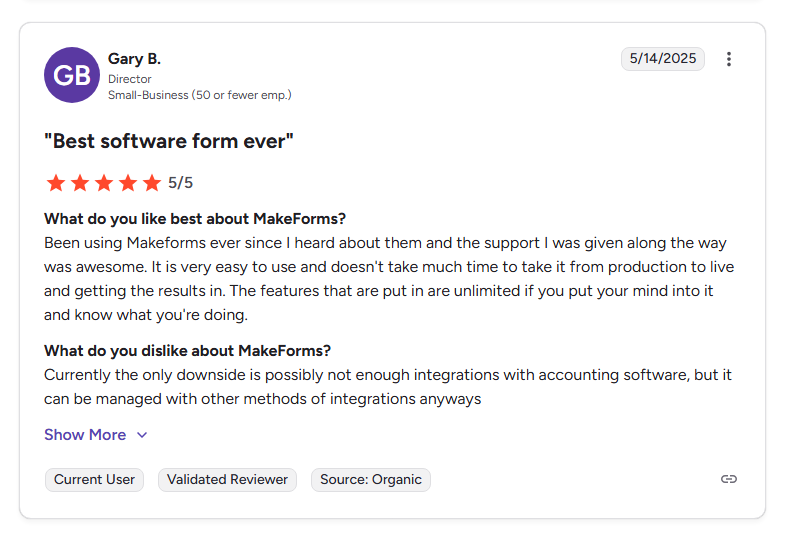
Alt: User review discussing Makeform's ease of use
Pro: "It is very easy to use and doesn't take much time to take it from production to live and getting the results in." — G2
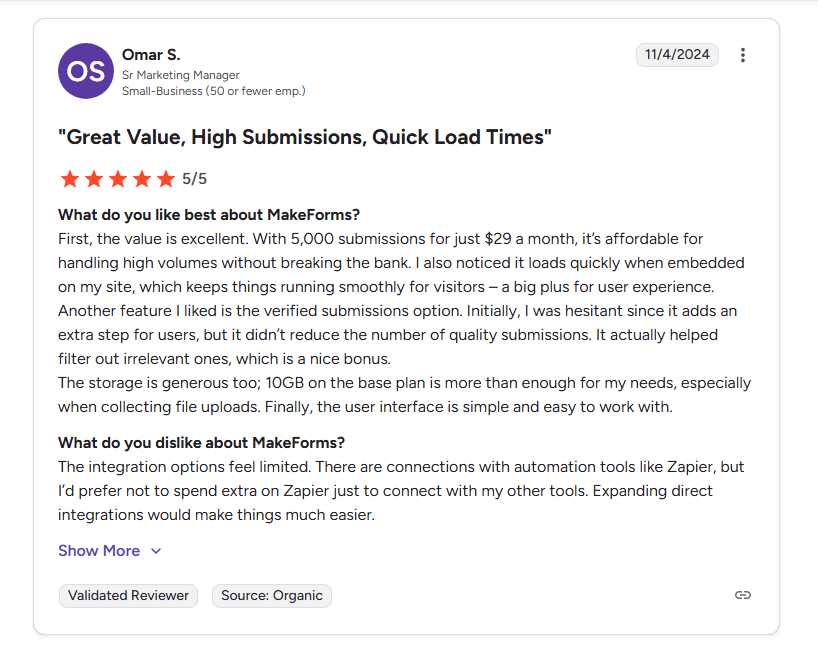
Alt: G2 review of MakeForms, highlighting affordable pricing and fast load times, while noting limited native integrations.
Con: "The integration options feel limited. There are connections with automation tools like Zapier, but I’d prefer not to spend extra on Zapier just to connect with my other tools. Expanding direct integrations would make things much easier." — G2
Pricing
MakeForms paid plans start at $29/month (billed monthly) for a single user with unlimited submissions, 15 forms, and 10 GB storage.
Bottom line
MakeForms is the right pick if compliance is non-negotiable. It makes the most sense for teams handling sensitive data and regulated workflows. Just know you can’t host all of your data on your own server or database.
5. Feathery: Best for teams building complex onboarding flows
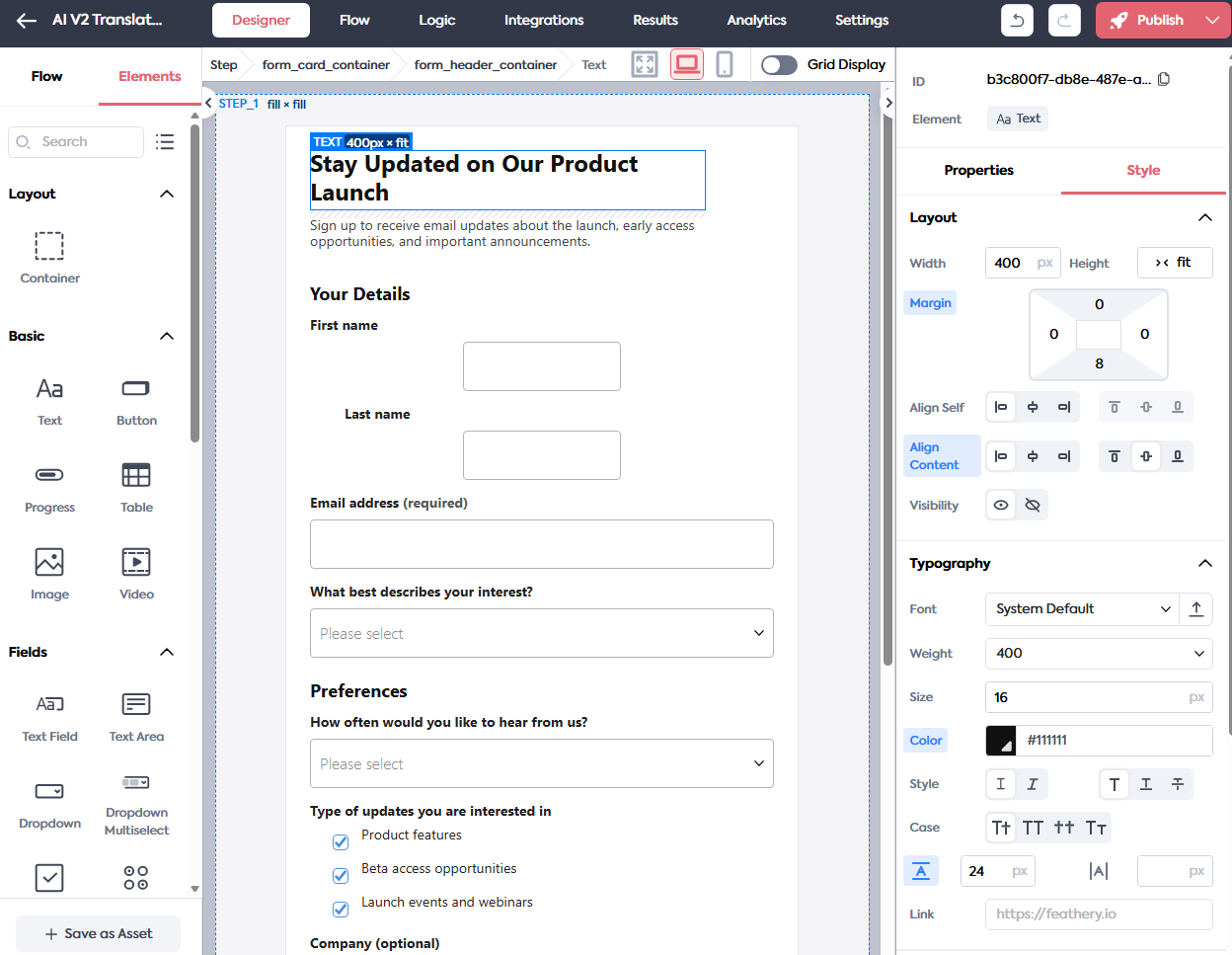
Alt: Feathery visual editor
What it does: Feathery is an AI-powered form and workflow platform built for product and development teams. It combines a visual form designer with advanced logic, API access, and document intelligence for complex data intake flows.
Best for: Product teams and developers building multi-step onboarding, application flows, or document-heavy intake processes.
When I tested Feathery, the flow editor stood out immediately. You click on a step to add a new step or connector, which makes it easy to map out multi-page processes without getting lost.
Where Feathery really separates itself is document intelligence. It can extract structured data from uploaded PDFs and emails, auto-fill templates, and generate documents. If you're in insurance or healthcare and your forms involve paperwork, this saves hours of manual processing. The tradeoff is complexity. The form builder takes a while to learn.
Key features
- Visual flow editor: Build multi-step forms by clicking to add steps and connectors. More intuitive than writing code, more powerful than typical drag-and-drop builders.
- Document intelligence: Extract structured data from PDFs, emails, and uploaded documents. Auto-fill templates and generate proposals or contracts from form data.
- 100+ integrations: Native connections to CRMs, payment processors, analytics tools, and more.
Pros
- Handles complex multi-step flows that simpler builders can't
- Document intelligence is a real time-saver for industries that deal with paperwork
- Pre-built integrations plus API access mean it fits into almost any existing tech stack
Cons
- Takes longer to learn than simpler tools
What users say
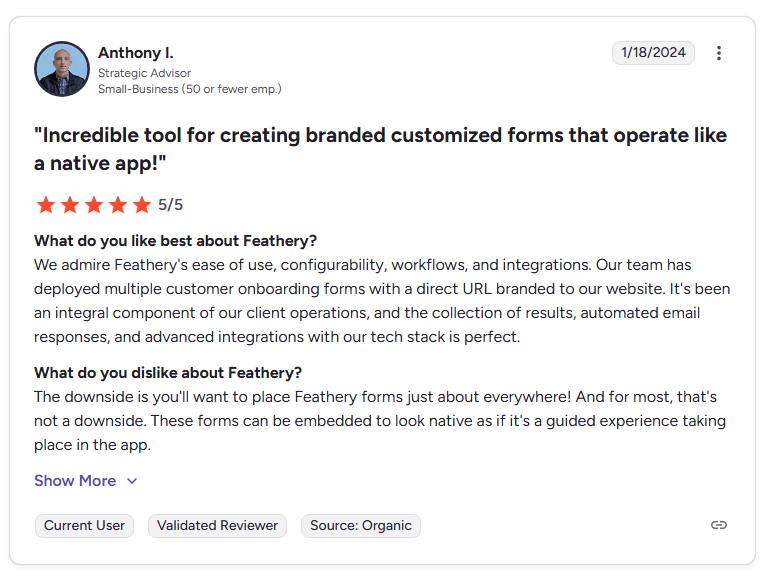
Alt: G2 user review praising Feathery’s ease of use, configurability, workflows, and integrations.
Pro: "We admire Feathery's ease of use, configurability, workflows, and integrations. Our team has deployed multiple customer onboarding forms with a direct URL branded to our website. It's been an integral component of our client operations, and the collection of results, automated email responses, and advanced integrations with our tech stack is perfect." — G2
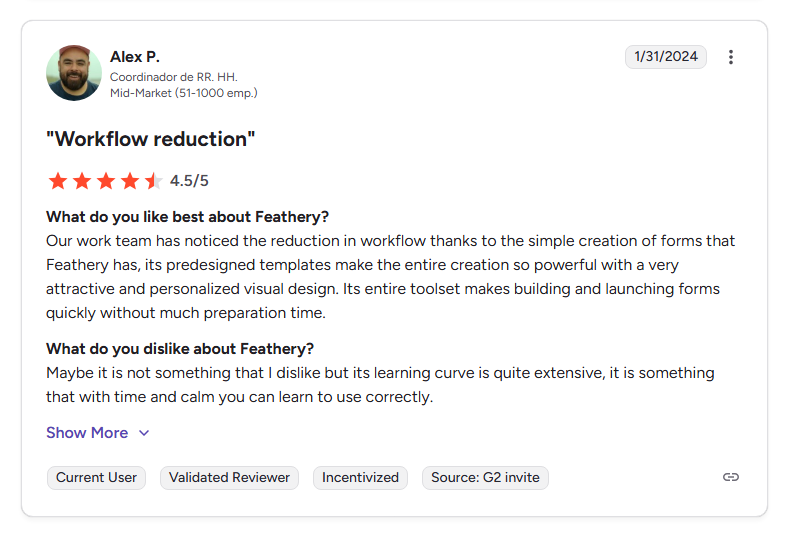
Alt: G2 review of Feathery praising its workflow automation and templates while noting a steep learning curve
Con: "Maybe it is not something that I dislike, but its learning curve is quite extensive." — G2
Pricing
Feathery’s plans are custom.
Bottom line
Feathery is the right pick when your form is really part of a bigger workflow. I’d look at it for onboarding, applications, and intake flows that need advanced logic, integrations, and more control than a standard form builder can offer. If you just want a quick AI-generated form with an easier editing experience, other tools in this list will be easier to work with.
6. Fluent Forms: Best AI form builder for WordPress sites
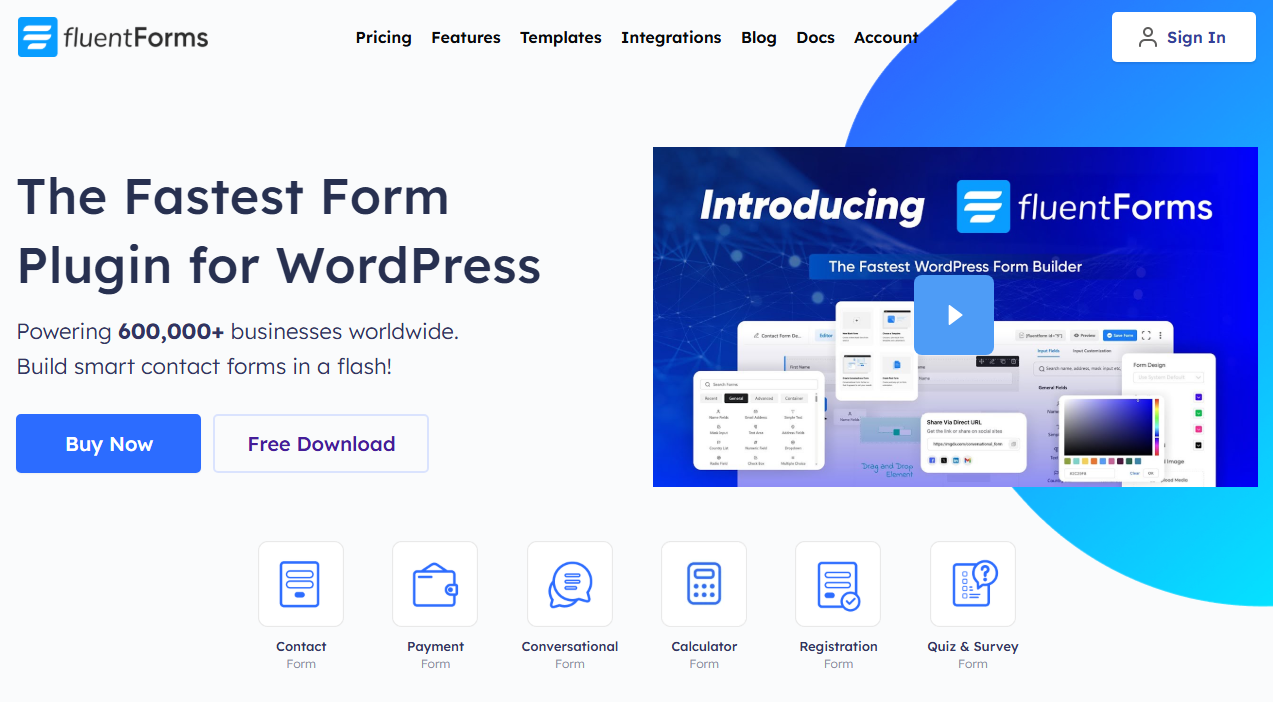
Alt: Fluent Forms homescreen
What it does: Fluent Forms is a WordPress plugin that builds forms with drag-and-drop, AI generation, conditional logic, payments, and conversational form layouts.
Best for: WordPress site owners who want a lightweight, feature-rich form plugin with AI assistance and don't need a standalone SaaS platform.
The AI form builder lets you describe what you need and generates a working form with fields, logic, and validation. From there, the drag-and-drop editor covers everything from multi-step forms to payment collection.
The limitation is that this is a WordPress plugin. If you don't run WordPress, Fluent Forms isn't an option.
Key features
- AI form generation: Describe what you need and get a form with relevant fields, logic, and structure. Works directly inside the WordPress admin.
- Lightweight performance: Under 30KB of combined CSS and JS. Won't slow your page load speed, which matters for SEO and user experience.
- Conversational forms: One-question-at-a-time layout similar to Typeform, included in the Pro plan. No per-response pricing.
- Payment collection: Stripe payments are available on the free plan (1.9% transaction fee). Pro removes the fee, leaving only Stripe's charges.
Pros
- The free version supports payment fields, basic integrations, and a drag-and-drop builder
- The lifetime license option means you pay once instead of monthly
- Deep WordPress ecosystem integration with Elementor, Oxygen, Gutenberg, FluentCRM, and FluentSupport
Cons
- Not an option for teams using other platforms or needing a standalone form tool
- Design customization is limited compared to purpose-built SaaS form builders
What users say

Alt: User review praising Fluent Forms for being easy to use
Pro: “Fluent Forms is an excellent blend of functionality, features, and ease of use. We use this on all our builds now and recently purchased the unlimited lifetime license for it.” — Capterra

Alt: User review highlighting concerns about Fluent form’s pricing and suggesting the form design interface could be more intuitive.
Con: “Design of elements like submit buttons and general theming of the forms to match the client's sites could be a little easier and more intuitive.” — Capterra
Pricing
Paid licenses start at $79/year for a single site and $349 for a lifetime unlimited license.
Bottom line
Fluent Forms is the right pick if your forms live inside WordPress and you want AI help without adding another tool to your stack. For standalone forms you can embed on other websites, consider other tools.
7. Weavely: Best for beautiful forms on a budget
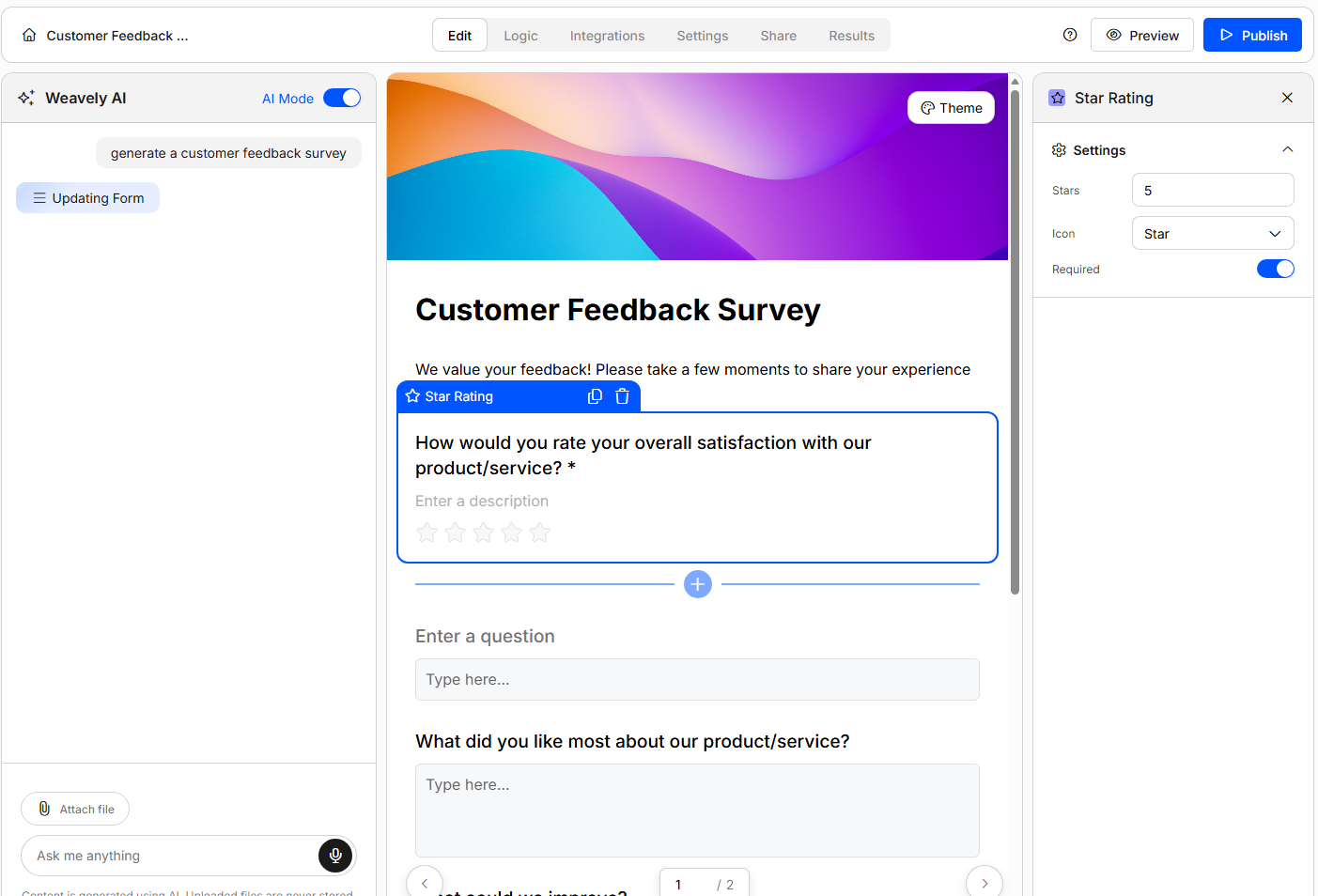
Alt: Weavely AI form builder with a text prompt field
What it does: Weavely generates forms from text prompts, voice input, or uploaded documents, then applies AI-powered brand styling automatically. It's built to make form creation feel as natural as describing what you need out loud.
Best for: Freelancers, small teams, and web designers who need good-looking forms fast and don't want to pay for premium design tools.
Weavely’s form builder generates ready-to-use forms. I liked that I could make changes with follow-up prompts, especially since using its visual editor can feel tedious.
The free plan is very generous as it supports unlimited forms, unlimited responses, and all core functionality at no cost. You only pay ($20/month) if you want to remove the Weavely badge or add a custom domain.
Key features
- AI-native form creation: Weavely generates forms, surveys, and quizzes through prompt-based input rather than making AI feel like a side feature.
- Integrations: Weavely connects natively with tools like HubSpot, Salesforce, and Notion, and also supports broader app connections through Zapier.
Pros
- Unlimited forms and responses on all plans
- Easy to understand and fast to set up,
- AI brand styling saves time when building forms for clients
Cons
- Integrations are mostly through Zapier/Make, not native connections
- No built-in payment collection
What users say
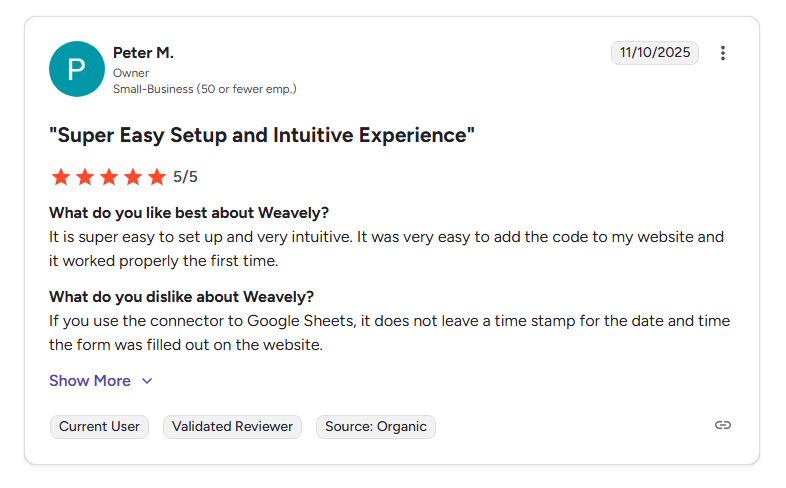
Alt: G2 user review praising Weavely's ease of use and quick form creation
Pro: "It is super easy to set up and very intuitive. It was very easy to add the code to my website and it worked properly the first time." — G2

Alt: User review for Weavely, noting limited customization options for form design and branding
Con: "I’d love to see even more customization options for form design and branding." — G2
Pricing
Weavely's free plan includes unlimited forms, unlimited responses, and all core features. The Pro plan at €20/month, billed monthly.
Bottom line
Weavely is the best value pick if your main need is good-looking forms without a budget. The free tier is hard to beat. For anything beyond basic collection like payments, deep integrations, or scaling into apps, look elsewhere.
Which AI form builder should you choose?
Choose Fillout if you:
- Want AI-generated forms with full drag-and-drop editing control
- Plan to eventually build dashboards, portals, or internal tools on top of your form data via Zite
- Want unlimited forms and unlimited seats without paying per user
Choose Jotform if you:
- Need a massive template library to start from proven structures
- Require HIPAA compliance for healthcare data collection
Choose Typeform if you:
- Prioritize form design and completion rates above everything else
- Run branded lead generation where the form experience directly impacts revenue
- Have the budget for premium pricing
Choose MakeForms if you:
- Operate in a regulated industry and need HIPAA, SOC 2, or GDPR compliance built in
- Need OTP verification, data residency controls, and audit-ready security
Choose Feathery if you:
- Build complex onboarding, application, or intake flows with multiple steps and document processing
- Need to extract data from uploaded PDFs and auto-fill templates
Choose Fluent Forms if you:
- Run a WordPress site and want a lightweight, fast form plugin
- Need a lifetime license option instead of monthly SaaS pricing
Choose Weavely if you:
- Need unlimited forms and responses on a completely free plan
- Build forms for multiple clients and want AI to match brand styling automatically
Skip AI form builders entirely if you:
- Only need a one-off internal form with no integrations. Google Forms is free and does the job
- Need a full survey research platform with statistical analysis. Look at SurveyMonkey or Qualtrics instead
Final verdict
Fillout is the best option if you want a powerful form builder that integrates with the tools you use, plus the option to build custom apps on top of response data with Zite. If you’re in a regulated industry, consider MakeForms. Feathery handles complex workflows with code control, and if you want forms inside WordPress, choose Fluent Forms.
Ready to start building forms that go beyond data collection? Get started with Fillout.
Frequently asked questions
What is an AI form builder?
An AI form builder is a tool that generates online forms from plain-language descriptions. You describe what the form should do, and the AI creates a working draft with relevant fields, logic, and styling.
What is the best free AI form builder?
Fillout offers the most complete free plan among AI form builders. You get unlimited forms, unlimited team seats, 1,000 responses per month, conditional logic, payment collection, and 50+ integrations at no cost. Weavely also offers a strong free tier with unlimited forms and unlimited responses, though it has fewer integrations and no payment collection.
Are AI-generated forms accurate enough to use?
AI-generated forms are a strong starting point, but they're rarely perfect on the first try, so you have to edit the generated form. The best AI form builders give you a proper visual editor to refine the output, rather than locking you into the AI's first draft.
Do AI form builders work for HIPAA-compliant data collection?
Some AI form builders work for HIPAA-compliant data collection. Jotform offers HIPAA compliance on its Gold plan ($129/month billed monthly), and MakeForms supports HIPAA across all the paid plans starting at $29/month billed monthly.
Can I build apps from my form data, not just collect responses?
Yes, you can build apps from your form data. Some form builders integrate with platforms that let you turn form data into working apps. For example, Fillout connects to Zite, where you can build dashboards, portals, and other internal tools directly from your form responses using AI. Otherwise, you can export form data and use it in your app platform.

