


I tested dozens of platforms while building client portals, mini CRMs landing pages and other web apps. These 9 are the top web app builders in 2026 based on features, pricing, and real-world limitations.
9 best AI website builders: At a glance
These AI software builders differ mainly in functionality. Some are built for internal tools, others for rapid prototyping, and others for hands-on code control. Here’s how they compare:
1. Zite: Best for production-ready business software
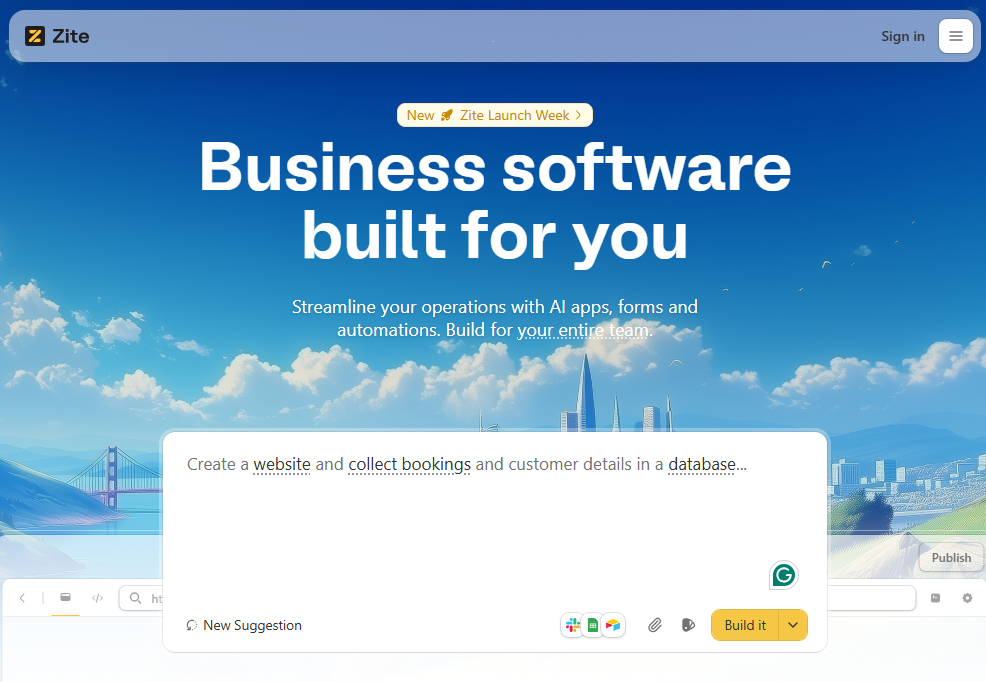
What it does: Zite generates internal tools and business apps that are production-ready by default. It provides secure hosting, SOC 2 Type II compliance, authentication, and access controls.
Who it’s for: Ops teams, support teams, and SMBs who need internal tools, portals, dashboards, and workflows without writing code.
Most AI app builders generate code you then need to secure, host, and harden yourself. Zite handles production concerns so you can focus on what your app actually does.
Every application runs on secure hosting, and the platform comes with built-in authentication, SSO, audit logs, and access controls. You don’t have to build and verify the security layer before deploying your app. Just tell Zite to add authentication.
To test Zite, I built a vendor onboarding portal by describing what it should do. The AI app generator created the UI, authentication flow, and data workflows in just a few minutes. Since it has a built-in database, I did not have to integrate any external data source. Customizing the app was easy with follow-up prompts.
Key features
- Production-ready by nature: Every app includes authentication, role-based permissions, and secure hosting. Zite also supports enterprise controls like SSO and audit logs, and is SOC 2 Type II compliant.
- Visual workflows and editing: Unlike tools that force you to read code during debugging, Zite keeps everything visual. Backend logic appears as flowcharts you can inspect. You can restyle the UI directly on the page instead of just prompts. And the built-in database works like a spreadsheet. View and update data without SQL.
- Unlimited apps and users: Zite doesn’t meter usage by seats or apps, which makes it practical to share tools broadly. You can invite teammates, stakeholders, or external users without turning every new login into a pricing decision, even on the free plan.
- Built-in database and external integrations: Zite includes a built-in database that automatically generates your schema. You can also connect tools like Airtable or Google Sheets to reuse existing data.
Pros
- You can ship an app people can safely use because it comes with built-in security features.
- Costs stay predictable as usage grows since there are no per-seat charges.
- No need to manage a separate database, UI framework, or hosting stack.
Cons
- Apps stay hosted on Zite (no code export), which means ongoing maintenance is handled for you.
- Designed for internal and client-facing tools, not consumer apps or SaaS products.
Pricing
Zite’s plans support unlimited users and apps. The free plan includes 50 AI credits, which is enough to build an app and make several rounds of changes. Paid plans start at $19/month for 100 AI credits and 1 custom domain.
Bottom line
Zite is the best choice if you want to build and maintain production-grade business software without needing to understand code. The visual workflows, direct UI editing, and user-friendly database mean you can debug and improve apps yourself, rather than hitting a wall when the AI-generated code breaks.
2. Emergent: Best for AI-built web apps with code you own

What it does: Emergent turns a plain-English brief into a working web app or mobile app. A system of agents splits up the work, building the interface, wiring the data and logic, and checking it before handing you a deployed app and the code behind it.
Who it's for: Founders and small teams shipping a real web app who still want to open the code when they need to.
I tested Emergent by building a small membership site where visitors could sign up, log in, and pay for access to gated content.
It planned the build first, then a set of agents handled the pages, the database, sign-in, and a Stripe-based checkout before running its own tests. It deployed the result to a live URL, and the parts that usually eat an afternoon, like auth and payments, already worked.
What stood out was that the output was real, editable code. When the pricing page needed a change, I could open it in the built-in editor or push it to GitHub and keep moving.
Key features
- Agent-driven builds: Specialized agents handle design, data, logic, and testing, so more of the app works on the first pass.
- Code you can take with you: Export the source, sync with GitHub, or edit it in a built-in VS Code workspace.
- Built-in deployment: Apps ship to a live URL, with hosting and custom domains handled for you.
- Sign-in and payments ready: Add user accounts and Stripe checkout without standing up the plumbing yourself.
- Web and mobile: Build a web app and, when you need it, a matching mobile app through React Native.
Pros
- Multiple agents build and test in parallel, so the first version of a web app is closer to finished.
- The code is exportable and editable, with GitHub sync, so you are not stuck inside the tool.
- Every build ships to a live URL, with hosting and custom domains included.
- Enterprise-grade compliance is in place, including SOC 2 Type II, ISO 27001, SSO, and audit logging.
Cons
- Costs are credit-based, so heavy iteration on a big app can run higher than a flat monthly plan.
- On larger projects, the database can drift from the original spec across deployments, so it needs to be checked.
- For a quick one-screen prototype, it can be more than you need.
Pricing
Emergent starts free with 10 credits. Paid plans are $20/month for 100 credits and $200/month for 750 credits, billed monthly, with custom enterprise pricing.
Since it runs on credits, a light landing page and a data-heavy app can cost very differently, so keep an eye on usage for bigger builds.
Bottom line
Emergent is a strong pick when you want an AI to build a real, deployable web app and still hand you the code to take it further. It goes well beyond quick prototypes, though it pays to watch credit usage and review the generated data on bigger builds.
3. Lovable: Best for rapid prototyping

What it does: Lovable creates interactive web apps through conversational prompts with instant visual previews. It generates a full React frontend and uses Lovable Cloud (powered by Supabase) for authentication, databases, and hosting.
Who it's for: Indie founders, small product teams, and technical builders who want to ship MVPs and SaaS apps fast.
I tested Lovable by generating a basic CRM. After describing the data models and core features, it produced a working app with a polished UI in a few minutes.
The apps used authentication and the database from Lovable Cloud. I could tweak both the data model and UI in the editor and deploy instantly to the cloud environment without touching any infrastructure.
You also have the option to connect the app to your own Supabase project for authentication and data storage. Lovable has a native Supabase integration where you either link an existing Supabase project or create a new one.
Key features
- AI code generation: Lovable generates backend and frontend code you can run, review, and refactor like any other repository.
- GitHub sync: Lovable commits every change it makes to GitHub. You maintain a full history and can collaborate with other developers in your normal workflow.
- Multiplayer collaboration: Multiple people can work on the same project at once. This is useful for startup teams, agencies, or product managers + devs working together.
Pros
- Intuitive enough for non-technical users to build functional apps.
- Generated code is standard React that you can hand off to development teams.
- Fits naturally into existing Git-based workflows and supports full code export.
Cons
- Someone still needs to review and maintain the code long-term.
- Architecture and auth are tightly coupled to Supabase.
Pricing
Lovable uses a subscription plus credit-based pricing model. Paid plans start at $25/month for individual users and include 100 monthly AI credits plus 5 daily credits (up to 150/month). Once they run out, you can top up on demand.
Bottom line
Lovable is a strong choice when you want to ship a SaaS MVP or product-like web app quickly and keep full ownership of the underlying code. More complex backend logic usually requires manual review after the prototype phase.
4. Replit: Best for full-stack apps with built-in hosting and zero setup

What it does: Replit builds complete applications from plain English descriptions. You can instantly deploy these apps or share them directly in the browser.
Who it's for: Anyone who wants to build and deploy an app without configuring servers, databases, or deployment pipelines.
While testing Replit, I noticed the Agent doesn’t just build the app once and stop. It keeps running in the background, opening the app, checking whether functionality works, and tries to fix problems on its own. Over longer sessions, it would repeat this process automatically.
This self-checking behavior is useful because it can catch obvious issues before you see them. However, it can also use up credits quickly if the Agent gets stuck making repeated attempts to fix the same problem.
Key features
- Agents & automations: Replit’s AI can build automated workflows. You can use these to automate simple tasks or connect your app to other tools such as Slack.
- Multiple app support: You can build web and mobile apps, dashboards, and 3D games.
- Built-in services: Every Replit project includes a database, hosting, and authentication.
Pros
- Build, run, and share apps entirely in the browser without setup.
- Apps go live automatically with shareable links.
- Not locked into the browser since projects can sync with GitHub and local IDEs.
Cons
- The Agent sometimes introduces changes you didn’t ask for or ignores instructions.
- Pricing is unpredictable because usage depends on how long the Agent runs.
Pricing
Replit offers a free plan with limited Agent usage and support for one published app. Paid plans start at $25 per month and include $25 in monthly credits, billed annually. These credits cover Agent usage, deployments, and database activity. Once you run out, usage switches to pay-as-you-go billing.
Bottom line
Replit is great for learning, prototyping, and building apps quickly in the browser. The tradeoff is that pricing is unpredictable on larger, long‑running projects.
5. Cursor: Best for developers who want AI assistance in an IDE

What it does: Cursor is an AI-powered coding tool that lives inside a code editor. You use it when you’re already working with code and want AI help writing, editing, or understanding it.
Who it's for: Developers or technical builders who already work with code and want AI help while building custom software.
Using Cursor feels like pairing with a fast, context-aware junior engineer that lives inside your editor. In my testing, describing a feature like “add a filtered activity feed to this CRM” was often enough for Cursor to locate the right files and propose the changes. However, you still need to review the generated code in case it's incorrect, so it helps if you can understand how the code works.
Key features
- Natural language commands: Accepts plain English descriptions and generates appropriate code in the current context.
- Choice of AI models: Cursor lets you switch between different AI models depending on the task. Faster models work well for small edits, while more advanced models handle complex logic or larger changes.
- Visual editing tools: You can point at an element, describe the change, and watch the code update immediately.
Pros
- Codebase-aware suggestions.
- Gives you full control over how the app is built.
- Works with any technology stack or framework.
Cons
- Requires existing programming knowledge.
- No hosting, database, or user management included.
Pricing
Cursor offers a free tier with limited access to agent requests and tab completions. Paid plans start at $20 per month when billed annually. It includes at least $20 of agent usage, unlimited tab completions, and background agents for autonomous code generation. If you exceed those limits, you can upgrade your plan or switch to pay-as-you-go billing.
Bottom line
Cursor is a great choice if you already build software and want AI help inside your editor. However, this tool won't help you build apps without programming knowledge.
6. ToolJet: Best for enterprise-internal tools you can self-host

What it does: ToolJet is an open-source platform for building internal tools, dashboards, and workflows with a visual drag-and-drop builder and AI assistance.
Who it's for: Organizations that need enterprise-grade security and the option to run tools on their own infrastructure.
ToolJet uses its existing low-code framework to assemble apps.
I tested it by building an approvals dashboard. The AI first generated a detailed outline of the layout and functionality of the dashboard, then a design layout. I had to approve both before it set up a database and generated the app.
I liked this step-by-step flow because it gave me a chance to visualize the app before the AI built it. Also, because ToolJet assembles the app from pre-built components, the results are predictable. The tradeoff is that you’re working within the limits of a component library.
Key features
- Native database integrations: ToolJet connects directly to PostgreSQL, MySQL, MongoDB, and other data sources.
- Built-in workflows and logic: You’re not limited to what the AI generates. You can also write JavaScript or Python scripts.
- Open-source and self-hostable: You can run ToolJet on your own infrastructure, which is useful for teams with strict privacy or compliance requirements.
Pros
- It’s SOC 2 and GDPR compliant.
- Can keep sensitive data on your own infrastructure when you self-host.
- Only builders count toward pricing.
Cons
- Needs more setup than a fully managed platform.
- Self-hosting the platform is more expensive than hosting it in the ToolJet Cloud.
Pricing
The Free plan includes 2 apps, 2 builders, 50 users, and 100 AI credits per month. On the Cloud, paid plans start at $24/builder/month. It keeps the same app and user limits while increasing AI credits to 2,000 per builder, with the option to buy more.
For self-hosted deployments, plans start at $99/builder/month and include 100 end users, 5 apps, and 800 AI credits per builder each month.
Bottom line
ToolJet works best for teams that want full control over their apps, data, and infrastructure. It’s, however, not designed for customer-facing apps.
7. v0 by Vercel: Best for Next.js apps
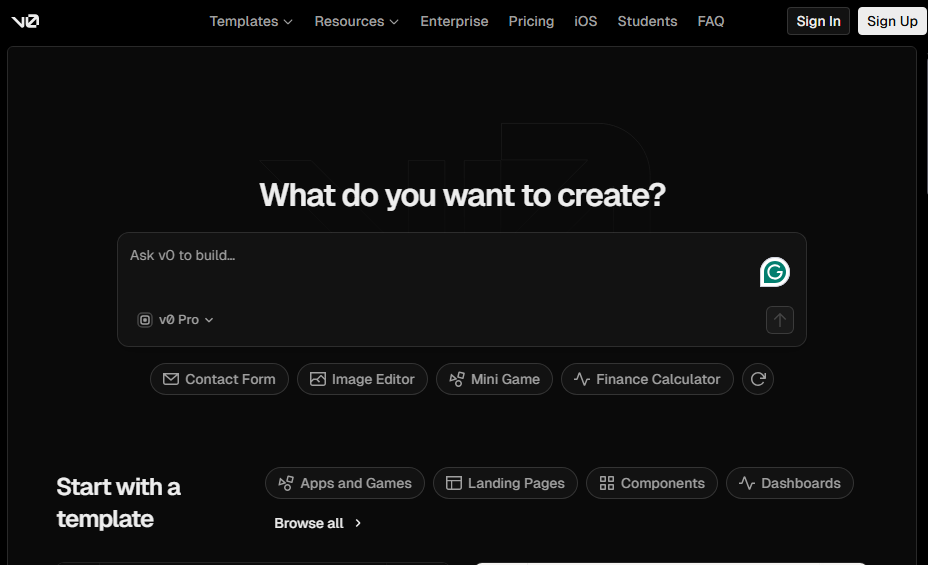
What it does: v0 by Vercel generates full-stack web apps from plain-English descriptions and gives you fast deployment options on Vercel.
Who it's for: Building marketing sites, dashboards, or app UIs in the Next.js programming framework.
After prompting v0 for a landing page, it produced a single-page site with mock data and responsive behavior in a single pass. From there, it was easy to ask for follow-up tweaks in the chat box or jump into the design tool for styling changes.
The builder itself is straightforward to navigate. The left panel lets you connect external tools, link your GitHub account, open the design tool, and manage environment variables without hunting through menus.
Key features
- Image-to-code conversion: You can upload existing Figma files or screenshots and get matching code. This is useful for translating mockups into web apps or recreating UI patterns you've seen elsewhere.
- Codebase access: v0 creates a standard Next.js project that you can sync to GitHub, edit locally, and maintain like any other app.
- Vercel integration: v0 uses Vercel’s features such as custom domains, environment variables, and managed databases.
Pros
- Full code ownership with GitHub sync.
- Code includes proper TypeScript types and accessibility features.
- Strong fit if you already use or plan to use Vercel.
Cons
- Locked into a web-app stack centered on Next.js and JavaScript.
- v0 uses a standard component library (Shadcn UI).
Pricing
v0 includes a free tier with $5 worth of AI credits and a limit of 7 messages per day, which is enough to build an app and make two or three rounds of changes. Paid plans start at $20 per month and include $20 in monthly credits, plus $2 in free daily credits when you log in. You can also purchase additional credits if you exceed your monthly usage.
Bottom line
v0 is great if you already deploy on Vercel and want a faster way to go from text prompt or rough design to production-ready UI code.
8. Dyad: Best free open-source AI app builder (runs locally)

What it does: Dyad is a free, open-source AI app builder that runs entirely on your own computer. It lets you generate full-stack web apps using AI without relying on a cloud service or usage credits.
Who it’s for: Technical users, hobbyists, and small teams who want full control, zero usage limits, and the option to build apps completely offline.
When I tested Dyad with a local model, it was noticeably slower than fully managed cloud tools like Lovable. The upside was that I wasn’t paying anything in AI usage fees. Since Dyad lets you bring your own API keys, I could switch to a paid model like Claude Opus when I needed better output.
You can download it for macOS and Windows or use the Linux binary.
Key features
- Runs locally on your machine: Dyad installs on your computer and generates apps locally. Your code stays on your device, which is useful for privacy-sensitive projects or offline work.
- Full app generation: Dyad scaffolds full-stack web apps, including pages, backend logic, and a local database. You can also connect cloud services like Supabase if you want hosted authentication or data storage.
- Flexible AI model choice: You can use local models or use your own APIs for models like OpenAI for higher-quality results. You control the trade-off between cost, speed, and output quality.
Pros
- Completely free if you use local AI models.
- Works offline and keeps all code on your machine.
- Strong option for privacy-sensitive projects.
Cons
- Requires installation and technical setup.
- Performance depends on your computer’s hardware.
- Interface is more developer-focused than visual.
Pricing
The free tier works entirely with your own keys. You pay your AI provider directly rather than buying credits from Dyad. Paid plans start at $20 per month and include 200 credits for accessing models like OpenAI, Gemini, and Claude Sonnet, so you don’t need to manage your own API keys.
Bottom line
Dyad is the best option on this list if you want a free, private, and unlimited AI app builder that runs locally. You just need to be technical enough to set it up.
9. Anything: Best for prompt-first web apps with no setup

What it does: Anything lets you build simple web apps by describing what you want in plain English. It generates the UI, logic, and data handling, then runs the app on a hosted environment without setup.
Who it’s for: Indie hackers, solo founders, and non‑engineers who want to spin up simple tools and microsites.
I tested Anything by describing a basic feedback collection app with a public form and a private results page. Within minutes, it generated a working app I could interact with immediately. There was no setup step, no configuration, and no need to think about where the app was running.
Key features
- Prompt-first app generation: You describe the app in natural language, and Anything generates the interface and the logic.
- Hosted execution: Anything that hosts your apps for you. You don’t need to configure deployment or buy separate hosting just to test an idea.
- Lightweight logic and data: It supports basic business logic and simple data handling for tools like calculators, forms, and small utilities.
Pros
- No setup, configuration, or technical decisions required.
- Easy for non-technical users to get started.
- Instant shareable links make it easy to validate ideas with users or stakeholders.
Cons
- Limited path for teams that later need better governance, integrations, or enterprise security.
- Not designed for complex logic or large datasets.
Pricing
Anything offers a free tier that includes 3,000 credits, which is enough to build and share simple apps. Paid plans start at $19 per month and include 20,000 credits. You also get private prompts, custom domains, and an option to remove Anything branding.
Bottom line
Anything is a good choice when you want to turn an idea into a shareable, interactive web app in minutes. Use it for scrappy prototypes, calculators, and small tools.
How I tested these AI web app builders
I built at least one working app with each platform, usually a task or request management tool with forms, stored data, and basic logic.
What I looked for
- Setup time: How long did it take to go from signup to a working app I could test and share?
- Feature coverage: Does the tool handle common needs like authentication, data storage, and simple workflows, or does it stop at UI?
- Iteration speed: How easy was it to make changes after the first version without the app falling apart?
- Deployment readiness: I verified whether the app could support real users without extra setup around hosting or access control.
Which AI app builder should you choose?
Some AI app builders help you explore ideas. Others help you ship software people actually use.
Below are my recommendations on which to choose:
Choose Zite if you:
- Need production-ready internal tools or portals backed by a relational database and governed access control.
- Want to build AND maintain apps without learning to code (workflows, app editing, and the no-code database are visual).
- Want predictable costs with unlimited users and apps rather than per-seat or per-app.
Choose Emergent if you:
- Want an AI to build a real web app you can deploy and then keep editing in code.
- Need sign-in, hosting, and payments handled without wiring them up yourself.
Choose Cursor if you:
- Write code already, and want AI help inside your editor.
- Plan to maintain and extend the code long term.
Choose Replit or Lovable if:
- Code portability is important to you.
- Want to start on the platform and continue development elsewhere.
Choose Dyad if you:
- Prefer using local AI models.
- Are comfortable installing and configuring software.
Avoid these AI builders if you don't have a clear idea of what the app should do. AI app generation relies on prompting.
The final verdict
If you’re building internal tools, dashboards, or workflows that real people will use, and don’t want to touch code, Zite is the most reliable choice. You can build the app, understand how it works, and fix issues when they come up without dealing with code at any stage.
It also comes with authentication, permissions, and a database from the start, which removes the usual risks that show up when moving from prototype to production.
Cursor works best if you want code-level control inside an IDE, while Dyad is a good option if you prefer running AI locally and avoiding usage limits.
Build internal web apps fast with Zite
If you want to build custom apps for your business without code and deploy across your entire team, try Zite.
Frequently asked questions
What is the best AI app builder in 2026?
The best AI app builder in 2026 is Zite if you need production-ready internal tools or portals for your entire team. It supports team-wide access with controlled internal or public permissions, secure hosting, and SOC 2 Type II compliance. Advanced governance features like SSO and audit logs are available on higher-tier plans.
Are there any free AI app builders?
Yes, many AI app builders offer free tiers, but these usually come with feature or usage caps. Platforms like Zite, Replit, and v0 by Vercel provide free versions with credit or user limits. Dyad is open-source and can be fully free if you use only local AI models, though connecting to APIs may incur costs.
Can I build an app without coding using AI?
Yes, you can build an app without coding using AI tools like Zite. It generates working apps from your descriptions, which you can edit with follow-up instructions or visual edit tools. No need to write code.
Do AI app builders replace developers?
No, AI app builders don’t replace developers. They help speed up prototyping and initial development, but complex projects still require developer expertise.

