


I’ve built and tested a wide range of internal portals across HR, IT, onboarding, and comms over the past year. These 11 employee portal examples consistently helped staff find what they needed and still work in 2026.
What are employee portals?
Employee portals are secure internal websites or apps that centralize company information, tools, and services for your team. Unlike intranets, which focus on communication and content, these portals are built for action and self-service. Employees log in to complete tasks and not just get updates. For example, they can request time off or access internal apps.
11 employee portal examples
Early portals focused mainly on HR documents. Today's portals handle everything from IT support to training to company culture.
Here are some of the portals companies are building:
1. HR self-service portal
HR self-service portals let employees handle routine tasks without back-and-forth emails with HR staff.
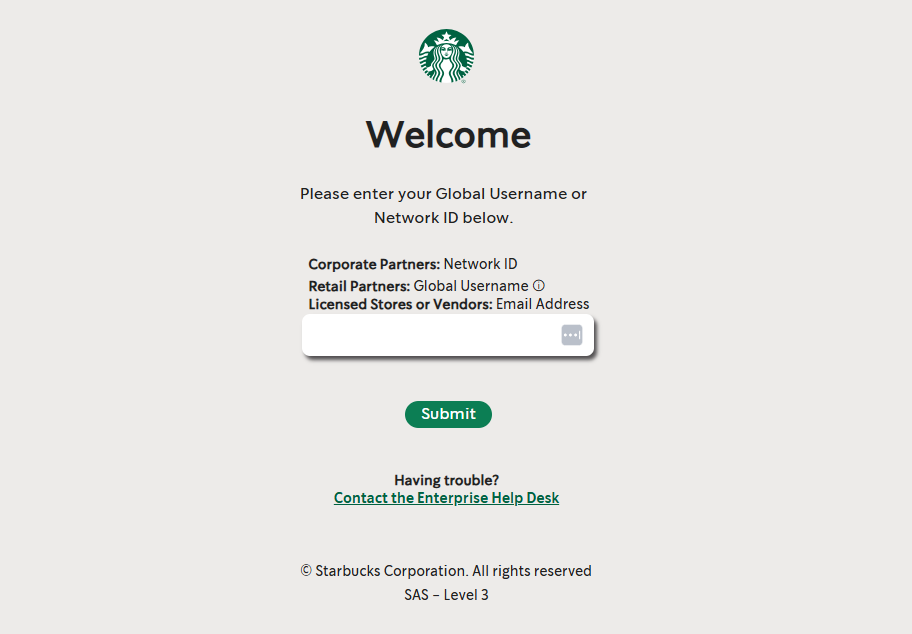
Take Starbucks' Partner Central, which serves a global workforce. Partners (what Starbucks calls employees) use the portal to check their pay stubs, review their benefits, request time off, and update their details.
Systems like Workday and ADP offer self-service dashboards, though many teams also add an employee tracking software layer to give visibility into logged hours alongside leave balances on exact needs.
2. Onboarding and offboarding portal
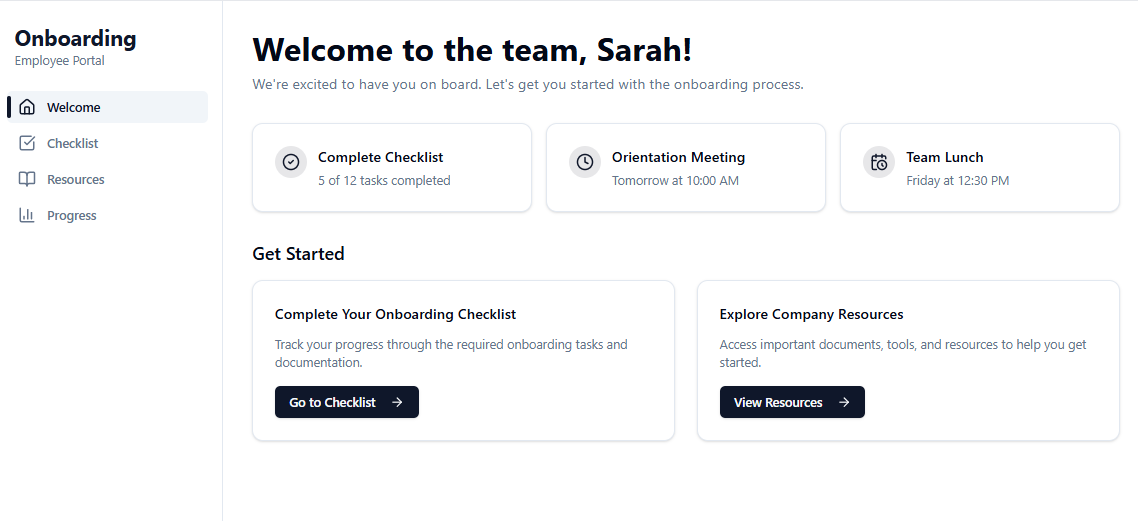
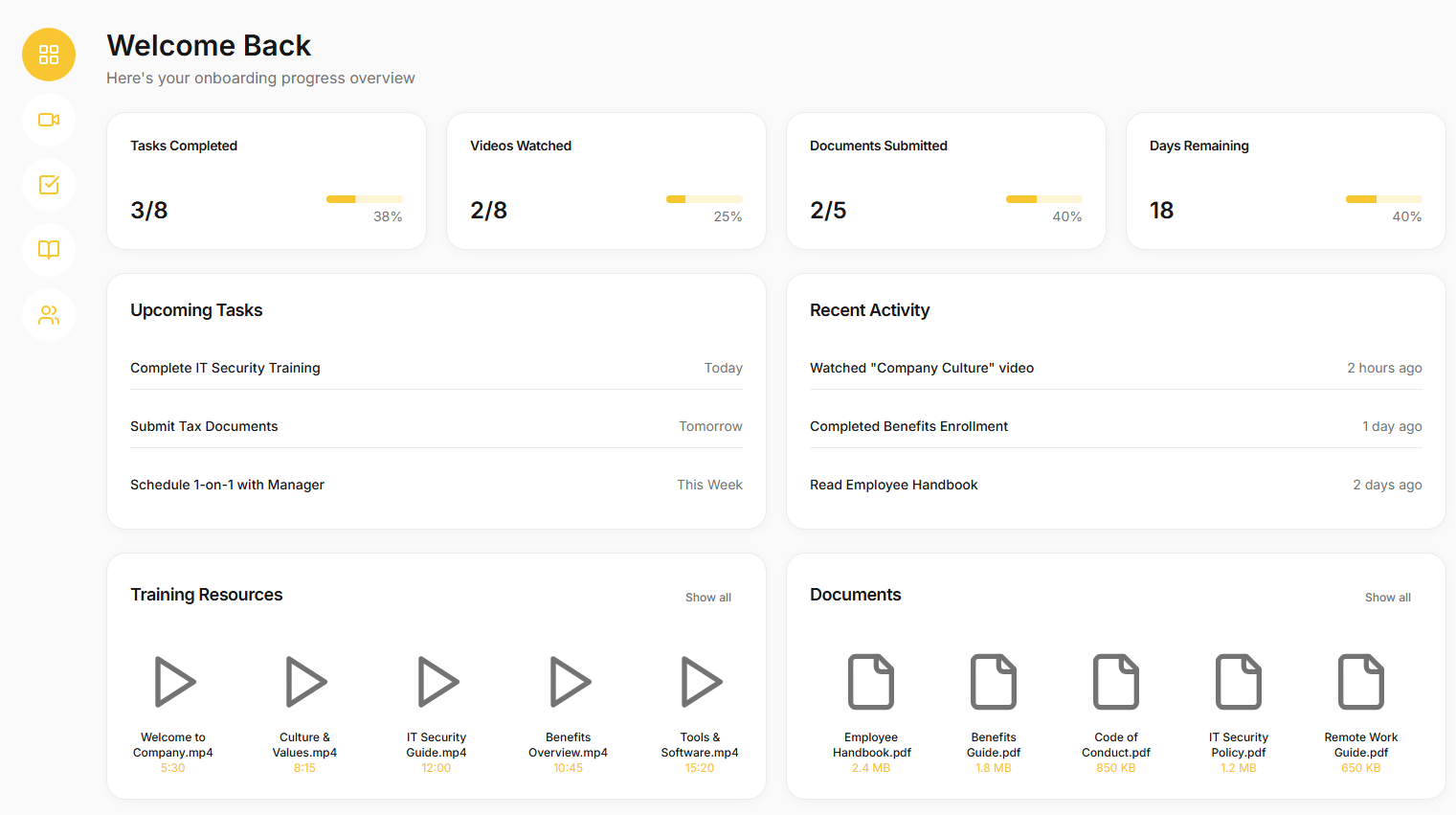
An onboarding portal organizes everything new hires need to read, fill out, and learn before their first day. New employees use the portal for e-signing forms, setting up direct deposit, reviewing benefits, and accessing training modules through the connected learning system.
The best onboarding portals include welcome videos, org charts showing who's who, checklists for setup tasks, and introductions to company culture so new hires feel connected immediately.
On the flip side, offboarding portals handle departures. Departing employees can hand over projects, complete exit surveys, review their final paycheck details, and get instructions for returning equipment.
3. IT helpdesk portal
This portal serves as your tech support hub. Employees report technical problems, submit help tickets, and track request status in one place.
If someone's email stops syncing on their phone, they log into the IT portal, fill out a ticket describing the issue, and the IT team gets alerted immediately. Good IT portals include knowledge bases with self-service articles for common problems like setting up VPN or troubleshooting software errors.
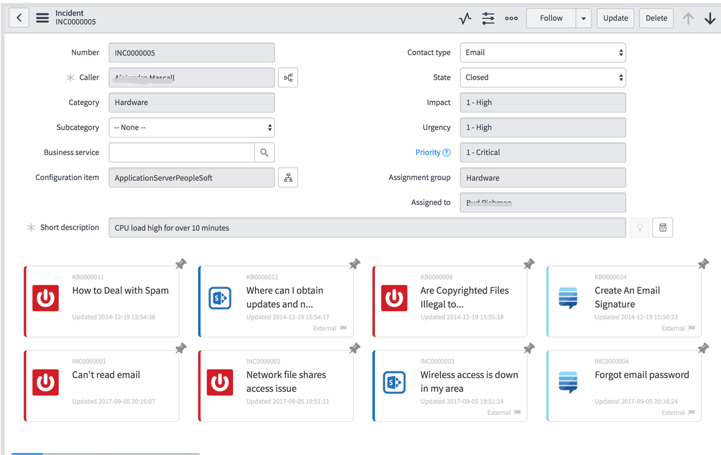
The Adidas ASPEN Service Shop, for example, acts as a central point where employees can request user access, order software or hardware, and submit incidents. It uses automation to route issues.
4. Internal tools hub
Think of this as an app store or dashboard for your company's internal systems. From one screen, employees launch the HR system, sales CRM, project management board, expense reporting tool, and basically any internal web app you've got.
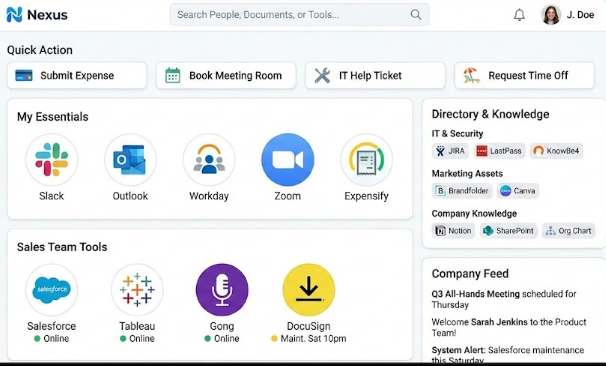
The goal is to save people from hunting through bookmarks or remembering multiple URLs and passwords. You can use intranet platforms like Microsoft SharePoint, Staffbase, or Workvivo to centralize news, knowledge, and tools in one easy-to-access hub.
5. Learning and development (L&D) hub
An L&D portal gives employees one place for growing their skills.
This portal centralizes training materials and courses. Managers can assign training, or employees can browse a course catalog and self-enroll in topics they're interested in.
Delta uses its iGrow portal to manage all frontline and corporate training. Employees complete required safety and service modules, track certifications, follow development pathways for new roles, and access ongoing learning in one place.
Popular solutions include Cornerstone OnDemand, SAP SuccessFactors Learning, or TalentLMS.
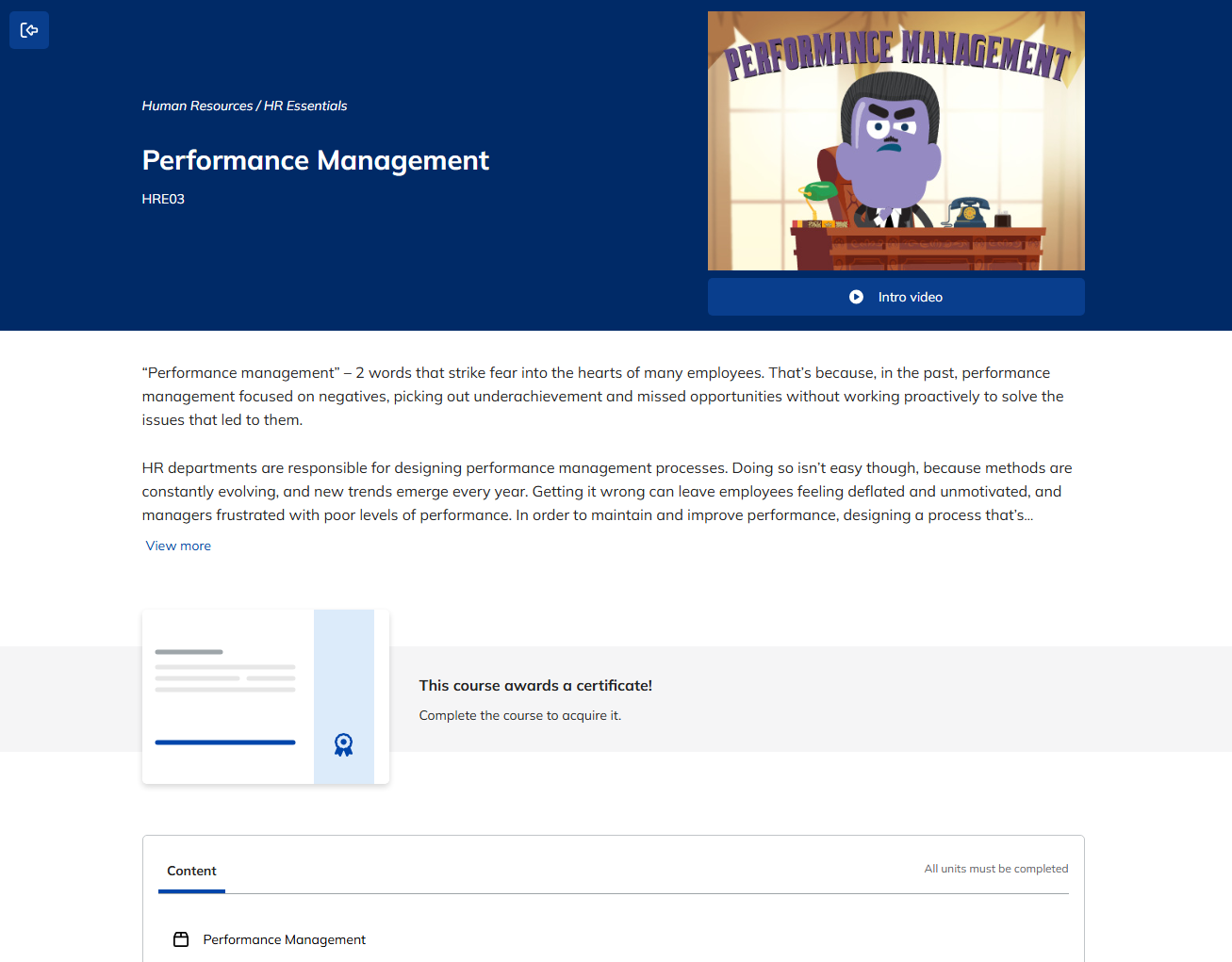
For companies with limited training content, even a Notion page with organized resources can serve as an L&D hub.
6. Company communications intranets
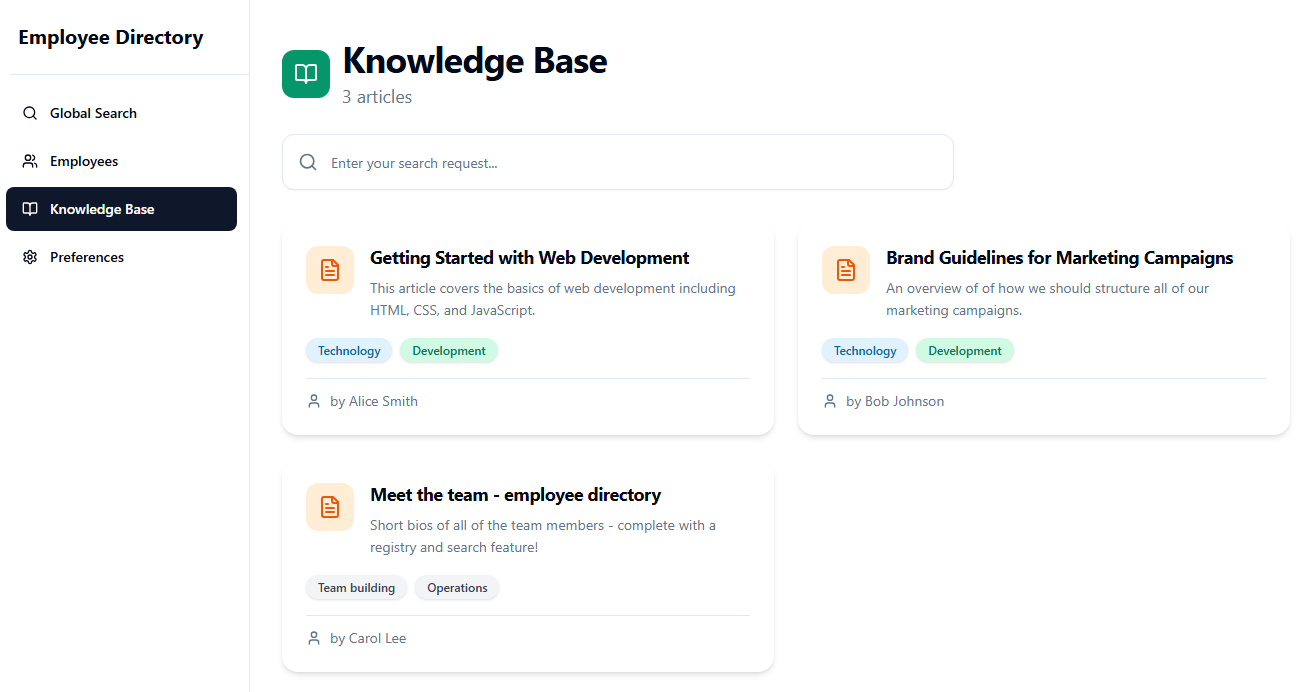
This portal connects employees with what's happening across the organization. It features news articles, departmental updates, and commenting or discussion spaces.
When HR publishes a new remote work policy, they post it here so nobody misses it. Platforms like Unily, Simpplr, or LumApps are designed as communications intranets with features to engage employees, but you can build your own. Here’s an example of a knowledge base built in Zite.
7. Field workforce portal
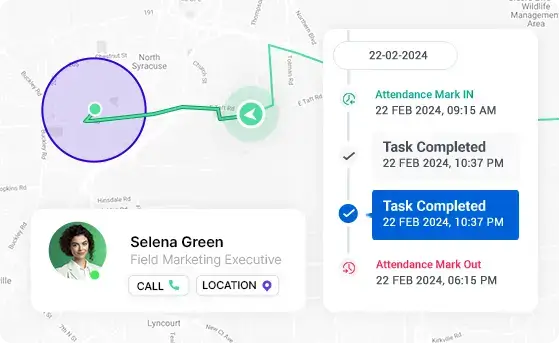
Not everyone sits at a desk. Retail associates, delivery drivers, nurses, and factory technicians need mobile-first access to company resources.
A field workforce portal (typically a mobile app) connects dispersed, on-the-move workers with digital resources. The portal is optimized for smartphones, so field staff can quickly check their schedule, pick up open shifts, access job instructions, and receive real-time updates from headquarters.
Some portals integrate text messaging or push notifications for urgent updates. Platforms such as TrackoBit are good off-the-shelf options for field sales teams.
8. Customer success support team portal
This internal portal helps teams that work with customers, like support reps, customer success managers, and account management teams. These roles need a 360° view of customer information and quick access to support resources.
A tool like Zendesk’s Agent Workspace is a great example. It gives support teams a unified view of customer tickets, history, and resources.
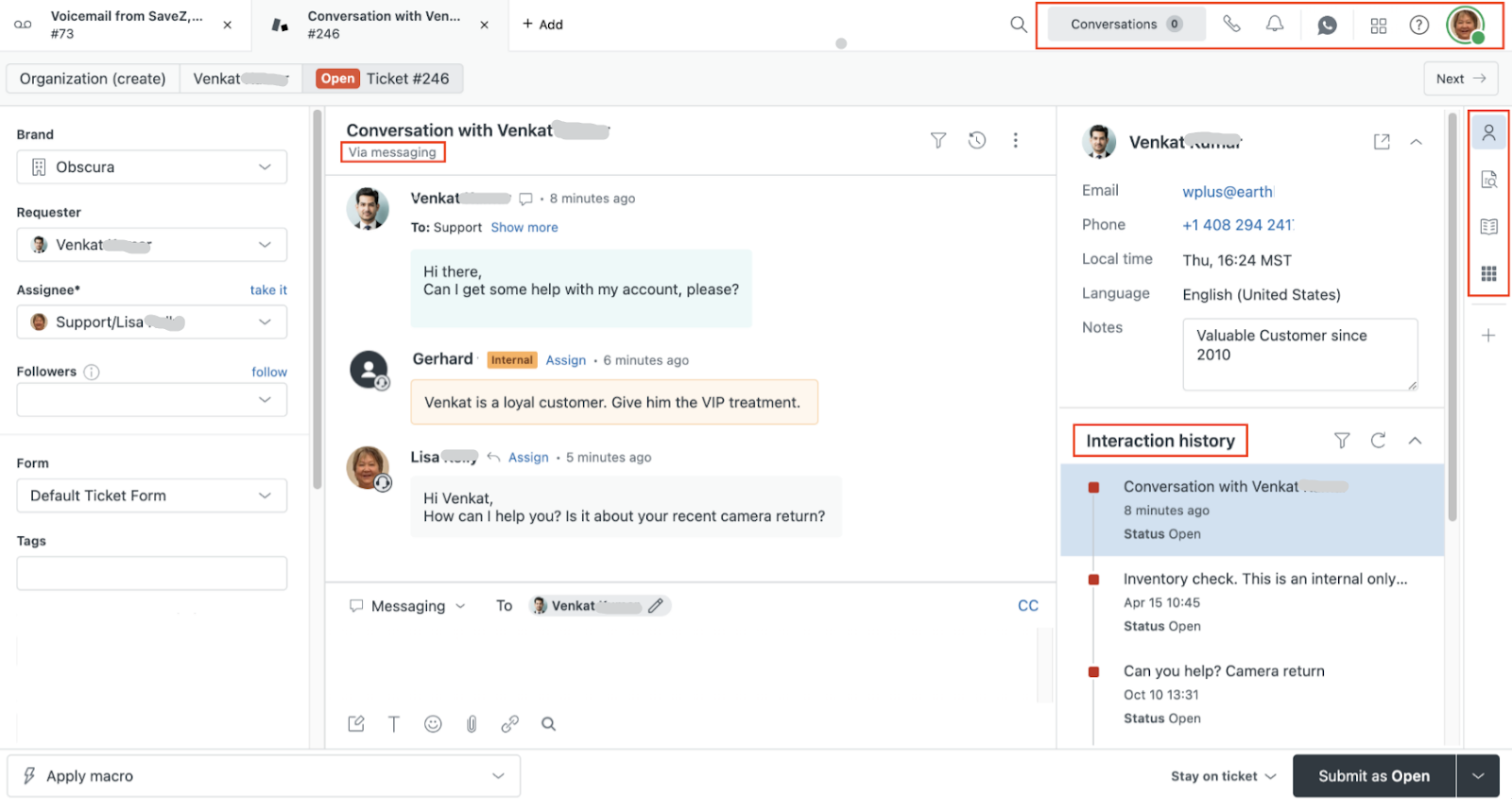
Support reps see a customer's full history, including recent tickets, product usage, contract details, and past conversations, all on one screen. This helps them deliver personalized, informed service without switching between six different tools.
9. Compliance and policy portal
A compliance portal provides a single source of truth for all policies, procedures, and required training.
Employees can easily find the latest versions of company policies, often personalized for their role or location. Some compliance portals also track acknowledgments. When a new policy is posted, the system prompts employees to read and electronically attest to it.
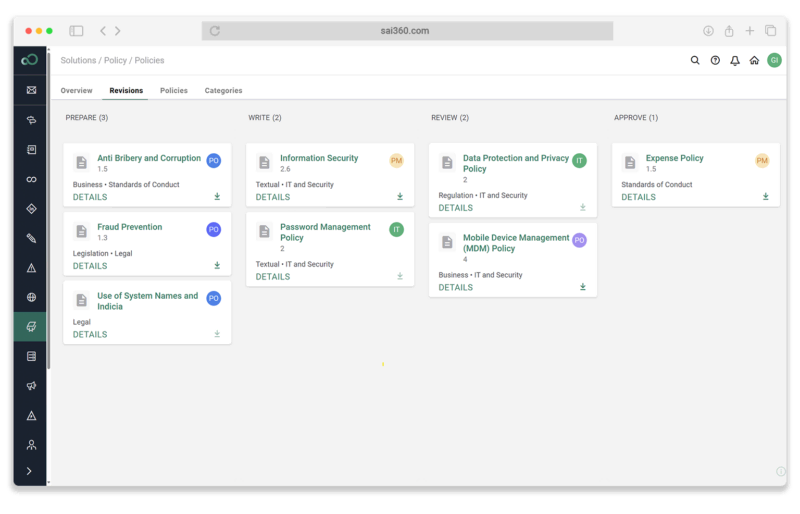
Vendors like SAI360 offer dedicated policy management software with employee-facing portals for policy access and attestations.
10. Employee benefits and wellness intranets
Benefits portals bring together information on health insurance plans, retirement savings programs, paid time off balances, and other benefit offerings.
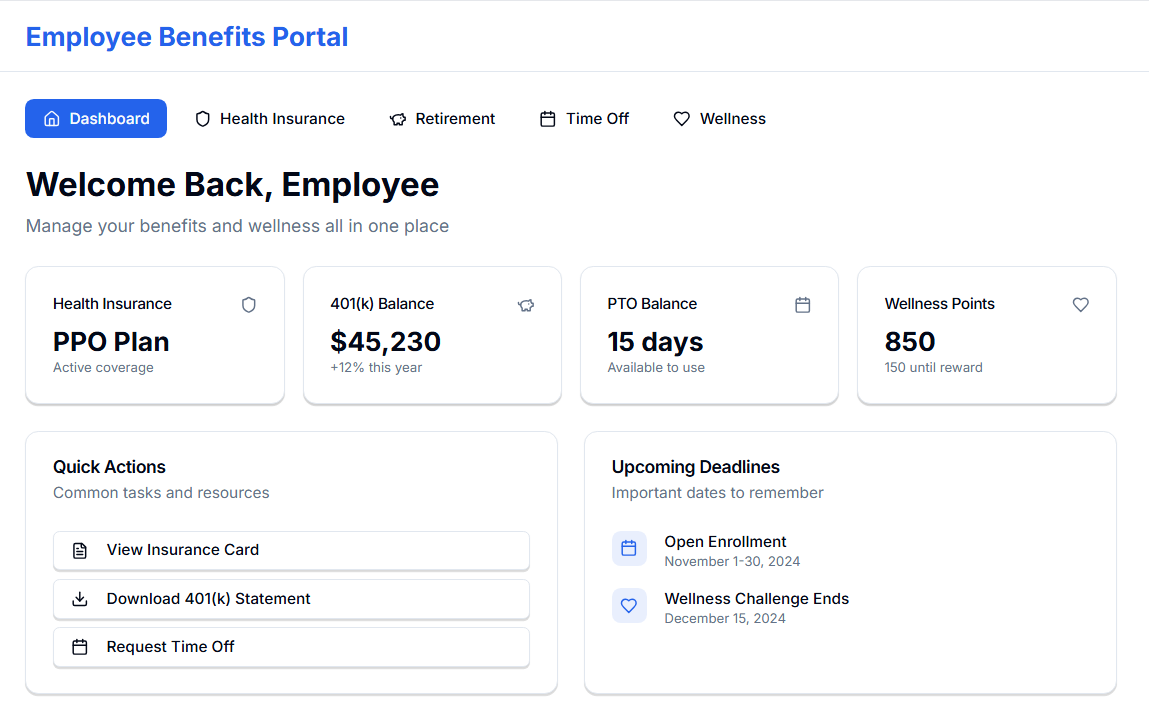
Employees can review medical plan options during open enrollment, compare coverage, and submit their selections online. They might check how much has been contributed to their 401(k) this year or download a copy of their insurance card.
You can also integrate wellness programs into the same portal. Employees might find mental health resources or track wellness points that earn rewards.
11. Recognition and engagement portal
Recognition portals focus specifically on celebrating wins and building team connections. Employees can give shout-outs, nominate peers for awards, track recognition points, and see company-wide celebrations.
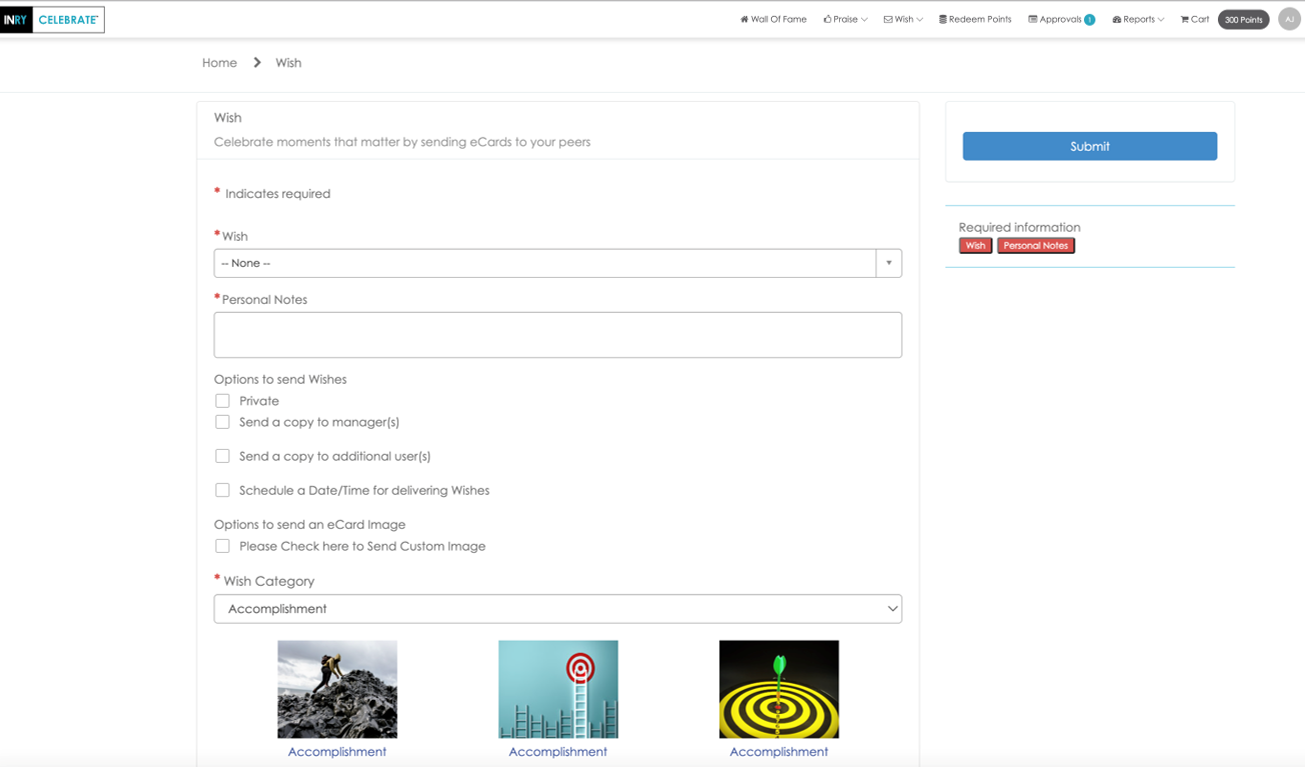
The INRY CELEBRATE portal, for example, includes features for birthdays, anniversaries, kudos, and light gamification to encourage participation.
Common portal implementation challenges and how to avoid them
Most teams hit the same challenges when they roll out an employee portal, and they rarely come from the technology itself. They usually show up in how the portal is structured and how people discover information.
Below are some of the challenges you might encounter:
Poor findability
Companies put enormous effort into uploading content, only to learn employees still can’t locate basic items. It’s almost always a structure problem.
A clear homepage with the top five or six actions surfaced, like requesting time off, submitting an IT ticket, or finding a policy, solves most of this. Adding a simple, fast search bar closes the rest of the gap.
Fragmented systems
Another common challenge is that portals end up feeling like collections of links, not unified experiences. This happens when every workflow points to a different system with a different login and a different interface.
Your portal needs to connect with payroll, HR systems, and other tools you already use.
Stale content
If nobody is responsible for keeping things current, employees default back to Slack messages and inbox searches. The simplest way around this is to assign ownership by section. HR owns HR, IT owns IT, operations owns general navigation. A quarterly content review is usually enough to keep the portal clean and reliable.
Built without user input
You might have a clear idea of what they want to include, but employees navigate the organization in very different ways. Talk to a handful of people across roles and watch how they currently find information. The friction points you see in those sessions will tell you more than any internal planning meeting.
How to build a custom employee portal with Zite
Off-the-shelf employee portals rarely match how your company actually works. Most teams end up bending their processes to fit the tool or stitching together multiple systems to cover basic needs.
Zite gives you a way to build an employee portal that fits your workflows. You can create it from scratch with AI or start from one of the many pre-built templates, such as this one for employee onboarding.
Here’s how to get started:
- Describe your portal: Tell Zite what your portal needs to do in plain language.
- Zite generates a working portal instantly: You get pages, forms, and user authentication built automatically. The built-in database auto-generates schemas and data relationships, so you don't need to set up an external DB.
- Connect your existing data (optional): If your data already lives in Google Sheets, Airtable, or a CRM, connect to it directly and build your portal on top of it.
- Set up access control: Define who sees what with user permissions and role-based access. Zite also supports audit logs and SSO out of the box.
- Add branding: Customize the look to match your company branding.
- Publish your app: Publish on your custom domain instantly. Zite provides secure hosting.
- Update as needs change: Adjust workflows or pages with follow-up prompts or visual edits. You also get direct code access to the AI-generated output.
Zite apps are production-ready by default. It has enterprise-grade security and meets SOC 2 Type 2 requirements. It also includes unlimited users and apps on all plans (even free), which is a major advantage over platforms that use per-seat pricing.
Ready to try Zite?
Zite doesn’t lock you into a single portal template. Use it to turn spreadsheets, forms, and inbox-driven processes into a portal that solves your exact needs.
Frequently asked questions
How does an employee portal work?
An employee portal works by giving employees a single place to access internal tools, information, and services. The portal connects HR requests, IT tickets, onboarding tasks, policies, and updates into one interface so people aren’t jumping between systems.
What are HR portals?
HR portals are self-service hubs where employees handle routine HR tasks on their own. These portals centralize time-off requests, pay stubs, benefits information, and basic forms so teams don’t rely on email chains for simple updates.
What are intranet must-haves?
Intranet must-haves include role-based content, a place for company news, a policy library, and a simple way to submit requests. Many teams add onboarding checklists, IT workflows, and a directory so staff can find people quickly.
How can you create a portal?
You can create a portal by mapping the tasks employees struggle to find, then turning those into pages, forms, and links inside the portal. Some teams use intranet tools like SharePoint, while others use no-code builders like Zite.

