


Stacker rebuilt its product around AI in September 2025. You now describe the app you want, and its AI builder designs the layouts, features, and workflows for you.
This Stacker review comes from connecting an Airtable base, building a client portal with role-based access, and reading through what real users say on G2 and Capterra.
Here is where Stacker wins, where the pricing pushes people away, and where it fits in 2026.
Quick verdict
Stacker builds client portals and internal apps on its own database, or on data you connect from Airtable, Google Sheets, and Salesforce. Its standout strengths are role-based permissions and branded portals.
Stacker now bills by credits, so the cost tracks how much work your agents do, and adding people costs nothing extra. It now stores data in its built-in database or connects to Airtable, Google Sheets, and Salesforce, so you can choose which. Stacker suits agencies and teams who need a permissions-heavy portal on structured data.
What is Stacker?
Stacker is a no-code app builder that turns data from Airtable, Google Sheets, or Salesforce into client portals, CRMs, and internal tools. After its pivot, AI agents now lead the product. You describe the app, and Stacker builds a working version you refine.
It serves agencies, consultancies, and operations teams that give external users controlled access to structured data.
It solves one particular problem: You can share selected records with clients or partners while the underlying database remains private.
Features
Stacker covers portal building on connected data. Here is what it includes and where the limits are:
- AI app generation: Describe a portal or tool, and Stacker builds a working prototype in a few minutes. This addition moved the product away from templates.
- Role-based permissions: Record-, field-, and page-level access, so each user sees only their own data. Reviewers call this its strongest feature.
- Built-in database or connected sources: Hold data in Stacker's own relational tables, or sync it from Airtable, Google Sheets, Salesforce, and Stripe. You choose per table, and 2,000+ integrations are available to your agents across all plans.
- Credit-based pricing: Each agent action costs credits, with quick tasks costing 1 to 3, workflows costing 5 to 15, and projects costing 20 to 50. No per-seat charges apply.
- Branded portals: Host on your own domain with custom colors and logos, so the app looks custom-built.
- Known limits: Web apps only; no native mobile; limited design customization; basic analytics; and credit costs that increase with heavy agent use.
Stacker review: what real users are saying
I pulled reviews from Capterra, G2, and hands-on testing write-ups. The sentiment stays consistent about both the strengths and the sore points.
Pro
- Fast to build on existing data, with users turning a spreadsheet into a working app in minutes.
- Permissions draw the most praise, since roles and user groups let you set who sees which records. Reviewers rate this above most no-code tools they have used.
- Branded, professional portals that run on your own domain and look custom-built.
Con
- Credit costs add up, since projects burn 20 to 50 credits each, and heavy agent use drains the monthly 250 fast.
- Synced sources refresh on a schedule, so if you keep Airtable as your source of truth, changes arrive on Stacker's sync interval rather than instantly.
- Limited design and customization, with the layout builder trailing Softr and Bubble, and advanced options like custom action buttons are still maturing.
- Still a maturing product, since the AI rebuild is recent and the credit model replaced the old per-app tiers. Verify current features before you commit.
What users say
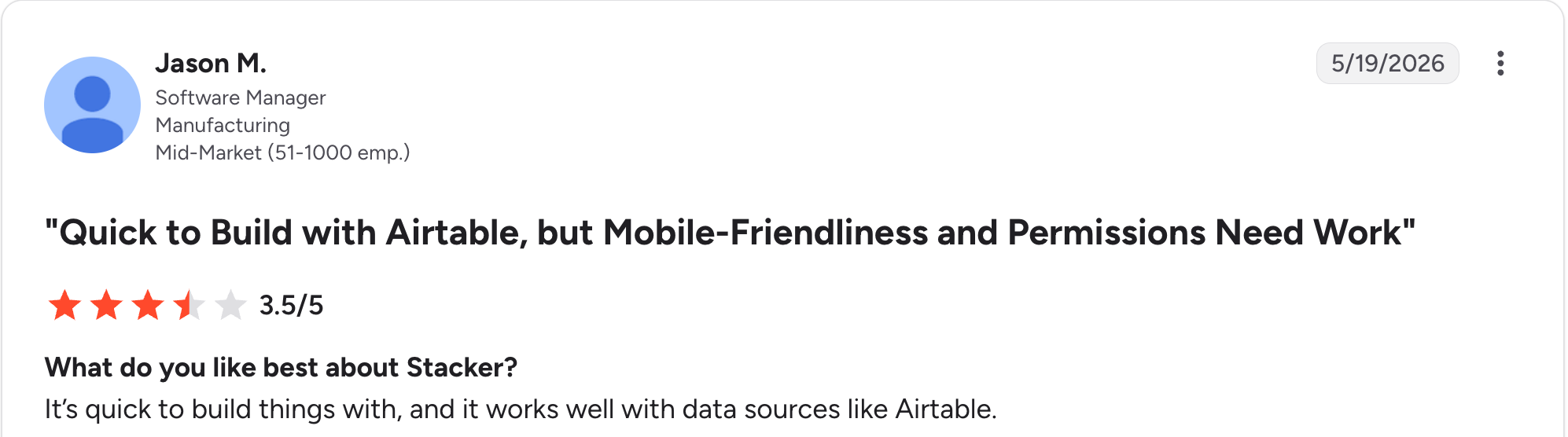
“It’s quick to build things with, and it works well with data sources like Airtable.” Jason M, G2

“We love the capabilities of Stacker to build interfaces and multiple ways to interact with data.” Mauricio D, G2

“It was hard to make things work as expected, cumbersome, even though there are a lot of features not flexible enough for our needs.” Stephanie G, Capterra
Users praise Stacker’s permissions and branded portals, and many flag the pricing and the design limits as real barriers.
My personal take on Stacker
I connected an Airtable base and built a client portal with role-based access. Here is what stood out.
The permissions system impressed me. Setting record-level access so each client saw only their own data was faster and clearer than in most tools I have used. The AI-generated portal was usable in minutes, and the branded result looked professional on a custom domain.
The frustrations matched the reviews. I kept my data in Airtable and let Stacker sync from it, which meant edits in the portal reached Airtable on the sync schedule rather than instantly. I ran out of design options as soon as I wanted something beyond the standard layout.
My take lines up with the consensus. Stacker excels at permissions-heavy portals on existing Airtable data. Teams that want one tool for data and apps, or that watch every dollar, should look elsewhere.
Is Stacker right for you?
Who will love Stacker:
- Agencies and consultancies giving clients branded portals with tightly controlled access to their own records.
- Teams already in Airtable or Salesforce who want to build a portal without moving that data.
- Operations teams that need record-level permissions more than deep design control.
Who should avoid Stacker:
- Teams that want the app to update their source instantly, since connected sources like Airtable refresh on a sync schedule.
- Solo builders and early-stage startups watching costs, since credits run out and the paid Standard plan starts at $50/month.
- Anyone needing native mobile apps on the App Store or Google Play, or extensive design customization beyond standard layouts.
The best Stacker alternative: Zite
Credit costs and design limits are the two things Stacker users most often name, and Zite addresses both. It keeps the AI-built portal and the role-based access that make Stacker worth choosing.
With Zite, you describe the app, and it generates the app, its own database, and the logic together. It connects to Airtable, Google Sheets, and Notion, too, so you don't have to move your data to get started. With Airtable, Zite reads and writes in real time, while Stacker brings connected sources in on a sync schedule.
Four advantages stand out for teams leaving Stacker:
- The same role-based access Stacker is known for: clients, staff, and admins each get their own views and permissions, set as the app is built, so you don't give up the access control that made Stacker worth choosing.
- Edits that don't spend credits: in Stacker, clicking an element attaches it to your next AI message, so the change still runs through the agent and costs credits. In Zite, you click an element and change its properties directly, so those edits cost nothing.
- AI Fields in a spreadsheet-style database: write an instruction once in a column and every row fills itself in, so work like classifying support messages happens in the data rather than as a separate step, all editable without SQL.
- Predictable price with no credit meter: Stacker bills by credits that projects burn through, while Zite includes unlimited users on every tier at a set monthly rate, with a free plan and Pro at $19/month.
Customers like Bombas and Domino’s build business apps this way. The Zite pricing page has the full breakdown.
Start building with Zite for free and build your first app today.
Final verdict
Stacker works well when you need a permissions-heavy portal on data you already keep in Airtable. The permissions system handled every access rule I threw at it, and the branded output looked professional.
Zite is the better choice when you want the app and database in one tool, with the same role-based permissions, unlimited users, and a set monthly price instead of a credit meter.
Frequently asked questions
Is Stacker worth it in 2026?
Yes, Stacker is worth it in 2026 for agencies and teams building client portals, especially when permissions matter more than design control. It costs more than most no-code tools, and the $100 in trial credits runs out as your agents work.
Is Stacker still being developed?
Yes, Stacker is still being developed. The company announced Stacker AI in September 2025 and rebuilt the product around an AI builder that generates apps from your description, with the pricing moving to a credit model in 2026.
How much does Stacker cost?
Stacker costs $50/month on the Standard plan, which includes 250 credits and no per-seat charges. There is no free plan, but you start with $100 in trial credits. Enterprise is custom-priced for higher credit volumes.
What are the main complaints in Stacker reviews?
The main complaints in Stacker reviews are pricing, limited design customization, the lack of native mobile apps, and uncertainty following the recent pivot to AI generation.
What is the best Stacker alternative?
The best Stacker alternative depends on your needs. Zite leads for an AI-built app with its own visible database and unlimited users, Softr wins for polished portals on Airtable data, and Knack suits large user bases without per-user fees.
Does Stacker have a free plan?
No, Stacker doesn't have a free plan. You start with $100 in trial credits and no credit card required. Once those run out, the Standard plan is $50/month for 250 credits.

