> ## Documentation Index
> Fetch the complete documentation index at: https://zite.com/llms.txt
> Use this file to discover all available pages before exploring further.
# Database Agent
> Use the AI agent in Zite Database to create tables, ask questions, analyze records, update fields, and connect integrations.
The Database Agent is an AI helper built into the Zite Database editor. Use it to create and organize your database, ask questions about your records, analyze trends, update fields, and connect integrations without leaving your table.
 ## Open the agent
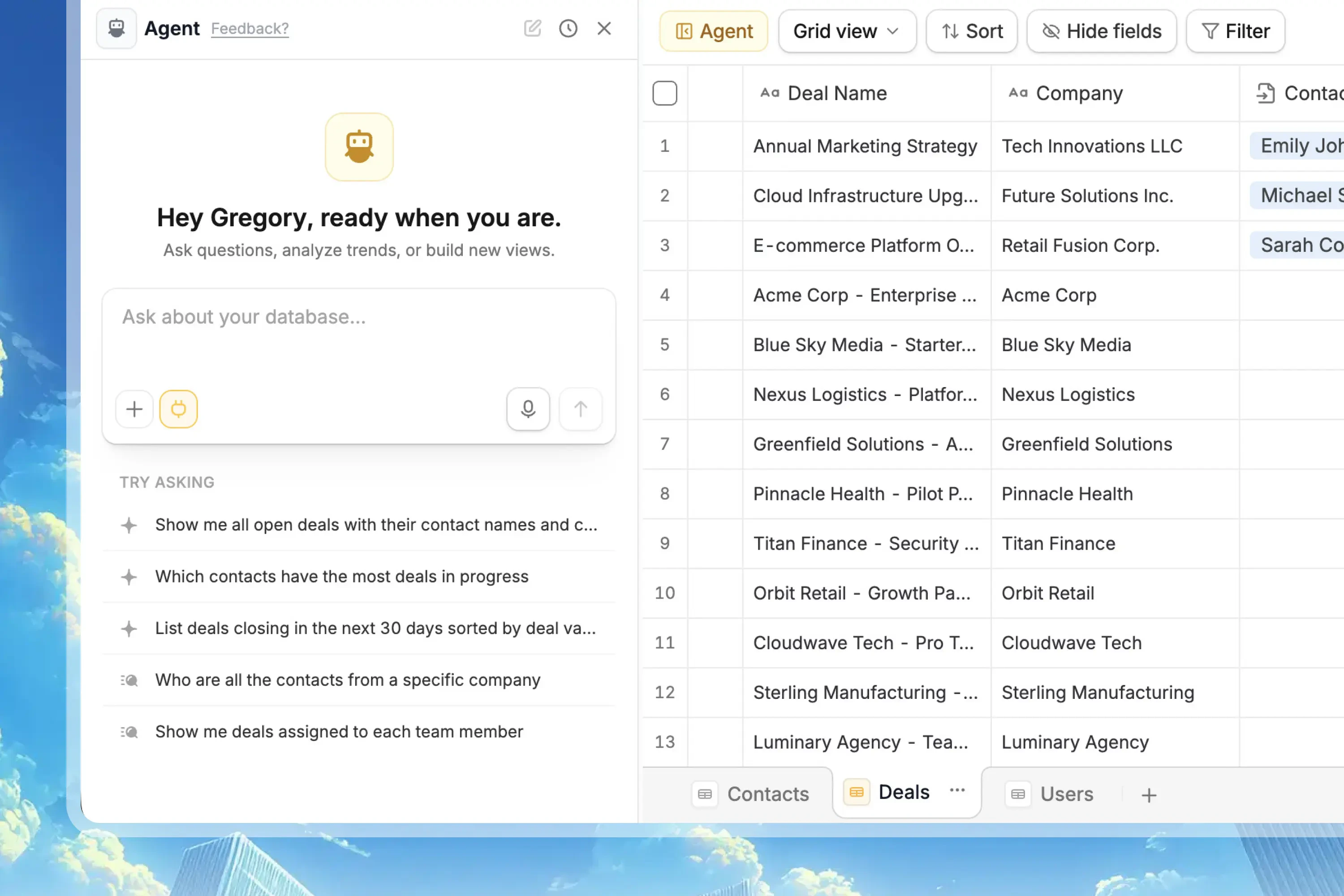
Click `Agent` at the top of your database. The Database Agent opens beside your table, so you can keep your records visible while you ask questions or make changes.
You can use the agent while working in any table or view.
## What it can do
## Open the agent
Click `Agent` at the top of your database. The Database Agent opens beside your table, so you can keep your records visible while you ask questions or make changes.
You can use the agent while working in any table or view.
## What it can do
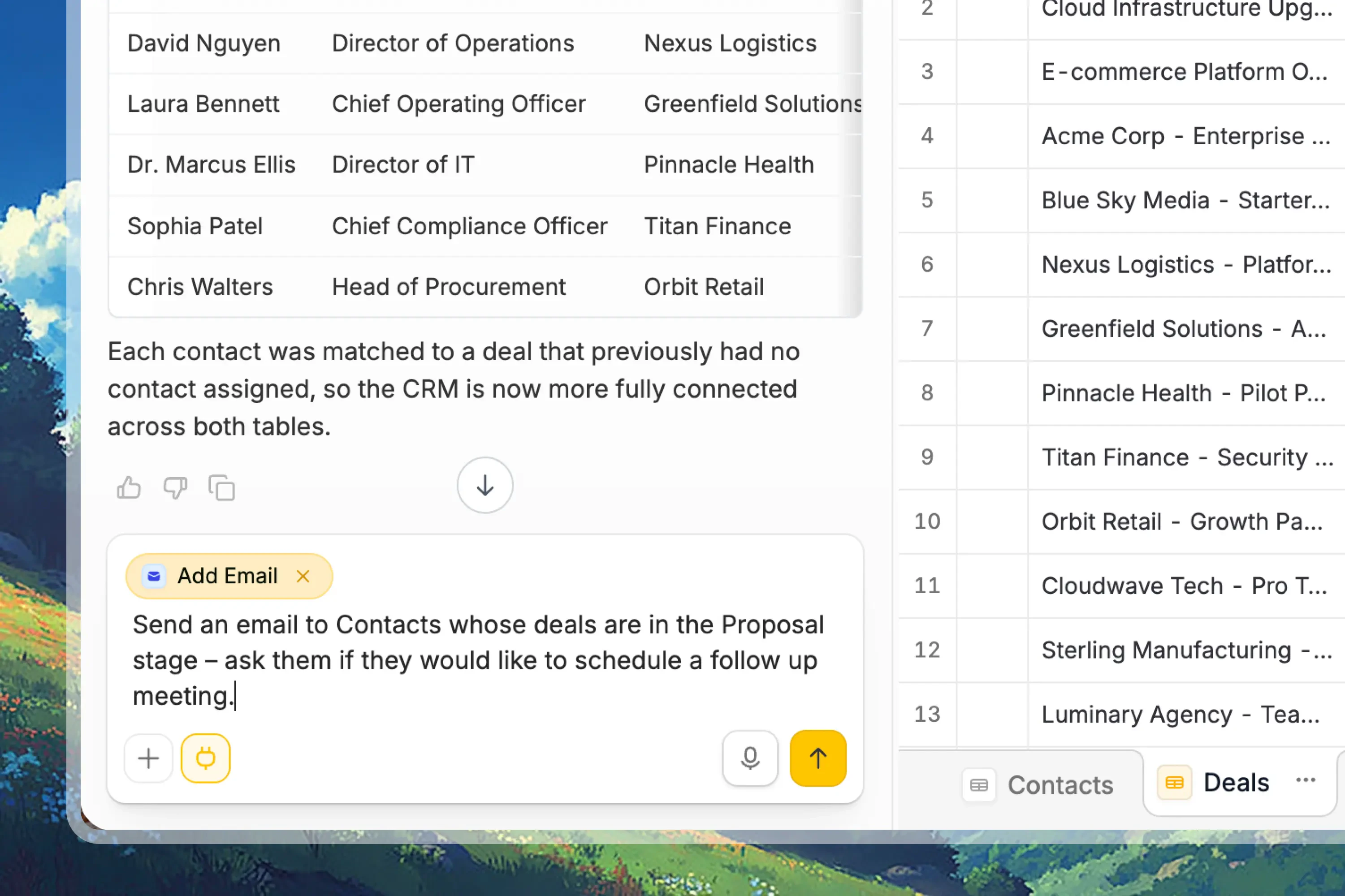 Ask questions about your data, summarize records, compare groups, find patterns, and understand trends from the current database.
Ask the agent to design a database structure, create tables, add fields, rename fields, or suggest the right schema for your workflow.
Use custom scripts to query records, update data, paginate through larger result sets, and perform bulk operations with approval.
Pull in information from uploaded spreadsheets, web pages, URLs, or connected services to clean, summarize, enrich, or act on data.
Connect tools like Slack, Gmail, OpenAI, Airtable, Google Sheets, or Stripe, then use them from scripts and workflows after approval.
Changes that write data, update your schema, run scripts, or connect integrations require your approval before they run.
## What it can't do yet
* **Run on a schedule:** The agent only runs when you message it. For recurring jobs, use an automation tool like Zapier or n8n.
* **Work across multiple databases at once:** The agent works with the current database. It can't inspect another Zite database as a second data source in the same request.
* **Directly edit existing connected apps or forms:** The agent can suggest next steps and help create connected workflows, but app and form edits still happen in their editors.
## Example prompts
* "Create a CRM database with Contacts, Companies, Deals, and Tasks."
* "Add a Priority field with Low, Medium, and High options."
* "Create a linked record field that connects each Deal to a Company."
* "Show me all deals in the pipeline with their current stage and value."
* "Which customers have the highest total contract value?"
* "Summarize overdue tasks by owner."
* "Connect this database to a Zite app."
* "Create a workflow that adds a new record when a form is submitted."
* "Send a Slack message when a deal is marked Closed Won."
* "Fetch company websites for these accounts and save them to a Website field."
## Chat history
You can start a new agent chat whenever you want to work on a different task or reset the conversation.
Previous chats are saved, so you can reopen earlier conversations to review what you asked, continue the same task, or understand why a change was made.
Ask questions about your data, summarize records, compare groups, find patterns, and understand trends from the current database.
Ask the agent to design a database structure, create tables, add fields, rename fields, or suggest the right schema for your workflow.
Use custom scripts to query records, update data, paginate through larger result sets, and perform bulk operations with approval.
Pull in information from uploaded spreadsheets, web pages, URLs, or connected services to clean, summarize, enrich, or act on data.
Connect tools like Slack, Gmail, OpenAI, Airtable, Google Sheets, or Stripe, then use them from scripts and workflows after approval.
Changes that write data, update your schema, run scripts, or connect integrations require your approval before they run.
## What it can't do yet
* **Run on a schedule:** The agent only runs when you message it. For recurring jobs, use an automation tool like Zapier or n8n.
* **Work across multiple databases at once:** The agent works with the current database. It can't inspect another Zite database as a second data source in the same request.
* **Directly edit existing connected apps or forms:** The agent can suggest next steps and help create connected workflows, but app and form edits still happen in their editors.
## Example prompts
* "Create a CRM database with Contacts, Companies, Deals, and Tasks."
* "Add a Priority field with Low, Medium, and High options."
* "Create a linked record field that connects each Deal to a Company."
* "Show me all deals in the pipeline with their current stage and value."
* "Which customers have the highest total contract value?"
* "Summarize overdue tasks by owner."
* "Connect this database to a Zite app."
* "Create a workflow that adds a new record when a form is submitted."
* "Send a Slack message when a deal is marked Closed Won."
* "Fetch company websites for these accounts and save them to a Website field."
## Chat history
You can start a new agent chat whenever you want to work on a different task or reset the conversation.
Previous chats are saved, so you can reopen earlier conversations to review what you asked, continue the same task, or understand why a change was made.