

Overview
Zite Database gives you tools to organize and manage your data in a table. Sort, Hide Fields, Filter, and Grid View let you customize how your data is displayed without changing the actual records.Sort records
Arrange records in a specific order based on selected fields. This helps you quickly find and compare information.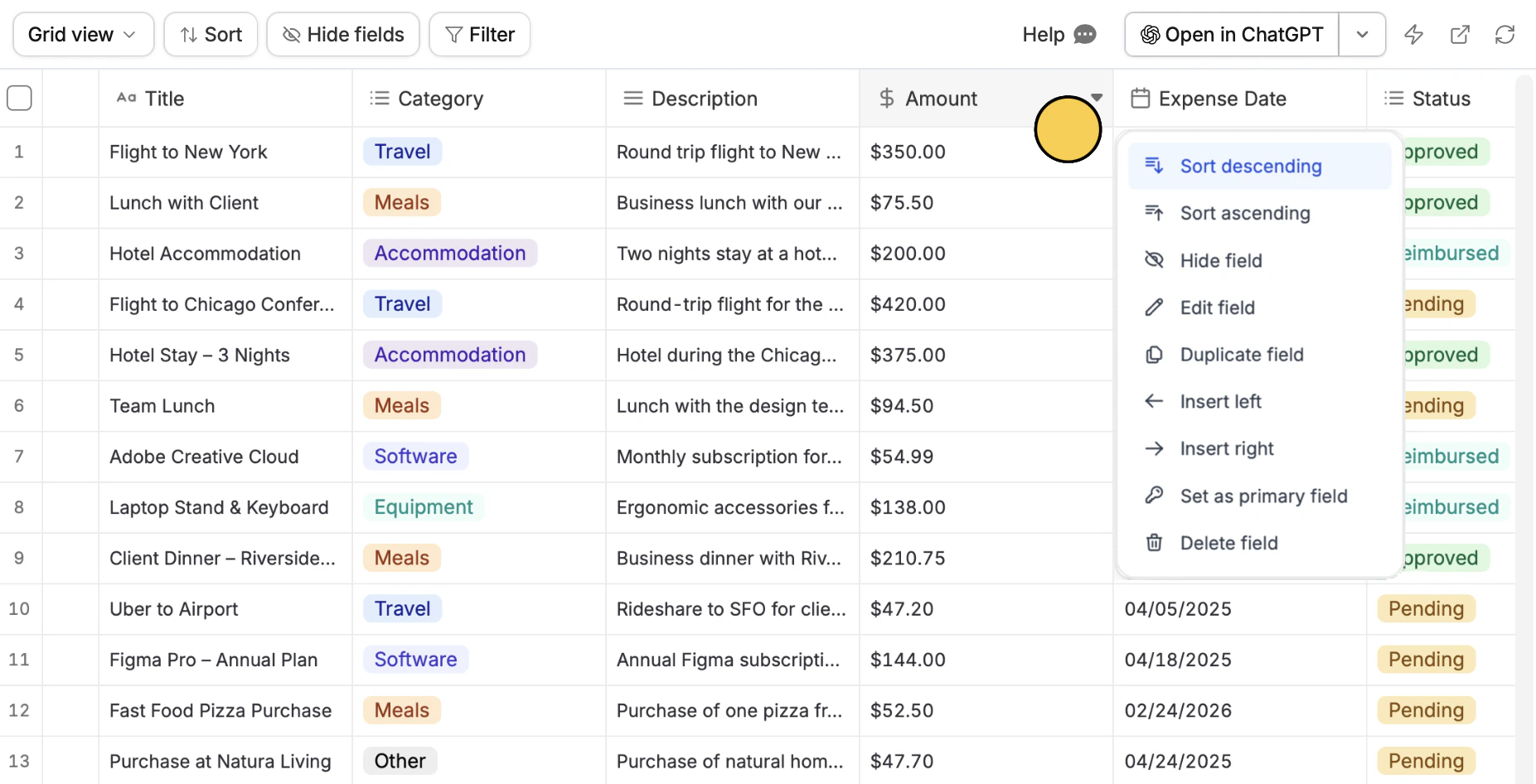
inverted triangle icon . Then, choose between Sort ascending and Sort descending. For example, we’ll sort the Amount based from the highest to lowest.
Hide fields
Temporarily remove fields from your current view without deleting them. This keeps your table clean and focused on what matters.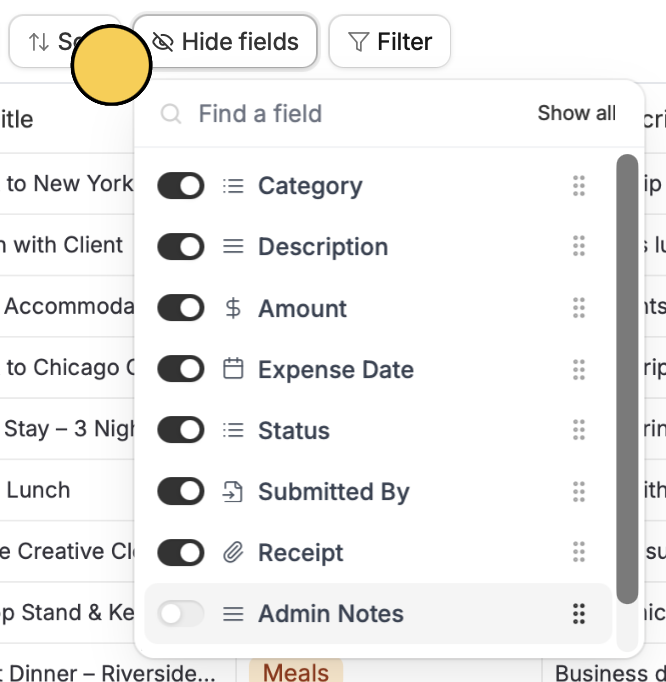
Hide fields on top and untoggle columns you’d like to hide. For example, let’s hide Admin Notes.
If you have multiple views, hidden fields are only hidden in the current view you are using.
Filter fields
Display only the records that meet certain conditions in the current view. This makes it easier to focus on relevant data.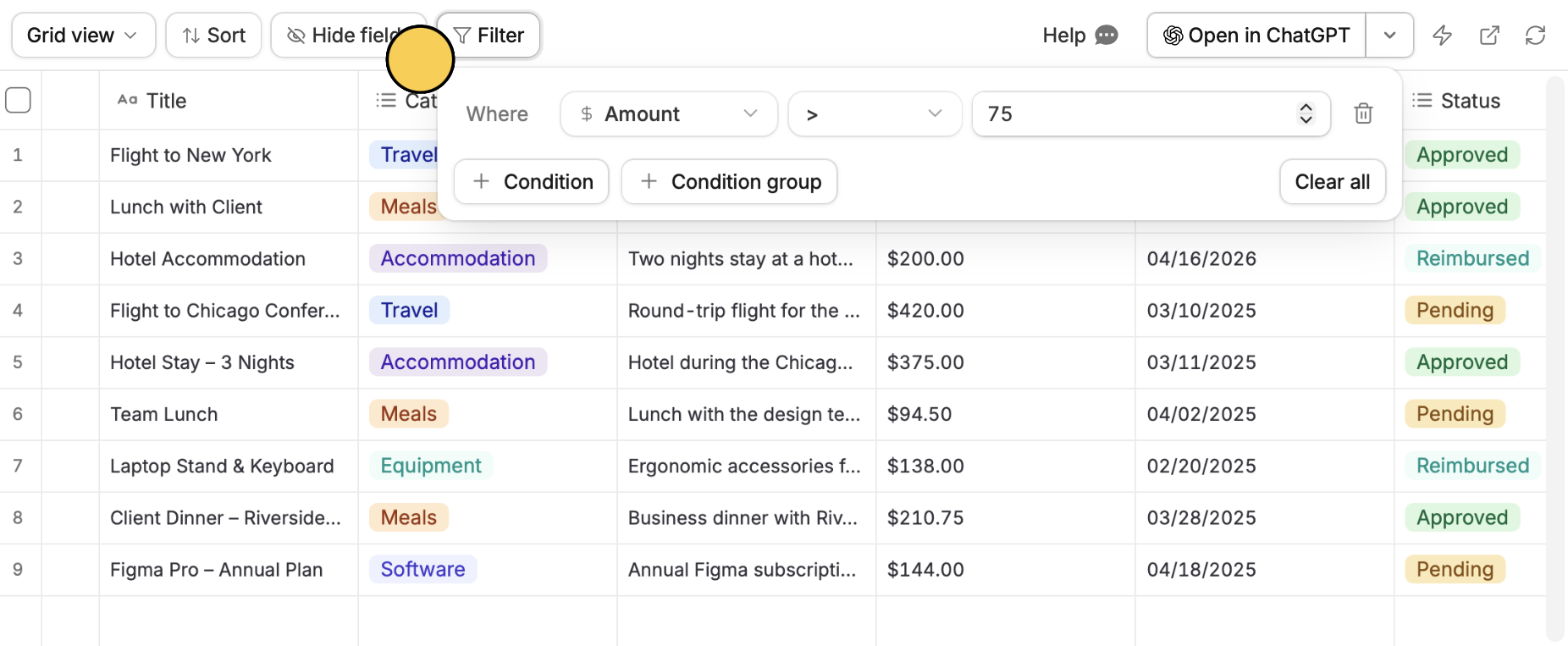
Filter on top followed by + Condition or + Condition group. Set a column field on the left, a qualifier in the middle, and a value on the right. For example, let’s only show records of expenses filed that are greater than $75.
Create views
You can create and manage different views of the same data. Each view can show the same records in different ways depending on your needs.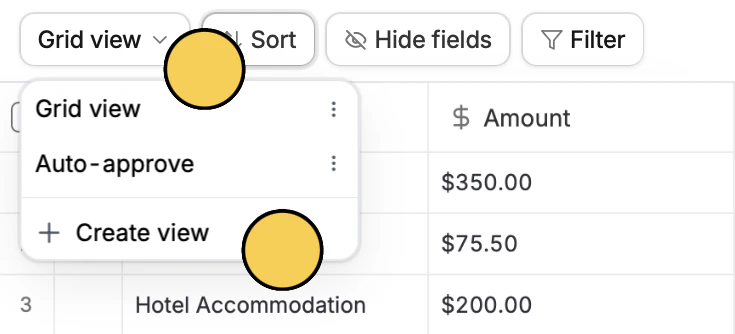
Grid view on top followed by + Create view. A duplicate view will be added in the same table you’re in. You can then sort, filter, or hide fields as needed. These changes will only apply to the current view and will not affect other views.