> ## Documentation Index
> Fetch the complete documentation index at: https://zite.com/llms.txt
> Use this file to discover all available pages before exploring further.

# Create your own app template

> Turn your apps into templates and share them with others through the Zite marketplace or within your team.

## Convert app to template

<Steps>
  <Step title="Open share settings">
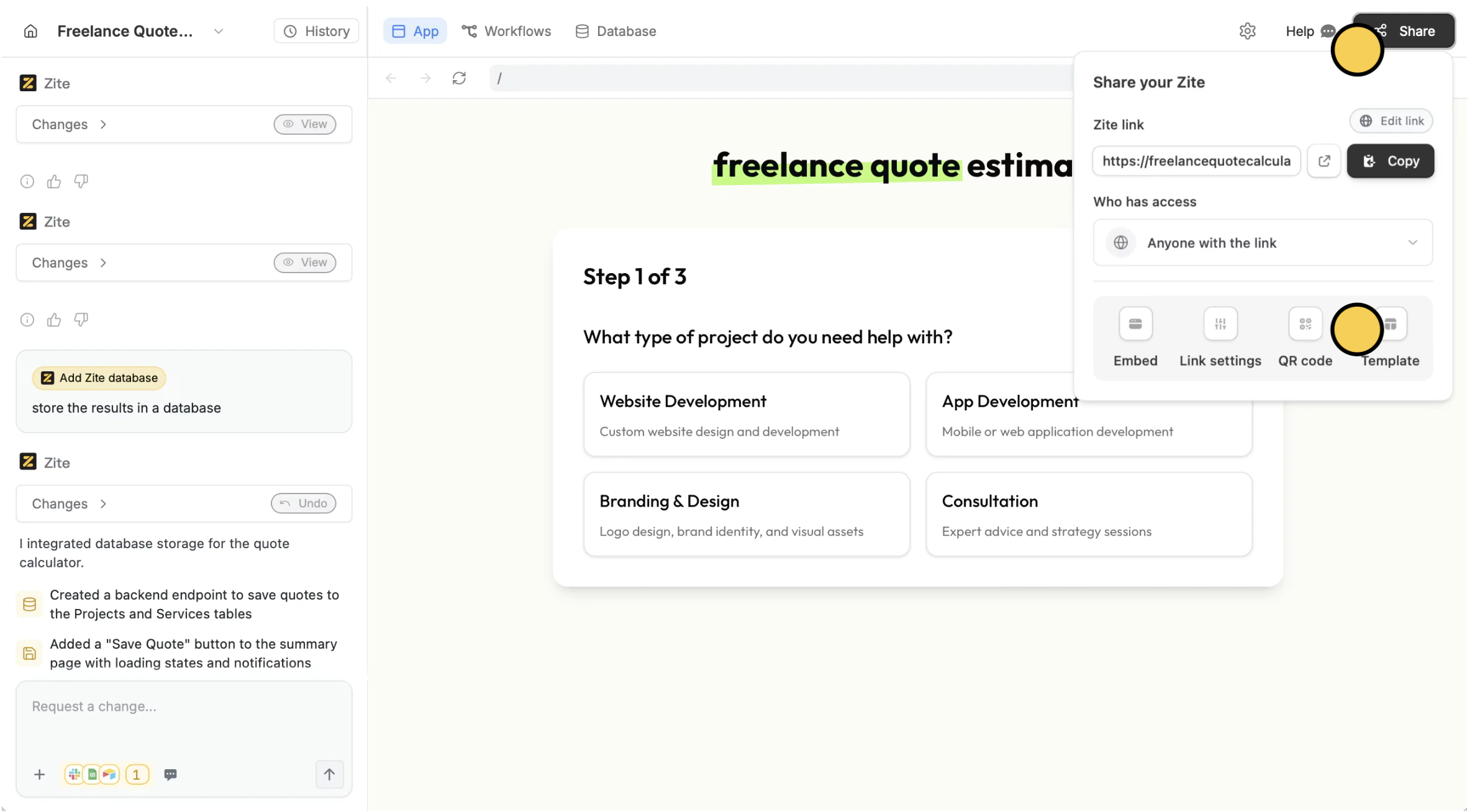
    After publishing your app, click `Share` followed by `Template`.

    <img src="https://mintcdn.com/zite/oNJ-JXut67KYxvh0/help/images/Screenshot2025-12-16at3.13.43PM.png?fit=max&auto=format&n=oNJ-JXut67KYxvh0&q=85&s=fea05063c1820cc5df053b43f047f1f4" alt="Screenshot 2025-12-16 at 3.13.43 PM.png" width="2362" height="1308" data-path="help/images/Screenshot2025-12-16at3.13.43PM.png" />
  </Step>

  <Step title="Add details">
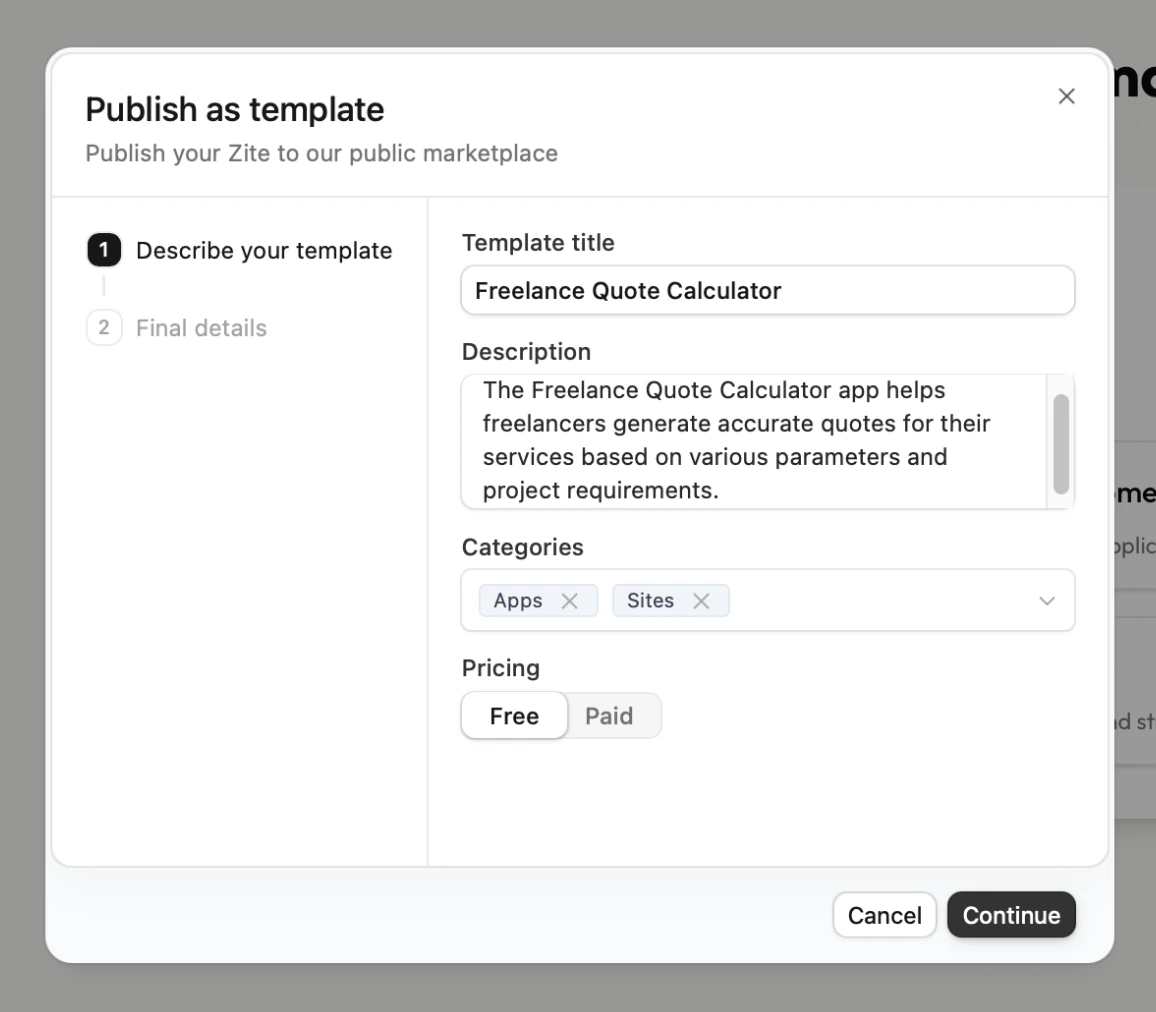
    Enter the details of your template and choose whether to share it to others for free or require payment.

    <img src="https://mintcdn.com/zite/oNJ-JXut67KYxvh0/help/images/Screenshot2025-10-30at7.32.00PM.png?fit=max&auto=format&n=oNJ-JXut67KYxvh0&q=85&s=1a12ad62b27818bddfd4d756a52f9a52" alt="Screenshot 2025-10-30 at 7.32.00 PM.png" title="Screenshot 2025-10-30 at 7.32.00 PM.png" style={{ width:"68%" }} width="1156" height="1012" data-path="help/images/Screenshot2025-10-30at7.32.00PM.png" />

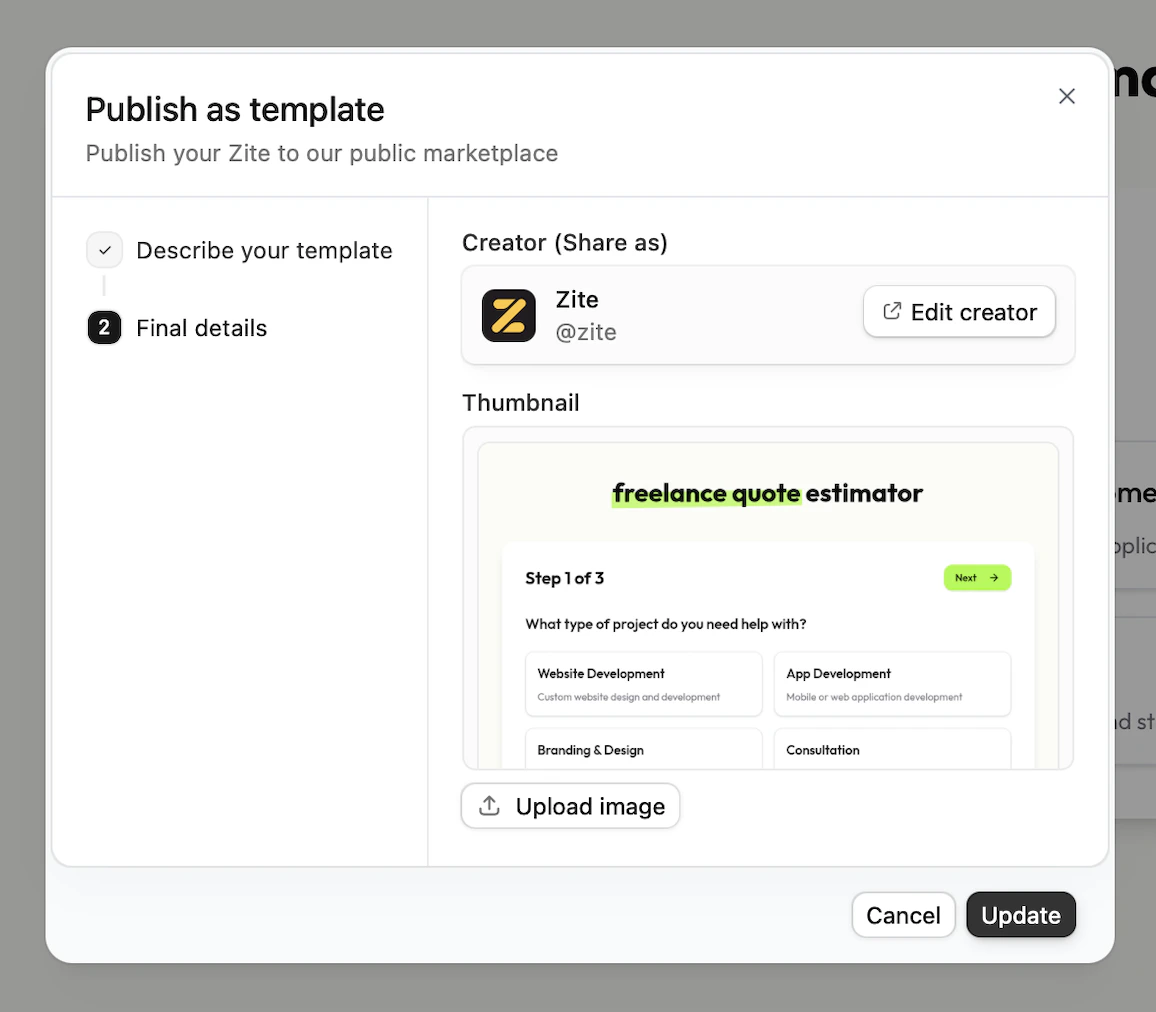
    By default, your **Creator profile** will have the avatar and name saved in your account. Click `Edit creator` to change this.
    <img src="https://mintcdn.com/zite/oNJ-JXut67KYxvh0/help/images/Screenshot2025-10-30at7.32.10PM.png?fit=max&auto=format&n=oNJ-JXut67KYxvh0&q=85&s=575123368443f9ddc5d1ee9eef00399b" alt="Screenshot 2025-10-30 at 7.32.10 PM.png" title="Screenshot 2025-10-30 at 7.32.10 PM.png" style={{ width:"69%" }} width="1156" height="1012" data-path="help/images/Screenshot2025-10-30at7.32.10PM.png" />

    A **Thumbnail** will be automatically generated for you app. You can choose to `upload image` to replace this. Click `Update` when everything's set.

    That's it! You have now created a template.
  </Step>

  <Step title="Add to marketplace (Optional)">
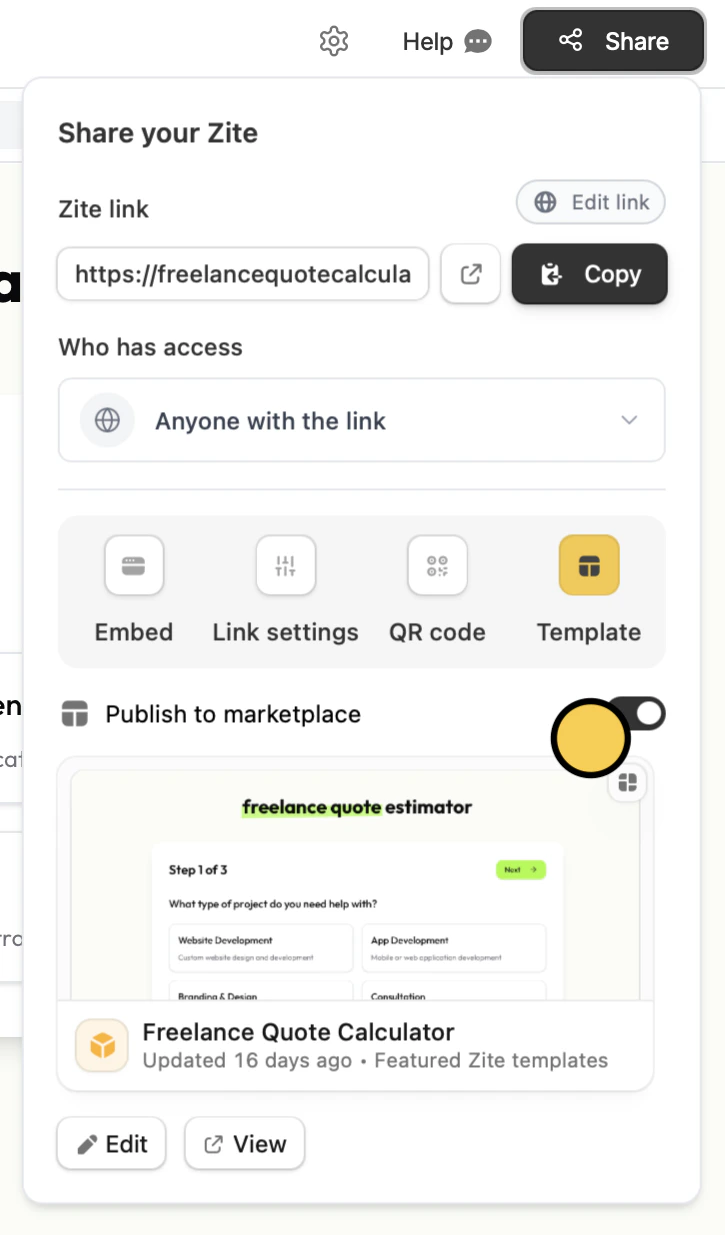
    Toggle `Publish to marketplace` if you want your template to be viewed by the public.

    <img src="https://mintcdn.com/zite/oNJ-JXut67KYxvh0/help/images/Screenshot2025-10-30at7.05.16PMcopy.png?fit=max&auto=format&n=oNJ-JXut67KYxvh0&q=85&s=a4c94527c80ab4747b49fe61e0c498c8" alt="Screenshot 2025-10-30 at 7.05.16 PM copy.png" title="Screenshot 2025-10-30 at 7.05.16 PM copy.png" style={{ width:"45%" }} width="725" height="1235" data-path="help/images/Screenshot2025-10-30at7.05.16PMcopy.png" />
  </Step>
</Steps>

<Info>
  Want your template featured in our Marketplace? Reach out to [support@zite.com](mailto:support@zite.com) Any updates you make after your template is featured will still be reflected.
</Info>

## Clone templates

You can easily reuse this same template or other creators' templates. More info [here](/help/platform/features/marketplace/clone-templates).

<p className="zite-related-topics-heading">Related topics</p>

<div className="zite-related-topics">
  <a href="/help/platform/features/marketplace/overview">Template Marketplace</a>
  <a href="/help/platform/features/marketplace/clone-templates">Starting with a template</a>
  <a href="/help/platform/getting-started/what-can-i-build">What can I build?</a>
</div>
