Overview

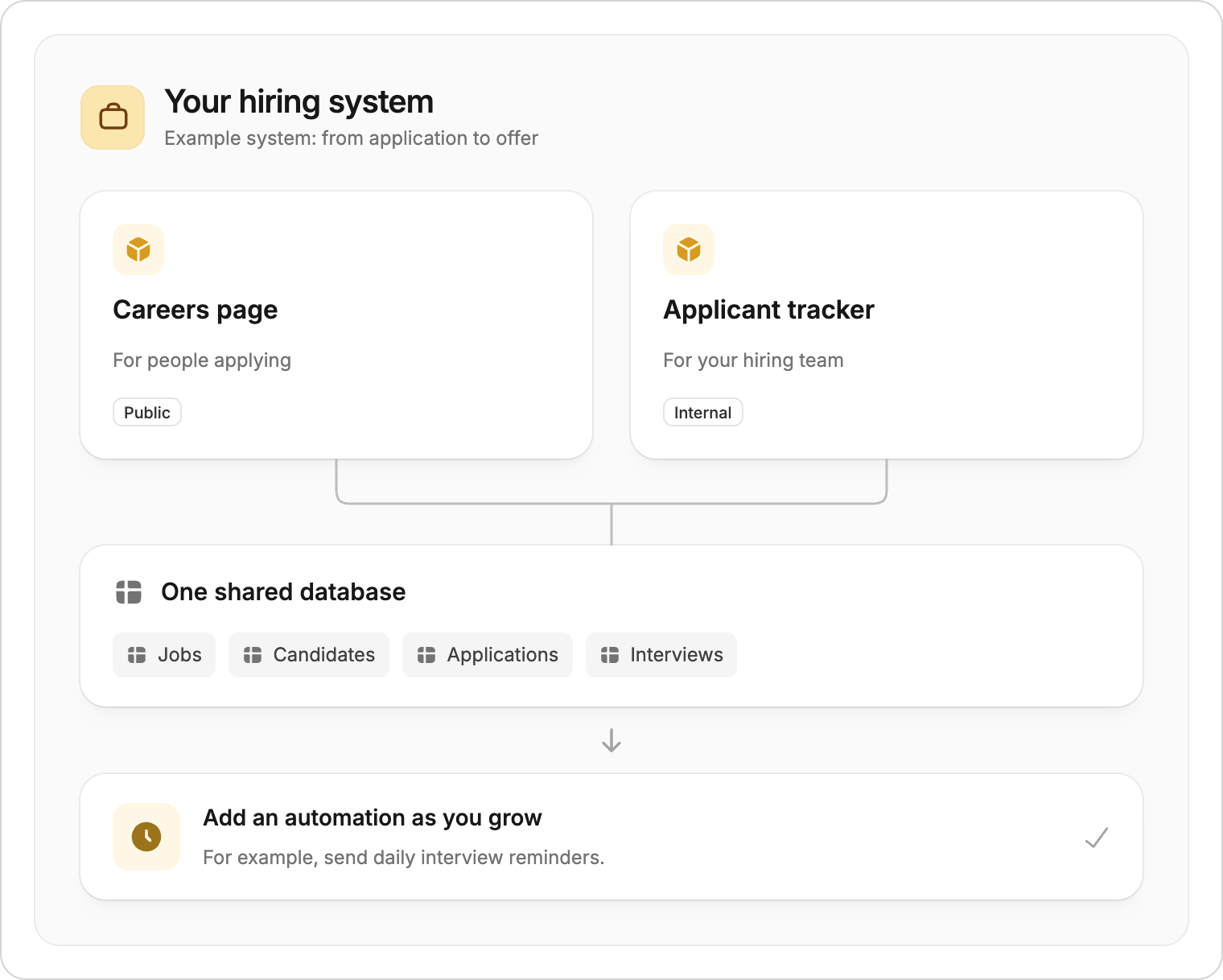
Zite is best for connected business systems: projects where internal apps, public apps, forms, app workflows, database permissions, and a shared database need to work together. Instead of building one app at a time, you can describe the business process you need and let Zite create the app experience plus the data structure behind it. You can then add more apps, forms, automations, roles, and integrations as the workflow grows.
Zite is not designed to replace a dedicated engineering stack for a full SaaS company, consumer social app, public marketplace, or high-scale product where you need complete control over infrastructure, billing, release management, and production engineering.

Best fits

Use Zite when one business process needs several connected surfaces around the same data.

Internal tools and dashboards

Admin panels, approval queues, CRM views, inventory trackers, reporting dashboards, and other team-facing tools.

Client and partner portals

External portals where customers, clients, vendors, partners, or members can view records, submit updates, or track progress.

Business websites

Public websites for a business, including service pages, landing pages, contact forms, and calls to action connected to your workflow.

Booking systems

Booking, reservation, and appointment systems that collect requests, manage availability, and give your team a shared view of every booking.

Forms and intake flows

Submission forms, onboarding forms, request forms, and intake flows that create or update records in the same project database.

Workflow and automation systems

App workflows that route work between people, send notifications, update records, trigger integrations, and keep an audit trail.

What a Zite project can include

Most Zite projects start with either an app idea or a database. From there, the project can expand into a connected system.
Store the records, tables, fields, relationships, and permissions that power the project. One database can support several internal apps, public apps, forms, and portals.
Build different experiences for different users, such as an internal admin dashboard, a manager approval view, and a customer-facing portal.
Add forms when people need to submit requests, intake details, files, updates, approvals, or feedback without working directly in the database.
Invite team members, control who can view or edit database records, and add authentication for external apps when users should only see their own information.
Add workflows inside apps to connect business tools, send notifications, automate status changes, and trigger follow-up steps when records change.

Data sources

Zite works best when the project is connected to business data. For most new projects, start with Zite Database so Zite can create and manage the data structure with the app. You can also connect existing data from Airtable, Google Sheets, or other business tools when your team already has an important source of truth elsewhere.

Common examples

  • A CRM with internal pipeline dashboards, customer intake forms, and follow-up workflows
  • A client onboarding system with a branded portal, document collection form, and admin review app
  • A support or request management system with public submission forms and internal triage tools
  • An inventory or operations system with shared records, field updates, approvals, and reporting views
  • A finance or HR approval system with submitter forms, reviewer dashboards, notifications, and approval history
  • A project tracking system with team dashboards, partner-facing status pages, and automated updates
  • A vendor, member, or customer portal backed by records that your internal team can also manage

Less suitable

Zite is usually not the right primary stack when the app itself is the product you plan to sell at scale.
Zite can help prototype a SaaS idea or build admin tools around it, but it is not intended to replace a dedicated engineering stack for subscription billing, multi-tenant infrastructure, product analytics, observability, release management, and custom backend systems.
Zite is not optimized for social networks, creator platforms, games, public communities, dating apps, or other consumer products that depend on viral growth loops, high-volume traffic, app-store distribution, or deeply custom user experiences.
Zite does not support building native iOS or Android apps. Zite apps are web-based and can be shared by link, embedded, or used on mobile browsers.
If you need full infrastructure control, custom hosting, complex realtime systems, deeply bespoke backend logic, or strict release pipelines, a traditional development workflow may be a better fit.
You can still use Zite to prototype these ideas, validate workflows, create demos, or build admin tools around a larger product.

How to decide

Ask these questions before you start building:
  • Who needs to use this: an internal team, external clients or partners, or the general public?
  • What business records should the project manage?
  • Do different users need different apps or views around the same data?
  • Do you need forms, dashboards, approvals, notifications, database permissions, login, or integrations?
  • Does the project support an existing operation, or is the app itself the main product?
  • Would launching a useful version quickly matter more than controlling every technical detail?
If most answers point to business operations, shared data, internal tools, or client-facing workflows, Zite is probably a good fit.
Last modified on August 11, 2026