

Viewing run history
Open Workflows at the top of the editor, select a workflow, then choose History. If an older app shows Enable workflow logs, select Enable logs and wait for the app to rebuild. This adds logging so you can view run history. Each row shows its status, what triggered it, integrations, time, and duration.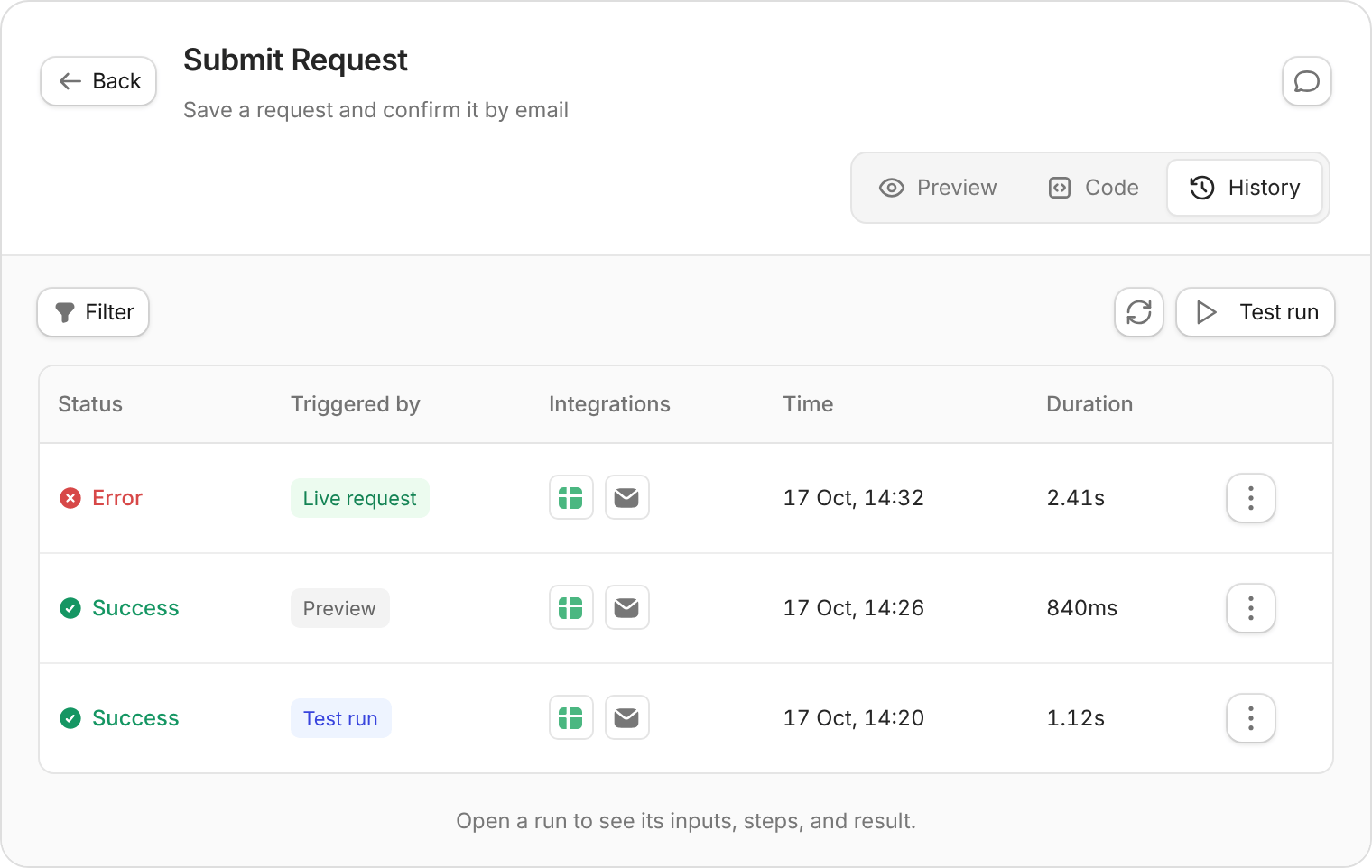
Example run history. Select a row to investigate what happened.
- Status: Find Error or Success runs.
- Triggered by: Separate test runs, preview activity, and live requests. Other options depend on the workflow.
- Time range: Focus on when the issue happened.
Understanding a run
Select a run to open its details. Expand a step to inspect:- Inputs: The information the workflow started with.
- Actions: What it read, changed, or sent.
- Result: What it returned, or the error that stopped it.
Testing with custom inputs
- In the workflow’s History, select Test run.
- Enter the inputs. If Run as user is required, choose the person whose access you want to test.
- Select Run workflow, then check the new run and the result in your system.
Test runs perform real actions. Use sample records and your own email address when testing changes or messages.
Resuming a failed run
If a failed run offers Resume failed step, select it, then Resume run to confirm. The new run uses the original inputs and the current editor version of your workflow. It reuses saved results for completed steps, then retries the failed step and continues. Check what the failed step did before retrying: it may have made a change before failing. If completed steps’ saved results have expired, Zite won’t resume the run. Use Replay only if repeating the workflow’s actions is safe.Replaying a run
Open a run and select Replay, then Replay run to confirm. This creates a new run using the original inputs and the current editor version of your workflow. Before replaying, check which actions already completed. Replaying can create another record or send the same message again.Debugging with AI
Tell Zite which workflow failed and roughly when. For example:The Submit Request workflow failed around 2pm. Check its run history and explain which step failed before making changes.If Zite asks to read the run details, review the request and allow access. After a fix, test again before publishing.
Workflow runs and credits
Check Settings → Billing & usage for usage across your organization.
Exceeding the workflow-run allowance can block publishing new changes while published apps keep working.
Building or changing workflows with AI pauses when you use your AI credit allowance. Zite-provided AI in published workflows pauses once your organization uses more than 150% of its credit allowance (more than 50% over). AI using your own provider key doesn’t use Zite credits and isn’t affected by this limit. See App Usage for details.
Watch a walkthrough
Watch a walkthrough