Overview

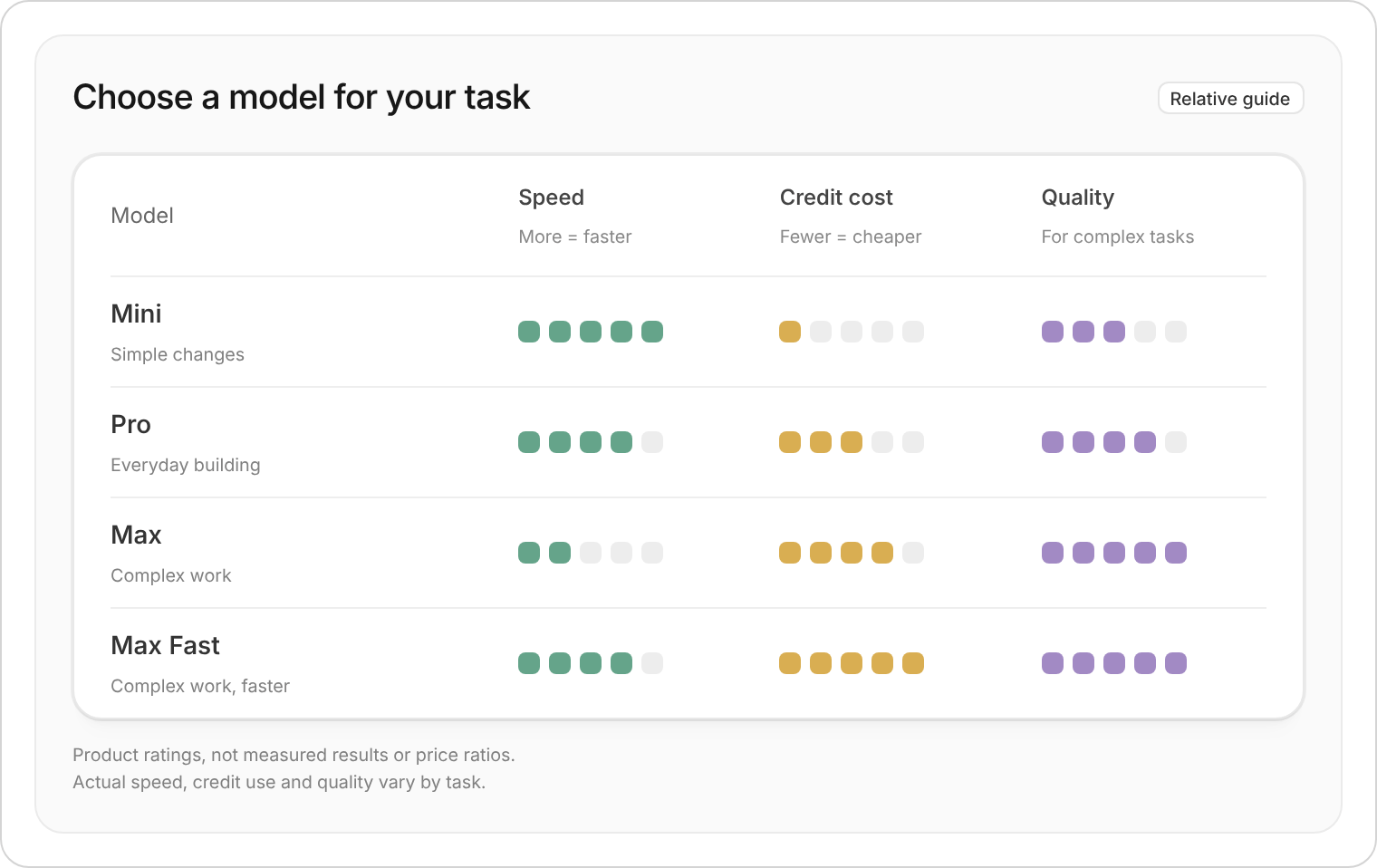
Zite offers four AI model tiers, so you can choose the right balance of speed, quality, and cost.
Different tiers consume credits at different rates. For more details on credits and usage, check out the How credits work guide.
Zite Mini (Powered by GPT-6 Luna) The fastest and most cost-efficient tier, and the cheapest per turn. Great for quick, simple tasks like minor text changes, small style adjustments, and straightforward edits. Zite Pro (Powered by Claude Opus 5.5) The default and recommended tier. It offers the best balance of speed and quality. Use it for most tasks, including adding features, fixing bugs, and updating designs. Zite Max (Powered by Claude Opus 5.5) Also powered by Claude Opus 5.5, with longer thinking for the hardest tasks. It uses the same credit rate as Zite Pro. Zite Max Fast (Powered by Claude Opus 5.5) Claude Opus 5.5 in fast mode. It’s up to 2.5x faster and costs about twice the rate of Zite Max. Reach for it when a long build is worth finishing sooner.
Zite Mini and Zite Pro are available to everyone. Zite Max and Zite Max Fast require a paid plan. On the Free plan, they appear locked in the picker with an upgrade prompt. Click here to see our pricing plans.

How to switch models

In the chat box, click the + button, select AI Model, then choose a tier.
AI model menu with Zite Max Fast selected
Alternatively, press Cmd + / or Ctrl + / on your keyboard to toggle the model selector.
Your model preference is saved automatically on your device.

Mode-based model behavior

Certain editor modes automatically use Zite Max regardless of your saved or selected model: This ensures that planning and conversational tasks benefit from the highest level of reasoning. If you have Zite Max Fast selected, these modes keep it — they raise a lower model up to Zite Max, but never step Fast mode back down.
Last modified on October 7, 2026