

Before you build
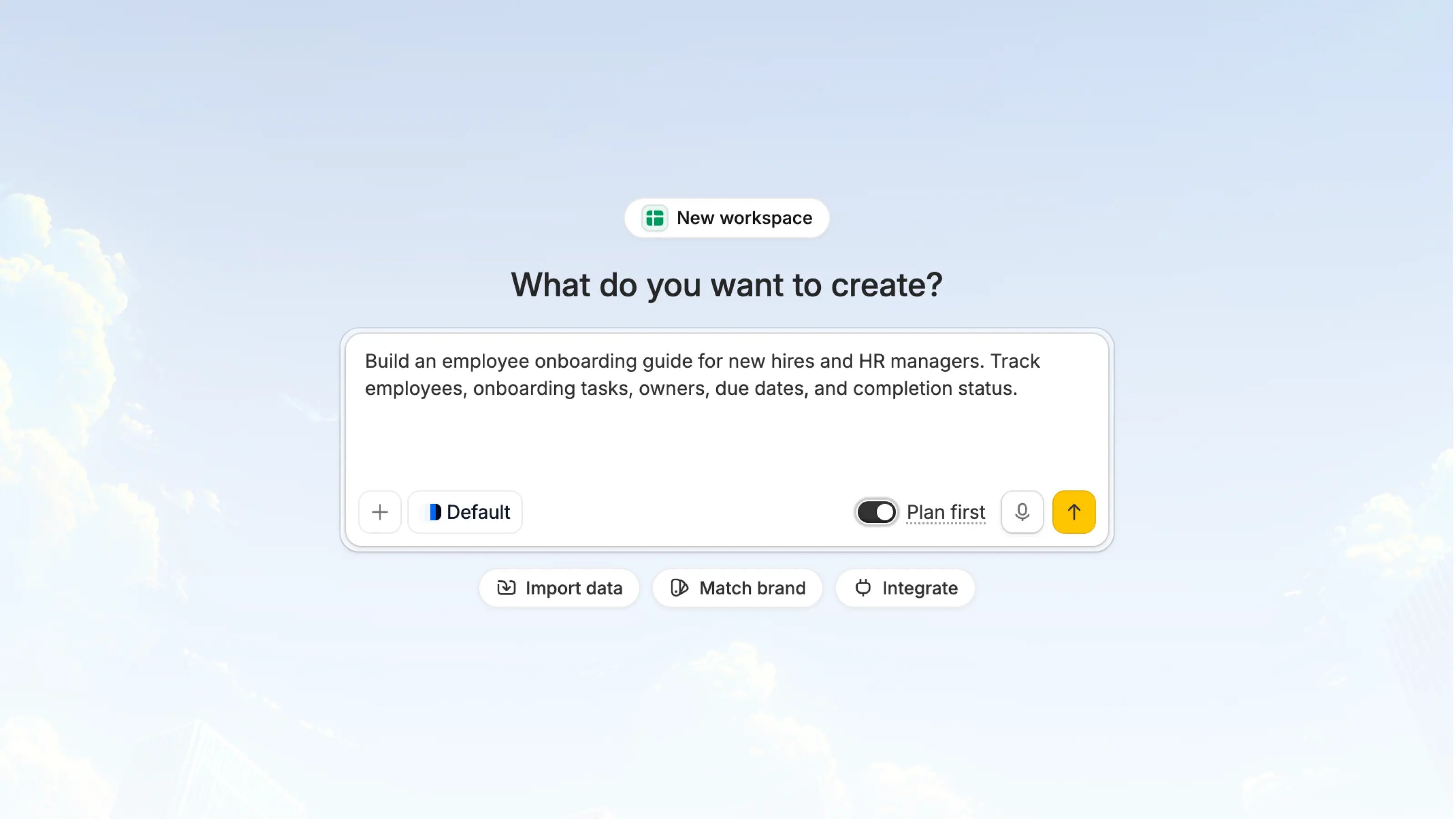
Creating an app starts a new workspace for that app. If you want to add another app to an existing workspace, open that workspace first and create the app from the workspace homepage. When Zite provisions a new workspace, it also creates a Zite Database for that workspace. You do not have to use that database in the app, although it’s highly recommended. It is there when you need a shared place to store records, power forms, or connect multiple apps around the same data. From the create screen, you can also prepare the app before sending your first prompt:Import data
Bring in existing data from Airtable, CSV, Google Sheets, or Excel before Zite builds the app.
Match brand
Apply a Brand Kit so the first version uses your logo, colors, typography, and brand guidelines.
Integrate
Connect services such as Google Sheets, Airtable, Slack, OpenAI, Email, Notion, and any other integration your app should use.
Getting started
1
Choose AppStart from
App so Zite builds the user-facing experience in a new workspace. This is the right starting point for dashboards, portals, admin tools, approval queues, onboarding guides, and other business apps.2
Optional: Import data when neededUse
Import data to bring in Airtable, CSV, Google Sheets, or Excel data before building. This helps Zite understand the records and fields your app should work with from the start.3
4
Optional: Connect integrationsUse
Integrate to connect services your app should read from, write to, or trigger. Common integrations include Google Sheets, Airtable, Slack, OpenAI, Email, Notion, Microsoft Teams, and any other integration available in your workspace.5
Choose Plan first or build nowUse
Plan first when the request is new, broad, or connected to multiple pages, roles, approvals, dashboards, database changes, or integrations. Build directly when your first request is small and specific. Learn more in Agent Modes.6
Submit a specific promptInclude the app type, users, workflow, important views, and any login requirements. The more concrete your first prompt is, the better Zite can plan and build the first version.
Data options
Agent modes
For a first project, Plan first is usually the better choice. It helps turn a broad idea into a clearer build plan before any app changes are made. You can compare all options in Agent Modes, and choose the right model in Model Selection.
Write the starting prompt
A strong starting prompt usually includes the details below. If you are unsure how to scope the project, start with Plan mode so Zite can help clarify the requirements first.- The app type: e.g. a dashboard, portal, or approval workflow
- The users: e.g. employees, managers, or clients
- The workflow: what users need to view, create, update, approve, assign, export, or submit
- Access needs: whether the app is internal, shared externally, or requires login
Example prompts
Employee onboarding guideFAQs
Should I start with App or Database?
Should I start with App or Database?
Start with
App when you want Zite to build an interface first. Start with Database when the first goal is to create or organize the underlying data.Does creating an app create a workspace?
Does creating an app create a workspace?
Yes. Creating an app starts a new workspace, and new workspaces include a Zite Database automatically. To add an app to an existing workspace, open that workspace and create the app from its homepage.
Do I have to use the database Zite creates?
Do I have to use the database Zite creates?
No. The workspace database is available when you need it, but your app can also use imported data or connected integrations instead.
Can I connect existing data after the app is created?
Can I connect existing data after the app is created?
Yes. You can import data, connect integrations, or change data sources later, including Zite Database, Google Sheets, Airtable, CSV, Excel, and other integrations.
When should I use Plan first?
When should I use Plan first?
Use
Plan first for new projects, unclear scope, multi-page apps, dashboards, portals, approvals, database changes, or integrations.