Manage Users
From a workspace home, click onUsers and Roles to the right of the database selector.

- Editors: Editors can create, edit, and view the database and every app in the workspace.
- Internal app members: Members of internal apps are people in your Zite organization who have Use Access to that app.
- External users: External users are people outside your organization who have signed up to use the app.
Editors or an individual app from the side menu. From there, you can invite people, search or filter the list, and review each person’s access.
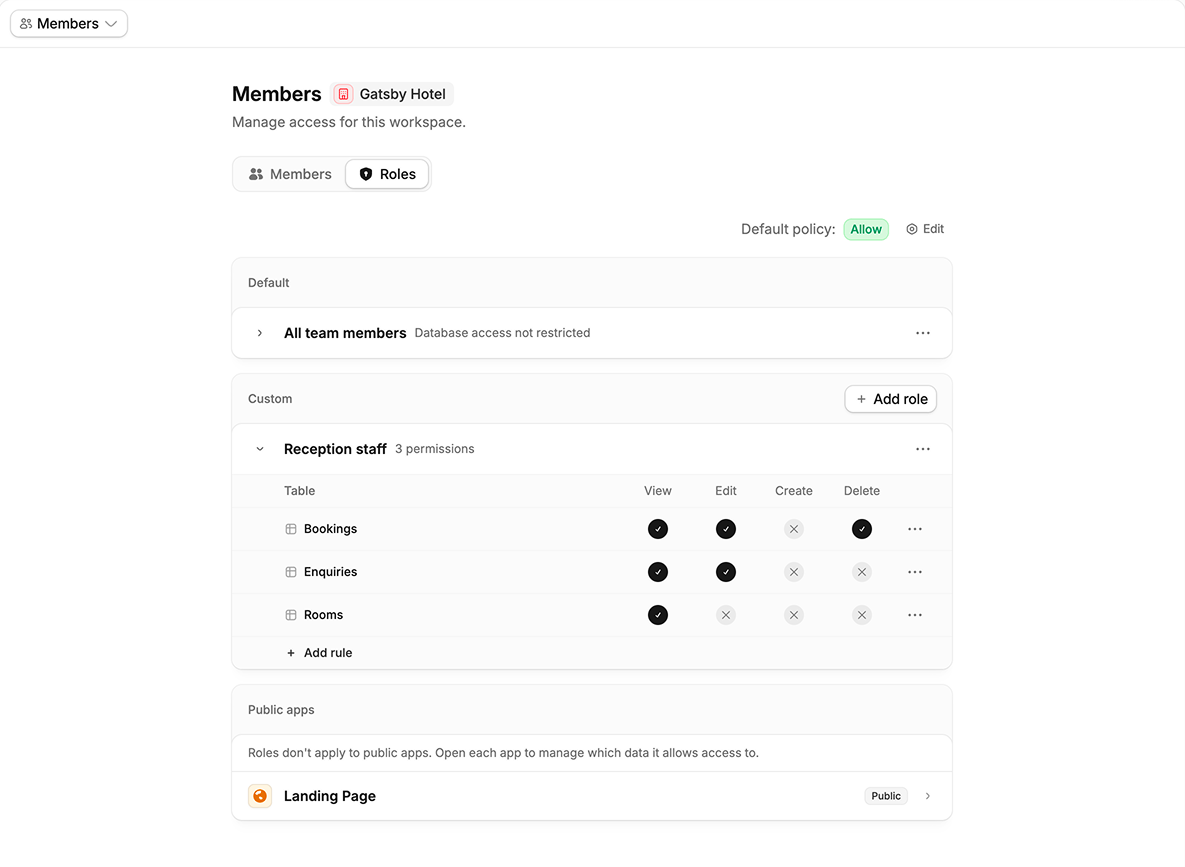
Configure roles Coming soon
Workspace roles control database access for members. Use the Roles tab to create custom roles and define which tables members can view, edit, create, or delete.Creating and editing database roles will be available on Team and Enterprise plans. The Roles tab may also depend on your organization’s product rollout.