> ## Documentation Index
> Fetch the complete documentation index at: https://zite.com/llms.txt
> Use this file to discover all available pages before exploring further.

# Build mode

> Use Build mode when you want Zite to actively create, update, or delete parts of your app.

Build mode is where Zite **makes changes** to your app. Use it when you want the agent to create features, fix issues, update design, or apply a plan you already reviewed.

## When to use Build mode

* Add or change features, pages, components, workflows, or integrations
* Fix bugs or unexpected behavior
* Update layout, styling, colors, text, or spacing
* Apply a plan you created in [Plan mode](/help/platform/how-to-build/agent-modes/plan-mode)

<Steps>
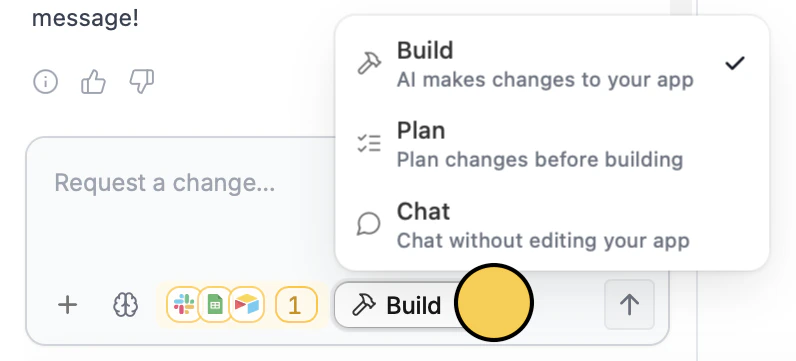
  <Step title="Switch to Build mode">
    Click the `Mode` control and choose `Build`, or press `Shift` + `Tab` until you reach Build mode.
    <img src="https://mintcdn.com/zite/gF_N3ByhVWhGiZlx/help/images/Screenshot2026-01-09at3.25.07PM-5.png?fit=max&auto=format&n=gF_N3ByhVWhGiZlx&q=85&s=074a1a5fed7a2188fdb3adc1724c472d" alt="Mode selector with Build mode available" title="Mode selector with Build mode available" style={{ width: "45%" }} width="796" height="361" data-path="help/images/Screenshot2026-01-09at3.25.07PM-5.png" />
  </Step>

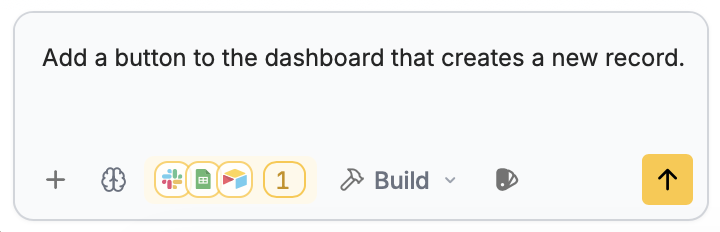
  <Step title="Describe the change">
    Include the outcome you want and where the change should happen.
    <img src="https://mintcdn.com/zite/gF_N3ByhVWhGiZlx/help/images/Screenshot2026-01-09at5.12.02PM.png?fit=max&auto=format&n=gF_N3ByhVWhGiZlx&q=85&s=ee33a333d1549148cc3c3432b6666ee7" alt="Prompt box with a specific build request" title="Prompt box with a specific build request" style={{ width: "57%" }} width="720" height="232" data-path="help/images/Screenshot2026-01-09at5.12.02PM.png" />
  </Step>

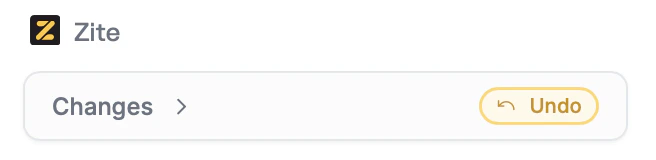
  <Step title="Review the result">
    Test the update and use [History](/help/platform/basics/history) if you need to return to an earlier version.
    <img src="https://mintcdn.com/zite/gF_N3ByhVWhGiZlx/help/images/Screenshot2026-01-09at5.25.07PM.png?fit=max&auto=format&n=gF_N3ByhVWhGiZlx&q=85&s=a9d0e6f4f9bbdb88f63dd5dcaf09e231" alt="Reviewing the result after Zite makes changes" title="Reviewing the result after Zite makes changes" style={{ width: "55%" }} width="656" height="160" data-path="help/images/Screenshot2026-01-09at5.25.07PM.png" />
  </Step>
</Steps>

<Info>
  Want to scope first? Switch to [Plan mode](/help/platform/how-to-build/agent-modes/plan-mode) before building.
</Info>

<p className="zite-related-topics-heading">Related topics</p>

<div className="zite-related-topics">
  <a href="/help/platform/how-to-build/agent-modes/plan-mode">Plan mode</a>
  <a href="/help/platform/how-to-build/agent-modes/chat-mode">Chat mode</a>
  <a href="/help/platform/basics/selective-edits">Selective edits</a>
</div>
