


One question settles this Glide vs Retool comparison. Can the person building your app write code?
Glide lets non-coders turn spreadsheets into mobile-friendly apps. Retool is for coders wiring internal dashboards to real databases. I tested both across the same builds.
Here is what each does well, where each frustrates, and which one fits your team.
Glide vs Retool: what is the difference?
Everything else follows from that split.
Choose Glide if you are non-technical and want a clean mobile app from spreadsheet data.
Choose Retool if you have engineering resources and need internal tools on real databases.
Meet Glide: features and highlights
Glide Tables is its own database, holding the data when you have no spreadsheet to start from.
It suits non-technical teams who want a clean, fast app, like inventory trackers, field-service tools, and simple CRMs. The output looks polished on a phone out of the box, and a working app takes a few hours.
Meet Retool: features and highlights
Retool combines drag-and-drop components with JavaScript and SQL, so the logic you can build is limited by what you can write rather than by what the tool ships.
It suits developers and technical operators who need PostgreSQL, MongoDB, REST APIs, and SaaS tools in one internal console. Retool assumes someone can write queries, which is where its power and its learning curve both come from.
Glide vs Retool: at a glance
Glide vs Retool: feature-by-feature comparison
Ease of use for non-technical builders
This is the clearest split between the two. Glide targets spreadsheet users. You connect a sheet, and Glide builds an app shell you customize by dragging components.
Retool opens with drag-and-drop, then asks for JavaScript and SQL as soon as the build gets real. A developer moves fast here, while a non-technical user hits a wall at the first custom query.
Winner: Glide for non-technical teams, Retool for developers.
Data sources and integrations
Here, the roles reverse. Retool connects to almost anything, including PostgreSQL, MySQL, MongoDB, REST and GraphQL APIs, and Salesforce, with a broad set of native integrations.
Glide reaches Google Sheets, Excel, Airtable, and its own Glide Tables on the plans most teams buy. PostgreSQL, MySQL, SQL Server, and BigQuery arrive only on Enterprise, so production databases stay out of reach unless you pay at the top of the range.
Winner: Retool.
App output and design
Glide leads in finished appearance. It produces clean, mobile-friendly apps with a modern look out of the box, and they work as responsive web and mobile experiences. Customization stays inside Glide’s templates, which is the price of that speed.
Retool produces functional internal dashboards that put data ahead of design. They are desktop-first and utilitarian, which suits an admin panel that your ops team lives in all day. Customer-facing and mobile work belong elsewhere.
Winner: Glide for design and mobile, Retool for data-dense desktop tools.
Customization and logic depth
Retool wins on raw power. Its JavaScript and SQL support mean you can build almost any logic a developer can express. No other tool here matches Retool for complex internal tools with custom queries and workflows.
Glide handles logic through visual features and its AI tools, which cover the common cases well. Custom code is where Retool pulls away.
Winner: Retool.
Pricing and how it scales
Both models can surprise you in different ways. Glide starts free, then Explorer runs $25/month and Maker $60/month for individuals, with Business at $249/month for teams.
Watch the update-based billing. Syncs with your spreadsheet count as updates; heavy use adds overage charges, and larger user counts push you up tiers fast.
Retool starts free for up to 5 users; Team runs $12 per builder plus $7 per internal user; and Business runs $65 per builder plus $18 per internal user. The two-part model is predictable once you know your builder count, and it scales.
Winner: Tie. Glide is cheaper for small non-technical teams, and Retool is more predictable for technical teams that know their user count.
What real users are saying
I pulled feedback from G2, Capterra, and Reddit. Glide averages 4.7 out of 5 on G2 based on 807 reviews, and Retool averages 4.6 out of 5 on G2 based on 359 reviews. The sentiment maps closely to who each tool is for.
Glide

“It works like a powerful translator, turning your structured data from Google Sheets, Airtable, or Excel into a fully functional, native-feeling mobile and web app in minutes rather than months.” Heths F, G2
Pros: users praise how quickly a clean, mobile-friendly app can be built from a spreadsheet with no code. Small teams call it the quickest way to replace a messy spreadsheet with a real app.

“Advanced customization limitations can sometimes hinder certain complex projects (for example, very specific business rules or less common third-party APIs).” Johan I, G2
Cons: reviewers flag update-based pricing surprises as apps grow, limited design flexibility beyond templates, and sluggish performance on large datasets.
Retool
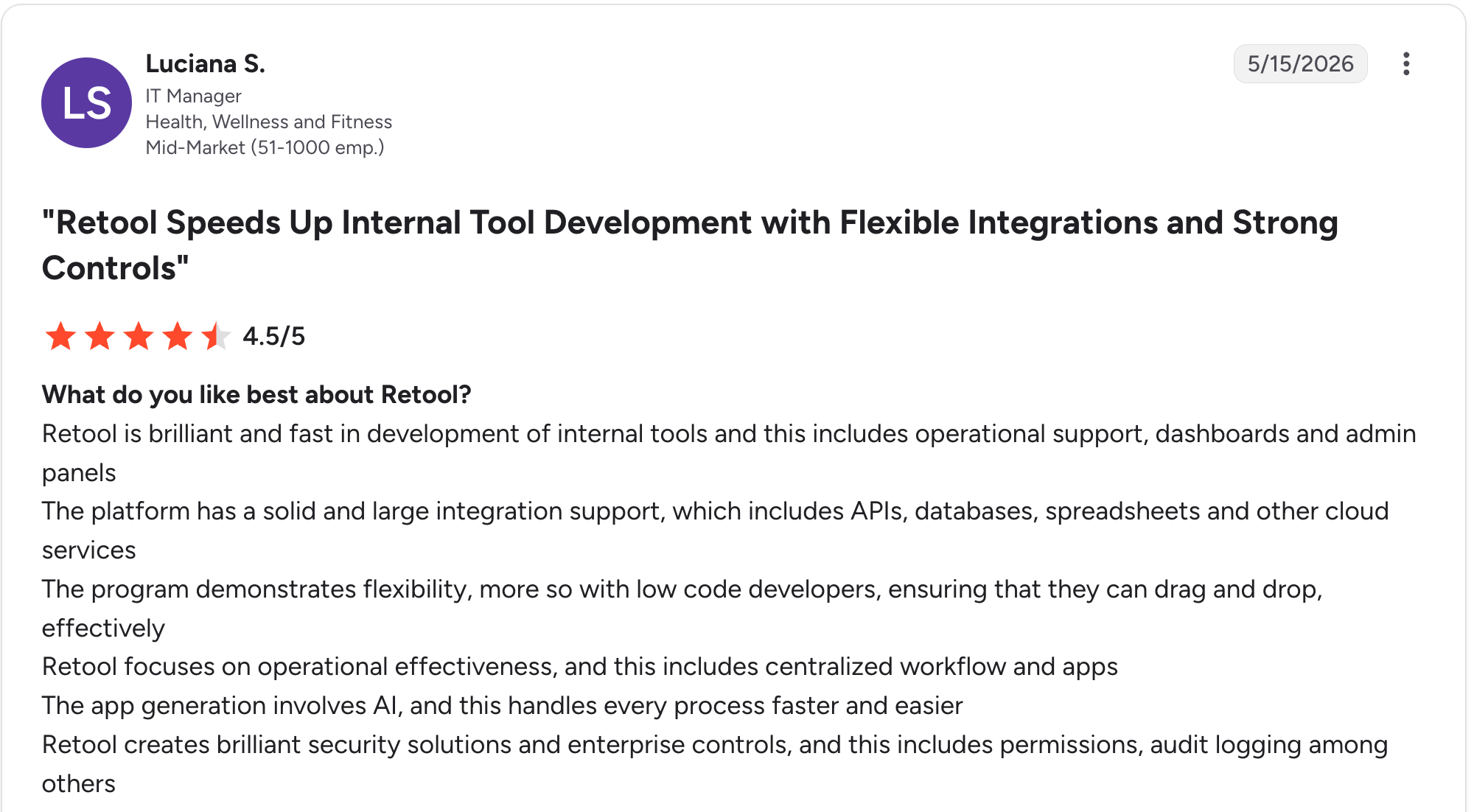
“The platform has solid and extensive integration support, which includes APIs, databases, spreadsheets and other cloud services.” Luciana S, G2
Pros: developers praise the depth of data connections and the freedom to write custom logic. Technical teams report building a dashboard across many data sources faster than expected.

“The learning curve was a bit steep at first, especially when diving into more advanced features.” Bruno S, G2
Cons: non-technical users report a steep learning curve, and reviewers note that per-user pricing increases quickly once you add SSO and additional builders.
How to make your choice
The decision comes down to who is building and what they are building. Glide wins for non-technical teams making mobile-friendly apps from spreadsheets, and Retool wins for developers building data-heavy internal tools.
One case falls between them. A non-technical team that needs deep data connections and custom logic together will find Glide too shallow and Retool too technical.
Glide is better for:
- Non-technical teams and small businesses.
- Mobile-first apps for field service and inventory tools.
- Spreadsheet-driven apps that need to ship fast.
Retool is better for:
- Engineering and technical ops teams.
- Internal dashboards on production databases and APIs.
- Complex tools that need custom SQL and JavaScript.
My verdict
Each tool has one end of the same job. Glide is the fastest way for a non-technical person to turn a spreadsheet into a mobile app, and Retool is the most powerful way for a developer to build an internal dashboard on real data.
The gap between them is real. A non-technical team that needs Retool’s data depth, or a developer-free team that has outgrown Glide’s spreadsheet limits, will struggle with both.
Where Zite fits if you are stuck between them
Glide keeps you inside spreadsheet-driven templates, and Retool asks you to write code. With Zite, you describe the app in plain language, and it generates the app, the database, and the logic together.
Four things set it apart for teams caught between Glide and Retool:
- You describe the app instead of building or coding it: Glide makes you assemble the app from components inside its templates, and Retool makes you write the logic yourself. With Zite, you describe what you want in plain language and get a working app, with no builder to learn and no queries to write.
- AI fields that do work inside the table: write an instruction once in a column, and every row fills itself in, so classifying inbound leads or summarizing notes happens in the data itself rather than as a separate step.
Glide's AI columns go partway here, and Retool expects you to script the call yourself, so the gap is how little setup Zite needs. Zite's own database also holds far more records before you hit a ceiling than Glide does as your data grows.
- Works on mobile without the layout work: Zite apps run in mobile browsers as built, and you can set one up so people add it to their phone's home screen with your own name and icon. It isn't an App Store or Google Play app, and offline use and push notifications aren't available yet, but it covers the mobile-friendly output Glide is picked for.
- Unlimited users at a predictable price: Glide's update-based billing and Retool's per-user pricing both climb, while Zite includes unlimited users on every tier, with a free plan and Pro at $19/month.
That makes Zite the answer to the case this comparison keeps returning to: the non-technical team that found Glide too shallow and Retool too technical.
On data connections, the half that reader raised, Zite connects directly to Airtable, Google Sheets, Notion, HubSpot, Slack, and Stripe, and its workflows can reach most other services, so the depth is there without the queries.
Customers like Bombas and Domino’s build business apps this way. The Zite pricing page has the full breakdown.
The Glide alternatives guide, the Retool reviews breakdown, and the roundup of the best AI app builders all go further than this comparison does.
Start building with Zite for free and build your first app today.
Frequently asked questions
Is Glide or Retool better?
Glide is better for non-technical teams building mobile-friendly apps from spreadsheets, while Retool is better for developers building internal dashboards on databases and APIs. The right pick depends on whether the person building can write code.
What is the difference between Glide and Retool?
The main difference between Glide and Retool is the person each one serves. Glide gives non-technical users a no-code way to build mobile apps from spreadsheet data, while Retool gives developers a low-code way to connect databases and APIs into internal dashboards.
Is Glide cheaper than Retool?
Yes, Glide is cheaper than Retool for a small team. Glide runs $25/month for Explorer, while Retool charges $12 per builder plus $7 per internal user on Team. Update-based overage charges can close that gap as your app grows.
Can Glide connect to a database like Retool?
Not the way Retool does. Glide connects to Google Sheets, Excel, Airtable, and its own Glide Tables, and SQL databases like PostgreSQL and MySQL open up only on the Enterprise plan. Retool connects to production databases from the free plan up, including MongoDB, which Glide never reaches.
Do I need to know how to code to use Retool?
Yes, you need coding knowledge to use Retool. The drag-and-drop builder handles simple views without code, and real internal tools need JavaScript and SQL for custom logic and queries.
Which is best for a non-technical team?
Glide is the better pick for a non-technical team, since Retool expects coding knowledge. Glide builds mobile-friendly apps from spreadsheets with no code, and a first app takes a few hours.

