


After trying to build apps in Bubble and spending more time learning how the visual editor works than actually shipping, I tested dozens of alternatives to find ones that are easier to use. Here are the top 11 tools worth switching to in 2026.
11 best Bubble alternatives: At a glance
Each of the tools below improves on Bubble in at least one area. For example, Zite is better for custom apps, FlutterFlow for mobile apps, and Framer for animated websites.
Here’s a quick breakdown of the best Bubble alternatives and what they’re best for:
How I researched and tested these Bubble alternatives
I signed up for every tool on this list and built real projects to see how they perform outside of demo videos.
Here's what I evaluated:
- Ease of use: How fast can a non-technical person go from signup to a working app?
- AI capabilities: Can you describe what you want and get something usable, or is the AI just a UI generator added to a traditional builder?
- Pricing transparency: What does the first paid plan actually include? Are there hidden costs like per-user fees, server charges, or usage limits that increase the price?
- Output quality: Does the finished product look and feel professional enough to share with customers or teammates?
- Flexibility: Can the platform support multiple use cases, or are you limited to a narrow set of templates?
1. Zite: Best for building custom apps
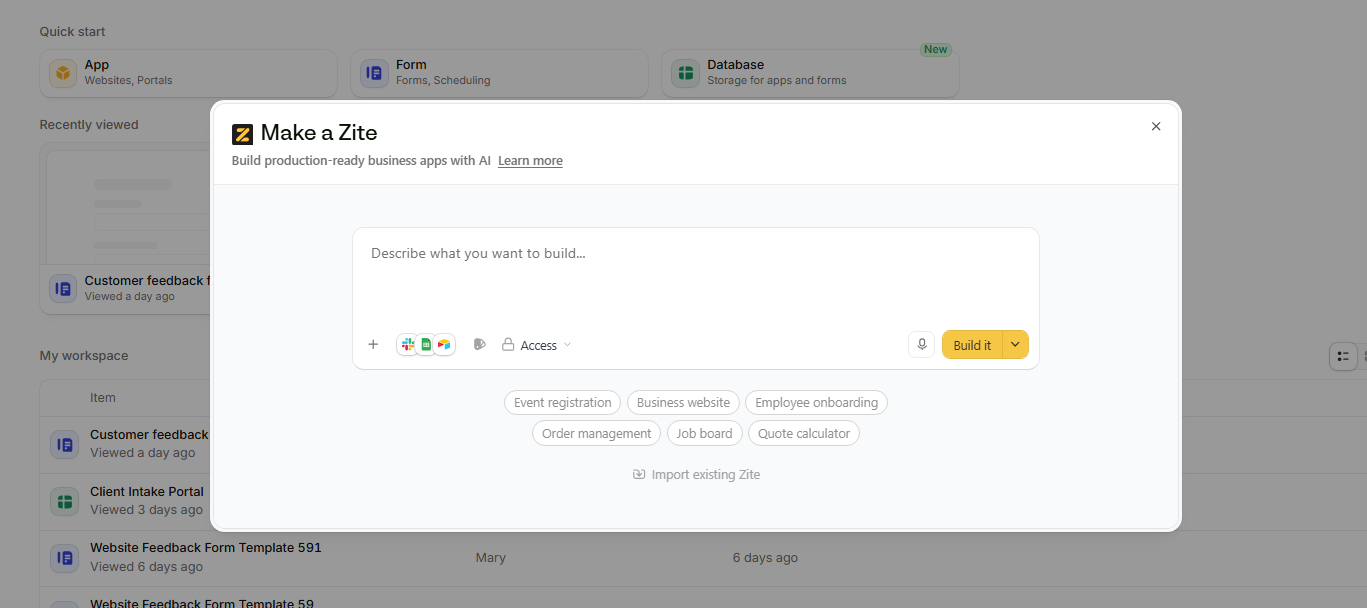
What it does: Zite is an AI-powered no-code platform that builds custom software such as databases, portals, dashboards, and internal tools from plain English descriptions.
Best for: Non-technical teams who need custom apps without hiring a developer or writing code.
The first thing I noticed with Zite is that there’s no complex builder to learn. You simply describe what you want, and Zite generates a working app with a database, forms, and a UI in a few minutes. That alone sets it apart from Bubble, where I spent hours learning how the visual builder works before building.
Where it beats Bubble
- Minimal learning curve: Zite lets you build and iterate over your app with prompts. You can also edit UI elements directly with a user-friendly editor. Bubble’s AI can scaffold the first version, but after that, you’re back in its much more complex visual builder.
- Visual workflows you can trace: Zite shows your app’s logic as step-by-step workflows, so you can see how data moves through the system and quickly troubleshoot issues without reading code.
- Built-in database included: Zite automatically creates the tables your app needs based on your description. There’s no need to configure a separate database or write queries.
- Predictable pricing: Credits are only used when you build or edit apps with AI. Once the app is live, your team can use it without consuming credits. Bubble charges workload units for nearly every action your app performs, such as loading pages, running searches, or sending emails.
Pros
- Refine apps with follow-up prompts and inspect visual workflows to understand how data and automations run
- Connects to tools like Airtable, Google Sheets, Slack, and other common services
- Unlimited users and apps on every plan, including the free tier
Cons
- Newer platform, so the community and template library are still growing.
- Not designed for consumer apps like social platforms or marketplaces.
Pricing
Zite has a free plan with unlimited users and apps, plus enough credits to build and iterate on your first projects. Paid plans start at $19/month, billed monthly, for 100 credits.
Bottom line
Use Zite if you want to build apps by describing what you need, rather than learning a complex visual builder. If you need a marketing website, Framer or Webflow is a better fit.
2. FlutterFlow: Best for mobile-first apps
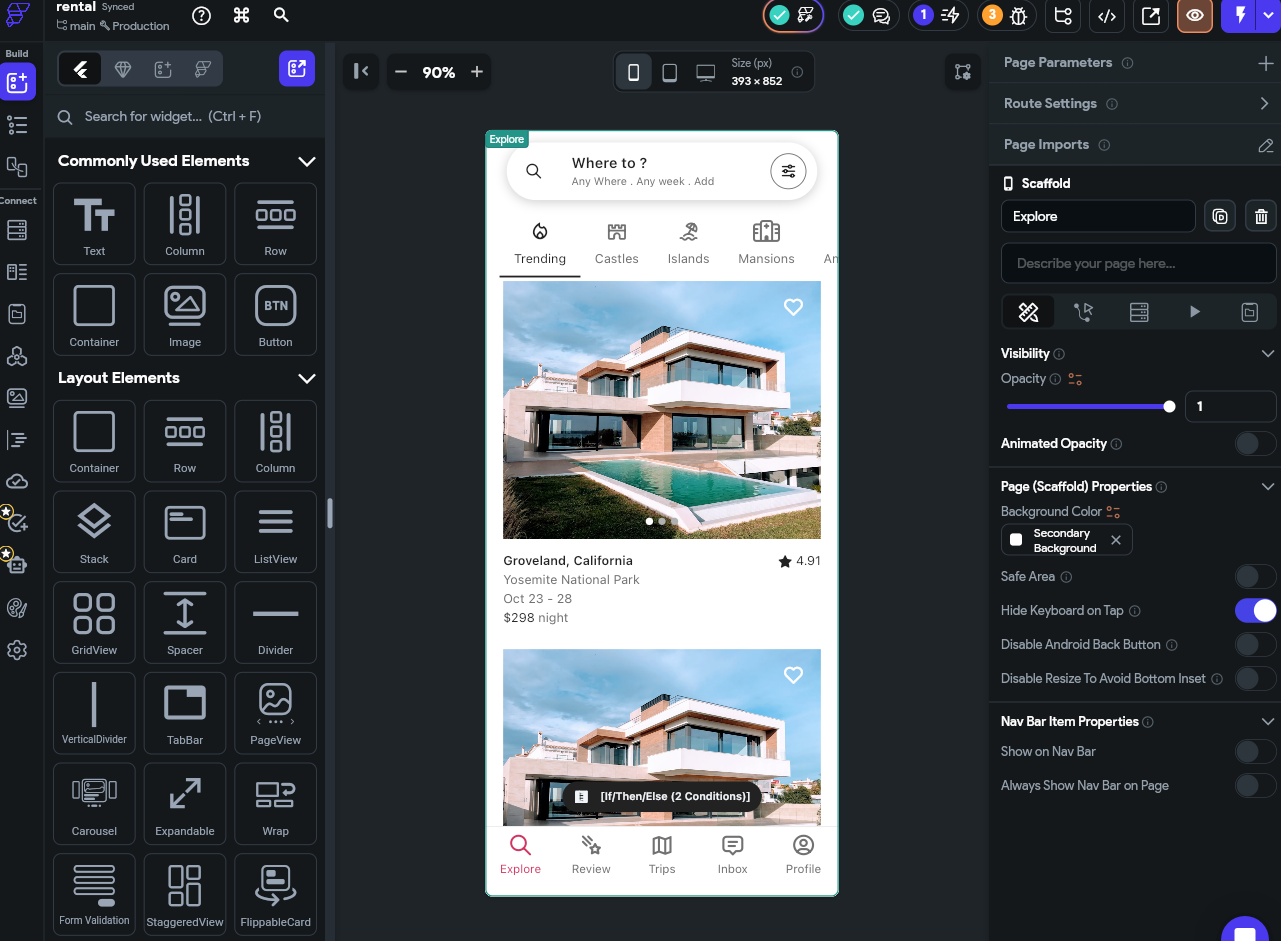
What it does: FlutterFlow is a visual app builder for creating mobile and web apps. You design your app with drag-and-drop components, and FlutterFlow turns that design into a working app you can publish to iOS, Android, or the web.
Best for: Founders and small teams that need native mobile apps, with optional web support.
FlutterFlow gives you a drag-and-drop builder with lots of prebuilt components. This gives you detailed control over how your app looks and works, but it isn’t as beginner-friendly as tools like Zite or Glide. The interface has many panels and settings, and once I moved beyond simple screens, building new features required learning how the platform’s underlying system works.
Where it beats Bubble
- Real mobile apps: FlutterFlow builds apps that run directly on iPhones and Android devices. Bubble’s mobile support is still in beta.
- Code export for advanced users: FlutterFlow lets you export your app’s code and continue developing it outside the platform if you want. Bubble keeps your app fully inside its ecosystem.
- One-click app store publishing: FlutterFlow helps you publish your app to the Apple App Store and Google Play Store.
Pros
- Supports iOS, Android, and web from a single project
- A huge library of prebuilt templates and widgets to speed up development
- An active community with many YouTube tutorials and documentation
Cons
- No built-in database
- Pricing increases quickly as you add team members because higher plans charge per user
Pricing
FlutterFlow has a free plan for prototyping and learning. The Basic plan starts at $39/month, billed monthly.
Bottom line
FlutterFlow is a strong option if you specifically need native mobile apps. You can also use it to create web apps, but it doesn’t offer the same SEO and publishing tools as dedicated web builders like Webflow.
3. Replit: Best for building web and mobile apps with AI
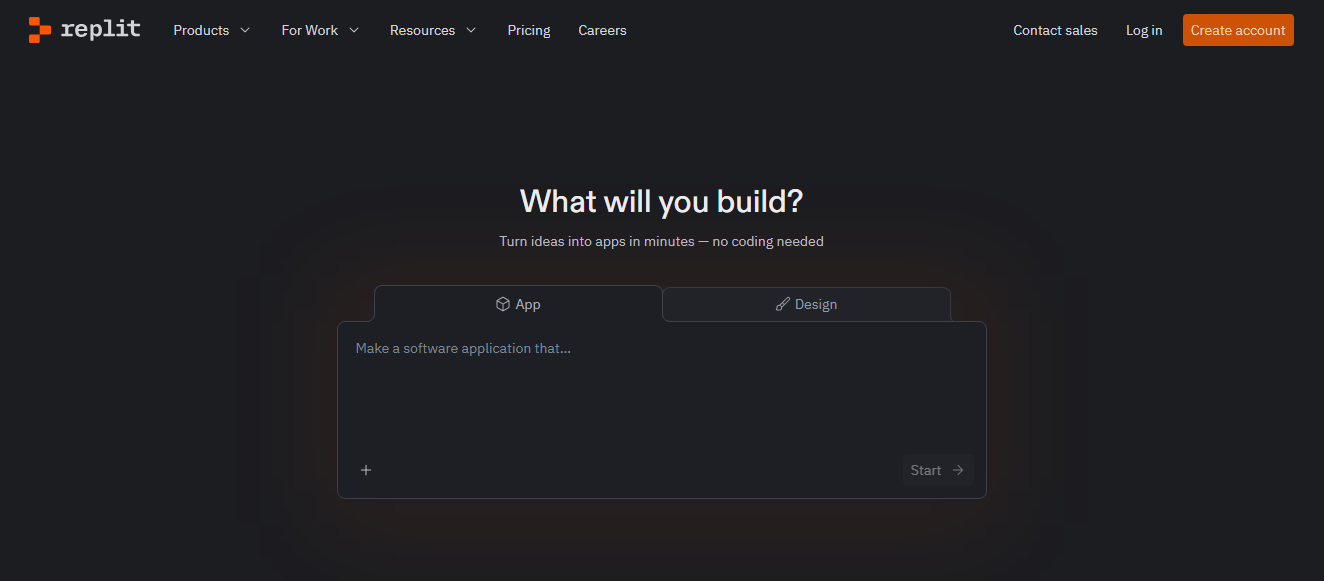
What it does: Replit is a cloud-based platform where you describe your app idea in plain English, and its AI Agent builds the app for you.
Best for: Small teams that want to build web and mobile apps together without setting up technical infrastructure.
Replit can work on an app for longer stretches than most AI builders. It can run the app in a browser, spot problems, and try to fix them before showing you the result.
When I described a simple bill-tracking app, the AI created the interface, set up the data storage, added a login system, and tested everything before presenting the finished version. However, building an app with Replit’s AI takes more time initially compared to some other tools.
Where it beats Bubble
- Real-time team collaboration: Multiple people can work on the same project at the same time, similar to editing a shared document.
- Built-in database and deployment: Replit includes built-in storage for your app’s data and lets you launch your app with a single click.
- Builds more than just web apps: Replit can generate web apps, mobile apps, automation tools, data tools, and even simple games.
Pros
- AI can build complete apps and test them before showing the result
- Supports up to 15 builders and 50 viewers on the Pro plan
- Import projects from tools like Figma, Bolt, Lovable, or GitHub
Cons
- Credits can run out quickly during heavy building or troubleshooting
- Your app uses credits while running, so high traffic can increase costs
Pricing
Replit is free to try with limited AI usage. Paid plans start at $20/month, billed monthly.
Bottom line
Replit is a strong option if your team wants to build web or mobile apps using AI prompts. Just keep in mind that when the app breaks, you may need to work with code to fix it. If you want a platform designed for non-technical users, Replit alternatives like Zite are easier to use.
4. Glide: Best for turning spreadsheets into working apps
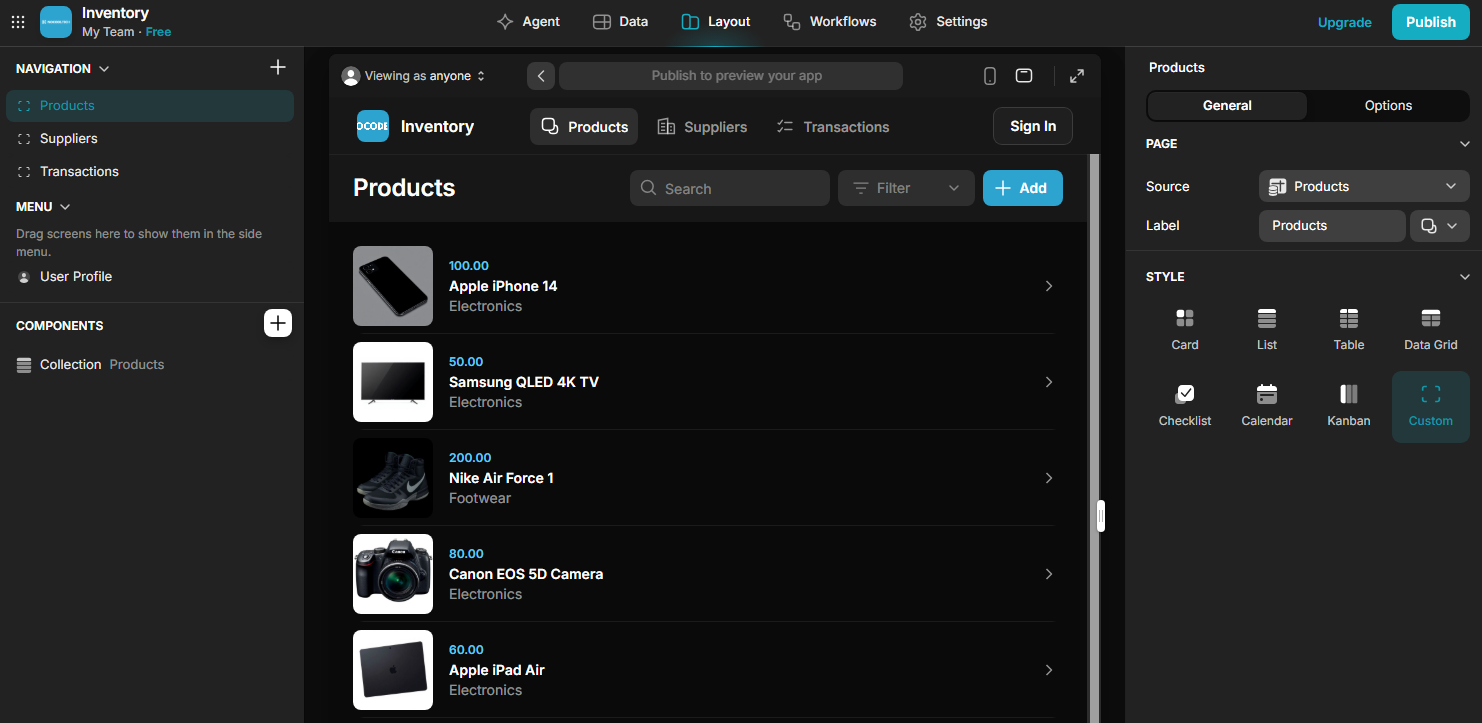
What it does: Glide turns your existing Google Sheets, Excel, or Airtable data into a working custom app.
Best for: Teams already managing operations in spreadsheets who want a better interface without coding.
I connected a Google Sheet with inventory data, and Glide generated a usable app with lists, detail pages, and forms in under 10 minutes. Where Glide struggles is anything beyond basic data actions like viewing, adding, editing, and deleting records. If your app needs complex workflows or custom logic, you’ll likely hit limits.
Where it beats Bubble
- Easy if you know spreadsheets: Glide’s logic works similarly to spreadsheet formulas and filters most teams already understand. Bubble requires learning a completely different system.
- Your data stays where it is: You can connect a Google Sheet or Airtable base and build the app directly on top of it.
- Apps look polished by default: Glide generates mobile-friendly layouts automatically.
Pros
- Build spreadsheet-based apps quickly
- Built-in AI tools for data processing and image recognition
- Role-based permissions control who can view or edit data
Cons
- No native App Store or Google Play publishing
- Limited customization since apps must follow Glide’s layout templates
Pricing
Glide is free for one app with up to 10 users. Paid plans start at $25/month, billed monthly.
Bottom line
I'd recommend Glide if your team already works in spreadsheets and wants to turn that data into UIs people can use. If you need a native mobile app or highly customized workflows, it's not the right fit.
5. Adalo: Best for simple native mobile apps without code
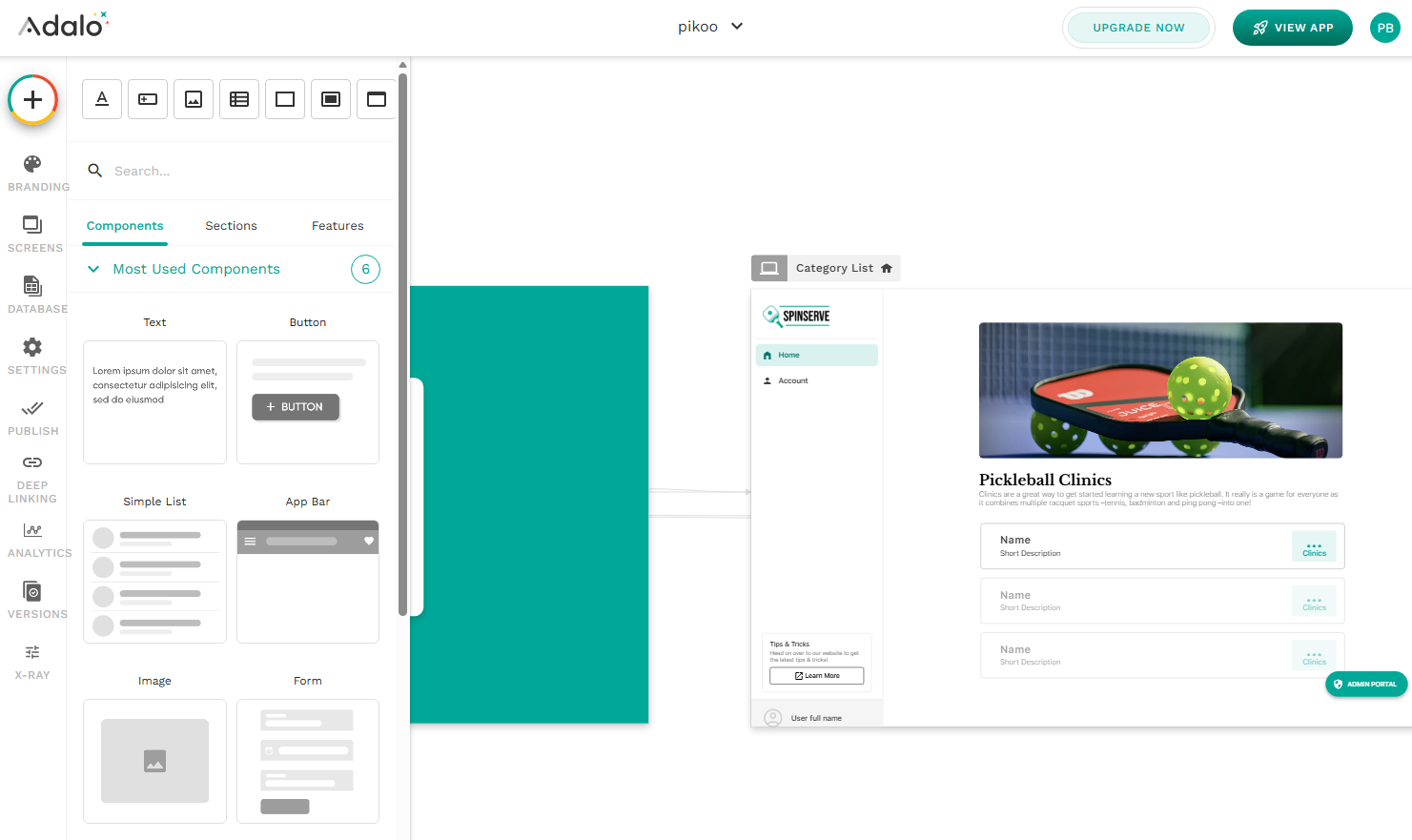
What it does: Adalo is a drag-and-drop app builder that lets you design, build, and publish mobile and web apps from a single project without code.
Best for: Entrepreneurs and small businesses who need a mobile app in the App Store and Google Play without hiring a developer.
Adalo’s builder is straightforward to use. I dragged screens onto a canvas, added components like buttons, lists, and forms, connected them to the built-in database, and had a working prototype within an afternoon.
Publishing to both app stores happens directly from the platform, which removes one of the biggest headaches of mobile app development.
Where it beats Bubble
- Cross-platform publishing and updates: One project powers your web, iOS, and Android apps. When you update your app, you can choose when to release those changes to each store.
- Real mobile apps: Adalo creates apps that run directly on iPhones and Android devices.
- Easier to learn: The drag-and-drop builder is simpler to understand than Bubble’s visual editor.
Pros
- Build once and publish to iOS, Android, and web
- Built-in database with no record caps on paid plans
- Component marketplace with pre-built features like payments, maps, and chat
Cons
- Performance can slow down with complex apps or large datasets
- Less design flexibility than Flutterflow
Pricing
Adalo has a free plan that supports unlimited test apps. The paid plans start at $45/month, billed monthly, for 1 published app.
Bottom line
Adalo is a good choice if you need a native mobile app in the app stores and want the simplest path to get there. For more complex apps, FlutterFlow is better.
6. Webflow: Best for professional marketing sites
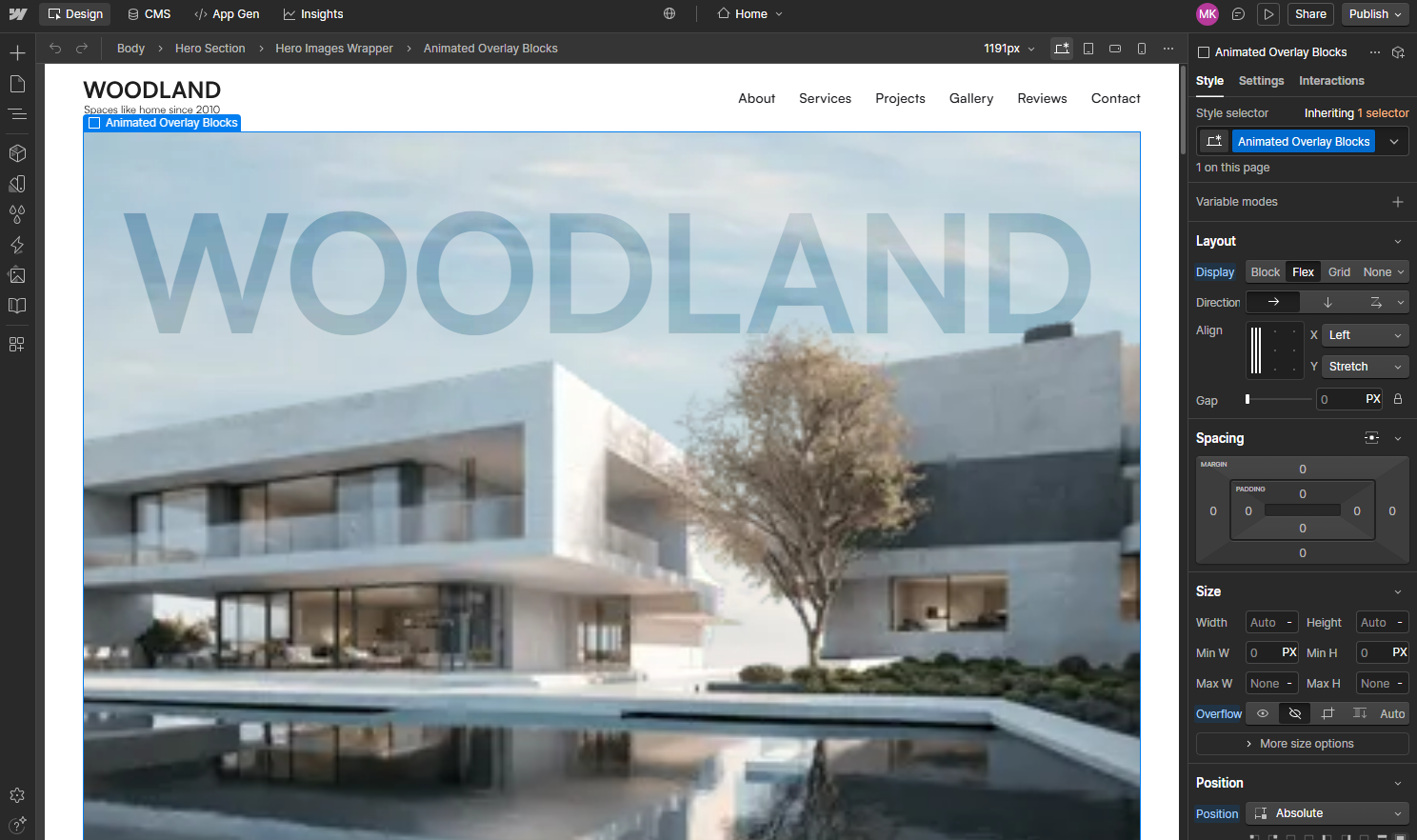
What it does: Webflow is a visual website builder that gives you design control close to what a developer would have without writing code.
Best for: Businesses that need an SEO-optimized marketing site or blog and want full control over how it looks and performs.
Webflow felt a bit like designing a website in Photoshop. You can customize nearly every element, including layout, spacing, fonts, animations, and interactions.
Its built-in content management system (CMS) works well for blogs, directories, and other dynamic content, and the SEO tools are stronger than most other builders on this list. However, Webflow is designed for websites, not apps like Bubble.
Where it beats Bubble
- Designed for websites: If your goal is to build a high-quality website rather than an app, Webflow is much better suited for that job.
- Strong SEO features: Webflow includes tools for search engine optimization, including fast page speeds, automatic sitemaps, and full control over page metadata.
- CMS for content teams: Webflow’s CMS makes it easy for editors and marketers to manage and publish content.
Pros
- Strong visual design control and animation tools
- Built-in CMS for blogs, directories, and dynamic content
- Fast, secure hosting with automatic backups included
Cons
- E-commerce features are limited compared to specialized platforms like Shopify
- Pricing and plan structure can feel confusing or expensive if you manage many sites
Pricing
Webflow's free plan lets you build and prototype on a webflow.io subdomain. The Basic site plan starts at $18/month, billed monthly.
Bottom line
Webflow is a great choice if you need a professional marketing website with strong design control and SEO tools. If your goal is to build apps, dashboards, or internal tools, you’ll need a different platform.
7. Framer: Best for animated landing pages and marketing sites
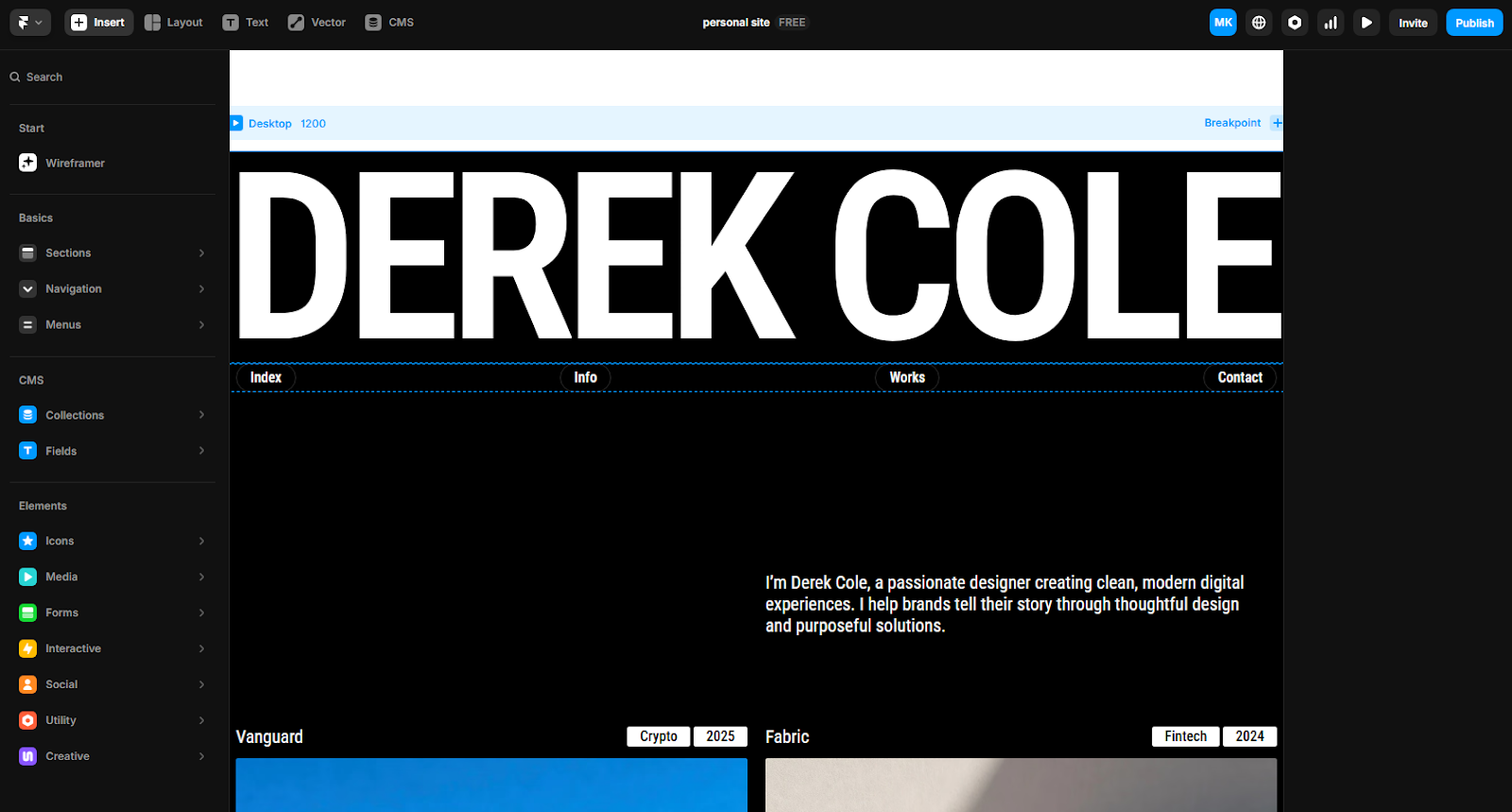
What it does: Framer is a design-focused website builder that lets you create modern sites with built-in animations, interactive effects, and smooth scrolling.
Best for: Startups, agencies, and creators who want visually striking websites with modern animations.
Framer sites simply look better than most sites built with other tools on this list. Its animation tools let you add scroll effects, hover transitions, and page animations with just a few clicks. The downside is pricing. Framer can get expensive for large teams.
Where it beats Bubble
- Better design tools: Framer offers a canvas-style editor similar to design tools like Figma, making it easier to create polished layouts and animations.
- Fast from design to live site: You can go from a prototype to a live website quickly with built-in hosting and tools designed for landing pages and portfolios.
- Performance and SEO tools: Framer sites load quickly, adapt well to mobile devices, and include built-in tools like sitemaps and metadata settings.
Pros
- Excellent motion design and animations without code
- AI can generate full responsive sites from a text prompt
- Beautiful community-built templates with modern designs
Cons
- AI-generated copy often needs editing before publishing
- Fewer integrations compared to other website builders like Webflow
Pricing
Framer has a free plan for personal projects. Paid plans start at $15/month, with additional editor seats costing $30/month.
Bottom line
Framer is a great choice for portfolios, landing pages, and marketing sites where visuals and animation matter. If you need deeper site customization or more integrations, Webflow may be a better option.
8. Squarespace: Best all-in-one website and online store for small businesses
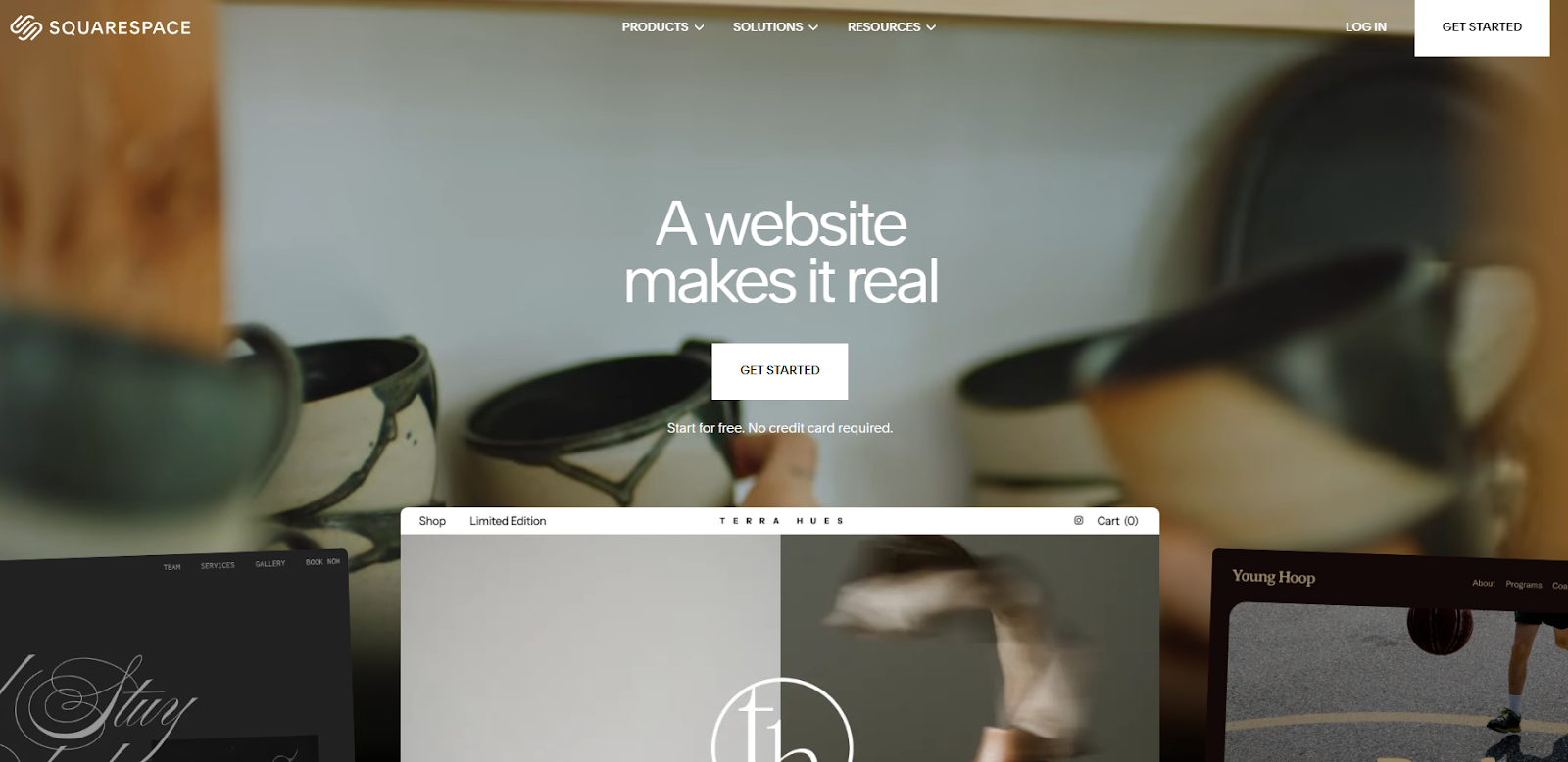
What it does: Squarespace is a website builder that bundles templates, hosting, domains, e-commerce, email marketing, and booking tools into one platform.
Best for: Small business owners who want a professional website (and possibly an online store) without managing multiple tools.
Squarespace was the easiest builder I tested. Its AI asked a few questions about my business and generated a full site structure with colors, fonts, and layout suggestions. From there, editing was as simple as clicking elements and adjusting settings.
The trade-off is flexibility. Because everything follows Squarespace’s design system, very specific design ideas may be harder to achieve.
Where it beats Bubble
- Ease of use for beginners: Squarespace’s drag‑and‑drop templates make it much easier for non‑technical users to launch a basic site or blog.
- All‑in‑one website + store: Hosting, SEO tools, and e-commerce are included, so you can launch a business website or store quickly.
- Pre-built templates: It ships with many modern, mobile‑responsive designs that work well for portfolios, blogs, and small business sites.
Pros
- No technical knowledge needed at all
- Built-in online store with secure checkout and payment processing
- All plans include hosting, security, backups, and a free custom domain for the first year
Cons
- Less design flexibility than Webflow
- Designed for websites and stores, not custom apps
Pricing
Squarespace offers a 14-day free trial. The paid plans start at $25/month, billed monthly.
Bottom line
I'd recommend Squarespace if you need a website or a basic e-commerce store for your business. If you need to build apps, manage data, or create custom workflows, Squarespace isn't the right tool.
9. WeWeb: Best for teams who want tool flexibility
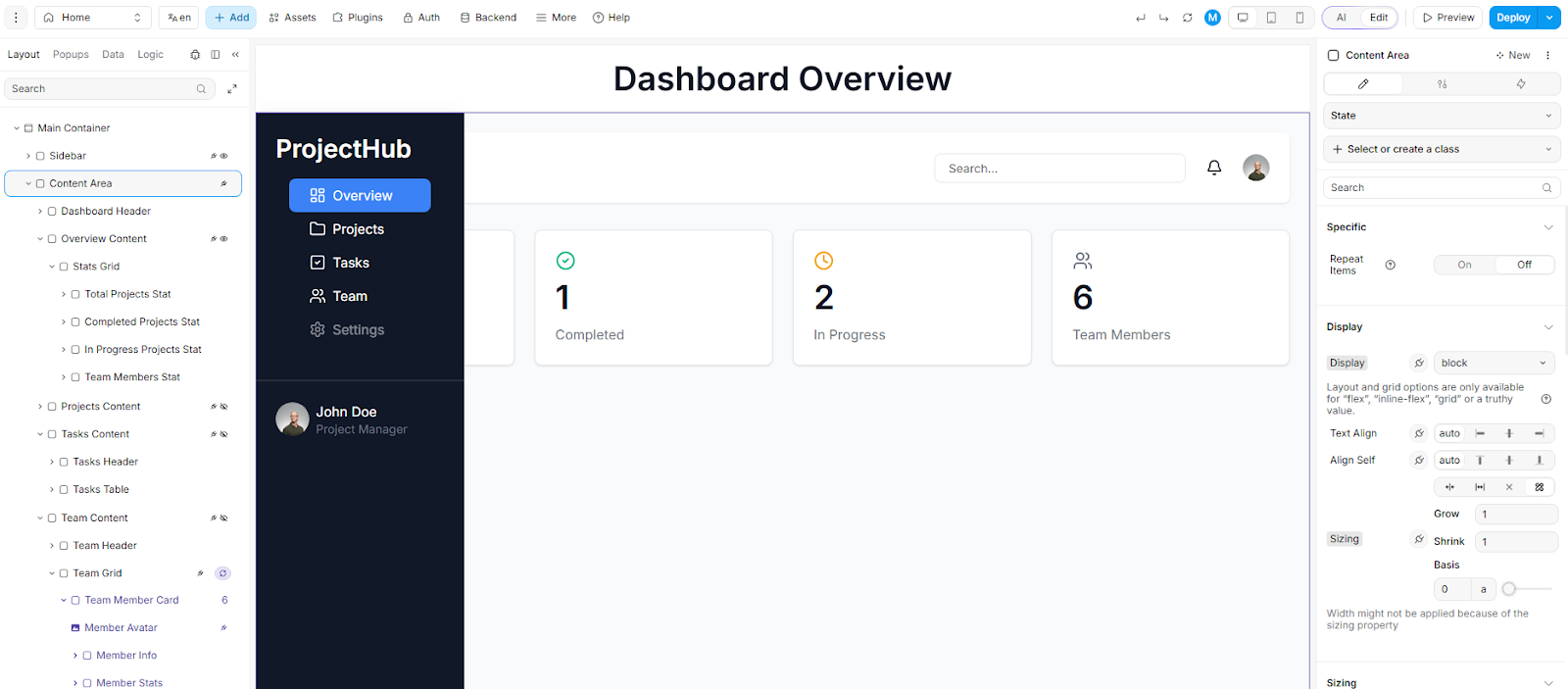
What it does: WeWeb is a visual builder for web apps that lets you design the interface while connecting to whatever tool you use to store your data.
Best for: Semi-technical teams that want control over how their web app looks and where their data lives.
WeWeb focuses only on building the interface, and lets you connect to your own data source. I connected it to a Supabase database and had a working dashboard within a few hours. The AI assistant helped generate layouts and components, which saved time during setup.
The downside is complexity. Because WeWeb only handles the interface, you’ll need other tools for data storage and user login.
Where it beats Bubble
- More flexibility: You choose where your data lives instead of being locked into one platform
- Export your code: WeWeb lets you download your project and host it anywhere. Bubble does not allow this.
- Fast and smooth user experience: Apps built with WeWeb tend to load quickly and feel snappy, because you can host them on fast servers
Pros
- Supports self-hosting
- Full code export so you can move your app elsewhere
- AI assistant speeds up development
Cons
- Requires a separate tool for storing data and managing user accounts
- Needs separate plans if you publish the app on WeWeb
Pricing
WeWeb has a free plan, which is ideal for testing and sharing a prototype. The paid plans start at $25/month, billed monthly, for each developer. Hosting plans are separate.
Bottom line
WeWeb is a good option if you want more control over your app’s design and data setup. If you prefer an all-in-one platform where everything works out of the box, tools like Zite or Glide are easier starting points.
10. Lovable: Best for quick prototypes and testing ideas
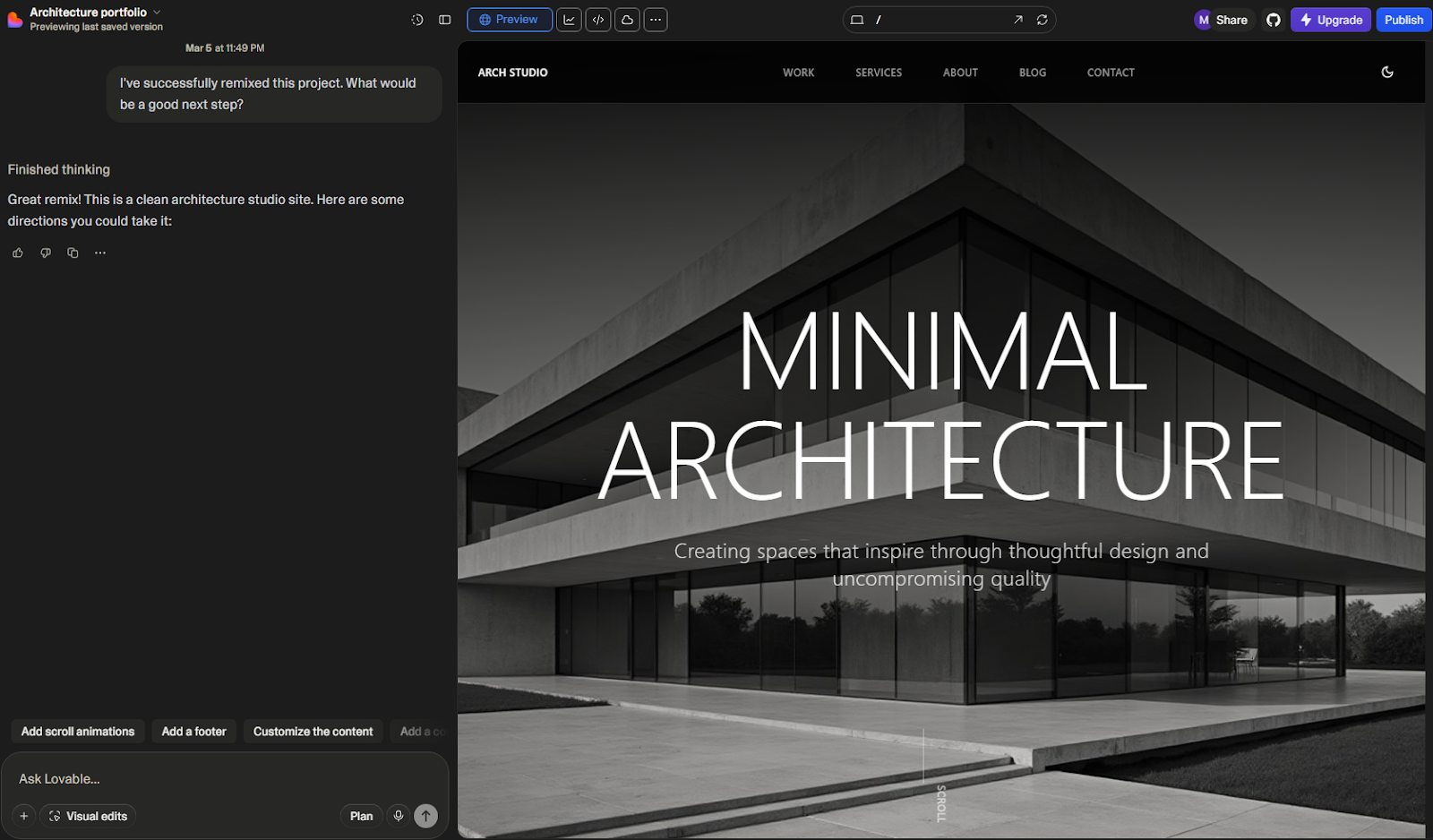
What it does: Lovable is an AI app builder that turns a plain English description into a working web app prototype.
Best for: Founders and product teams who want to test an idea fast by building a working prototype before investing in full development.
Lovable generates apps very quickly. You can refine the result with follow-up prompts or make small UI changes using the visual editor. The main issue I noticed during testing was that the AI sometimes introduced new problems when it was trying to fix mistakes. In a few cases, I had to edit the code directly to resolve errors.
Where it beats Bubble
- Good fit for non‑technical founders: You can build and refine a working prototype through chat prompts and light visual editing, without hiring a development team upfront.
- You own your code: Lovable generates standard code you can export and give to a developer to continue building.
- Lower barrier to entry: Lovable’s free plan lets you start building immediately with no credit card. Bubble’s free plan is more limited and requires a paid plan to launch a live app.
Pros
- It can generate your apps from Figma designs
- Includes built-in tools for data storage and user logins
- You can take your project and continue building it elsewhere
Cons
- Not designed for long-term production apps. Many teams move to another platform as projects grow
- Design output can feel generic
Pricing
Lovable has a free plan with 5 daily credits (up to 30 max per month) for public projects. Paid plans start at $25/month, billed monthly.
Bottom line
I'd recommend Lovable if you want to test an idea quickly and get a prototype in front of people fast. If you need production-ready apps, consider Lovable alternatives like Zite or Flutterflow.
11. Zoho Creator: Best for teams already using Zoho
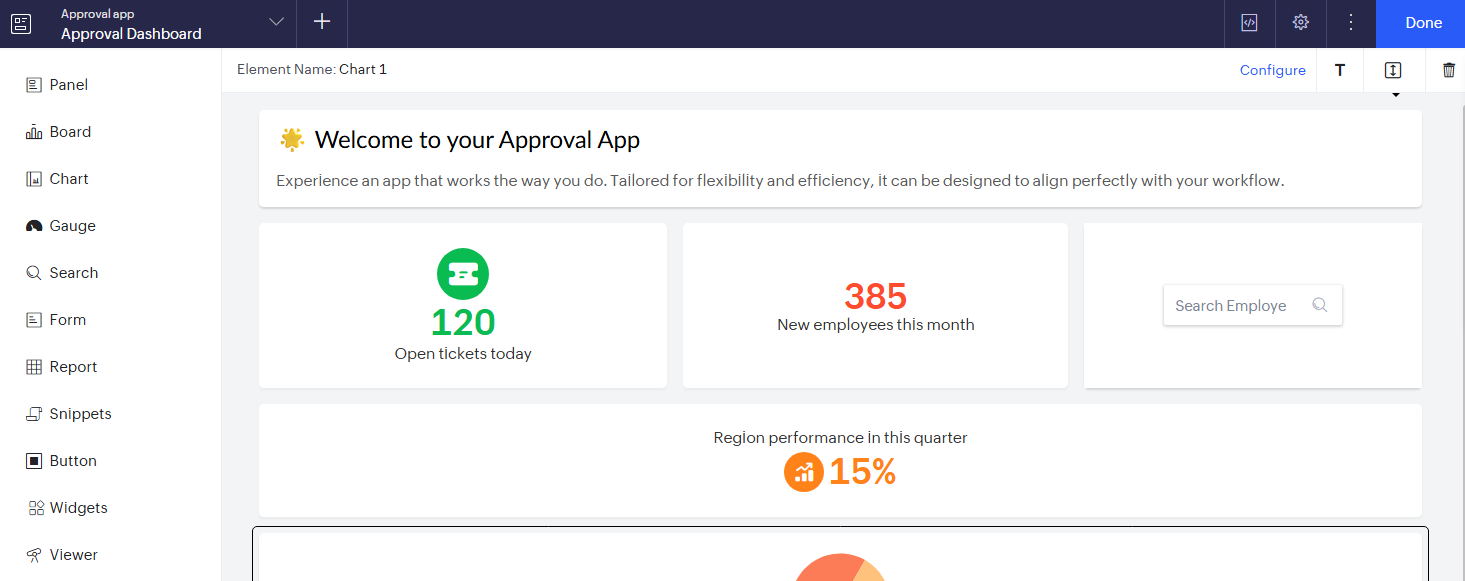
What it does: Zoho Creator is a low-code app builder that lets you create custom applications that connect with Zoho's ecosystem.
Best for: Teams already using Zoho CRM, Zoho Desk, Zoho Books, or other Zoho products who want custom apps that connect their existing workflows.
Zoho Creator makes the most sense if your team already works inside the Zoho ecosystem. For example, you might track deals in Zoho CRM, manage support in Zoho Desk, and handle invoices in Zoho Books. Creator allows you to build custom apps that pull data from all of those tools.
Outside the Zoho ecosystem, the platform feels less compelling. The interface works well, but it looks dated.
Where it beats Bubble
- Zoho integration: If you already use Zoho CRM/Books/Desk, Creator can sit in the middle and share data smoothly. It still connects to tools like Google Sheets and Slack.
- Built for workflows and forms: Creator works well for internal tools such as CRMs, order management systems, approval workflows, and internal portals.
- Simpler for non-technical users: Its drag-and-drop form builder is easier to understand than Bubble’s visual programming system.
Pros
- Connects natively with the entire Zoho suite
- Built-in automation for approvals, notifications, and scheduled tasks
- Apps run on web, iOS, and Android from a single build
Cons
- Less design flexibility than tools like Webflow or Bubble for public-facing websites
- Not ideal for consumer SaaS apps
Pricing
Zoho Creator has a free plan for basic personal use. The paid plans start at $12/user/month, billed monthly.
Bottom line
Zoho Creator works best for internal custom apps connected to Zoho tools like CRM, Books, and Desk. It’s less suited for building public SaaS products.
Why I looked for Bubble alternatives
Bubble is powerful for building complex web apps, but three issues forced me to seek alternatives:
- The learning curve is steep: Bubble's visual editor isn't intuitive. It takes time to understand how workflows, the database, and UI design work.
- The AI doesn't let you build conversationally: Newer tools let you edit your apps using prompts. Bubble's AI features only generate the initial app. You're still doing most of the configuration manually.
- Pricing can become unpredictable: Bubble charges workload units every time your app runs an action such as loading a page, running a search, or submitting a form. As usage grows, costs can increase quickly.
Which Bubble alternative should you choose?
Choose:
- Zite if you want an AI-first builder for production-ready apps and don’t want to code at all.
- FlutterFlow if you specifically need a native mobile app in the App Store and Google Play.
- Replit if you want an AI that builds, tests, and troubleshoots your app autonomously, and your team is comfortable working in code to troubleshoot.
- Glide if your business already runs on spreadsheets and you want to turn that data into an app.
- Adalo if you want a drag-and-drop builder for simple mobile apps.
- Webflow if you need a professional marketing website with SEO and full design control.
- Framer if you need a visually striking landing page with built-in animations.
- Squarespace if you want an all-in-one website and online store for your small business.
- WeWeb if you want the freedom to choose where your app’s data lives.
- Lovable if you need to test an idea fast with a working prototype before committing to full development.
- Zoho Creator if your team already uses Zoho tools and needs custom apps to connect them.
My final verdict
After testing all 11 alternatives, Zite stood out as the best option for non-technical users building custom apps.
It’s AI-native, so you simply describe the app you want, and the platform generates it for you. From there, you can refine the result with follow-up prompts or edit it directly in the visual UI editor. Since Zite doesn’t charge per seat or for app usage once the app is live, your costs don’t increase as more users start using the app.
That said, the right tool depends on what you're actually building. If you need a mobile app, FlutterFlow or Adalo will get you there. If you need a website, Webflow or Framer are better fits.
Ready to try Zite?
Build your first app in minutes with Zite. The free plan supports unlimited apps and gives you enough credits to build and test your tools before committing.
Frequently asked questions
What is the best Bubble alternative for non-technical users?
Zite is the best Bubble alternative for non-technical users because it generates apps from prompts and displays app logic as visual workflows. Instead of wrestling with Bubble’s builder, describe your app and watch Zite build it. To troubleshoot, inspect the workflows and trace the steps to pinpoint exactly where the app is failing.
Can I build a mobile app without coding?
Yes, you can build a mobile app without coding. FlutterFlow and Adalo both let you build native iOS and Android apps without code. FlutterFlow offers more design control but has a steeper learning curve. Adalo is simpler, but it is not the best for complex apps.
What is the cheapest Bubble alternative?
Zite includes unlimited users and enough credits to build and launch an app on its free tier. Glide, Lovable, and Replit also offer free plans for testing and prototyping.
Is Bubble still worth using in 2026?
Yes, Bubble is still worth using in 2026 if you're building a consumer-facing web app and are ready to invest the time to learn the platform. But for internal tools, portals, dashboards, and landing pages, tools like Zite are faster and easier to use. If you’re building mobile apps, use Flutterflow.

