


You can generate a CRUD app with AI in an afternoon. My equipment tracker took about 35 minutes, and the generation itself accounted for 10 of them.
The other 25 minutes went on checking what the AI had built. That checking decides whether the app survives a week with live users.
What is a CRUD app?
A CRUD app lets people create, read, update, and delete records. That's the entire acronym, and those four actions cover most of the business software you touch in a day.
Here's what each one looks like in practice:
- Create: Add a new customer, log a new expense, open a new support ticket.
- Read: Look up a client's contact details, check an order's status, pull up past invoices.
- Update: Change a shipping address, mark a task complete, fix a typo in someone's name.
- Delete: Remove a canceled order, archive a former employee, clear out a duplicate record.
A CRM, an inventory tracker, a project board, an applicant tracker, a help desk queue, and a booking calendar are all CRUD apps wearing different names. Strip away the branding and the industry-specific labels, and each one is records, plus those four operations, plus screens and rules layered on top.
Record-keeping tools are also the best thing to generate first with AI. The pattern is well established, so the AI stays on familiar ground, and you already know what the finished tool should do, which makes verifying it quick.
For the wider process beyond this one build, see how to develop an AI app for business workflows.
How to generate a CRUD app with AI in 6 steps
I built mine on Zite, an AI app builder that generates the database, screens, and workflow logic from a single description; the best internal tool builders roundup compares it against other app-builder options. Here's what that looked like, step by step.
Step 1: Write down your records before you prompt
Spend ten minutes listing what you are tracking before you open the builder. If you already track it in a spreadsheet, your column headers are most of the field list. You can also import the sheet itself, so the records come across with the fields.
Write down three things for each record type:
- The fields.
- The field types.
- How records relate to each other.
My equipment tracker required equipment to have a name, serial number, site, condition, assigned technician, and purchase date. It also needed sites, technicians, and a checkout history linking equipment to technicians with dates.
Skip this step, and the rest will go wrong. I skipped it in an earlier build and spent an hour re-prompting my way out of tables that didn't match how the work actually ran.
Step 2: Write one detailed prompt
Describe the records, the roles, and the rules in one go. One full description produces a coherent app, and five short fragments produce five disconnected guesses.
The prompt I used:
Build an equipment tracker. Each item has a name, serial number, site, condition, purchase date, and an assigned technician. Sites and technicians are separate linked tables. Log every checkout with the technician, date out, and date returned. Technicians see and update only equipment assigned to them. Managers see everything and get notified when an item is out for more than 14 days.
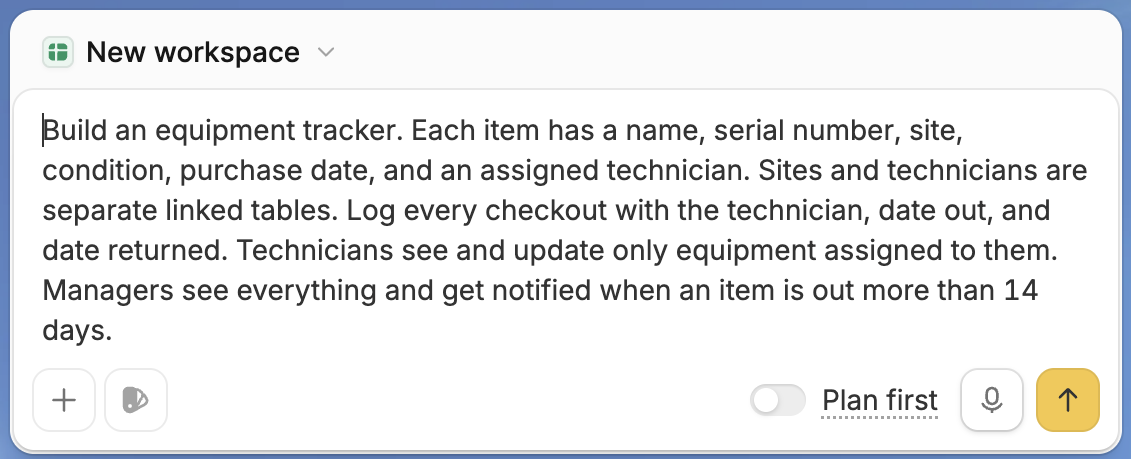
That names the records, field types, relationships, roles, and one automated rule. It produced a working app on the first pass.
Step 3: Open the database and check the structure
Open the generated database before you click through the screens to read the tables, field types, and links between records.
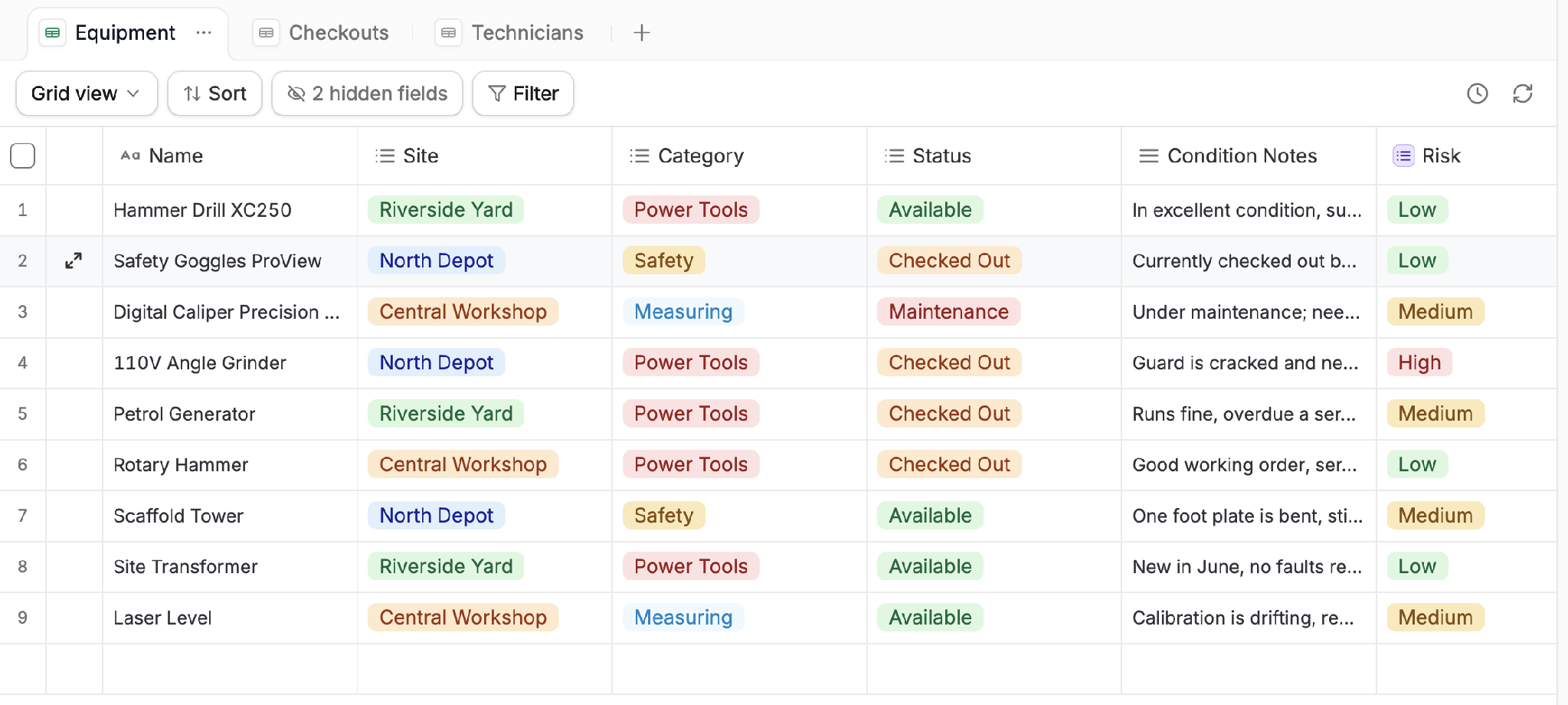
Notice the "2 hidden fields" toggle above the grid. Click it, and you'll often find something worth checking, like a field that looks linked but is stored as plain text. That's how "Sarah K" and "Sarah Kim" end up counted as two separate people forever. Two minutes to spot, and hours to untangle after a month of live data.
Check these four things every time:
- Text fields that should be links: Any field naming a person, site, or category usually belongs as a link to another table.
- Dates stored as text: These break sorting and any date-based rules.
- Free text where options belong: Condition, status, and category fields should be fixed choices.
- Missing relationships: Confirm the links you described are all present.
Step 4: Set permissions before anyone else logs in
Decide who can create, view, edit, and delete which records while the app is still empty. Access rules get harder to change once real data and real users arrive.
Make an account for each role and log in as each one. Confirm that a technician can't see another technician's assignments, and that a manager can see all of them.
My prompt said technicians see only their own equipment. The app it generated showed every technician the full list until I changed it.
Step 5: Follow the automated rules the AI wrote
Every automated rule in your prompt becomes a workflow you can open. Each workflow has three parts: the trigger that starts it, the condition it tests, and the action it takes. Check that all three point to the fields you meant.
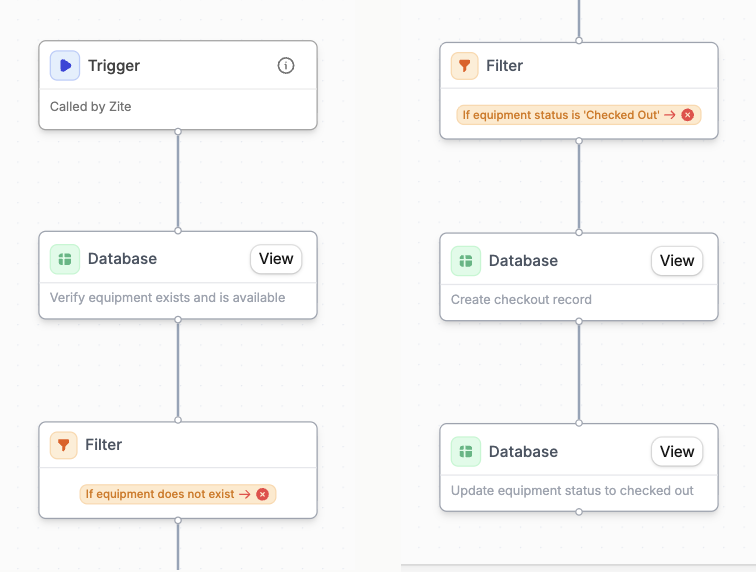
My 14-day overdue notification existed and was checking the wrong date field. I told Zite the overdue check should read the date-out field. Naming that one field left the screens and permissions untouched, where a fresh prompt would have rebuilt them.
Step 6: Pilot with three to five real users for a week
Hand it to the people who will use it daily, then sit with them while they try it. Within two days, someone will try to log a return that came back damaged, or a job that needs a manager's approval, and find there's no field for it. Write down every point where they slow down, because that list is your next build.
Only then add more automated rules, and let that list decide which ones.
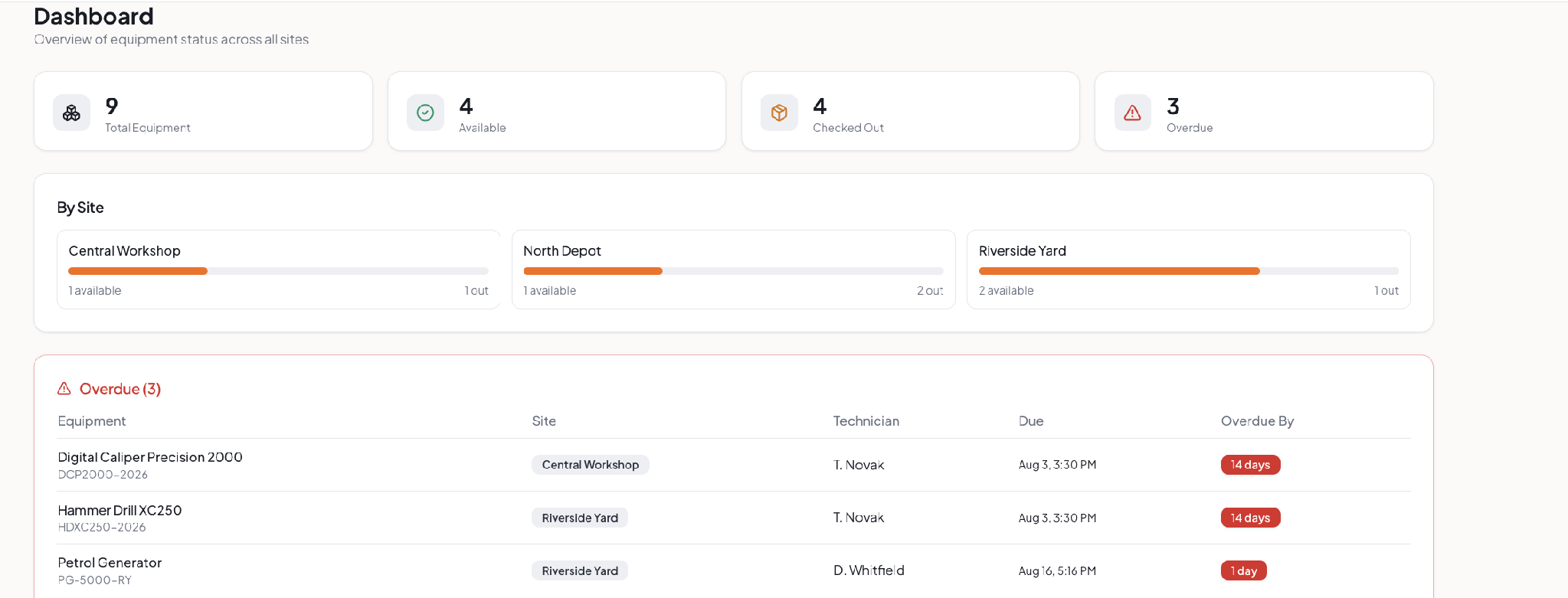
What an AI build costs against a commissioned one
Here is what each route costs:
My equipment tracker cost an afternoon and a few AI credits on Zite's free plan. GoodFirms' 2026 survey puts a medium custom build at $30,000 to $100,000 over three to six months. Upkeep after launch runs 10% to 20% of the build cost each year.
Off-the-shelf software starts faster than any route in that table. It also charges per seat, imposes the vendor's process, and keeps your records on their servers. Build your own, and you set the process, with the records in your own account.
What could go wrong
Four patterns cost me the most time across several builds, and each one is avoidable once you know to watch for it.
Prompt-and-hope: When something breaks, you will want to re-prompt until it looks fixed. That works once. By the fourth attempt, you are guessing at what changed. Open the workflow and read it step by step until you reach the one doing the wrong thing. Then describe that single correction.
Keep related apps in one workspace: Every app in a Zite workspace shares its database and its list of users, so a technician in one app is the same record in the next. Apps built in separate workspaces get separate databases, and there's no way to merge them later. Decide up front which apps belong together.
Permissions widening over time: Each "can ops see this too?" request is easiest to answer by loosening a role. Three requests later, someone sees something they shouldn't. Review access on a schedule.
Not knowing when to restart: Twice, I spent half an hour fixing tables and links one at a time. Deleting the app and describing it again would have taken ten minutes. Once you have changed the same table or link five times, restore an earlier version or start over instead of fixing one more thing.
Which tool to use
If you are building it yourself, what you own at the end decides which tool fits.
If you want a running app, Zite generates the database, screens, role-based access, and workflow logic from a single description. Nothing needs to be hosted, and nothing goes to a developer. You edit the database like a spreadsheet, and Zite lays the workflows out visually so you can trace each step.
Every plan includes unlimited users; Zite is free to start, and Pro is $25/month. Zite builds web apps, so you can't publish to the App Store or Google Play. Zite is also not designed for consumer apps, such as social platforms or games.
If you want source code you own, tools like Flatlogic hand you the screens, the logic behind them, and the database as files you host and maintain yourself. This suits teams with engineers, or an app you will extend for years as the product's base.
If your data already lives elsewhere, you don't have to start fresh. Zite connects to Airtable, Google Sheets, and Notion, and can import a spreadsheet into its own database.
If it's in an SQL database, the best AI database software for businesses roundup covers tools that build on top of it.
Who will edit this app in six months? If the answer is someone already on your team, choose an app builder. If the answer is a developer you have yet to hire, choose a code generator.
Start building with Zite for free and generate your first records tool today.
Frequently asked questions
How long does it take to generate a CRUD app with AI?
Generating a CRUD app with AI takes about 35 to 60 minutes for a single-purpose tool. Generation runs for roughly 10 minutes, and the rest goes on checking the database structure, testing permissions per role, and correcting the automated rules. Writing your records down first shortens the total.
What is a CRUD app used for?
A CRUD app is used for managing lists of records that people add to, look up, change, and remove. Inventory trackers, contact lists, job logs, client rosters, and request queues all qualify. Day-to-day business software is usually a records tool with logins and rules on top.
Do I need to know how to code to generate a CRUD app?
No, provided you use an app builder, you don't need to know how to code. You describe the records, then change the fields and screens by pointing at them. Code generators are the exception, because their output is source files that need a developer when something breaks. Decide which you want before you start.
What should I check after the AI generates my app?
After the AI generates your app, check the database structure first. Look for text fields that should link to another table, dates stored as text, and free-text fields that should be fixed options. Then test permissions by logging in as each role and following each automated rule to confirm it uses the correct fields.
Can AI-generated apps handle complex business logic?
AI-generated apps handle complex business logic only up to a point. Approvals, thresholds, notifications, and status changes work reliably. Payroll, tax, and regulated financial calculations produce results that look right but are subtly wrong, so those belong in dedicated software.

