


Turn Google Sheets into an app your team signs into, while the spreadsheet stays with you. Going from Google Sheets to an app takes one connection. Your columns arrive as fields and your rows as records. Zite builds the screens, login, and workflow logic around them.
Nobody needs access to the sheet itself. Zite and Google Sheets stay in sync in both directions, so an edit in either place shows up in the other.
Zite is free to start, and every plan includes unlimited users.
Two ways to turn a Google Sheet into an app
Your spreadsheet can stay where it is, or its data can move into Zite. The deciding question is who still edits the sheet directly:
- Connect the sheet and keep it: Zite reads and writes to your Google Sheet directly, so the spreadsheet stays the place your data lives. Finance keeps its formulas, and your team gets an app.
- Import the sheet instead: Zite copies the records into its own database, with nothing syncing back to a spreadsheet. See how to turn a spreadsheet into an app if that's the path you want.
Connecting changes nothing about the sheet, so the data stays put and the formulas keep running. Move the data into Zite later if the sheet starts slowing your team down.
What the app adds to your spreadsheet
Five things change the moment your team stops opening the spreadsheet:
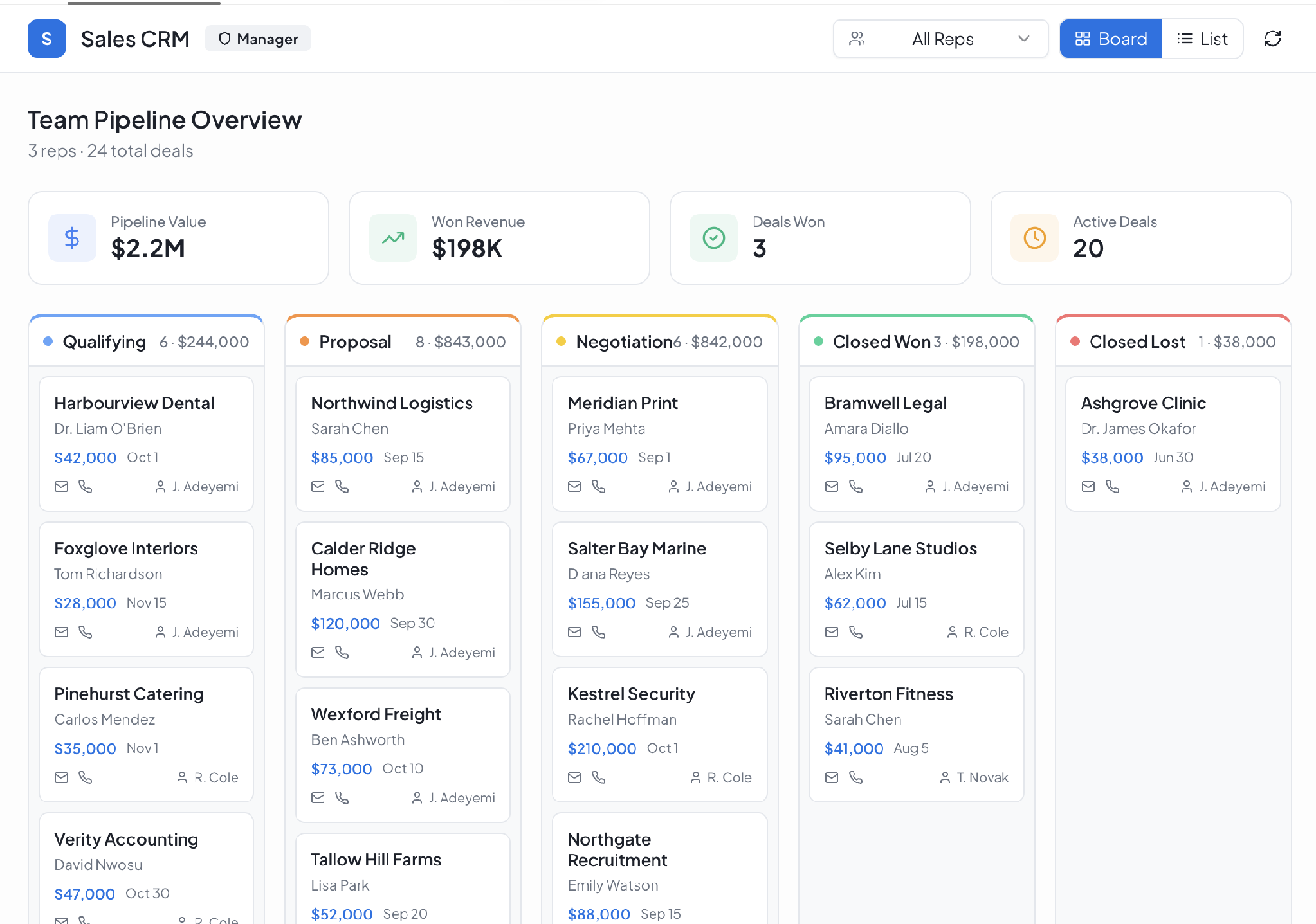
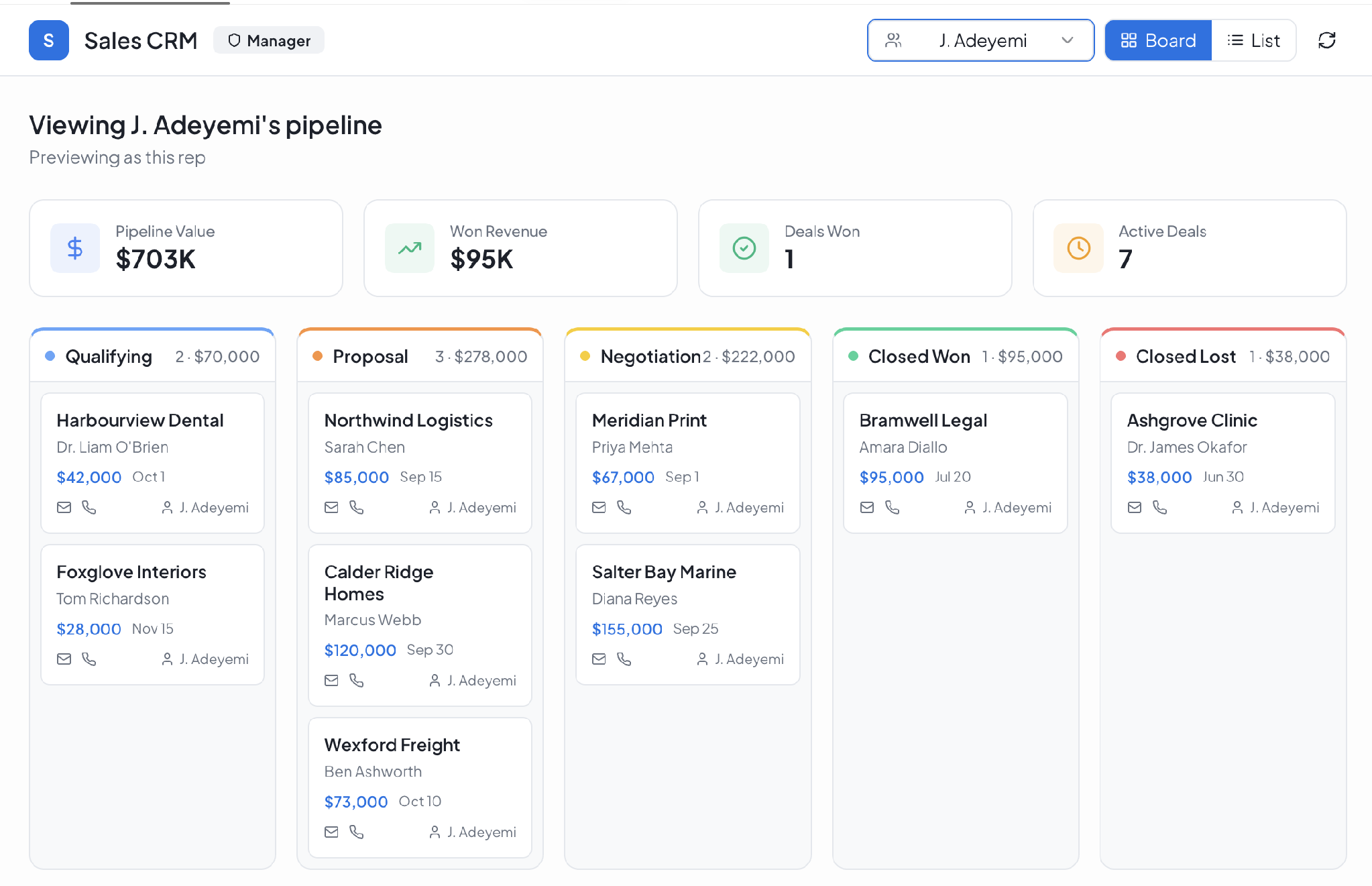
- Per-record access: A technician sees their own jobs, a manager sees the whole team, and a client sees only their own projects. Sheet sharing gives you all-or-nothing.
- No sheet access at all: Nobody needs to be shared on the spreadsheet. Your team signs in to the app instead, and the sheet stays with whoever owns it today.
- Screens and forms: Lists and detail views work on a phone, with built-in search, filtering, and sorting.
- Workflow logic: Approvals, reminders, and status changes run automatically, with a visual layout so you can follow each step.
- AI Fields: Once you import the data into Zite, you can write an instruction in one column and every row fills itself, categorizing, summarizing, or scoring each record.
Google Sheets to app in six steps
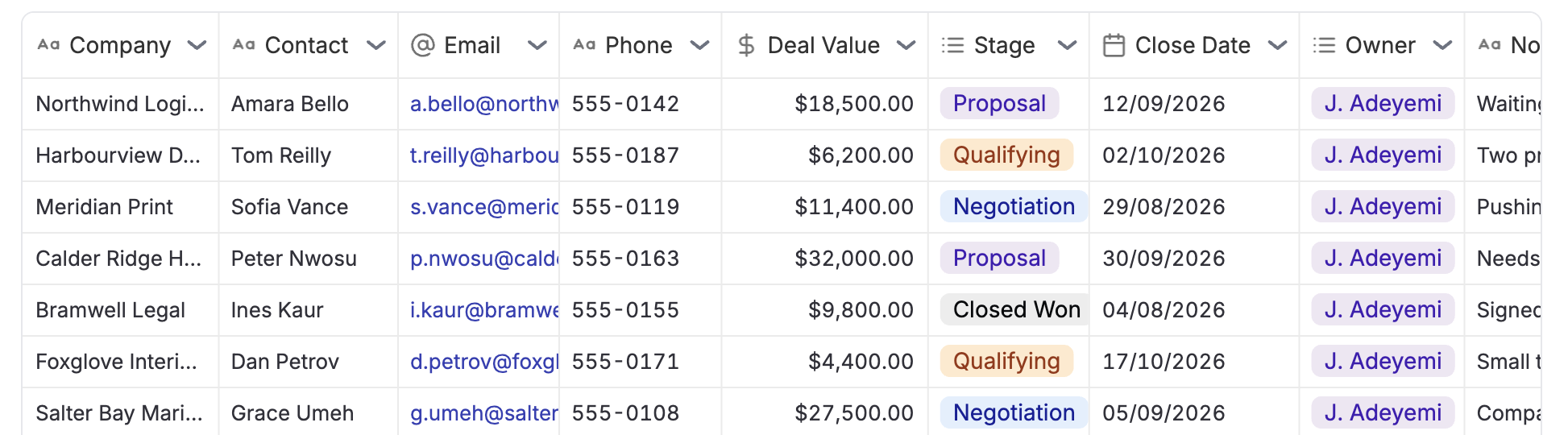
1. Connect your Google Sheet: Sign in with Google and pick the spreadsheet. Zite reads it for the columns and the records already sitting in it.
2. Zite assigns a field type to each column: Dates behave as dates, currency totals add up, and dropdowns keep their options. If you import the data into Zite instead of connecting, you can change any type it guesses wrong before the records land.
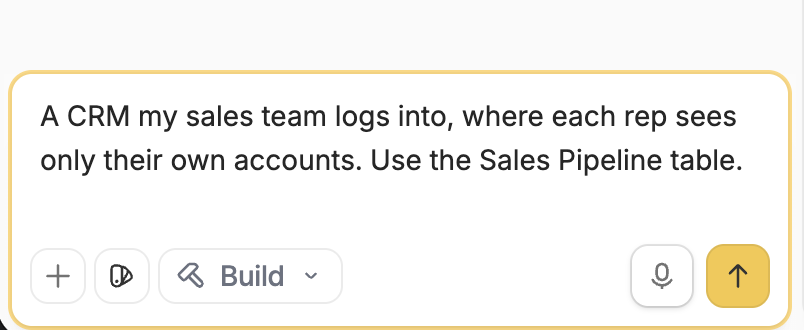
3. Describe the app you want: Write it in plain language, like "A CRM my sales team logs into, where each rep sees only their own accounts."
4. Zite generates the app around your data: You get the screens, the login, and the workflow logic, built from what you described and the columns you connected.
5. Preview it and adjust anything before you publish: Check the field types, try the screens, and change what doesn't look right.
6. Publish and share the link: For an internal app, everyone in your organization can sign in straight away. If clients or partners need it, set up who can log in, then send the link or embed it in your intranet.
Zite builds a web app, not a native download for the App Store or Google Play, so opening the link is all anyone needs to do.
What teams build from a spreadsheet
Five things teams build most often from a spreadsheet:
- Inventory management: Staff check stock levels and log orders against the stock sheet.
- Project trackers: The team updates task status and dates from the app instead of the tab.
- Employee directories: Staff look someone up on their phone instead of opening the sheet.
- Event registration: Attendees fill in a form that writes directly to the signup sheet.
- Budget planners: The finance tab feeds a live view of expenses and revenue.
Zite suits teams outgrowing a spreadsheet, including operations, small businesses, agencies, nonprofits, and local government. It also adds customer-facing tools like client portals. But Zite isn’t designed for consumer apps like social platforms or games.
Bombas and Domino's build apps on Zite. Zite comes from the team behind Fillout, a forms and data collection product.
Pricing
Every plan gives you unlimited users and apps, and you can pay monthly or save by paying for the year, with the monthly cost for each plan below:
- Free: $0/month, with limited AI credits and a starter database.
- Pro: $25/month, with more AI credits, a larger database, one custom domain, and Zite branding removed.
- Business: $89/month, with higher limits, unlimited custom domains, advanced AI models, and white-label emails.
Frequently asked questions
How do I turn Google Sheets into an app?
You turn Google Sheets into an app by connecting the spreadsheet to Zite and describing what you want built. Zite reads the sheet, generates the screens and the login, and hands you an app to publish.
Does Zite stay in sync with my Google Sheet?
Yes, Zite stays in sync with your Google Sheet in both directions. An edit made in the app appears in the spreadsheet, and an edit made in the spreadsheet appears in the app. Your team can add and update records without ever opening the sheet.
Do my team and clients need access to my Google Sheet?
No, your team and clients don’t need access to your Google Sheet. They sign in to the app instead, and per-record permissions decide what each person sees. The spreadsheet stays with whoever owns it today.
What data can I import besides Google Sheets?
Besides Google Sheets, you can import an Excel file or a CSV. That path puts the data into Zite's own database and doesn’t sync it back to a spreadsheet. Zite also connects to Airtable as a live data source.
Which spreadsheet columns carry over?
The spreadsheet columns that carry over are text, number, date, date and time, checkbox, dropdown, currency, percent, URL, email, phone, and formula. If you import the sheet into Zite's database instead of connecting it, you can change any type on the preview screen before a single record moves.
What are the limits of building an app from Google Sheets?
Building an app from Google Sheets runs into two limits. Zite builds web apps, so your app doesn't publish to the App Store or Google Play. The Free plan also comes with a limited number of AI credits.
Related reading
- Google Sheets alternatives for business databases
- Google Sheets vs. Airtable vs. Zite for internal teams
- Spreadsheet vs. database: which is better for business data?
- Best no-code app builders with databases
- The best AppSheet alternatives in 2026
Turn your Google Sheet into an app today
Connect the spreadsheet, describe the app you need, and send your team the link. Zite is free to start and needs no code.

