

How it works
Display and write Google Docs directly from your Zite app. Collaborate with your team or partners without adding them to your Google Workspace. By connecting Google Docs, you can:- Generate a doc from scratch with a title and content
- Display text, headings, lists, tables, and other structural elements from an existing doc
- Edit existing docs by replacing or removing text, adding bullets, and applying basic formatting (bold, italic, underline, font size, color)
- Insert tables, embed images using URLs, and add other structured content
Google limits requests per minute, so bulk document operations need to be paced.
How to create a Google Doc
1
Connect to Google Docs
In the chat box, request your app to be integrated with Google Docs or click the 
plug icon on the top right. Then, sign in to your account.plus icon + in the chat box to connect.2
Enter use case
Tell Zite how you want to use Facebook Pages in your app. For example, let’s add a feature to save generated playbooks as a Google Doc.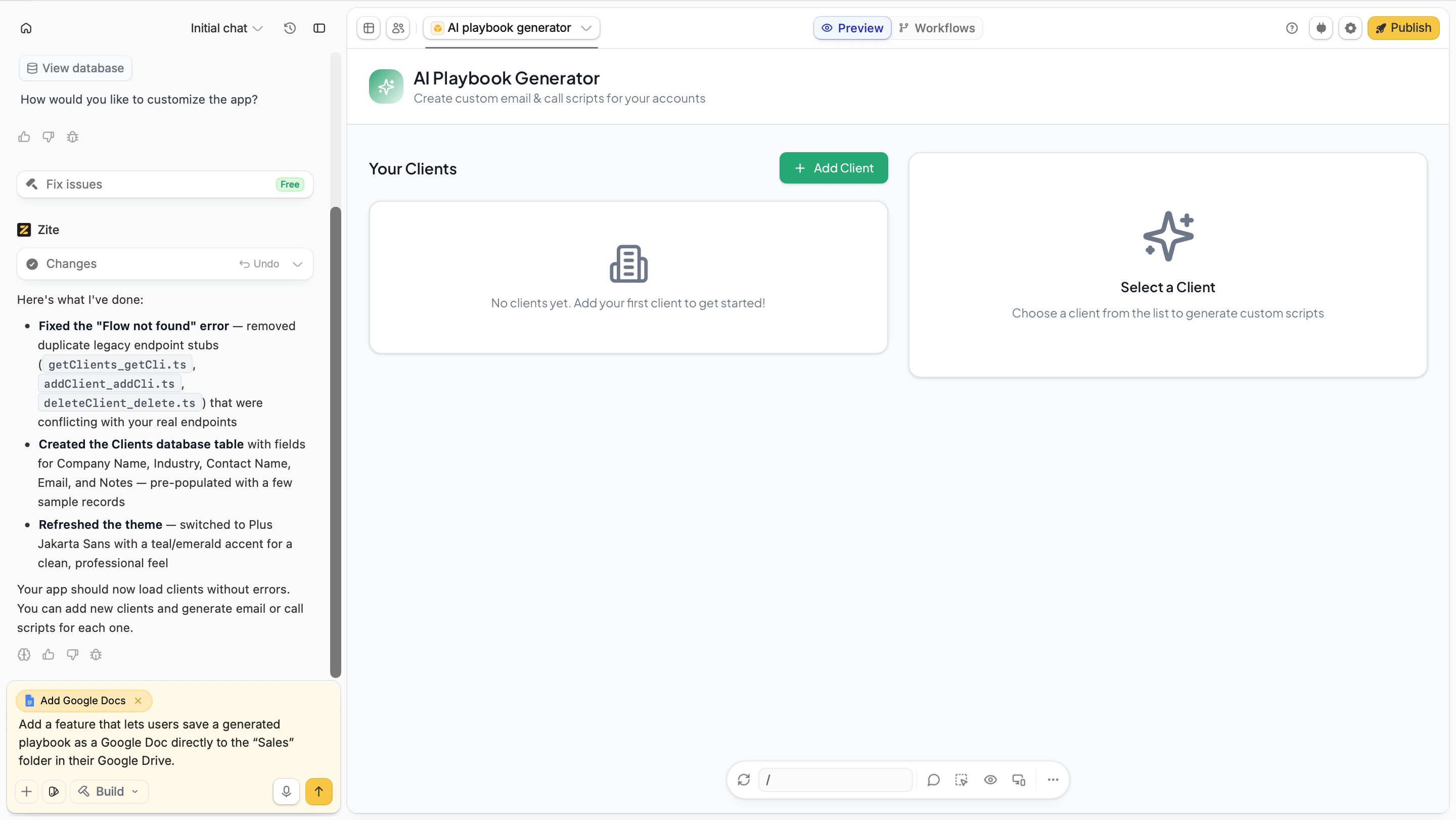
By default, API pulls data from My Drive. If you need to access files in a Shared or Team Drive, specify this in your prompt.
3
Test
Be sure to test the app to ensure everything’s working properly. In this case, we’ll check if a playbook is added as a Google Doc.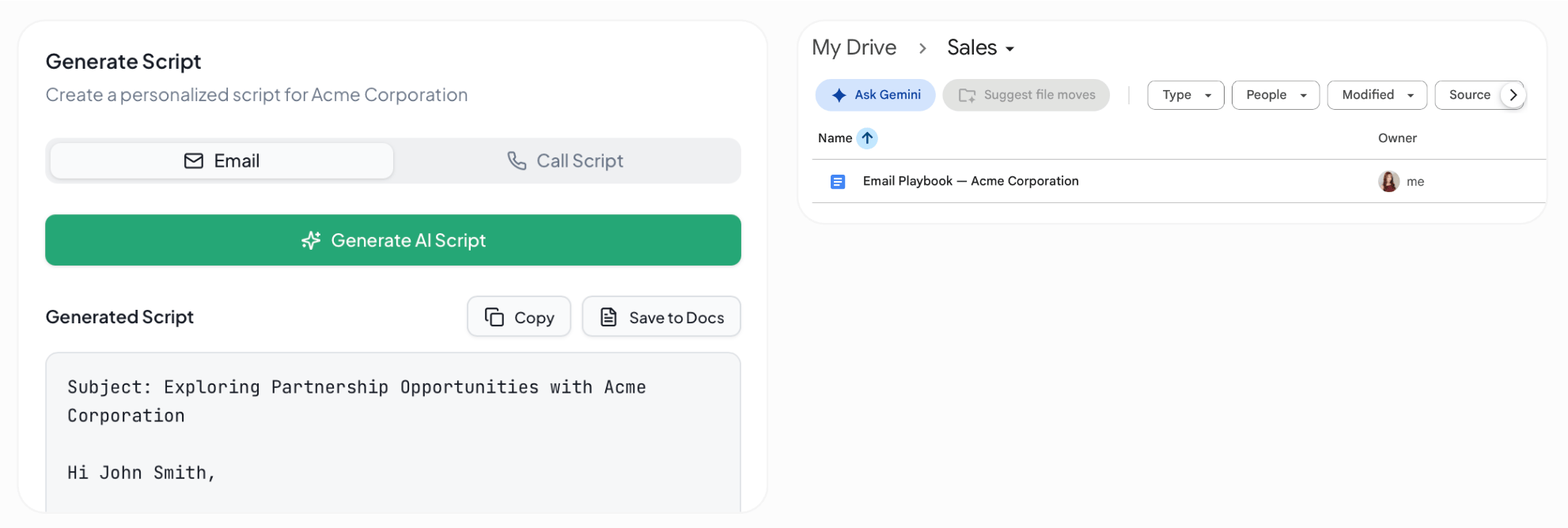
4
Deploy and share
Click
Publish in the upper right corner and share your app.Common use cases
With a Google Docs connection, you can create apps like:- Document Editors: Build a collaborative app for creating and editing Google Docs
- Proposal Builders: Generate client proposals from reusable templates
- Meeting Note Apps: Capture, organize, and share meeting notes in Google Docs
- Content Planners: Create and manage content briefs and editorial documents
- Report Generators: Turn app data into formatted Google Docs reports