

Overview
A workspace is the project container for a Zite build. When you create a new app, form, or database, Zite provisions a workspace so the related pieces can live together. Every workspace includes one database. You can then add as many apps and forms as the project needs, all connected to the same underlying data.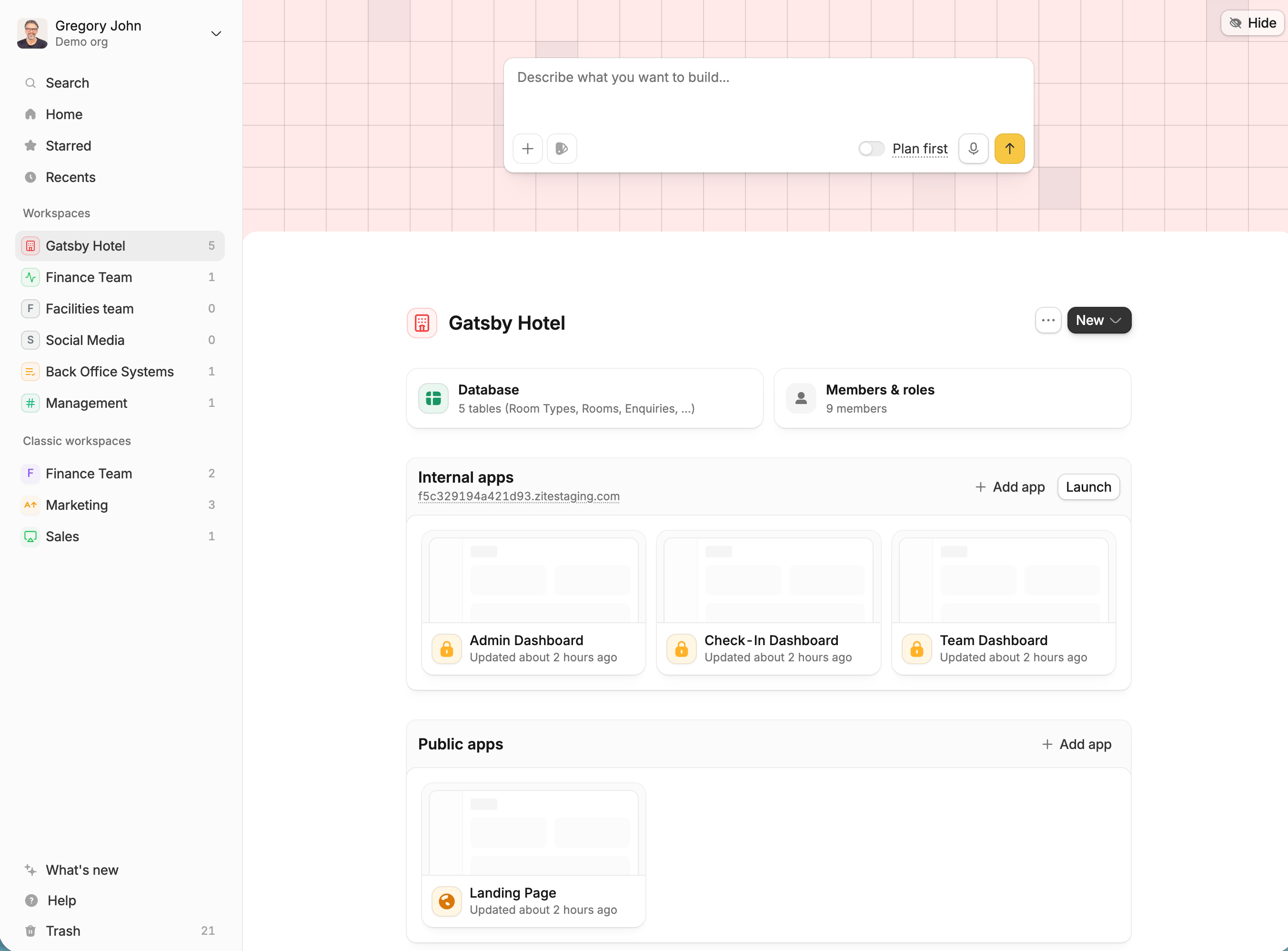
What a workspace includes
Workspaces keep the operational parts of a project in one place.One database
Each workspace has one Zite Database for the records, tables, and relationships that power the project.
Multiple apps
Add internal apps for your team and external apps for public pages, portals, or other shared experiences.
Forms
Add forms when you need to collect submissions, requests, files, approvals, or updates into the workspace database.
Members and roles
Invite people to the workspace and configure what they can access through workspace roles.
Find workspaces in the dashboard
Workspaces appear in the Zite dashboard side menu. Open a workspace to launch its database, apps, forms, and member settings. From the workspace header, you can edit the workspace name, open workspace actions, start a chat, or useNew to add another app or form when the project needs another surface.
You can also share a workspace link with co-workers so they can open the same project.
Add apps and forms
A workspace can grow over time. Start with the app, form, or database you need first, then add more apps and forms as the workflow becomes clearer. Apps can be:- Internal: admin dashboards, team tools, review queues, operations panels, and other apps used by people inside your organization.
- External: public-facing apps, landing pages, client portals, partner portals, or other shared experiences that people outside your internal team can launch by link.
Manage members
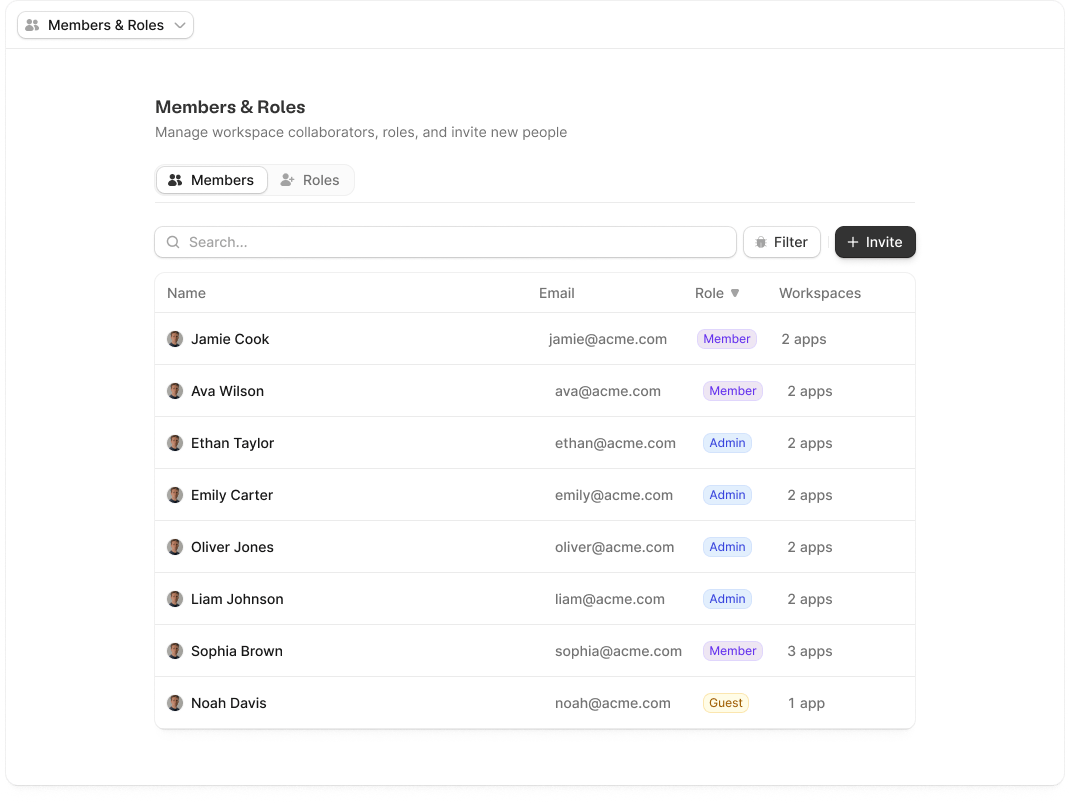
OpenMembers & roles from a workspace to manage access for that workspace. The Members tab shows who belongs to the workspace, their email address, and their current role.
Configure roles
Workspace roles control database access for members. Use the Roles tab to create custom roles and define which tables members can view, edit, create, or delete.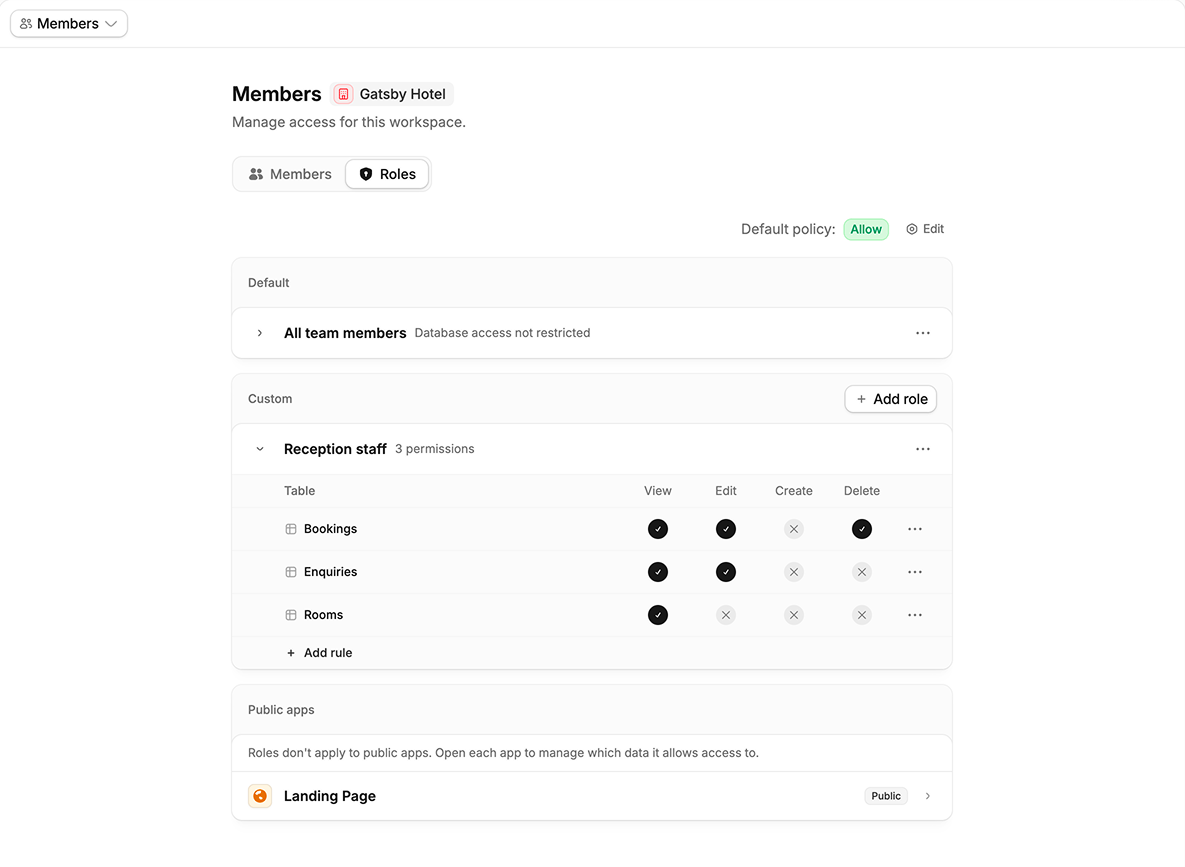
When to create another workspace
Use a new workspace when the project needs a separate database, separate members, or a separate business system. Use the same workspace when apps and forms should share the same data and team access. Common reasons to keep work in one workspace:- An internal dashboard and public portal should use the same customer records
- A form should create or update records used by an app
- Members need access to the same database and workflow
- Several apps represent different views of the same operation
- The new project needs its own database
- A different team should manage members and roles
- The apps and forms do not need to share records
- The project belongs to a different client, department, or business process